Your mailboxes in ChatGPT and Claude: Gmail, iCloud, Fastmail, any IMAP. Passwords stay yours.
Quick Install
Automated & IDE SetupCopy the AI prompt to install this server into Claude Code, Cursor, or another agent — or use 1-click editor setup below.
One-click editor setup isn’t available for this listing yet — we don’t have a confirmed install command, and we’d rather show nothing than point your editor at the wrong package or host. Follow the project’s own setup instructions, linked above.
Manual Client & Custom JSON ConfigExpand JSON ▾
No confirmed setup config for this listing yet. We only publish a config block when the install details come from the project itself — its README, its docs, or a verified owner. We haven’t found those for mailmcp, and we’d rather show nothing than a guess you’d paste into your client. Follow the project’s own setup instructions for the current steps.
Documentation Overview
mailmcp
All your mailboxes in ChatGPT and Claude. Passwords stay yours.



mailmcp is a self-hosted MCP server that gives ChatGPT, Claude and other MCP clients access to your e-mail over IMAP and SMTP: several mailboxes at once, any provider, attachments in both directions. This repository is the prebuilt distribution (minified bundles in dist/, no build step) under a commercial licence; it runs as a free tier without a key, and the source code is available to customers on request.
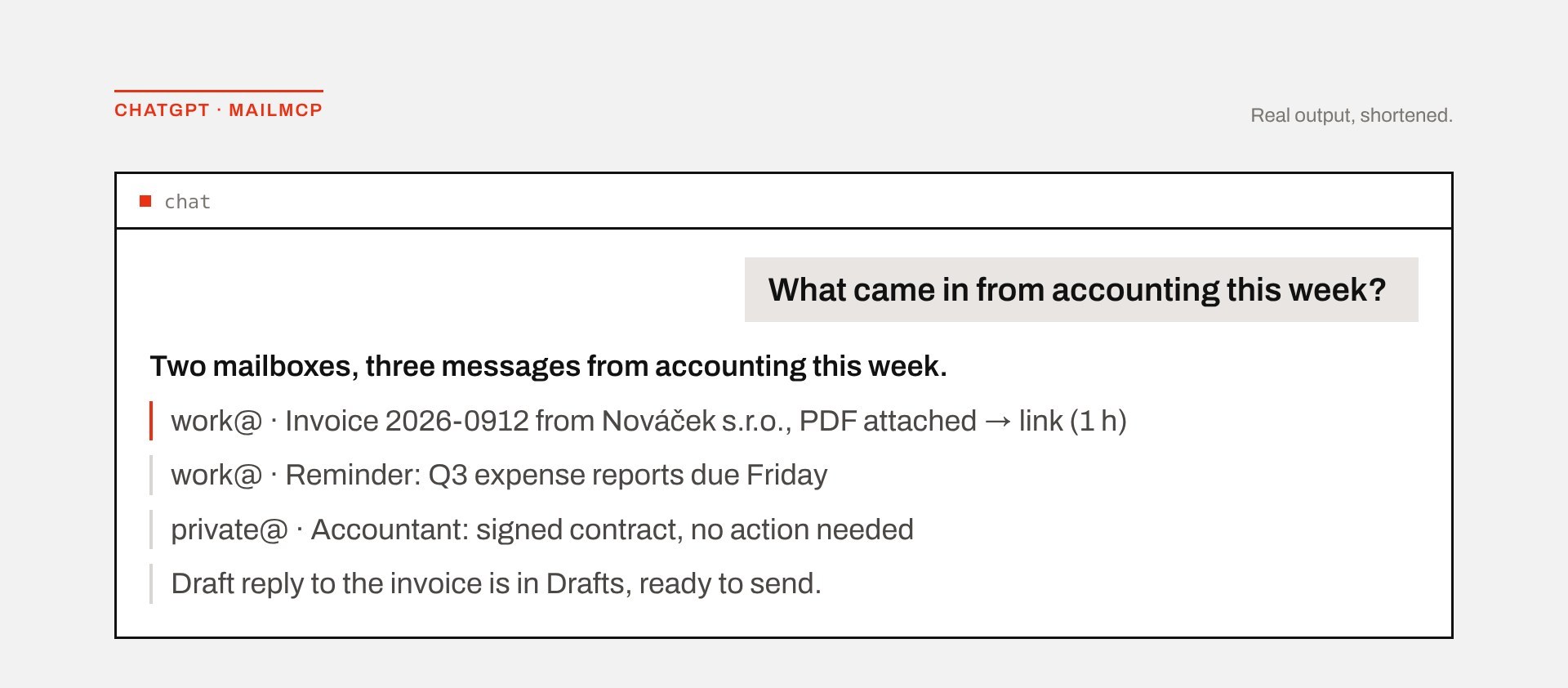
Ask "What came in from accounting this week?" and get one answer across Gmail, iCloud and the company mail server: the invoice as a download link, a reply already drafted.
When to use it
Use mailmcp when you have more than one mailbox, a provider without an official connector, or you need attachments. As of September 2026 the official Gmail and Outlook connectors in ChatGPT and Claude handle one mailbox each and cannot send attachments.
| Official connectors | mailmcp | |
|---|---|---|
| Mailboxes | one per connector | several at once, one token |
| Providers | Gmail, Outlook | Gmail, Outlook.com, Microsoft 365, iCloud, Fastmail, Yahoo, Zoho, Seznam.cz and any IMAP/SMTP server with password sign-in, including your own domain |
| Attachments | read some, send none | one-hour download links; sending from the mailbox, from a file the assistant uploads, or by forwarding |
| Authentication | OAuth grant held by the AI vendor | an app password, encrypted in your browser into a token; the server keeps one master key and no database |
| Hosting | the vendor's | yours: Vercel, Docker, any Node 22 host, or Claude Desktop without a server |
| Cost | included in the assistant's plan | free with a signature in sent mail, or one payment (€19 / €149) |
Quickstart
Requirements. Node 22 (or Vercel, or Docker), an HTTPS address (ChatGPT and Claude only connect over HTTPS), and an app password for each mailbox. Gmail: turn on 2-Step Verification first, otherwise Google hides the app-passwords page (organisation policies or Advanced Protection can hide it too). Outlook.com and Microsoft 365 need no password: the user signs in at Microsoft on the setup page (see "Outlook and Microsoft 365" below).
-
Set an invite code. A server that issues user tokens must say who may create one, otherwise anyone who knows the address can spend your quota. Pick
MAILMCP_INVITE_CODE(at least 8 characters) and hand it to the people who may create a token; without it the server issues no tokens and the setup page shows a notice for you. Forgot the code? Read it in your Vercel or Docker environment, or set a new one and redeploy: tokens already issued keep working. A deliberately public server setsMAILMCP_OPEN_SIGNUP=1instead. -
Deploy. Click the Vercel button above; it asks for
MAILMCP_KEY(32 random bytes as base64url,node -e "console.log(require('crypto').randomBytes(32).toString('base64url'))"),MAILMCP_LICENSE(your key, or empty for the free tier) and the invite code from step 1. Or run it yourself: -
Open
https://<your-server>/startand follow it: on the setup page pick the provider, paste the e-mail and the app password, tick what the assistant may do (reading is on by default; drafts are a good second step; sending only with an allowlist of recipients). The page encrypts the password in your browser and hands you one token. -
Connect. ChatGPT → Settings → Apps → Create → URL
https://<your-server>/mcp; claude.ai → Settings → Connectors → Add custom connector. Sign in with the token. Then ask: "List my mail accounts."
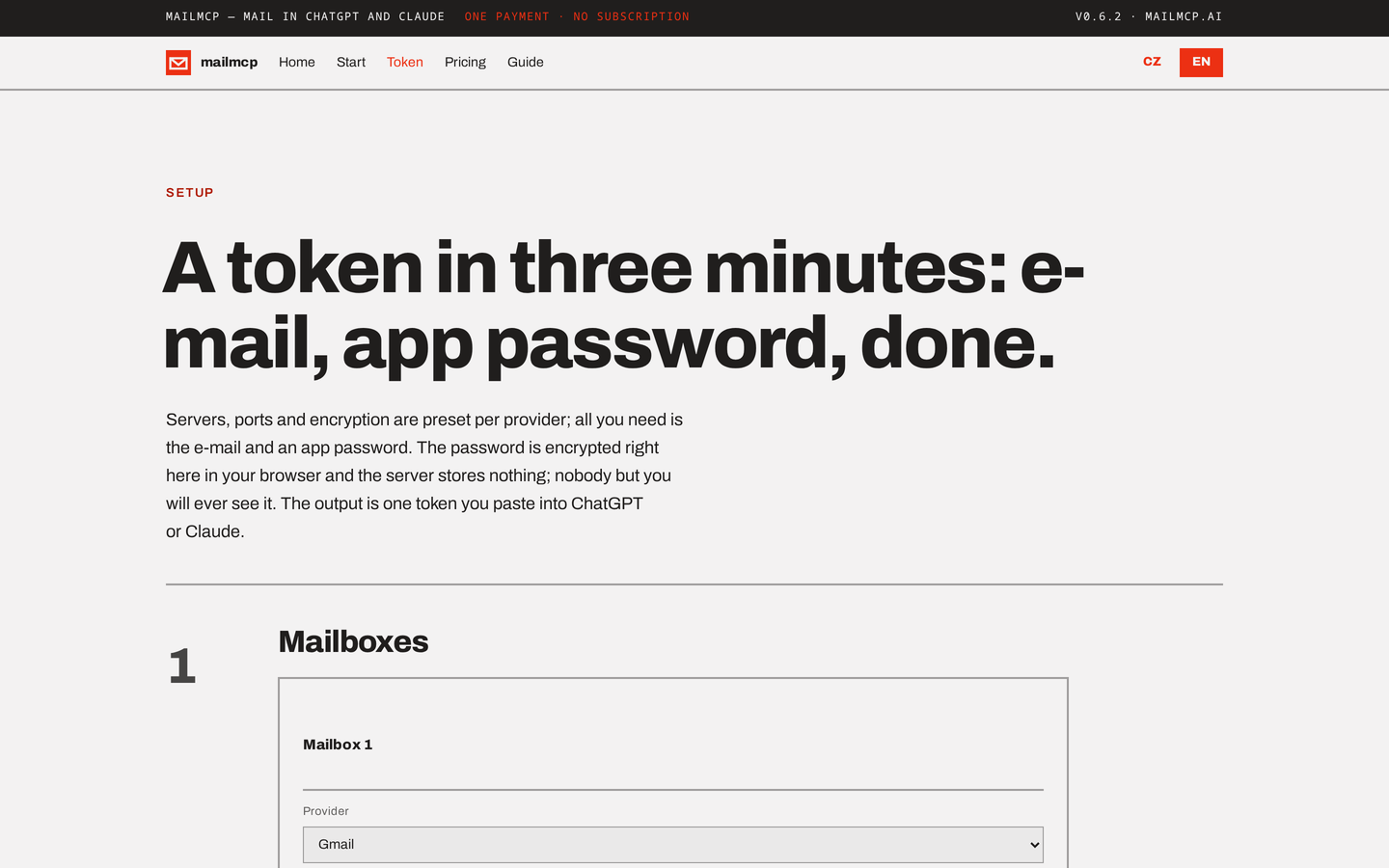
Try it without deploying. The shared server at mailmcp.ai/setup runs this same code; create a token there and connect. The operator of any shared server can technically see your configuration while it serves your requests, which is why companies run their own.
Claude Desktop, no server. Download mailmcp.mcpb from the latest release, open it in Claude Desktop, paste the configuration from /setup → "Values for your own deployment".
Behind a reverse proxy set MAILMCP_PUBLIC_URL or MAILMCP_TRUST_PROXY=1. Company mail servers on private addresses need MAILMCP_ALLOW_PRIVATE_MAIL_HOSTS=1. Changing MAILMCP_KEY invalidates every token. All variables: .env.example.
| Variable | What it does |
|---|---|
MAILMCP_KEY | The one master key; seals user tokens and signs OAuth artifacts. Changing it invalidates every token. |
MAILMCP_LICENSE | Your licence key. Empty runs the free tier. |
MAILMCP_INVITE_CODE | Required on a token-issuing server: the code your users type on /setup, at least 8 characters. |
MAILMCP_OPEN_SIGNUP | 1 on a deliberately public server, in place of an invite code. |
MAILMCP_MS_CLIENT_ID | Your own Entra app registration id for the Microsoft sign-in. Required for any Microsoft sign-in on your server (the vendor's app is used on mailmcp.ai only). |
MAILMCP_MS_REDIRECT | 1 when this origin is registered as a redirect URI (https://<host>/api/ms/callback) in that app: the setup page then signs in through a popup instead of a device code. |
MAILMCP_MS_DISABLED | 1 hides the Microsoft sign-in and answers 404 on every /api/ms/* route. |
MAILMCP_DISABLE_GRAPH | 1 refuses Outlook mailboxes at runtime, including in tokens already issued. |
MAILMCP_ATTACHMENT_DIRS | stdio only: folders (separated by : on macOS/Linux, ; on Windows) where attachments may be saved and read, in addition to policy.attachment_dirs. Claude Desktop sets them in the extension settings. |
MAILMCP_NO_UPDATE_CHECK | 1 stops the Claude Desktop build from asking GitHub for the latest release on start. |
MAILMCP_PUBLIC_URL | The public address, when the server is behind your own reverse proxy. |
MAILMCP_ALLOW_PRIVATE_MAIL_HOSTS | 1 lets user tokens name mail servers on private addresses. |
Outlook and Microsoft 365
These mailboxes have no password: Microsoft rejects password sign-in on most accounts. The user picks the provider Outlook / Microsoft 365 on /setup and clicks Sign in with Microsoft. This needs your own Entra app registration (MAILMCP_MS_CLIENT_ID, steps below); without it the setup page offers no Microsoft sign-in. When your server's origin is a registered redirect URI (MAILMCP_MS_REDIRECT=1) the button opens a popup with the account picker; otherwise the page asks whether the user signs in with a personal account (Outlook.com, Hotmail) or a work or school account (Microsoft 365) and shows a short code to type at microsoft.com/link or login.microsoft.com/device respectively. Either way the sign-in sits behind your invite code (the device-code relay requires one even with MAILMCP_OPEN_SIGNUP=1), and your users see your app's name on the consent screen. No token reaches the vendor: your server runs the sign-in.
What to tell your users: at most three Outlook mailboxes per token; the consented Microsoft permissions follow the capabilities they tick (Mail.Read for read-only, otherwise Mail.ReadWrite and Mail.Send), so widening them later needs a new sign-in; a sign-in lasts about 90 days (the date is on /setup and in list_accounts as reauth_by, and clients that refresh through our OAuth have it rolled automatically); changing the mailbox password does not end it, revoking the app at Microsoft does, for every token that used that account. Tenants that leave consent to administrators need a one-off approval at https://login.microsoftonline.com/organizations/adminconsent?client_id=<your client id>. Mail then flows over Microsoft Graph, so message ids are strings rather than numbers and labels are Outlook categories. Full guide: mailmcp.ai/docs.
Your own Microsoft app registration
Related MCP Servers
Adoption & maintenance
Factual signals from GitHub, npm, and our automated checks — not a rating.
npm downloads
33
Package downloads in the last 30 days.
Last commit
2d ago
Most recent push to the default branch.
Reviews
No reviews yet — be the first to share how this listing worked for you.
Frequently Asked Questions about Mailmcp
AllMCPs Directory Badge
Showcase your server listing on GitHub or your project documentation. Embed this dynamic SVG badge to highlight official listing status and live engagement.
Badge Style:
Live Dynamic SVG Preview
Markdown (GitHub README)
[](https://allmcps.com/mcp/mailmcp-2)HTML Embed
<a href="https://allmcps.com/mcp/mailmcp-2"><img src="https://allmcps.com/api/badge/mailmcp-2?style=directory" alt="Mailmcp on AllMCPs" /></a>