AllMCPs
BrowseBestCategoriesStackCompareToolsGuidesBlog
Log in Submit MCP

Stay in the loop

Get new MCP servers and top picks in your inbox.

AllMCPs

The open directory for discovering and installing Model Context Protocol servers.

AllMCPs on GitHub (opens in a new tab)
Launched onTiny Startupstinystartups.com
Explore
  • Browse servers
  • Best MCP servers
  • Categories
  • MCP clients
  • Agent prompts
  • Stack Builder
  • Compare servers
  • Random discovery New
  • Submit a server
  • Pricing & Boost Boost
Learn
  • Guides hub
  • What is MCP?
  • Install guide
  • Build an MCP server
  • Deploy an MCP server
  • Security guide
  • Troubleshooting
  • MCP for SEO & AEO
  • Protocol versioning
  • Transports: stdio vs HTTP
  • State of MCP (stats)
  • Blog & updates
Tools
  • All developer tools
  • Config generator
  • Config validator
  • Config auditor
  • MCP playground
  • Token calculator
  • OpenAPI → MCP
  • Badge generator
For agents
  • REST API docs
  • Trust & traffic Live
  • Remote MCP server SSE ↗ (opens in a new tab)
  • llms.txt ↗ (opens in a new tab)
  • Catalog JSON ↗ (opens in a new tab)
Company
  • About
  • Advertise Sponsor
  • Contact
  • GitHub ↗ (opens in a new tab)
  • Terms
  • Privacy
AllMCPs VerifiedAllMCPs VerifiedFeatured on Nick LaunchesFeatured on Nick LaunchesLaunch Llama NewsletterLaunch Llama NewsletterVerified DR - allmcps.comVerified DR - allmcps.comFeatured on SaaSGrowFeatured on SaaSGrowFeatured on Twelve ToolsFeatured on Twelve ToolsFeatured on Saaspa.geFeatured on Saaspa.geFeatured on Findly.toolsFeatured on Findly.toolsFeatured on Startup FameFeatured on Startup FameFeatured on LaunchKiwiFeatured on LaunchKiwiFeatured on ScrollLaunchFeatured on ScrollLaunchFeatured on DailyPingsFeatured on DailyPingsFazier badgeFazier badgeFeatured on NewTool.siteFeatured on NewTool.siteFeatured on saasfame.comFeatured on saasfame.comDR Checker - Domain RatingDR Checker - Domain RatingListed on Turbo0Listed on Turbo0Launched on LaunchBoard - Product Launch PlatformLaunched on LaunchBoard - Product Launch PlatformList on SimilarlabsList on Similarlabshttps://codetrendy.comhttps://codetrendy.comListed on DevTool.ioFeatured on BuildlistFeatured on BuildlistLaunched on Tiny StartupsFeatured on ShowMeBestAIFeatured on ShowMeBestAIFind us on LaunchZoneFind us on LaunchZoneAllMCPs VerifiedAllMCPs VerifiedFeatured on Nick LaunchesFeatured on Nick LaunchesLaunch Llama NewsletterLaunch Llama NewsletterVerified DR - allmcps.comVerified DR - allmcps.comFeatured on SaaSGrowFeatured on SaaSGrowFeatured on Twelve ToolsFeatured on Twelve ToolsFeatured on Saaspa.geFeatured on Saaspa.geFeatured on Findly.toolsFeatured on Findly.toolsFeatured on Startup FameFeatured on Startup FameFeatured on LaunchKiwiFeatured on LaunchKiwiFeatured on ScrollLaunchFeatured on ScrollLaunchFeatured on DailyPingsFeatured on DailyPingsFazier badgeFazier badgeFeatured on NewTool.siteFeatured on NewTool.siteFeatured on saasfame.comFeatured on saasfame.comDR Checker - Domain RatingDR Checker - Domain RatingListed on Turbo0Listed on Turbo0Launched on LaunchBoard - Product Launch PlatformLaunched on LaunchBoard - Product Launch PlatformList on SimilarlabsList on Similarlabshttps://codetrendy.comhttps://codetrendy.comListed on DevTool.ioFeatured on BuildlistFeatured on BuildlistLaunched on Tiny StartupsFeatured on ShowMeBestAIFeatured on ShowMeBestAIFind us on LaunchZoneFind us on LaunchZone
© 2026 Jackalope Digital LLC. All rights reserved.
  1. Home
  2. Developer Tools
  3. Lystbot
  4. README

Lystbot README

The full upstream README, mirrored here for reference. Install config, tool schemas, adoption signals, and an original overview live on the Lystbot listing page.

Back to Lystbot View source on GitHub

LystBot

Smart lists and reminders that your AI can actually use.

MIT License npm API Status

LystBot is not another AI list app. There's no built-in AI. No chatbot. No "AI-powered suggestions."
Instead, LystBot gives your AI - whether it's OpenClaw, Hermes, Claude Code, ChatGPT, Copilot, Grok Bot, or another agent - a direct line to your lists and reminders.
Your AI controls the lists and reminders. The app is the window to the real world.


🚀 Getting Started

1. Get the App

App Store    Google Play

Open the app, create your first list, and grab your API key from Settings → AI Agents.

2. Connect Your AI Agent

Head over to the agent setup page for step-by-step instructions:

👉 lystbot.com/agents

Three ways to connect, depending on your setup:

MethodBest forSetup time
CLIOpenClaw, personal agents, scripts, automation1 min
MCP ServerClaude Desktop, Cursor, Windsurf, Cline2 min
REST APIChatGPT Actions, custom agents, Home Assistant5 min

3. That's it

Terminal
npx lystbot login YOUR_API_KEY
lystbot add "Groceries" "Oat milk, Bananas, Coffee"

Your agent adds items. Your phone updates instantly. Done.


🧠 How It Works

Most "AI list apps" shove a chatbot inside the app. LystBot does the opposite: your AI lives where it already lives, and LystBot is the app it controls.

Code
You → talk to your AI → AI calls LystBot API → your phone updates instantly

No new AI to learn. No prompts inside the app. Just connect your existing AI and it manages your groceries, packing lists, todos, reminders - anything.

  • 🤖 "Add eggs to my shopping list" actually works - from any AI you already use
  • 📱 Your phone is the display - your AI writes, you see it instantly
  • 🔑 Clean separation - the app is for humans, the API is for agents
  • 🔄 Real-time sync - your AI adds milk, your partner sees it immediately

✨ Features

🗒️ Smart Lists - Create, organize, and share lists with anyone

🤝 Real-time Sharing - Invite others via share codes, collaborate live

📱 Cross-Platform - iOS and Android, with CLI and API access

⭐ Favorites - Quick-access items you use all the time

🗂️ Categories - Structure lists into sections, move items between categories, keep uncategorized items in Other

📎 Attachments - Attach images and links to items, from the app, the CLI, or an MCP agent

⏰ Reminders - Let your AI create, update, disable, and delete one-time or recurring reminders

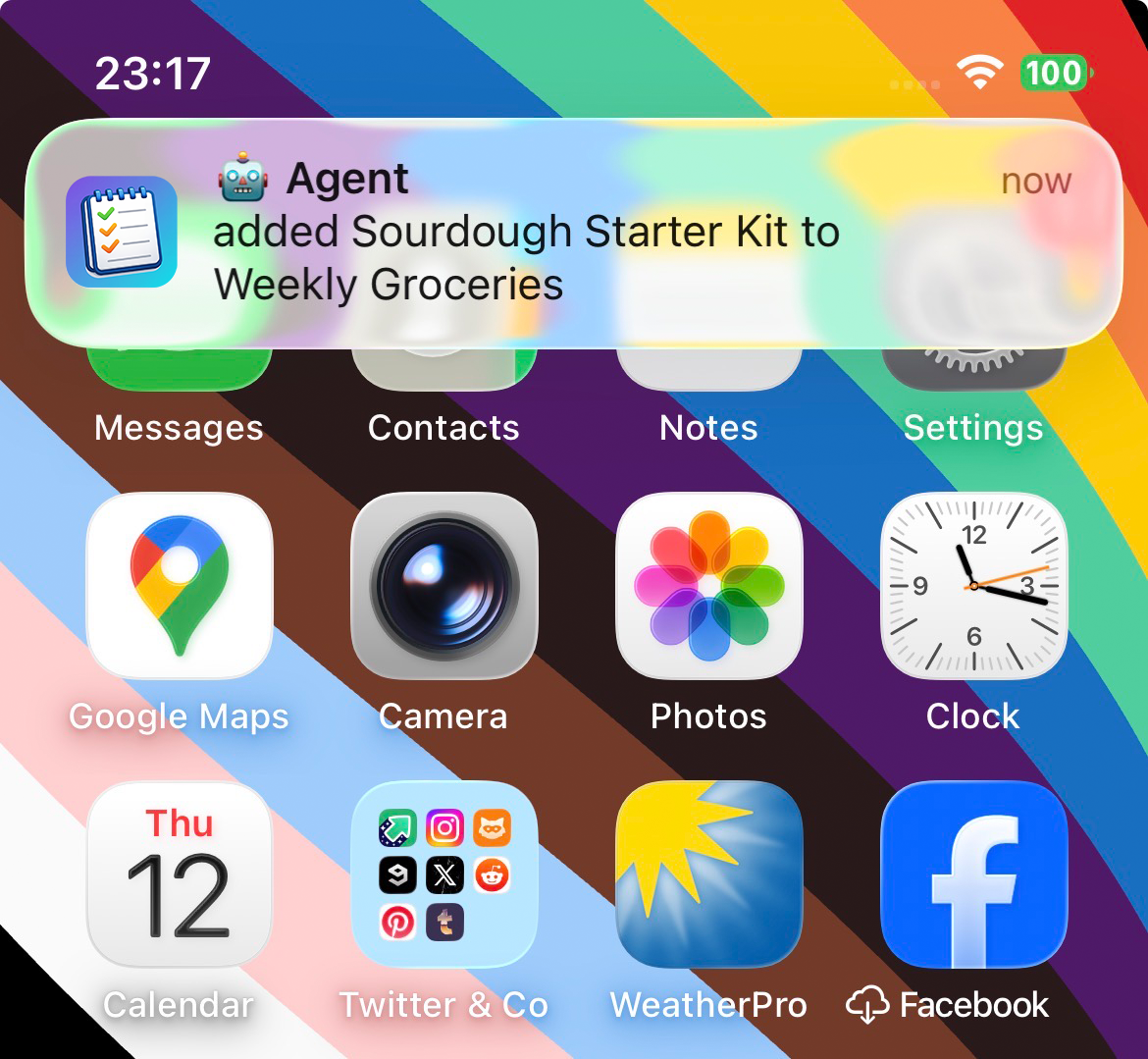
🔔 Push Notifications - Know when your AI or your family changes a list

🌐 Open API - Full REST API so any AI agent can read, write, and manage lists, categories, and reminders
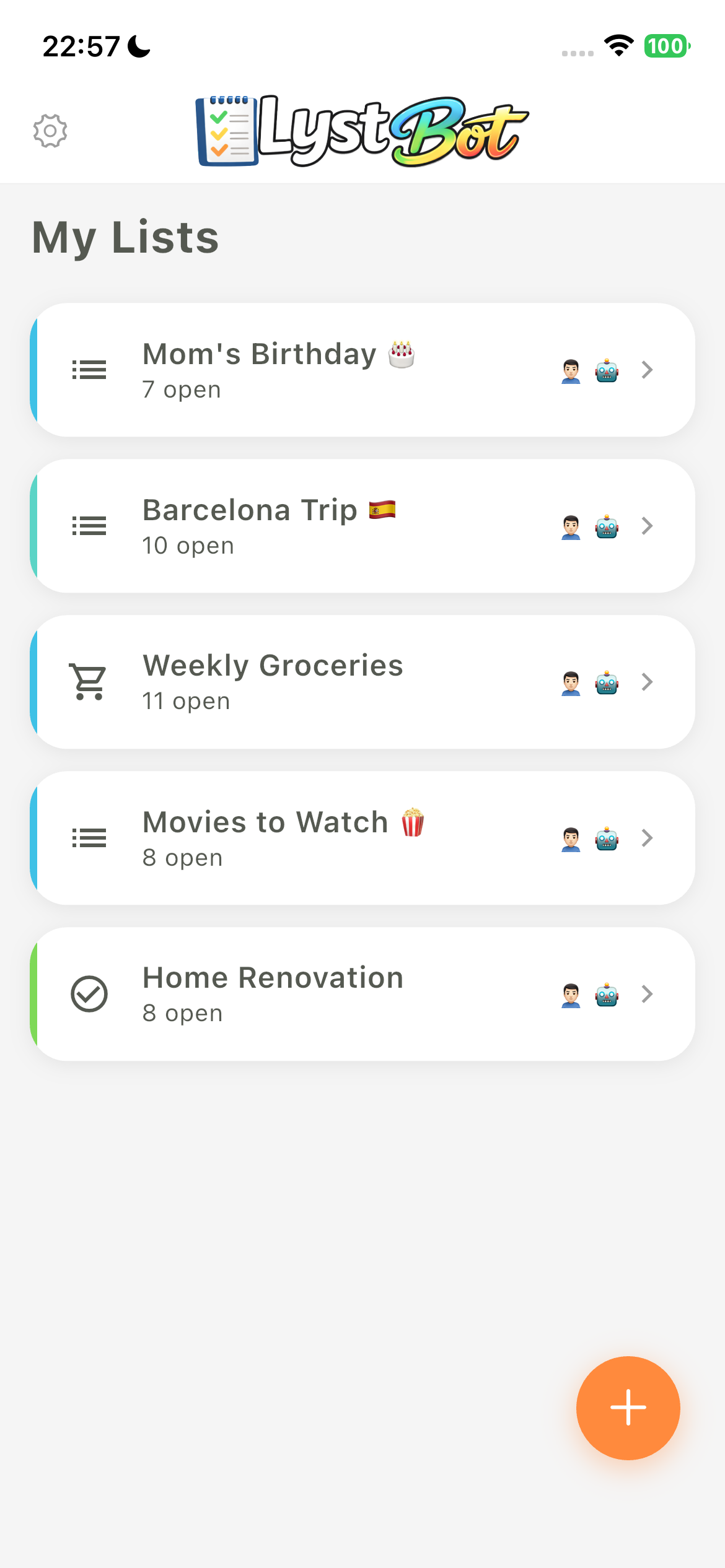
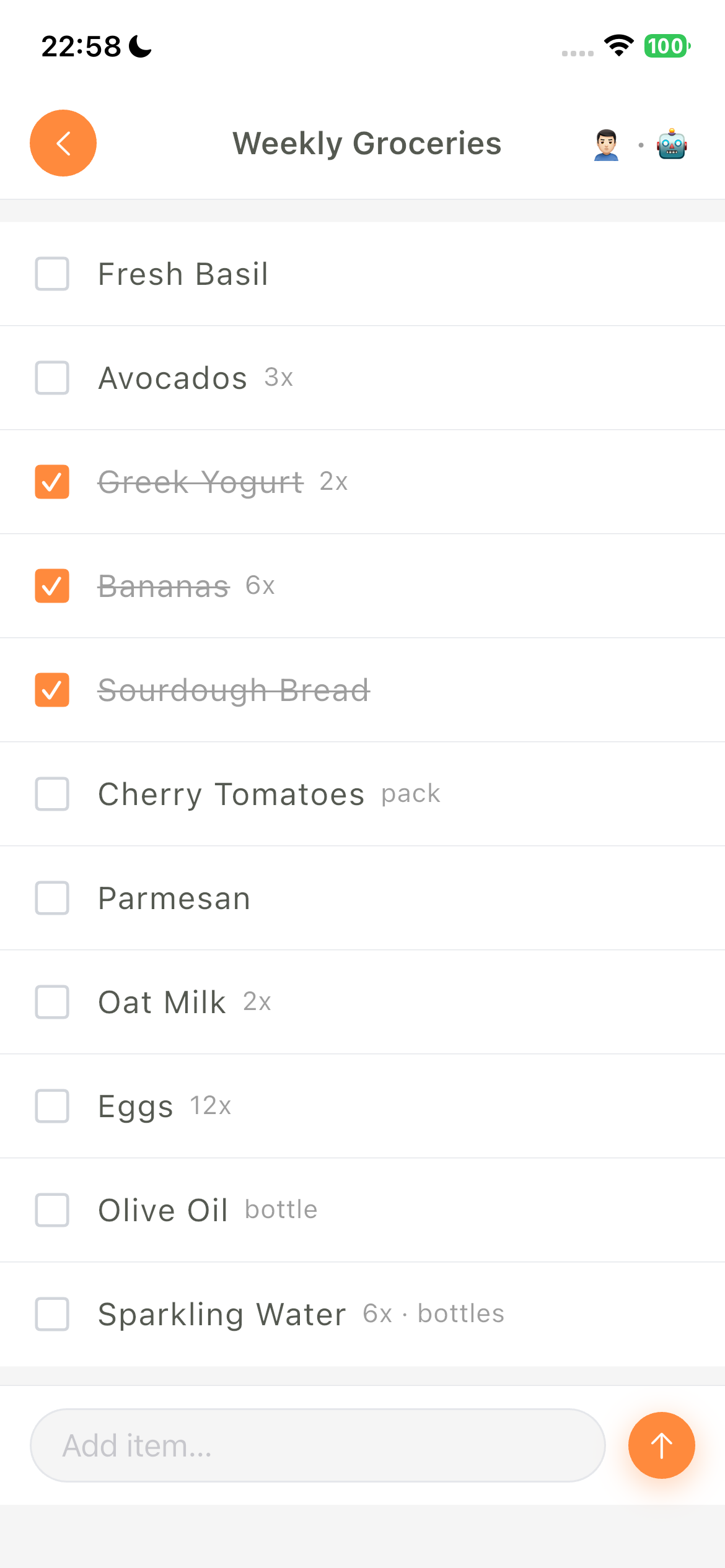
Dashboard    List Detail    Push Notifications


🤖 Agent Integrations

LystBot works with any AI that can make HTTP requests. Here's how to connect yours:

Personal Agents & Autonomous Frameworks

AgentProviderIntegration
OpenClawOpenClawCLI (npx lystbot)
HermesNous ResearchCLI or REST API
DevinCognition AICLI or REST API
AiderOpen SourceCLI
OpenCodeOpen SourceCLI or MCP Server
AutoGPTOpen SourceREST API
CrewAIOpen SourceREST API
Manus AIManusREST API

Coding Agents & IDEs

AgentProviderIntegration
Claude DesktopAnthropicMCP Server (setup below)
Claude CodeAnthropicMCP Server (setup below)
CursorAnysphereMCP Server
WindsurfCodeiumMCP Server
GitHub CopilotMicrosoftMCP Server or Copilot Extension
ClineOpen SourceMCP Server

Voice Assistants & Chat AI

AgentProviderIntegration
ChatGPTOpenAICustom GPT with OpenAPI Actions
Google GeminiGoogleGemini Extensions via REST API
Microsoft CopilotMicrosoftCopilot Plugin with OpenAPI
GrokxAIREST API
Siri / Apple IntelligenceAppleApple Shortcuts with REST API
Amazon AlexaAmazonCustom Alexa Skill with REST API
Google HomeGoogleGoogle Actions with REST API

Don't see your agent? If it can call an API, it can use LystBot. Check the API docs.


💻 CLI

The LystBot CLI lets you manage lists from the terminal. Built for AI agents like OpenClaw that work best with command-line tools, and for anyone who likes to script things.

Install & Login

Terminal
npx lystbot login <YOUR_API_KEY>

Commands

bash
# Lists
lystbot lists                              # Show all lists
lystbot show "Groceries"                   # Show a list with items
lystbot create "Packing List" --emoji "🧳" # Create a new list
lystbot delete "Old List" --force          # Delete a list

# Items
lystbot add "Groceries" "Milk, Eggs, Bread"  # Add items (comma-separated)
lystbot add "Groceries" "250g Mehl; 3x Milch; 3 Bananen" # Parse unit and count prefixes
lystbot add "Groceries" "Mehl" --quantity 2 --unit "500g" # Explicit fields
lystbot check "Groceries" "Milk"             # Check off an item
lystbot uncheck "Groceries" "Milk"           # Uncheck an item
lystbot remove "Groceries" "Milk"            # Remove an item

# Attachments
lystbot attach-image "Groceries" "Milk" ./photo.jpg     # Attach a local image
lystbot attach-url "Groceries" "Milk" "https://example.com" "Recipe"  # Attach a link
lystbot attachments "Groceries" "Milk"                  # Show attachments
lystbot detach <attachment-id>                          # Delete an attachment

# Categories
lystbot categories "Groceries"                 # List categories (incl. Other)
lystbot category add "Groceries" "Fruits"      # Create a category
lystbot add "Groceries" "Bananas" --category "Fruits"   # Add into a category
lystbot move "Groceries" "Bananas" --category other      # Move to Other/uncategorized

# Reminders
lystbot reminders                                      # Show all reminders
lystbot reminder <id>                                  # Show one reminder
lystbot remind "Take vitamins" --at "2026-05-08 09:00" --timezone "Europe/Berlin"
lystbot reminder-update <id> --title "Take supplements"
lystbot reminder-update <id> --at "2026-05-09 09:00" --enabled
lystbot reminder-update <id> --disabled
lystbot reminder-delete <id> --yes

# Sharing
lystbot share "Groceries"                  # Generate a share code
lystbot join ABC123                        # Join a shared list

# Agent identity
lystbot profile --name "TARS" --emoji "🤖" # Set your bot's display name

Full reference: CLI docs


🔌 MCP Server

LystBot ships with a built-in MCP server. Works with Claude Desktop, Claude Code, Cursor, Windsurf, Cline, and any MCP-compatible client.

First, authenticate (all setups need this):

Terminal
npx lystbot login <YOUR_API_KEY>

Claude Desktop

Add this to your config file:

macOS: ~/Library/Application Support/Claude/claude_desktop_config.json Windows: %APPDATA%\Claude\claude_desktop_config.json

config.json
{
  "mcpServers": {
    "lystbot": {
      "command": "npx",
      "args": ["lystbot", "mcp"]
    }
  }
}

Restart Claude Desktop. Done.

Claude Code

One command:

Terminal
claude mcp add lystbot -- npx lystbot mcp

That's it. Claude Code can now manage your lists.

Cursor / Windsurf / Cline

Add the same config to your editor's MCP settings:

config.json
{
  "mcpServers": {
    "lystbot": {
      "command": "npx",
      "args": ["lystbot", "mcp"]
    }
  }
}

Available Tools

ToolDescription
list_listsGet all your lists
get_listGet a specific list with items
create_listCreate a new list
delete_listDelete a list
add_itemsAdd natural strings or structured {text, quantity?, unit?} items
check_itemCheck off an item
uncheck_itemUncheck an item
remove_itemRemove an item from a list
clear_checkedRemove all checked (completed) items from a list
share_listGenerate a share code for a list
join_listJoin a shared list via code
list_categoriesList categories for a list
create_categoryCreate a category
rename_categoryRename a category
delete_categoryDelete a category
reorder_categoriesReorder categories
move_itemMove an item to a category (or Other)
add_item_imageAttach an image to an item (local path or base64)
add_item_urlAttach a link to an item
list_item_attachmentsList all attachments of an item
delete_item_attachmentDelete an attachment by ID
list_remindersGet all reminders
get_reminderGet one reminder
create_reminderCreate a reminder
update_reminderUpdate a reminder
delete_reminderDelete a reminder

add_items understands 250g Mehl, 3x Milch, plain counts such as 3 Bananen / 3 bananas, and container forms such as 2 Flaschen Wein. Agents can instead send [{"text":"Mehl","quantity":2,"unit":"500g"}]; weight belongs in unit, not quantity 250.


🏗️ Architecture

Code
┌──────────────┐  ┌──────────────┐  ┌──────────────┐  ┌──────────────┐
│  Your Phone  │  │   Your AI    │  │  MCP Client  │  │     CLI      │
│  (LystBot    │  │  (OpenClaw,  │  │  (Claude,    │  │  (npx        │
│   App)       │  │   ChatGPT)   │  │   Cursor)    │  │   lystbot)   │
└──────┬───────┘  └──────┬───────┘  └──────┬───────┘  └──────┬───────┘
       │                 │                 │                 │
       │ X-Device-UUID   │ Bearer Token    │ MCP Protocol    │ Bearer Token
       │                 │                 │                 │
       └────────┬────────┴────────┬────────┴────────┬────────┘
                │                 │                 │
         ┌──────▼─────────────────▼─────────────────▼──────┐
         │               LystBot API                       │
         │            (REST/JSON + MCP)                     │
         └─────────────────────────────────────────────────┘

📚 Documentation

  • 📡 API Reference - Full endpoint docs with curl examples
  • 💻 CLI Reference - All commands and flags
  • 🔌 MCP Server - npx lystbot mcp (see setup above)

🤝 Contributing

We'd love your help! Whether it's:

  • 🐛 Bug reports and feature requests via Issues
  • 🔧 CLI improvements and new commands
  • 📖 Documentation fixes

Fork it, branch it, PR it.


📄 License

MIT - see LICENSE for details.

Built with ❤️ by TourAround UG