LLM Sandbox
Securely run LLM-generated code in isolated containers across 7 languages and 4 backends.
Install LLM Sandbox
Pick your client, then add it in one click or paste the config.
~/Library/Application Support/Claude/claude_desktop_config.json{
"mcpServers": {
"llm-sandbox": {
"command": "uvx",
"args": [
"llm-sandbox"
]
}
}
}
Settings → Developer → Edit Config, merge this into mcpServers, then fully quit and reopen Claude Desktop.
We couldn’t confirm it starts correctly
We ran the install command but it didn't respond within our test window — this can mean a slow first-time install rather than a real problem.
uvx llm-sandboxProcess exited before answering initialize.
This is an experimental automated check and can have false negatives — missing environment variables, a slow cold install, etc. It doesn’t necessarily mean something’s wrong. Last checked 5d ago.
Overview
Tools3
What LLM Sandbox lets your agent do. Expand a tool for its parameters.
Security & health
What it can reach and how reliably it runs — from our own checks, not the maintainer’s claims.
Recent health check succeeded.
Supply-chain signal
No high-severity advisories surfaced by our automated scan.
Scanned 7d ago via OSV.dev · llm-sandbox (PyPI)
Adoption & maintenance
Factual signals from GitHub, npm, and our automated checks — not a rating.
From the project README
LLM Sandbox
Securely Execute LLM-Generated Code with Ease




LLM Sandbox runs Large Language Model (LLM) generated code through a common API for container and local Linux and Windows sandbox backends. Choose an isolation backend for your deployment, configure its security controls, and reuse the same code execution and file APIs.
Documentation: https://vndee.github.io/llm-sandbox/
Backend benchmarks compare Docker, Bubblewrap and NsJail across startup, execution, file transfers and concurrency, with confidence intervals and reproducible evidence.
✨ New: This project now supports the Model Context Protocol (MCP) server, which allows your MCP clients (e.g. Claude Desktop) to run code generated by LLMs in a secure sandbox environment.
🚀 Key Features
🛡️ Security First
- Isolated Execution: Container or local OS sandboxing with explicitly configured host access
- Security Policies: Define custom security policies to control code execution
- Resource Limits: Set CPU, memory, and execution time limits
- Network Isolation: Control network access for sandboxed code
🏗️ Flexible Sandbox Backends
- Docker: Most popular and widely supported option
- Kubernetes: Enterprise-grade orchestration for scalable deployments
- Podman: Rootless containers for enhanced security
- Bubblewrap: Local Linux namespaces and seccomp without Docker or a daemon
- NsJail: Local Linux namespaces and native seccomp policies without a daemon
- Windows MXC: Native Windows process isolation through Microsoft's MXC/PSEC APIs
- WSL2 Bubblewrap: Linux namespaces and seccomp in an explicitly selected WSL2 distribution
- Backend Registry: Register additional adapters and inspect their supported features
🌐 Multi-Language Support
Execute code in multiple programming languages with automatic dependency management:
- Python - Full ecosystem support with pip packages
- JavaScript/Node.js - npm package installation
- Java - Maven and Gradle dependency management
- C++ - Compilation and execution
- Go - Module support and compilation
- R - Statistical computing and data analysis with CRAN packages
🔌 LLM Framework Integration
Runnable examples for eleven agent frameworks — OpenAI Agents SDK, Claude Agent SDK, LangChain, DeepAgents, LlamaIndex, Google ADK, CrewAI, Pydantic AI, smolagents, Strands and AG2. See examples/agent_sdks/.
📊 Advanced Features
- Artifact Extraction: Automatically capture plots and visualizations
- Library Management: Install dependencies on-the-fly
- File Operations: Copy files to/from sandbox environments
- Custom Images: Use your own container images
- Fast Production Mode: Skip environment setup for faster container startup
- Container Pooling: Pre-warm and reuse containers for improved performance (NEW!)
📦 Installation
Basic Installation
pip install llm-sandbox
With Specific Backend Support
# For Docker support (most common)
pip install 'llm-sandbox[docker]'

# For Kubernetes support
pip install 'llm-sandbox[k8s]'

# For Podman support
pip install 'llm-sandbox[podman]'

# All optional container SDKs
pip install 'llm-sandbox[docker,k8s,podman]'
Bubblewrap and NsJail use the base Python package plus system executables; no container SDK extra is needed. See local backend requirements for Linux prerequisites.
The Windows adapters also need no container SDK. windows-mxc requires a compatible Windows host and the native helper, while wsl2-bubblewrap requires a configured WSL2 distribution with the matching Python package and Linux prerequisites. See Windows requirements; neither adapter installs an OS runtime or falls back to unsandboxed execution.
Development Installation
Dev dependencies live in the dev uv dependency group, so install them with uv (or the make install shortcut):
git clone https://github.com/vndee/llm-sandbox.git
cd llm-sandbox
make install   # uv sync + pre-commit install
See CONTRIBUTING.md for the full workflow.
🏃♂️ Quick Start
Basic Usage
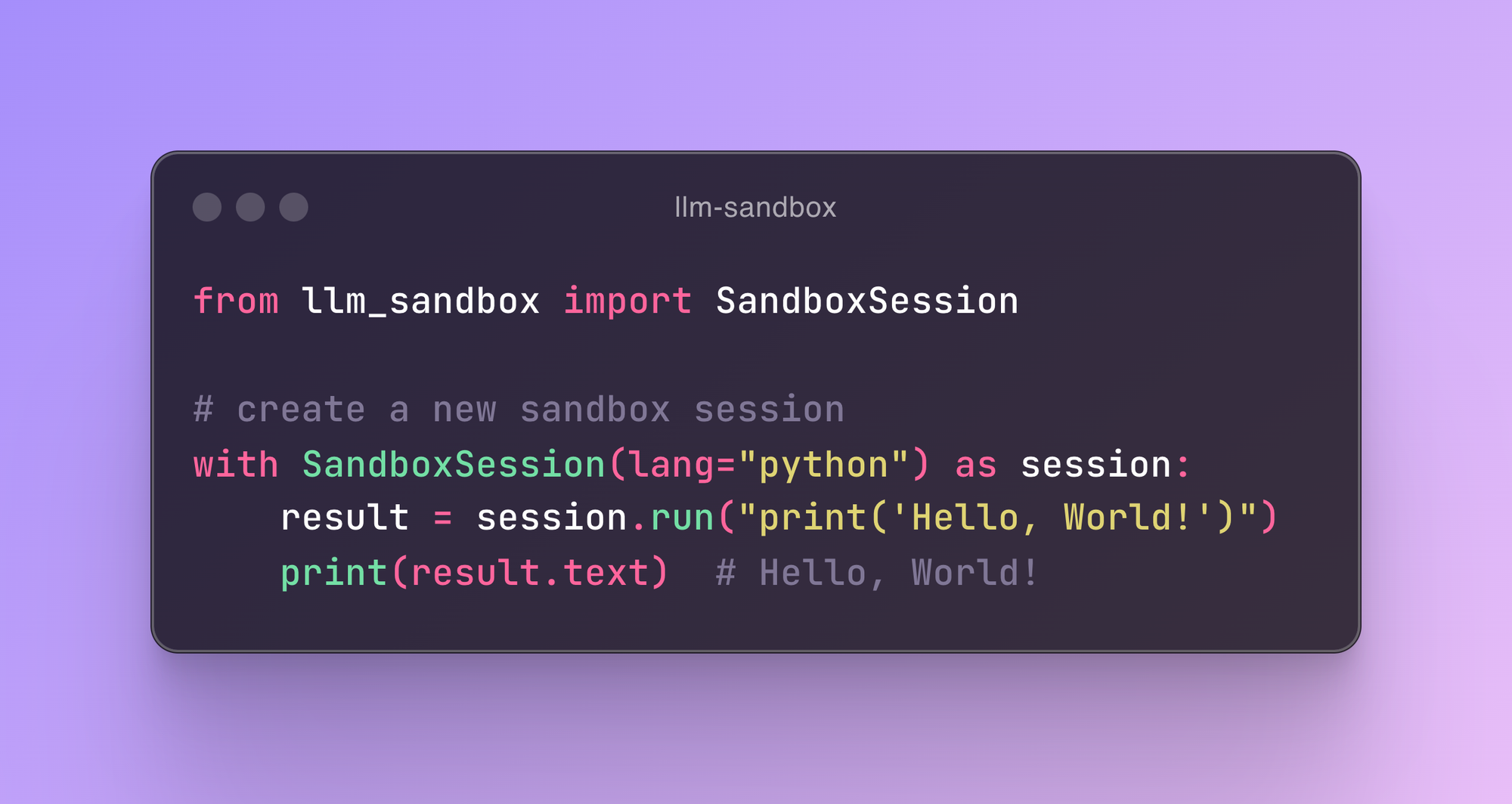
from llm_sandbox import SandboxSession

# Create and use a sandbox session
with SandboxSession(lang="python") as session:
    result = session.run("""
print("Hello from LLM Sandbox!")
print("I'm running in a secure container.")
    """)
    print(result.stdout)
Local Linux Usage Without Docker
On Debian/Ubuntu, install the system prerequisites with sudo apt install bubblewrap libseccomp2 python3-venv. Bubblewrap must be version 0.8.0 or newer with --disable-userns support; older distributions such as Ubuntu 22.04 need a newer package or upstream build. Your host must permit unprivileged user namespaces; distribution security policy can restrict them.
from llm_sandbox import SandboxSession

with SandboxSession(backend="bubblewrap", lang="python") as session:
    result = session.run("print('Hello from a local Linux sandbox!')")
    print(result.stdout)
The local defaults combine namespace isolation with a seccomp syscall denylist, disable network access, expose runtime paths read-only, and provide a private writable workspace and temporary directory. Python setup creates a virtual environment offline. Install the host runtime and its venv support first. Select backend="nsjail" to use an installed NsJail binary instead.
The Linux adapters support run(), execute_command(), install(), file copying, and the artifact wrapper. They do not support container images, pooling, or interactive sessions. Files persist between commands in a session; background processes do not. These backends share the host kernel and are not a VM boundary. See configuration, security, and the backend roadmap.
Windows Usage Without Docker
For native Windows Python execution, use the MXC adapter on a compatible Windows host with the helper installed:
from llm_sandbox import SandboxSession

with SandboxSession(backend="windows-mxc", lang="python") as session:
    print(session.run("import platform; print(platform.system())").stdout)
To run Linux tools from a Windows Python application, select a WSL2 distribution explicitly:
from llm_sandbox import SandboxSession

with SandboxSession(
    backend="wsl2-bubblewrap",
    distribution="Ubuntu",
    lang="python",
) as session:
    print(session.run("import platform; print(platform.system())").stdout)
These are experimental adapters with different prerequisites and API limits. MXC initially supports Python and JavaScript with preinstalled dependencies. WSL2 reuses the Linux Bubblewrap runtime, requires seccomp, and restricts mounts to built-in Linux runtime paths to keep Windows interoperability inaccessible. Both default to disabled networking. See backend setup and limitations.
Installing Libraries
from llm_sandbox import SandboxSession

with SandboxSession(lang="python") as session:
    result = session.run("""
import numpy as np

# Create an array
arr = np.array([1, 2, 3, 4, 5])
print(f"Array: {arr}")
print(f"Mean: {np.mean(arr)}")
    """, libraries=["numpy"])

    print(result.stdout)
Multi-Language Support
JavaScript
with SandboxSession(lang="javascript") as session:
    result = session.run("""
const greeting = "Hello from Node.js!";
console.log(greeting);

const axios = require('axios');
console.log("Axios loaded successfully!");
    """, libraries=["axios"])
Java
with SandboxSession(lang="java") as session:
    result = session.run("""
public class HelloWorld {
    public static void main(String[] args) {
        System.out.println("Hello from Java!");
    }
}
    """)
C++
with SandboxSession(lang="cpp") as session:
    result = session.run("""
#include <iostream>

int main() {
    std::cout << "Hello from C++!" << std::endl;
    return 0;
}
    """)
Go
with SandboxSession(lang="go") as session:
    result = session.run("""
package main
import "fmt"

func main() {
    fmt.Println("Hello from Go!")
}
    """)
Reviews
No reviews yet — be the first to share how it worked for you.
Frequently Asked Questions about LLM Sandbox
Related MCP servers
Add a badge to your READMEShow it’s listed — live SVG, Markdown or HTML.
AllMCPs Directory Badge
Showcase your server listing on GitHub or your project documentation. Embed this dynamic SVG badge to highlight official listing status and live engagement.
[](https://allmcps.com/mcp/llm-sandbox)<a href="https://allmcps.com/mcp/llm-sandbox"><img src="https://allmcps.com/api/badge/llm-sandbox?style=directory" alt="LLM Sandbox on AllMCPs" /></a>