Lean Ctx
LeanCTX is the Context Gateway for AI Systems. Select task-relevant context, apply supported controls, connect local knowledge and inspect recorded evidence. Open-source Engine: CLI, MCP, hooks and supported proxy paths.
Install Lean Ctx
Pick your client, then add it in one click or paste the config.
No confirmed install command yet
We only publish a config when the install details come from the project itself — its README, its docs, or a verified owner. We haven’t found those for lean-ctx, and we’d rather show nothing than a guess you’d paste into your client.
Open setup steps on GitHubOverview
Security & health
What it can reach and how reliably it runs — from our own checks, not the maintainer’s claims.
We have not completed a health check for this listing yet.
From the project README
██╗     ███████╗ █████╗ ███╗   ██╗     ██████╗████████╗██╗  ██╗
██║     ██╔════╝██╔══██╗████╗  ██║    ██╔════╝╚══██╔══╝╚██╗██╔╝
██║     █████╗  ███████║██╔██╗ ██║    ██║        ██║    ╚███╔╝
██║     ██╔══╝  ██╔══██║██║╚██╗██║    ██║        ██║    ██╔██╗
███████╗███████╗██║  ██║██║ ╚████║    ╚██████╗   ██║   ██╔╝ ██╗
╚══════╝╚══════╝╚═╝  ╚═╝╚═╝  ╚═══╝     ╚═════╝   ╚═╝   ╚═╝  ╚═╝
LeanCTX
Context Gateway for AI Systems.
Control what your AI can see.
LeanCTX sits between AI tools and the information they read. It selects task-relevant context, applies supported access and content controls before delivery, and records the context operations and delivery evidence it can observe. Your application, agent loop and model stay yours.
The open-source LeanCTX Engine runs locally through CLI, MCP, hooks and proxy paths. The LeanCTX SDK embeds supported Engine capabilities in your application.



Website · Docs · Install · Scenarios · Demo · Benchmarks · Cookbook · Security · Changelog
Where it sits
Files · repositories · tool results · configured providers
                          │
                          ▼
                LeanCTX Context Gateway
             Select · Control · Learn · Prove
                          │
                          ▼
                Your AI application / agent
                          │
                          ▼
                     Your model
- Select: give AI the context the task needs, with search, structural views, compression and reuse.
- Control: apply configured path permissions, content filters and context budgets to supported calls.
- Learn: retain local task records and connect code and knowledge across sessions, within the configured access and retention rules.
- Prove: inspect source references, policy decisions and usage evidence. A context-only integration records its prepared result; the host owns the subsequent model call.
For coding workflows, start with Claude Code, Cursor or Codex. The installation matrix distinguishes first-class paths from other compatibility references.
| Your work | Start here |
|---|---|
| Improve the context path of existing AI tools | Community setup |
| Apply shared context controls across an organization | Enterprise — licensed controls and deployment scope |
| Build context control into your application | LeanCTX SDK — stable interfaces and separate SDK/OEM terms |
What is LeanCTX? · Where LeanCTX fits · Architecture
See it in action:
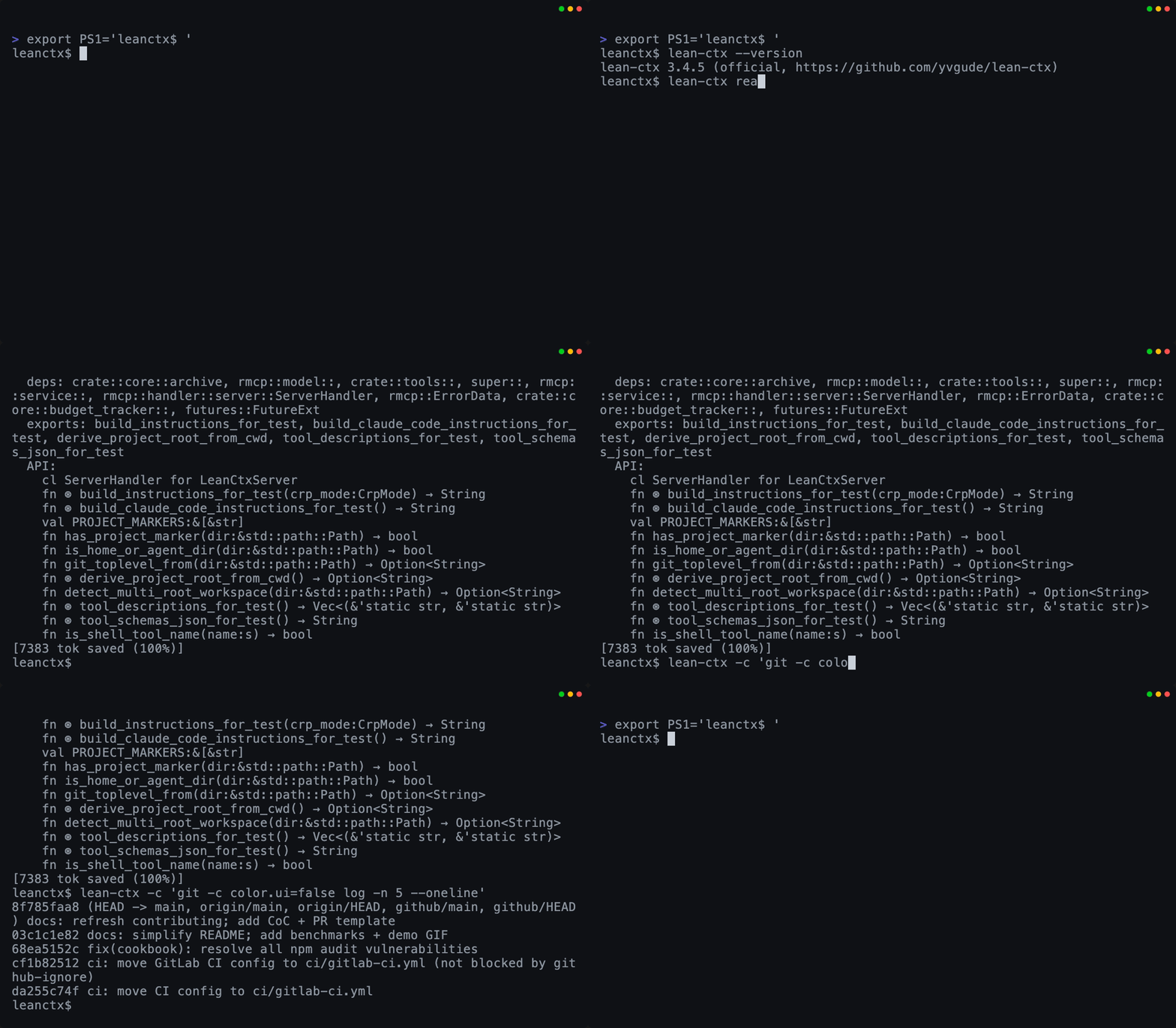
Read + Shell Map-mode reads + compressed CLI output |
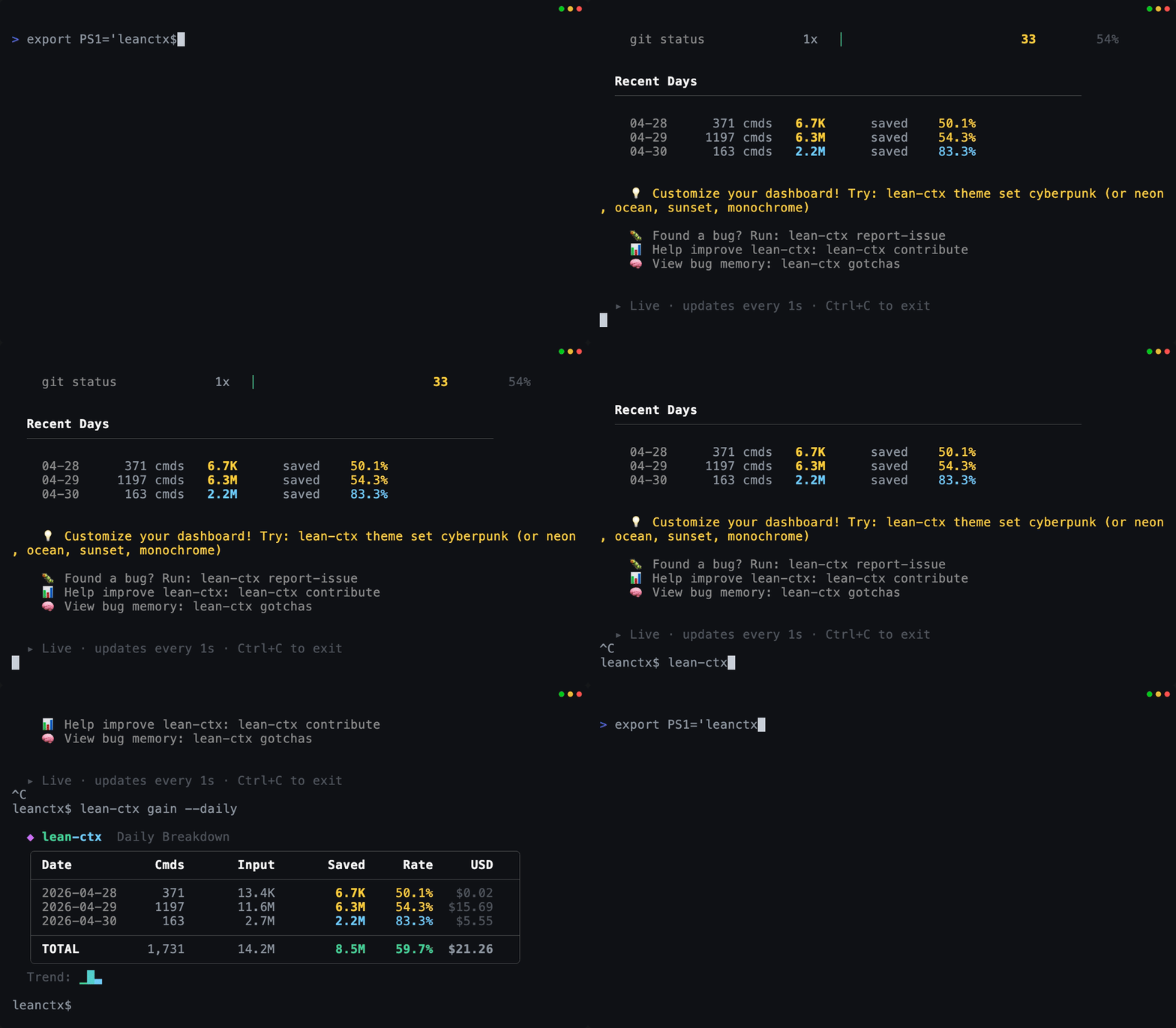
Gain (terminal) Token usage + estimated cost differences |
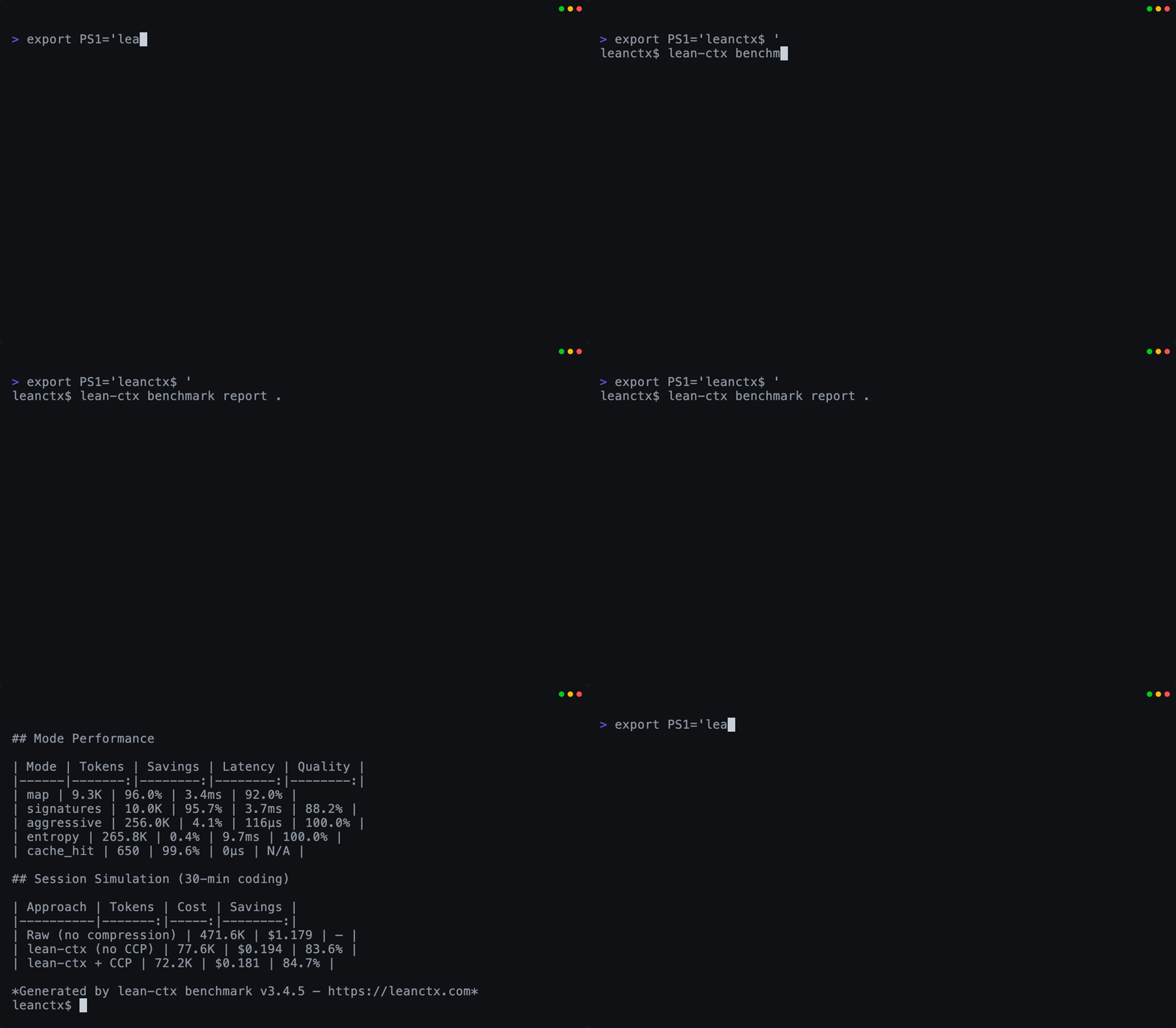
Benchmark measurement Measure compression by language + mode |
All GIFs are generated from reproducible VHS tapes in demo/.
Why developers use LeanCTX
- Focused input — use less of the context window for repeated reads and noisy output.
- Configured controls — bound file access and filter supported results before delivery.
- Continuity — retain local task, finding and decision records across sessions.
- Existing tools — configure a supported integration with
lean-ctx setup. - Inspectable usage — separate token estimates, provider observations and calculated costs.
- Model choice — keep your own model calls and application workflow.
Find LeanCTX useful? Give it a star — it helps others find the Context Gateway for AI systems.
Inside the LeanCTX Engine
The Engine puts Select, Control, Learn and Prove into the context paths of your existing AI tools. Your host keeps control of the task, agent loop and model.
1. Select — the context each task needs
Search and structural views help an agent find relevant information before reading entire files. Supported read and shell paths can return focused views of files and command output, with references for recovering detail.
- File reads: 16 read modes (
full,map,signatures,diff,lines:N-M,density:X, …) — eligible cached re-reads return a compact reference instead of repeating content - Target density (
density:0.4): SDE-style budget compression — keeps the highest-entropy lines until ~40% of the original tokens remain, deterministic - JIT disclosure:
signaturescarries line spans and points atlines:N-Mfor targeted expansion — outline first, bodies on demand - Shell output: 85+ shell-output patterns compress git, npm, cargo, docker, kubectl, terraform and more (250+ passthrough rules)
- Tree-sitter AST: structural understanding for 27 languages — not just text compression
- Source recovery (CCR): supported compact views retain source or archive references for expansion through
ctx_expandor the reference API. Recovery depends on permissions, retention and the source remaining available. Read modes and detail →
2. Control — configured rules on supported paths
- PathJail and roles: constrain tool filesystem access to the configured scope.
- Content filters: configured detectors can warn, redact or block on supported paths. Detection coverage and enforcement depend on the integration and settings.
- Context budgets: bound selected input and supported tool output.
- Host-owned model choice: the host chooses the model and performs any model calls outside the Engine's observed path.
Review the security policy for defaults, supported controls and coverage limits. A filesystem boundary is not an operating-system sandbox.
3. Learn — connect work across sessions
Keep useful task records and discover relationships between code and local knowledge. Learning here means context continuity; it does not train your model.
- Session memory (CCP): persist task/facts/decisions across chats — structured recovery queries survive compaction
- Knowledge graph: temporal facts with validity windows, episodic + procedural memory
- Property Graph: multi-edge code graph (imports, calls, exports, type_ref) powers impact analysis and search ranking
- Permission-bound reuse: access and retention rules still apply when stored
context is retrieved. Experimental
.ctxpkgexport is described under Research below.
4. Prove — inspect what the Engine recorded
Inspect source references, recorded policy decisions and delivery evidence from
supported paths. lean-ctx inspect explains observed context operations. A
context-only integration records its prepared result; it cannot prove a later
model call made by the host.
Reviews
No reviews yet — be the first to share how it worked for you.
Frequently Asked Questions about Lean Ctx
Related MCP servers
Add a badge to your READMEShow it’s listed — live SVG, Markdown or HTML.
AllMCPs Directory Badge
Showcase your server listing on GitHub or your project documentation. Embed this dynamic SVG badge to highlight official listing status and live engagement.
[](https://allmcps.com/mcp/lean-ctx)<a href="https://allmcps.com/mcp/lean-ctx"><img src="https://allmcps.com/api/badge/lean-ctx?style=directory" alt="Lean Ctx on AllMCPs" /></a>