Ldraw MCP README
The full upstream README, mirrored here for reference. Install config, tool schemas, adoption signals, and an original overview live on the Ldraw MCP listing page.
ldraw-mcp
Give your MCP client eyes for LEGO® models.
Render LDraw files (.ldr / .mpd / .dat) to images with real part
geometry — studs, slopes, window glass — using headless Blender and the
ImportLDraw addon. The output looks like a BrickLink Stud.io render, with no
GUI anywhere in the loop.


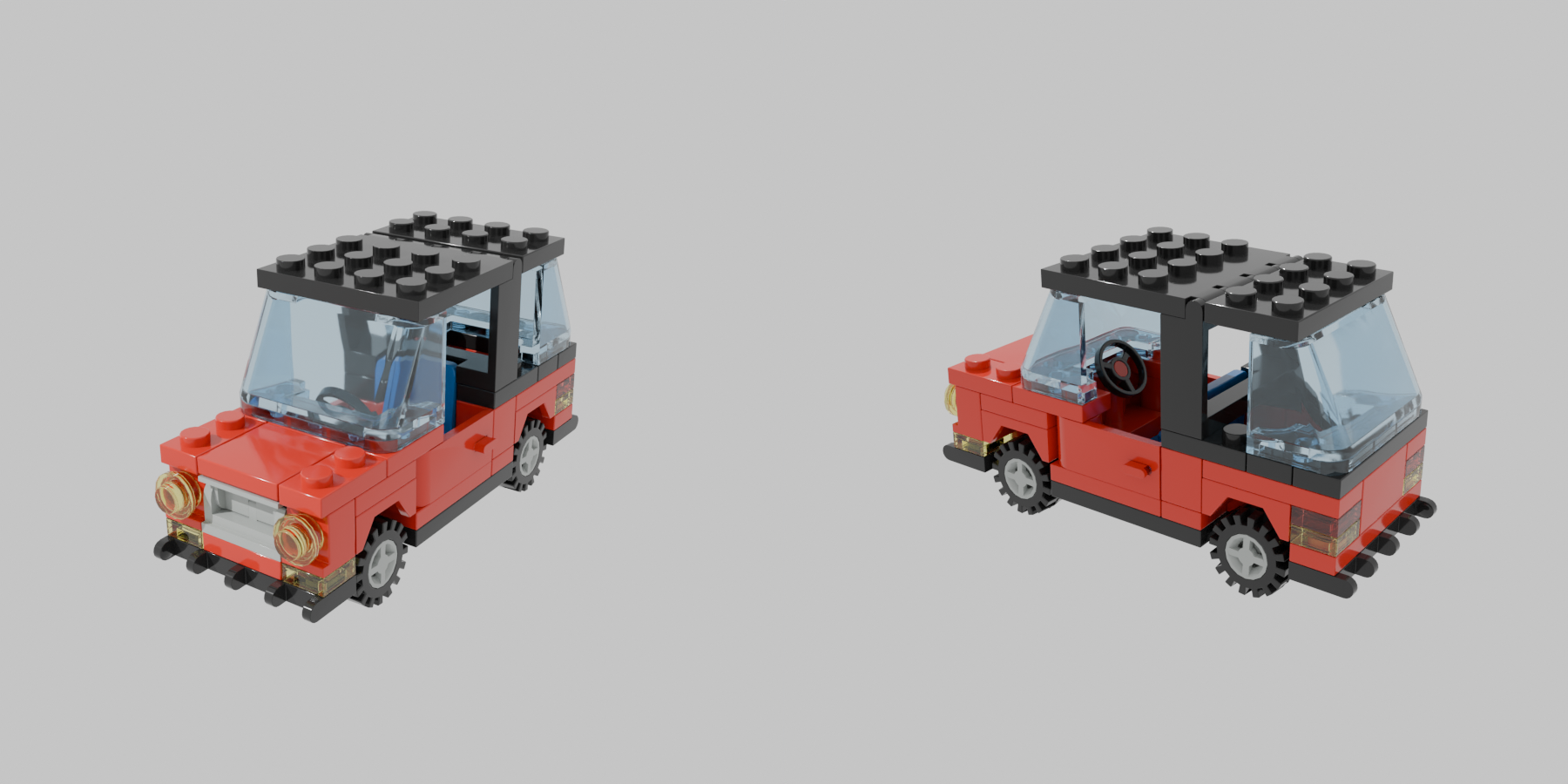
A ~90-line .ldr rendered front-left and rear-right — actual bricks, not a geometric proxy.
Point a vision-capable model at a build and it sees the actual bricks: crossed rotation matrices, floating plates, sunken windows — the kinds of export bugs a geometric proxy render will happily hide.
Quickstart
Then ask things like "render output/build.ldr and tell me what looks wrong" — the model sees the render, not just the text.
Blender is a prerequisite (see Requirements); it is not installed by
ldraw-mcp-setup.
Tools
| tool | what it does |
|---|---|
render_ldraw_file(path, azimuths="-60,120", resolution=640, samples=24) | Render a model file to a PNG (multi-view, stitched side by side) |
render_ldraw_text(ldr, azimuths="-60,120", resolution=640, samples=24) | Render inline LDraw content without writing a file first |
check_renderer() | Diagnose the Blender / addon / parts-library setup |
azimuths is a comma-separated list of view angles in degrees; each is
rendered and the views are stitched horizontally. Elevation is fixed at
22°. Higher samples = cleaner but slower.
Requirements
- Blender 4.x on
PATH, or pointLDRAW_MCP_BLENDERat the binary. Install it yourself (package manager, blender.org, or a local build);ldraw-mcp-setupdoes not install Blender. - ImportLDraw addon (
io_scene_importldraw) in Blender's addons dir — installed byldraw-mcp-setup. - LDraw parts library at
~/.ldraw(orLDRAW_LIBRARY_PATH) — installed byldraw-mcp-setup.
Environment variables
| var | meaning |
|---|---|
LDRAW_MCP_BLENDER | Path to the blender binary (overrides PATH lookup) |
LDRAW_MCP_DISABLE | Set to 1 to force is_available() to False |
LDRAW_LIBRARY_PATH | Path to the LDraw parts library (community convention) |
Manual setup
If ldraw-mcp-setup can't detect things automatically:
- LDraw library: download
complete.zip
and unzip so that
~/.ldraw/parts/exists. - ImportLDraw addon: download the latest release from
TobyLobster/ImportLDraw
and install it via Blender > Preferences > Add-ons > Install, or unzip
into
~/.config/blender/<version>/scripts/addons/io_scene_importldraw/. (Launch Blender once first so the config directory exists.)
Troubleshooting
check_renderersays NOT FOUND: runldraw-mcp-setup, or set the relevant env var above.- No GPU / WSL2 / containers: rendering uses Cycles on CPU, which works headless everywhere — no GPU or display needed. A ~150-part model takes a few seconds at the default 640px / 24 samples.
- "no mesh objects imported": the addon couldn't resolve parts —
usually a wrong or incomplete LDraw library path. Re-run setup or check
LDRAW_LIBRARY_PATH. - Addon not enabled: the render script enables it automatically per
run; if a manual Blender session complains, enable
io_scene_importldrawin Preferences > Add-ons.
Provenance
This renderer was extracted from the prompt2brick project, where it started life as the vision critic's "see the actual model" path. prompt2brick keeps its own vendored copy of the render wrapper and Blender script, but this repo is the canonical source going forward — fixes and improvements to the renderer should land here first and be ported back into prompt2brick.
License
MIT — see LICENSE.
LEGO® is a trademark of the LEGO Group, which does not sponsor, authorize, or endorse this project. This tool is not affiliated with the LEGO Group, BrickLink, or the LDraw.org organization.