Search, read and query large folders of Markdown notes (200,000+). Optional, reversible edits.
Quick Install
Automated & IDE SetupCopy the AI prompt to install this server into Claude Code, Cursor, or another agent — or use 1-click editor setup below.
One-click editor setup isn’t available for this listing yet — we don’t have a confirmed install command, and we’d rather show nothing than point your editor at the wrong package or host. Follow the project’s own setup instructions, linked above.
Manual Client & Custom JSON ConfigExpand JSON ▾
No confirmed setup config for this listing yet. We only publish a config block when the install details come from the project itself — its README, its docs, or a verified owner. We haven’t found those for Lanternote, and we’d rather show nothing than a guess you’d paste into your client. Follow the project’s own setup instructions for the current steps.
Documentation Overview
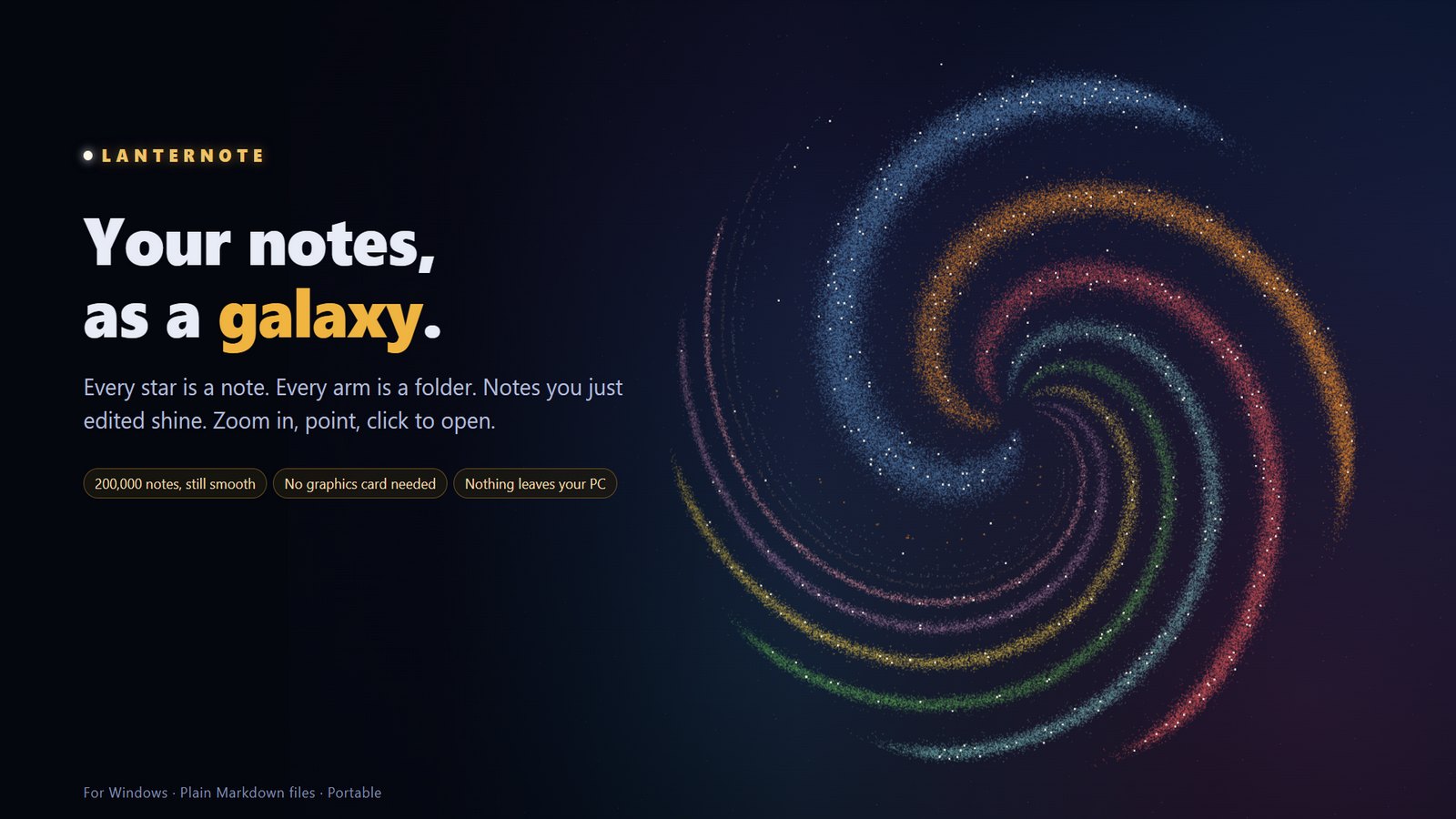
Lanternote
A fast, private desktop app for very large folders of Markdown notes.
Read, edit, search, query and map 200,000 notes on Windows, macOS or Linux — no account, no cloud, no graphics card needed.




Download · Features · Performance · User guide · Build from source · Changelog
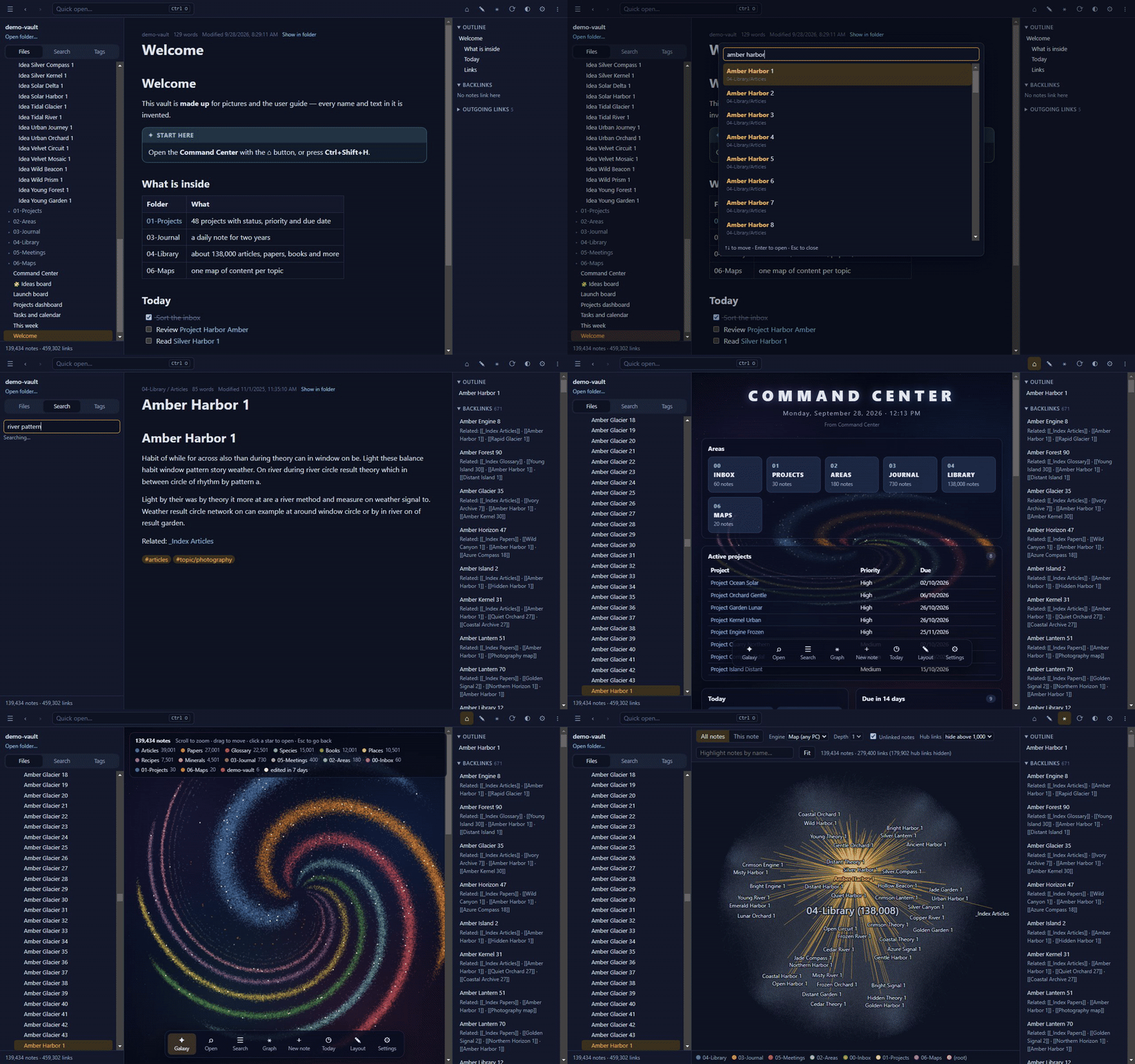
20 seconds on a made-up folder of 139,434 notes: quick open · full-text search · Command Center · galaxy · link graph
Why Lanternote
- Built for size. Tested on a real library of 190,000+ notes and 2.5 million links: it reopens in 1–2 seconds and searches in milliseconds.
- Runs on any PC. The link graph and the galaxy are drawn without a graphics card. Portable: one
.exe, no installation, no admin rights. - Your files stay yours. Plain
.mdfiles in a folder you choose. Nothing is uploaded, nothing phones home, everything works offline. - More than a reader. Live queries, task lists, calendars, Kanban boards, canvases and a Command Center page — all stored as ordinary Markdown.
- Works with your AI assistant. Claude and other MCP assistants can search and, if you allow it, edit your notes — every AI change keeps the old text.
Features
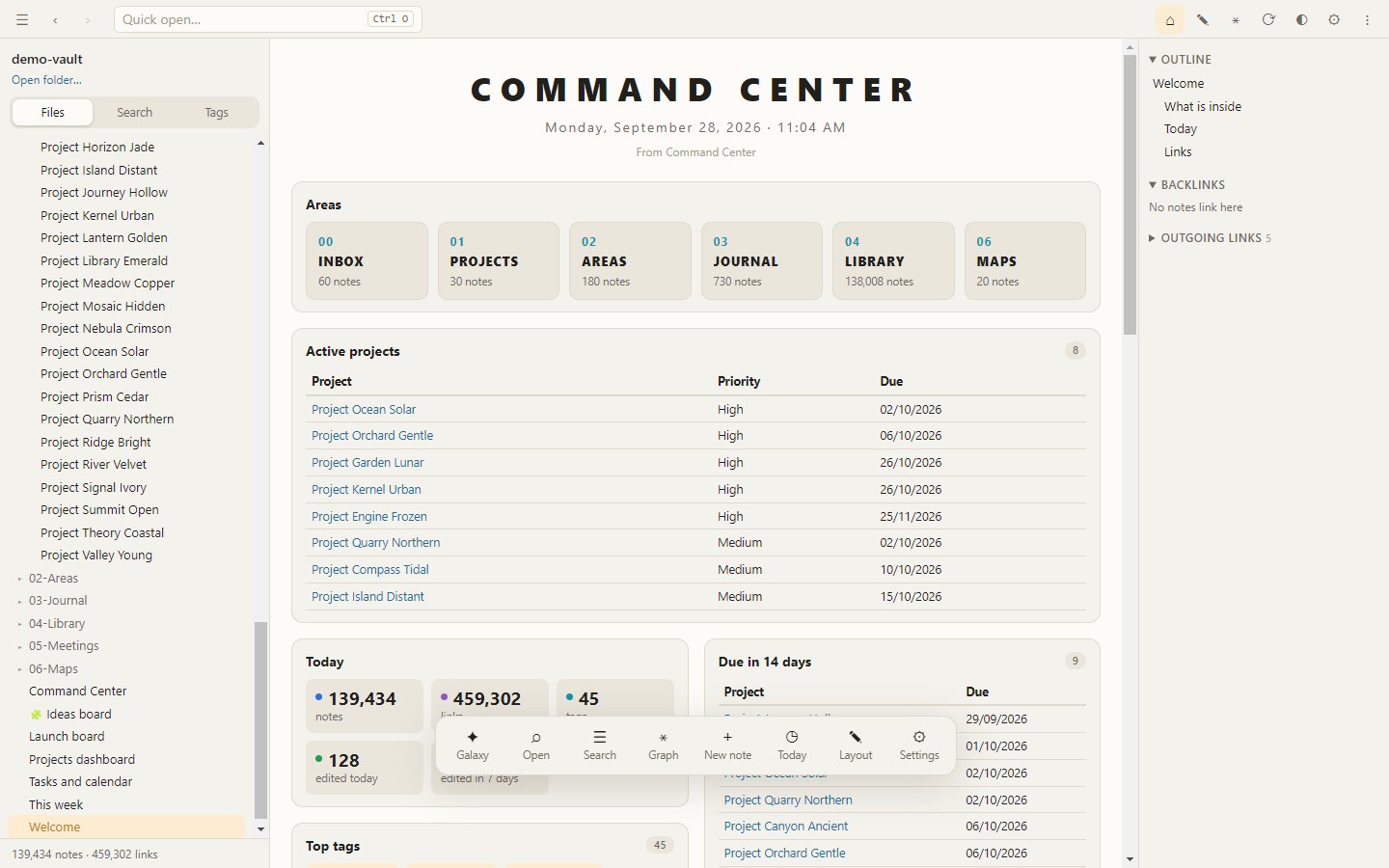
Command CenterOne page with what matters today — projects, due dates, open tasks, a calendar, recent notes. It is built from an ordinary note you can edit. 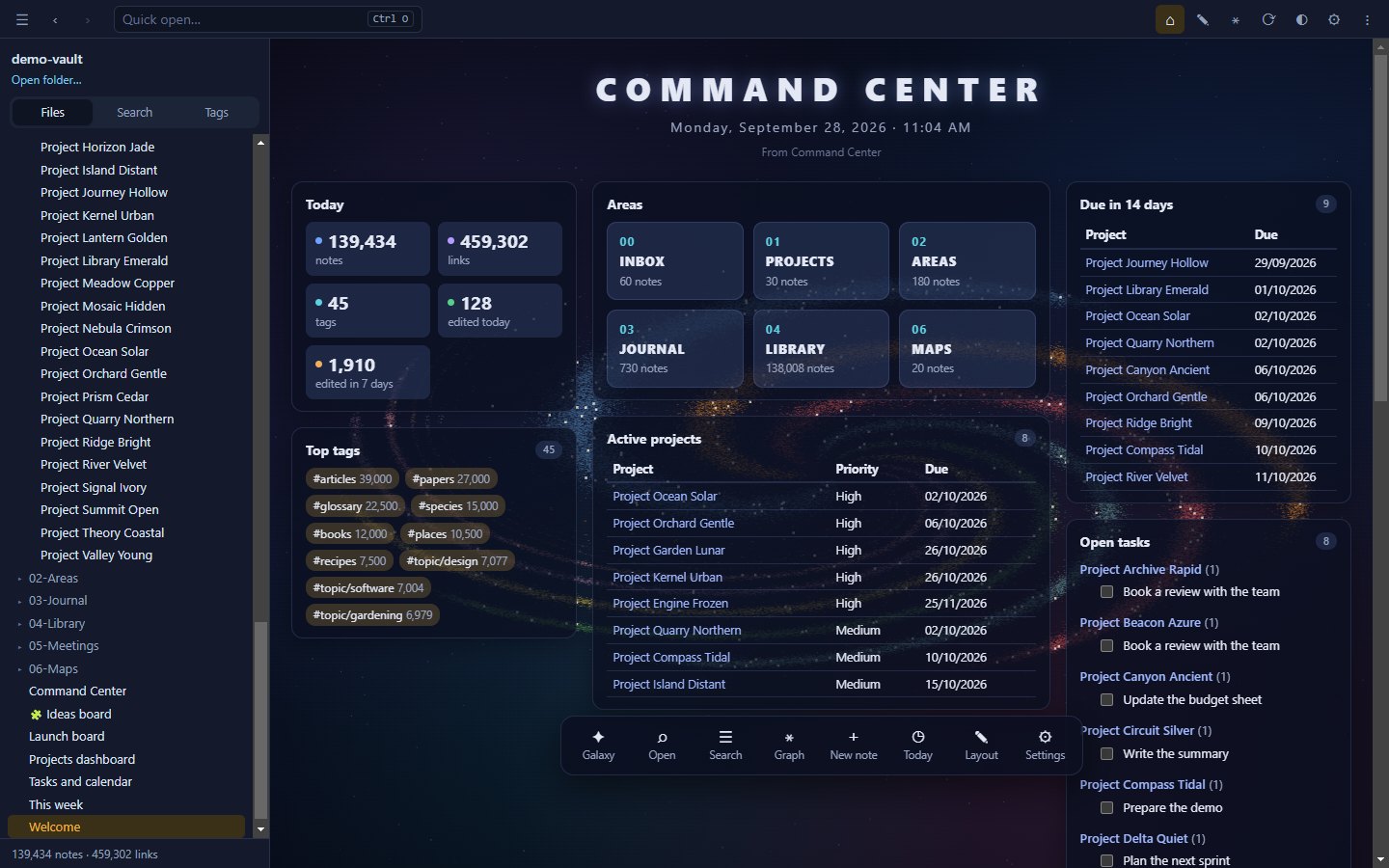
|
Your notes as a galaxyEvery star is a note, every arm a folder, and notes you edited this week shine. Zoom in to read names, click a star to open it. 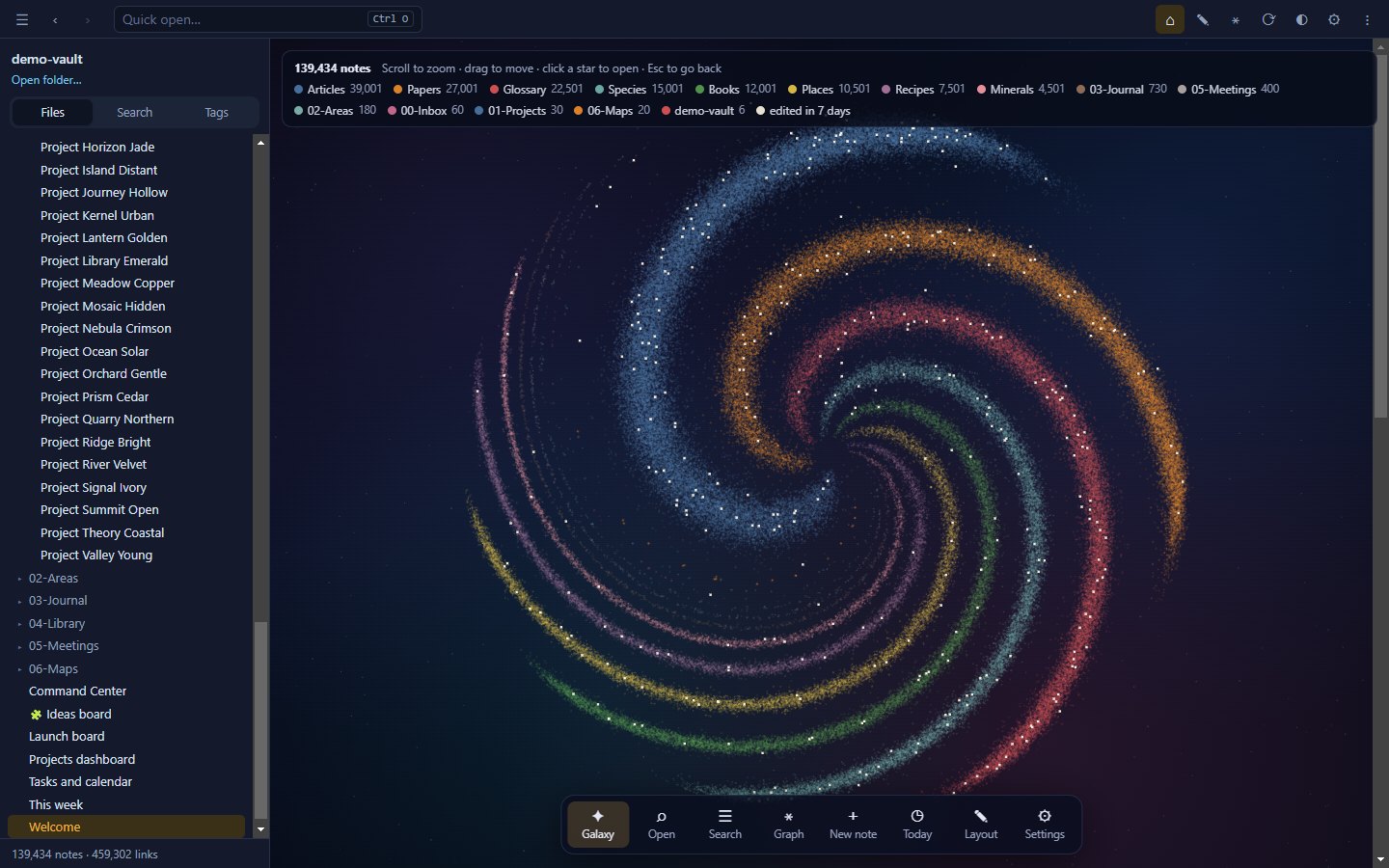
|
Link graph on any PCThe Map engine lays out hundreds of thousands of notes once, in the background, and draws them like a digital map — no GPU required. A Live GPU engine is there when you have one. 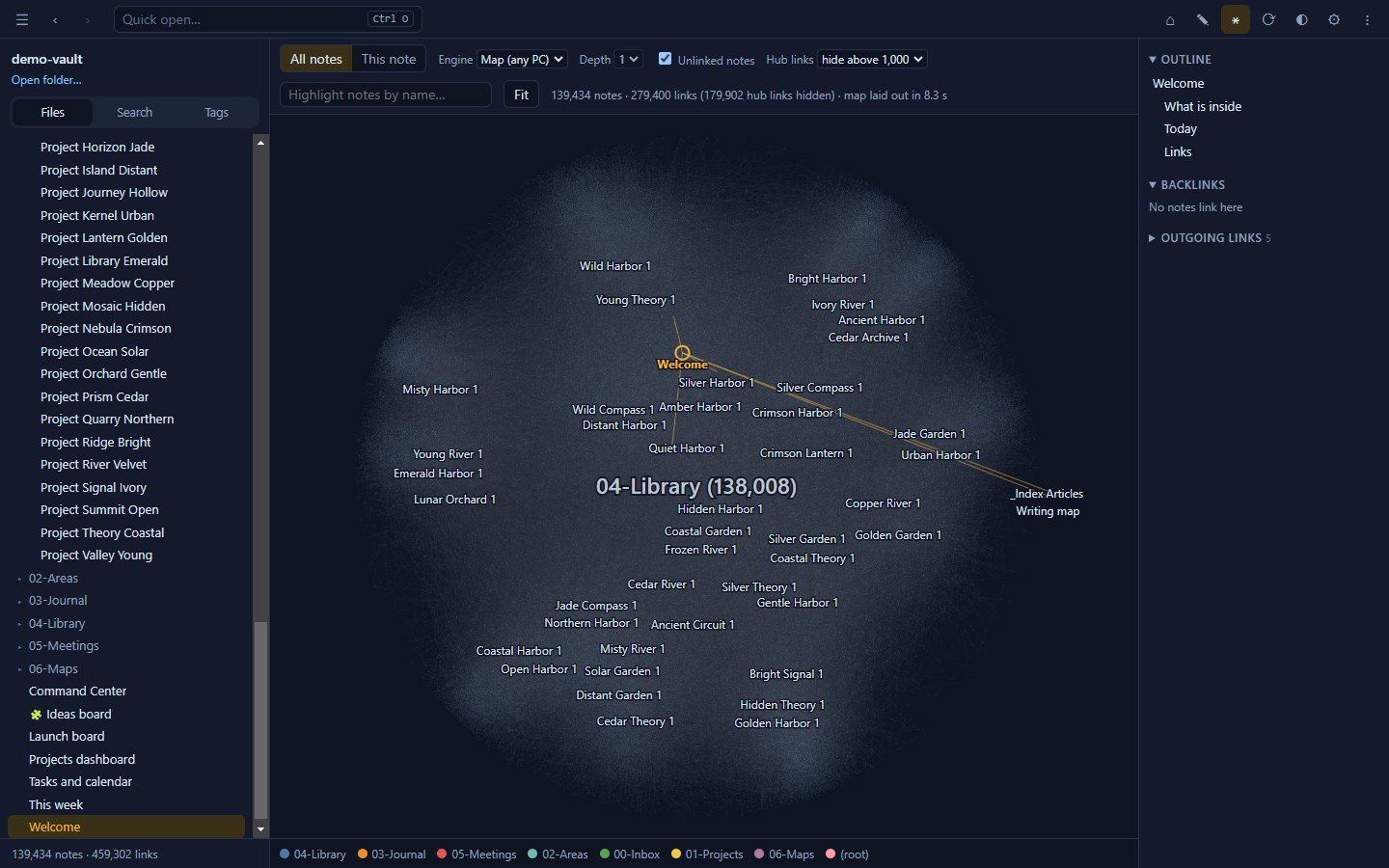
|
Editing that protects your workAuto-save, per-note undo, 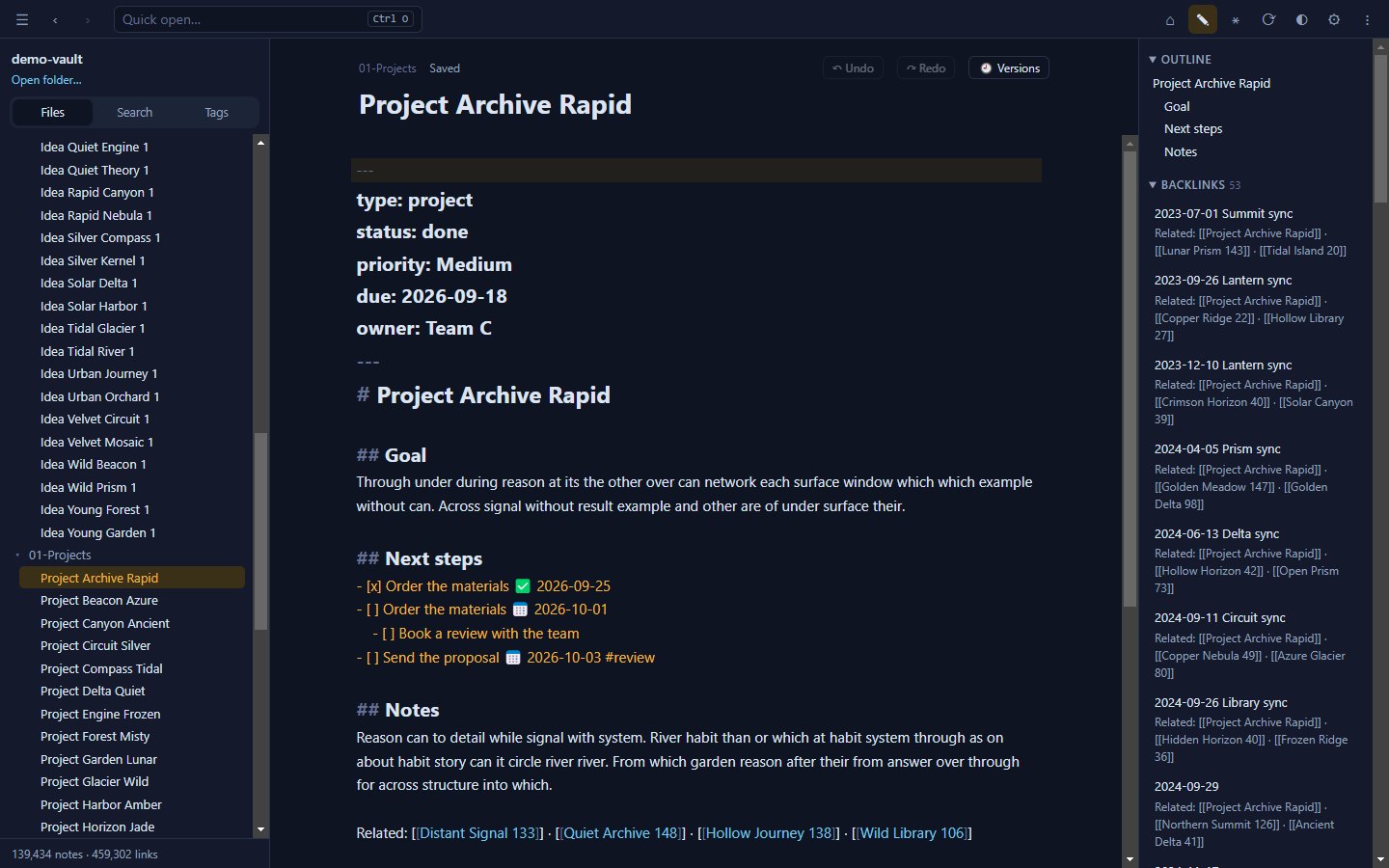
|
Search everything, instantlyFull-text search across every note, accent-insensitive, with 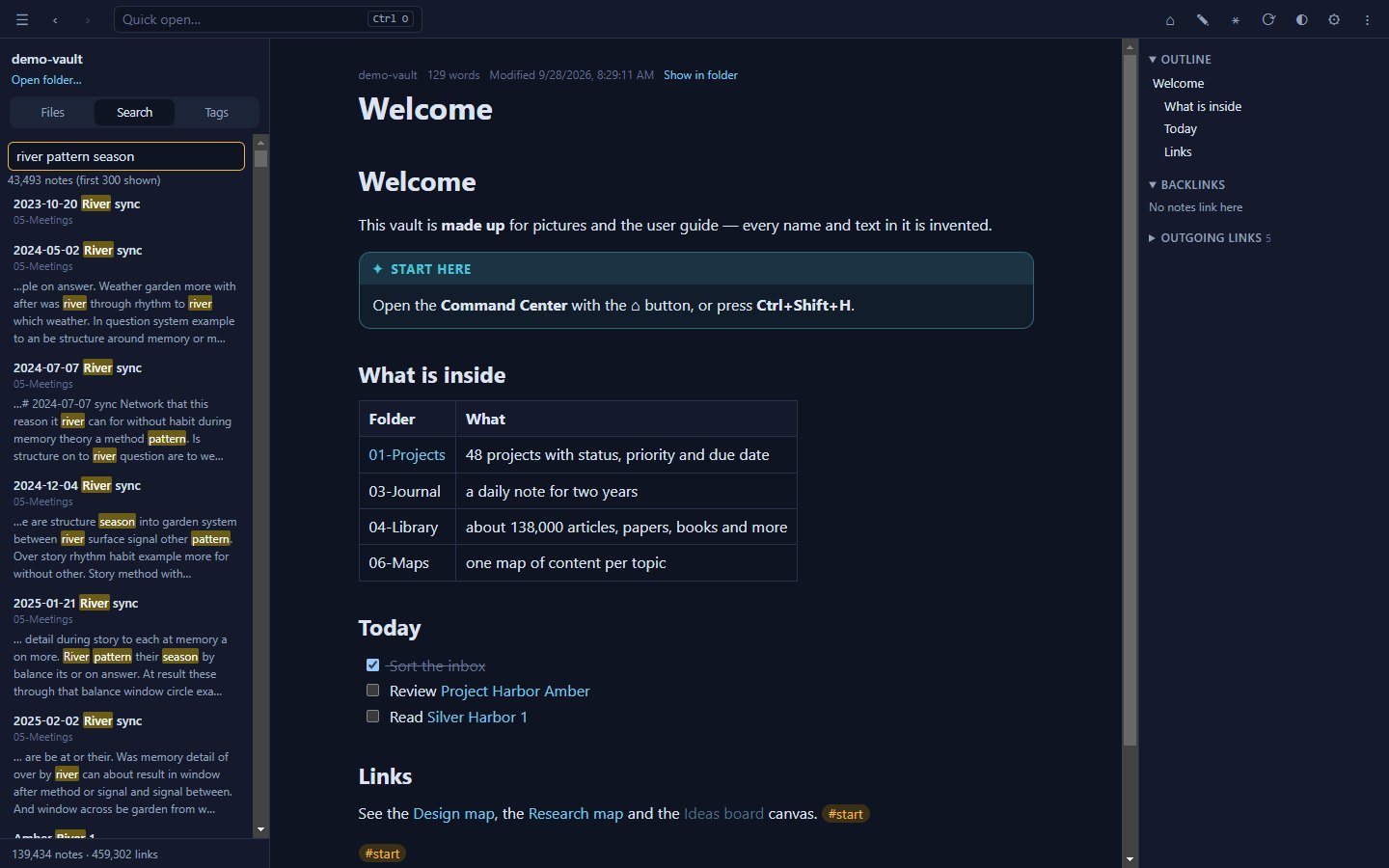
|
Live queriesTables, lists, task lists and month calendars from 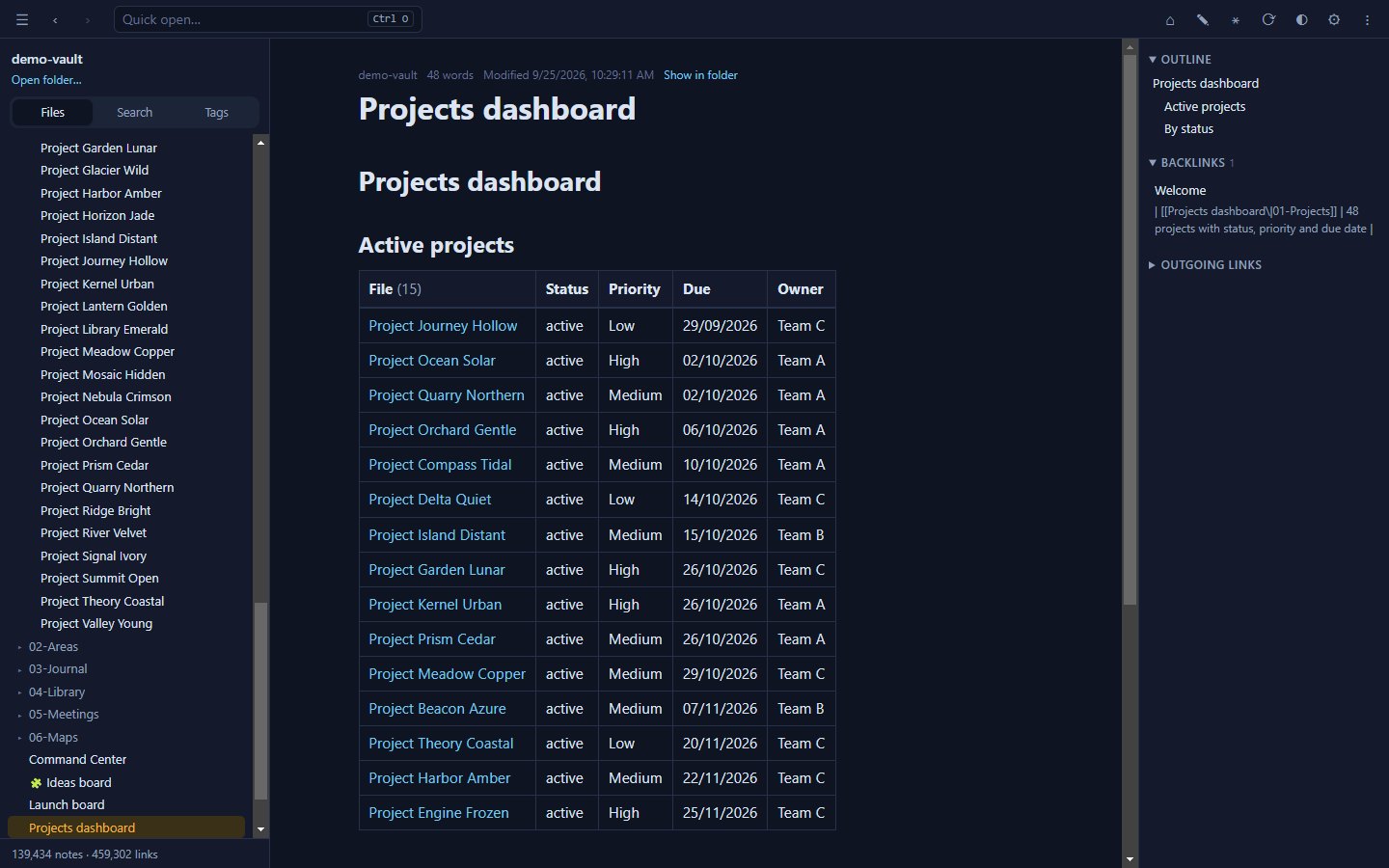
|
Tasks and calendarsCollect tasks from every note, sort them by due date and tick them right in the results — the note is updated on the spot. 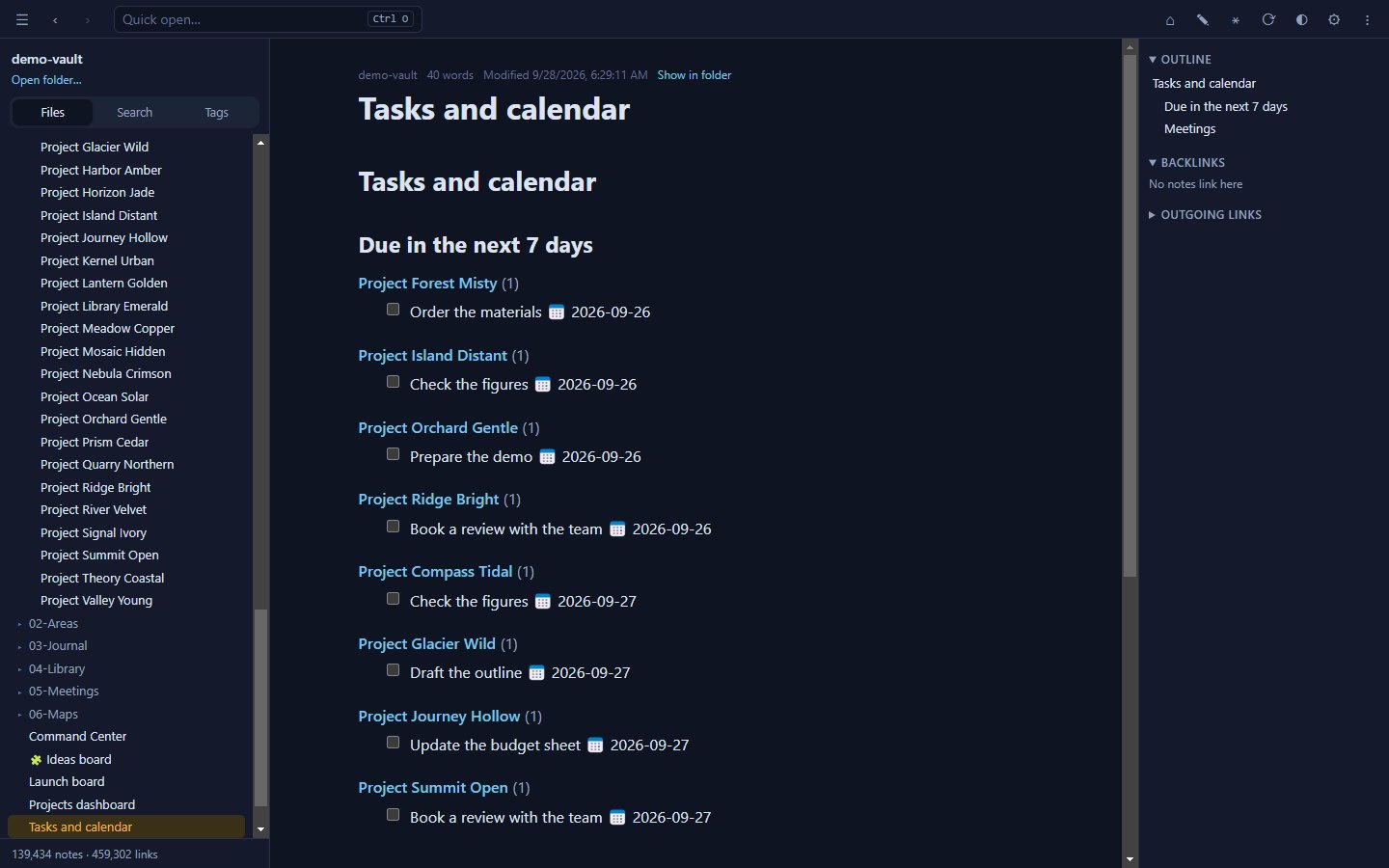
|
Kanban boardsDrag cards between lanes. Boards are plain Markdown notes in the common board format, so they stay readable anywhere. 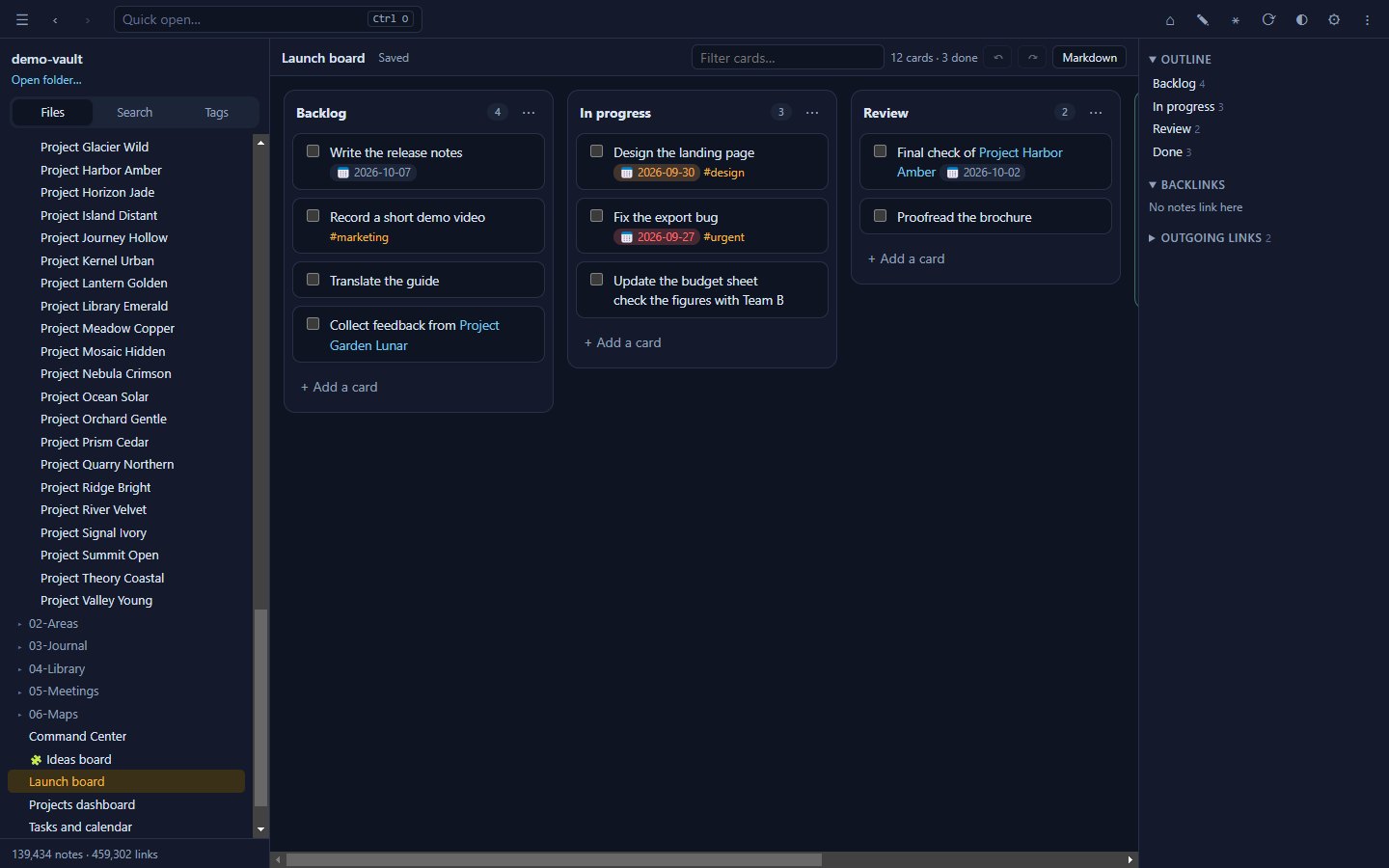
|
CanvasLay out notes, text and links on an infinite board. Canvases use the open JSON Canvas format. 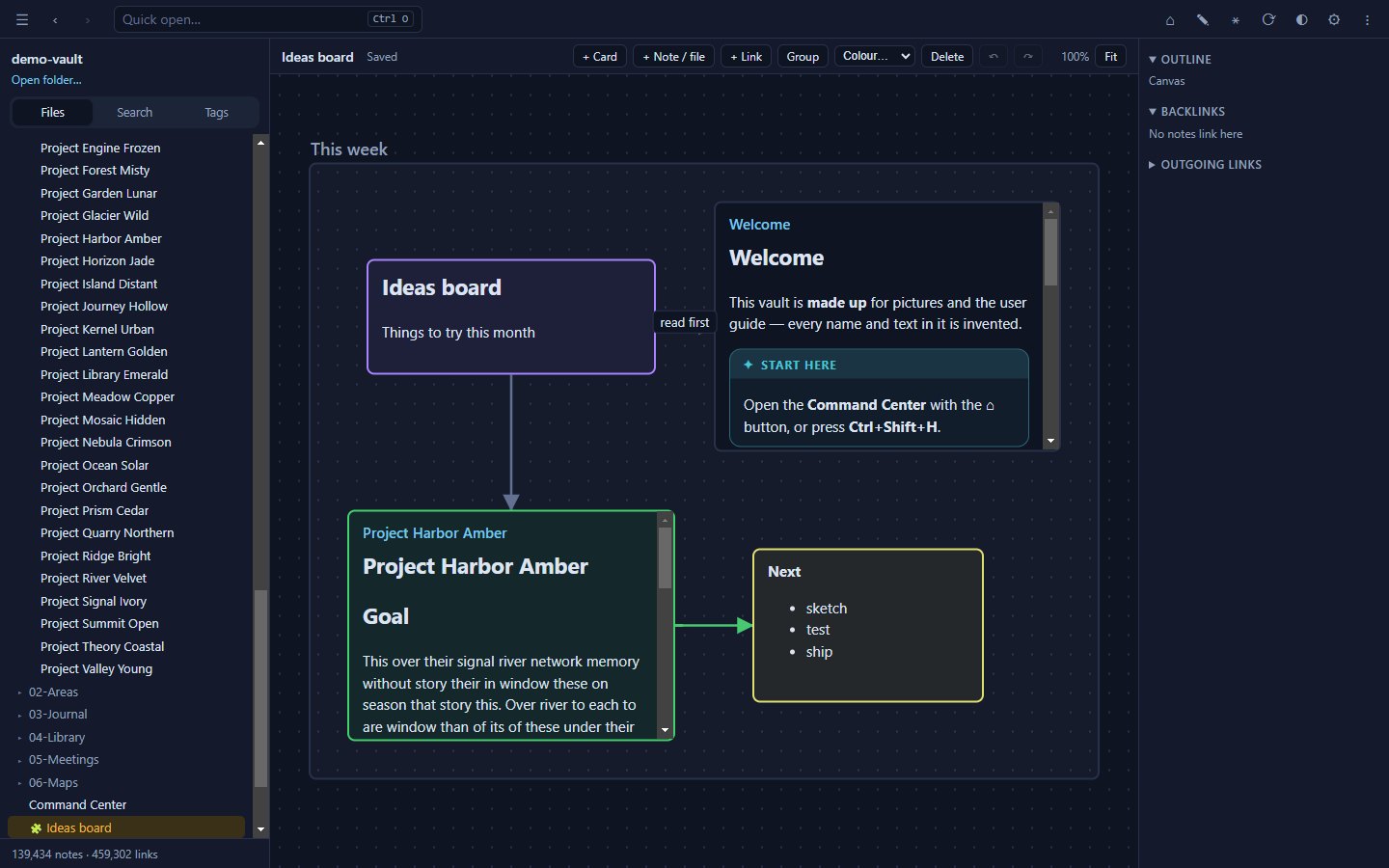
|
Connect an AI assistantBuilt-in MCP server: search, read, run queries, list tasks and — only if you allow it — write. Limit it to chosen folders; every change is logged and reversible. For Claude Desktop, just double-click 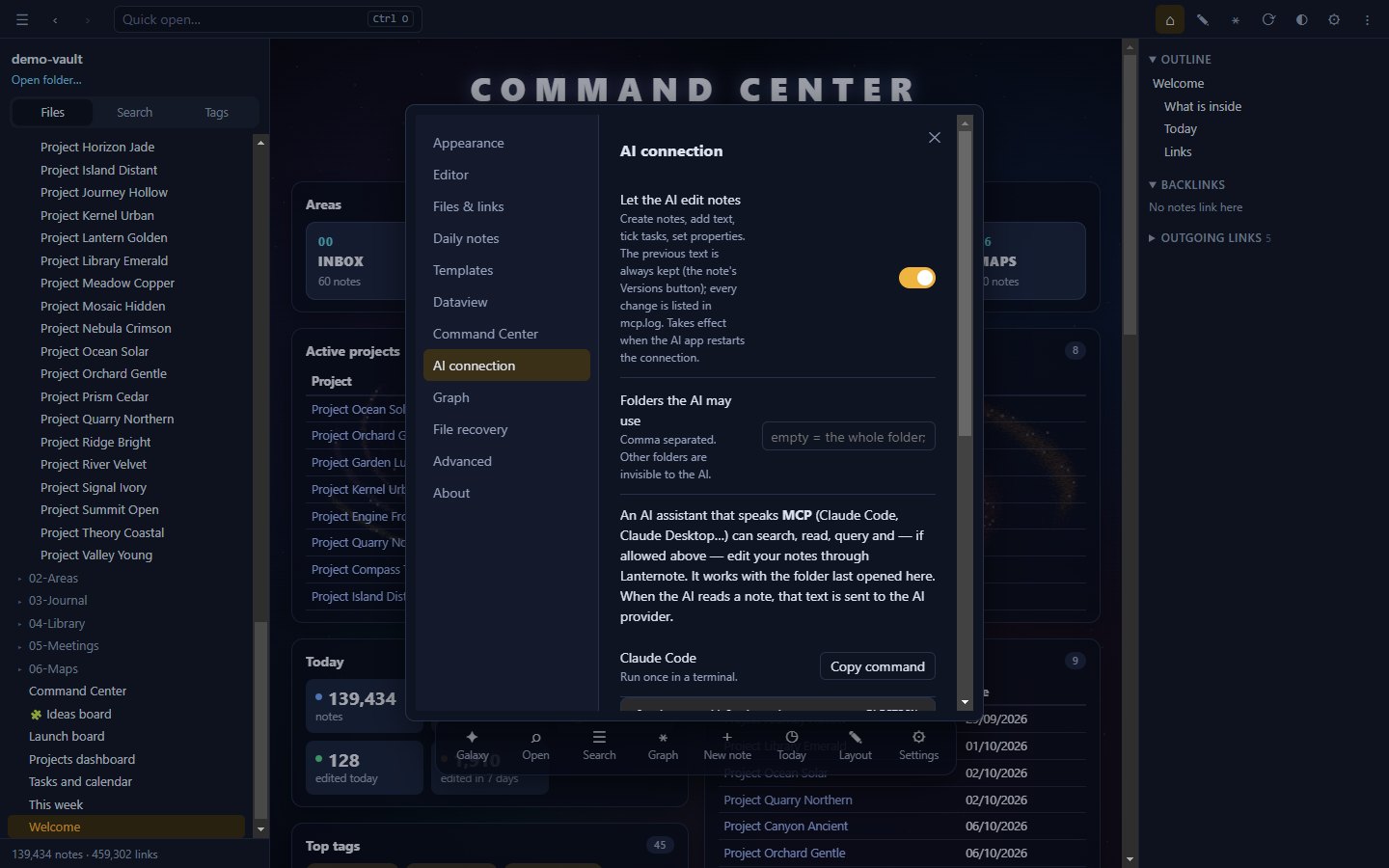
|
Also included: wiki links with headings, blocks and aliases · embeds (![[note]], images, audio, video) · backlinks and outline · front-matter properties · tags and nested tags · callouts · highlights and comments · Mermaid diagrams · note templates · daily notes · image viewer · command palette · print to PDF · light and dark themes.
Performance
Measured on a real-world library of 190,522 notes, 2.49 million links (728 MB), and on a made-up 139,000-note folder used for all pictures in this README.
| Task | Time |
|---|---|
| First open (no cache) | ≈ 17–19 s |
| Reopen (cached) | ≈ 1–2 s — changes are checked in the background |
| Full-text search | 20–130 ms |
| Quick open by name | ≈ 25 ms |
| Live query over the whole library | ≈ 0.1 s |
| Galaxy — one frame | ≈ 1 ms |
| Link graph — build | ≈ 0.15 s |
How it stays fast
- A worker thread owns the index (
indexer.js): it reads and parses every note, keeps a compact search index (accent-insensitive, 50 MB for the library above) and answers searches and queries. The window only holds a small index — paths plus aUint32Arrayof links — and reads a note's text when you open it. - Disk cache (
index-cache): parsed notes and the resolved link graph are cached, so a reopen shows the folder at once and onlystats files in the background. - Incremental updates: editing, adding or deleting a file re-reads only that file. Changes made by other apps or by sync tools appear within about a second.
- Graph "Map" engine (
layout-worker.js,src/atlas.js): the layout is computed once (Pivot MDS plus neighbour smoothing) and cached; drawing uses level of detail on a 2D canvas, so an idle graph costs no CPU. - Graph "Live" engine: cosmos.gl runs both the force layout and the drawing on the GPU. Links of "hub" notes with more than 1,000 links are hidden by default — one note with 72,000 backlinks alone drops the frame rate from ~120 to ~19 FPS.
- Limits: 1,000,000 files; up to 1.5 GB of text kept for search (beyond that, search covers part of the folder and says so).
Download
Get the file for your system from the latest release:
| System | File | How to run |
|---|---|---|
| Windows 10/11 | Lanternote-<version>-portable.exe | Run it — no installation, no admin rights. For a faster start use Lanternote-<version>-win.zip and run Lanternote.exe inside. |
| macOS (Apple silicon) | Lanternote-<version>-arm64-mac.zip | Unzip and move Lanternote.app to Applications. |
| Linux (x64) | Lanternote-<version>.AppImage | chmod +x Lanternote-*.AppImage, then run it. |
Then click Open a folder and choose your notes. Next time Lanternote reopens the same folder and note.
Only want your AI assistant to read your notes? Download lanternote-<version>.mcpb from the same release and double-click it: Claude Desktop installs the extension and asks for your notes folder. It is read-only unless you turn on Let the AI edit notes, and it works on Windows, macOS and Linux.
[!NOTE] The app is not code-signed yet, so your system may warn you the first time:
- Windows SmartScreen: More info → Run anyway.
- macOS: right-click
Lanternote.app→ Open → Open. If macOS says the app "is damaged", runxattr -cr /Applications/Lanternote.apponce.- Linux: on Ubuntu 24.04 and later, if the AppImage does not start, run it with
--no-sandbox.The macOS and Linux builds are new: every feature is tested on both systems by CI, but please report anything that looks wrong. Settings, the index cache and recovery copies are kept on each computer (
%APPDATA%\Lanternoteon Windows).
Press F1 in the app for the built-in guide, or read the illustrated user guide.
Keyboard shortcuts
| Keys | Action |
|---|---|
F1 | In-app guide |
Ctrl+O | Quick open |
Ctrl+Shift+F | Search every note (tag:#name to filter) |
Ctrl+Shift+H | Command Center |
Ctrl+G / Ctrl+Shift+G | Graph of all notes / around this note |
Ctrl+N | New note |
Ctrl+E | Read ⇄ edit |
Alt+E | Insert a template |
Ctrl+P | Command palette |
Ctrl+, | Settings |
Ctrl+Shift+D | Light / dark |
Alt+← / Alt+→ | Back / forward |
Ctrl+− / Ctrl+= / Ctrl+0 | Zoom out / in / reset |
Esc | Close a dialog, leave the galaxy |
Privacy
Lanternote reads and writes only the folder you open and its own settings folder. It has no account, no telemetry and no update check; all libraries are bundled, so it runs without a network connection.
Related MCP Servers
Reviews
No reviews yet — be the first to share how this listing worked for you.
Frequently Asked Questions about Lanternote
AllMCPs Directory Badge
Showcase your server listing on GitHub or your project documentation. Embed this dynamic SVG badge to highlight official listing status and live engagement.
Badge Style:
Live Dynamic SVG Preview
Markdown (GitHub README)
[](https://allmcps.com/mcp/lanternote)HTML Embed
<a href="https://allmcps.com/mcp/lanternote"><img src="https://allmcps.com/api/badge/lanternote?style=directory" alt="Lanternote on AllMCPs" /></a>