KiCad Schematics README
The full upstream README, mirrored here for reference. Install config, tool schemas, adoption signals, and an original overview live on the KiCad Schematics listing page.
MCP-KiCad
Design electronic schematics by talking to Claude. This is an MCP server that lets a language model draw real KiCad schematics — placing parts, wiring nets, adding power symbols and running KiCad's own electrical rules check — and hand you a .kicad_sch file you can open, edit and manufacture from.
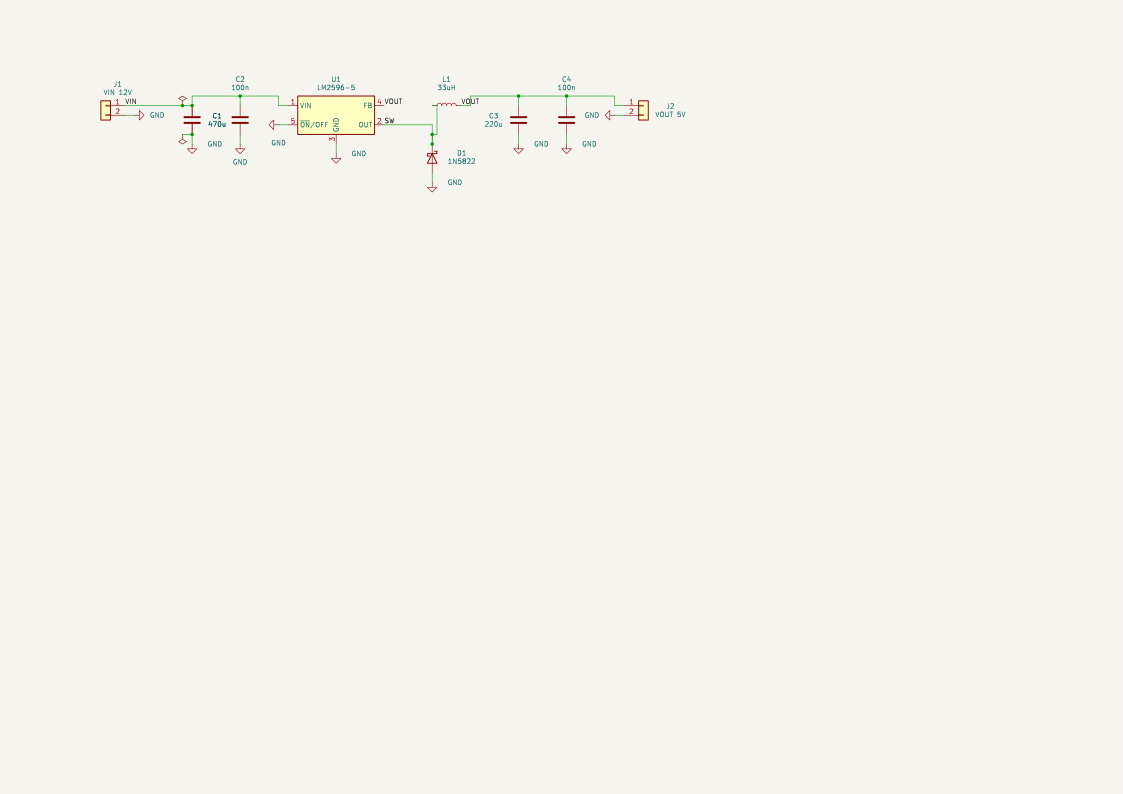
An LM2596 step-down converter. Nobody drew this by hand: it was compiled from a text description, and it passes ERC.
What it actually does
You ask for a circuit in plain language. Claude writes a short declarative description of it and calls one tool, compile_schematic, which turns that description into a finished schematic file.
You: Build me a 555 astable running at about 1 Hz, 5 V supply.
Claude: [looks up the real pin names of the NE555, writes the design, compiles it] Done — 7 components, ERC clean. Here's the preview.
The result opens in KiCad like any other schematic. It is not a picture: it is a real file with a real netlist, ready for PCB layout.
What makes the output usable
Generating something is easy; generating a schematic a human would accept is not. Every compiled schematic is checked before you see it, and the compiler refuses to emit anything that fails:
| Guarantee | How it is enforced |
|---|---|
| No wire crosses a wire from a different net | A geometric gate re-checks every segment. Offenders become net labels instead |
| No wire runs through a component body | Same gate, checked against each symbol's real outline |
| Every declared connection exists | The finished file is re-read and its netlist compared against what you asked for |
| No accidental extra connections | The same check, in reverse — a wire that touches a pin it shouldn't is an error |
| Power symbols really touch their pins | Verified by physical contact, not by net name |
| A junction wherever wires meet | The rule was measured across the 115 schematics KiCad ships: a dot where three or more wire ends meet, and where two meet on a pin |
| KiCad agrees | kicad-cli runs ERC on the result and the report comes back with it |
If a connection cannot be drawn cleanly, it degrades to a net label rather than producing a wire that lies. The schematic is never silently wrong.
A net crossing itself is not one of those cases: it is one net either way, so the wire is cut at the crossing and given a junction rather than being thrown away. Only a genuine conflict with another net costs you a wire.
What it does not do
- No PCB work. No board layout, no copper routing, no Gerbers. Schematics only, on purpose — a PCB from a bad schematic is worthless.
- No component invention. It uses KiCad's installed symbol libraries, and
find_part/import_partbring in what is missing from external KiCad libraries — verified before installation. If a part exists nowhere, it says so instead of drawing one. - Not a simulator. It draws what you describe; it does not tell you whether your circuit is a good idea.
Requirements
| KiCad 10 | Provides kicad-cli, used for ERC and for rendering. Earlier versions are untested. |
| Claude Desktop or Claude Code | Or any other MCP client. |
| Go 1.24+ | Only if you build from source. |
Installation
Option A — one click (recommended)
Download mcp-kicad.mcpb from Releases and double-click it. Claude Desktop installs it as an extension: no JSON to edit, no paths to type. The bundle carries the Windows, macOS and Linux builds, so the same file works everywhere.
Then skip straight to Checking that it works.
On Apple Silicon the bundled macOS build runs through Rosetta. If you want the native one, take
mcp-kicad-darwin-arm64from Option B instead.
Option B — download a binary
-
Go to Releases and download the file for your system:
System File Windows (Intel/AMD) mcp-kicad-windows-amd64.exeLinux (Intel/AMD) mcp-kicad-linux-amd64Linux (ARM, e.g. Raspberry Pi) mcp-kicad-linux-arm64macOS (Apple Silicon) mcp-kicad-darwin-arm64macOS (Intel) mcp-kicad-darwin-amd64 -
Put it wherever you like — say
C:\Tools\mcp-kicad.exeor~/bin/mcp-kicad. -
On Linux and macOS, make it executable:
On macOS the first run is blocked because the binary is unsigned. Allow it with:
There is nothing else to install. The binary is self-contained and needs no configuration file: it finds KiCad on its own.
Option C — build from source
Connecting it to Claude
Not needed if you installed the .mcpb bundle — it registers itself.
Claude Desktop
Edit the configuration file — create it if it isn't there:
| System | Location |
|---|---|
| Windows | %APPDATA%\Claude\claude_desktop_config.json |
| macOS | ~/Library/Application Support/Claude/claude_desktop_config.json |
| Linux | ~/.config/Claude/claude_desktop_config.json |
Add the server:
On Linux or macOS the command is a normal path, "/home/you/bin/mcp-kicad".
Windows note: backslashes must be doubled in JSON (
C:\\Tools\\...). A single backslash is the single most common reason the server fails to start.
Then quit Claude Desktop completely and reopen it. Reloading the window is not enough — the server runs as a child process and only starts on a full restart.
Claude Code
Checking that it works
Ask Claude:
Use get_project_info to check the KiCad setup.
You should get back the detected kicad-cli path, the library directories, and the output directory. If it reports that kicad-cli was not found, see Configuration below.
Using it
Just describe the circuit. Be specific about what matters to you — supply voltage, part numbers you want, values you've already chosen — and leave the rest to Claude.
Prompts that work well:
Design a 5 V regulated supply from a 12 V input using an LM7805, with input and output decoupling and a power LED.
Make me an ATmega328P minimal board: 16 MHz crystal with load caps, reset pull-up, ICSP header, and decoupling on both supply pins.
Build a two-transistor astable multivibrator that blinks two LEDs at roughly 2 Hz.
Useful things to ask for afterwards:
- "Show me the schematic" — renders a preview image.
- "Export it as PDF" — through
kicad-cli. - "Run ERC" — KiCad's electrical rules check, with the violations explained.
- "Move the decoupling caps closer to U1 and recompile" — the design source is text, so revisions are cheap.
The generated files land in the output directory (get_output_dir tells you where; set_output_dir changes it).
The design source
Behind the scenes, Claude writes a small JSON document and compiles it. You will rarely need to touch this, but it is worth seeing, because it explains why the results are stable — positions are never given in millimetres, they are anchored pin-to-pin:
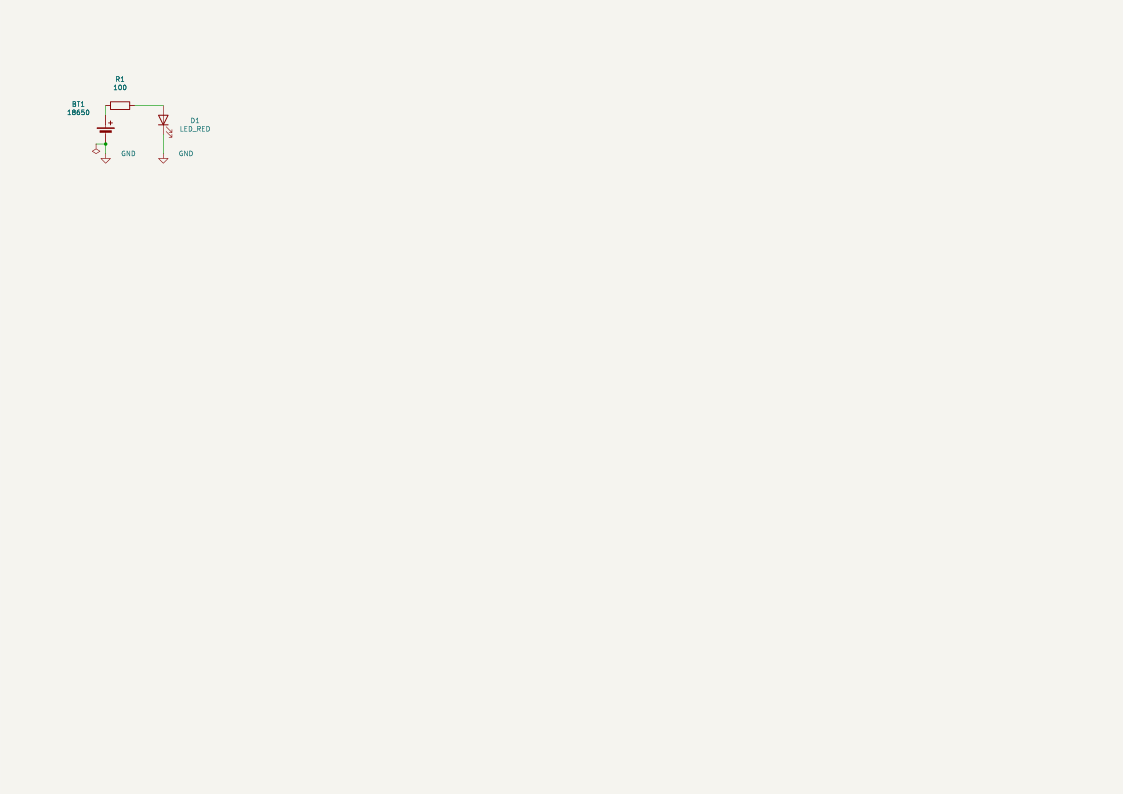
The first symbol in a block anchors it; every other symbol hangs off a pin of one already placed, a whole number of 2.54 mm grid cells away. That is how a schematic stays on-grid and readable no matter how the model reorders things.
The complete format is specified in internal/tools/design_format.md (the same text the design_guide tool serves to the model), and there are thirteen worked examples in docs/compiler/ — from a two-part LED circuit to a greenhouse controller with 27 components.
Configuration
None is required. The server looks for KiCad in the usual places:
- Windows —
C:\Program Files\KiCad\<version>\bin\kicad-cli.exe, thenPATH - Linux —
/usr/bin/kicad-cli,/usr/local/bin/kicad-cli, thenPATH - macOS —
/Applications/KiCad/KiCad.app/Contents/MacOS/kicad-cli, thenPATH
If your install is somewhere unusual, or you want to change where files are written, copy config.ini.example to config.ini next to the executable and fill in what you need:
The API keys are optional and buy metadata only — no distributor serves CAD files. Every source that actually carries symbols and footprints needs no key.
Generated files default to <your home>/mcp-kicad/output.
Tools
Thirty-three tools are exposed. In practice Claude drives almost everything through compile_schematic; the rest exist for inspection and for repairing an existing file.
Designing
compile_schematic · design_guide · get_design_context · kicad_workflow_help · apply_template · list_templates
Finding parts
find_part · import_part · check_component_existence · symbol_pins · list_symbol_libraries · register_library
Reading a schematic
read_schematic · get_connectivity_summary · cluster_components · layout_metrics
Editing by hand
create_schematic · add_symbol · connect_pins · disconnect_pin · add_wire · add_label · add_power_rail · junction · no_connect · connect_netlist · batch_schematic
Checking and exporting
validate_design (ERC/DRC) · export_schematic_image (SVG/PDF) · modify_pcb_layout
Setup
get_project_info · get_output_dir · set_output_dir
Parts KiCad doesn't have
KiCad ships around 22 700 symbols. The one you need is often not among them.
find_part searches every source at once and import_part installs a
candidate:
| Source | What it carries | Licence |
|---|---|---|
| installed | this machine's KiCad libraries and everything already imported | — |
| jlcpcb | JLCPCB's assembly catalogue: symbol + footprint + 3D model, all matched | MIT |
| cern | CERN Open Hardware: symbols for thousands of real part numbers | CERN-OHL-P-2.0 |
| digikey-lib | Digi-Key's library, 150 category libraries | per repository |
| espressif | Espressif's own ESP32 library | per repository |
| sparkfun | SparkFun breakouts, sensors and connectors | CC-SA-4.0 |
| lcsc | LCSC / EasyEDA, converted to KiCad — the long tail, by C-number | third-party data |
| mouser, digikey | identification only: the real MPN, manufacturer, package and datasheet behind an order code. No CAD files — no distributor serves them. Needs an API key | — |
Each source is indexed once into libs/cache/ and searched offline from then
on. Nothing is installed until it has been verified:
- it parses,
kicad-clireads it back and rewrites it,- it places in a scratch schematic with its pins resolved,
- its pins are compared against the footprint's pads,
- KiCad draws it, and you get the picture.
A part that fails is not installed at all. A half-imported symbol is worse than no symbol, because it looks like it works. And if a part exists in no source, the answer is that it does not exist — never a substitute chosen quietly, never geometry drawn from imagination.
Everything lands in one library, MCP_Imported, registered with KiCad so the
GUI's symbol chooser sees it too. Each imported symbol carries an MCP_Source
property recording where it came from, under what licence and when — which is
why libs/ is not versioned: it is reproducible from the sources.
How it works
.design.json → compile → .kicad_sch
- Place. Every symbol's position is derived from a pin anchor, resolved to absolute coordinates on the 2.54 mm grid.
- Wire. Short, obviously-correct connections are drawn with closed-form geometry; longer ones go to an A* router that avoids component bodies.
- Power. One power symbol per pin, offset in the direction the pin points, then aligned into rails.
- Gate. Every wire is re-examined. Anything that crosses another net, cuts through a symbol or overlaps collinearly is deleted and replaced by net labels — connectivity is preserved, the lie is not.
- Tidy. Reference and value text is moved off bodies and wires; the sheet is centred and the paper size upgraded if the circuit doesn't fit.
- Verify. The file is re-read from scratch, its netlist traced and compared against the source, and
kicad-cliruns ERC.
KiCad files are read and written through a real S-expression parser (internal/sexp) — never by pattern-matching on text.
Known limitations
- Text can still overlap on dense sheets. Reference designators and net labels are moved to the lowest-overlap position available, but on a crowded schematic the best available spot sometimes still touches something. The compiler reports exactly what is left over and how much extra spacing would clear each one.
- Some connections become labels instead of wires. This is the gate doing its job. Electrically identical, less pretty.
- PNG previews need a Chromium-family browser (Edge, Chrome, Chromium or Brave). Without one, a lower-quality pure-Go renderer is used instead. Only the Windows path is verified in practice.
- Tested with Claude Desktop and Claude Code. Other MCP clients should work but haven't been tried.
Development
The thirteen sources in docs/compiler/ are the reference corpus — every change to the pipeline is checked against all of them.
Architecture notes live in CLAUDE.md.
License
PolyForm Noncommercial License 1.0.0 — free to use, modify and share for any noncommercial purpose, including personal projects, hobby electronics, education, research and nonprofit organisations. Commercial use is not granted by this license.