MCP server enabling LLMs to make voice calls, send/receive SMS, and handle telephony workflows via Vonage APIs.
Quick Install
Automated & IDE SetupCopy the AI prompt to install this server into Claude Code, Cursor, or another agent — or use 1-click editor setup below.
One-click editor setup isn’t available for this listing yet — we don’t have a confirmed install command, and we’d rather show nothing than point your editor at the wrong package or host. Follow the project’s own setup instructions, linked above.
Manual Client & Custom JSON ConfigExpand JSON ▾
No confirmed setup config for this listing yet. We only publish a config block when the install details come from the project itself — its README, its docs, or a verified owner. We haven’t found those for khan2a/telephony-mcp-server, and we’d rather show nothing than a guess you’d paste into your client. Follow the project’s own setup instructions for the current steps.
Overview
Use cases
Make outbound voice calls with speech recognition
Send and receive SMS messages during conversations
Detect voicemail during calls
Integrate telephony functions into LLM-powered applications
Summarize call conversations using speech-to-text
Key features
Voice call initiation and control via MCP tools
SMS sending and receiving capabilities
Voicemail detection support
Speech-to-text transcription for call summarization
Integration with Vonage telephony APIs
Deployable via Python or Docker with environment configuration
Capabilities & Tool Schemas
Inspect callable tools, capabilities, and parameters exposed to AI agents by Telephony MCP Server.
Extracted Tool Capabilities
Voice call initiation and control via MCP tools
SMS sending and receiving capabilities
Voicemail detection support
Speech-to-text transcription for call summarization
Integration with Vonage telephony APIs
Deployable via Python or Docker with environment configuration
Documentation Overview


📖 Blog Post: Learn more about this project in the detailed blog post: Telephony MCP Server for Agentic AI and Language Models
Telephony MCP Server
Demo Using Claude Desktop
Agentic Telephony Conversation with Speech Recognition
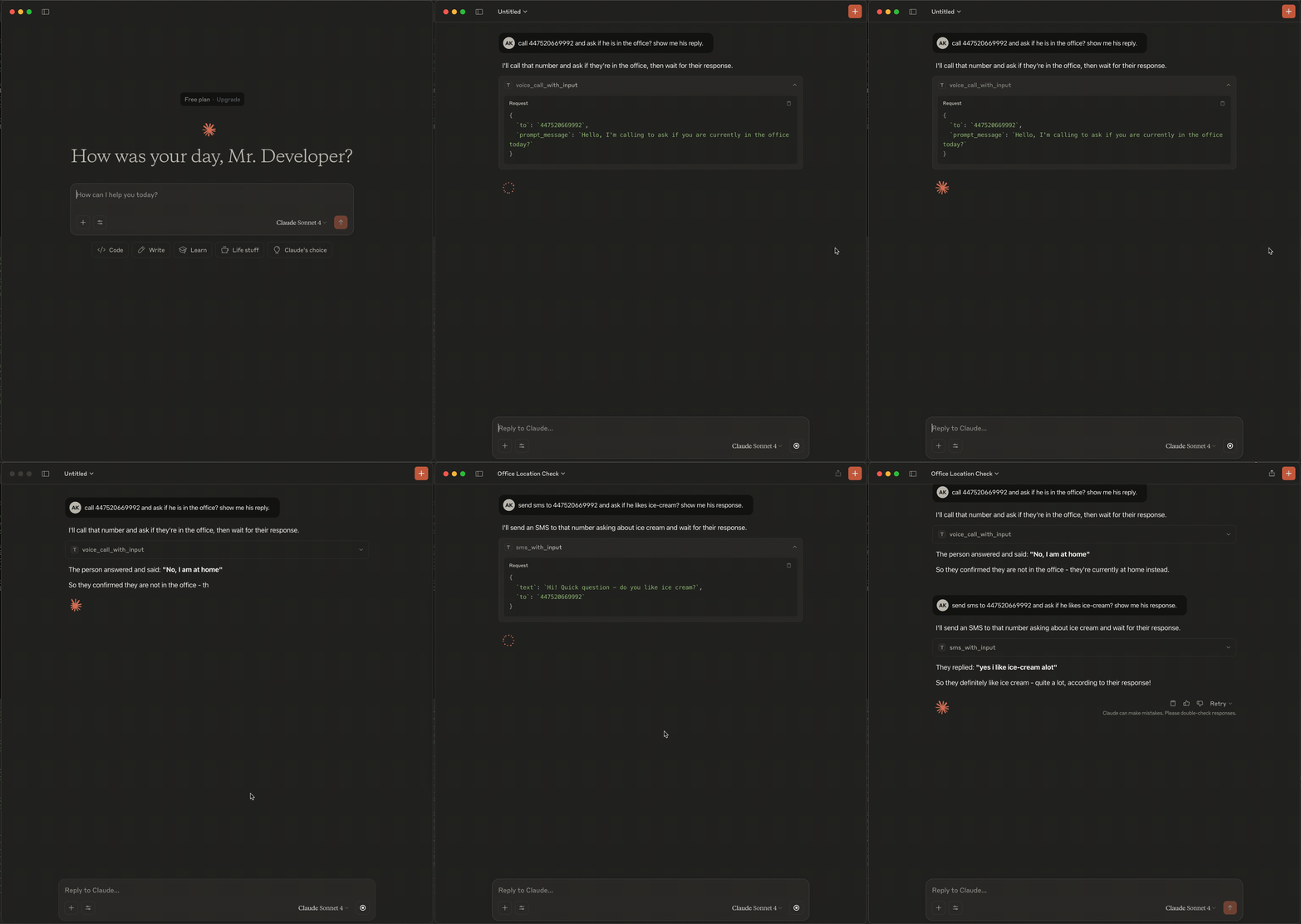
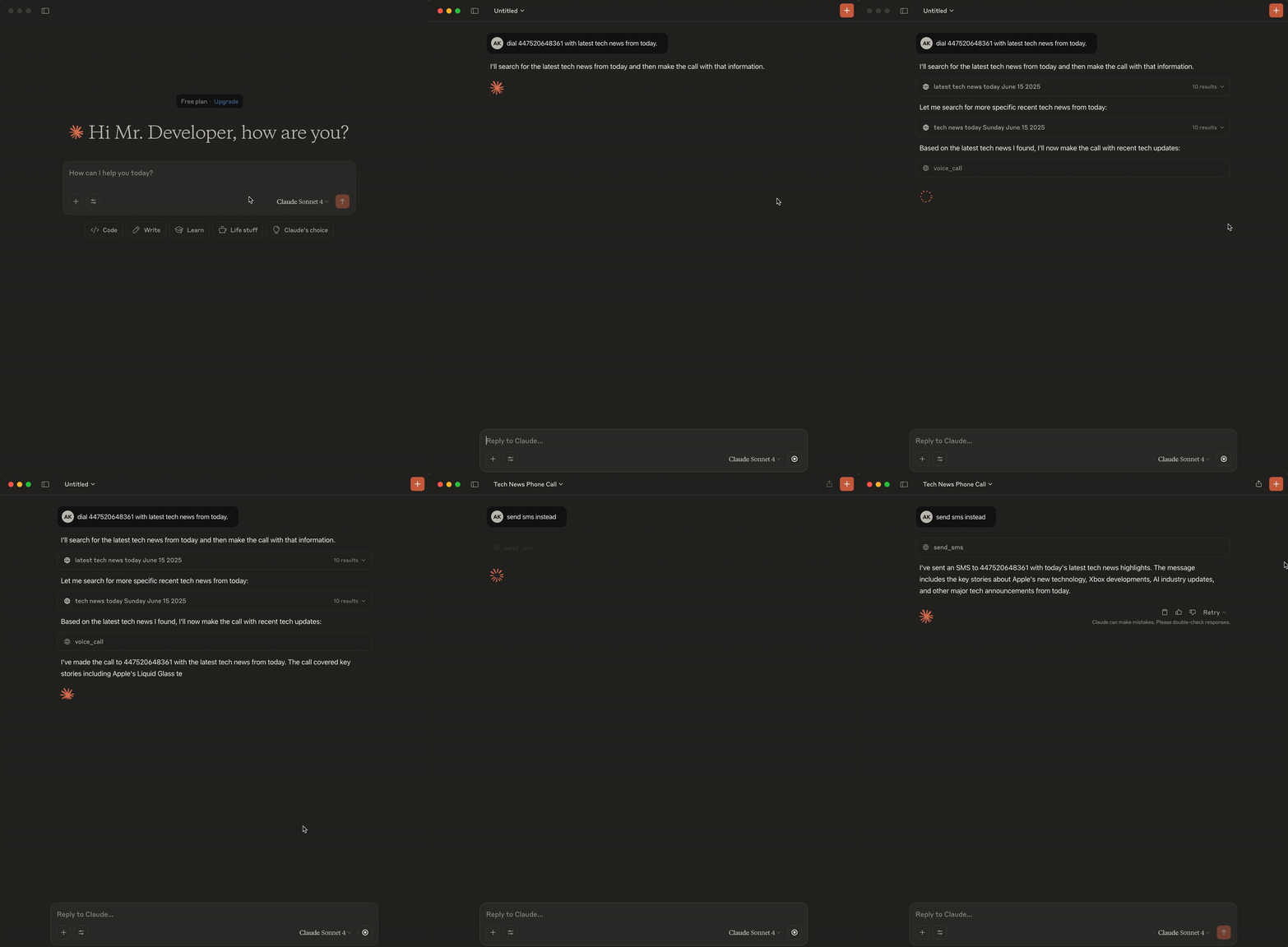
Use SMS during mid-conversation
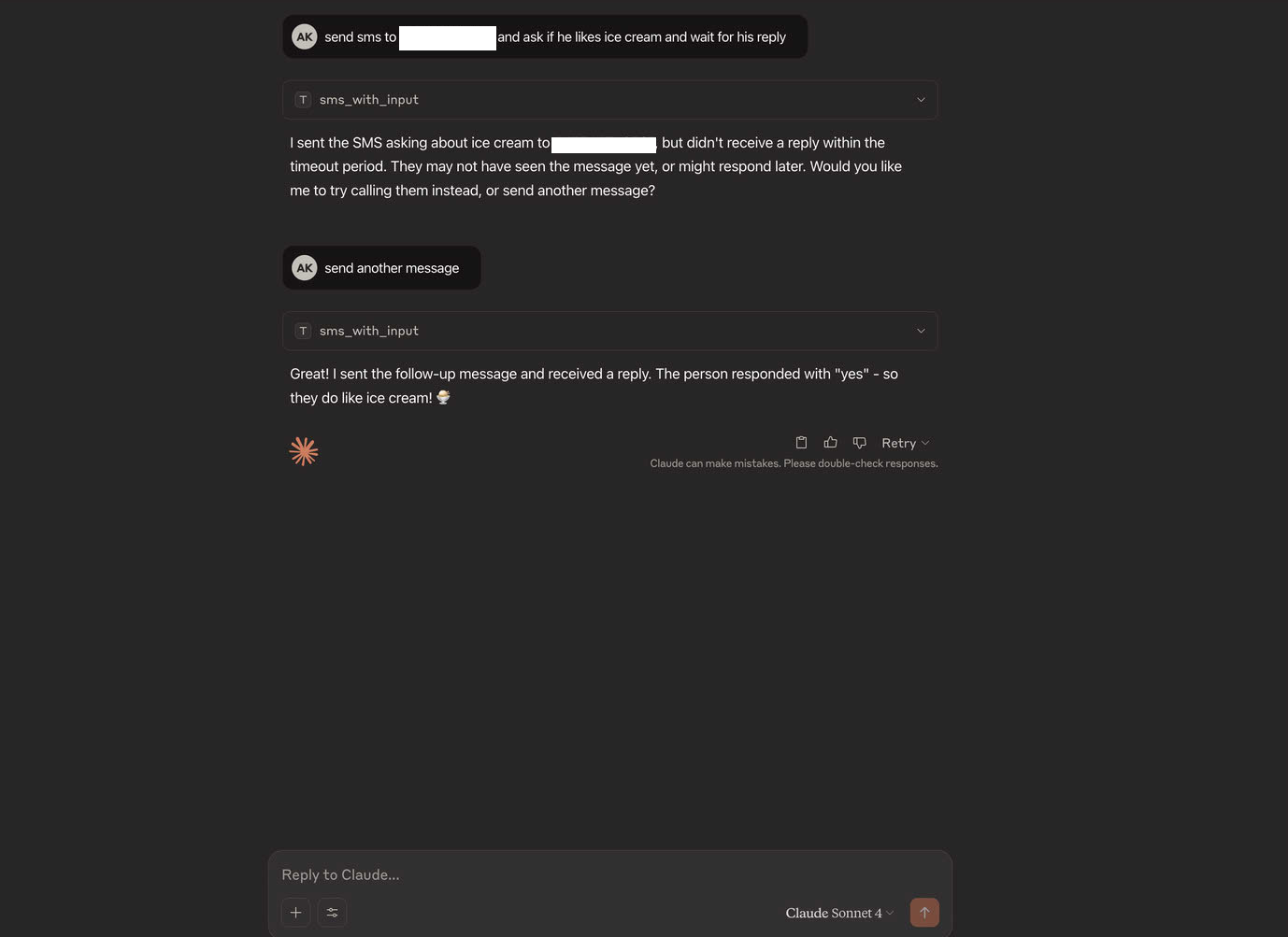
SMS Enquiry (Send and Receive)
Demo Using GitHub Copilot
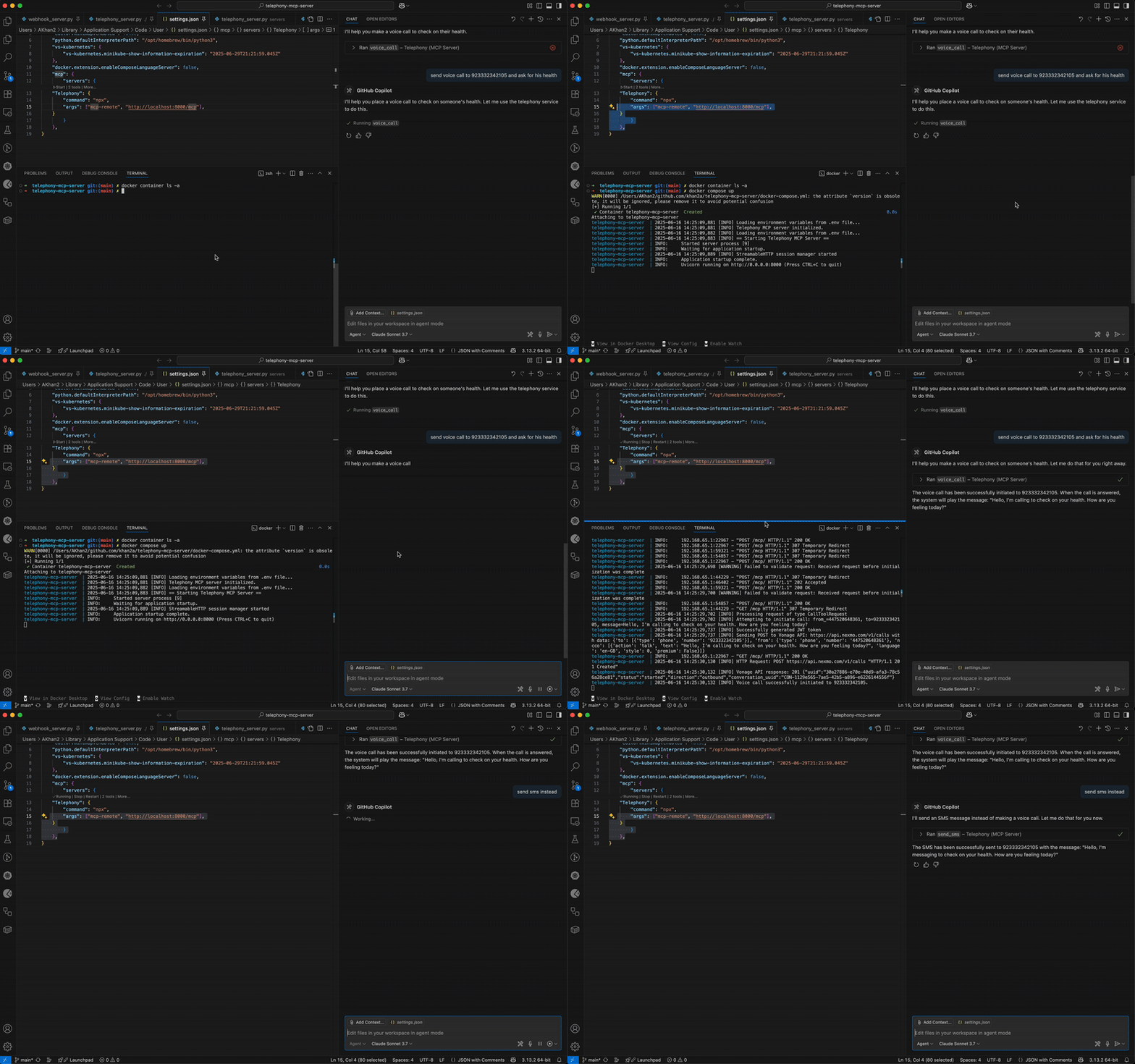
Introduction
This directory contains MCP (Model Context Protocol) Server tools for telephony operations, such as making voice calls and sending SMS messages using the Vonage API. These tools are designed to be integrated with Large Language Model (LLM) applications, enabling LLMs to perform real-world actions beyond simple text generation.
LLMs and Tool Integration
LLMs (Large Language Models) are advanced token generators—they can generate text, images, or even video based on input prompts. However, their core capability is limited to generating content; they cannot access external data or perform actions in the real world on their own.
To extend their functionality, LLMs can be connected to external tools. For example, when a user asks, "What's the weather today?" the LLM can invoke a backend API tool like get_weather(city) via a system prompt, parse the response, and return the result to the user. This tool-calling mechanism transforms a basic LLM into a powerful LLM Application.
Tool Calling with MCP and LangChain
- LangChain is a popular framework for developing applications powered by LLMs. It provides a collection of pre-built tools (called a Toolkit) that LLMs can use to interact with external systems.
- MCP (Model Context Protocol) follows the same concept: it offers a collection of pre-built tools and a framework for writing new tools and handling function calling.
- Both frameworks allow LLMs to invoke tools, parse their outputs, and integrate the results into their responses.
How This Works
- Tool Definition: In this project, tools like
voice_callandsend_smsare defined using the MCP framework. Each tool is a function that can be called by an LLM application. - LLM Application: When integrated with an LLM (such as OpenAI's GPT, Anthropic's Claude, etc.), the LLM can decide to call these tools based on user prompts.
- Execution Flow:
- The LLM receives a prompt (e.g., "Call Alice and say hello").
- The LLM determines that a tool invocation is needed and calls the appropriate MCP tool (e.g.,
voice_call). - The tool executes (e.g., initiates a phone call via Vonage) and returns the result.
- The LLM parses the response and presents it to the user.
Running the MCP Tools
Prerequisites
- Python 3.13+
- MCP CLI (
mcp[cli]), FastAPI, httpx, pyjwt, python-dotenv, uvicorn, pydantic (seepyproject.tomlfor details) - Vonage API credentials (API key, secret, application ID, private key)
- Public URL for callback server (for production use)
Setup
-
Install dependencies:
Or, if using Poetry:
-
Configure environment variables:
-
Create a
.envfile with your Vonage credentials:For the
CALLBACK_SERVER_URL:- In development: You can use
http://localhost:8080(default if not specified) - In production: Use a public URL (such as an ngrok URL or your deployed server)
- In development: You can use
-
-
Run the MCP server:
The server will start and expose the defined tools for LLM applications.
Running with Docker
You can also run the telephony MCP server using Docker:
-
Build and start the Docker container:
Or to run in the background:
-
Stop the Docker container:
-
View logs from the Docker container:
Using with LLM Applications
- Direct Integration: Connect your LLM application (e.g., using LangChain via Adapter or a custom MCP client) to the running MCP server. The LLM can now invoke telephony tools as needed.
- Example: When the LLM receives a prompt like "Dial this number +123 and read latest news from today", it will call the
voice_calltool, passing the required parameters. - Example: When the LLM receives a prompt like "Call this number using a British accent", it will call the
voice_calltool with specific language and style parameters. - Example: When the LLM receives a prompt like "Text the news instead", it will call the
send_smstool, passing the required parameters.
Using with Claude Desktop or other MCP clients
To configure an MCP client (like Claude Desktop) to use your telephony MCP server:
-
Update your MCP client configuration file (e.g.,
claude_desktop_config.json): -
Build the Docker image (if not using docker compose):
-
Restart your MCP client to apply the changes.
Key Concepts
- LLMs are content generators: They generate text, images, or video, but need external tools for actions like web search, telephony, or database access.
- Tool calling: LLMs can invoke backend APIs (tools) to fetch data or perform actions, then parse and present the results.
- Frameworks: Both LangChain and MCP provide a structure for defining, registering, and invoking tools from LLMs.
- MCP: Helps you write new tools and manage function calling, making it easy to extend LLM applications with custom capabilities.
Callback Server for Vonage Events
The Telephony MCP Server also includes a Vonage Callback Server that listens on port 8080. This server is used to receive event notifications from Vonage Voice API, which are sent when voice calls are initiated, completed, or encounter errors.
Features
- Receives and stores Vonage event callbacks
- Provides endpoints to view and manage stored events
- Runs as a separate service within the same application
Endpoints
GET /- Health check endpointPOST /event- Main endpoint for receiving Vonage callbacksGET /events- List all stored events (with pagination)GET /events/{event_id}- Get a specific event by IDDELETE /events- Clear all stored events
Configuration
To use the callback server with Vonage Voice API, you need to set the CALLBACK_SERVER_URL environment variable to your server's public URL. This URL will be used as the event_url parameter in Vonage API calls.
For local development, you can use a service like ngrok to expose your local server to the internet:
Then set the CALLBACK_SERVER_URL to the ngrok URL.
Related MCP Servers
Adoption & maintenance
Factual signals from GitHub, npm, and our automated checks — not a rating.
GitHub stars
13
Stargazers on the source repository.
Last commit
3mo ago
Most recent push to the default branch.
Directory activity
1 views
Config copies, upvotes, and views on AllMCPs.
Reviews
No reviews yet — be the first to share how this listing worked for you.
Frequently Asked Questions about Telephony MCP Server
AllMCPs Directory Badge
Showcase your server listing on GitHub or your project documentation. Embed this dynamic SVG badge to highlight official listing status and live engagement.
Badge Style:
Live Dynamic SVG Preview
Markdown (GitHub README)
[](https://allmcps.com/mcp/khan2a-telephony-mcp-server)HTML Embed
<a href="https://allmcps.com/mcp/khan2a-telephony-mcp-server"><img src="https://allmcps.com/api/badge/khan2a-telephony-mcp-server?style=directory" alt="Telephony MCP Server on AllMCPs" /></a>Technical Specs & Signals
CategoryCommunication
41Quality signal: Fair · 41/100How this signal is calculated ▾
Server availabilityNot measured
Not scored for repo-hosted servers — we can't reach the running server, only its GitHub page. Hosted MCP endpoints are health-checked live.
Verified ownership10/20
Documentation & tools18/30
Adoption & activity3/15
Community engagement0/10
A guidance signal from public completeness & health data — not a user rating. New listings start lower and rise as they add docs, get verified, and grow adoption. Signals we can't observe for a listing are skipped, not counted against it.
Own this project?
This directory is pre-filled from public sources. Claim via GitHub README, site badge, or DNS TXT to unlock edit access and the Official badge — proof is checked automatically, then reviewed by our team.
Free dofollow backlink: add your website and place the AllMCPs badge on it — no claim needed. We detect it automatically and keep it verified as long as the badge stays live.
Claim & get free dofollowShare & Embed
Add our SVG badge (dark/light directory styles) or embeddable widget to your site.