Kanareika
Agentless, read-only security audit of Linux servers over SSH. Ranks what to patch first: CVEs with KEV and EPSS, SSH access, exposed ports, host health, with rollback-ready fixes. Terminal UI, web UI and an MCP server in one Go binary. No telemetry.
Install Kanareika
Pick your client, then add it in one click or paste the config.
No confirmed install command yet
We only publish a config when the install details come from the project itself — its README, its docs, or a verified owner. We haven’t found those for kanareika, and we’d rather show nothing than a guess you’d paste into your client.
Open setup steps on GitHubOverview
Security & health
What it can reach and how reliably it runs — from our own checks, not the maintainer’s claims.
We have not completed a health check for this listing yet.
From the project README





English · Español · Français · Português · Русский · 中文 · 日本語 · 한국어
Agentless, read-only security audit of Linux servers over SSH. It ranks what to patch first: CVEs with KEV and EPSS, SSH access, exposed ports, host health, each with fix steps that can be rolled back. It works the same in a terminal UI, a web UI and through an MCP server for AI agents. One Go binary, one YAML per organization, no telemetry; the data stays on your machine.
- Homelab: pick your hosts from
~/.ssh/configor pasteuser@host. - Freelancer: one organization per client; add servers to it later.
- Company fleet: paste a host list, CSV or Ansible inventory; failed logins are grouped by cause, with the fix.
Terminal interface
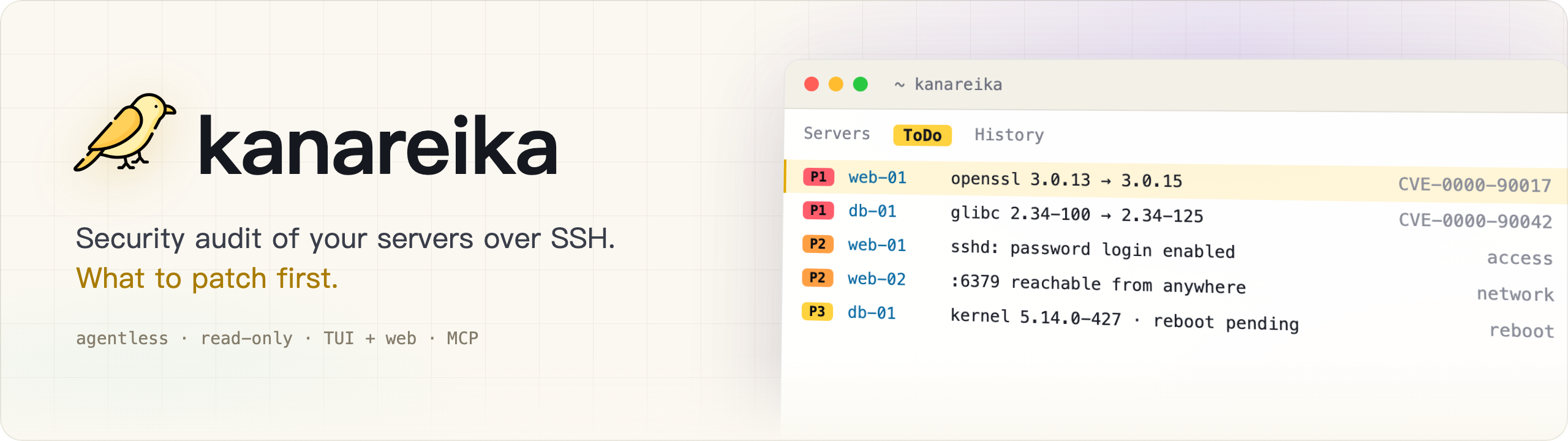
Run kanareika. It opens on ToDo: what to fix first, most urgent at the top.

Web interface
Run kanareika web for the same data in a browser, with the trend of the last 30 runs.

Demo data, made up.
Install
Homebrew (macOS, Linux); the formula pins the version and its checksum:
brew install mikekosulin/tap/kanareika
Or with the install script — read it, then run it:
curl -fsSLO https://raw.githubusercontent.com/mikekosulin/kanareika/main/install.sh
less install.sh
sh install.sh
It picks the build for this machine, checks its checksum (and the build attestation, when the GitHub CLI is installed) and asks before installing into /usr/local/bin or ~/.local/bin; KANAREIKA_YES=1 skips the question.
Or by hand (Linux, macOS):
cd "$(mktemp -d)"
OS=$(uname -s | tr '[:upper:]' '[:lower:]')                 # linux, darwin
ARCH=$(uname -m | sed 's/x86_64/amd64/; s/aarch64/arm64/')  # amd64, arm64
FILE=kanareika-$OS-$ARCH.tar.xz
URL=https://github.com/mikekosulin/kanareika/releases/latest/download

curl -fsSLO "$URL/$FILE"
curl -fsSLO "$URL/SHA256SUMS"
sha256sum -c --ignore-missing SHA256SUMS  # macOS: shasum -a 256 -c --ignore-missing SHA256SUMS
gh attestation verify "$FILE" --repo mikekosulin/kanareika  # optional, needs the GitHub CLI
tar -xJf "$FILE" kanareika
sudo install kanareika /usr/local/bin/  # or without sudo: install kanareika ~/.local/bin/
Windows (PowerShell):
Invoke-WebRequest https://github.com/mikekosulin/kanareika/releases/latest/download/kanareika-windows-amd64.zip -OutFile kanareika.zip; Expand-Archive kanareika.zip -DestinationPath kanareika
Then run kanareika.exe from the kanareika folder. On ARM, take kanareika-windows-arm64.zip instead.
Start
In the terminal:
kanareika
or in the browser, at http://127.0.0.1:8088 (it listens on localhost only):
kanareika web
On first start it walks you through adding your servers (SSH user and key, hosts, consent to scan) and runs the first scan. It asks before downloading the vulnerability list (about 210 MB).
For scripts and cron
Create an organization; its settings go to orgs/<ORG_ID>.yml:
kanareika org new <ORG_ID>
Scan it; the org file is checked and the databases are downloaded first:
kanareika scan <ORG_ID>
The web interface on another port (--port 0 takes any free one):
kanareika web --port <PORT>
The terminal interface connected to a remote web interface:
kanareika tui --url http://<SERVER>:8088 --token <YOUR_SECRET_TOKEN>
Isolated network: export the databases on a machine with internet access,
kanareika db export <BUNDLE.tar.gz>
then import them on the isolated one and scan offline:
kanareika db import <BUNDLE.tar.gz>
kanareika scan <ORG_ID> --offline
Everything else: kanareika --help.
Four ways in, same data and rules:
- TUI —
kanareika:?for keys,ofor panels,Lfor language. Attaches to a remote web too. - Web —
kanareika web: dashboards, trends, host details; scans start from the page. - Commands — for scripts and cron.
- MCP —
kanareika mcp: read-only tools for AI agents (Claude Code and others).
What it checks:
- Vulnerabilities — OS packages, images, jars and lockfiles via trivy built into the binary; backports and fix availability verified on the host; P1–P4 by KEV, EPSS, exposure and pre-auth RCE.
- Access and exposure — SSH password logins, keys, logins and attackers, open ports, firewalls, external scan.
- Health — kernel errors, disks, memory, time sync, pending reboots.
- Fixing — selected actions become a ready task for an engineer or an AI agent: apply, verify, roll back.
- Safe by design — read-only, organizations isolated, changed host keys refused, no scan without consent, the web interface on localhost only (or with a token).
- Private — no telemetry: nothing about you or your servers is sent anywhere, and reports stay on your machine. It only downloads public data: the vulnerability databases (ghcr.io, with mirror.gcr.io and public.ecr.aws as fallbacks), CISA KEV (cisa.gov), EPSS (FIRST, empiricalsecurity.com) and the DB-IP Lite IP databases (db-ip.com), which IP lookups run against offline. Even the embedded trivy's telemetry is switched off.
Disclaimer. Kanareika reports what it finds; it does not promise to find everything. Priorities and fix steps are advice: review them before running anything on your hosts. Audit only servers you are allowed to. Provided as is, without warranty (MIT).
Like it? Star it · Something wrong? Open an issue (no real hosts or addresses, please) · Vulnerability? Report privately
Reviews
No reviews yet — be the first to share how it worked for you.
Frequently Asked Questions about Kanareika
Related MCP servers
Add a badge to your READMEShow it’s listed — live SVG, Markdown or HTML.
AllMCPs Directory Badge
Showcase your server listing on GitHub or your project documentation. Embed this dynamic SVG badge to highlight official listing status and live engagement.
[](https://allmcps.com/mcp/kanareika)<a href="https://allmcps.com/mcp/kanareika"><img src="https://allmcps.com/api/badge/kanareika?style=directory" alt="Kanareika on AllMCPs" /></a>