AI Distiller (aid)
Note: This is the very first version of this tool. We would be very grateful for any feedback in the form of a discussion or by creating an issue on GitHub. Thank you!
🚀 MCP Server Available: Install the Model Context Protocol server for AI Distiller from NPM: @janreges/ai-distiller-mcp - seamlessly integrate with Claude, Cursor, and other MCP-compatible AI tools!




🤔 Why AI Distiller?
Do you work with large-scale projects that have thousands of files and functions? Do you struggle with AI tools like Claude Code, Gemini, Copilot, or Cursor frequently "hallucinating" and generating code that looks correct at first glance but is actually incompatible with your project?
The problem is context. AI models have a limited context window and cannot comprehend your entire codebase. Instead, AI agents search files, "grep" for keywords, look at a few lines before and after the found term, and try (often, but not always) to guess the interface of your classes and functions. The result? Code full of errors that guesses parameters, returns incorrect data types, and ignores the existing architecture. If you are a sophisticated user of AI agents (vibe coder), you know that you can help yourself by instructing the AI agent to consistently write and run tests, using static code analysis, pre-commit hooks, etc. - the AI agent will usually fix the code itself, but in the meantime it will take 20 steps and 5 minutes. On the other hand, it must be admitted that if you pay for each AI request (and large context is an expensive factor) and are not "playing for time", you may not mind this limited context approach.
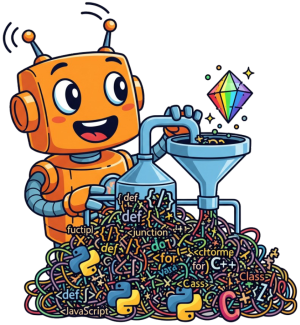
AI Distiller (or aid for short) helps solve this problem. Its main function is code "distillation" – a process where it extracts only the most essential information from the entire project (ideally from the main source folder, or a specific module subdirectory for extremely large projects) that the AI needs to write code correctly on the first try. This distillation usually generates a context that is only 5-20% of the original source code volume, allowing AI tools to include it in their context. As a result, the AI uses the existing code exactly as it was designed, not by trial and error.
Very simply, it can be said that aid, within the distillation process, will leave only the public parts of the interface, input and output data types, but in the default state it will discard method implementations and non-public structures. But everything is configurable via CLI Options.
Table of Contents
- 🤔 Why AI Distiller?
- ✨ Key Features
- 🎯 How It Works
- 🔗 Dependency-Aware Distillation
- 🚀 Quick Start
- 📖 Example Output
- 📖 Guides & Examples
- 📖 Complete CLI Reference
- 🛠️ Advanced Usage
- ⚠️ Limitations
- 🔒 Security Considerations
- ❓ FAQ
- 🤝 Contributing
- 📄 License
- 🙏 Acknowledgments
✨ Key Features
| Feature | Description |
|---|---|
| 🚀 Extreme Speed | Processes tens of megabytes of code in hundreds of milliseconds. By default, it uses 80% of available CPU cores, but can be configured, e.g., with --workers=1 to use only a single CPU core. |
| 🧠 Intelligent Distillation | Understands 12+ programming languages and extracts only public APIs (methods, properties, types). |
| ⚙️ High Configurability | Allows including private, protected, and internal members, implementation, or comments. |
| 🤖 AI Prompt Generation | Generates ready-to-use prompts with distilled code for AI analysis. The tool creates files with prompts that AI agents can then execute for security audits, refactoring, etc. See --ai-action switch. |
| 📋 Analysis Automation | Creates a complete checklist and directory structure for AI agents, who can then systematically analyze the entire project. See the flow-for-* actions for the --ai-action switch. |
| 📜 Git Analysis | Processes commit history and prepares data for in-depth analysis of development quality and team dynamics. |
| 💻 Multi-platform | A single binary file with no dependencies for Windows, Linux, and macOS (x64 & ARM). |
| 🔌 Integration via MCP | Can be integrated into tools like Claude Code, VS Code, Cursor, Windsurf and others thanks to the included MCP server. |
🎯 Intelligent Filtering
Control exactly what to include with our new granular flag system:
Visibility Control:
--public=1(default) - Include public members--protected=0(default) - Exclude protected members--internal=0(default) - Exclude internal/package-private--private=0(default) - Exclude private members
Content Control:
--comments=0(default) - Exclude comments--docstrings=1(default) - Include documentation--implementation=0(default) - Exclude function/methods bodies--imports=1(default) - Include import/use statements
Default behavior: Shows only public API signatures with basic documentation - perfect for AI understanding while maintaining maximum compression.
🤖 AI-Powered Analysis Prompt Generation
AI Distiller generates specialized prompts combined with distilled code for AI-driven analysis:
--ai-action=flow-for-deep-file-to-file-analysis- Generates task lists and prompts for systematic file-by-file analysis--ai-action=flow-for-multi-file-docs- Creates documentation workflow prompts with code structure- Output to files - Prompts are saved to
.aid/directory (or use--stdoutfor small codebases) - Ready for AI execution - Generated files contain both the analysis prompt and distilled code
- AI agent instructions - Output includes guidance for AI agents to read and process the generated files
- Gemini advantage - 1M token context window perfect for larger codebase analysis
Note: AI Distiller doesn't perform the analysis itself - it prepares optimized prompts that AI agents (Claude, Gemini, ChatGPT) then execute. Users often need to explicitly ask their AI agent to process the generated file or copy its contents to web-based AI tools.
📝 Multiple Output Formats
- Text (
--format text) - Ultra-compact for AI consumption (default) - Markdown (
--format md) - Clean, structured Markdown - JSON Structured (
--format json-structured) - Rich semantic data for tools - JSONL (
--format jsonl) - Streaming format - XML (
--format xml) - Legacy system compatible
📊 Smart Summary Output
After each distillation, AI Distiller displays a summary showing compression efficiency and processing speed:
# Default: Visual progress bar for interactive terminals (green dots = saved, red dots = remaining)
✨ Distilled 970 files [░░░░░░░░░░░░░░░] 98% (10M → 256K) in 231ms 💰 ~2.4M tokens saved (~64k remaining)

# Choose your preferred format with --summary-type
aid ./src --summary-type=stock-ticker
📊 AID 97.6% ▲ │ SIZE: 10M→256K │ TIME: 231ms │ EST: ~2.4M tokens saved

# JSON output
aid ./src --summary-type=json

{
  "original_bytes": 70020,
  "distilled_bytes": 8244,
  "savings_pct": 88.22622107969151,
  "duration_ms": 6,
  "tokens_before": 17505,
  "tokens_after": 2061,
  "tokens_saved": 15444,
  "token_savings_pct": 88.22622107969151,
  "file_count": 9,
  "output_path": "/home/user/project/.aid/aid.processor.txt",
  "tokenizer": "cl100k_base"
}
Available formats:
visual-progress-bar(default) - Shows compression as a progress barstock-ticker- Compact stock market style displayspeedometer-dashboard- Multi-line dashboard with metricsminimalist-sparkline- Single line with all essential infoci-friendly- Clean format for CI/CD pipelinesjson- Machine-readable JSON outputoff- Disable summary output
Use --no-emoji to remove emojis from any format.
📁 Smart Project Root Detection
AI Distiller automatically detects your project root and centralizes all outputs in a .aid/ directory:
- Automatic detection: Searches upward for
.aidrc,go.mod,package.json,.git, etc. - Consistent location: All outputs go to
<project-root>/.aid/regardless of where you runaid - Cache management: MCP cache stored in
.aid/cache/for better organization - Easy cleanup: Add
.aid/to.gitignoreto keep outputs out of version control
Detection priority:
.aidrcfile - Create this empty file to explicitly mark your project root- Language markers -
go.mod,package.json,pyproject.toml, etc. - Version control -
.gitdirectory - Environment variable -
AID_PROJECT_ROOT(fallback if no markers found) - Current directory - Final fallback with warning
# Mark a specific directory as project root (recommended)
touch /my/project/.aidrc

# Run from anywhere in your project - outputs always go to project root
cd deep/nested/directory
aid ../../../src  # Output: <project-root>/.aid/aid.src.txt

# Use environment variable as fallback (useful for CI/CD)
AID_PROJECT_ROOT=/build/workspace aid src/
🌍 Language Support
Currently supports 12 languages via tree-sitter:
- Full Support: Python, Go, JavaScript, PHP, Ruby
- Beta: TypeScript, Java, C#, Rust, Kotlin, Swift, C++
- Coming Soon: Zig, Scala, Clojure
Language-Specific Documentation:
- C++ - C++11/14/17/20 support with templates, namespaces, modern features
- C# - Complete C# 12 support with records, nullable reference types, pattern matching
- Go - Full Go support with interfaces, goroutines, generics (1.18+)
- Java - Java 8-21 support with records, sealed classes, pattern matching
- JavaScript - ES6+ support with classes, modules, async/await
- Kotlin - Kotlin 1.x support with coroutines, data classes, sealed classes
- PHP - PHP 7.4+ with PHP 8.x features (attributes, union types, enums)
- Python - Full Python 3.x support with type hints, async/await, decorators
- Ruby - Ruby 2.x/3.x support with blocks, modules, metaprogramming
- Rust - Rust 2018/2021 editions with traits, lifetimes, async
- Swift - Swift 5.x support with protocols, extensions, property wrappers
- TypeScript - TypeScript 4.x/5.x with generics, decorators, type system
🎯 How It Works
- Scans your codebase recursively for supported file types (10+ languages)
- Parses each file using language-specific tree-sitter parsers (all bundled, no dependencies)
- Extracts only what you need: public APIs, type signatures, class hierarchies
- Outputs in your preferred format: compact text, markdown, or structured JSON
All tree-sitter grammars are compiled into the aid binary - zero external dependencies!
🔗 Dependency-Aware Distillation
Advanced Feature: AI Distiller includes dependency-aware distillation that analyzes call graphs across files and includes only the code that is actually used from your codebase. This creates focused distillations for deep code analysis by following function/method calls across multiple files.
💡 New to dependency analysis? This feature traces which functions actually call each other in your code, creating a minimal context that includes only the relevant parts. Perfect for AI tools that need to understand code relationships without processing entire files.
🎯 How Dependency-Aware Analysis Works
Instead of including entire files, dependency-aware distillation:
- Identifies entry points (main functions, exported APIs)
- Traces function calls across file boundaries
- Builds call graphs to understand dependencies
- Includes only used code - functions that are actually called
- Filters out unused code - dead code elimination for AI context
# Basic dependency analysis
aid main.py --dependency-aware

# Control analysis depth
aid main.py --dependency-aware --max-depth=2

# Include implementations for deeper analysis
aid main.py --dependency-aware --implementation=1 --max-depth=3
📊 Language Support Quality
We've worked extensively to make dependency-aware distillation as reliable as possible across different programming languages. However, the complexity varies significantly between languages, and we want to be transparent about the current state:
| Language | Support Level | Cross-File Analysis | Intra-File Calls | Performance | Notes |
|---|---|---|---|---|---|
| Python | 🟢 Very Good | ✅ Full | ✅ Complete | ~37ms | Package imports, all call patterns |
| JavaScript | 🟢 Very Good | ✅ Full | ✅ Complete | ~38ms | CommonJS & ES6 modules |
| Go | 🟢 Very Good | ✅ Full | ✅ Complete | ~37ms | Package system integration |
| Rust | 🟢 Very Good | ✅ Full | ✅ Complete | ~36ms | Crate system, proper filtering |
| Java | 🟢 Very Good | ✅ Full | ✅ Complete | ~41ms | Package imports, static methods |
| Swift | 🟢 Very Good | ✅ Full | ✅ Complete | ~37ms | Class and static method detection |
| PHP | 🟢 Very Good | ✅ Full | ✅ Complete | ~37ms | Include/require resolution |
| Ruby | 🟢 Very Good | ✅ Full | ✅ Complete | ~40ms | Module system, all call patterns |
| TypeScript | 🟡 Limited | ❌ Issues | ❌ Issues | N/A | Language processor limitations |
| C# | 🟡 Limited | ❌ Issues | ❌ Issues | N/A | Language processor limitations |
| C++ | 🟡 Limited | ❌ Issues | ❌ Issues | N/A | Language processor limitations |
| Kotlin | 🟠 Good | ✅ Partial | ⚠️ Basic | ~45ms | Companion objects, some edge cases |
Legend:
- 🟢 Very Good: Production-ready, handles complex scenarios reliably
- 🟠 Good: Solid functionality with minor limitations
- 🟡 Limited: Basic functionality, parsing capabilities may be limited
- ✅ Full: Complete cross-file dependency tracing
- ⚠️ Basic: Simple scenarios work well, complex patterns may be limited
- ❌ Issues: Functionality is significantly limited
🚀 Performance Characteristics
Very Good Performance (8 languages):
- Processing Time: 36-41ms consistently
- Compression: 65-72% size reduction
- Scalability: Handles projects up to 10 files efficiently
- Memory Usage: Minimal, no hanging or timeout issues
Areas for Enhancement:
- Large Projects: Performance may be limited with 50+ files
- Language Processors: C#, C++, TypeScript have fundamental limitations
- Complex Call Patterns: Advanced metaprogramming patterns may be limited
💡 When to Use Dependency-Aware Analysis
Perfect for:
- 🎯 Impact Analysis - Understand what code is affected by changes
- 🔍 Code Navigation - Follow execution flows across multiple files
- 🎪 Focused Context - Get only relevant code for AI assistants
- 📚 Legacy Understanding - Trace through complex codebases systematically
- 🔧 API Analysis - See which methods are actually called vs. just defined
Best Practices:
# Start with small depth for quick overview
aid main.py --dependency-aware --max-depth=1

# Increase depth for comprehensive analysis
aid main.py --dependency-aware --max-depth=2 --implementation=1

# Use with specific languages known to work well
aid src/ --dependency-aware --include="*.py,*.js,*.go"
🚀 Transform Massive Codebases Into AI-Friendly Context
The Problem: Modern codebases contain thousands of files with millions of lines. But for AI to understand your code architecture, suggest improvements, or help with development, it doesn't need to see every implementation detail - it needs the structure and public interfaces.
The Solution: AI Distiller extracts only what matters - public APIs, types, and signatures - reducing codebase size by 90-98% while preserving all essential information for AI comprehension.
| Project | Files | Original Tokens | Distilled Tokens | Fits in Context1 | Speed2 |
|---|---|---|---|---|---|
⚛️ react | 1,781 | ~5.5M | 250K (-95%) | ✅ Gemini3 | 2,875 files/s |
🎨 vscode | 4,768 | ~22.5M | 2M (-91%) | ⚠️ Needs chunking | 5,072 files/s |
🐍 django | 970 | ~10M | 256K (-97%) | ✅ Gemini3 | 4,199 files/s |
📦 prometheus | 685 | ~8.5M | 154K (-98%) | ✅ Claude/Gemini | 3,071 files/s |
🦀 rust-analyzer | 1,275 | ~5.5M | 172K (-97%) | ✅ Claude/Gemini | 10,451 files/s |
🚀 astro | 1,058 | ~10.5M | 149K (-99%) | ✅ Claude/Gemini | 5,212 files/s |
💎 rails | 394 | ~1M | 104K (-90%) | ✅ ChatGPT-4o | 4,864 files/s |
🐘 laravel | 1,443 | ~3M | 238K (-92%) | ✅ Gemini3 | 4,613 files/s |
⚡ nestjs | 802 | ~1.5M | 107K (-93%) | ✅ ChatGPT-4o | 8,813 files/s |
👻 ghost | 2,184 | ~8M | 235K (-97%) | ✅ Gemini3 | 4,719 files/s |
1 Context windows: ChatGPT-4o (128K), Claude (200K), Gemini (1M). ✅ = fits completely, ⚠️ = needs splitting
2 Processing speed with 12 parallel workers on AMD Ryzen 7945HX. Use -w 1 for serial mode or -w N for custom workers.
3 These frameworks exceed 200K tokens and work only with Gemini due to its larger 1M token context window.
🎯 Why This Matters for AI-Assisted Development
Large codebases are overwhelming for AI models. A typical web framework like Django has ~10 million tokens of source code. Even with Claude's 200K context window, you'd need to split it into 50+ chunks, losing coherence and relationships between components.
But here's the good news: Most real-world projects that teams have invested hundreds to thousands of hours developing are much smaller. Thanks to AI Distiller, the vast majority of typical business applications, SaaS products, and internal tools can fit entirely within AI context windows, enabling unprecedented AI assistance quality.
⚠️ The Hidden Problem with AI Coding Tools
Most AI agents and IDEs are "context misers" - they try to save tokens at the expense of actual codebase knowledge. They rely on:
- 🔍 Grep/search to find relevant code snippets
- 📄 Limited context showing only 10-50 lines around matches
- 🎲 Guessing interfaces based on partial information
This is why AI-generated code often fails on first attempts - the AI is literally guessing method signatures, parameter types, and return values because it can't see the full picture.
AI Distiller changes the game by giving AI complete knowledge of:
- ✅ Exact interfaces of all classes, methods, and functions
- ✅ All parameter types and their expected values
- ✅ Return types and data structures
- ✅ Full inheritance hierarchies and relationships
Instead of playing "code roulette", AI can now write correct code from the start.
Result: Django's 10M tokens compress to just 256K tokens - suddenly the entire framework fits in a single AI conversation, leading to:
- 🎯 More accurate suggestions - AI sees all available APIs at once
- 🚀 Less hallucination - No more inventing methods that don't exist
- 💡 Better architecture advice - AI understands the full system design
- ⚡ Faster development - Especially for "vibe coding" with AI assistance
- 💰 40x cost reduction - Pay for 256K tokens instead of 10M on API calls
🔧 Flexible for Different Use Cases
# Process entire codebase (default: public APIs only)
aid ./my-project

# Process specific directory or module
aid ./my-project/src/auth
aid ./my-project/src/api

# Process a directory
aid ./my-project/core/

# Process individual file
aid src/main.py

# Include protected/private for deeper analysis
aid ./my-project --private=1 --protected=1

# Include implementations for small projects
aid ./my-small-lib --implementation=1

# Everything for complete understanding
aid ./micro-service --private=1 --protected=1 --implementation=1
Granular Control: Process your entire codebase, specific modules, directories, or even individual files. Perfect for focusing AI on the exact context it needs - whether that's understanding the whole system architecture or diving deep into a specific authentication module.
📈 Full benchmark details | 🧪 Reproduce these results
🚀 Quick Start
One-Line Installation
macOS / Linux / WSL:
# Install to ~/.aid/bin (recommended, no sudo required)
curl -sSL https://raw.githubusercontent.com/janreges/ai-distiller/main/install.sh | bash

# Install to /usr/local/bin (requires sudo)
curl -sSL https://raw.githubusercontent.com/janreges/ai-distiller/main/install.sh | bash -s -- --sudo
Windows PowerShell:
iwr https://raw.githubusercontent.com/janreges/ai-distiller/main/install.ps1 -useb | iex
The installer will:
- Detect your OS and architecture automatically
- Download the appropriate pre-built binary
- Install to
~/.aid/bin/aidby default (no sudo required) - Or to
/usr/local/bin/aidwith--sudoflag - Guide you through PATH configuration if needed
Basic Usage
# Basic usage
aid .                                   # Current directory, output is saved to file in ./aid
aid . --stdout                          # Current directory, output is printed to STDOUT
aid src/                                # Specific directory
aid main.py                             # Specific file
📖 Example Output
Python Class Example
Input (car.py):
class Car:
    """A car with basic attributes and methods."""

    def __init__(self, make: str, model: str):
        self.make = make
        self.model = model
        self._mileage = 0  # Private

    def drive(self, distance: int) -> None:
        """Drive the car."""
        if distance > 0:
            self._mileage += distance
Output (aid car.py --format text --implementation=0):
<file path="car.py">
class Car:
    +def __init__(self, make: str, model: str)
    +def drive(self, distance: int) -> None
</file>
TypeScript Interface Example
Input (api.ts):
export interface User {
  id: number;
  name: string;
  email?: string;
}

export class UserService {
  private cache = new Map<number, User>();

  async getUser(id: number): Promise<User | null> {
    return this.cache.get(id) || null;
  }
}
Output (aid api.ts --format text --implementation=0):
<file path="api.ts">
export interface User {
  id: number;
  name: string;
  email?: string;
}

export class UserService {
  +async getUser(id: number): Promise<User | null>
}
</file>
📖 Guides & Examples
Deep Code Analysis Prompt Generation
AI Distiller generates sophisticated analysis prompts that AI assistants can execute for comprehensive codebase understanding:
aid internal \
   --private=1 --protected=1 --implementation=1 \
   --ai-action=flow-for-deep-file-to-file-analysis

✅ AI Analysis Task List generated successfully!
📋 Task List: .aid/ANALYSIS-TASK-LIST.internal.2025-06-20.md
📊 Summary File: .aid/ANALYSIS-SUMMARY.internal.2025-06-20.md
📁 Analysis Reports Directory: .aid/analysis.internal/2025-06-20
🤖 Ready for AI-driven analysis workflow!
📂 Files to analyze: 158

💡 If you are an AI agent, please read the Task List above and carefully follow all instructions to systematically analyze each file.
What AI Distiller generates:
- 📋 Task list prompt - A structured checklist for AI to follow (
.aid/ANALYSIS-TASK-LIST.PROJECT.DATE.md) - 🎯 Analysis instructions - Detailed prompts guiding AI through security, performance, and quality checks
- 📊 Code structure - Distilled code included in the prompt files for AI to analyze
- 📁 Directory structure - Pre-created folders where AI agents can save their analysis results
How to use the generated prompts:
- For AI agents: Direct the agent to read the generated task list file and follow instructions
- For web AI tools: Copy the content of generated files and paste into Gemini (best for large codebases due to 1M context)
- For small codebases: Use
--stdoutto get prompt directly without saving to file
Note: The analysis dimensions (Security, Performance, Maintainability, Readability) are part of the prompts that guide the AI - AI Distiller itself doesn't perform any analysis.
🤖 Use with Claude Code/Desktop (MCP)
AI Distiller now integrates seamlessly with Claude Code/Desktop through the Model Context Protocol (MCP), enabling AI agents to analyze and understand codebases directly within conversations.
# One-line installation
claude mcp add aid -- npx -y @janreges/ai-distiller-mcp
📦 NPM Package: @janreges/ai-distiller-mcp - Full documentation and examples available
Available MCP Tools
🔍 Code Structure Tools:
distill_file- Extract structure from a single filedistill_directory- Extract structure from entire directorieslist_files- Browse directories with file statisticsget_capabilities- Get info about AI Distiller capabilities
🎯 Specialized AI Analysis Tools:
aid_hunt_bugs- Generate bug-hunting prompts with distilled codeaid_suggest_refactoring- Create refactoring analysis promptsaid_generate_diagram- Produce diagram generation prompts (Mermaid)aid_analyze_security- Generate security audit prompts (OWASP Top 10)aid_generate_docs- Create documentation generation promptsaid_deep_file_analysis- Systematic file-by-file analysis workflowaid_multi_file_docs- Multi-file documentation workflowaid_complex_analysis- Enterprise-grade analysis promptsaid_performance_analysis- Performance optimization promptsaid_best_practices- Code quality and best practices prompts
🔧 Core Analysis Engine:
aid_analyze- Direct access to all AI actions for custom workflows
Important: AI Distiller generates analysis prompts with distilled code - it does NOT perform the actual analysis! The output is a specialized prompt + distilled code that AI agents (like Claude) then execute. For large codebases, you can copy the output to tools like Gemini 2.0 with 1M context window.
Smart Context Management: AI agents can analyze your entire project for understanding the big picture, then zoom into specific modules (auth, API, database) for detailed work. No more overwhelming AI with irrelevant code!
📖 Complete CLI Reference
Command Synopsis
aid <path> [OPTIONS]
Core Arguments and Options
🎯 Primary Arguments
| Argument | Type | Default | Description |
|---|---|---|---|
<path> | String | (required) | Path to source file or directory to analyze. Use .git for git history mode, - (or empty) for stdin input |
📁 Output Options
| Option | Type | Default | Description |
|---|---|---|---|
-o, --output | String | .aid/<dirname>.[options].txt | Output file path. Auto-generated based on input directory basename and options if not specified |
--stdout | Flag | false | Print output to stdout in addition to file. When used alone, no file is created |
--format | String | text | Output format: text (ultra-compact), md (clean Markdown), jsonl (one JSON per file), json-structured (rich semantic data), xml (structured XML) |
🤖 AI Actions
| Option | Type | Default | Description |
|---|---|---|---|
--ai-action | String | (none) | Generate pre-configured prompts with distilled code for AI analysis. See AI Actions section below |
--ai-output | String | ./.aid/<action>.<timestamp>.<dirname>.md | Custom output path for generated AI prompt files |
👁️ Visibility Filtering
| Option | Type | Default | Description |
|---|---|---|---|
--public | 0|1 | 1 | Include public members (methods, functions, classes) |
--protected | 0|1 | 0 | Include protected members |
--internal | 0|1 | 0 | Include internal/package-private members |
--private | 0|1 | 0 | Include private members |
📝 Content Filtering
| Option | Type | Default | Description |
|---|---|---|---|
--comments | 0|1 | 0 | Include inline and block comments |
--docstrings | 0|1 | 1 | Include documentation comments (docstrings, JSDoc, etc.) |
--implementation | 0|1 | 0 | Include function/method bodies (implementation details) |
--expand | String | (none) | Keep full implementation only for symbols whose name matches these globs (comma-separated / repeatable). Matches a function/method name; matching a type name expands the methods nested inside it (Python/TypeScript/Java/C# etc.). For Go-style file-level receiver methods, match the method name. e.g. --expand "GetUser", --expand "*Service*". Signatures everywhere else — great for agent-driven context building |
--imports | 0|1 | 1 | Include import/require statements |
--annotations | 0|1 | 1 | Include decorators and annotations |
--fields | 0|1 | 1 | Include class fields and properties |
--methods | 0|1 | 1 | Include methods and functions |
🎛️ Alternative Filtering Syntax
| Option | Type | Default | Description |
|---|---|---|---|
--include-only | String | (none) | Include ONLY these categories (comma-separated: public,protected,imports) |
--exclude-items | String | (none) | Exclude these categories (comma-separated: private,comments,implementation) |
📂 File Selection
| Option | Type | Default | Description |
|---|---|---|---|
--include | String | (all files) | Include file patterns (comma-separated: *.go,*.py or multiple: --include "*.go" --include "*.py") |
--exclude | String | (none) | Exclude file patterns (comma-separated: *test*,*.json or multiple: --exclude "*test*" --exclude "vendor/**") |
-r, --recursive | 0|1 | 1 | Process directories recursively. Set to 0 to process only immediate directory contents |
🔧 Processing Options
| Option | Type | Default | Description |
|---|---|---|---|
--raw | Flag | false | Process all text files without language parsing. Overrides all content filters |
--lang | String | auto | Force language detection: auto, python, typescript, javascript, go, rust, java, csharp, kotlin, cpp, php, ruby, swift |
📍 Path Control
| Option | Type | Default | Description |
|---|---|---|---|
--file-path-type | String | relative | Path format in output: relative or absolute |
--relative-path-prefix | String | (empty) | Custom prefix for relative paths (e.g., module/ → module/src/file.go) |
⚡ Performance Options
| Option | Type | Default | Description |
|---|---|---|---|
-w, --workers | Integer | 0 | Number of parallel workers. 0 = auto (80% of CPU cores), 1 = serial processing, 2+ = specific worker count |
📊 Summary Output Options
| Option | Type | Default | Description |
|---|---|---|---|
--summary-type | String | visual-progress-bar | Summary format after processing. See Summary Types below |
--no-emoji | Flag | false | Disable emojis in summary output for plain text terminals |
📜 Git Mode Options (when path is .git)
| Option | Type | Default | Description |
|---|---|---|---|
--git-limit | Integer | 200 | Number of commits to analyze. Use 0 for all commits |
--with-analysis-prompt | Flag | false | Add comprehensive AI analysis prompt for commit quality, patterns, and insights |
🐛 Diagnostic Options
| Option | Type | Default | Description |
|---|---|---|---|
-v, --verbose | Count | 0 | Verbose output. Use -vv for detailed info, -vvv for full trace with data dumps |
--version | Flag | false | Show version information and exit |
--help | Flag | false | Show help message |
--help-extended | Flag | false | Show complete documentation (man page style) |
--cheat | Flag | false | Show quick reference card |
AI Actions Detailed
AI actions generate pre-configured prompts combined with distilled code that AI agents can then execute for specific analysis tasks:
| Action | Generated Prompt Type | AI Agent Will |
|---|---|---|
prompt-for-refactoring-suggestion | Refactoring analysis prompt with distilled code | Analyze code for improvements, technical debt, effort sizing |
prompt-for-complex-codebase-analysis | Enterprise-grade analysis prompt with full codebase | Generate architecture diagrams, compliance checks, findings |
prompt-for-security-analysis | Security audit prompt with OWASP Top 10 guidelines | Detect vulnerabilities, suggest remediation steps |
prompt-for-performance-analysis | Performance optimization prompt with complexity focus | Identify bottlenecks, analyze scalability issues |
prompt-for-best-practices-analysis | Code quality prompt with industry standards | Assess code quality, suggest improvements |
prompt-for-bug-hunting | Bug detection prompt with pattern analysis | Find bugs, analyze quality metrics |
prompt-for-single-file-docs | Documentation generation prompt for single file | Create comprehensive API documentation |
prompt-for-diagrams | Diagram generation prompt with Mermaid syntax | Generate 10+ architecture and process diagrams |
flow-for-deep-file-to-file-analysis | Systematic analysis task list with directory structure | Perform file-by-file deep analysis |
flow-for-multi-file-docs | Documentation workflow with file relationships | Create interconnected documentation |
Summary Types
| Type | Description | Example Output |
|---|---|---|
visual-progress-bar | Default. Shows compression progress bar with colors | ✅ Distilled 150 files [████████░░] 85% (5MB → 750KB) |
stock-ticker | Compact stock market style | 📊 AID 97.5% ▲ | 5MB→128KB | ~1.2M tokens saved |
speedometer-dashboard | Multi-line dashboard with detailed metrics | Shows files, size, tokens, processing time in box format |
minimalist-sparkline | Single line with sparkline visualization | ▁▃▅▇█ 150 files → 97.5% reduction (750KB) ✓ |
ci-friendly | Clean format for CI/CD pipelines | [aid] ✓ 85.9% saved | 21 kB → 2.9 kB | 4ms |
json | Machine-readable JSON output | {"original_bytes":5242880,"distilled_bytes":131072,...} |
off | Disable summary output | No summary displayed |
Exit Codes
| Code | Meaning |
|---|---|
0 | Success |
1 | General error (file not found, parse error, etc.) |
2 | Invalid arguments or conflicting options |
Examples
# Basic usage - distill with default settings (public APIs only)
aid ./src

# Include all visibility levels and implementation
aid ./src --private=1 --protected=1 --internal=1 --implementation=1

# Generate security analysis prompt (AI agent will execute the analysis)
aid --ai-action prompt-for-security-analysis ./api --private=1

# Process only Python and Go files, exclude tests
aid --include "*.py,*.go" --exclude "*test*,*spec*" ./

# Git history analysis with AI insights
aid .git --with-analysis-prompt --git-limit=500

# Raw text processing for documentation
aid ./docs --raw

# Force single-threaded processing for debugging (-v, -vv, -vvv)
aid ./complex-code -w 1 -vv

# Custom output with absolute paths
aid ./lib --output=/tmp/analysis.txt --file-path-type=absolute

# CI/CD integration with clean output
aid ./internal --summary-type=ci-friendly --no-emoji
⚠️ Limitations
- Syntax Errors: Files with syntax errors may be skipped or partially processed
- Dynamic Features: Runtime-determined types/interfaces in dynamic languages are not resolved
- Macro Expansion: Complex macros (Rust, C++) show pre-expansion source
- Generated Code: Consider using
.aidignoreto skip generated files
🔒 Security Considerations
⚠️ Important: AI Distiller extracts code structure which may include:
- Function and variable names that could reveal business logic (e.g.,
processPayment,calculateTaxEvasion) - API endpoints and internal routes (e.g.,
/api/v1/internal/user-data) - Type information and data structures
- Comments and docstrings (unless stripped)
- File paths revealing project structure or codenames
Recommendations:
- Always review output before sending to external services
- Use
--comments=0to remove potentially sensitive documentation - Consider running a secrets scanner on your codebase first
- For maximum security, run AI Distiller in an isolated environment
- Future: We're exploring an
--obfuscateflag to anonymize sensitive identifiers
🛠️ Advanced Usage
⚡ Parallel Processing
AI Distiller now supports parallel processing for significantly faster analysis of large codebases:
# Use default parallel processing (80% of CPU cores)
aid ./src

# Force serial processing (original behavior)
aid ./src -w 1

# Use specific number of workers
aid ./src -w 16

# Check performance with verbose output
aid ./src -v  # Shows: "Using 25 parallel workers (32 CPU cores available)"
Performance Benefits:
- React packages: 3.5s → 0.5s (7x faster)
- Large codebases: Near-linear speedup with CPU cores
- Maintains identical output order as serial processing
Processing from stdin
AI Distiller can process code directly from stdin, perfect for:
- Quick code snippet analysis
- Pipeline integration
- Testing without creating files
- Dynamic code generation workflows
# Auto-detect language from stdin
echo 'class User { getName() { return this.name; } }' | aid --format text

# Explicit language specification
cat mycode.php | aid --lang php --private=0 --protected=0

# Use "-" to explicitly read from stdin
aid - --lang python < snippet.py

# Pipeline example: extract structure from generated code
generate-code.sh | aid --lang typescript --format json
Language Detection: When using stdin without --lang, AI Distiller automatically detects the language based on syntax patterns. Supported languages for auto-detection: python, typescript, javascript, go, ruby, swift, rust, java, c#, kotlin, c++, php.
Integration with AI Tools
# Create a context file for Claude or GPT
aid ./src --format text --implementation=0 > context.txt

# Generate a codebase summary for RAG systems
aid . --format json-structured | jq -r '.files[].symbols[].name' > symbols.txt

# Extract API surface for documentation
aid ./api --comments=0 --implementation=0 --format md > api-ref.md

# Extract only method signatures (no fields/properties) - great for large codebases
aid ./src --fields=0 --implementation=0 > methods-only.txt

# Extract only data structures (no method noise)
aid ./models --methods=0 > data-structures.txt

# Focus on public API methods only
aid ./services --fields=0 --private=0 --protected=0 --internal=0
🚫 Ignoring Files with .aidignore
AI Distiller respects .aidignore files for excluding files and directories from processing. The syntax is similar to .gitignore.
Important: What AI Distiller Processes
AI Distiller only processes source code files with these extensions:
- Python:
.py,.pyw,.pyi - JavaScript:
.js,.mjs,.cjs,.jsx - TypeScript:
.ts,.tsx,.d.ts - Go:
.go - Rust:
.rs - Ruby:
.rb,.rake,.gemspec - Java:
.java - C#:
.cs - Kotlin:
.kt,.kts - C++:
.cpp,.cc,.cxx,.c++,.h,.hpp,.hh,.hxx,.h++ - PHP:
.php,.phtml,.php3,.php4,.php5,.php7,.phps,.inc - Swift:
.swift
Note: Files like .log, .txt, .md, images, PDFs, and other non-source files are automatically ignored by AI Distiller, so you don't need to add them to .aidignore.
Default Ignored Directories
AI Distiller automatically ignores these common dependency and build directories:
node_modules/- npm packagesvendor/- Go and PHP dependenciestarget/- Rust build outputbuild/,dist/- Common build directories__pycache__/,.pytest_cache/,venv/,.venv/,env/,.env/- Python.gradle/,gradle/- Java/KotlinPods/- Swift/iOS dependencies.bundle/- Ruby bundlerbin/,obj/- Compiled binaries.vs/,.idea/,.vscode/- IDE directoriescoverage/,.nyc_output/- Test coveragebower_components/- Legacy JavaScript.terraform/- Terraform.git/,.svn/,.hg/- Version control
You can override these defaults using ! patterns in .aidignore (see Advanced Usage below).
Basic Syntax
Create a .aidignore file in your project root or any subdirectory:
# Comments start with hash
*.test.js          # Ignore test files
*.spec.ts          # Ignore spec files
temp/              # Ignore temp directory
build/             # Ignore build directory
/secrets.py        # Ignore secrets.py only in root
node_modules/      # Ignore node_modules everywhere
**/*.bak           # Ignore .bak files in any directory
src/test_*         # Ignore test_* files in src/
!important.test.js # Don't ignore important.test.js (negation)
How It Works
.aidignorefiles work recursively - place them in any directory- Patterns are relative to the directory containing the
.aidignorefile - Use
/prefix for patterns relative to the.aidignorelocation - Use
**for recursive matching - Directory patterns should end with
/ - Use
!prefix to negate a pattern (re-include previously ignored files)
Examples
# .aidignore in project root
node_modules/       # Excludes all node_modules directories
*.test.js          # Excludes all test files
*.spec.ts          # Excludes all spec files
dist/              # Excludes dist directory
.env.py            # Excludes environment config files
vendor/            # Excludes vendor directory

# More specific patterns
src/**/test_*.py   # Test files in src subdirectories
!src/test_utils.py # But include this specific test file
/config/*.local.py # Local config files in root config dir
**/*_generated.go  # Generated Go files anywhere
Advanced Usage: Including Normally Ignored Content
Include Default-Ignored Directories
Use ! patterns to include directories that are ignored by default:
# Include vendor directory for analysis
!vendor/

# Include specific node_modules package
!node_modules/my-local-package/

# Include Python virtual environment
!venv/
Include Non-Source Files
You can also include files that AI Distiller normally doesn't process:
# Include all markdown files
!*.md
!**/*.md

# Include configuration files
!*.yaml
!*.json
!.env

# Include specific documentation
!docs/**/*.txt
!README.md
!CHANGELOG.md
When you include non-source files with ! patterns, AI Distiller will include their raw content in the output.
Nested .aidignore Files
You can place .aidignore files in subdirectories for more specific control:
# project/.aidignore
*.test.py
!vendor/            # Include vendor in this project

# project/src/.aidignore
test_*.go
*.mock.ts
!test_helpers.ts   # Exception: include test_helpers.ts
🎯 Git History Analysis Mode
AI Distiller includes a special mode for analyzing git repositories. When you pass a .git directory, it switches to git log mode:
# View formatted git history
aid .git

# Limit to recent commits (default is 200)
aid .git --git-limit=500

# Include AI analysis prompt for comprehensive insights
aid .git --git-limit=1000 --with-analysis-prompt
The --with-analysis-prompt flag adds a sophisticated prompt combined with git history that AI agents can use to generate:
- Contributor statistics with expertise areas and collaboration patterns
- Timeline analysis with development phases and activity visualization
- Functional categorization of commits (features, fixes, refactoring)
- Codebase evolution insights including technology shifts
- Actionable recommendations based on discovered patterns
The output file contains both the analysis prompt and formatted git history, ready for AI agents to process. Perfect for understanding project history, identifying knowledge silos, or generating impressive development reports.
❓ FAQ
How accurate are the token counts?
Token counts are estimated using OpenAI's cl100k_base tokenizer (1 token ≈ 4 characters). Actual token usage varies by model - Claude and GPT-4 use similar tokenizers, while others may differ by ±10%.
Can AI Distiller handle very large repositories?
Yes! We've tested on repositories with 50,000+ files. The parallel processing mode (-w flag) scales linearly with CPU cores. Memory usage is bounded - large files are processed in streaming chunks.
What about generated code and vendor directories?
Create a .aidignore file (same syntax as .gitignore) to exclude generated files, vendor directories, or any paths you don't want processed.
What happens with unsupported file types?
Files with unknown or unsupported extensions are automatically skipped - no errors, no interruption. AI Distiller only processes files it has parsers for, ensuring clean and relevant output. This means you can safely run it on mixed repositories containing documentation, images, configs, etc.
Is my code sent anywhere?
No! AI Distiller runs 100% locally. It only extracts and formats your code structure - you decide what to do with the output. The tool itself makes no network connections.
Which programming languages are supported?
Currently 12+ languages via tree-sitter: Python, TypeScript, JavaScript, Go, Java, C#, Rust, Ruby, Swift, Kotlin, PHP, C++. All parsers are bundled in the binary - no external dependencies needed.
🤝 Contributing
We welcome contributions! See CONTRIBUTING.md for guidelines.
Development Setup
# Clone and setup
git clone https://github.com/janreges/ai-distiller
cd ai-distiller
make dev-init    # Initialize development environment

# Run tests
make test         # Unit tests
make test-integration  # Integration tests

# Build binary
make build        # Build for current platform
Building Release Binaries
AI Distiller requires CGO for full language support via tree-sitter parsers. To build release binaries for all supported platforms:
Prerequisites
Ubuntu/Debian:
# Install cross-compilation toolchains
sudo apt-get update
sudo apt-get install -y gcc-aarch64-linux-gnu gcc-mingw-w64-x86-64

# For macOS cross-compilation, you need osxcross:
# 1. Clone osxcross: git clone https://github.com/tpoechtrager/osxcross tools/osxcross
# 2. Obtain macOS SDK (see https://github.com/tpoechtrager/osxcross#packaging-the-sdk)
# 3. Place SDK in tools/osxcross/tarballs/
# 4. Build osxcross: cd tools/osxcross && ./build.sh
Build All Platforms
# Build release archives for all platforms
./scripts/build-releases.sh

# This creates:
# - aid-linux-amd64.tar.gz    (Linux 64-bit)
# - aid-linux-arm64.tar.gz    (Linux ARM64)
# - aid-darwin-amd64.tar.gz   (macOS Intel)
# - aid-darwin-arm64.tar.gz   (macOS Apple Silicon)
# - aid-windows-amd64.zip     (Windows 64-bit)
The script automatically detects available toolchains and builds for all possible platforms. Each archive contains the aid binary (or aid.exe for Windows) with full language support.
Note: Without proper toolchains, only the native platform will be built.
📄 License
MIT License - see LICENSE for details.
🙏 Acknowledgments
- Built on tree-sitter for accurate parsing
- Inspired by the need for better AI-code interaction
- Created with ❤️ by Claude Code & Ján Regeš from SiteOne (Czech Republic).