Ios Agent vs Agent Device
A side-by-side look at the Ios Agent and Agent Device MCP servers: transport, auth, tools, quality signals, and the config to install either one in Claude, Cursor, Windsurf or VS Code.
Verdict: choose Ios Agent for os automation work as a local process; choose Agent Device for os automation. You can also run both side by side in one mcpServers block.
Which MCP server should you choose?
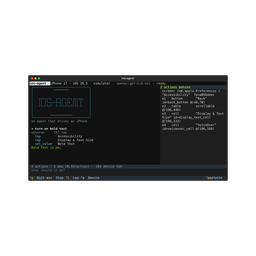 Choose Ios Agent when
- You need dedicated capabilities in the OS Automation domain.
- You prefer a local stdio subprocess transport.
- You want tools like
ios_doctor, ios_list_devices, ios_open_session.
 Choose Agent Device when
- You need dedicated capabilities in the OS Automation domain.
- Its auth model fits you: No auth required.
Feature & specification comparison
Rows where the two servers differ are marked.
| Spec | ||
|---|---|---|
| Category | OS Automation | OS Automation |
| Quality signal | 59/100 · Good | 45/100 · Fair |
| Install command | Confirmed | Not confirmed yet |
| Transport | Local subprocess (stdio) | — |
| Auth | Not declared | No auth required |
| Pricing | Not declared | Free |
| Required env vars | None listed | None listed |
| Verified owner | Community listing | Community listing |
| GitHub stars | 3 | 5,133 |
| Directory activity | 1 views 0 installs 0 upvotes | 5 views 0 installs 0 upvotes |
| Tools | 31 | Not listed |
| Full listing | View Ios Agent | View Agent Device |
Tools & capabilities
Ios Agent tools 31
ios_doctorCheck that this machine can drive an iOS device, and say how to fix what it can't. Run this first when a session fails to start, when a device does not appear, or after an Xcode or iOS upgrade. Every failing check comes with a concrete remedy.ios_list_devicesList iOS Simulators and attached physical iPhones available for automation. `ready` is false when something blocks automation; `blockers` says what.ios_open_sessionAttach to a device and start driving it. Boots the simulator or verifies the phone, starts WebDriverAgent, and opens a tuned session. Omitting `device` prefers an already-booted simulator over a connected iPhone, so acting on a real device is always a deliberate choice.ios_session_statusReport the current session: device, foreground app, and safety state.ios_close_sessionRelease the device and shut down its WebDriverAgent runner.ios_list_appsList apps installed on the device, with their bundle identifiers.ios_launch_appBring an app to the foreground and return its screen.ios_terminate_appForce-quit an app.ios_open_urlOpen a URL or deep link. Usually the cheapest way to reach a screen: a deep link skips the navigation an agent would otherwise have to tap through.ios_install_appInstall an app from a local .app or .ipa.ios_observeRead the screen as a compact list of elements with short refs. Each line is one element: `e7 button "Send" @(340,70)`. Pass those refs to the action tools rather than coordinates. If the result says elements were omitted, narrow with `query` or `region` instead of raising `budget`; a smaller answer is usually the more useful one.ios_screenshotCapture the screen as an image. Use this when an element has no accessibility label, when the layout matters, or when `ios_observe` cannot find something you can plainly see. With `annotate_refs` each element is boxed and labelled with its ref, so you can pick one by eye and pass it to an action tool. Annotating re-reads the screen first, so the refs on the image are the current ones rather than whatever was observed last. That costs a tree fetch, and needs the `vision` extra installed.- +19 more on the listing page
Agent Device tools
No tool names declared yet. Check the project README from the listing page.
Ready-to-paste client configs
Paste either block (or both) into your client config, e.g. claude_desktop_config.json or ~/.cursor/mcp.json. We only show a config when the install command is confirmed.
Ios Agent
{
  "mcpServers": {
    "ios-agent": {
      "command": "uvx",
      "args": [
        "ios-mcp"
      ]
    }
  }
}
Agent Device
No confirmed install command for Agent Device yet — follow the setup steps linked from its listing page rather than a guessed package name.