Health Export MCP README
The full upstream README, mirrored here for reference. Install config, tool schemas, adoption signals, and an original overview live on the Health Export MCP listing page.
health-export-mcp, Apple Health MCP server for AI agents
Query your Apple Health data from Claude, ChatGPT, Cursor, OpenClaw, Hermes, and any other AI agent.
health-export-mcp is an open-source, zero-dependency Model Context Protocol (MCP) server that lets any MCP-compatible AI agent query your Apple Health / HealthKit data, 190 metrics as clean JSON, in plain language. Local-first, read-only, no accounts, and no developer server in the path. It's the open-source server for the MetricBridge iOS app, available on the App Store.







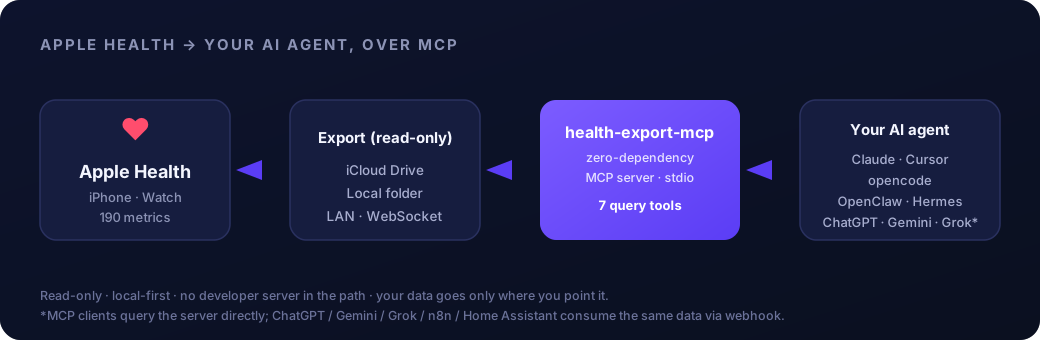
Ask your agent: "Compare my HRV this week vs last week and tell me if I'm recovering.", it calls the tools and answers from your actual numbers.
What is health-export-mcp?
It's an MCP server that turns your Apple Health export into a tool your AI agent can query in natural language, HRV, sleep, resting heart rate, steps, workouts, VO₂ max, and 180+ more.
- Who it's for: anyone who wants their AI to reason over their real health data instead of a stale CSV.
- What it isn't: a cloud service. There's no developer server in the path, your data goes only where you point it.
- Setup: point the server at your exported data and add it to your AI client.
Just exported and the Mac has not seen it yet? iCloud can take a few minutes to sync the file across, so a check 60 seconds after tapping Run in the app can still show the old timestamp.
get_mcp_statusreportslastDataDateand the intradaylastWrite, which is the quickest way to tell "still syncing" from "never arrived".
Try it with no iPhone needed:
node server.mjs --demoserves a deterministic synthetic dataset (400 days, workouts, events, sleep sessions) with every answer watermarked as synthetic. Or runnpm testto write a sample cache and exercise every tool.
Connect Apple Health to your AI agent, Quickstart
1. Get your Apple Health data flowing
The companion iOS app MetricBridge exports your Apple Health data, read-only, automatic, private. For this MCP server, export to a destination it can read:
| Destination | Notes |
|---|---|
| iCloud Drive (default) | Your Mac reads the synced folder automatically |
| Local folder | Any folder that syncs to your Mac (Dropbox, Google Drive, OneDrive, …) |
| LAN (HTTP / WebSocket) | Direct push to the server, great over Tailscale |
Using a non-MCP tool (ChatGPT, n8n, Home Assistant)? The app can also POST to a webhook those tools read directly, see Works with.
2. Add the server to your agent
Fastest, auto-configure:
Manual, Claude Desktop (~/Library/Application Support/Claude/claude_desktop_config.json):
npxfetches the published package at run time (npm verifies package integrity), it runs anywhere, no clone or absolute path needed. Prefer to pin a vetted local checkout instead? Use"command": "node", "args": ["REPLACE_WITH_ABSOLUTE_PATH/server.mjs"], get the path withnode -e "console.log(process.cwd()+'/server.mjs')"inside the repo. Or skip JSON entirely, draghealth-export.mcpbinto Claude Desktop → Settings → Extensions.
Cursor / VS Code: node gen-deeplinks.mjs prints one-click install links.
opencode / OpenClaw / Hermes: see AGENTS.md for the exact block, same shape, one per client.
3. Ask your agent
Restart the client and try:
"Use health-export: what's my average HRV this week vs last week?"
Works with Claude, Cursor, ChatGPT, OpenClaw, Hermes
| Client / Agent | Integration | How |
|---|---|---|
| Claude Desktop | Native MCP | .mcpb bundle, or mcpServers block |
| Cursor | Native MCP | One-click deeplink, or ~/.cursor/mcp.json |
| opencode | Native MCP | opencode.json mcp block |
| OpenClaw | Native MCP | Add the server block to your MCP config |
| Hermes | Native MCP | Add the server block to your agent's MCP config |
| VS Code (Copilot / Continue) | Native MCP | One-click deeplink |
| ChatGPT · Gemini · Grok | Webhook* | Consume the app's webhook export |
| n8n · Home Assistant | Webhook* | Trigger automations on the exported JSON |
*MCP clients query this server directly over stdio. ChatGPT / Gemini / Grok / n8n / Home Assistant don't speak MCP, they consume the same Apple Health data via the iOS app's token-authenticated webhook export.
The 14 MCP tools
Full reference with request/response examples: healthexport.dev/mcp.
| Tool | What it does |
|---|---|
get_mcp_status | Health check: source, metric/workout counts, which context files exist, latest data date. Call first. |
list_metrics | Every available metric with unit, day count, and date range. |
get_health_metrics | Daily values for a metric (or all) over a date range + an aggregate (avg/sum/min/max/latest). Supports filterDays (restrict to days covered by logged events, with negate). |
get_trends | Recent N-day window vs the prior N days: change, % change, direction. Supports excludeTravelDays. |
compare_periods | A metric across two arbitrary date periods (A vs B), or around a logged event via anchor: {eventId, days} (the event day excluded from both sides). |
get_structured_export | Clean JSON for chosen metrics/range, paginated with a cursor. |
get_intraday | Today's hour-by-hour window from the app's hourly automations (health-intraday.json, app 1.4+), replaced each run. |
query_health_data | Natural-language convenience: "average HRV last month" routed to structured results. |
list_events | Logged context events (medication, habit, visit, life, shift, episode, travel) with type/tag/date filters. |
get_profile | Opted-in context fields (conditions, medications, goals, allergies, notes) plus presentFields. Absent fields were withheld, never "none". |
get_workouts | Workouts by activity/date with pagination; includes heart rate, running dynamics, cycling power, intervals and hasRoute when exported. |
get_sleep_sessions | Clustered sleep sessions attributed to the waking day; split nights returned as-is. |
get_cycle_context | Day-in-cycle and coarse phase derived from logged period starts. Never predictive. |
correlate_metrics | Pearson correlation between two metrics with a 0..3 day lag. Association, not causation, always stated. |
Coverage: 190 Apple Health metrics across activity, heart, HRV, mobility, respiratory, body, sleep, hearing, and nutrition, plus workouts. Data answers carry honest coverage blocks, and single-metric answers list logged events inside the window as segmentBoundaries so an average across a medication start or life change cannot masquerade as one regime.
Data files
The daily cache (.health-cache.json) and workouts cache are joined by optional context files, all read-only and all optional: health-events.json (the logging surface), health-profile.json (opt-in context), health-sessions.json (sleep sessions), health-cycles.json (observed cycle starts), health-days.json (timezone change log). An absent file is reported as available:false with a note, never as "no data". Formats: docs/SCHEMA-CONTRACTS.md.
Two patterns worth knowing: query a parent's Apple Health from your own AI (consent-first, the parent's phone is the authority) and logging data into Apple Health via Shortcuts (the server and app stay strictly read-only).
MCP prompts
The server ships 22 prompts over prompts/list / prompts/get: daily brief, weekly review, doctor visit prep, what changed since my last visit, sleep quality and regularity, HRV trend, training and race week reviews, zone minutes, n-of-1 experiment, medication before/after, GLP-1 dose-step compare, sobriety milestone, shift block compare, travel-honest monthly review, cycle-aware trend read, caregiver check-in, glucose day summary, long-term activity narrative, data coverage audit, and a profile-aware context bootstrap. Every prompt leads with coverage honesty and never turns data into diagnosis.
Demo mode
node server.mjs --demo (or HEALTH_DEMO=1) serves a deterministic synthetic dataset: ~15 metrics over 400 days, 30 workouts with intervals, 8 events, a profile, 60 sleep sessions, cycle starts and a timezone change, anchored to a fixed date with a seeded PRNG. Every answer carries demo: true and a [SYNTHETIC DEMO DATA] text prefix, so demo output can never pass for a real export.
CLI
Example AI queries
Use cases
- AI health coach, let an agent reason over your real HRV, resting heart rate, and sleep to suggest when to push and when to recover, grounded in your actual numbers instead of generic advice.
- Training-load analysis, pull workouts, VO₂ max, and heart-rate trends so your agent can flag overreaching, plot fitness progression, and pace a training block.
- Sleep correlations, have your agent correlate deep-sleep duration against steps, caffeine, late workouts, or screen time to find what actually moves your sleep quality.
- Quantified-self dashboards, feed clean JSON for any metric set and date range straight into a notebook, spreadsheet, or LLM-built dashboard for your own self-tracking.
- Personal research & experiments, run n-of-1 experiments (supplement, routine, or protocol changes) and let an agent compare before/after periods across 190 metrics to see what changed.
The app that feeds it
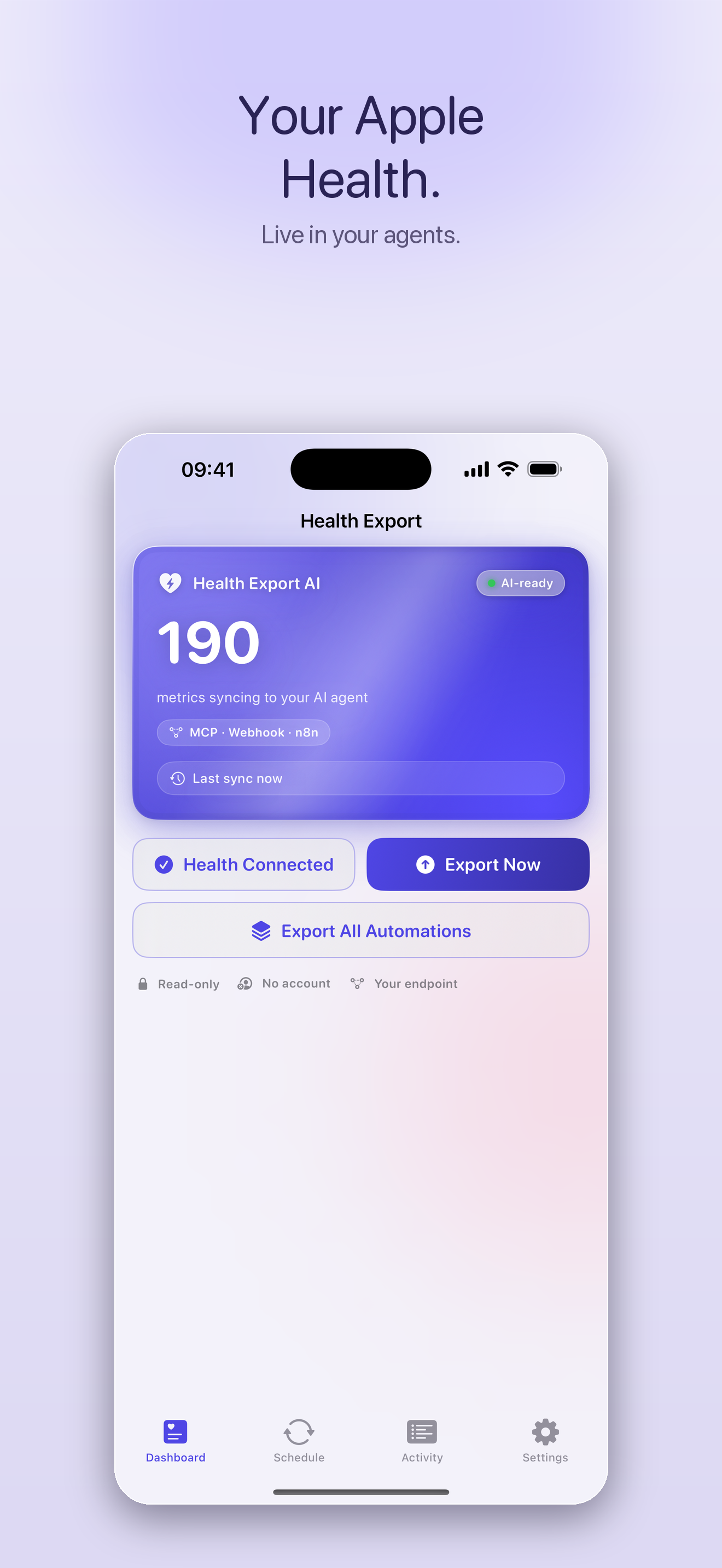
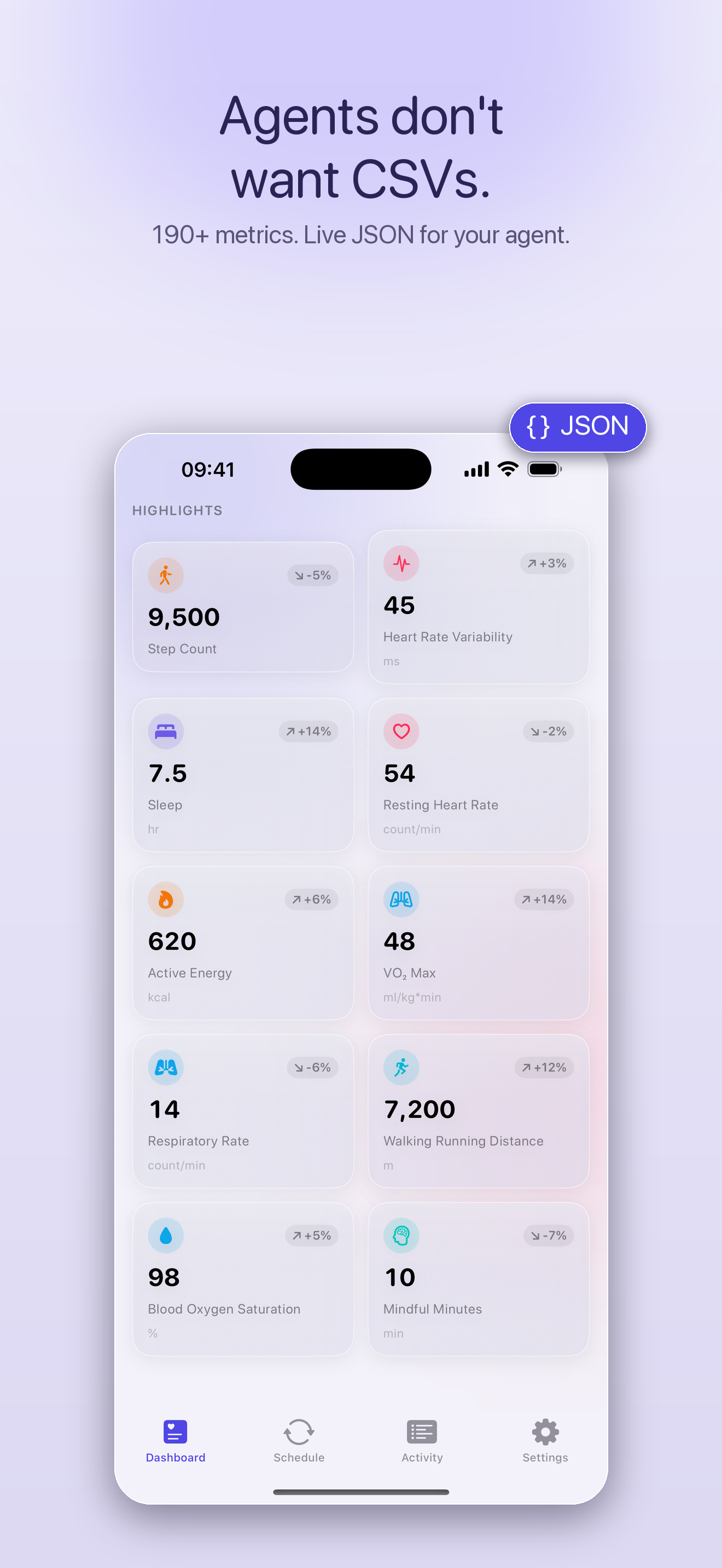
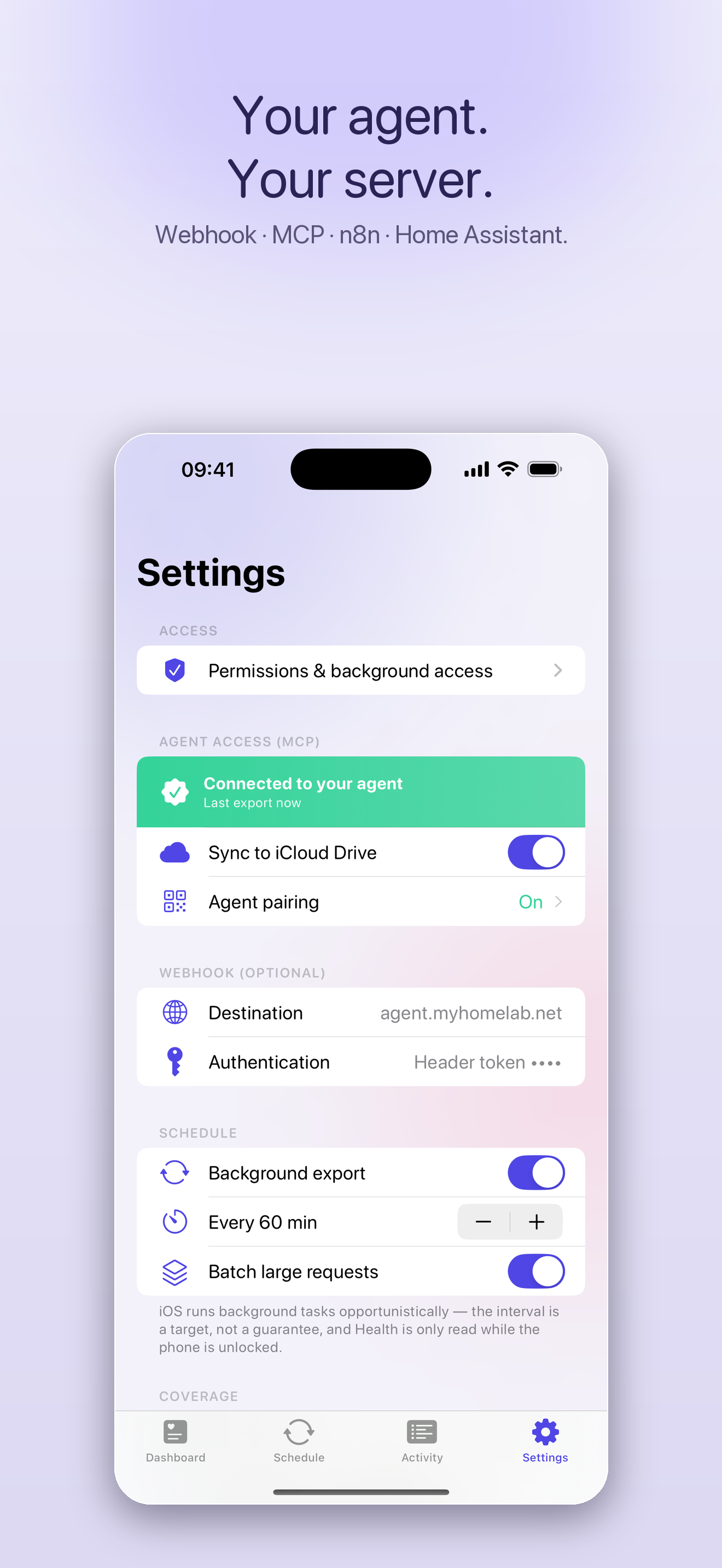
MetricBridge, exports your Apple Health to your agent, automatically.
Privacy & security
- Read-only. The server only reads your exported data, it never touches HealthKit and never writes back.
- Local-first. It runs on your machine over stdio. There is no developer server in the path.
- Optional pairing. Set
PAIRING_SECRETto the code the iOS app shows (Settings → Agent pairing) to gate access. - Auditable. Zero dependencies and a few hundred lines of readable JavaScript, read every line.
- Signed releases. Hosted artifacts are minisign-signed and checksummed, see Verifying releases.
Verifying releases
The server artifacts hosted at healthexport.dev/mcp/ (used by the setup skill) are minisign-signed, and every download is SHA-256 checksummed. The signing public key is published in this repo (minisign.pub) and in SKILL.md, pin it from here, not only from the website, so a compromise of the website alone cannot swap both an artifact and its key.
The pinned, checksum-verified download above is the locked-down path. npx health-export-mcp instead resolves the latest version published to npm at run time (npm provides its own package integrity). Full security overview: https://healthexport.dev/security. Report vulnerabilities to security@healthexport.dev.
Requirements
- Node.js ≥ 18 (
node -v). - A folder containing a
.health-cache.jsonexported by MetricBridge, or runnpm testto generate a sample one. - An MCP-compatible client (Claude Desktop, Cursor, opencode, OpenClaw, Hermes, VS Code), or any tool that can read the webhook export.
FAQ
How do I get my Apple Health data into Claude / ChatGPT / my AI agent?
Install health-export-mcp, export your Apple Health data with the MetricBridge iOS app (to iCloud, a folder, or your LAN), then add the MCP server to your AI client. Your agent can then query your Apple Health metrics in natural language. (Non-MCP tools like ChatGPT read the app's webhook export instead.)
Is my health data sent to a server? Not to us. The MCP server runs locally and reads only the export files or endpoints you configure, there's no developer server in the path. Where your iOS export is delivered (iCloud, your LAN, a webhook) is entirely your choice.
Which agents are supported? Any MCP client, Claude Desktop, Cursor, opencode, OpenClaw, Hermes, VS Code, natively. ChatGPT, Gemini, Grok, n8n, and Home Assistant consume the same data via webhook.
Do I need the iOS app?
The app is the easiest way to get Apple Health data off your iPhone in the format this server reads. You can also point HEALTH_DATA_DIR at any folder containing a compatible .health-cache.json.
Troubleshooting
- "No metrics found", confirm
HEALTH_DATA_DIRpoints at the folder containing.health-cache.json, and that the app has exported at least once. Runget_mcp_statusto see the resolved source and latest date. - Server not visible in the client, use an absolute path to
server.mjs, ensure Node ≥18, and fully restart the client. - Locked data error, the export file is protected until first unlock after reboot; unlock your device once.
Run it locally
stdio transport (newline-delimited JSON-RPC 2.0), the universal MCP transport. Optionally set HEALTH_LISTEN=1 to also accept LAN pushes from the iOS app in the same process (see receiver.mjs).
How it works
The iOS app reads Apple Health (read-only) and writes a compact .health-cache.json (plus optional context files) to the destination you choose. This server reads those files and exposes the 14 tools above over MCP. No bridge, no Docker, no database: just files and stdio.
Related projects
Other Apple Health MCP servers in the ecosystem, worth a look depending on your setup:
- neiltron/apple-health-mcp, an MCP server that runs SQL-style queries over an Apple Health export.
- the-momentum/apple-health-mcp-server, an MCP server for analyzing Apple Health data exported from the Health app.
- HealthyApps/health-auto-export-mcp-server, an MCP server for the Health Auto Export app's data.
How health-export-mcp differs: zero dependencies, clean structured JSON, 190 Apple Health metrics, and the widest agent support (Claude, Cursor, opencode, OpenClaw, Hermes, VS Code natively, plus ChatGPT/Gemini/Grok/n8n/Home Assistant via webhook).
Related
- Companion iOS app: MetricBridge, exports 190 Apple Health metrics to your agent, automatically.
- Model Context Protocol: modelcontextprotocol.io
- Per-agent setup: AGENTS.md
If this helps your setup, a ⭐ makes it easier for others to find.
License
MIT, see LICENSE. Contributions welcome.
Apple Health MCP server · export Apple Health to AI · HealthKit MCP server · query Apple Health with Claude / ChatGPT / Cursor · Model Context Protocol health server · Apple Health to LLM · HRV, sleep & heart rate for AI agents.