AllMCPs
BrowseBestCategoriesStackCompareToolsGuidesBlog Log in Submit MCP

Stay in the loop

Get new MCP servers and top picks in your inbox.

AllMCPs

The open directory for discovering and installing Model Context Protocol servers.

Explore

  • Browse servers
  • Best MCP servers
  • Categories
  • MCP clients
  • Agent prompts
  • Stack Builder
  • Compare servers
  • Tags index
  • Submit a server
  • Pricing

Learn

  • Guides hub
  • What is MCP?
  • Install guide
  • Troubleshooting
  • Security
  • Blog
  • Blog RSS

Tools

  • All tools
  • Config generator
  • Config validator
  • MCP playground
  • OpenAPI β†’ MCP
  • Badge generator

For agents

  • API docs
  • Trust & traffic
  • llms.txt β†— (opens in a new tab)
  • Catalog JSON β†— (opens in a new tab)
  • Remote MCP β†— (opens in a new tab)

Company

  • About
  • Contact
  • X (@AllMCPs) β†— (opens in a new tab)
  • GitHub β†— (opens in a new tab)
  • Terms
  • Privacy
AllMCPs VerifiedAllMCPs VerifiedFeatured on Nick LaunchesFeatured on Nick LaunchesLaunch Llama NewsletterLaunch Llama NewsletterVerified DR - allmcps.comVerified DR - allmcps.comFeatured on SaaSGrowFeatured on SaaSGrowFeatured on Twelve ToolsFeatured on Twelve ToolsFeatured on Saaspa.geFeatured on Saaspa.geFeatured on Findly.toolsFeatured on Findly.toolsFeatured on Startup FameFeatured on Startup FameFeatured on LaunchKiwiFeatured on LaunchKiwiFeatured on ScrollLaunchFeatured on ScrollLaunchFeatured on DailyPingsFeatured on DailyPingsFazier badgeFazier badgeFeatured on NewTool.siteFeatured on NewTool.siteFeatured on saasfame.comFeatured on saasfame.comDR Checker - Domain RatingDR Checker - Domain RatingListed on Turbo0Listed on Turbo0Launched on LaunchBoard - Product Launch PlatformLaunched on LaunchBoard - Product Launch PlatformList on SimilarlabsList on Similarlabshttps://codetrendy.comhttps://codetrendy.comListed on DevTool.ioFeatured on BuildlistFeatured on BuildlistAllMCPs VerifiedAllMCPs VerifiedFeatured on Nick LaunchesFeatured on Nick LaunchesLaunch Llama NewsletterLaunch Llama NewsletterVerified DR - allmcps.comVerified DR - allmcps.comFeatured on SaaSGrowFeatured on SaaSGrowFeatured on Twelve ToolsFeatured on Twelve ToolsFeatured on Saaspa.geFeatured on Saaspa.geFeatured on Findly.toolsFeatured on Findly.toolsFeatured on Startup FameFeatured on Startup FameFeatured on LaunchKiwiFeatured on LaunchKiwiFeatured on ScrollLaunchFeatured on ScrollLaunchFeatured on DailyPingsFeatured on DailyPingsFazier badgeFazier badgeFeatured on NewTool.siteFeatured on NewTool.siteFeatured on saasfame.comFeatured on saasfame.comDR Checker - Domain RatingDR Checker - Domain RatingListed on Turbo0Listed on Turbo0Launched on LaunchBoard - Product Launch PlatformLaunched on LaunchBoard - Product Launch PlatformList on SimilarlabsList on Similarlabshttps://codetrendy.comhttps://codetrendy.comListed on DevTool.ioFeatured on BuildlistFeatured on Buildlist
Β© 2026 Jackalope Digital LLC. All rights reserved.
  1. Home
  2. πŸ“‚ Browser Automation
  3. ImRonAI Mcp Server Browserbase
I
Health: ActiveRecent health check succeeded.Last checked 8/10/2026, 11:02:22 PM

ImRonAI Mcp Server Browserbase

Enrichment pendingWe haven’t run our AI enrichment pass on this listing yet, so the overview, use cases, and FAQ below may be sparse or missing. We work through the catalog over time β€” check back soon.
View Repository

Automate cloud browsers to navigate websites, interact with elements, and extract structured data.…

Quick Install

Automated & IDE Setup

Copy the AI prompt to install this server into Claude Code, Cursor, or another agent β€” or use 1-click editor setup below.

Add to CursorAdd to VS Code
Not yet automatically verified

We haven't yet run this listing's install command through our automated sandbox check. This isn't a red flag β€” we're steadily working through the catalog.

Manual Client & Custom JSON ConfigExpand JSON β–Ύ

Install Config Generator

Choose your client
claude_desktop_config.json
{
  "mcpServers": {
    "imronai-mcp-server-browserbase": {
      "command": "npx",
      "args": [
        "-y",
        "@browserbasehq/mcp-server-browserbase"
      ]
    }
  }
}

πŸ’‘ Paste into ~/Library/Application Support/Claude/claude_desktop_config.json (macOS) or %APPDATA%\Claude\claude_desktop_config.json (Windows)

Install Directory Badge Claim listing AlternativesπŸ“‚ More in Browser Automation

Documentation Overview

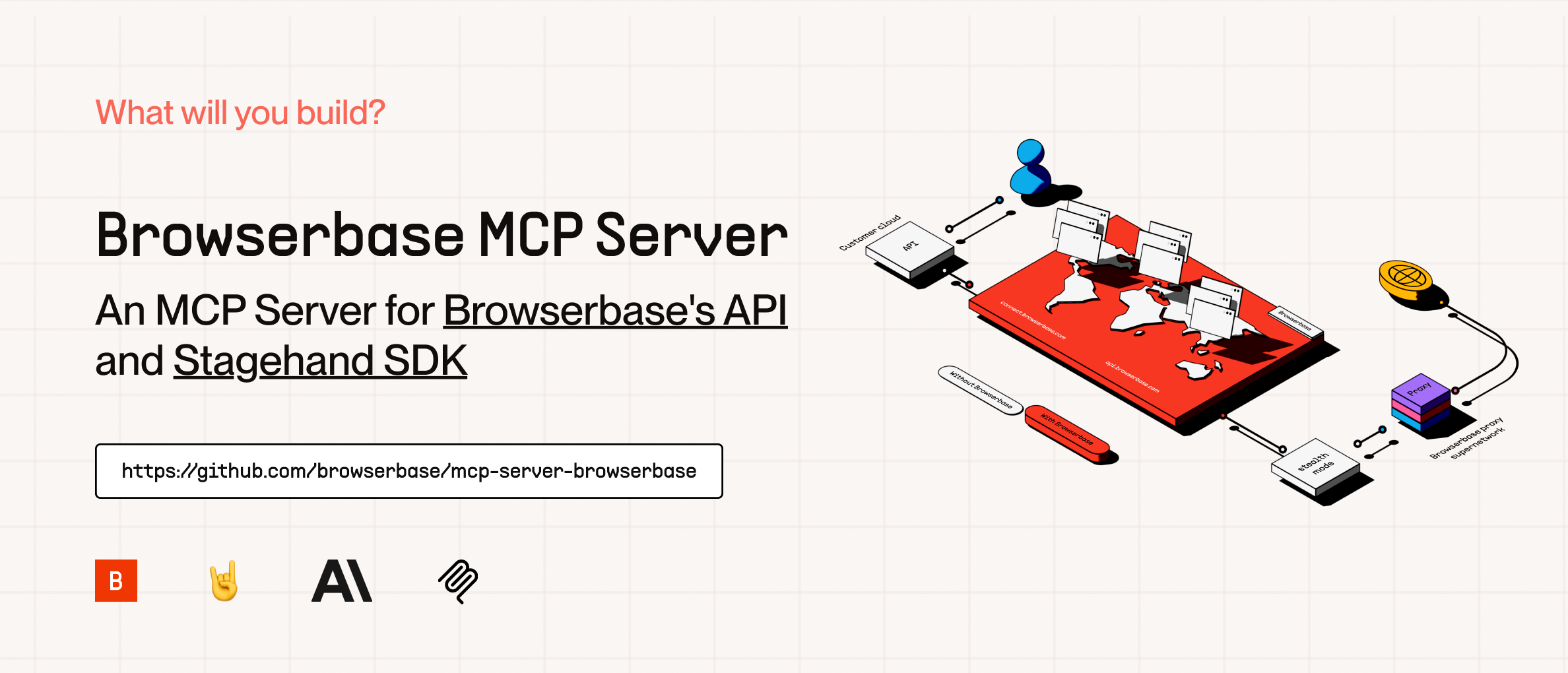
Browserbase MCP Server
smithery badge

cover

The Model Context Protocol (MCP) is an open protocol that enables seamless integration between LLM applications and external data sources and tools. Whether you're building an AI-powered IDE, enhancing a chat interface, or creating custom AI workflows, MCP provides a standardized way to connect LLMs with the context they need.

This server provides cloud browser automation capabilities using Browserbase and Stagehand. It enables LLMs to interact with web pages, take screenshots, extract information, and perform automated actions with atomic precision.

Features

FeatureDescription
Browser AutomationControl and orchestrate cloud browsers via Browserbase
Data ExtractionExtract structured data from any webpage
Web InteractionNavigate, click, and fill forms with ease
ScreenshotsCapture full-page and element screenshots
Model FlexibilitySupports multiple models (OpenAI, Claude, Gemini, and more)
Vision SupportUse annotated screenshots for complex DOMs
Session ManagementCreate, manage, and close browser sessions
Multi-SessionRun multiple browser sessions in parallel

How to Setup

Quickstarts:

Add to Cursor

Copy and Paste this link in your Browser:

text
cursor://anysphere.cursor-deeplink/mcp/install?name=browserbase&config=eyJjb21tYW5kIjoibnB4IEBicm93c2VyYmFzZWhxL21jcCIsImVudiI6eyJCUk9XU0VSQkFTRV9BUElfS0VZIjoiIiwiQlJPV1NFUkJBU0VfUFJPSkVDVF9JRCI6IiIsIkdFTUlOSV9BUElfS0VZIjoiIn19

We currently support 2 transports for our MCP server, STDIO and SHTTP. We recommend you use SHTTP with our remote hosted url to take advantage of the server at full capacity.

SHTTP:

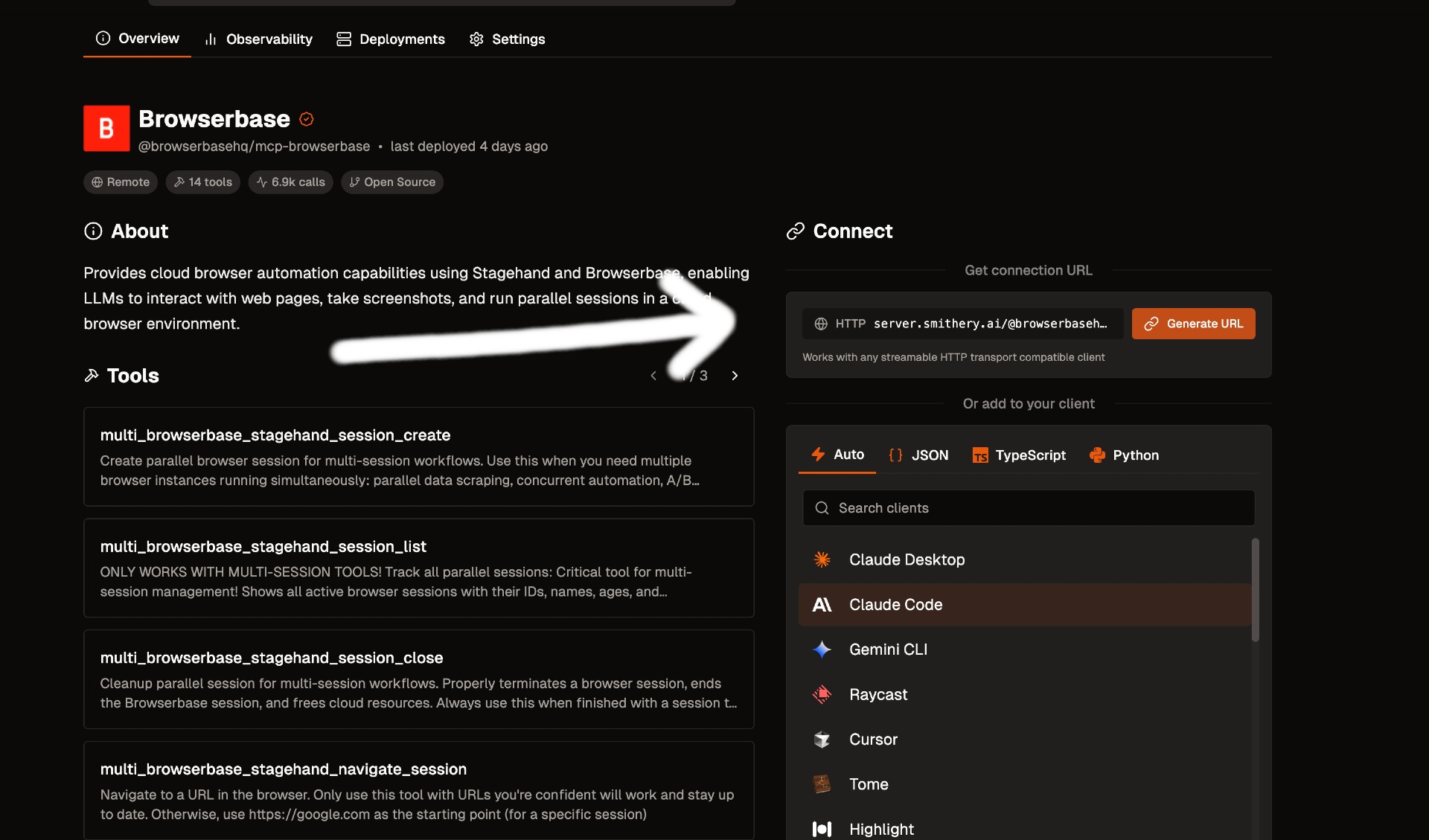
To use the Browserbase MCP Server through our remote hosted URL, add the following to your configuration.

Go to smithery.ai and enter your API keys and configuration to get a remote hosted URL. When using our remote hosted server, we provide the LLM costs for Gemini, the best performing model in Stagehand.
Smithery Image

If your client supports SHTTP:

config.json
{
  "mcpServers": {
    "browserbase": {
      "url": "your-smithery-url.com"
    }
  }
}

If your client doesn't support SHTTP:

config.json
{
  "mcpServers": {
    "browserbase": {
      "command": "npx",
      "args": ["mcp-remote", "your-smithery-url.com"]
    }
  }
}

STDIO:

You can either use our Server hosted on NPM or run it completely locally by cloning this repo.

❗️ Important: If you want to use a different model you have to add --modelName to the args and provide that respective key as an arg. More info below.

To run on NPM (Recommended)

Go into your MCP Config JSON and add the Browserbase Server:

config.json
{
  "mcpServers": {
    "browserbase": {
      "command": "npx",
      "args": ["@browserbasehq/mcp-server-browserbase"],
      "env": {
        "BROWSERBASE_API_KEY": "",
        "BROWSERBASE_PROJECT_ID": "",
        "GEMINI_API_KEY": ""
      }
    }
  }
}

That's it! Reload your MCP client and Claude will be able to use Browserbase.

To run 100% local:

bash
# Clone the Repo
git clone https://github.com/browserbase/mcp-server-browserbase.git
cd mcp-server-browserbase

# Install the dependencies and build the project
npm install && npm run build

Then in your MCP Config JSON run the server. To run locally we can use STDIO or self-host SHTTP.

STDIO:

To your MCP Config JSON file add the following:

config.json
{
  "mcpServers": {
    "browserbase": {
      "command": "node",
      "args": ["/path/to/mcp-server-browserbase/cli.js"],
      "env": {
        "BROWSERBASE_API_KEY": "",
        "BROWSERBASE_PROJECT_ID": "",
        "GEMINI_API_KEY": ""
      }
    }
  }
}

Then reload your MCP client and you should be good to go!

Configuration

The Browserbase MCP server accepts the following command-line flags:

FlagDescription
--proxiesEnable Browserbase proxies for the session
--advancedStealthEnable Browserbase Advanced Stealth (Only for Scale Plan Users)
--keepAliveEnable Browserbase Keep Alive Session
--contextId <contextId>Specify a Browserbase Context ID to use
--persistWhether to persist the Browserbase context (default: true)
--port <port>Port to listen on for HTTP/SHTTP transport
--host <host>Host to bind server to (default: localhost, use 0.0.0.0 for all interfaces)
--cookies [json]JSON array of cookies to inject into the browser
--browserWidth <width>Browser viewport width (default: 1024)
--browserHeight <height>Browser viewport height (default: 768)
--modelName <model>The model to use for Stagehand (default: google/gemini-2.0-flash)
--modelApiKey <key>API key for the custom model provider (required when using custom models)
--experimentalEnable experimental features (default: false)

These flags can be passed directly to the CLI or configured in your MCP configuration file.

NOTE:

Currently, these flags can only be used with the local server (npx @browserbasehq/mcp-server-browserbase).

Configuration Examples

Proxies

Here are our docs on Proxies.

To use proxies, set the --proxies flag in your MCP Config:

config.json
{
  "mcpServers": {
    "browserbase": {
      "command": "npx",
      "args": ["@browserbasehq/mcp-server-browserbase", "--proxies"],
      "env": {
        "BROWSERBASE_API_KEY": "",
        "BROWSERBASE_PROJECT_ID": "",
        "GEMINI_API_KEY": ""
      }
    }
  }
}

Advanced Stealth

Here are our docs on Advanced Stealth.

To use advanced stealth, set the --advancedStealth flag in your MCP Config:

config.json
{
  "mcpServers": {
    "browserbase": {
      "command": "npx",
      "args": ["@browserbasehq/mcp-server-browserbase", "--advancedStealth"],
      "env": {
        "BROWSERBASE_API_KEY": "",
        "BROWSERBASE_PROJECT_ID": "",
        "GEMINI_API_KEY": ""
      }
    }
  }
}

Contexts

Here are our docs on Contexts

To use contexts, set the --contextId flag in your MCP Config:

config.json
{
  "mcpServers": {
    "browserbase": {
      "command": "npx",
      "args": [
        "@browserbasehq/mcp-server-browserbase",
        "--contextId",
        "<YOUR_CONTEXT_ID>"
      ],
      "env": {
        "BROWSERBASE_API_KEY": "",
        "BROWSERBASE_PROJECT_ID": "",
        "GEMINI_API_KEY": ""
      }
    }
  }
}

Browser Viewport Sizing

The default viewport sizing for a browser session is 1024 x 768. You can adjust the Browser viewport sizing with browserWidth and browserHeight flags.

Here's how to use it for custom browser sizing. We recommend to stick with 16:9 aspect ratios (ie: 1920 x 1080, 1280 x 720, 1024 x 768)

config.json
{
  "mcpServers": {
    "browserbase": {
      "command": "npx",
      "args": [
        "@browserbasehq/mcp-server-browserbase",
        "--browserHeight 1080",
        "--browserWidth 1920"
      ],
      "env": {
        "BROWSERBASE_API_KEY": "",
        "BROWSERBASE_PROJECT_ID": "",
        "GEMINI_API_KEY": ""
      }
    }
  }
}

Model Configuration

Stagehand defaults to using Google's Gemini 2.0 Flash model, but you can configure it to use other models like GPT-4o, Claude, or other providers.

Important: When using any custom model (non-default), you must provide your own API key for that model provider using the --modelApiKey flag.

Here's how to configure different models:

config.json
{
  "mcpServers": {
    "browserbase": {
      "command": "npx",
      "args": [
        "@browserbasehq/mcp-server-browserbase",
        "--modelName",
        "anthropic/claude-3-5-sonnet-latest",
        "--modelApiKey",
        "your-anthropic-api-key"
      ],
      "env": {
        "BROWSERBASE_API_KEY": "",
        "BROWSERBASE_PROJECT_ID": ""
      }
    }
  }
}

Note: The model must be supported in Stagehand. Check out the docs here. When using any custom model, you must provide your own API key for that provider.

Resources

The server provides access to screenshot resources:

  1. Screenshots (screenshot://<screenshot-name>)
    • PNG images of captured screenshots

Key Features

  • AI-Powered Automation: Natural language commands for web interactions
  • Multi-Model Support: Works with OpenAI, Claude, Gemini, and more
  • Advanced Session Management: Single and multi-session support for parallel browser automation
  • Screenshot Capture: Full-page and element-specific screenshots
  • Data Extraction: Intelligent content extraction from web pages
  • Proxy Support: Enterprise-grade proxy capabilities
  • Stealth Mode: Advanced anti-detection features
  • Context Persistence: Maintain authentication and state across sessions
  • Parallel Workflows: Run multiple browser sessions simultaneously for complex automation tasks

For more information about the Model Context Protocol, visit:

  • MCP Documentation
  • MCP Specification

For the official MCP Docs:

  • Browserbase MCP

License

Licensed under the Apache 2.0 License.

Copyright 2025 Browserbase, Inc.

Related MCP Servers

View all in Browser Automation View all alternatives
  • Browser Use logoBrowser Use

    Control a real Chrome browser to complete any task: fill forms, extract data, book flights.

    πŸ“‚ Browser Automation0 views
    Compare vs Browser Use β†’
  • Playwright Plus Python Mcp logoPlaywright Plus Python Mcp

    An MCP python server using Playwright for browser automation,more suitable for llm

    πŸ“‚ Browser Automation3 views
    Compare vs Playwright Plus Python Mcp β†’
  • Yutu logoYutu

    A fully functional MCP server and CLI for YouTube to automate YouTube operation

    πŸ“‚ Browser Automation4 views
    Compare vs Yutu β†’
  • Ios Simulator Mcp logoIos Simulator Mcp

    A Model Context Protocol (MCP) server for interacting with iOS simulators. This server allows you to interact with iOS simulators by getting information about them, controlling UI interactions, and inspecting UI elements.

    πŸ“‚ Browser Automation2 views
    Compare vs Ios Simulator Mcp β†’

Frequently Asked Questions about ImRonAI Mcp Server Browserbase

Add the following block to your claude_desktop_config.json under mcpServers: "mcpServers": { "imronai-mcp-server-browserbase": { "command": "npx", "args": ["-y", "ImRonAI-mcp-server-browserbase"] } }

AllMCPs Directory Badge

Full Badge Customizer

Showcase your server listing on GitHub or your project documentation. Embed this dynamic SVG badge to highlight official listing status and live engagement.

Badge Style:
Live Dynamic SVG PreviewImRonAI Mcp Server Browserbase AllMCPs Directory Badge

Markdown (GitHub README)
[![AllMCPs](https://allmcps.com/api/badge/imronai-mcp-server-browserbase?style=directory)](https://allmcps.com/mcp/imronai-mcp-server-browserbase)
HTML Embed
<a href="https://allmcps.com/mcp/imronai-mcp-server-browserbase"><img src="https://allmcps.com/api/badge/imronai-mcp-server-browserbase?style=directory" alt="ImRonAI Mcp Server Browserbase on AllMCPs" /></a>

Technical Specs & Signals

CategoryπŸ“‚Browser Automation
More technical detailsExpand β–Ύ
TransportSTDIO
RuntimeNode.js
Views0
Unique ViewsTotal visits recorded for this listing page on AllMCPs.
Installs0
Installs & Copy ActionsTotal times users copied install commands or configuration snippets for this server.
GitHub stars0
GitHub Star CountTotal stargazers on GitHub representing community popularity (0 stars).
Last commit11mo ago
Last Repository CommitThe most recent commit or push recorded for this server's GitHub repository.Last commit on Sep 12, 2025
35Quality signal: Fair Β· 35/100How this signal is calculated β–Ύ
Server availabilityNot measured

Not scored for repo-hosted servers β€” we can't reach the running server, only its GitHub page. Hosted MCP endpoints are health-checked live.

Verified ownership10/20
Documentation & tools16/30
Adoption & activity0/15
Community engagement0/10

A guidance signal from public completeness & health data β€” not a user rating. New listings start lower and rise as they add docs, get verified, and grow adoption. Signals we can't observe for a listing are skipped, not counted against it.

β˜… FeaturedAllMCPs Server logo

AllMCPs Server

The official MCP server for AllMCPs.com - submit and manage tools directly from your AI. The open directory for MCP servers. Connect Claude, Cursor, Windsurf, and AI agents to databases, tools, files, and APIs. Explore 3,181+ servers. AllMCPs is the premier, open directory for discovering, evaluating, and installing Model Context Protocol (MCP) servers to equip AI agents and LLMs with real-world superpowers.

Explore Server β†’

Own this project?

This directory is pre-filled from public sources. Claim via GitHub README, site badge, or DNS TXT to get the verified badge and attach your website.

Free dofollow backlink: after claiming, verify your product site and place a dofollow AllMCPs badge β€” we recheck it stays live.

Claim & get free dofollow

Share & Embed

Add our SVG badge (dark/light directory styles) or embeddable widget to your site.

Explore more

More in πŸ“‚ Browser Automation β†’Best MCP servers for Browser Automation β†’Alternatives to ImRonAI Mcp Server Browserbase β†’Install in Claude DesktopInstall in CursorInstall in VS Code
