AllMCPs
BrowseBestCategoriesStackCompareToolsGuidesBlog
Log in Submit MCP

Stay in the loop

Get new MCP servers and top picks in your inbox.

AllMCPs

The open directory for discovering and installing Model Context Protocol servers.

AllMCPs on GitHub (opens in a new tab)
Launched onTiny Startupstinystartups.com
Explore
  • Browse servers
  • Best MCP servers
  • Categories
  • MCP clients
  • Agent prompts
  • Stack Builder
  • Compare servers
  • Random discovery New
  • Submit a server
  • Pricing & Boost Boost
Learn
  • Guides hub
  • What is MCP?
  • Install guide
  • Build an MCP server
  • Deploy an MCP server
  • Security guide
  • Troubleshooting
  • MCP for SEO & AEO
  • Protocol versioning
  • Blog & updates
Tools
  • All developer tools
  • Config generator
  • Config validator
  • Config auditor
  • MCP playground
  • Token calculator
  • OpenAPI β†’ MCP
  • Badge generator
For agents
  • REST API docs
  • Trust & traffic Live
  • Remote MCP server SSE β†— (opens in a new tab)
  • llms.txt β†— (opens in a new tab)
  • Catalog JSON β†— (opens in a new tab)
Company
  • About
  • Advertise Sponsor
  • Contact
  • GitHub β†— (opens in a new tab)
  • Terms
  • Privacy
AllMCPs VerifiedAllMCPs VerifiedFeatured on Nick LaunchesFeatured on Nick LaunchesLaunch Llama NewsletterLaunch Llama NewsletterVerified DR - allmcps.comVerified DR - allmcps.comFeatured on SaaSGrowFeatured on SaaSGrowFeatured on Twelve ToolsFeatured on Twelve ToolsFeatured on Saaspa.geFeatured on Saaspa.geFeatured on Findly.toolsFeatured on Findly.toolsFeatured on Startup FameFeatured on Startup FameFeatured on LaunchKiwiFeatured on LaunchKiwiFeatured on ScrollLaunchFeatured on ScrollLaunchFeatured on DailyPingsFeatured on DailyPingsFazier badgeFazier badgeFeatured on NewTool.siteFeatured on NewTool.siteFeatured on saasfame.comFeatured on saasfame.comDR Checker - Domain RatingDR Checker - Domain RatingListed on Turbo0Listed on Turbo0Launched on LaunchBoard - Product Launch PlatformLaunched on LaunchBoard - Product Launch PlatformList on SimilarlabsList on Similarlabshttps://codetrendy.comhttps://codetrendy.comListed on DevTool.ioFeatured on BuildlistFeatured on BuildlistLaunched on Tiny StartupsFeatured on ShowMeBestAIFeatured on ShowMeBestAIFind us on LaunchZoneFind us on LaunchZoneAllMCPs VerifiedAllMCPs VerifiedFeatured on Nick LaunchesFeatured on Nick LaunchesLaunch Llama NewsletterLaunch Llama NewsletterVerified DR - allmcps.comVerified DR - allmcps.comFeatured on SaaSGrowFeatured on SaaSGrowFeatured on Twelve ToolsFeatured on Twelve ToolsFeatured on Saaspa.geFeatured on Saaspa.geFeatured on Findly.toolsFeatured on Findly.toolsFeatured on Startup FameFeatured on Startup FameFeatured on LaunchKiwiFeatured on LaunchKiwiFeatured on ScrollLaunchFeatured on ScrollLaunchFeatured on DailyPingsFeatured on DailyPingsFazier badgeFazier badgeFeatured on NewTool.siteFeatured on NewTool.siteFeatured on saasfame.comFeatured on saasfame.comDR Checker - Domain RatingDR Checker - Domain RatingListed on Turbo0Listed on Turbo0Launched on LaunchBoard - Product Launch PlatformLaunched on LaunchBoard - Product Launch PlatformList on SimilarlabsList on Similarlabshttps://codetrendy.comhttps://codetrendy.comListed on DevTool.ioFeatured on BuildlistFeatured on BuildlistLaunched on Tiny StartupsFeatured on ShowMeBestAIFeatured on ShowMeBestAIFind us on LaunchZoneFind us on LaunchZone
Β© 2026 Jackalope Digital LLC. All rights reserved.
  1. Home
  2. πŸ’» Developer Tools
  3. Imgcli
I
Health: Not checked yetWe have not completed a health check for this listing yet.No health check has run yet.

Imgcli

User RatingsBe the first to rate and review this MCP server! Enrichment pendingWe haven’t run our AI enrichment pass on this listing yet, so the overview, use cases, and FAQ below may be sparse or missing. We work through the catalog over time β€” check back soon.
View Repository

Convert, resize, crop, filter & composite images via the imgcli CLI (lightweight, no deps)

Quick Install

Automated & IDE Setup

Copy the AI prompt to install this server into Claude Code, Cursor, or another agent β€” or use 1-click editor setup below.

Add to CursorAdd to VS Code
Manual Client & Custom JSON ConfigExpand JSON β–Ύ

Client Config & Setup

Choose your client or environment
Target File:~/Library/Application Support/Claude/claude_desktop_config.json
claude_desktop_config.json
{
  "mcpServers": {
    "imgcli": {
      "command": "npx",
      "args": [
        "-y",
        "imgcli"
      ]
    }
  }
}

πŸ’‘ Paste the JSON block into your client's configuration file under mcpServers, then restart the application.

Install Directory Badge Claim listing AlternativesπŸ’» More in Developer Tools

Documentation Overview

imgcli β€” command-line image conversion & processing in C

Install on Smithery OpenSSF Scorecard Flawfinder C security scan

ImageMagick's power, ffmpeg's syntax, zero dependencies. A tiny C binary that converts, resizes, crops, filters, and composites images β€” PNG, JPEG, BMP, TGA, GIF, PPM, QOI β€” driven by an ffmpeg-style filtergraph. No system libraries; compiles anywhere a C11 compiler exists.

⚑ ~8Γ— faster than ImageMagick on common resize/filter ops, in a 232 KB single binary (~470Γ— smaller) β€” see the benchmarks. A lightweight alternative to ImageMagick convert or ffmpeg for still images.

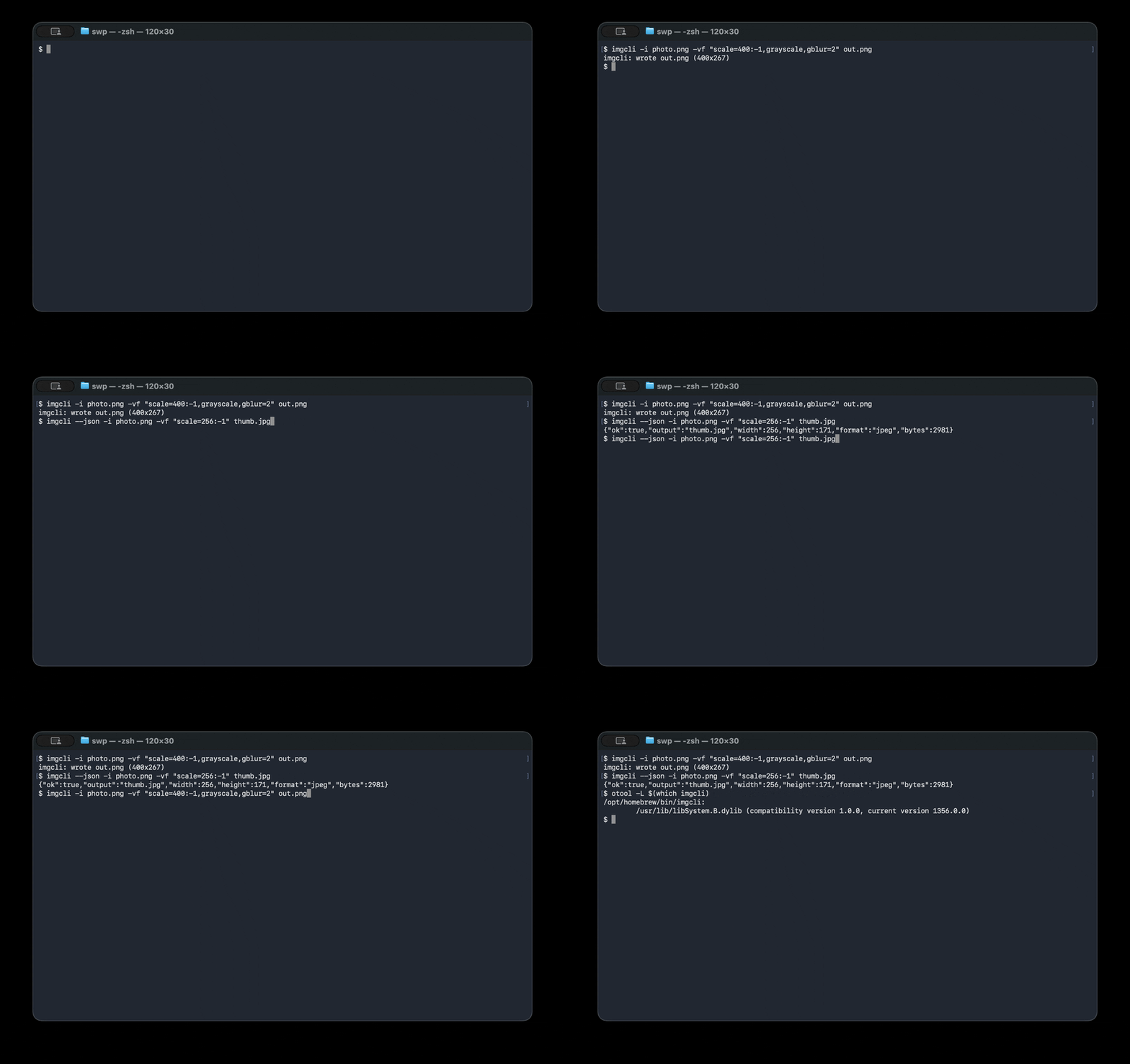
imgcli demo

sh
# Convert + resize + filter in one pass:
imgcli -i photo.jpg -vf "scale=1024:-1,grayscale,contrast=1.2,gblur=1.5" out.png

What it does: format conversion Β· resize / scale Β· crop Β· pad Β· rotate Β· flip Β· brightness / contrast / saturation / gamma / hue Β· grayscale Β· sepia Β· invert Β· threshold Β· box & Gaussian blur Β· sharpen Β· Sobel edge detect Β· emboss Β· custom convolution kernels Β· alpha-composite overlay Β· draw boxes Β· solid fills.

Design: the same paradigm as ffmpeg β€” decode β†’ normalize to one common frame format (RGBA) β†’ run a comma-separated filtergraph β†’ encode by output extension.

Benchmarks

imgcli vs ImageMagick on an Apple Silicon Mac (single-threaded, warm cache). Reproduce with make && bench/bench.sh β€” see bench/RESULTS.md for the full method and caveats.

OperationimgcliImageMagickspeedup
PNG→JPEG + resize (one-shot)1.6 ms4.7 ms2.9×
Resize 1200Γ—1200 β†’ 300w6.0 ms51.6 ms8.6Γ—
Grayscale 1200Γ—120048.4 ms389 ms8.0Γ—
FootprintimgcliImageMagick
Install size232 KB~109 MB (β‰ˆ470Γ— larger)
Dependencies0 (libc only)17 packages

ImageMagick is a far broader 16-bit/HDRI toolkit with 200+ formats; imgcli is a lean 8-bit pipeline that wins on speed, size, and startup β€” the shape that matters when an agent or script spawns one process per task.

Dependencies & formats

The default build is dependency-free β€” a single binary that links only the system C library (libc). Decoding/encoding is handled by the bundled, public-domain stb and qoi single-header libraries, compiled directly in. Nothing to apt install, no shared libraries, no version hell.

  • Built-in formats β€” no dependencies: PNG, JPEG, BMP, TGA, GIF, PPM, QOI. Other formats that can be implemented in plain C (e.g. TIFF) will also be built in and keep the binary dependency-free.
  • Formats that need external libraries β€” opt-in only: WebP, AVIF, HEIC, and JPEG XL cannot be decoded without large external libraries (libwebp, libavif, libheif, libjxl); there is no public-domain single-header decoder for them and they are not practical to hand-roll. If imgcli adds these, it will be strictly via opt-in build flags (e.g. make WEBP=1) that link those libraries.

The "zero dependencies" claim applies to the default build, and always will β€” opt-in format libraries are never compiled into it. A build that enables such a flag is, by definition, no longer dependency-free, and that trade-off is stated at the point you opt in.

Why it's structured this way

ffmpeg conceptimgcli equivalent
AVFrame / pixfmtevery image is normalized to packed 8-bit RGBA (Image)
demuxer/decoderimg_load via vendored stb_image (PNG/JPEG/BMP/TGA/GIF/…)
-vf filtergraphname=a:b:c, name, … chain parsed in filters.c
AVFiltereach filter mutates or replaces the current frame
muxer (by extension)img_save (png/jpg/bmp/tga + a hand-written PPM writer)
lavfi test sourcestestsrc=, color=, gradient=, checker= generators

Codecs come from the public-domain stb single-header libraries (third_party/). They're bundled, not linked, so the tool stays portable and self-contained while still reading/writing the formats the world actually uses β€” the same trade-off ffmpeg makes by leaning on codec libraries instead of reinventing them.

Install

sh
# Homebrew (macOS / Linux)
brew install swperb/tap/imgcli

# Nix (no install β€” run straight from GitHub)
nix run github:swperb/imgcli -- -y -i in.png out.jpg
nix profile install github:swperb/imgcli

# Debian / Ubuntu / WSL (.deb from the latest release)
curl -fsSLO https://github.com/swperb/imgcli/releases/latest/download/imgcli_0.5.0_amd64.deb
sudo apt install ./imgcli_0.5.0_amd64.deb

# Arch (AUR)
yay -S imgcli            # or: paru -S imgcli

# Docker
docker run --rm -v "$PWD:/work" -w /work ghcr.io/swperb/imgcli -y -i in.png out.jpg

# Windows β€” winget
winget install swperb.imgcli
# Windows β€” Scoop (installs straight from the manifest)
scoop install https://raw.githubusercontent.com/swperb/imgcli/main/packaging/scoop/imgcli.json

# Prebuilt binaries: https://github.com/swperb/imgcli/releases

# From source (only a C compiler and -lm required)
make            # produces ./imgcli
make demo       # generates a few sample images
sudo make install   # installs the binary + man page to /usr/local

Use it as a native agent tool (MCP)

An MCP server wraps imgcli so AI agents can call convert_image, probe_image, and list_filters directly β€” see mcp/.

Usage

Code
imgcli [-i INPUT]... [-vf GRAPH] [-q N] [-f FMT] [-y|-n] [--json] OUTPUT

  -i INPUT     a file, '-' for stdin, or a generator (testsrc=WxH,
               color=NAME:WxH, gradient=WxH, checker=WxH). Repeat -i for
               compositing inputs; the first is the primary frame, the rest
               feed `overlay`.
  -vf GRAPH    filtergraph, e.g. "scale=800:-1,grayscale,gblur=2"
  -q N         JPEG quality 1..100 (default 90)
  -f FMT       output format (png/jpg/bmp/tga/ppm/qoi); required when OUTPUT
               is '-' (stdout), an optional override for files
  -y / -n      overwrite / never overwrite the output
  --out-dir D  batch mode: write one output per input into D (basename kept,
               extension from -f or the input). Globs in -i are expanded.
  --fail-fast  in batch mode, stop at the first failing file
  --json       emit one machine-readable JSON result line (an array in batch)
  --quiet      suppress the human-readable success line
  --dry-run    validate the filtergraph + report output dims; write nothing
  -filters [NAME]  list every filter, or just NAME's syntax (add --json for a
               machine-readable list)
  -info        print input dimensions and exit
  -V           print version
  -h           help

OUTPUT is a file path or '-' for stdout. When piping, the result line is
written to stderr so stdout carries only the encoded image bytes.

Batch mode (`--out-dir`) processes each input independently and keeps going on
per-file errors (use `--fail-fast` to stop). The exit code is non-zero if any
file failed.

Colours accept #rgb, #rrggbb, #rrggbbaa, 0x…, r-g-b[-a], or names (red, white, transparent, …). No commas, so they're safe inside a graph.

Filters

Geometry β€” scale=W:H[:nearest|bilinear|bicubic|lanczos] (-1 keeps aspect; bicubic/lanczos are high-quality separable resamplers that anti-alias on downscale and stay sharp on upscale β€” bilinear is the default), crop=W:H[:X:Y], pad=W:H[:X:Y[:color]], hflip, vflip, transpose=90|180|270, rotate=DEG[:color] (arbitrary angle, canvas expands).

Colour β€” grayscale, invert, sepia, solarize, brightness=V, temperature=V, contrast=V, saturation=V, gamma=V, hue=DEG, threshold=V, opacity=V, tint=color.

Convolution β€” blur=R (box), gblur=SIGMA (separable Gaussian), sharpen[=AMOUNT], edge (Sobel), emboss, convolution=K[:DIV:BIAS] (custom NΓ—N kernel, e.g. convolution=0 -1 0 -1 5 -1 0 -1 0).

Composite / draw β€” overlay=X:Y[:INDEX] (alpha "over" compositing of another -i input), fill=color, drawbox=X:Y:W:H:color[:fill|thickness].

Examples

sh
# Thumbnail, preserving aspect ratio (lanczos = best downscale quality)
imgcli -i photo.jpg -vf "scale=400:-1:lanczos" thumb.png

# Stylise: desaturate a touch, boost contrast, soften
imgcli -i photo.jpg -vf "saturation=0.6,contrast=1.15,gblur=1" look.jpg

# Watermark a logo in the top-left, 60% opacity, then convert to JPEG
imgcli -i page.png -i logo.png -vf "opacity=0.6,overlay=24:24" out.jpg

# Rotate 30Β° onto a transparent canvas
imgcli -i sticker.png -vf "rotate=30:transparent" rotated.png

# No input file? Generate a test card.
imgcli -i testsrc=640x480 card.png

# Pipe-friendly: read stdin, write stdout (use -f to name the output format)
curl -s https://example.com/in.png | imgcli -i - -vf "scale=800:-1" -f jpg - > out.jpg

# Batch a whole folder into thumbnails (one call; per-file results)
imgcli -i "photos/*.jpg" --out-dir thumbs -vf "scale=400:-1:lanczos" -f png

For AI agents & scripting

imgcli is built to be a reliable tool in an automated pipeline: one self-contained binary, no dependencies, deterministic, non-interactive, and machine-readable. See AGENTS.md for a token-economical recipe sheet.

Read the full README β†’View source on GitHub β†’

Related MCP Servers

View all in Developer Tools View all alternatives
  • Ignite UI MCP Server logoIgnite UI MCP Server

    Unified MCP server for Ignite UI β€” documentation, API, and CLI scaffolding

    πŸ’» Developer Tools1 views
    Compare vs Ignite UI MCP Server β†’
  • Parseflow logoParseflow

    PDF parsing server with text extraction, metadata, search, images, and TOC via MCP

    πŸ’» Developer Tools0 views
    Compare vs Parseflow β†’
  • PraisonAI logoPraisonAI

    AI Agents Framework with Self Reflection and MCP support

    πŸ’» Developer Tools1 views
    Compare vs PraisonAI β†’
  • Formatika App MCP logoFormatika App MCP

    Convert, compress, resize and trim images, audio, video and PDFs from local paths.

    πŸ’» Developer Tools1 views
    Compare vs Formatika App MCP β†’

Reviews

No reviews yet β€” be the first to share how this listing worked for you.

Frequently Asked Questions about Imgcli

Add the following block to your claude_desktop_config.json under mcpServers: "mcpServers": { "imgcli": { "command": "npx", "args": ["-y", "imgcli"] } }

AllMCPs Directory Badge

Full Badge Customizer

Showcase your server listing on GitHub or your project documentation. Embed this dynamic SVG badge to highlight official listing status and live engagement.

Badge Style:
Live Dynamic SVG PreviewImgcli AllMCPs Directory Badge

Markdown (GitHub README)
[![AllMCPs](https://allmcps.com/api/badge/imgcli?style=directory)](https://allmcps.com/mcp/imgcli)
HTML Embed
<a href="https://allmcps.com/mcp/imgcli"><img src="https://allmcps.com/api/badge/imgcli?style=directory" alt="Imgcli on AllMCPs" /></a>

Technical Specs & Signals

CategoryπŸ’»Developer Tools
More technical detailsExpand β–Ύ
TransportSTDIO
RuntimeNode.js
Last updatedSep 7, 2026
Views0
Unique ViewsTotal visits recorded for this listing page on AllMCPs.
Installs0
Installs & Copy ActionsTotal times users copied install commands or configuration snippets for this server.
27Quality signal: Emerging Β· 27/100How this signal is calculated β–Ύ
Server availabilityNot measured

Not scored for repo-hosted servers β€” we can't reach the running server, only its GitHub page. Hosted MCP endpoints are health-checked live.

Verified ownership8/20
Documentation & tools11/30
Adoption & activity1/15
Community engagement0/10

A guidance signal from public completeness & health data β€” not a user rating. New listings start lower and rise as they add docs, get verified, and grow adoption. Signals we can't observe for a listing are skipped, not counted against it.

β˜… FeaturedAllMCPs Server logo

AllMCPs Server

The official MCP server for AllMCPs.com - submit and manage tools directly from your AI. The open directory for MCP servers. Connect Claude, Cursor, Windsurf, and AI agents to databases, tools, files, and APIs. Explore 10,000+ servers. AllMCPs is the premier, open directory for discovering, evaluating, and installing Model Context Protocol (MCP) servers to equip AI agents and LLMs with real-world superpowers.

Explore Server β†’

Own this project?

This directory is pre-filled from public sources. Claim via GitHub README, site badge, or DNS TXT to unlock edit access and the Official badge and attach your website β€” proof is checked automatically, then reviewed by our team.

Free dofollow backlink: add your website and place the AllMCPs badge on it β€” no claim needed. We detect it automatically and keep it verified as long as the badge stays live.

Claim & get free dofollow

Share & Embed

Add our SVG badge (dark/light directory styles) or embeddable widget to your site.

Explore more

More in πŸ’» Developer Tools β†’Best MCP servers for Developers β†’Alternatives to Imgcli β†’Install in Claude DesktopInstall in CursorInstall in VS Code