Render LaTeX math as pure Unicode text art for terminals, code comments, and emails.
Quick Install
Automated & IDE SetupCopy the AI prompt to install this server into Claude Code, Cursor, or another agent — or use 1-click editor setup below.
Manual Client & Custom JSON ConfigExpand JSON ▾
Client Config & Setup
Remote HTTPChoose your client or environment
Target File:
💡 Paste the JSON block into your client's configuration file under mcpServers, then restart the application.
Documentation Overview
Hyades
LaTeX math as pure Unicode text. For terminals, code comments, emails, and everywhere rich formatting isn't a thing.

Every equation above is pure text -- you can select it and copy-paste it anywhere. The source is standard LaTeX.
What Is This?
Hyades takes standard LaTeX math like this:
and renders it as multi-line Unicode text:
or plain ASCII if you ask it to:
It's a native CLI binary written in pure C. As such it is extremely fast and doesn't require any additional dependencies. Linux, MacOS, and Windows, and Web (WASM) are all supported out of the box.
Try it in your browser → -- interactive WASM playground with tutorials and a full syntax reference. No installation required.
Features
Math -- 95% LaTeX compatible
Fractions, roots, integrals, summations, products, limits, matrices, piecewise functions, aligned equations, Greek letters, auto-scaling delimiters, overbrace/underbrace, accents, primes, binomial coefficients, extensible arrows, equation tags, you name it... Paste your existing LaTeX and it just renders.
Full math feature list
| Category | Commands |
|---|---|
| Fractions | \frac, \dfrac, \tfrac -- infinitely nestable |
| Roots | \sqrt{x}, \sqrt[n]{x} |
| Big operators | \sum, \prod, \int, \iint, \iiint, \oint, \oiint with limits |
| Limits | \lim, \limsup, \liminf, \max, \min, \argmax, \argmin |
| Matrices | \pmatrix, \bmatrix, \Bmatrix, \vmatrix, \Vmatrix -- \begin{pmatrix} syntax works too |
| Cases | \cases{...} -- piecewise functions |
| Aligned | \aligned{...} with \intertext and \tag |
| Greek | Full lowercase (\alpha–\omega) and uppercase (\Gamma–\Omega) |
| Delimiters | \left/\right auto-scaling, \middle, invisible \left.\right|, \big–\Bigg sizing |
| Accents | \hat, \bar, \tilde, \vec, \dot, \ddot, \acute, \grave, \breve, \check |
| Wide decorations | \overline, \underline, \overbrace, \underbrace, \overrightarrow, \widehat, \widetilde |
| Annotations | \overset, \underset, \stackrel, \boxed, \tag, \substack |
| Math fonts | \mathbf, \mathbb (ℕℤℚℝℂ), \mathcal, \mathfrak (𝔄𝔅ℭ), \mathsf (𝖠𝖡𝖢), \mathscr, \boldsymbol (bold Greek 𝛂𝛃, bold ∇ → 𝛁) |
| Relations | \leq, \geq, \neq, \ll, \gg, \prec, \succ, \approx, \equiv, \sim, \propto, \coloneqq, :=, \not prefix |
| Set theory | \in, \notin, \subset, \subseteq, \cup, \cap, \setminus, \emptyset |
| Logic | \forall, \exists, \neg, \land, \lor, \implies, \iff, \therefore, \because |
| Arrows | \rightarrow, \Rightarrow, \mapsto, \hookrightarrow, \xrightarrow{f}, \xleftarrow{g} |
| Number theory | \pmod, \bmod, \mid, \binom |
| Operators | \oplus, \otimes, \odot, \circ, \bullet, \star, \dagger, \ddagger |
| Functions | \sin, \cos, \log, \ln, \exp, \det, \ker, \gcd, \operatorname{...} |
| Layout | \phantom, \smash, \mathord, \mathbin, \mathrel |
| Compat | \displaystyle, \textstyle, \notag accepted as no-ops -- paste LaTeX directly |
Beyond math
- Tables --
\tablewith\row/\col, 6 frame styles (single, double, bold, rounded, dotted, none), padding, alignment, column spans - Lists --
\fancylistbuilds a list using Markdown syntax - Layout -- Flex-like
hbox/vboxcontainers with auto/intrinsic/fixed-width children, horizontal and vertical alignment - Text formatting --
\textbf,\textit,\texttt,\verb|...| - Paragraph layout -- Justified text with novel monospace-optimal line breaking, or just vanilla left aligned; hyphenation
- Rules --
\hrule/\vrulewith auto-sizing and smart automatic junction intersection - Macros -- User-defined with parameters and variable scoping
- Computation -- Variables, arrays, loops, conditionals, lambdas -- a complete programming language with a stack-based instruction machine
- ASCII mode -- Full ASCII fallback for environments without Unicode
- Syntax highlighting -- For vscode, Helix, and Neovim
- Inline error diagnostics -- For vscode, Helix, and Neovim
Installation
Pre-built binaries
Download from Releases (macOS, Linux, Windows), then run the install script:
The script will:
- Install hyades, cassilda, hyades-cmp, and add to PATH
- Unix:
$HOME/.local/bin - Windows:
$env:USERPROFILE\bin
- Unix:
- Integrate into Helix and Neovim if installed
- Render documentation files at
- Unix:
$HOME/.local/share/hyades/docs - Windows:
$env:USERPROFILE\AppData\Local\hyades
- Unix:
- Typeset something to verify the installation
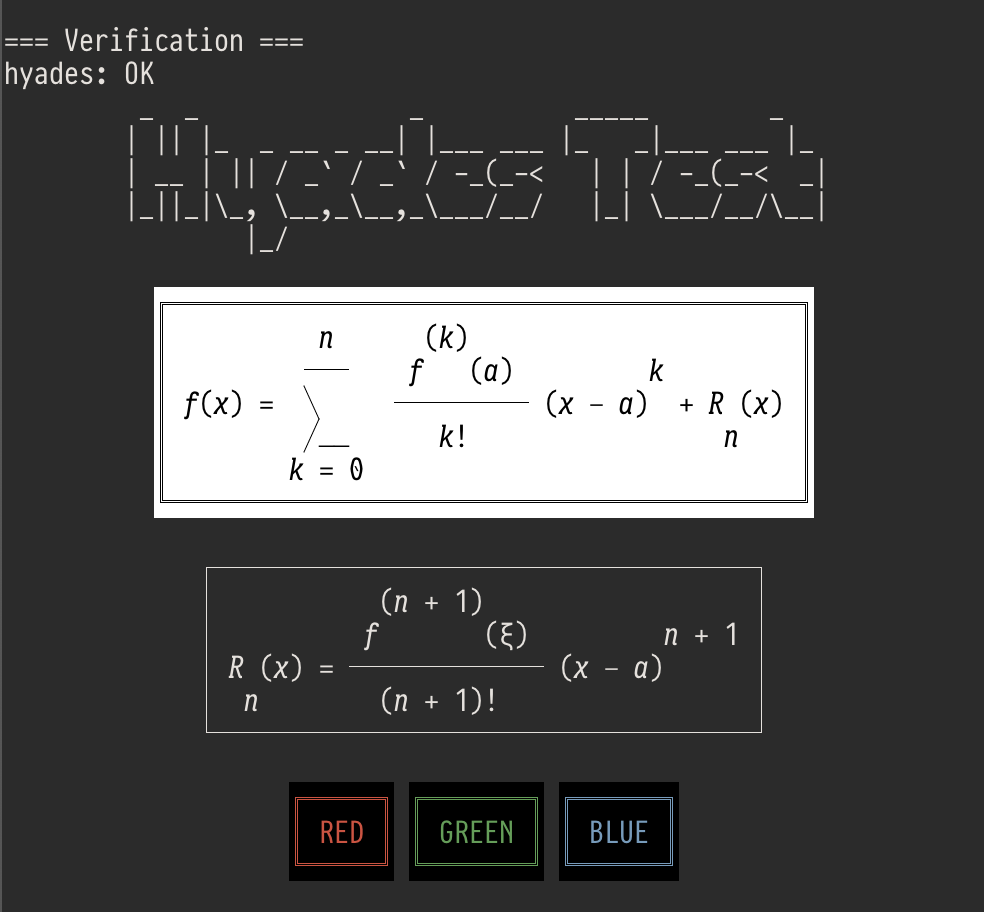
This adds hyades, cassilda, and hyades-mcp to your PATH and integrates the tree-sitter grammar and LSP server into Helix and/or Neovim if installed.
Build from source
Usage
The two binaries
| hyades | Renders .hy source (or stdin) to stdout. Use for quick math, piping, code comments. |
| cassilda | Document processor for .cld files. Renders labeled sections in-place, to your code comments, or to stdout -- think Jupyter notebooks in plain text. |
MCP server
An MCP server lets AI assistants render math expressions on the fly.
Remote -- no install, Cloudflare Worker:
Local -- offline, native binary (included in releases):
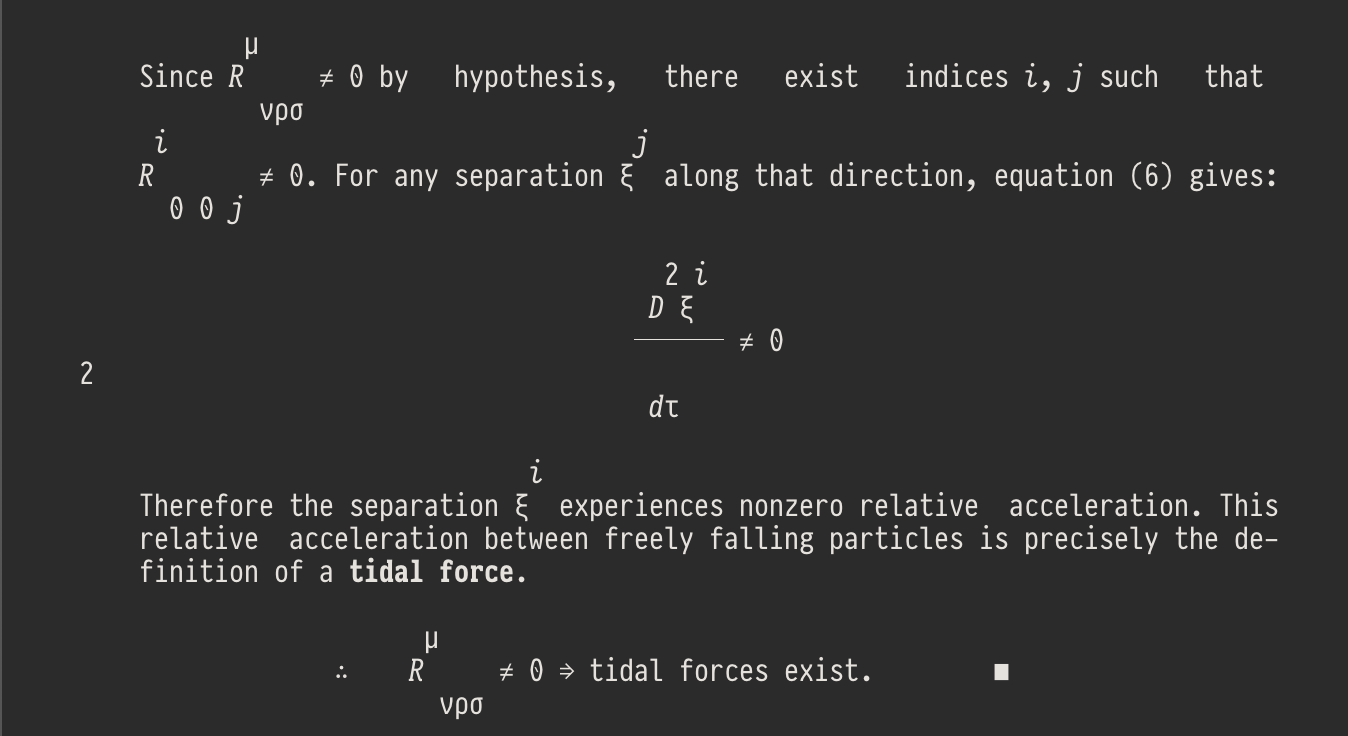
Example: Reason with Claude about math in the terminal
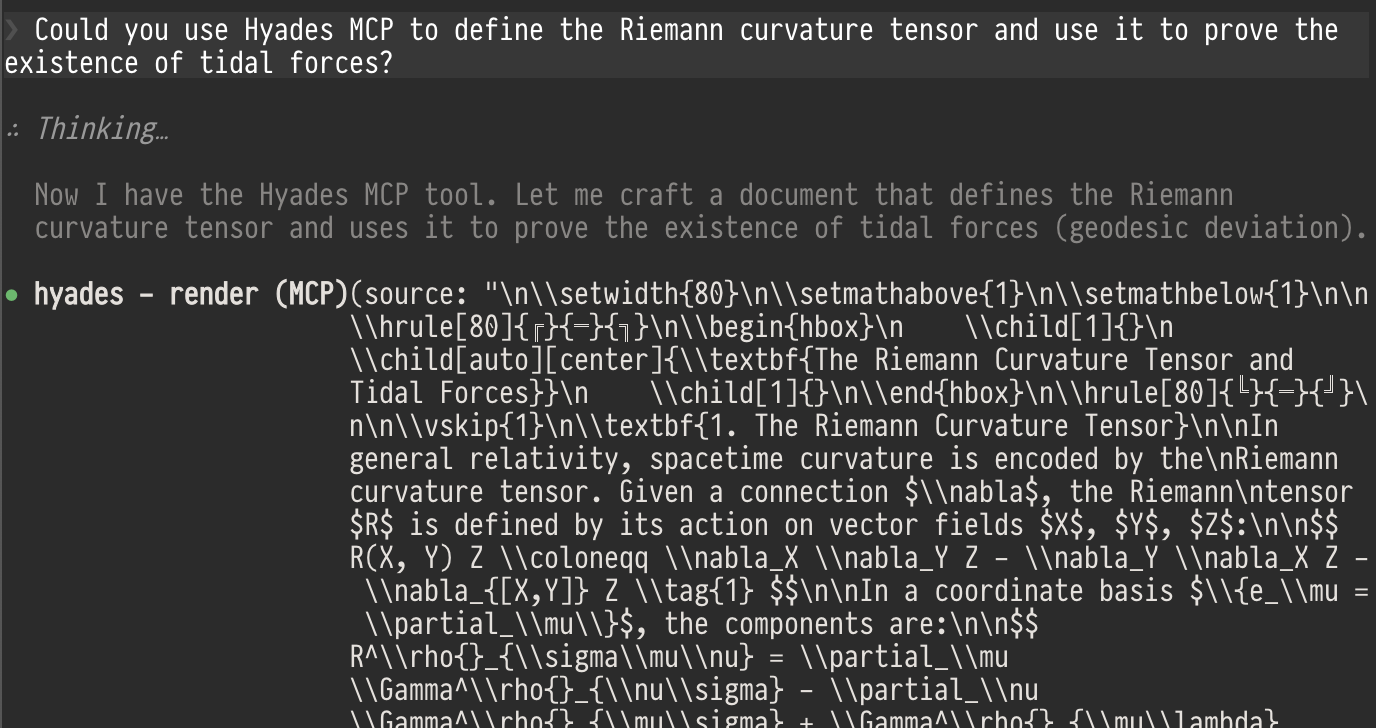
...
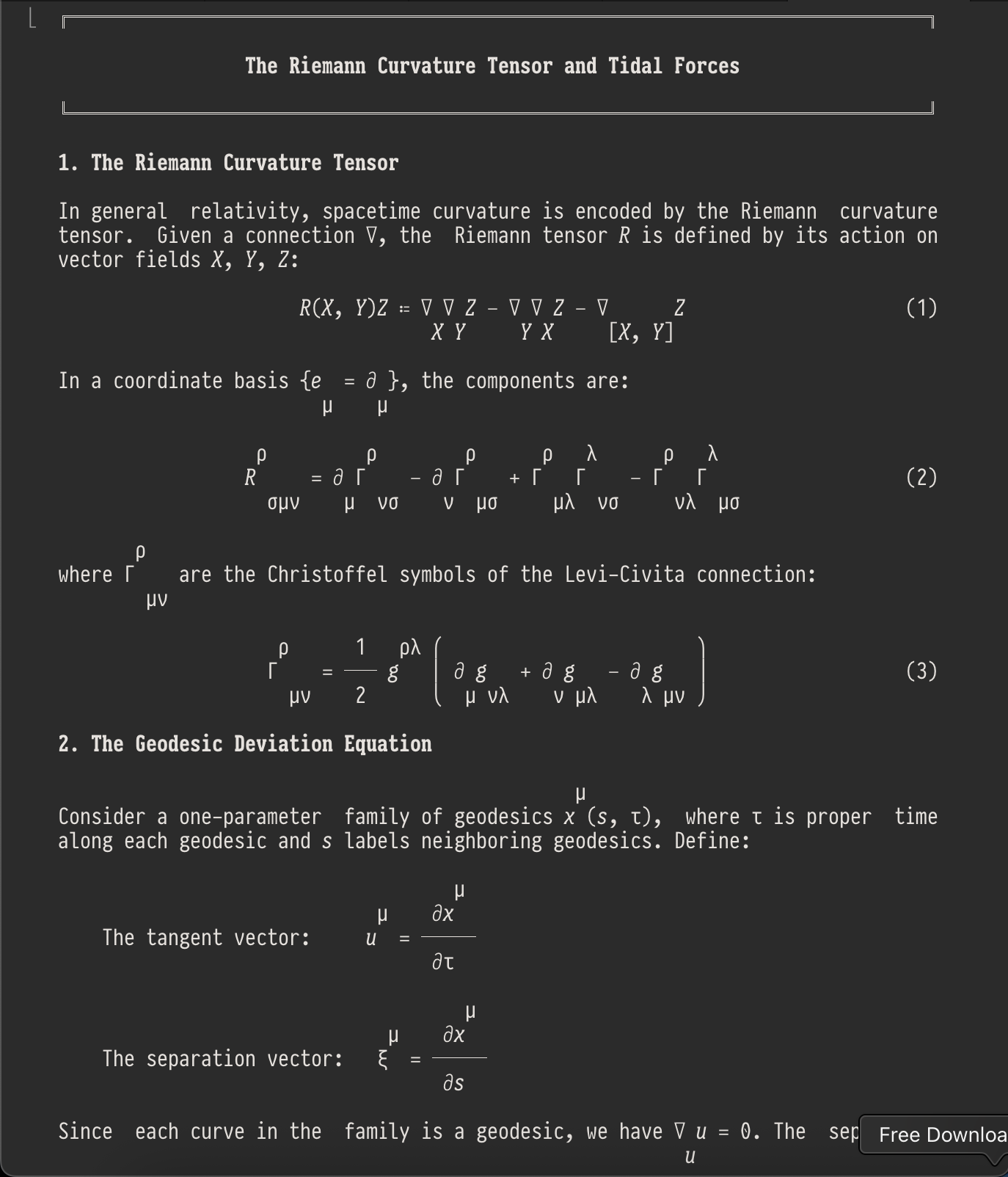
...
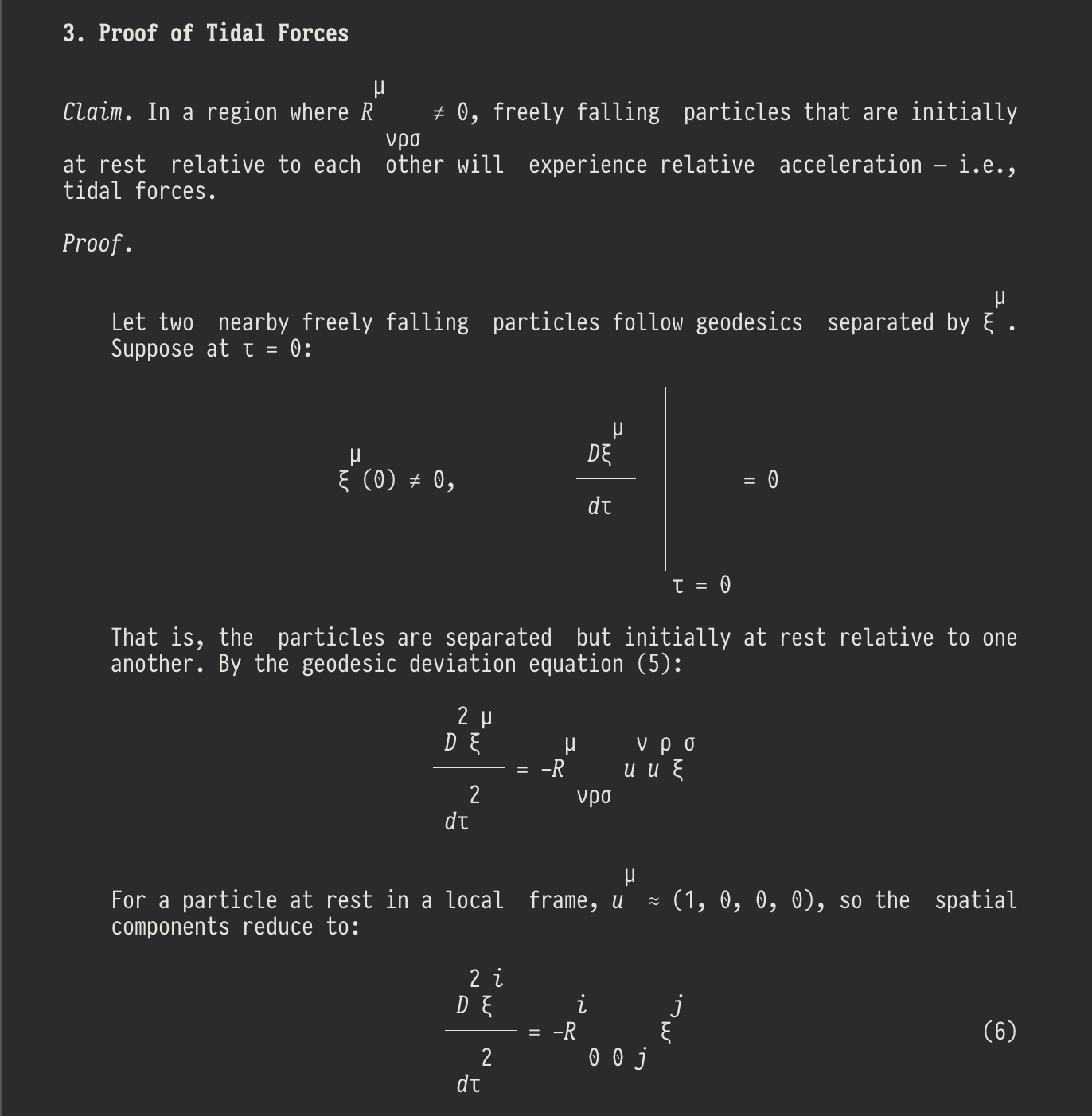
...
Editor support
The install script automatically configures any installed editors. Manual setup is also possible -- config files are in editor-configs/ within the release.
Helix and Neovim get full integration out of the box:
- Syntax highlighting via tree-sitter (
.hyand.cldfiles) - Error diagnostics -- inline and in the gutter
- Go-to-definition -- jump to macro and label definitions
- Hover -- documentation pop-ups for commands and macros
- Completions -- context-aware suggestions
- References -- find all usages of a symbol
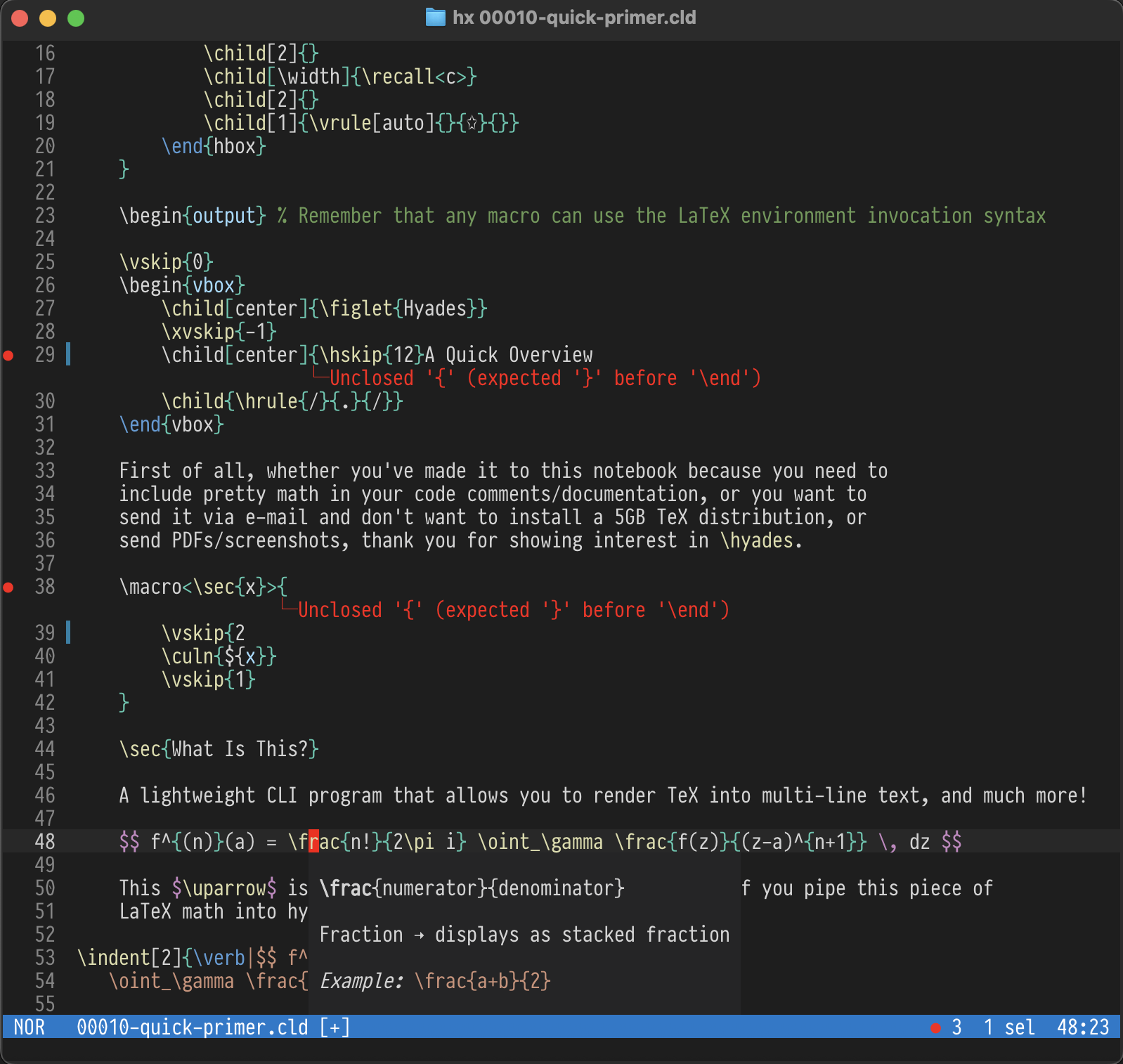
Hyades in Helix on MacOS (GhosTTY, font: PragmataPro Mono)
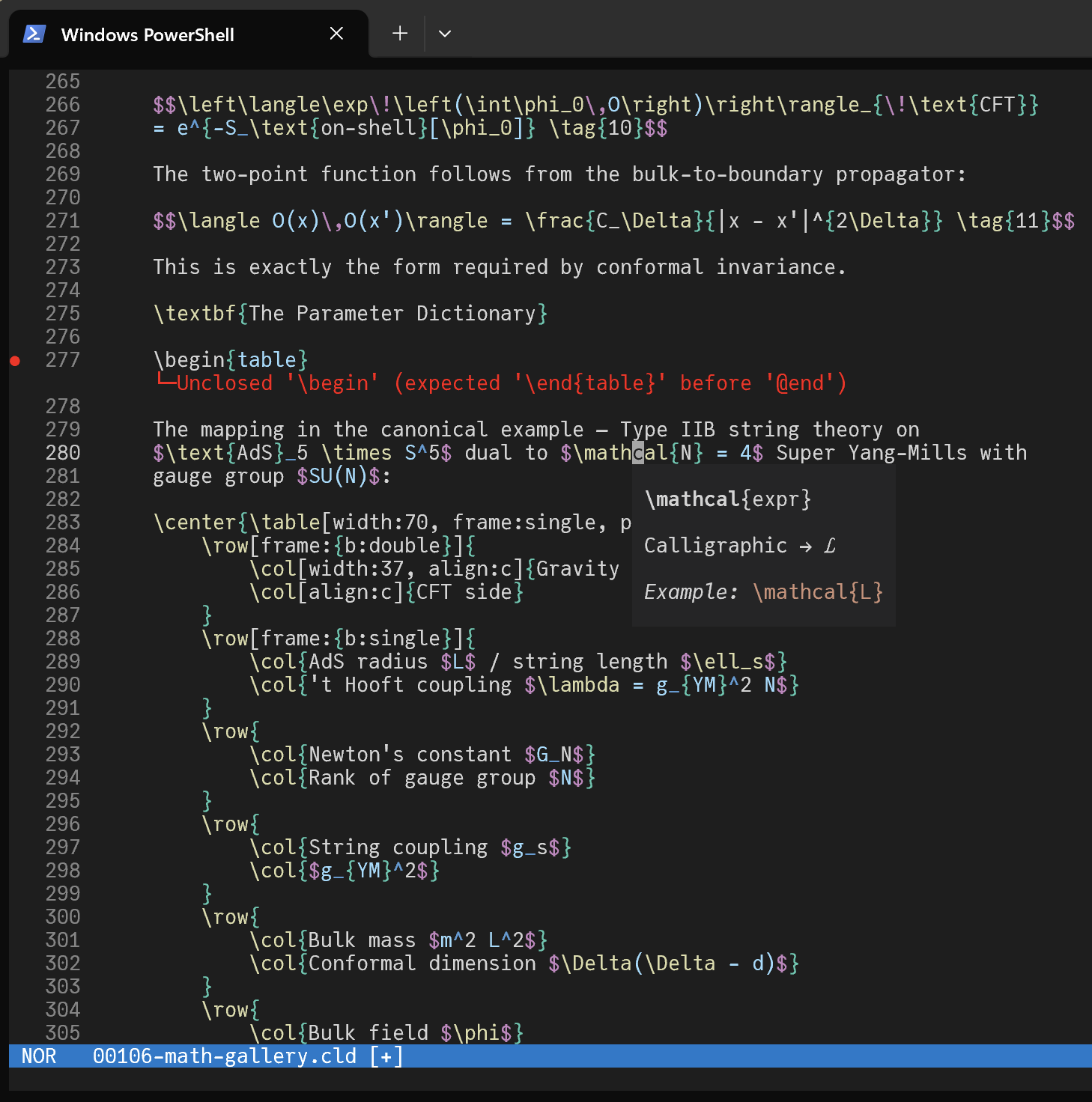
Hyades in Helix on Windows (font: JuliaMono)
A VS Code extension is also available. (I'm yet to polish and publish it, should be a matter of days.)
Beyond all this
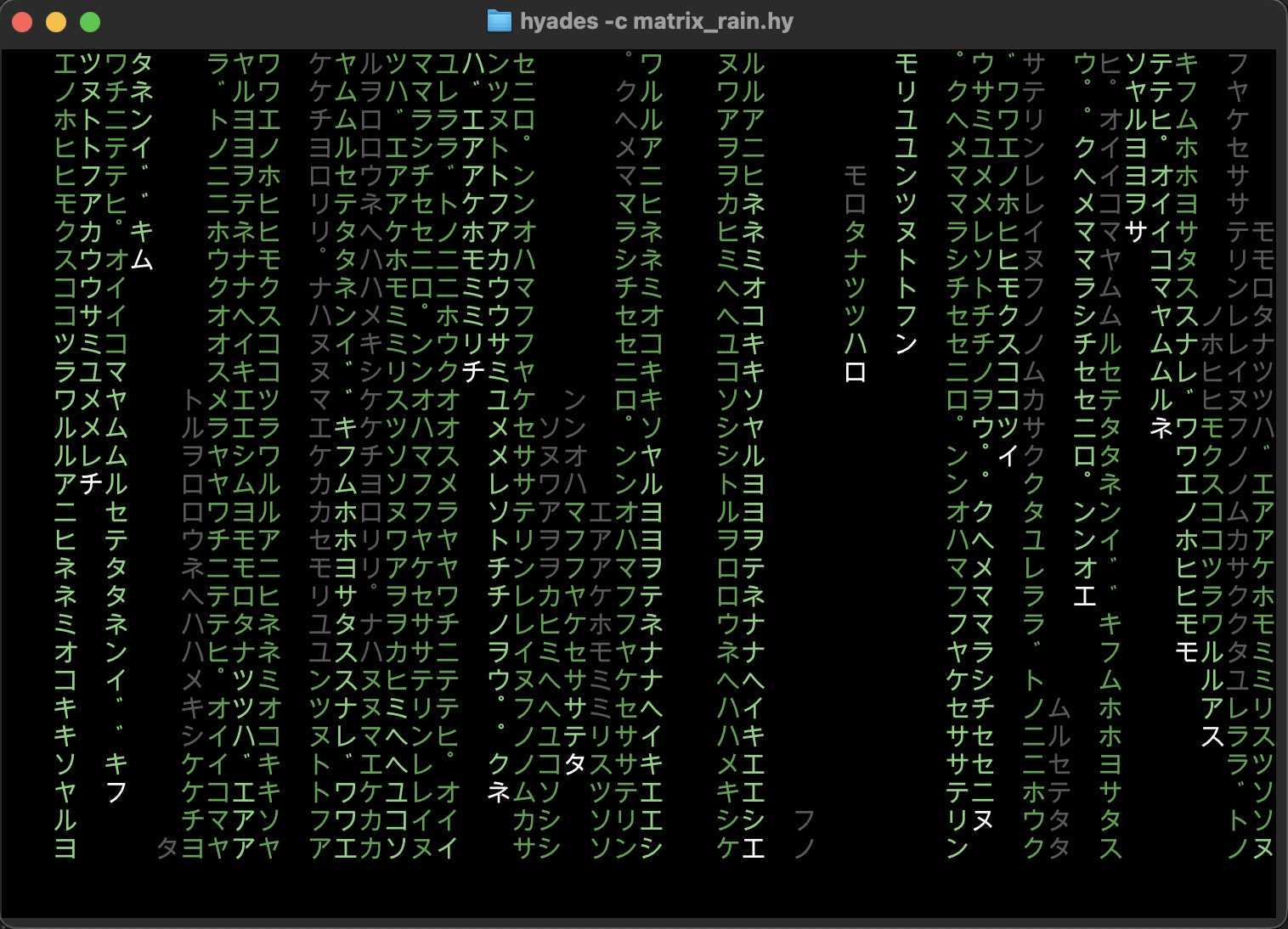
Hyades has an bytecode compiler and a stack-based VM (called Subnivean), which allows you to write pretty much any computational code to support your macros and rendering. Two fun examples are included in the release package. The first is the Matrix code effect for the terminal
And the second one is interactive Game of Life
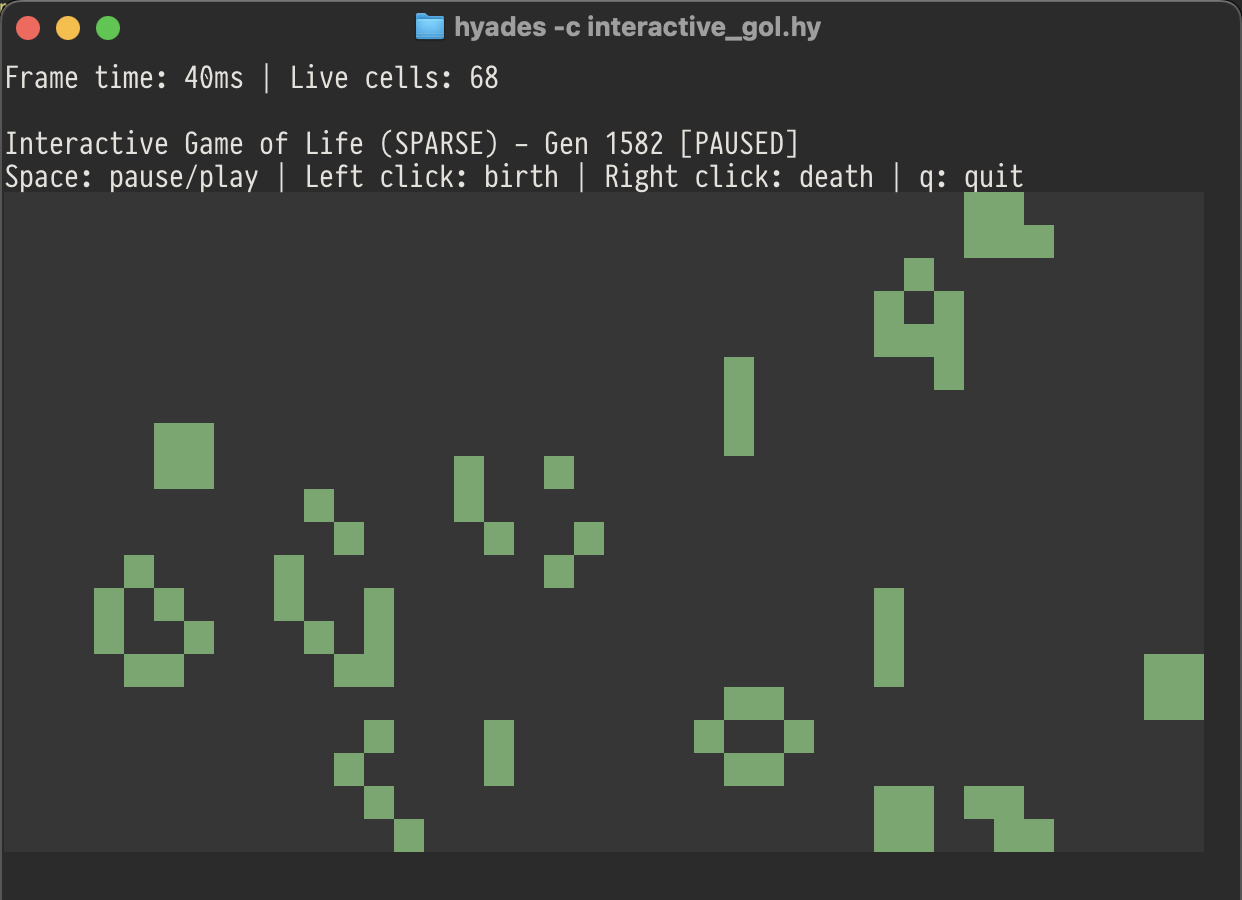
Which is also a direct proof of Hyades' Turing-completeness.
Related MCP Servers
Adoption & maintenance
Factual signals from GitHub, npm, and our automated checks — not a rating.
GitHub stars
30
Stargazers on the source repository.
Last commit
6mo ago
Most recent push to the default branch.
Directory activity
1 views
Config copies, upvotes, and views on AllMCPs.
Reviews
No reviews yet — be the first to share how this listing worked for you.
Frequently Asked Questions about Hyades
AllMCPs Directory Badge
Showcase your server listing on GitHub or your project documentation. Embed this dynamic SVG badge to highlight official listing status and live engagement.
Badge Style:
Live Dynamic SVG Preview
Markdown (GitHub README)
[](https://allmcps.com/mcp/hyades)HTML Embed
<a href="https://allmcps.com/mcp/hyades"><img src="https://allmcps.com/api/badge/hyades?style=directory" alt="Hyades on AllMCPs" /></a>Technical Specs & Signals
CategoryDeveloper Tools
10/14 checks healthy over the last 45d
39Quality signal: Fair · 39/100How this signal is calculated ▾
Server availabilityNot measured
Not scored for repo-hosted servers — we can't reach the running server, only its GitHub page. Hosted MCP endpoints are health-checked live.
Verified ownership10/20
Documentation & tools16/30
Adoption & activity3/15
Community engagement0/10
A guidance signal from public completeness & health data — not a user rating. New listings start lower and rise as they add docs, get verified, and grow adoption. Signals we can't observe for a listing are skipped, not counted against it.
Own this project?
This directory is pre-filled from public sources. Claim via GitHub README, site badge, or DNS TXT to unlock edit access and the Official badge — proof is checked automatically, then reviewed by our team.
Free dofollow backlink: add your website and place the AllMCPs badge on it — no claim needed. We detect it automatically and keep it verified as long as the badge stays live.
Claim & get free dofollowShare & Embed
Add our SVG badge (dark/light directory styles) or embeddable widget to your site.