MCP server enabling LLMs to create/update Notion pages and generate structured mdBooks from content.
Quick Install
Automated & IDE SetupCopy the AI prompt to install this server into Claude Code, Cursor, or another agent — or use 1-click editor setup below.
One-click editor setup isn’t available for this listing yet — we don’t have a confirmed install command, and we’d rather show nothing than point your editor at the wrong package or host. Follow the project’s own setup instructions, linked above.
Manual Client & Custom JSON ConfigExpand JSON ▾
No confirmed setup config for this listing yet. We only publish a config block when the install details come from the project itself — its README, its docs, or a verified owner. We haven’t found those for Harry-027/JotDown, and we’d rather show nothing than a guess you’d paste into your client. Follow the project’s own setup instructions for the current steps.
Overview
Use cases
Create or update pages in Notion with LLM-generated content
Generate a complete mdBook with chapters and navigation files
Manage structured content workflows involving Notion and markdown books
Key features
Notion page creation and update via API
Automatic mdBook generation including SUMMARY.md and README.md
Maintains context over interactions using MCP
Supports integration with MCP clients like Claude desktop
Capabilities & Tool Schemas (1)
Inspect callable tools, capabilities, and parameters exposed to AI agents by JotDown.
SUMMARY.mdCallable MCP tool function
Documentation Overview
Jotdown - MCP Server for Notion Page Creation and mdBook Generation
Jotdown is a Model Context Protocol (MCP) server that allows large language models (LLMs) to interact with Notion and also generate Markdown Books. It provides two primary tools for LLMs:
- 👉 Notion Integration: Create or update pages in Notion with content generated by the LLM.
- 👉 Mdbook Generation: Generate a mdbook from content and manage the structure.
Jotdown enables LLMs to seamlessly integrate with these systems for various content management and publishing workflows.
Certified by MCPHub
- 👉 JotDown
Features
- 🌿 Notion Integration: Automatically create or update Notion pages with content generated by the LLM.
- 🌿 Mdbook Generation: Create and manage mdbooks directly from content, including generating necessary files like
SUMMARY.md,README.md, and individual chapter markdown files. - 🌿 MCP Support: Leverages the Model Context Protocol to maintain context over interactions, enabling more intelligent and consistent content creation and updates.
Tools Provided by Jotdown
1. Notion Page Tool
LLMs can use the Notion tool to create or update pages within Notion, allowing them to store structured content like articles or any other type of document directly in Notion.
Example:
- Create a new page in Notion with content that the LLM has generated.
- Update an existing Notion page with new information.
2. mdbook Tool
With the mdbook tool, LLMs can automatically generate markdown books, handling the creation of multiple chapters, managing the structure, and adding a SUMMARY.md file for navigation.
Example:
- Generate a new book based on LLM-generated content.
- Automatically generate chapters with proper links in
SUMMARY.md.
Installation
Prerequisites
- Rust: Make sure you have Rust installed. You can install it from rust-lang.org.
- Notion API Token: You will need a Notion API token (
internal integration secret) to integrate with Notion. - Claude Desktop: Make sure you have Claude desktop or any other MCP client (Cline, Continue etc) installed and configured with a Notion integration token.
Steps to Install
-
Clone the repository:
-
Install dependencies:
-
Install mdbook cli (required for the book generation to work):
-
Notion setup:
- Setup Notion connection (internal intergation with access to Notion workspace) & copy the
internal intergration secretfor later use. - Setup a page with title
Jot It Downin your workspace and share it with your connection. This is required for the integration to work.
- Setup Notion connection (internal intergation with access to Notion workspace) & copy the
-
Set up Claude desktop (or any other MCP client) configuration file (for Notion integration):
-
Restart Claude desktop and try it out!
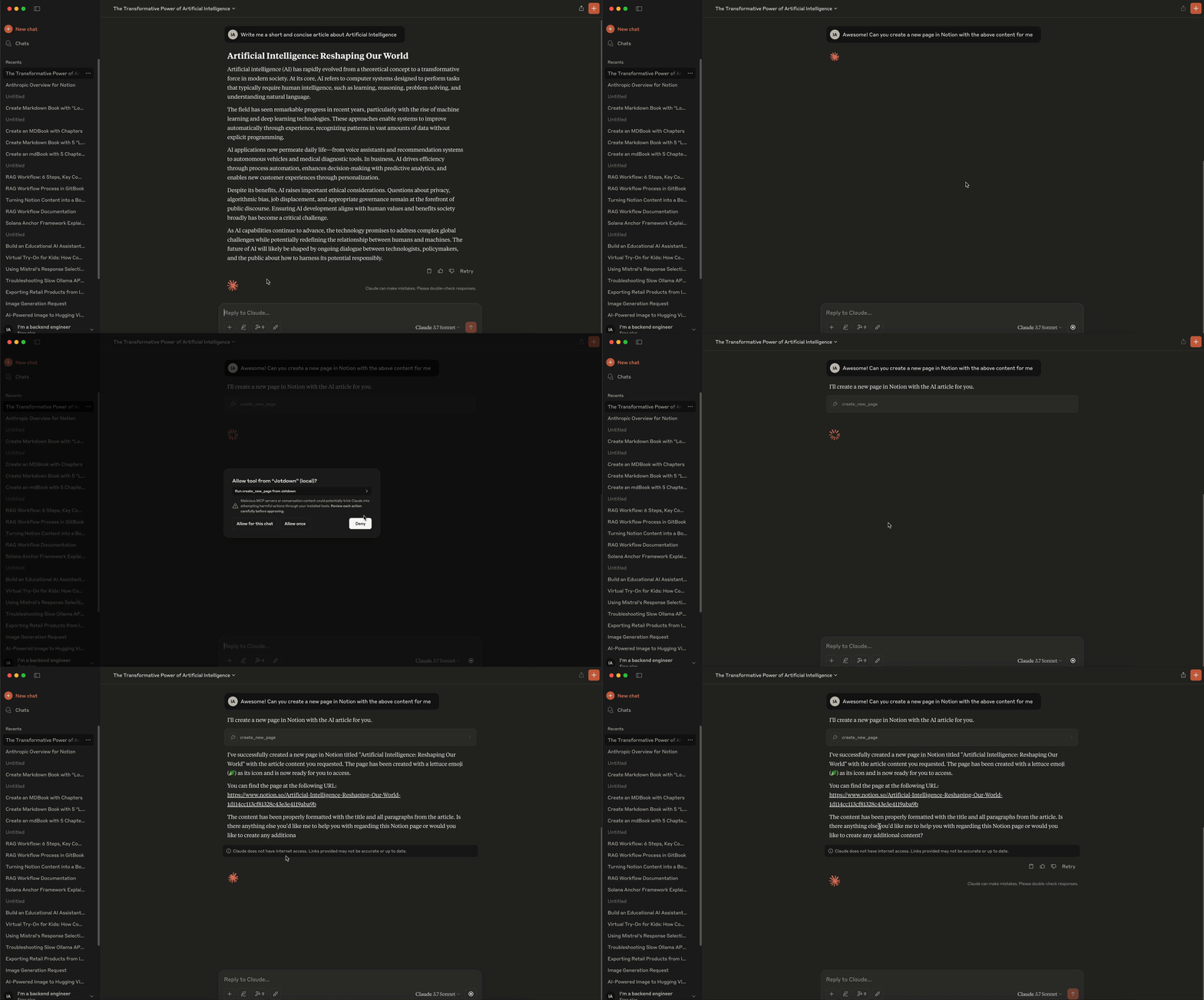
Notion Integration Example:
- To create or update a Notion page, the LLM sends a request to the server specifying the content and page details. The server then interacts with the Notion API to either create a new page or update an existing one.
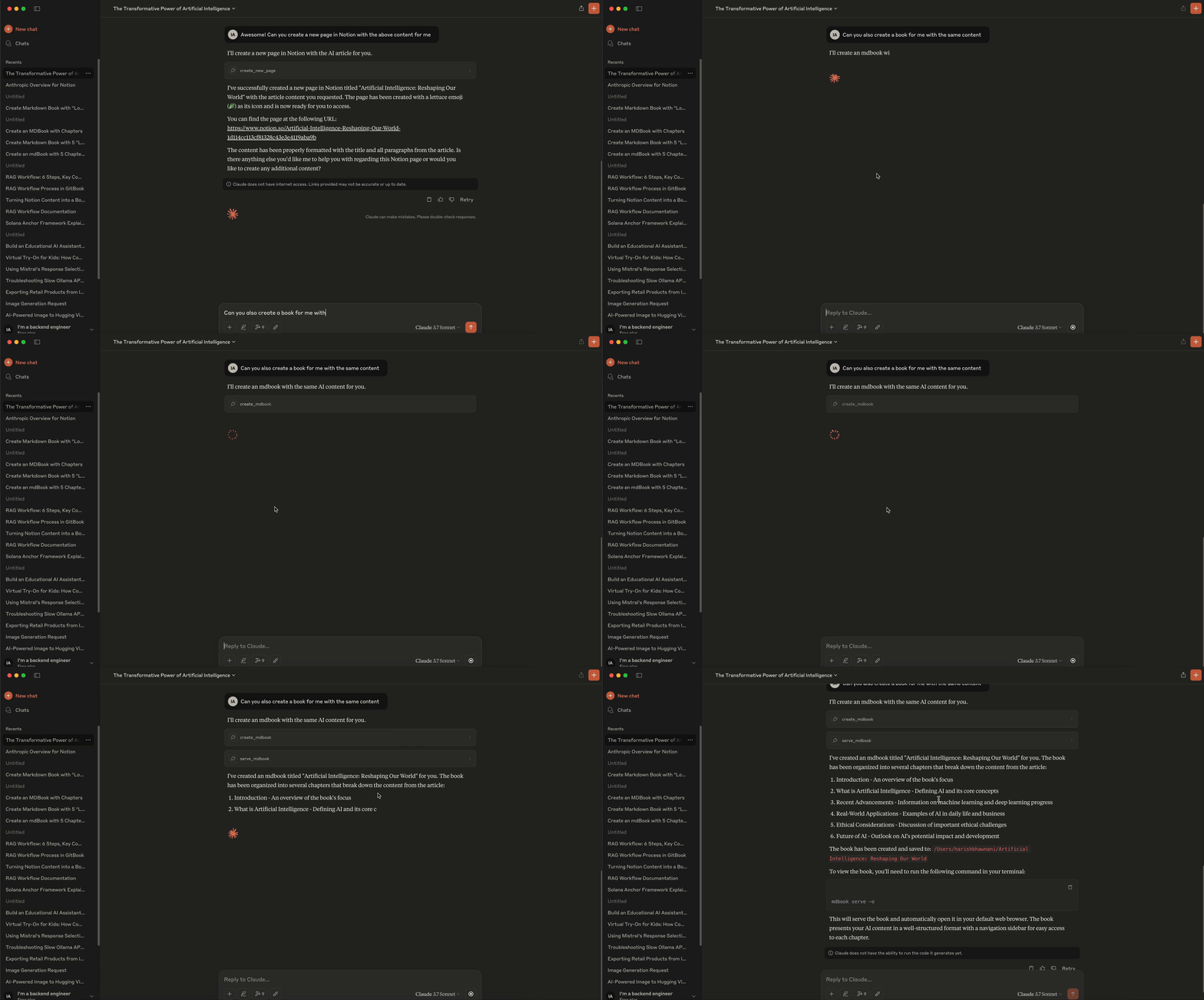
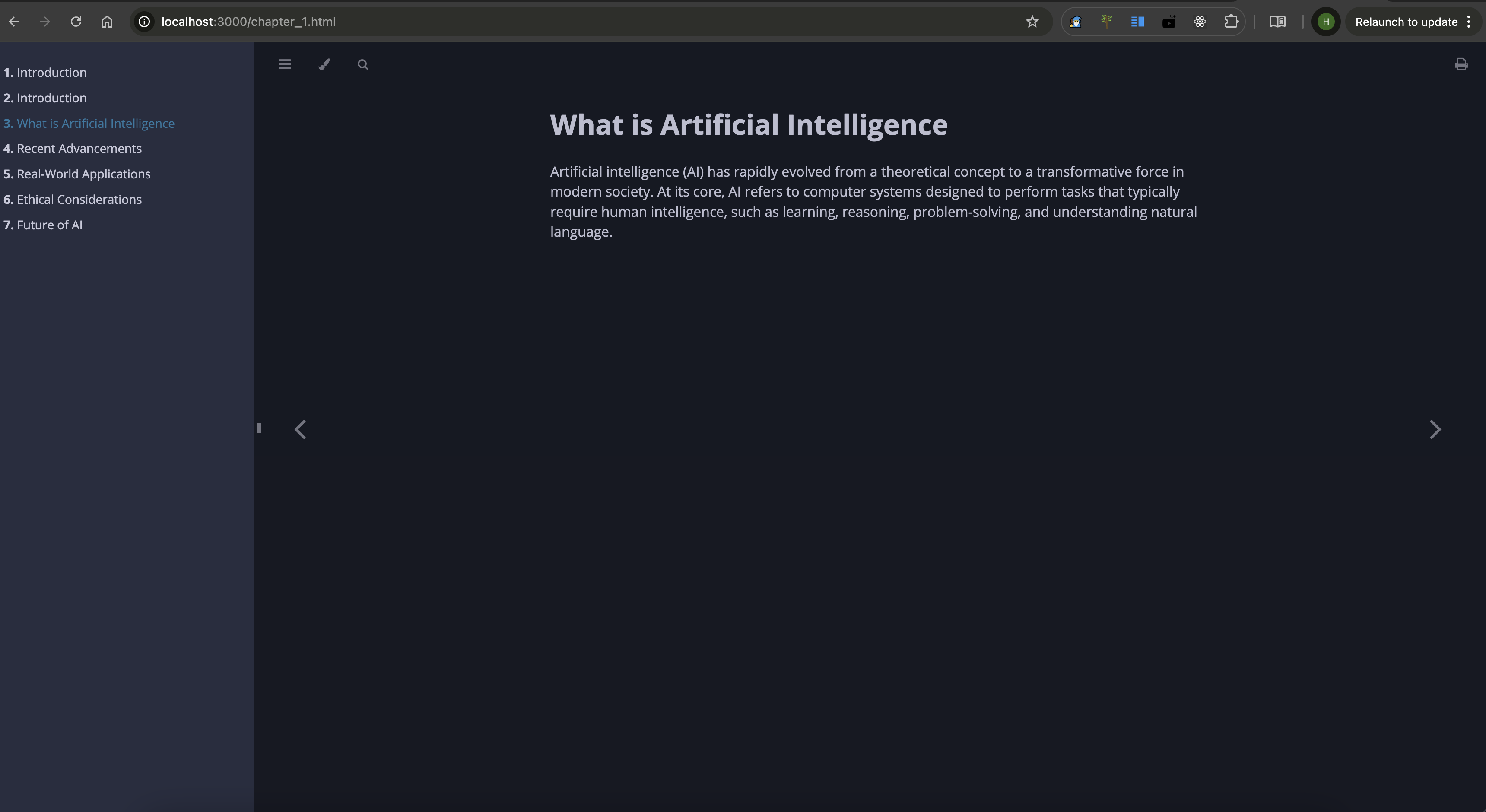
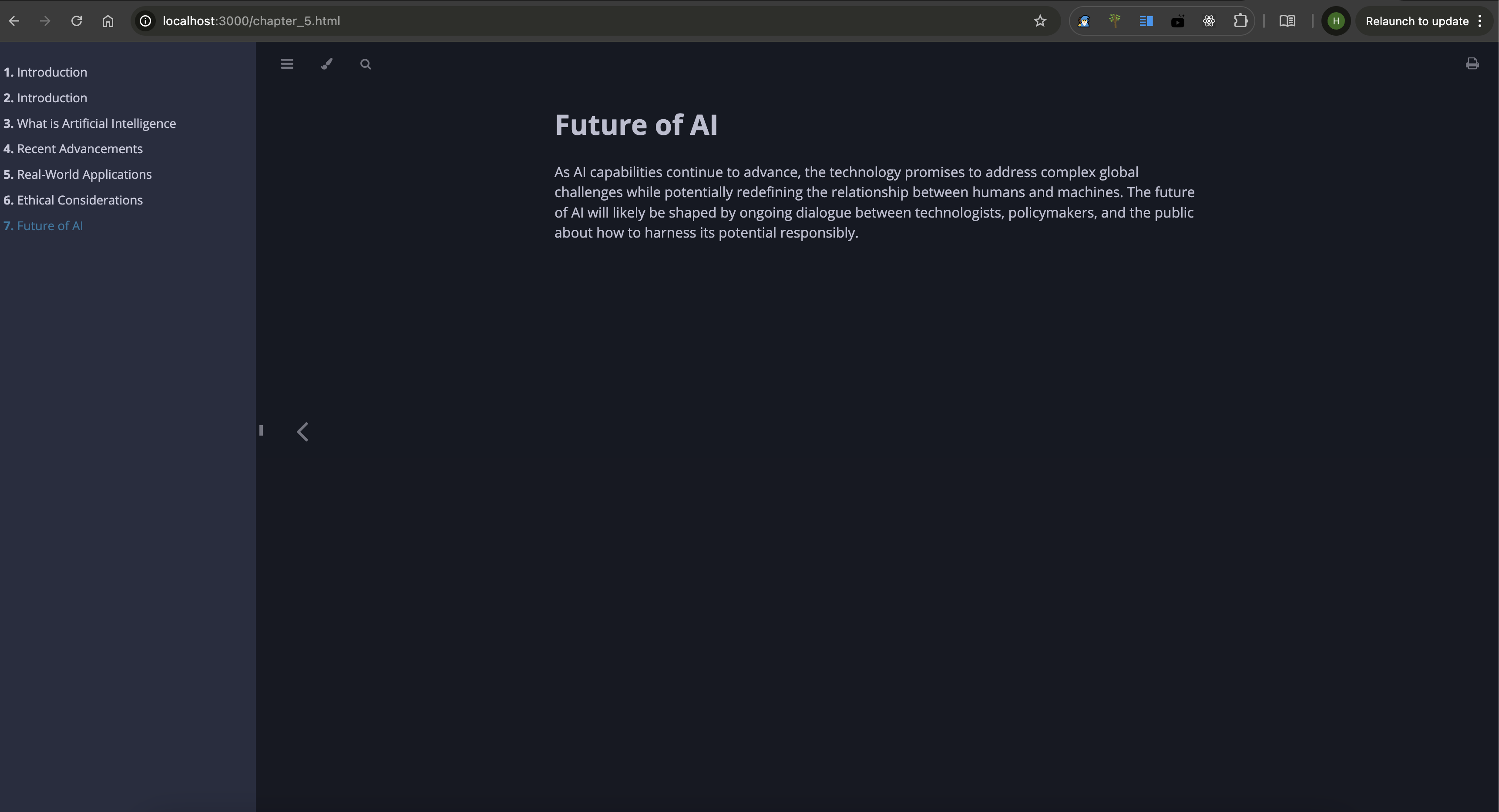
Mdbook Integration Example:
- LLMs can send structured content to the server to create an entire mdbook, including chapter creation,
README.md, andSUMMARY.mdmanagement. The server compiles the content into a complete book.
🧑💻 Demo
Notion Demo -
MdBook Demo -
MdBook Screenshots -
🧑💻 Contributing
Feel free to open issues or submit pull requests.
📜 License
Jotdown is licensed under the MIT License. See the LICENSE file for details.
📧 Contact
For support or inquiries, reach out at harishmmp@gmail.com.
Related MCP Servers
Adoption & maintenance
Factual signals from GitHub, npm, and our automated checks — not a rating.
GitHub stars
23
Stargazers on the source repository.
Last commit
6mo ago
Most recent push to the default branch.
Tools exposed
1
Callable tools this server registers over MCP.
Reviews
No reviews yet — be the first to share how this listing worked for you.
Frequently Asked Questions about JotDown
AllMCPs Directory Badge
Showcase your server listing on GitHub or your project documentation. Embed this dynamic SVG badge to highlight official listing status and live engagement.
Badge Style:
Live Dynamic SVG Preview
Markdown (GitHub README)
[](https://allmcps.com/mcp/harry-027-jotdown)HTML Embed
<a href="https://allmcps.com/mcp/harry-027-jotdown"><img src="https://allmcps.com/api/badge/harry-027-jotdown?style=directory" alt="JotDown on AllMCPs" /></a>