AllMCPs
BrowseBestCategoriesStackCompareToolsGuidesBlog Log in Submit MCP

Stay in the loop

Get new MCP servers and top picks in your inbox.

AllMCPs

The open directory for discovering and installing Model Context Protocol servers.

Explore

  • Browse servers
  • Best MCP servers
  • Categories
  • MCP clients
  • Agent prompts
  • Stack Builder
  • Compare servers
  • Tags index
  • Submit a server
  • Pricing

Learn

  • Guides hub
  • What is MCP?
  • Install guide
  • Troubleshooting
  • Security
  • Blog
  • Blog RSS

Tools

  • All tools
  • Config generator
  • Config validator
  • MCP playground
  • OpenAPI β†’ MCP
  • Badge generator

For agents

  • API docs
  • Trust & traffic
  • llms.txt β†— (opens in a new tab)
  • Catalog JSON β†— (opens in a new tab)
  • Remote MCP β†— (opens in a new tab)

Company

  • About
  • Contact
  • X (@AllMCPs) β†— (opens in a new tab)
  • GitHub β†— (opens in a new tab)
  • Terms
  • Privacy
AllMCPs VerifiedAllMCPs VerifiedFeatured on Nick LaunchesFeatured on Nick LaunchesLaunch Llama NewsletterLaunch Llama NewsletterVerified DR - allmcps.comVerified DR - allmcps.comFeatured on SaaSGrowFeatured on SaaSGrowFeatured on Twelve ToolsFeatured on Twelve ToolsFeatured on Saaspa.geFeatured on Saaspa.geFeatured on Findly.toolsFeatured on Findly.toolsFeatured on Startup FameFeatured on Startup FameFeatured on LaunchKiwiFeatured on LaunchKiwiFeatured on ScrollLaunchFeatured on ScrollLaunchFeatured on DailyPingsFeatured on DailyPingsFazier badgeFazier badgeFeatured on NewTool.siteFeatured on NewTool.siteFeatured on saasfame.comFeatured on saasfame.comDR Checker - Domain RatingDR Checker - Domain RatingListed on Turbo0Listed on Turbo0Launched on LaunchBoard - Product Launch PlatformLaunched on LaunchBoard - Product Launch PlatformList on SimilarlabsList on Similarlabshttps://codetrendy.comhttps://codetrendy.comListed on DevTool.ioFeatured on BuildlistFeatured on BuildlistAllMCPs VerifiedAllMCPs VerifiedFeatured on Nick LaunchesFeatured on Nick LaunchesLaunch Llama NewsletterLaunch Llama NewsletterVerified DR - allmcps.comVerified DR - allmcps.comFeatured on SaaSGrowFeatured on SaaSGrowFeatured on Twelve ToolsFeatured on Twelve ToolsFeatured on Saaspa.geFeatured on Saaspa.geFeatured on Findly.toolsFeatured on Findly.toolsFeatured on Startup FameFeatured on Startup FameFeatured on LaunchKiwiFeatured on LaunchKiwiFeatured on ScrollLaunchFeatured on ScrollLaunchFeatured on DailyPingsFeatured on DailyPingsFazier badgeFazier badgeFeatured on NewTool.siteFeatured on NewTool.siteFeatured on saasfame.comFeatured on saasfame.comDR Checker - Domain RatingDR Checker - Domain RatingListed on Turbo0Listed on Turbo0Launched on LaunchBoard - Product Launch PlatformLaunched on LaunchBoard - Product Launch PlatformList on SimilarlabsList on Similarlabshttps://codetrendy.comhttps://codetrendy.comListed on DevTool.ioFeatured on BuildlistFeatured on Buildlist
Β© 2026 Jackalope Digital LLC. All rights reserved.
  1. Home
  2. πŸ’» Developer Tools
  3. Google Health Fitbit Mcp
G
Health: Not checked yetWe have not completed a health check for this listing yet.Last checked 8/10/2026, 11:47:44 PM

Google Health Fitbit Mcp

Enrichment pendingWe haven’t run our AI enrichment pass on this listing yet, so the overview, use cases, and FAQ below may be sparse or missing. We work through the catalog over time β€” check back soon.
View RepositoryVisit Website

Privacy-first Google Health API MCP server for health, sleep, activity and HR agents

Quick Install

Automated & IDE Setup

Copy the AI prompt to install this server into Claude Code, Cursor, or another agent β€” or use 1-click editor setup below.

Add to CursorAdd to VS Code
Manual Client & Custom JSON ConfigExpand JSON β–Ύ

Install Config Generator

Choose your client
claude_desktop_config.json
{
  "mcpServers": {
    "google-health-fitbit-mcp": {
      "command": "npx",
      "args": [
        "-y",
        "google-health-fitbit-mcp"
      ]
    }
  }
}

πŸ’‘ Paste into ~/Library/Application Support/Claude/claude_desktop_config.json (macOS) or %APPDATA%\Claude\claude_desktop_config.json (Windows)

Install Directory Badge Claim listing AlternativesπŸ’» More in Developer Tools

Documentation Overview

Google Health Fitbit MCP
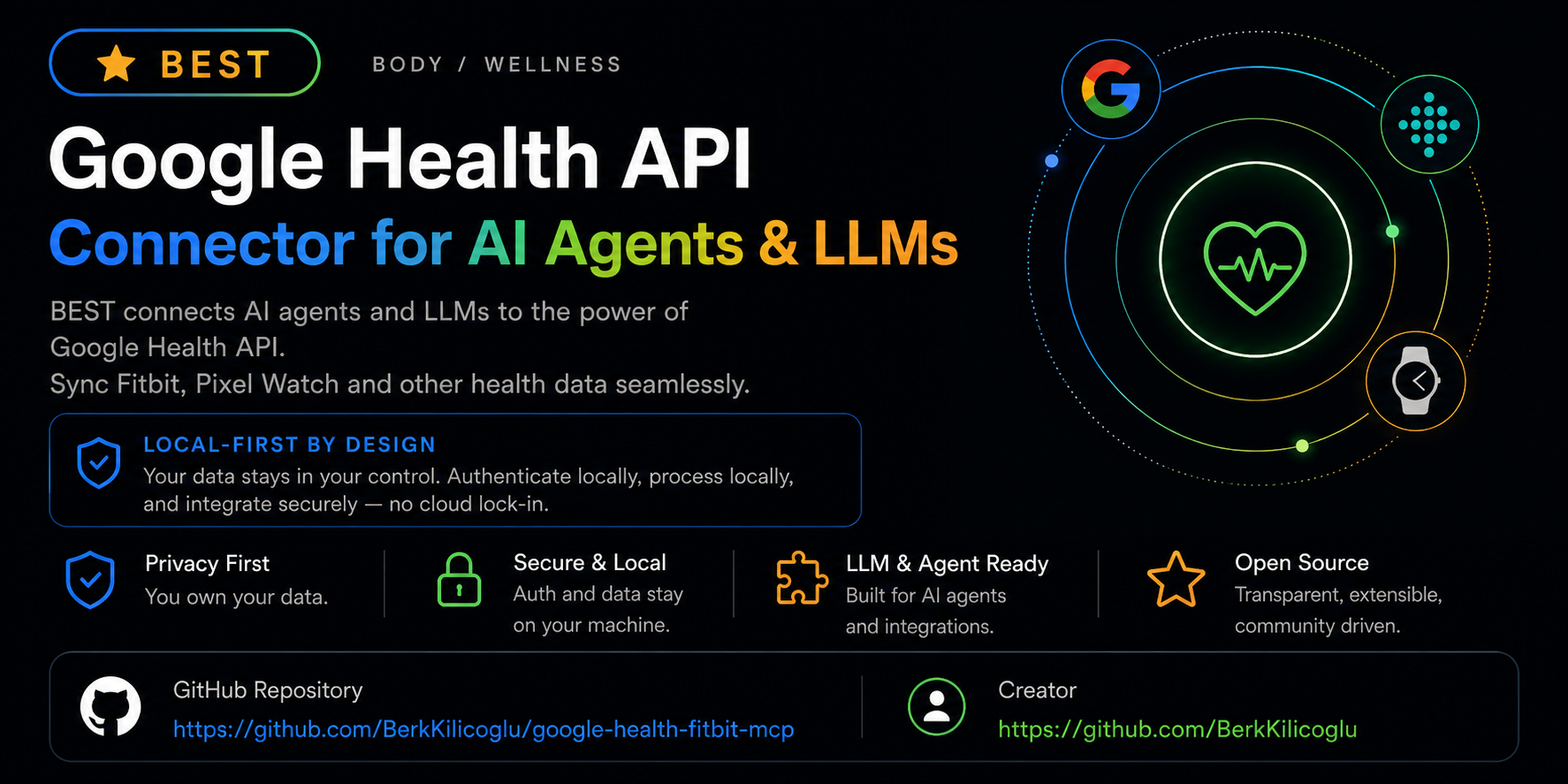
Google Health Fitbit MCP β€” Google Health API MCP server for AI agents

Query your own Google Health API data β€” Fitbit, Pixel Watch and connected partner sources β€” over local OAuth. Beta.
Everything runs on your own machine β€” your credentials never leave your device.

npm version npm downloads License MIT Built for MCP GitHub stars


An MCP server that runs locally and hands your AI agent your own Google Health API data β€” from Fitbit trackers, Pixel Watch and supported partner sources β€” through OAuth.

  • Install in one command β€” npx -y google-health-fitbit-mcp setup
  • Run it in Claude Desktop Β· Claude Code Β· Cursor Β· Windsurf Β· Hermes Β· OpenClaw β€” see client examples.
  • On your machine β€” OAuth tokens are stored locally with 0600 permissions and are never returned by any tool (privacy).
  • Read-only by default β€” every shipped data tool is a read. Writes are a gated, opt-in, dry-run-first design that is not enabled.

Beta status: Google Health API is available to developers but the surface is still moving. Because Google's release notes keep listing scope and data-type changes after launch, this connector remains in beta and steers testers toward safe read-only validation before any production use.

Independent, community-built connector β€” no affiliation with, endorsement from or support by Google, Fitbit or Alphabet. Not a medical device or medical advice; treat the data as trend context only.

⚑ Quick Connect

Prerequisite: a Google Cloud OAuth client (type: Desktop) with the Google Health API enabled and the redirect http://127.0.0.1:3000/callback registered β€” details in Install.

Step 1 β€” Install & authorize (once):

Terminal
npx -y google-health-fitbit-mcp setup     # guided: Google Cloud OAuth client + scopes
npx -y google-health-fitbit-mcp auth      # browser OAuth β€” tokens stay on your machine
npx -y google-health-fitbit-mcp checkup   # βœ“ verifies everything is ready
πŸ”‘ First time? Get your Google Client ID & Secret (~2 min)

setup asks for a Client ID and Client Secret. You create these once, for free, in Google Cloud:

  1. New project β€” open console.cloud.google.com/projectcreate, name it (e.g. health-mcp), click Create, then select it.
  2. Enable the API β€” open the Google Health API page and click Enable.
  3. Consent screen β€” go to OAuth consent screen, choose External, and fill in the required app name / email fields. Under Test users, add your own Google account β€” skip this and sign-in fails with 403: access_denied.
  4. Create the client β€” go to Credentials β†’ + Create credentials β†’ OAuth client ID β†’ Application type: Desktop app β†’ Create.
  5. Copy the Client ID (ends in …apps.googleusercontent.com) and the Client secret, then paste each one when setup prompts you.

Redirect URI: Desktop-app clients allow the http://127.0.0.1:3000/callback loopback automatically β€” you don't register it anywhere. Just press Enter to accept the default when setup asks. For every other setup prompt (scope preset, privacy mode), pressing Enter picks a sensible default.

Heads-up β€” the 7-day rule: while the consent screen sits in Testing publishing status, Google revokes refresh tokens after 7 days. Around once a week the next request fails with invalid_grant, which is normal and not a bug in this server. It reopens the consent flow for you (see Staying connected); approving takes a couple of seconds. Publishing the app removes the expiry entirely β€” check what your scopes require on the consent screen before switching.

Step 2 β€” Connect your app:

Claude Code
Terminal
claude mcp add google-health -- npx -y google-health-fitbit-mcp
Claude Desktop

Settings β†’ Developer β†’ Edit Config, then add to claude_desktop_config.json:

config.json
{
  "mcpServers": {
    "google_health": {
      "command": "npx",
      "args": ["-y", "google-health-fitbit-mcp"]
    }
  }
}

Restart Claude Desktop β€” the tools appear under the πŸ”Œ connectors menu.

Cursor

Add the same mcpServers block to .cursor/mcp.json (per-project) or ~/.cursor/mcp.json (global), or use Settings β†’ MCP β†’ Add new server.

config.json
{
  "mcpServers": {
    "google_health": {
      "command": "npx",
      "args": ["-y", "google-health-fitbit-mcp"]
    }
  }
}
Windsurf

Add the same mcpServers block to ~/.codeium/windsurf/mcp_config.json.

Hermes
Terminal
npx -y google-health-fitbit-mcp setup --client hermes   # writes the Hermes config for you

Then reload with /reload-mcp or hermes mcp test google_health.

Step 3 β€” Test it. Ask your agent:

text
Run google_health_connection_status and tell me if I'm connected.

Why this exists

The Google Health API is the successor to the Fitbit Web API: new OAuth, new base URL (https://health.googleapis.com), a streamlined endpoint schema, standardized kebab-case data types, reconciled cross-source streams and daily/physical-time rollups.

It gives agents a clean path to explore the API, verify their setup, sign in locally and pull data β€” with no need to paste tokens into prompts or agent configs.

Try it with your agent

Three good opening prompts, built around tools this connector genuinely ships:

text
Check my setup with google_health_connection_status, then call
google_health_data_inventory and tell me which Google Health
domains and scopes I've granted.
text
Pull today's google_health_daily_summary, then google_health_weekly_summary.
Keep observed data separate from any suggestions, and stay non-medical.
text
List my paired devices with google_health_list_paired_devices and tell me
which device is producing my sleep and heart-rate data.

Tools

29 tools, all read-only except the two explicitly gated local-profile/auth actions noted below.

Start here

ToolWhat it does
google_health_connection_statusLocal config, token, scope and MCP-client readiness β€” no Google call
google_health_quickstartPersonalized 3-step setup walkthrough that adapts to your current state
google_health_data_inventorySupported domains, scopes, data-type naming and recommended agent flow
google_health_list_data_typesThe 39 kebab-case data-type slugs with units, scopes and supported verbs
google_health_demoRealistic synthetic payloads so agents see the contract before real calls

Data reads (Google Health API)

ToolEndpoint
google_health_get_identity/v4/users/me/identity β€” Google Health + legacy Fitbit identity mapping
google_health_get_profile/v4/users/me/profile
google_health_get_settings/v4/users/me/settings β€” units, timezone
google_health_list_paired_devices/v4/users/me/pairedDevices β€” your Fitbit trackers and Pixel Watches, and which device produces which data
google_health_get_irn_profile/v4/users/me/irnProfile β€” irregular-rhythm (AFib) notification engagement status
google_health_list_data_points/v4/.../dataPoints β€” intraday detail for any data type
google_health_get_data_point/v4/.../dataPoints/{id} β€” one specific sleep session, exercise or measurement
google_health_reconcile_data_points/v4/.../dataPoints:reconcile β€” one clean stream across sources (all-sources, google-wearables, google-sources)
google_health_daily_rollup/v4/.../dataPoints:dailyRollUp β€” civil-day aggregates
google_health_rollup/v4/.../dataPoints:rollUp β€” physical-time window aggregates

Summaries & wellness context

ToolWhat it does
google_health_daily_summarySteps, distance, calories, active-zone minutes, sleep, resting HR, HRV and weight for one day, with data-quality flags
google_health_weekly_summaryWeekly scorecard with optional prior-window comparison, load classification and bottlenecks
google_health_wellness_contextNormalized activity/sleep context for recommendation engines

Auth, diagnostics & metadata

google_health_get_auth_url Β· google_health_exchange_code (gated: requires explicit user intent) Β· google_health_revoke_access (gated + destructive: disconnects Google Health) Β· google_health_privacy_audit Β· google_health_cache_status Β· google_health_data_type_coverage Β· google_health_capabilities Β· google_health_agent_manifest Β· google_health_onboarding Β· google_health_profile_get Β· google_health_profile_update (local file only, requires explicit_user_intent=true)

Resources & prompts

MCP resources: google-health://agent-manifest, google-health://capabilities, google-health://inventory, google-health://latest/steps, google-health://profile, google-health://summary/daily, google-health://summary/weekly.

MCP prompts: google_health_daily_checkin, google_health_weekly_review, google_health_data_type_investigation.

Data types

39 data types from the official Google Health table, including steps, sleep, heart-rate, heart-rate-variability, daily-resting-heart-rate, active-zone-minutes, distance, total-calories, weight, body-fat, blood-glucose, oxygen-saturation, vo2-max, electrocardiogram, irregular-rhythm-notification, exercise, floors, swim-lengths-data, nutrition-log and hydration-log.

Naming rules agents need:

  • Endpoints use kebab-case data types: steps, daily-resting-heart-rate.
  • Filters use snake_case field paths: sleep.interval.civil_start_time, heart_rate.sample_time.physical_time.
  • Source families: all-sources, google-wearables, google-sources.

Call google_health_list_data_types for the full catalog with units, scopes and which verbs (list/reconcile/rollup) each type supports.

Privacy & what runs offline

  • OAuth tokens live on disk at ~/.google-health-mcp/tokens.json, locked down to 0600 permissions.
  • Client secrets go in ~/.google-health-mcp/config.json or the GOOGLE_HEALTH_* environment variables.
  • No tool ever hands back an access token, refresh token or client secret; error output is redacted too.
  • The default privacy mode is GOOGLE_HEALTH_PRIVACY_MODE=structured; summary strips identifiers further, and raw is an explicit opt-in for debugging.
  • GPS/route data is treated as sensitive and redacted unless explicitly requested.
  • support prints a copy-paste support bundle for GitHub issues β€” always redacted, never contains tokens, secrets, local paths or health measurements.
  • support --feedback --json prints an anonymous setup-feedback bundle for beta testers (guide).
  • coverage --live --json prints only redacted data-type status and point-count buckets β€” never raw Google Health payloads (guide).

Install

Set up a Google Cloud OAuth client (type: Desktop), turn on the Google Health API, and register the local redirect:

text
http://127.0.0.1:3000/callback

Then run:

Terminal
npx -y google-health-fitbit-mcp setup --scope-preset full
npx -y google-health-fitbit-mcp auth
npx -y google-health-fitbit-mcp checkup

Scope presets

Presets keep OAuth consent easy to reason about β€” request only what your use case needs:

PresetGrants
basicprofile + settings
activitybasic + activity/fitness + health metrics
sleepbasic + sleep
heartbasic + health metrics + ECG + irregular-rhythm notifications
fullall recommended read-only scopes (default)
nutrition-writeopt-in nutrition write scope β€” the only preset with any write capability; no write tool ships yet

Advanced users can pass --scopes with an explicit space/comma-separated scope list.

If setup gets stuck

Terminal
npx -y google-health-fitbit-mcp checkup --fix        # repairs local config/token permissions (chmod 600 where supported)
npx -y google-health-fitbit-mcp checkup --live       # hits read-only identity/profile/settings endpoints to confirm the API responds
npx -y google-health-fitbit-mcp coverage --live --json  # redacted read-only data-type coverage report
npx -y google-health-fitbit-mcp support             # shareable support bundle, stripped of tokens/secrets/measurements
npx -y google-health-fitbit-mcp support --feedback --json  # anonymous setup feedback bundle

Staying connected

Access tokens refresh silently in the background. The refresh token behind them is what expires β€” Google revokes it after 7 days while the consent screen is in Testing publishing status, and the next call comes back as invalid_grant. Retrying cannot fix that: the grant is gone, and only a fresh authorization brings it back.

So the server does the authorization for you. On the first call that hits a revoked grant it opens your browser at Google's consent screen; approve, and the original request finishes on its own β€” no command to run, nothing to diagnose. If you take longer than GOOGLE_HEALTH_REAUTH_WAIT_MS (45s by default), the call returns the URL instead and the listener stays up, so approving still works and the next request goes through.

This only runs on the local stdio transport, where the browser and the server are on the same machine. Under the HTTP transport β€” where the server may be remote, and its default port collides with the loopback redirect β€” the call fails with an explicit instruction to run auth instead. Set GOOGLE_HEALTH_AUTO_REAUTH=0 to always handle re-authorization yourself, or GOOGLE_HEALTH_AUTH_NO_BROWSER=1 on headless hosts to get the URL without a browser launch.

MCP client config

Claude Desktop / Cursor / Windsurf (see examples/):

config.json
{
  "mcpServers": {
    "google_health": {
      "command": "npx",
      "args": ["-y", "google-health-fitbit-mcp"]
    }
  }
}

Hermes

Terminal
npx -y google-health-fitbit-mcp setup --client hermes --no-auth
npx -y google-health-fitbit-mcp auth
npx -y google-health-fitbit-mcp checkup --client hermes

Once the config changes, run /reload-mcp or hermes mcp test google_health β€” there's no need to restart the gateway just to read data.

HTTP transport (optional)

The default transport is stdio. A local Streamable-HTTP transport is available for clients that need it:

Terminal
npx -y google-health-fitbit-mcp --http   # serves http://127.0.0.1:3000/mcp (+ /health)

Configuration

Environment variablePurposeDefault
GOOGLE_HEALTH_CLIENT_IDGoogle Cloud OAuth client IDβ€” (or local config)
GOOGLE_HEALTH_CLIENT_SECRETOAuth client secret (prefer local config over MCP client config)β€” (or local config)
GOOGLE_HEALTH_REDIRECT_URIRegistered redirect URIβ€” (or local config)
GOOGLE_HEALTH_TOKEN_PATHToken file location~/.google-health-mcp/tokens.json
GOOGLE_HEALTH_PRIVACY_MODEsummary | structured | rawstructured
GOOGLE_HEALTH_CACHEOptional SQLite response cache (true/sqlite)disabled
GOOGLE_HEALTH_CACHE_PATHSQLite cache location~/.google-health-mcp/cache.sqlite
GOOGLE_HEALTH_NO_CACHEBypass the in-memory HTTP cache (60s TTL, GET-only)unset
GOOGLE_HEALTH_MCP_TRANSPORTstdio | httpstdio
GOOGLE_HEALTH_MCP_HOST / GOOGLE_HEALTH_MCP_PORTHTTP transport bind address127.0.0.1 / 3000
GOOGLE_HEALTH_AUTO_REAUTHReopen the consent flow automatically when the grant is revoked (0/false to disable)enabled
GOOGLE_HEALTH_REAUTH_WAIT_MSHow long a tool call waits for you to approve before returning the URL instead45000
GOOGLE_HEALTH_AUTH_NO_BROWSERNever launch a browser; print/return the URL only (headless hosts)unset

Reliability built in: every Google call goes through retry middleware (exponential backoff + jitter, honors Retry-After, retries 408/429/5xx) and a 60-second GET-only response cache. Multi-day summaries limit request concurrency to stay under rate limits.

CLI commands

All commands run via npx -y google-health-fitbit-mcp <command> (installed binary: google-health-fitbit-mcp-server).

CommandWhat it doesKey flags
(none)Start the MCP server on stdio--http β€” local Streamable-HTTP on 127.0.0.1:3000/mcp
setupGuided setup: writes local config + MCP client config--scope-preset <basic|activity|sleep|heart|full|nutrition-write> Β· --scopes "<url …>" Β· --client <generic|claude|cursor|windsurf|hermes|openclaw> Β· --no-auth Β· --json
authBrowser OAuth with local callback; saves tokens with 0600 permissions--no-open β€” print the auth URL instead of opening the browser
checkupSetup diagnosis with βœ“/βœ— checks and next steps (aliases: doctor, status)--json Β· --client <name> Β· --fix β€” repair file permissions Β· --live β€” prove API reachability Β· --live-write β€” dry-run the write path, never POSTs
coverageData-type coverage report across list/reconcile/rollup--json Β· --live β€” redacted read-only checks against your real account
supportRedacted support bundle for GitHub issues--json Β· --feedback β€” anonymous setup-feedback bundle
onboardingShared wellness onboarding flow as JSON--pt-BR
version / helpPrint version / full usage

Beta testers wanted

Right now the most valuable thing you can contribute is hands-on setup feedback from real Fitbit, Pixel Watch, Android and Google Health API accounts.

If you have a real account to test with:

  • Run npx -y google-health-fitbit-mcp checkup and let us know whether the OAuth flow reads clearly.
  • Run npx -y google-health-fitbit-mcp support --feedback --json and drop the anonymous bundle into a GitHub issue.
  • Once OAuth is done, run npx -y google-health-fitbit-mcp coverage --live --json and post the redacted coverage report after you've reviewed it.
  • Exercise google_health_connection_status, google_health_data_inventory and google_health_daily_summary from inside your MCP client.
  • File an issue if you hit missing data types, unclear setup steps, client-specific friction or privacy concerns.
  • Please keep OAuth tokens, client secrets, local paths and personal health measurements out of public issues.

Development

bash
git clone https://github.com/BerkKilicoglu/google-health-fitbit-mcp.git
cd google-health-fitbit-mcp
npm install
npm test

npm test runs typecheck, build, MCP smoke tests (stdio + HTTP), summary fixtures, privacy/cache/retry suites, CLI UX checks and metadata validation. See CONTRIBUTING.md for guidelines and SECURITY.md for the security policy.

Links

  • Google Health API: https://developers.google.com/health
  • Release notes: https://developers.google.com/health/release-notes
  • REST reference: https://developers.google.com/health/reference/rest
  • Scopes: https://developers.google.com/health/scopes
  • Data types: https://developers.google.com/health/data-types
  • Migration guide (Fitbit β†’ Google Health): https://developers.google.com/health/migration

Contact & support

  • πŸ› Bug reports / feature requests β€” GitHub Issues
  • πŸ“¨ klcogluberk@gmail.com β€” general questions and integration help

License

MIT β€” see LICENSE.

Related MCP Servers

View all in Developer Tools View all alternatives
  • G
    Graphql

    Turn any GraphQL API into MCP tools. Zero config, zero code.

    πŸ’» Developer Tools0 views
    Compare vs Graphql β†’
  • A
    Ai Netcafe

    Compare LLM cost & latency on one prompt, translate PDF keeping layout, cited research, make PPTX

    πŸ’» Developer Tools0 views
    Compare vs Ai Netcafe β†’
  • Claude Task Master logoClaude Task Master

    AI-powered task management system for AI-driven development. Features PRD parsing, task expansion, multi-provider support (Claude, OpenAI, Gemini, Perplexity, xAI), and selective tool loading for optimized context usage.

    πŸ’» Developer Tools7 views
    Compare vs Claude Task Master β†’
  • M
    Mcp

    Workix hub catalog plus freelance digest/search and proposal helpers for AI agents

    πŸ’» Developer Tools0 views
    Compare vs Mcp β†’

Frequently Asked Questions about Google Health Fitbit Mcp

Add the following block to your claude_desktop_config.json under mcpServers: "mcpServers": { "google-health-fitbit-mcp": { "command": "npx", "args": ["-y", "google-health-fitbit-mcp"] } }

AllMCPs Directory Badge

Full Badge Customizer

Showcase your server listing on GitHub or your project documentation. Embed this dynamic SVG badge to highlight official listing status and live engagement.

Badge Style:
Live Dynamic SVG PreviewGoogle Health Fitbit Mcp AllMCPs Directory Badge

Markdown (GitHub README)
[![AllMCPs](https://allmcps.com/api/badge/google-health-fitbit-mcp?style=directory)](https://allmcps.com/mcp/google-health-fitbit-mcp)
HTML Embed
<a href="https://allmcps.com/mcp/google-health-fitbit-mcp"><img src="https://allmcps.com/api/badge/google-health-fitbit-mcp?style=directory" alt="Google Health Fitbit Mcp on AllMCPs" /></a>

Technical Specs & Signals

CategoryπŸ’»Developer Tools
More technical detailsExpand β–Ύ
TransportSTDIO
RuntimeNode.js
Views0
Unique ViewsTotal visits recorded for this listing page on AllMCPs.
Installs0
Installs & Copy ActionsTotal times users copied install commands or configuration snippets for this server.
27Quality signal: Emerging Β· 27/100How this signal is calculated β–Ύ
Server availabilityNot measured

Not scored for repo-hosted servers β€” we can't reach the running server, only its GitHub page. Hosted MCP endpoints are health-checked live.

Verified ownership8/20
Documentation & tools11/30
Adoption & activity1/15
Community engagement0/10

A guidance signal from public completeness & health data β€” not a user rating. New listings start lower and rise as they add docs, get verified, and grow adoption. Signals we can't observe for a listing are skipped, not counted against it.

β˜… Spotlight Slot

Feature Your MCP Server

Get maximum visibility for your server across our directory, search results, and detail pages.

Spotlight Your Server

Own this project?

This directory is pre-filled from public sources. Claim via GitHub README, site badge, or DNS TXT to get the verified badge.

Free dofollow backlink: after claiming, verify your product site and place a dofollow AllMCPs badge β€” we recheck it stays live.

Claim & get free dofollow

Share & Embed

Add our SVG badge (dark/light directory styles) or embeddable widget to your site.

Explore more

More in πŸ’» Developer Tools β†’Best MCP servers for Developers β†’Alternatives to Google Health Fitbit Mcp β†’Install in Claude DesktopInstall in CursorInstall in VS Code


