AgentRecall vs MCP Context Card
A side-by-side look at the AgentRecall and MCP Context Card MCP servers: transport, auth, tools, quality signals, and the config to install either one in Claude, Cursor, Windsurf or VS Code.
Verdict: choose AgentRecall for knowledge & memory work as a local process; choose MCP Context Card for knowledge & memory as a local process. You can also run both side by side in one mcpServers block.
Which MCP server should you choose?
 Choose AgentRecall when
- You need dedicated capabilities in the Knowledge & Memory domain.
- You prefer a local stdio subprocess transport.
- Its auth model fits you: No auth required.
- You want tools like
session_start, remember, recall.
 Choose MCP Context Card when
- You need dedicated capabilities in the Knowledge & Memory domain.
- You prefer a local stdio subprocess transport.
- Its auth model fits you: No auth required.
- You want tools like
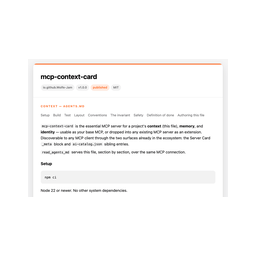
read_agents_md, author_agents_md, list_agents_md_sections.
Feature & specification comparison
Rows where the two servers differ are marked.
| Spec | ||
|---|---|---|
| Category | Knowledge & Memory | Knowledge & Memory |
| Quality signal | 68/100 · Great | 64/100 · Good |
| Install command | Confirmed | Confirmed |
| Transport | Local subprocess (stdio) | Local subprocess (stdio) |
| Auth | No auth required | No auth required |
| Pricing | Free | Free |
| Required env vars | None listed | None listed |
| Verified owner | Community listing | Community listing |
| GitHub stars | 373 | 3 |
| Directory activity | 6 views 0 installs 0 upvotes | 0 views 0 installs 0 upvotes |
| Tools | 5 | 10 |
| Full listing | View AgentRecall | View MCP Context Card |
Tools & capabilities
AgentRecall tools 5
session_startLoads corrections, insights and `watch_for` warnings for the projectrememberSaves one fact; auto-routes to journal / palace room / corrections / awarenessrecallRanked search across every store (RRF), with `useful` feedback that re-weights future rankingcheckMatches the plan against known corrections; returns `verdict: "blocked"` when one overrides itsession_endWrites the journal, promotes insights, records trajectory, optionally opens/closes a pipeline phase
MCP Context Card tools 10
read_agents_mdReturn this project's AGENTS.md — the whole file, or one section by heading. The instructions a client would otherwise have to know to look for and read wholesale.author_agents_mdAuthor an AGENTS.md for this project and return the draft — BETTER from repo facts alone (via agents-md-facts: real build/test commands, entry points, toolchain conventions, nothing invented), or BEST when a project.faf exists (facts plus its structured goal/who/why as a second managed block ahead of them). Does not write a file.list_agents_md_sectionsList the headings in this project's AGENTS.md, so a client can pull one section instead of spending context on the whole file.rememberPersist a fact past the session boundary — written to a .fafm file, not held in memory. Reusing an existing id replaces that fact's text in place (no duplicate); a new id appends. Facts are written verification_status: unverified.recallRetrieve a fact stored in a previous session by id. Exact lookup — not fuzzy or substring.forgetRemove a fact by id — to correct or drop something stale. A missing id is reported, not an error.whoamiThis server's own identity — name, vendor, version, status, license — from its .fafa card.list_context_sourcesWhat context does this project publish (AGENTS.md, memory, identity), in what media types, and through which discovery surface. For a client connecting cold.render_context_cardRender the project's business card as one self-contained HTML page a person can read or screenshot. Front: name, title, one-liner. Flip it for the back: About, Skills (when the .fafa lists any), Context (AGENTS.md), Memory, Discovery. layout:"portrait" for the tall view; expanded:true renders both faces flat with every section open. Also served at GET /card (?expand=all) over the HTTP transport.save_context_cardWrite the context card to context-card.html in the project and, when this server runs locally, open it in the person's browser. Returns the card as Markdown (identity, AGENTS.md sections, memory, discovery) plus a clickable link to the saved file. Use this instead of pasting render_context_card's HTML into a chat that can't display it. Replaces any earlier context-card.html.
Ready-to-paste client configs
Paste either block (or both) into your client config, e.g. claude_desktop_config.json or ~/.cursor/mcp.json. We only show a config when the install command is confirmed.
AgentRecall
{
  "mcpServers": {
    "goldentrii-agentrecall": {
      "command": "npx",
      "args": [
        "-y",
        "agent-recall-mcp"
      ]
    }
  }
}
MCP Context Card
{
  "mcpServers": {
    "mcp-context-card": {
      "command": "npx",
      "args": [
        "-y",
        "mcp-context-card"
      ]
    }
  }
}
Frequently asked questions
AgentRecall is categorized under Knowledge & Memory and uses a local stdio subprocess. MCP Context Card belongs to Knowledge & Memory and uses a local stdio subprocess. Pick AgentRecall for knowledge & memory work and MCP Context Card for knowledge & memory.
Copy the mcpServers block from the config section on this page into your client's config (for example claude_desktop_config.json or ~/.cursor/mcp.json), then fully restart the client.
AgentRecall is listed as free. Auth: no auth required. MCP Context Card is listed as free. Auth: no auth required. If a server needs environment variables such as API keys, define them under the env key in your client's MCP config.
Yes. MCP clients support multiple servers: add goldentrii-agentrecall and mcp-context-card as separate keys in the same mcpServers object, and your assistant will call tools from either one.
On AllMCPs, AgentRecall has a quality signal of 68/100 (Great) with 6 views, 0 installs and 373 GitHub stars. MCP Context Card has 64/100 (Good) with 0 views, 0 installs and 3 GitHub stars.