Generate dotted-globe maps, share URLs, and embed snippets from chat.
Quick Install
Automated & IDE SetupCopy the AI prompt to install this server into Claude Code, Cursor, or another agent — or use 1-click editor setup below.
One-click editor setup isn’t available for this listing yet — we don’t have a confirmed install command, and we’d rather show nothing than point your editor at the wrong package or host. Follow the project’s own setup instructions, linked above.
Manual Client & Custom JSON ConfigExpand JSON ▾
No confirmed setup config for this listing yet. We only publish a config block when the install details come from the project itself — its README, its docs, or a verified owner. We haven’t found those for Globestudio, and we’d rather show nothing than a guess you’d paste into your client. Follow the project’s own setup instructions for the current steps.
Documentation Overview
Globestudio
Open-source dotted maps and animated 3D globes for designers, animators, and creative developers.
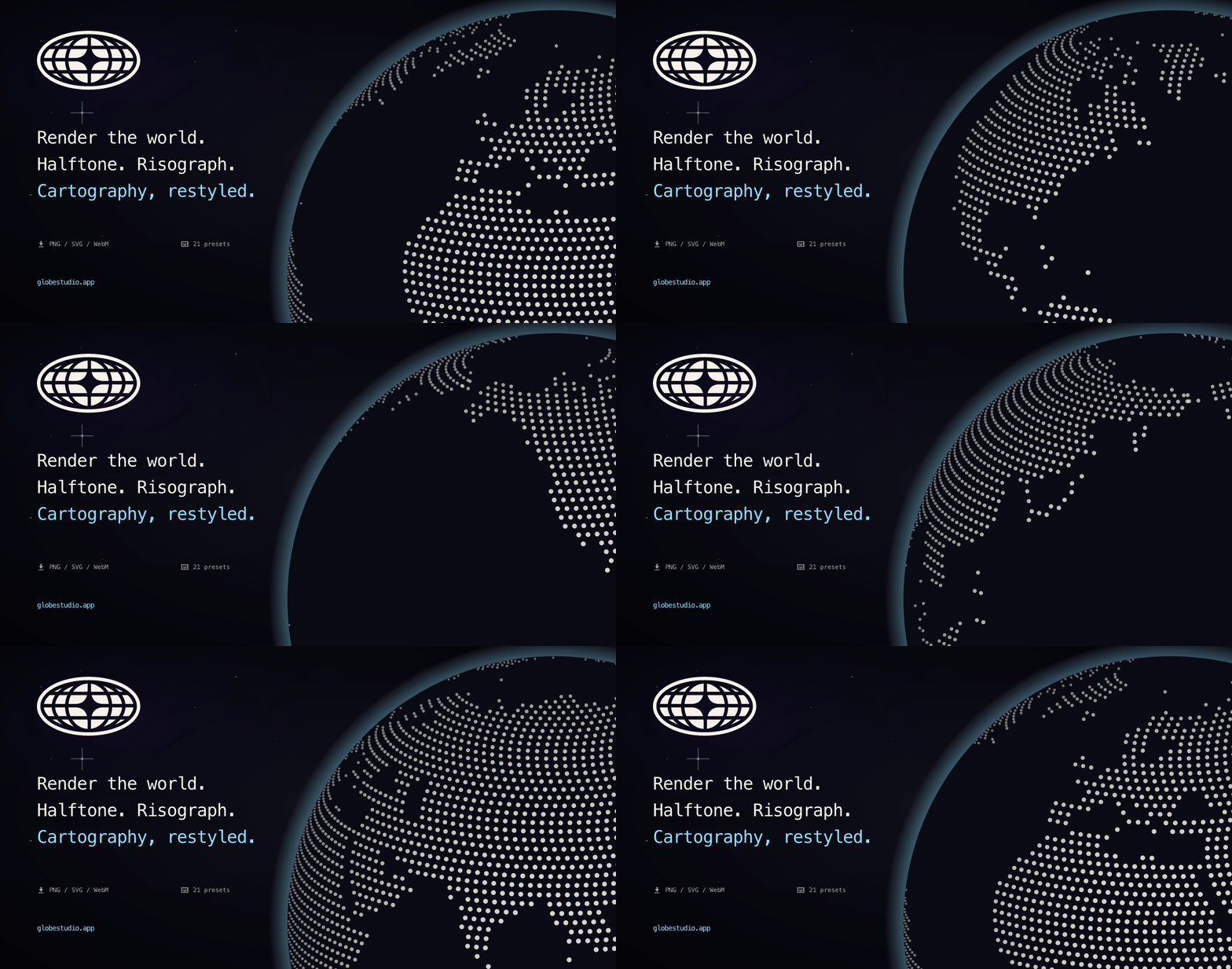
Pick a country or the whole world, customize dots and shapes, apply shader effects, and export PNG, SVG, WebM, MP4, or GIF. Built on React + Three.js.
globestudio.app · Live demos · Roadmap · Discussions


Why Globestudio?
Most open-source map tooling is built for engineers — tile servers, geocoding, GIS data pipelines. Globestudio is built for the other half of the stack: the landing-page hero shot, the launch teaser, the explainer scrollytell, the deck slide that needs a globe but not a database.
Think of it as a Shader Lab for maps and globes — a designer-first canvas with presets, effects, motion, and clean exports. Composable, web-native, and yours to remix.
Features
- 🌍 Maps for any scope — world, country, continent, subregion, US state
- 🔄 Flat ↔ 3D globe — same dot data, two views, smooth morph
- 🎨 12 dot shapes + custom upload — Circle · Hexagon · Triangle · Pentagon · Square · Diamond · Star · Plus · Ring · Voxel · Particle Grid · ASCII glyphs · your own SVG/PNG
- 🪄 21 shader looks: Halftone, Risograph, Newsprint, Aurora, Pixel, Bayer, Atkinson, Wireframe, CRT, Glitch, Bad TV, Bloom, Metal, Iridescent, Pencil, Corrupt, Toon, Threshold, Vapor, Topographic, plus the base Default. Each look applies at most one shader pass and works with any shape, color, or selection.
- 🌈 Gradients + alpha on dot color, land fill, and country stroke
- ✨ Live animations — rotation, twinkle, size jitter, network arcs,
motion-aware (respects
prefers-reduced-motion) - 🎛️ 21 curated presets — every shader look is a one-click preset with
matching backgrounds, density, dot size, and globe chrome. Shareable
URLs at
/looks/:id. - 💾 Real exports: PNG at 1x to 4x (WebGL re-render); SVG with clean vector dots (6 effects approximated with SVG filters; the full shader look needs PNG or video); WebM, MP4, and GIF video; JSON config
- ⌨️ Full keyboard system —
Sshuffle,[/]cycle presets,Dexport,Rreset,Gtoggle view,Htoggle panel,?help - ♿ Accessibility: built to WCAG 2.2 AA and self-audited. Keyboard-first,
a screen-reader proxy DOM for canvas state, reduced-motion support. Known
gaps are listed in
ACCESSIBILITY.md
Quickstart
Use it
The live tool runs entirely client-side:
Pick a country, tweak the look, export.
Run it locally
Requires Node 20.19+ (or 22.12+) and npm.
Open http://127.0.0.1:5173/ and the studio loads. To preview the pre-launch
waitlist teaser instead, run VITE_TEASER=1 npm run dev; deploys set
VITE_TEASER=0 (1 = teaser).
Build it
Embed it anywhere
Globestudio ships several embed paths; pick whichever fits the tool:
One-line script tag (Recommended)
~3kb gzipped, zero dependencies, works in Webflow / Squarespace / blog
posts / anywhere HTML is allowed. Every embed param has a matching
data-* attribute. Watches the DOM for later-added elements via
MutationObserver, so SPAs and dynamic content work too.
Plain iframe
Resize-aware via postMessage — listen for
{ type: "globestudio-resize", height } from the embed and resize the
iframe to match. WebGL required; falls back to a still preview + a
"how to enable WebGL" panel if the GL context can't be created.
React component or web component
Both are thin wrappers over the same /embed route, so every look works in
both. Setup and props: packages/react and
packages/web-component.
Embed parameters
The canonical parameter table. Every query param the /embed route honors,
as parsed in src/components/embed-view.jsx:
| Param | Type / range | Default | What it does |
|---|---|---|---|
look | preset id (one of the 21 looks) | default | Base look preset — params below override it |
selection | world · country:<ISO3> · continent:<Name> · subregion:<Name> | world | What geography to draw |
density | number, 1–90 | 40 | Dot grid density (invalid values fall back to the preset's) |
dotSize | number, 0.1–25 | 10 | Dot size (invalid values fall back to the preset's) |
dotColor | hex, # optional | preset's | Dot color |
worldFill | hex, # optional | preset's | Land fill color |
renderMode | dots · solid | preset's | Dot field or solid landmass |
motion | number, 0–100 | 35 | Parsed but currently inert — reserved, no effect yet |
tiltX | number, −45 to 45 | 0 | Camera tilt, degrees |
tiltY | number, −45 to 45 | 0 | Camera tilt, degrees |
autoSpin | 1 · 0 | 1 | Auto-rotate the globe |
static | 1 · 0 | 0 | Freeze all motion (static previews in design-tool canvases) |
view | globe · flat | globe | 3D globe or flat map |
background | hex, # optional, or transparent | unset | Page background behind the canvas (only painted when set). transparent is the same as transparent=1 |
theme | dark · light | dark | Globe chrome palette — light reads cleanly on light host pages |
transparent | 1 · 0 | 0 | See-through document, composites onto the host page |
plugin | figma | unset | Figma plugin shell: Look, Country or region, Density and View (Globe or Flat) pickers above an Insert button. Globe inserts a PNG; Flat inserts editable vectors, or a PNG past 2,500 dots or with the solid Bloom look |
source | string | embed | Analytics tag, echoed in resize postMessages |
c | URL-encoded config JSON | unset | Full share-config payload (what the Share dialog produces) — overrides the preset and the params above |
A JSON Schema for the c payload lives at
/schema/config.json.
Per-tool integration guides live at globestudio.app/integrations: copy-paste setups for Webflow, Framer, Figma, Notion, plain HTML, React, and WordPress, where Globestudio works via a Custom HTML embed. In this repo: Figma plugin · WordPress block (manual install; the wordpress.org listing comes after launch) · Framer component · embed snippet
Reading material: How to make a dotted world map in 2026 · All articles →
Use it from AI tools (MCP)
Globestudio runs a hosted Model Context Protocol
server at https://globestudio.app/mcp (streamable HTTP, nothing to
install, no account). Claude, Codex, Cursor and any MCP client can list looks,
build share URLs, read a share link you paste (read_share_url) and grab embed
snippets straight from a chat.
| Client | Connect |
|---|---|
| Claude app (claude.ai, Desktop) | Customize, Connectors, then + and Add custom connector. Paste the URL. |
| Claude Code | claude mcp add --transport http globestudio https://globestudio.app/mcp |
| Codex | codex mcp add globestudio --url https://globestudio.app/mcp |
| Cursor | In ~/.cursor/mcp.json: { "mcpServers": { "globestudio": { "url": "https://globestudio.app/mcp" } } } |
The same tools run locally over stdio:
claude mcp add globestudio -- npx -y @globestudio/mcp.
No MCP client? The Share tab of the export dialog has Copy for AI: a prompt with your share link, its settings and what an agent can do with it, ready to paste into any chat. The same tab has the connect line for each client.
Full tool list and setup in packages/mcp/README.md.
What you can build with it
| Use case | What it gives you |
|---|---|
| Landing page hero | A live animated globe behind your headline. Export PNG for a still, MP4 or WebM for video. |
| Launch teaser | Animated dot map of where your users are. MP4 or GIF ready for X/LinkedIn. |
| Deck visuals | Per-country SVGs that drop straight into Keynote, Figma, or print layouts. |
| Data story | Hand-picked region + dot palette for a feature, blog post, or report. |
| Brand system | A consistent dotted-globe mark across your site, app, and docs. |
| Stream / podcast graphic | Looping WebM background with the CRT or Glitch preset. |
Runnable examples
Related MCP Servers
Reviews
No reviews yet — be the first to share how this listing worked for you.
Frequently Asked Questions about Globestudio
AllMCPs Directory Badge
Showcase your server listing on GitHub or your project documentation. Embed this dynamic SVG badge to highlight official listing status and live engagement.
Badge Style:
Live Dynamic SVG Preview
Markdown (GitHub README)
[](https://allmcps.com/mcp/globestudio)HTML Embed
<a href="https://allmcps.com/mcp/globestudio"><img src="https://allmcps.com/api/badge/globestudio?style=directory" alt="Globestudio on AllMCPs" /></a>