GitDiagram vs MCP Server Azure Devops
A side-by-side look at the GitDiagram and MCP Server Azure Devops MCP servers: transport, auth, tools, quality signals, and the config to install either one in Claude, Cursor, Windsurf or VS Code.
Verdict: choose GitDiagram for version control work over a hosted endpoint; choose MCP Server Azure Devops for version control as a local process. You can also run both side by side in one mcpServers block.
Which MCP server should you choose?
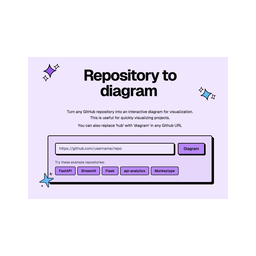 Choose GitDiagram when
- You need dedicated capabilities in the Version Control domain.
- You prefer a remote HTTP/SSE transport.
- You have the keys it needs:
ANTHROPIC_API_KEY, OPENAI_API_KEY, OPENROUTER_API_KEY. - You want tools like
get_repository_diagram, find_repository_diagrams, get_explainer_video.
 Choose MCP Server Azure Devops when
- You need dedicated capabilities in the Version Control domain.
- You prefer a local stdio subprocess transport.
- Its auth model fits you: other.
- You have the keys it needs:
AZURE_DEVOPS_ORG_URL, AZURE_DEVOPS_AUTH_METHOD, AZURE_DEVOPS_PAT, AZURE_DEVOPS_DEFAULT_PROJECT, AZURE_DEVOPS_API_VERSION, AZURE_TENANT_ID, AZURE_CLIENT_ID, AZURE_CLIENT_SECRET. - You want tools like
get_me, list_organizations, list_projects.
Feature & specification comparison
Rows where the two servers differ are marked.
| Spec | ||
|---|---|---|
| Category | Version Control | Version Control |
| Quality signal | 65/100 · Great | 67/100 · Great |
| Install command | Confirmed | Confirmed |
| Transport | Remote HTTP/SSE | Local subprocess (stdio) |
| Auth | Not declared | other |
| Pricing | Not declared | Free |
| Required env vars | ANTHROPIC_API_KEYOPENAI_API_KEYOPENROUTER_API_KEY | AZURE_DEVOPS_ORG_URLAZURE_DEVOPS_AUTH_METHODAZURE_DEVOPS_PATAZURE_DEVOPS_DEFAULT_PROJECTAZURE_DEVOPS_API_VERSIONAZURE_TENANT_IDAZURE_CLIENT_IDAZURE_CLIENT_SECRET |
| Verified owner | Community listing | Community listing |
| GitHub stars | 18,814 | 399 |
| Directory activity | 8 views 0 installs 0 upvotes | 7 views 0 installs 0 upvotes |
| Tools | 3 | 33 |
| Full listing | View GitDiagram | View MCP Server Azure Devops |
Tools & capabilities
GitDiagram tools 3
get_repository_diagramGet the architecture of a public GitHub repository from GitDiagram (gitdiagram.com): a written explanation of how the codebase is organized, its main components with the source paths they live in, how those components connect, and a Mermaid flowchart of the whole system, plus a link to the interactive diagram, where every component opens its code on GitHub. Use it whenever the user wants to understand, visualize, map or explain a GitHub repository's or open-source project's architecture, structure, main modules or data flow, wants an overview before reading unfamiliar code, or asks for an architecture or system diagram of a repo. Read-only and fast: it returns the diagram GitDiagram has already made. If none exists yet, it returns a link that makes one when opened in a browser. Public repositories only. In chat apps that show interactive views, the result also appears as a zoomable diagram whose components open their code on GitHub.find_repository_diagramsSearch GitDiagram's library of ready-made architecture diagrams of public GitHub repositories by owner or repository name. Matches any part of "owner/repo" (e.g. "langchain", "vercel/", "react-native") and returns up to 10 repositories, most-starred first, each with its interactive diagram link. Use it to find a project's exact owner/repo from its name, or to list which repositories of an owner or topic already have diagrams. It searches repository names only, not code or file contents.get_explainer_videoGet GitDiagram's narrated explainer video of a public GitHub repository, if one has been made: the link to watch and share it, its title and length, and the full narration transcript, a plain-language walkthrough of what the project is for, what people do with it and how its main parts fit together. Use it when the user wants a video about a repository, something to watch or share instead of read, or a short spoken-style summary of a project. Read-only: it never makes a video; when none exists it says so and links the page where one can be made.
MCP Server Azure Devops tools 33
get_meGet details of the authenticated user (id, displayName, email) (Azure DevOps Services only)list_organizationsList all accessible organizations (Azure DevOps Services only)list_projectsList all projects in an organizationget_projectGet details of a specific projectget_project_detailsGet comprehensive details of a project including process, work item types, and teamslist_repositoriesList all repositories in a projectget_repositoryGet details of a specific repositoryget_repository_detailsGet detailed information about a repository including statistics and refsget_file_contentGet content of a file or directory from a repositoryget_repository_treeList a repository's file tree from any path and depthcreate_branchCreate a new branch from an existing onecreate_commitCommit multiple file changes to a branch using unified diffs or search/replace instructions- +21 more on the listing page
Ready-to-paste client configs
Paste either block (or both) into your client config, e.g. claude_desktop_config.json or ~/.cursor/mcp.json. We only show a config when the install command is confirmed.
GitDiagram
{
  "mcpServers": {
    "gitdiagram": {
      "url": "https://gitdiagram.com/mcp"
    }
  }
}
MCP Server Azure Devops
{
  "mcpServers": {
    "tiberriver256-mcp-server-azure-devops": {
      "command": "npx",
      "args": [
        "-y",
        "@tiberriver256/mcp-server-azure-devops"
      ],
      "env": {
        "AZURE_DEVOPS_ORG_URL": "YOUR_AZURE_DEVOPS_ORG_URL_HERE",
        "AZURE_DEVOPS_AUTH_METHOD": "YOUR_AZURE_DEVOPS_AUTH_METHOD_HERE",
        "AZURE_DEVOPS_PAT": "YOUR_AZURE_DEVOPS_PAT_HERE",
        "AZURE_DEVOPS_DEFAULT_PROJECT": "YOUR_AZURE_DEVOPS_DEFAULT_PROJECT_HERE",
        "AZURE_DEVOPS_API_VERSION": "YOUR_AZURE_DEVOPS_API_VERSION_HERE",
        "AZURE_TENANT_ID": "YOUR_AZURE_TENANT_ID_HERE",
        "AZURE_CLIENT_ID": "YOUR_AZURE_CLIENT_ID_HERE",
        "AZURE_CLIENT_SECRET": "YOUR_AZURE_CLIENT_SECRET_HERE"
      }
    }
  }
}
Frequently asked questions
GitDiagram is categorized under Version Control and uses a remote HTTP/SSE transport. MCP Server Azure Devops belongs to Version Control and uses a local stdio subprocess. Pick GitDiagram for version control work and MCP Server Azure Devops for version control.
Copy the mcpServers block from the config section on this page into your client's config (for example claude_desktop_config.json or ~/.cursor/mcp.json), then fully restart the client.
GitDiagram has no declared pricing — check the project's own site. MCP Server Azure Devops is listed as free. Auth: other. If a server needs environment variables such as API keys, define them under the env key in your client's MCP config.
Yes. MCP clients support multiple servers: add gitdiagram and tiberriver256-mcp-server-azure-devops as separate keys in the same mcpServers object, and your assistant will call tools from either one.
On AllMCPs, GitDiagram has a quality signal of 65/100 (Great) with 8 views, 0 installs and 18,814 GitHub stars. MCP Server Azure Devops has 67/100 (Great) with 7 views, 0 installs and 399 GitHub stars.