AllMCPs
BrowseBestCategoriesStackCompareToolsGuidesBlog
Log in Submit MCP

Stay in the loop

Get new MCP servers and top picks in your inbox.

AllMCPs

The open directory for discovering and installing Model Context Protocol servers.

Launched onTiny Startupstinystartups.com
Explore
  • Browse servers
  • Best MCP servers
  • Categories
  • MCP clients
  • Agent prompts
  • Stack Builder
  • Compare servers
  • Random discovery New
  • Submit a server
  • Pricing & Boost Boost
Learn
  • Guides hub
  • What is MCP?
  • Install guide
  • Build an MCP server
  • Deploy an MCP server
  • Security guide
  • Troubleshooting
  • MCP for SEO & AEO
  • Protocol versioning
  • Blog & updates
Tools
  • All developer tools
  • Config generator
  • Config validator
  • Config auditor
  • MCP playground
  • Token calculator
  • OpenAPI β†’ MCP
  • Badge generator
For agents
  • REST API docs
  • Trust & traffic Live
  • Remote MCP server SSE β†— (opens in a new tab)
  • llms.txt β†— (opens in a new tab)
  • Catalog JSON β†— (opens in a new tab)
Company
  • About
  • Advertise Sponsor
  • Contact
  • X (@AllMCPs) β†— (opens in a new tab)
  • GitHub β†— (opens in a new tab)
  • Terms
  • Privacy
AllMCPs VerifiedAllMCPs VerifiedFeatured on Nick LaunchesFeatured on Nick LaunchesLaunch Llama NewsletterLaunch Llama NewsletterVerified DR - allmcps.comVerified DR - allmcps.comFeatured on SaaSGrowFeatured on SaaSGrowFeatured on Twelve ToolsFeatured on Twelve ToolsFeatured on Saaspa.geFeatured on Saaspa.geFeatured on Findly.toolsFeatured on Findly.toolsFeatured on Startup FameFeatured on Startup FameFeatured on LaunchKiwiFeatured on LaunchKiwiFeatured on ScrollLaunchFeatured on ScrollLaunchFeatured on DailyPingsFeatured on DailyPingsFazier badgeFazier badgeFeatured on NewTool.siteFeatured on NewTool.siteFeatured on saasfame.comFeatured on saasfame.comDR Checker - Domain RatingDR Checker - Domain RatingListed on Turbo0Listed on Turbo0Launched on LaunchBoard - Product Launch PlatformLaunched on LaunchBoard - Product Launch PlatformList on SimilarlabsList on Similarlabshttps://codetrendy.comhttps://codetrendy.comListed on DevTool.ioFeatured on BuildlistFeatured on BuildlistLaunched on Tiny StartupsFeatured on ShowMeBestAIFeatured on ShowMeBestAIFind us on LaunchZoneFind us on LaunchZoneAllMCPs VerifiedAllMCPs VerifiedFeatured on Nick LaunchesFeatured on Nick LaunchesLaunch Llama NewsletterLaunch Llama NewsletterVerified DR - allmcps.comVerified DR - allmcps.comFeatured on SaaSGrowFeatured on SaaSGrowFeatured on Twelve ToolsFeatured on Twelve ToolsFeatured on Saaspa.geFeatured on Saaspa.geFeatured on Findly.toolsFeatured on Findly.toolsFeatured on Startup FameFeatured on Startup FameFeatured on LaunchKiwiFeatured on LaunchKiwiFeatured on ScrollLaunchFeatured on ScrollLaunchFeatured on DailyPingsFeatured on DailyPingsFazier badgeFazier badgeFeatured on NewTool.siteFeatured on NewTool.siteFeatured on saasfame.comFeatured on saasfame.comDR Checker - Domain RatingDR Checker - Domain RatingListed on Turbo0Listed on Turbo0Launched on LaunchBoard - Product Launch PlatformLaunched on LaunchBoard - Product Launch PlatformList on SimilarlabsList on Similarlabshttps://codetrendy.comhttps://codetrendy.comListed on DevTool.ioFeatured on BuildlistFeatured on BuildlistLaunched on Tiny StartupsFeatured on ShowMeBestAIFeatured on ShowMeBestAIFind us on LaunchZoneFind us on LaunchZone
Β© 2026 Jackalope Digital LLC. All rights reserved.
  1. Home
  2. Developer Tools
  3. Ghost Publisher
Ghost Publisher logo
Health: ActiveRecent health check succeeded.Last checked 8/27/2026, 4:32:48 AM

Ghost Publisher

User RatingsBe the first to rate and review this MCP server! Enrichment pendingWe haven’t run our AI enrichment pass on this listing yet, so the overview, use cases, and FAQ below may be sparse or missing. We work through the catalog over time β€” check back soon.
View RepositoryVisit Website

Local-first MCP server for safe Ghost authoring, diagnostics, scheduling, and publishing.

Quick Install

Automated & IDE Setup

Copy the AI prompt to install this server into Claude Code, Cursor, or another agent β€” or use 1-click editor setup below.

Add to CursorAdd to VS Code
Not yet automatically verified

We haven't yet run this listing's install command through our automated sandbox check. This isn't a red flag β€” we're steadily working through the catalog.

Manual Client & Custom JSON ConfigExpand JSON β–Ύ

Client Config & Setup

Choose your client or environment
Target File:~/Library/Application Support/Claude/claude_desktop_config.json
claude_desktop_config.json
{
  "mcpServers": {
    "ghost-publisher-2": {
      "command": "npx",
      "args": [
        "-y",
        "ghost-publisher-mcp@latest"
      ]
    }
  }
}

πŸ’‘ Paste the JSON block into your client's configuration file under mcpServers, then restart the application.

Install Directory Badge Claim listing AlternativesπŸ’» More in Developer Tools

Documentation Overview

Ghost Publisher MCP

Write with your AI. Publish safely to Ghost.

npm version npm downloads GitHub release CI

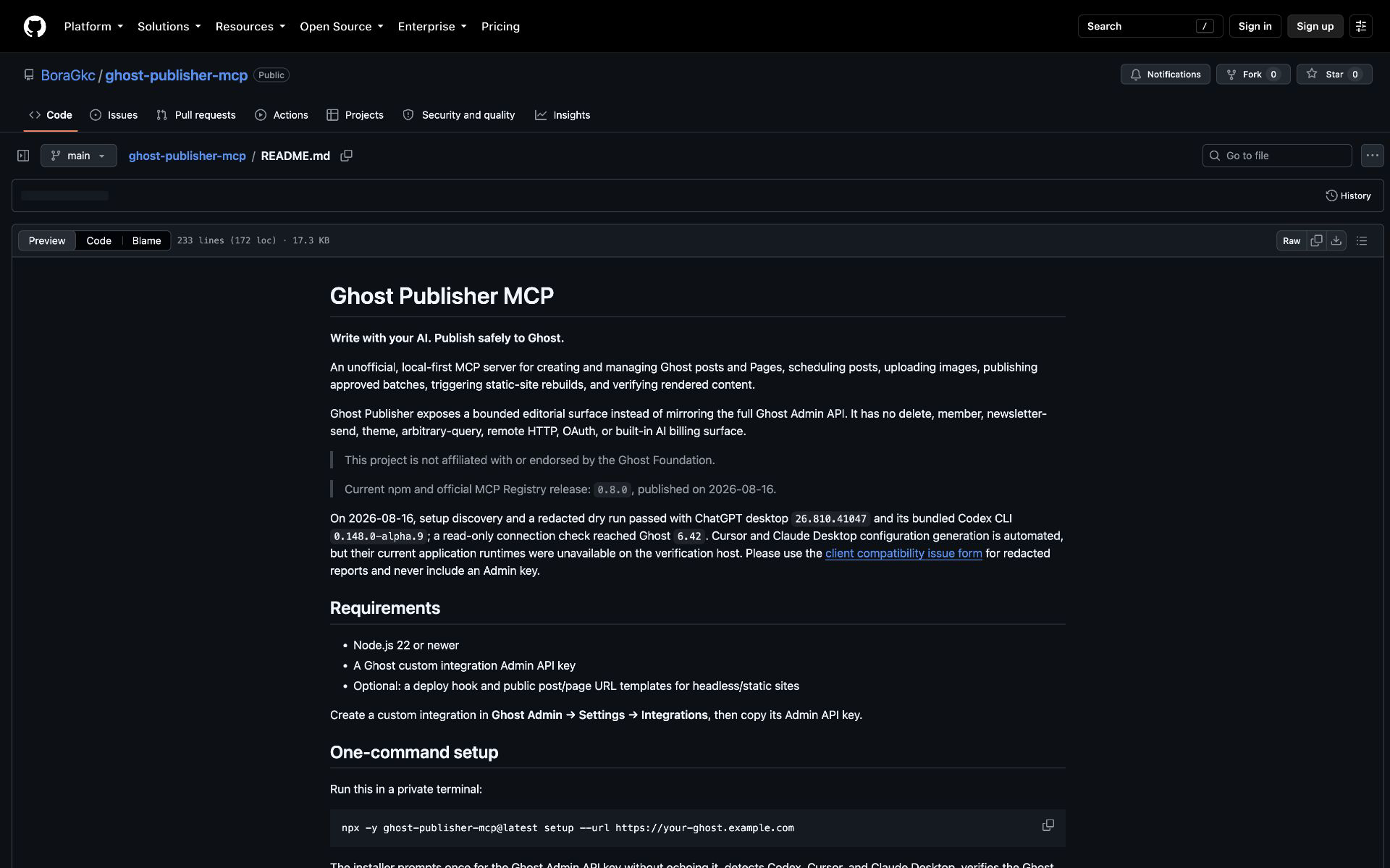
An unofficial, local-first MCP server for creating and managing Ghost posts and Pages, diagnosing publication readiness, scheduling posts, uploading images, publishing approved batches, triggering static-site rebuilds, and verifying rendered content.

Ghost Publisher exposes a bounded editorial surface instead of mirroring the full Ghost Admin API. It has no delete, member, newsletter-send, theme, arbitrary-query, remote HTTP, OAuth, or built-in AI billing surface.

Ghost Publisher is maintained by BlogFactoryHQ and works independently. BlogFactory is the separate multi-site, draft-only control plane; Ghost Publisher is the local Ghost-specific server for separately approved scheduling and publishing. Installing one does not install or authorize the other.

Read the official overview and installation guide.

This project is not affiliated with or endorsed by the Ghost Foundation.

Current npm and official MCP Registry release: 0.10.1, published on 2026-08-25.

On 2026-08-16, setup discovery and a redacted dry run passed with ChatGPT desktop 26.810.41047 and its bundled Codex CLI 0.148.0-alpha.9; a read-only connection check reached Ghost 6.42. Cursor and Claude Desktop configuration generation is automated, but their current application runtimes were unavailable on the verification host. Please use the client compatibility issue form for redacted reports and never include an Admin key.

Proven in a daily publishing workflow

Ortak Alan uses Ghost Publisher in its maintainer-operated daily workflow across a 336-piece public archive. The team creates drafts, corrects metadata, uploads images, publishes approved batches, deploys once, and verifies the live resultβ€”at a reported cadence of five to six posts a day.

The manual version of that path took roughly 30 minutes per post. The operator now completes reviewed batches in minutes without dropping draft-first creation or public-result checks. During this publishing period, Search Console recorded 652 clicks and 65,000 impressions over three months; its latest captured 28-day view showed 500 clicks (+294%) and 51,900 impressions (+369%). This is operational outcome evidence, not a claim that this MCP alone caused organic growth. Read the full Ortak Alan case study.

Requirements

  • Node.js 22 or newer
  • A Ghost custom integration Admin API key
  • Optional: a deploy hook and public post/page URL templates for headless/static sites

Create a custom integration in Ghost Admin β†’ Settings β†’ Integrations, then copy its Admin API key.

One-command setup

Watch the silent 60-second setup tour (4K, 60 fps).
Ghost Publisher one-command setup

Run this in a private terminal:

Terminal
npx -y ghost-publisher-mcp@latest setup --url https://your-ghost.example.com

The installer prompts once for the Ghost Admin API key without echoing it, detects Codex, Cursor, and Claude Desktop, verifies the Ghost connection without writing content, shows a redacted plan, and asks before changing client configuration. On macOS it detects apps in the system or user Applications folder; if Codex is not on PATH, it automatically uses the CLI bundled with the Codex or ChatGPT desktop app. Generated entries pin the exact package version that ran setup, preventing surprise upgrades.

For CI or automation, inject the key into an environment variable through the platform's secret manager rather than typing it into the command or passing it as an argument:

Terminal
npx -y ghost-publisher-mcp@0.10.1 setup \
  --url https://your-ghost.example.com \
  --client codex \
  --key-env GHOST_SETUP_KEY \
  --yes
unset GHOST_SETUP_KEY

Use --permission read-only|draft-editor|scheduler|publisher to enforce a capability profile. --read-only remains an alias for --permission read-only; the two options cannot be combined. Use --dry-run to preview a fully redacted plan. Existing entries are preserved unless --replace is supplied. The Admin key is stored in each selected client's local user configuration; setup refuses symlinked configurations.

Ghost Publisher runs locally so the Ghost Admin key is not entrusted to another hosted service. An OpenSEO-style hosted connection would require a separately threat-modeled credential service and remains on the future roadmap.

Manual client configuration

Use these only when you do not want the installer to update the local client configuration. Keep the file containing your Ghost Admin key private and restart the client after editing it.

Codex

Add this to your user-level Codex configuration:

toml
[mcp_servers.ghost-publisher]
command = "npx"
args = ["-y", "ghost-publisher-mcp@0.10.1"]
env = { GHOST_URL = "https://your-ghost.example.com", GHOST_ADMIN_API_KEY = "your_id:your_secret", GHOST_PERMISSION_PROFILE = "publisher", GHOST_UPLOAD_ROOTS = "/absolute/path/to/blog-assets", GHOST_DEPLOY_HOOK_URL = "https://your-host.example.com/deploy-hook", GHOST_PUBLIC_POST_URL_TEMPLATE = "https://your-site.example.com/posts/{slug}", GHOST_PUBLIC_PAGE_URL_TEMPLATE = "https://your-site.example.com/{slug}" }

Keep this user-level file private and do not commit it. Setup uses the user-level client locations only; advanced settings remain manual.

Claude Desktop

Add this server entry to Claude Desktop's MCP JSON configuration:

config.json
{
  "mcpServers": {
    "ghost-publisher": {
      "command": "npx",
      "args": ["-y", "ghost-publisher-mcp@0.10.1"],
      "env": {
        "GHOST_URL": "https://your-ghost.example.com",
        "GHOST_ADMIN_API_KEY": "your_id:your_secret",
        "GHOST_PERMISSION_PROFILE": "publisher",
        "GHOST_UPLOAD_ROOTS": "/absolute/path/to/blog-assets",
        "GHOST_PUBLIC_PAGE_URL_TEMPLATE": "https://your-site.example.com/{slug}"
      }
    }
  }
}

Cursor

Add this server entry to Cursor's MCP JSON configuration:

config.json
{
  "mcpServers": {
    "ghost-publisher": {
      "command": "npx",
      "args": ["-y", "ghost-publisher-mcp@0.10.1"],
      "env": {
        "GHOST_URL": "https://your-ghost.example.com",
        "GHOST_ADMIN_API_KEY": "your_id:your_secret",
        "GHOST_PERMISSION_PROFILE": "publisher"
      }
    }
  }
}

For a cautious first connection, use GHOST_PERMISSION_PROFILE=read-only; change it only when you are ready to create drafts or publish.

Security and credentials

  • Ghost Publisher runs as a local stdio process. Your Ghost Admin key remains in your local MCP client configuration and is never sent to a Ghost Publisher-hosted service.
  • Do not paste keys into chats, issues, shell arguments, commits, screenshots, or forum posts. Use the interactive installer or your client’s local secret/configuration store.
  • Draft creation is always draft-only. Publishing, scheduling, applying a change set, unpublishing, and deployment require a separate explicit confirmation.
  • Start with the read-only permission profile and grant draft-editor, scheduler, or publisher only for the workflow you need.

See the client compatibility issue form for a redacted report template.

Direct comparison

Ghost Publisher is the narrow, approval-gated option. The alternatives below intentionally expose broader Ghost administration or richer authoring surfaces; choose that breadth when you need it. The comparison reflects each project's public README on 2026-08-16.

Read the full README on GitHub β†’

Related MCP Servers

View all in Developer Tools View all alternatives
  • BLEA logoBLEA

    Safe BLE diagnostics, evidence workflows, and guarded automation for AI agents.

    πŸ’» Developer Tools1 views
    Compare vs BLEA β†’
  • PraisonAI logoPraisonAI

    AI Agents Framework with Self Reflection and MCP support

    πŸ’» Developer Tools1 views
    Compare vs PraisonAI β†’
  • Labelhead Artist Momentum logoLabelhead Artist Momentum

    Trending hip-hop artist momentum scores across four cultural dimensions.

    πŸ’» Developer Tools0 views
    Compare vs Labelhead Artist Momentum β†’
  • Openflowkit MCP logoOpenflowkit MCP

    Local-first OpenFlowKit diagramming tools for Claude, Cursor, Windsurf & other MCP clients.

    πŸ’» Developer Tools0 views
    Compare vs Openflowkit MCP β†’

Reviews

No reviews yet β€” be the first to share how this listing worked for you.

Frequently Asked Questions about Ghost Publisher

Add the following block to your claude_desktop_config.json under mcpServers: "mcpServers": { "ghost-publisher": { "command": "npx", "args": ["-y", "ghost-publisher"] } }

AllMCPs Directory Badge

Full Badge Customizer

Showcase your server listing on GitHub or your project documentation. Embed this dynamic SVG badge to highlight official listing status and live engagement.

Badge Style:
Live Dynamic SVG PreviewGhost Publisher AllMCPs Directory Badge

Markdown (GitHub README)
[![AllMCPs](https://allmcps.com/api/badge/ghost-publisher-2?style=directory)](https://allmcps.com/mcp/ghost-publisher-2)
HTML Embed
<a href="https://allmcps.com/mcp/ghost-publisher-2"><img src="https://allmcps.com/api/badge/ghost-publisher-2?style=directory" alt="Ghost Publisher on AllMCPs" /></a>

Technical Specs & Signals

CategoryπŸ’»Developer Tools
More technical detailsExpand β–Ύ
TransportSTDIO
RuntimeNode.js
Views0
Unique ViewsTotal visits recorded for this listing page on AllMCPs.
Installs0
Installs & Copy ActionsTotal times users copied install commands or configuration snippets for this server.
GitHub stars0
GitHub Star CountTotal stargazers on GitHub representing community popularity (0 stars).
36Quality signal: Fair Β· 36/100How this signal is calculated β–Ύ
Server availabilityNot measured

Not scored for repo-hosted servers β€” we can't reach the running server, only its GitHub page. Hosted MCP endpoints are health-checked live.

Verified ownership10/20
Documentation & tools16/30
Adoption & activity1/15
Community engagement0/10

A guidance signal from public completeness & health data β€” not a user rating. New listings start lower and rise as they add docs, get verified, and grow adoption. Signals we can't observe for a listing are skipped, not counted against it.

β˜… Spotlight Slot

Feature Your MCP Server

Get maximum visibility for your server across our directory, search results, and detail pages.

Spotlight Your Server

Own this project?

This directory is pre-filled from public sources. Claim via GitHub README, site badge, or DNS TXT to unlock edit access and the Official badge β€” proof is checked automatically, then reviewed by our team.

Free dofollow backlink: add your website and place the AllMCPs badge on it β€” no claim needed. We detect it automatically and keep it verified as long as the badge stays live.

Claim & get free dofollow

Share & Embed

Add our SVG badge (dark/light directory styles) or embeddable widget to your site.

Explore more

More in πŸ’» Developer Tools β†’Best MCP servers for Developers β†’Alternatives to Ghost Publisher β†’Install in Claude DesktopInstall in CursorInstall in VS Code


