Geocoding vs OpenStreetMap
A side-by-side look at the Geocoding and OpenStreetMap MCP servers: transport, auth, tools, quality signals, and the config to install either one in Claude, Cursor, Windsurf or VS Code.
Verdict: choose Geocoding for location services work as a local process; choose OpenStreetMap for location services as a local process. You can also run both side by side in one mcpServers block.
Which MCP server should you choose?
 Choose Geocoding when
- You need dedicated capabilities in the Location Services domain.
- You prefer a local stdio subprocess transport.
- You want tools like
geocode, reverse_geocode, search_places.
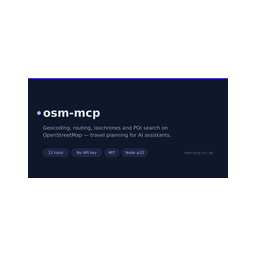 Choose OpenStreetMap when
- You need dedicated capabilities in the Location Services domain.
- You prefer a local stdio subprocess transport.
- You want tools like
geocode, reverse_geocode, route.
Feature & specification comparison
Rows where the two servers differ are marked.
| Spec | ||
|---|---|---|
| Category | Location Services | Location Services |
| Quality signal | 57/100 · Good | 63/100 · Good |
| Install command | Confirmed | Confirmed |
| Transport | Local subprocess (stdio) | Local subprocess (stdio) |
| Auth | Not declared | Not declared |
| Pricing | Not declared | Not declared |
| Required env vars | None listed | None listed |
| Verified owner | Community listing | Community listing |
| GitHub stars | 1 | 4 |
| Directory activity | 2 views 0 installs 0 upvotes | 1 views 0 installs 0 upvotes |
| Tools | 4 | 11 |
| Full listing | View Geocoding | View OpenStreetMap |
Tools & capabilities
Geocoding tools 4
geocodeConvert an address, place name, or landmark into geographic coordinates. Use this tool when: - The user gives a place/address and you need its latitude/longitude - You need to disambiguate a place name (returns ranked matches) - You need a place's coordinates before another geo operation Args: query: Address, place name, or landmark. limit: Max results. country_codes: Optional ISO country filter. response_format: 'markdown' or 'json'. Returns: str: Ranked matches with coordinates, type, and full display name. Example: Input: {"query": "Eiffel Tower"} Output: 48.8584, 2.2945 — Tour Eiffel, Paris, Francereverse_geocodeConvert geographic coordinates into a human-readable address. Use this tool when: - The user gives latitude/longitude and wants to know what's there - You have coordinates (e.g. from geocode) and need the address Args: latitude: Latitude (-90 to 90). longitude: Longitude (-180 to 180). response_format: 'markdown' or 'json'. Returns: str: The address/place at those coordinates, with structured components. Example: Input: {"latitude": 48.8584, "longitude": 2.2945} Output: Avenue Anatole France, Paris, Francesearch_placesSearch for places or points of interest by description, with coordinates. Like geocode, but oriented toward finding multiple matching places/POIs (shops, landmarks, amenities) rather than resolving one address. Use this tool when: - The user wants places of a kind in an area ("parks in Austin") - The user wants options, not a single precise address Args: query: What to find, optionally including a location. limit: Max places. country_codes: Optional ISO country filter. response_format: 'markdown' or 'json'. Returns: str: Matching places with coordinates and type. Example: Input: {"query": "bookstores in Paris", "limit": 5} Output: Up to 5 bookstores with names and coordinatesdistance_betweenCompute the straight-line (great-circle) distance between two places. Geocodes both endpoints, then computes the as-the-crow-flies distance. (This is not driving/route distance.) Use this tool when: - The user asks how far apart two places are - You need a quick distance between two named locations Args: origin: Start place or address. destination: End place or address. unit: 'km' or 'miles'. response_format: 'markdown' or 'json'. Returns: str: The distance, plus the resolved coordinates of each endpoint. Example: Input: {"origin": "Paris", "destination": "Berlin"} Output: ~878 km between Paris and Berlin
OpenStreetMap tools 11
geocodeConverts a place name or address into coordinates using OpenStreetMap. Returns matching places with lat/lon, a display label and the OSM id. Provider "nominatim" (default) is best for addresses; "photon" is typo-tolerant and better for fuzzy place names.reverse_geocodeConverts coordinates into the nearest address or place name (Nominatim).routeCalculates the real-world travel distance and time between two or more places, walking, driving or cycling, on OpenStreetMap data. Waypoints are visited in the given order. Set include_steps for a turn-by-turn summary. Use route_matrix to compare many pairs, optimize_route to reorder stops.route_matrixComputes travel times and distances from every origin to every destination in one call — ideal for comparing options (e.g. 5 hotels against 3 sights). Cells are null where no route exists.optimize_routeFinds the best order to visit a set of stops (traveling-salesman optimization) and returns the optimized itinerary with total distance and time. With roundtrip (default) the tour returns to the first stop; without it the first stop is the start and the last stop the end.isochroneShows how far you can get from a place within a time or distance budget ("what is reachable in 15 minutes on foot?"). Returns a compact summary of the reachable area: bounding box and reach per compass direction. Give exactly one of minutes or kilometers.find_nearby_poisFinds points of interest near a location, sorted by distance. Category shortcuts: restaurant, cafe, bar, pub, fast_food, ice_cream, hotel, hostel, guest_house, apartment, camp_site, attraction, museum, gallery, viewpoint, information, artwork, castle, monument, ruins, supermarket, bakery, convenience, pharmacy, hospital, doctors, police, atm, bank, fuel, charging_station, parking, toilets, drinking_water, bus_stop, train_station, tram_stop, ferry_terminal, bicycle_rental, car_rental, playground, park, beach, swimming_pool. Any other OSM tag works as "key" or "key=value" (e.g. "diet:vegan=yes"). Use poi_details for the full record of one result.poi_detailsFetches the full OpenStreetMap record of one element — all tags (opening hours, website, phone, …), coordinates and a map link. Takes an OSM id as returned by find_nearby_pois or geocode, e.g. "node/240109189".suggest_meeting_pointSuggests a fair place to meet for people starting from different locations: finds venues around the geographic midpoint and picks the one with the most balanced travel times for everyone.straight_line_distanceGreat-circle ("as the crow flies") distance between two places. Instant and independent of any road network — use route for real travel distances.map_linkGenerates openstreetmap.org links to open in a browser: a marker link for a single place, or a directions link when from and to are given. Provide either "place", or both "from" and "to".
Ready-to-paste client configs
Paste either block (or both) into your client config, e.g. claude_desktop_config.json or ~/.cursor/mcp.json. We only show a config when the install command is confirmed.
Geocoding
{
  "mcpServers": {
    "geocoding": {
      "command": "npx",
      "args": [
        "-y",
        "geocode-mcp"
      ]
    }
  }
}
OpenStreetMap
{
  "mcpServers": {
    "openstreetmap": {
      "command": "npx",
      "args": [
        "-y",
        "osm-mcp"
      ]
    }
  }
}
Frequently asked questions
Geocoding is categorized under Location Services and uses a local stdio subprocess. OpenStreetMap belongs to Location Services and uses a local stdio subprocess. Pick Geocoding for location services work and OpenStreetMap for location services.
Copy the mcpServers block from the config section on this page into your client's config (for example claude_desktop_config.json or ~/.cursor/mcp.json), then fully restart the client.
Geocoding has no declared pricing — check the project's own site. OpenStreetMap has no declared pricing — check the project's own site. If a server needs environment variables such as API keys, define them under the env key in your client's MCP config.
Yes. MCP clients support multiple servers: add geocoding and openstreetmap as separate keys in the same mcpServers object, and your assistant will call tools from either one.
On AllMCPs, Geocoding has a quality signal of 57/100 (Good) with 2 views, 0 installs and 1 GitHub stars. OpenStreetMap has 63/100 (Good) with 1 views, 0 installs and 4 GitHub stars.