SVGMaker MCP Server
A powerful MCP server for generating, editing, and converting SVG images using SVGMaker API.




🎨 MCP Server in Action
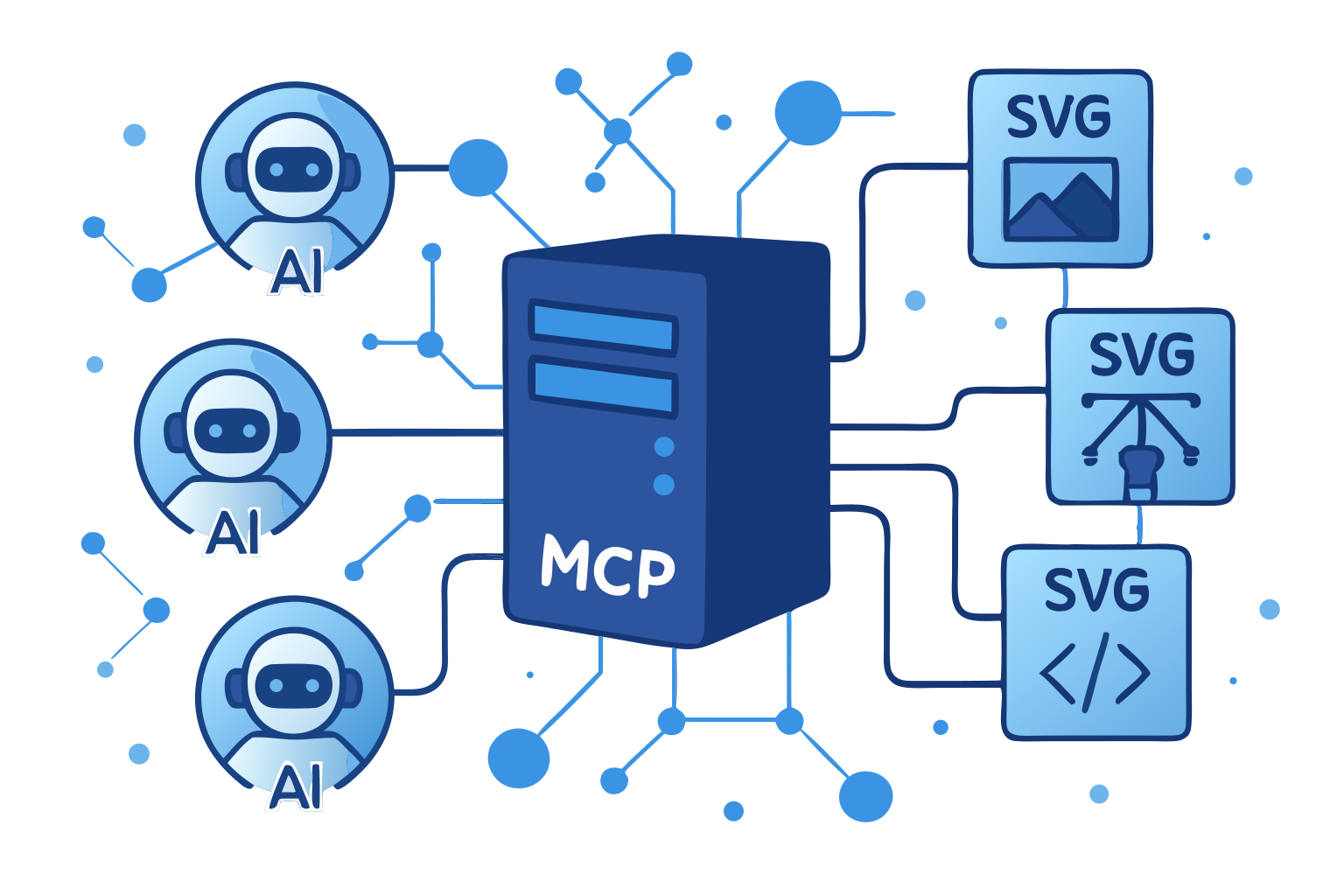
This very illustration came to life through our own SVGMaker MCP server—a living example of AI assistants and vector graphics working in perfect harmony via the Model Context Protocol.
🌟 Highlights
- 🎨 AI-Powered SVG Generation: Create SVGs from text descriptions
- ✏️ Smart SVG Editing: Edit existing SVGs with natural language
- 🖼️ Raster Mode: Skip vectorization and get a quick PNG instead of SVG
- 🔄 Image-to-SVG Conversion: Convert any image to scalable SVG
- 🪄 Background Removal: Isolate the foreground subject and get a clean SVG with transparency
- 👁️ Inline Image Preview: Preview generations and gallery items directly in chat
- 🔒 Secure File Operations: Built-in path validation and security
- ⚡ Real-Time Progress: Live updates during operations
- 📝 Type Safety: Full TypeScript support with type definitions
📋 Table of Contents
- Requirements
- Installation
- Quick Start
- LLM Integrations
- Available Tools
- Configuration
- Development
- Contributing
💻 Requirements
- Node.js: Minimum version 20.9.0
node --version # Should be >= v20.9.0 - npm: Minimum version 7.0.0
npm --version # Should be >= 7.0.0 - Operating Systems:
- Linux (Ubuntu 20.04+, CentOS 8+)
- macOS (10.15+)
- Windows (10+)
- SVGMaker API key (Get one here)
📦 Package Structure
@genwave/svgmaker-mcp/
├── build/             # Compiled JavaScript files
├── docs/              # Documentation
│   └── api/           # API documentation
├── src/               # Source TypeScript files
│   ├── tools/         # MCP tool implementations
│   ├── services/      # API integration
│   └── utils/         # Utility functions
└── types/             # TypeScript declarations
🚀 Installation
# Using npm
npm install @genwave/svgmaker-mcp

# Using yarn
yarn add @genwave/svgmaker-mcp
Basic Setup
- Create .env file:
SVGMAKER_API_KEY="your_api_key_here"
- Start the server:
npx svgmaker-mcp
🔌 LLM Integrations
Every client below can run the server two ways:
- stdio — the server runs on your machine with your API key. Local file paths work, and
output_pathsaves the result to disk. - HTTPS — the server runs in the cloud at
https://mcp.svgmaker.io/mcpand you sign in through the browser. The cloud server cannot see your disk, sooutput_pathis not offered and results come back as hosted SVGMaker URLs. Local files must go throughsvgmaker_uploadfirst.
The example prompts in each section are given in both shapes. Use the one that matches your setup.
🔌 Claude Desktop
-
Add to
claude_desktop_config.json.stdio (API key):
{
  "mcpServers": {
    "svgmaker": {
      "command": "npx",
      "args": ["@genwave/svgmaker-mcp"],
      "transport": "stdio",
      "env": {
        "SVGMAKER_API_KEY": "your_api_key_here"
      }
    }
  }
}
HTTPS (OAuth browser login — no API key):
Claude Desktop connects to remote servers from the UI, not from the config file: Settings → Connectors → Add custom connector, then enter
https://mcp.svgmaker.io/mcpand complete the browser login. -
Example usage in Claude Desktop:
stdio (API key):
Generate an SVG of a minimalist mountain landscape:
<mcp>
{
  "server": "svgmaker",
  "tool": "svgmaker_generate",
  "arguments": {
    "prompt": "Minimalist mountain landscape with sun",
    "output_path": "./landscape.svg",
    "quality": "high",
    "aspectRatio": "landscape"
  }
}
</mcp>
HTTPS (OAuth browser login — no API key):
Generate an SVG of a minimalist mountain landscape and give me the hosted URL:
<mcp>
{
  "server": "svgmaker",
  "tool": "svgmaker_generate",
  "arguments": {
    "prompt": "Minimalist mountain landscape with sun",
    "quality": "high",
    "aspectRatio": "landscape"
  }
}
</mcp>
🔌 Claude Code
-
Add the server with the Claude Code CLI.
stdio (API key):
claude mcp add svgmaker --env SVGMAKER_API_KEY=your_api_key_here -- npx -y @genwave/svgmaker-mcpHTTPS (OAuth browser login — no API key):
claude mcp add --transport http svgmaker https://mcp.svgmaker.io/mcpThen run
/mcpinside Claude Code, select svgmaker, and complete the browser login. -
Example usage in Claude Code:
stdio (API key):
Generate an SVG of a minimalist mountain landscape and save it to ./landscape.svgHTTPS (OAuth browser login — no API key):
Generate an SVG of a minimalist mountain landscape and give me the hosted URL of the result
🔌 Cursor

Or configure manually:
-
Configure in cursor settings.
stdio (API key):
{
  "mcpServers": {
    "svgmaker": {
      "type": "local",
      "command": "npx",
      "args": ["@genwave/svgmaker-mcp"],
      "transport": "stdio",
      "env": {
        "SVGMAKER_API_KEY": "your_api_key_here"
      }
    }
  }
}
HTTPS (OAuth browser login — no API key):
{ "mcpServers": { "svgmaker": { "url": "https://mcp.svgmaker.io/mcp" } } } -
Example usage in Cursor:
stdio (API key):
Use svgmaker to edit the logo.svg file and make it more modern:
<mcp>
{
  "server": "svgmaker",
  "tool": "svgmaker_edit",
  "arguments": {
    "input": "./logo.svg",
    "prompt": "Make it more modern and minimalist",
    "output_path": "./modern_logo.svg",
    "quality": "high"
  }
}
</mcp>
HTTPS (OAuth browser login — no API key):
Use svgmaker to modernize the logo, then give me the hosted URL:
<mcp>
{
  "server": "svgmaker",
  "tool": "svgmaker_edit",
  "arguments": {
    "input": "https://example.com/logo.svg",
    "prompt": "Make it more modern and minimalist",
    "quality": "high"
  }
}
</mcp>
For a logo that only exists on your machine, call
svgmaker_uploadfirst and pass the returnedupl_…id asinput.
🔌 Visual Studio Code

Or configure manually:
-
Configure in settings.json.
stdio (API key):
{
  "servers": {
    "svgmaker": {
      "type": "stdio",
      "command": "npx",
      "args": ["-y", "@genwave/svgmaker-mcp"],
      "env": {
        "SVGMAKER_API_KEY": "<your_api_key>"
      }
    }
  }
}
HTTPS (OAuth browser login — no API key):
{ "servers": { "svgmaker": { "type": "http", "url": "https://mcp.svgmaker.io/mcp" } } } -
Example usage in VS Code:
stdio (API key):
Generate a new icon for my app:
<mcp>
{
  "server": "svgmaker",
  "tool": "svgmaker_generate",
  "arguments": {
    "prompt": "Modern app icon with abstract geometric shapes",
    "output_path": "./assets/icon.svg",
    "quality": "high",
    "aspectRatio": "square"
  }
}
</mcp>
HTTPS (OAuth browser login — no API key):
Generate a new icon for my app and give me the hosted URL:
<mcp>
{
  "server": "svgmaker",
  "tool": "svgmaker_generate",
  "arguments": {
    "prompt": "Modern app icon with abstract geometric shapes",
    "quality": "high",
    "aspectRatio": "square"
  }
}
</mcp>
🔌 WindSurf
-
Configure in
~/.codeium/windsurf/mcp_config.json.stdio (API key):
{
  "mcpServers": {
    "svgmaker": {
      "command": "npx",
      "args": ["-y", "@genwave/svgmaker-mcp"],
      "env": {
        "SVGMAKER_API_KEY": "<your_api_key>"
      }
    }
  }
}
HTTPS (OAuth browser login — no API key):
{ "mcpServers": { "svgmaker": { "serverUrl": "https://mcp.svgmaker.io/mcp" } } } -
Example usage in WindSurf:
stdio (API key):
Convert the company logo to SVG:
<mcp>
{
  "server": "svgmaker",
  "tool": "svgmaker_convert",
  "arguments": {
    "input": "./branding/logo.png",
    "output_path": "./branding/vector_logo.svg"
  }
}
</mcp>
HTTPS (OAuth browser login — no API key):
Upload ./branding/logo.png with svgmaker_upload, then convert it to SVG:
<mcp>
{
  "server": "svgmaker",
  "tool": "svgmaker_convert",
  "arguments": {
    "input": "upl_2f1c8a4e-6b3d-4c9a-8e7f-0a1b2c3d4e5f"
  }
}
</mcp>
🔌 Zed
-
Configure in settings.
stdio (API key):
{
  "context_servers": {
    "svgmaker": {
      "command": {
        "path": "npx",
        "args": ["-y", "@genwave/svgmaker-mcp"],
        "env": {
          "SVGMAKER_API_KEY": "<your_api_key>"
        }
      },
      "settings": {}
    }
  }
}
HTTPS (OAuth browser login — no API key):
{
  "context_servers": {
    "svgmaker": {
      "url": "https://mcp.svgmaker.io/mcp"
    }
  }
}
You can also add it from the UI: Settings → AI → General → MCP Servers → Add Server → Add Remote MCP Server.
-
Example usage in Zed:
stdio (API key):
Edit an existing SVG file:
<mcp>
{
  "server": "svgmaker",
  "tool": "svgmaker_edit",
  "arguments": {
    "input": "./diagrams/flowchart.svg",
    "prompt": "Add rounded corners and smooth gradients",
    "output_path": "./diagrams/enhanced_flowchart.svg",
    "quality": "high"
  }
}
</mcp>
HTTPS (OAuth browser login — no API key):
Edit one of my earlier generations and give me the hosted URL:
<mcp>
{
  "server": "svgmaker",
  "tool": "svgmaker_edit",
  "arguments": {
    "input": "gen_abc123",
    "prompt": "Add rounded corners and smooth gradients",
    "quality": "high"
  }
}
</mcp>
🔌 Codex
-
Add the server with the Codex CLI.
stdio (API key):
codex mcp add svgmaker --env SVGMAKER_API_KEY=your_api_key_here -- npx -y @genwave/svgmaker-mcpHTTPS (OAuth browser login — no API key):
codex mcp add svgmaker --url https://mcp.svgmaker.io/mcp -
Example usage in Codex:
stdio (API key):
Generate an SVG of a minimalist mountain landscape and save it to ./landscape.svg:
<mcp>
{
  "server": "svgmaker",
  "tool": "svgmaker_generate",
  "arguments": {
    "prompt": "Minimalist mountain landscape with sun",
    "output_path": "./landscape.svg",
    "quality": "high",
    "aspectRatio": "landscape"
  }
}
</mcp>
HTTPS (OAuth browser login — no API key):
Generate an SVG of a minimalist mountain landscape and give me the hosted URL:
<mcp>
{
  "server": "svgmaker",
  "tool": "svgmaker_generate",
  "arguments": {
    "prompt": "Minimalist mountain landscape with sun",
    "quality": "high",
    "aspectRatio": "landscape"
  }
}
</mcp>
🛠️ Available Tools
Unless a block is marked otherwise, the JSON examples below show the stdio call shape. Over HTTPS, drop output_path — it is not part of the schema there — and use the hosted URL that comes back in the result.
Image input and output by transport
svgmaker_edit, svgmaker_convert and svgmaker_remove_background take their image from a single input parameter. What input may contain depends on how the server is running.
input value | stdio (local server) | HTTPS (mcp.svgmaker.io) |
|---|---|---|
/Users/me/panda.png, file:///Users/me/panda.png | ✅ read from disk | ❌ the server is in the cloud and cannot see your disk — call svgmaker_upload first |
https://example.com/logo.png | ✅ | ✅ |
upl_2f1c8a4e… (upload id from svgmaker_upload) | ✅ | ✅ |
gen_abc123 (generation or gallery id) | ✅ svgmaker_edit and svgmaker_remove_background only | ✅ same |
svgmaker_convert does not accept generation ids: the API would vectorize a downscaled preview of an SVG you already own, so the result is strictly worse than what you started with. Convert takes a file path, an https:// URL or an upload id.
For a URL the MCP server never downloads the image — it hands the URL to the SVGMaker API, which fetches it. A generation id is passed through as-is and resolved server-side.
Output follows the same split:
| stdio | HTTPS | |
|---|---|---|
output_path | ✅ offered — the file is written to that path | not offered at all: the parameter is absent from the tool schema, because the cloud server has no access to your disk |
result when output_path is not used | hosted SVGMaker URL returned | hosted SVGMaker URL returned |
Over HTTPS the server never advertises a parameter it cannot honour. A stale client that still sends output_path is rejected with an error that points it at the hosted URL, so no credits are lost.
svgmaker_preview is likewise not offered over HTTPS — it reads local disk. Use svgmaker_generations_preview or svgmaker_gallery_preview instead.
input_path is still accepted on all three tools as an alias for input, and generation_id on svgmaker_edit and svgmaker_remove_background, so existing configurations keep working. Supply exactly one source. Prefer input in new code — the aliases stay only for compatibility.
svgmaker_upload
HTTPS transport only — it does not appear in the tool list over stdio, where local paths already work directly.
Mints a short-lived upload URL so a local file can be used with the cloud server. No bytes pass through the MCP server; your agent performs the upload itself.
{
  "filename": "panda.png"
}
| Parameter | Type | Description |
|---|---|---|
filename | string | Required. Name including extension, e.g. panda.png. Kept for reporting only — the stored object name is generated server-side and the image type is detected from the file bytes. |
The response returns upload_url and expires_in. POST the file there as multipart form data:
curl -X POST -F "file=@/Users/me/panda.png" "<upload_url>"
Your agent must be able to run a shell command to finish this step. Clients with a terminal — Claude Code, Cursor, VS Code, WindSurf, Zed, Codex — can run the curl themselves. Claude Desktop connected over HTTPS has no shell, so it cannot complete the upload; use an https:// image URL or a generation id there instead.
The response carries the upload id:
{ "success": true, "data": { "upload_id": "upl_2f1c8a4e-6b3d-4c9a-8e7f-0a1b2c3d4e5f" } }
Pass that id as input to svgmaker_edit, svgmaker_convert or svgmaker_remove_background.
The upload URL expires after 5 minutes and works once. Files over 25 MB are rejected, as is anything whose bytes are not a supported image. Uploads cost no credits, are private, and are swept after 24 hours.
svgmaker_generate
Generate SVG images from text prompts. Supports style parameters for fine-grained control over the output.
stdio:
{
  "prompt": "A minimalist mountain landscape with sun",
  "output_path": "/path/to/landscape.svg",
  "quality": "medium",
  "style": "flat",
  "color_mode": "few_colors",
  "composition": "full_scene",
  "background": "transparent"
}
HTTPS — no output_path; the result is a hosted SVGMaker URL:
{
  "prompt": "A minimalist mountain landscape with sun",
  "quality": "medium",
  "style": "flat",
  "color_mode": "few_colors",
  "composition": "full_scene",
  "background": "transparent"
}
Raster mode — set raster: true to skip vectorization and get a PNG instead of an SVG. Over stdio, use a .png extension for output_path; over HTTPS the PNG comes back as a hosted URL. Cannot be combined with storage (raster results are temporary).
{
  "prompt": "A minimalist mountain landscape with sun",
  "output_path": "/path/to/landscape.png",
  "quality": "medium",
  "raster": true
}
| Parameter | Type | Description |
|---|---|---|
raster | boolean | When true, returns a raster PNG instead of SVG (skips vectorization). Over stdio, use a .png output path. Cannot be used with storage. |
storage | boolean | When true, stores the generated image permanently in cloud storage. Cannot be used with raster. Defaults to true when raster is not set. |
Style parameters (generate & edit)
All parameters below are optional and shared by svgmaker_generate and svgmaker_edit. Only specify the ones the user explicitly requests.
| Parameter | Values | Default | Description |
|---|---|---|---|
quality | low, medium, high | medium | Detail level vs. speed. high forces a square aspect ratio. |
aspectRatio | square, portrait, landscape | auto (by quality) | Output shape. Ignored when quality is high (forced square). |
background | auto, transparent, opaque | auto | Background style. transparent is good for overlays. |
style | flat, line_art, engraving, linocut, silhouette, isometric, cartoon, ghibli | — | Art style. |
color_mode | full_color, monochrome, few_colors | full_color | Color scheme. |
image_complexity | icon, illustration, scene | — | Level of detail in the composition. |
composition | centered_object, repeating_pattern, full_scene, objects_in_grid | — | Layout arrangement. |
text_style | only_title, embedded_text | — | How text is handled in the design. |
svgmaker_edit
Edit existing SVGs or images with natural language. Supports the same style parameters as generate. input accepts a local file path, an https:// URL, an upl_ upload id, or a generation ID (works for both your own generations and public gallery items) — see the input matrix.
stdio:
{
  "input": "/path/to/input.svg",
  "prompt": "Add a gradient background and make it more vibrant",
  "output_path": "/path/to/enhanced.svg",
  "quality": "high",
  "style": "cartoon",
  "background": "opaque"
}
HTTPS — the source is a generation ID, an https:// URL or an upl_ upload id, and the result is a hosted URL:
{
  "input": "gen_abc123",
  "prompt": "Add a gradient background and make it more vibrant",
  "quality": "high"
}
This shape works over stdio too, when you do not want a local file:
{
  "input": "gen_abc123",
  "prompt": "Make the background blue"
}
Raster mode — like generate, set raster: true to get a PNG instead of an SVG. Over stdio, use a .png extension for output_path. Cannot be combined with storage.
{
  "input": "/path/to/input.svg",
  "prompt": "Make it more vibrant",
  "output_path": "/path/to/edited.png",
  "raster": true
}
| Parameter | Type | Description |
|---|---|---|
input | string | Image source: local file path (stdio only), https:// URL, upl_ upload id, or generation ID. Required. |
input_path | string | Accepted alias for input, restricted to a local file path. |
generation_id | string | Accepted alias for input, restricted to a generation or gallery ID. |
raster | boolean | When true, returns a raster PNG instead of SVG (skips vectorization). Over stdio, use a .png output path. Cannot be used with storage. |
storage | boolean | When true, stores the edited image permanently in cloud storage. Cannot be used with raster. Defaults to true when raster is not set. |
svgmaker_convert
Convert raster images to SVG using AI-powered vectorization. input accepts a local file path, an https:// URL or an upl_ upload id — see the input matrix. Generation ids are rejected, because converting one would re-vectorize a downscaled preview of an SVG you already have.
stdio:
{
  "input": "/path/to/image.png",
  "output_path": "/path/to/vector.svg"
}
HTTPS — no output_path, and the source is a URL or an upload id:
{
  "input": "https://example.com/logo.png"
}
| Parameter | Type | Description |
|---|---|---|
input | string | Image source: local file path (stdio only), https:// URL, or upl_ upload id. Generation IDs are not accepted. Required. |
input_path | string | Accepted alias for input, restricted to a local file path. |
output_path | string | stdio only — not offered over HTTPS. Optional absolute path (must end in .svg) to save the result. When omitted, a hosted URL is returned instead. |
svgmaker_remove_background
Remove the background from an image and get the result as a clean SVG with transparency. The AI isolates the foreground subject, removes the background, and vectorizes the result. Accepts raster formats (PNG, JPEG, WebP, GIF, TIFF, AVIF) and SVG. input accepts a local file path, an https:// URL, an upl_ upload id, or a generation ID — see the input matrix.
stdio — provide an output_path (with a .svg extension) to save the SVG locally:
{
  "input": "/path/to/photo.png",
  "output_path": "/path/to/cutout.svg"
}
HTTPS — output_path is not offered; the result comes back as a SVGMaker-hosted URL. Omitting it over stdio does the same:
{
  "input": "gen_abc123"
}
| Parameter | Type | Description |
|---|---|---|
input | string | Image source: local file path (stdio only), https:// URL, upl_ upload id, or generation ID. Required. |
input_path | string | Accepted alias for input, restricted to a local file path. |
generation_id | string | Accepted alias for input, restricted to a generation or gallery ID. |
output_path | string | stdio only — not offered over HTTPS. Optional absolute path (must end in .svg) to save the result. When omitted, a hosted URL is returned instead. |
storage | boolean | When true, stores the resulting SVG permanently in cloud storage (appears in your generations). When false, a temporary hosted URL is returned. Defaults to true. |
svgmaker_account_info
Get account information including email, display name, account type, and available credits. No parameters required.
{}
svgmaker_account_usage
Get API usage statistics with optional date filtering.
{
  "days": 30
}
Or use a date range:
{
  "start": "2026-01-01",
  "end": "2026-01-31"
}
svgmaker_generations_list
List your SVG generations with optional filtering and pagination.
{
  "page": 1,
  "limit": 20,
  "type": "generate",
  "query": "mountain"
}
svgmaker_generations_get
Get detailed information about a specific generation.
{
  "generation_id": "gen_abc123"
}
svgmaker_generations_delete
Delete a generation and its associated files. Requires a paid account.
{
  "generation_id": "gen_abc123"
}
svgmaker_generations_share
Share a generation by making it publicly accessible.
{
  "generation_id": "gen_abc123"
}
svgmaker_generations_download
Download a generation in various formats. Requires a paid account.
stdio — output_path saves the file locally:
{
  "generation_id": "gen_abc123",
  "output_path": "/path/to/output.svg",
  "format": "svg"
}
HTTPS — output_path is not offered; the tool returns a hosted download URL:
{
  "generation_id": "gen_abc123",
  "format": "svg"
}
svgmaker_generations_preview
Preview a generation by returning the image directly in the chat context as a PNG image. The LLM can see and describe the image, enabling follow-up edits.
{
  "generation_id": "gen_abc123"
}
svgmaker_gallery_list
Browse the public SVGMaker gallery with optional filtering and pagination.
{
  "page": 1,
  "limit": 20,
  "type": "generate",
  "query": "landscape",
  "pro": "true"
}
svgmaker_gallery_get
Get detailed information about a specific gallery item.
{
  "generation_id": "gal_abc123"
}
svgmaker_gallery_download
Download a gallery item in various formats. Costs 1 credit for SVG formats, 0 credits for WebP/PNG.
stdio — output_path saves the file locally:
{
  "generation_id": "gal_abc123",
  "output_path": "/path/to/output.svg",
  "format": "svg"
}
HTTPS — output_path is not offered; the tool returns a hosted download URL:
{
  "generation_id": "gal_abc123",
  "format": "svg"
}
svgmaker_gallery_preview
Preview a gallery item by returning the image directly in the chat context as a PNG image.
{
  "generation_id": "gal_abc123"
}
svgmaker_preview
stdio transport only — this tool is not offered over HTTPS at all, because it reads local disk and the cloud server cannot see your files. Over HTTPS use svgmaker_generations_preview or svgmaker_gallery_preview, which take an id instead of a path.
Preview a local image file by returning it directly in the chat context. Supports PNG, SVG, WebP, and SVGZ formats.
{
  "input": "/path/to/image.svg"
}
| Parameter | Type | Description |
|---|---|---|
input | string | Absolute path to the local image file. Required. |
file_path | string | Accepted alias for input. Supply exactly one of the two. |
⚙️ Configuration
Environment Variables
| Variable | Description | Required | Default |
|---|---|---|---|
SVGMAKER_API_KEY | Your SVGMaker API key | ✅ Yes | - |
SVGMAKER_RATE_LIMIT_RPM | API rate limit (requests per minute) | ❌ No | 2 |
SVGMAKER_BASE_URL | Custom SVGMaker API base URL | ❌ No | https://api.svgmaker.io |
SVGMAKER_DEBUG | Enable debug logging | ❌ No | false |
Debug Logging
The server includes comprehensive logging for debugging and monitoring:
Enable Logging:
# Enable debug logging
SVGMAKER_DEBUG=true npx @genwave/svgmaker-mcp

# Or set NODE_ENV to development
NODE_ENV=development npx @genwave/svgmaker-mcp
Log Files Location:
- macOS/Linux:
~/.cache/svgmaker-mcp/logs/ - Windows:
%LOCALAPPDATA%/svgmaker-mcp/logs/ - Fallback:
./logs/(in project directory)
Log File Format:
mcp-debug-2025-06-04T10-30-45-123Z.log
🔍 Development
Local Setup
- Clone and install dependencies:
npm install
- Create .env file with your API key
SVGMAKER_API_KEY="your_api_key_here"
- Run in development mode:
npm run dev
Testing
Use the MCP Inspector for testing:
npx @modelcontextprotocol/inspector node build/index.js
CI/CD Workflow
This project uses GitHub Actions for continuous integration and deployment:
-
Continuous Integration
- Runs on every push to main branch and pull requests
- Performs linting, type checking, and building
- Ensures code quality and consistency
-
Bumping the Version
- For a patch version (bug fixes):
npm run version:patch - For a minor version (new features):
npm run version:minor - For a major version (breaking changes):
npm run version:major
- For a patch version (bug fixes):
-
Publishing
- Automatically publishes to npm when the version bump is merged to
main
- Automatically publishes to npm when the version bump is merged to
🔐 Security
- ✅ Path validation prevents directory traversal
- ✅ Input sanitization for all parameters
- ✅ Secure file operation handling
- ✅ Environment variable protection
- ✅ Rate limiting support
🤝 Contributing
We welcome contributions! Please see our Contributing Guide for details.
⭐ Features
Input Format Support
- SVG files (.svg)
- PNG images (.png)
- JPEG images (.jpg, .jpeg)
- Other common image formats
Output Capabilities
- Clean, optimized SVG output
- Multiple aspect ratio options
- Background control (transparent/opaque)
- High-quality vectorization
📝 License
MIT © Genwave AI - see the LICENSE file for details.