Treat a Google Doc like a local file: content editing, tracked-changes review, comments, tables.
Quick Install
Automated & IDE SetupCopy the AI prompt to install this server into Claude Code, Cursor, or another agent — or use 1-click editor setup below.

Manual Client & Custom JSON ConfigExpand JSON ▾
Client Config & Setup
Remote HTTPChoose your client or environment
Target File:
💡 Paste the JSON block into your client's configuration file under mcpServers, then restart the application.
Documentation Overview
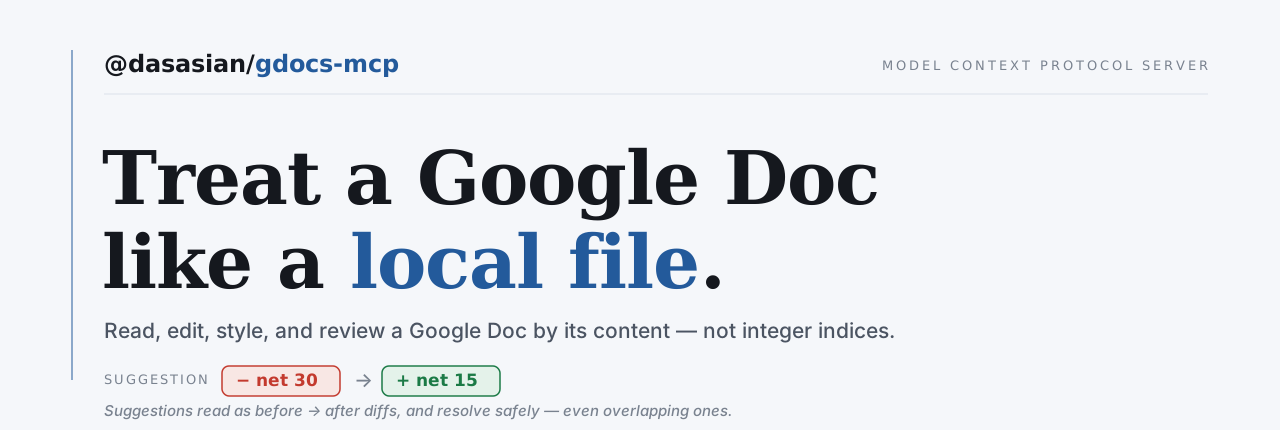




@dasasian/gdocs-mcp
An MCP server that lets an AI agent (like Claude Code) treat a Google Doc like a local file — read it, edit it by content, review and resolve suggestions, manage comments, and work across tabs and multiple Google accounts.
Status: beta. The tool surface is complete and every change is verified against the live API, not just unit tests. Markdown code blocks are the one construct still to render (see Roadmap).
Why this exists
Most Google Docs MCP servers treat a doc as flat text. This one fills the gap nobody else does:
- Suggestions as diffs you can act on.
list_suggestionsshows pending tracked-changes asbefore → after;apply_suggestionsaccepts/rejects one or more cleanly.read_doccan render them inline as<ins>/<del>. - File-like editing.
edit_docmatches a unique snippet of text (like a localEdit) and rewrites it — indices are never exposed. - Comments. Read threads (author, quoted text, replies, resolved status), reply, resolve, add.
- Tabs as sub-files. Full create/rename/delete, and every read/edit tool can target a specific tab.
- Multiple accounts. Authorize several Google accounts; pick a default per project.
What you can ask for
You don't call tools. You ask in plain language and the agent drives them.
Fill a template without rebuilding it
"Copy the Proposal Template into /Clients/Acme, name it 'Acme Q3 Proposal', then fill in the client name, the dates, and the pricing table."
The copy keeps the letterhead, the logo at its exact size, the fonts and the page setup — everything a markdown round-trip cannot rebuild. Then only the words that change are edited. The alternative is retyping a document you already have.
A whole review pass in one instruction
"Show me the pending suggestions as a diff, accept the typo fixes, reject anything that changes meaning, then reply to the open comments and resolve the ones that are settled."
Four tools, one sentence, and the judgement in the middle is the part you wanted help with. Most Docs integrations cannot see tracked changes at all, let alone act on them safely.
More: publishing a folder of markdown as a Drive tree, auditing many docs for style drift, pulling a doc back into your repo with its images → docs/recipes.md.
Install
Or from source:
Then follow the setup below exactly as an installed user would. (npm link symlinks the
gdocs-mcp binary to your build; see CONTRIBUTING.md for the dev workflow.)
Setup
You need a Google Cloud OAuth client (one-time). Each user creates their own — this keeps your credentials yours and avoids Google app-verification for the restricted Drive scope.
- Create a project + enable APIs (or use the setup guide):
- OAuth consent screen (Cloud Console → APIs & Services → OAuth consent screen): User type External, add yourself as a Test user. For long-lived tokens, set publishing status to In production (avoids the 7-day refresh-token expiry).
- OAuth client → Create credentials → OAuth client ID → Desktop app. Download the JSON and save it as
~/.config/gdocs-mcp/client_secret.json. - Authorize an account (opens a browser): Repeat for each Google account you want to use.
Configure your MCP client
In a project's .mcp.json (Claude Code) or equivalent:
GDOCS_DEFAULT_ACCOUNT sets which authorized account this project uses by default — so a work project and a personal project can point at different accounts without re-authorizing. Any tool call can override it with an account argument.
Prefer it available in every project? Register once at user scope: claude mcp add gdocs -s user -e GDOCS_DEFAULT_ACCOUNT=you@example.com -- gdocs-mcp. Then a project can pin its own defaults with a .gdocs-mcp.json — both the account and a default folder for new docs:
With a folder set, create_doc files new docs there automatically (an explicit folder argument still overrides). See docs/setup.md for the full resolution order.
You don't have to edit that file by hand — just tell the agent "make damithsc@gmail.com my default account for this project" or "make my Manuscripts folder the default here," and it writes the .gdocs-mcp.json for you via set_project_default (searching for the folder by name if needed).
Tools
The table below is the reference. For what to actually ask for, see What you can ask for above, or the full set in docs/recipes.md.
Related MCP Servers
Reviews
No reviews yet — be the first to share how this listing worked for you.
Frequently Asked Questions about Gdocs MCP
AllMCPs Directory Badge
Showcase your server listing on GitHub or your project documentation. Embed this dynamic SVG badge to highlight official listing status and live engagement.
Badge Style:
Live Dynamic SVG Preview
Markdown (GitHub README)
[](https://allmcps.com/mcp/gdocs-mcp)HTML Embed
<a href="https://allmcps.com/mcp/gdocs-mcp"><img src="https://allmcps.com/api/badge/gdocs-mcp?style=directory" alt="Gdocs MCP on AllMCPs" /></a>Technical Specs & Signals
CategoryDeveloper Tools
36Quality signal: Fair · 36/100How this signal is calculated ▾
Server availabilityNot measured
Not scored for repo-hosted servers — we can't reach the running server, only its GitHub page. Hosted MCP endpoints are health-checked live.
Verified ownership10/20
Documentation & tools16/30
Adoption & activity1/15
Community engagement0/10
A guidance signal from public completeness & health data — not a user rating. New listings start lower and rise as they add docs, get verified, and grow adoption. Signals we can't observe for a listing are skipped, not counted against it.
Own this project?
This directory is pre-filled from public sources. Claim via GitHub README, site badge, or DNS TXT to unlock edit access and the Official badge — proof is checked automatically, then reviewed by our team.
Free dofollow backlink: add your website and place the AllMCPs badge on it — no claim needed. We detect it automatically and keep it verified as long as the badge stays live.
Claim & get free dofollowShare & Embed
Add our SVG badge (dark/light directory styles) or embeddable widget to your site.