Microcharts vs Tableau Workbook Auditor
A side-by-side look at the Microcharts and Tableau Workbook Auditor MCP servers: transport, auth, tools, quality signals, and the config to install either one in Claude, Cursor, Windsurf or VS Code.
Verdict: choose Microcharts for data visualization work as a local process; choose Tableau Workbook Auditor for data visualization as a local process. You can also run both side by side in one mcpServers block.
Which MCP server should you choose?
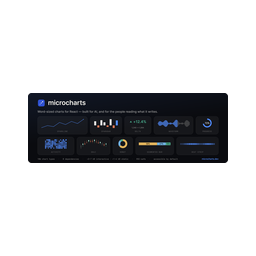 Choose Microcharts when
- You need dedicated capabilities in the Data Visualization domain.
- You prefer a local stdio subprocess transport.
- Its auth model fits you: No auth required.
- You want tools like
find_microchart, get_microchart, render_microchart.
 Choose Tableau Workbook Auditor when
- You need dedicated capabilities in the Data Visualization domain.
- You prefer a local stdio subprocess transport.
- You want tools like
analyze_workbook, list_calculated_fields, get_field.
Feature & specification comparison
Rows where the two servers differ are marked.
| Spec | ||
|---|---|---|
| Category | Data Visualization | Data Visualization |
| Quality signal | 69/100 · Great | 60/100 · Good |
| Install command | Confirmed | Confirmed |
| Transport | Local subprocess (stdio) | Local subprocess (stdio) |
| Auth | No auth required | Not declared |
| Pricing | Free | Not declared |
| Required env vars | None listed | None listed |
| Verified owner | Community listing | Community listing |
| GitHub stars | 204 | 7 |
| Directory activity | 4 views 0 installs 0 upvotes | 2 views 0 installs 0 upvotes |
| Tools | 3 | 11 |
| Full listing | View Microcharts | View Tableau Workbook Auditor |
Tools & capabilities
Microcharts tools 3
find_microchartRank microcharts chart types against a plain-language question about data ("is it trending?", "error budget", "part to whole"). Returns candidates with the reason each matched. Start here when you know the question, not the chart.get_microchartFull wiring detail for one chart by slug: import paths, its props plus the shared props, data shape, best/avoid guidance, a copy-runnable example, and `sample` — the example as JSON props you can pass straight to render_microchart.render_microchartRender a chart to a finished, self-contained SVG (styles embedded) plus its generated alt text — for surfaces that can't run React. Pass the series as `data`; put other props (value, target, curve, color, width) in `props`. Each chart takes its own data shape — get_microchart returns a valid `sample` to adapt.
Tableau Workbook Auditor tools 11
analyze_workbookParse a local Tableau workbook (.twbx or .twb) and return an overview: field counts, datasources, calculated-field names by type, parameter names, and raw fields. Parsing happens locally; the file is never uploaded. Start here, then use the other tools for details.list_calculated_fieldsList every calculated field in the workbook with its formula, type (calculated / LOD / table calc), datasource, and what it directly depends on. Optionally filter by a case-insensitive substring of the field name or formula.get_fieldFull detail for a single field by name (brackets optional, case-insensitive): formula, type, direct dependencies, and every field that directly uses it.trace_dependenciesTrace what a field is built from (upstream, recursive tree down to raw columns and parameters) and everything that would be affected if it changed (downstream, transitive). The impact-analysis tool: use before editing a calculation.list_parametersList every parameter in the workbook: current value, datatype, allowed values, and which calculated fields use each one.get_lineage_graphThe complete dependency graph as JSON: one node per field/parameter (with type) and one directed edge per dependency (source feeds target). Suitable for rendering or graph analysis.list_sql_queriesExtract every SQL statement the workbook contains: Custom SQL relations (with the full query text), Initial SQL run when a connection opens, stored-procedure references with their parameters, and RAWSQL_* calculated fields. Each entry names the datasource and the database connection (class, server, dbname) it targets. Note: queries Tableau auto-generates at runtime for live connections are not stored in the file, so they cannot be extracted.list_filtersEvery filter in the workbook, deduplicated across worksheets: the field it acts on (caption-resolved), filter kind (categorical / quantitative / relative-date), whether it is a context filter, which worksheets use it, selected member values when stored, and quantitative ranges. Includes a by_worksheet grouping and the distinct list of fields driving any filter. Data-source filters are marked "(data source filter)".list_worksheetsEvery worksheet in the workbook with the fields it uses (caption-resolved, from its datasource dependencies) and the filters it applies (field, kind, context status). The per-sheet view of the workbook: use it to answer "what does this sheet depend on?" or "where is this field actually displayed?".diff_workbooksSemantic diff between two Tableau workbooks: calculations added, removed, renamed or edited (with the downstream fields each edit affects), plus changed parameters, filters, worksheets, dashboards, data sources and stored SQL. Formula reformatting is ignored, and a field that disappears while an identical formula appears under a new name is reported as a rename. Use this for release notes, code review of a workbook change, or answering "what changed and what does it break?".audit_workbookFind what is wrong with a workbook: fields and parameters nothing uses (each with a confidence level and the reason), duplicate calculations (identical formulas under different names, and the more dangerous same-name-different-formula case), and performance findings (heavy LODs, nested calculations, deep calculation chains, non-fixed dashboard sizing, live connections, and more). Use it before a cleanup, a migration, or a workbook review. Unused fields are reported with confidence rather than as certainties, because a field can be referenced in ways a file cannot show.
Ready-to-paste client configs
Paste either block (or both) into your client config, e.g. claude_desktop_config.json or ~/.cursor/mcp.json. We only show a config when the install command is confirmed.
Microcharts
{
  "mcpServers": {
    "ganapativs-microcharts": {
      "command": "npx",
      "args": [
        "-y",
        "@microcharts/mcp"
      ]
    }
  }
}
Tableau Workbook Auditor
{
  "mcpServers": {
    "tableau-workbook-auditor": {
      "command": "npx",
      "args": [
        "-y",
        "tableau-lineage-mcp"
      ]
    }
  }
}
Frequently asked questions
Microcharts is categorized under Data Visualization and uses a local stdio subprocess. Tableau Workbook Auditor belongs to Data Visualization and uses a local stdio subprocess. Pick Microcharts for data visualization work and Tableau Workbook Auditor for data visualization.
Copy the mcpServers block from the config section on this page into your client's config (for example claude_desktop_config.json or ~/.cursor/mcp.json), then fully restart the client.
Microcharts is listed as free. Auth: no auth required. Tableau Workbook Auditor has no declared pricing — check the project's own site. If a server needs environment variables such as API keys, define them under the env key in your client's MCP config.
Yes. MCP clients support multiple servers: add ganapativs-microcharts and tableau-workbook-auditor as separate keys in the same mcpServers object, and your assistant will call tools from either one.
On AllMCPs, Microcharts has a quality signal of 69/100 (Great) with 4 views, 0 installs and 204 GitHub stars. Tableau Workbook Auditor has 60/100 (Good) with 2 views, 0 installs and 7 GitHub stars.