Build, edit, and deploy Telegram bots on FlowCastle's hosted visual flow platform.
Quick Install
Automated & IDE SetupCopy the AI prompt to install this server into Claude Code, Cursor, or another agent — or use 1-click editor setup below.
Manual Client & Custom JSON ConfigExpand JSON ▾
Client Config & Setup
Remote HTTPChoose your client or environment
Target File:
💡 Paste the JSON block into your client's configuration file under mcpServers, then restart the application.
Documentation Overview
Telegram bot templates + MCP server for AI bot development
Ready-to-use Telegram bot templates and an MCP server — build, edit, and deploy Telegram bots from Claude Code, Codex, Cursor, or any MCP-capable AI agent. No SDK boilerplate: describe the bot, and your agent assembles the flow.
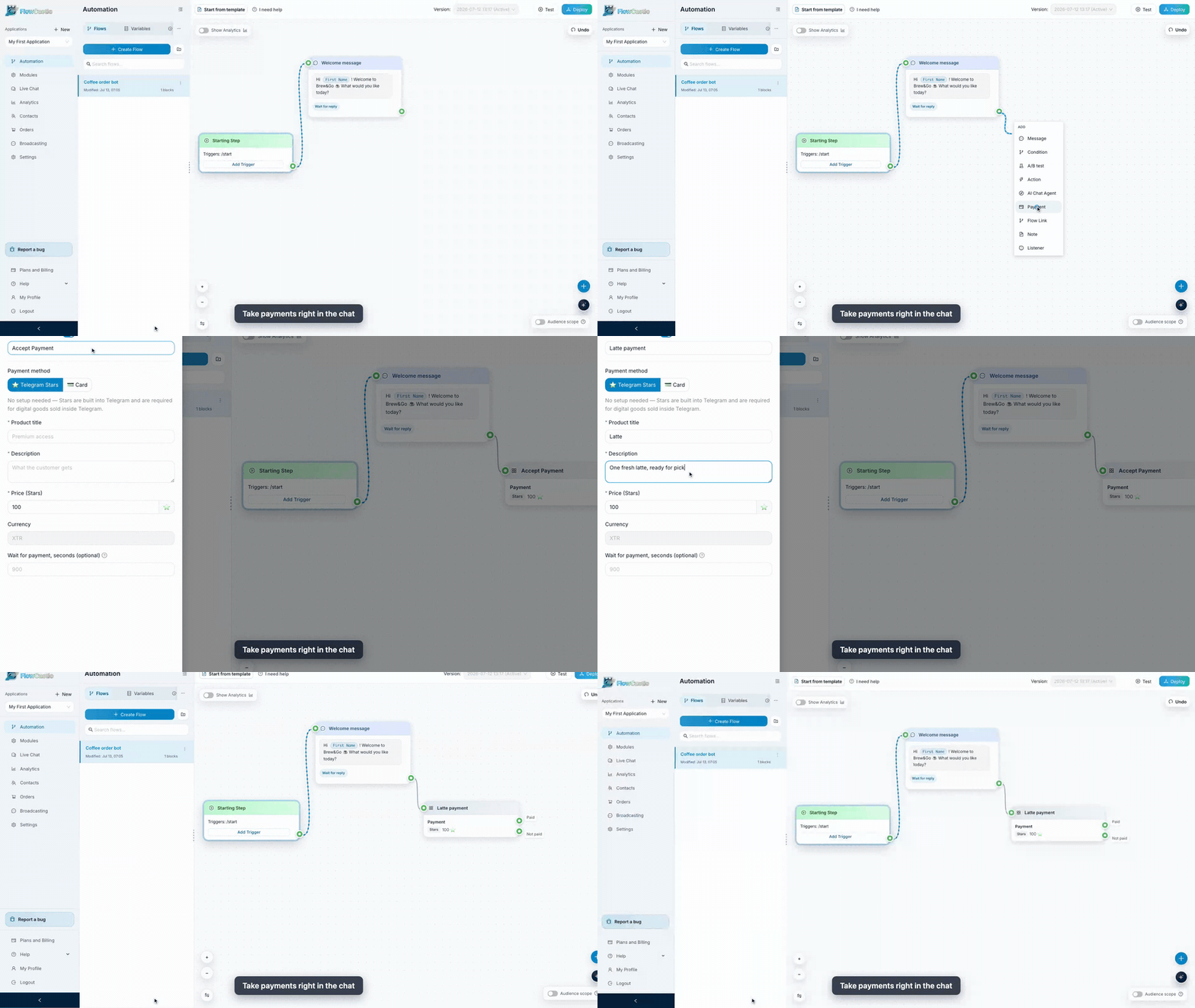
FlowCastle is a visual workflow builder for Telegram bots and web chat: flows, triggers, conditions, AI steps, payments (Stripe / YooKassa / Telegram Stars), broadcasts, drip sequences, and integrations (Gmail, Google Sheets, Notion, OpenAI, …) — with a REST API and an MCP server, so bot development works straight from your AI coding agent. Every block an agent creates through MCP is the same block you can drag, wire, and edit visually.
This repo is for developers. It contains:
| Path | What it is |
|---|---|
templates/ | 23 production bot templates as JSON — the same source that powers the template gallery and the MCP get_flow_example tool |
mcp/ | MCP server reference: endpoint, auth, all 16 tools, and a snapshot of the flow-action schema used by apply_actions |
Build a bot from your AI agent (MCP)
FlowCastle exposes an MCP server over Streamable HTTP:
Get a key: sign up → create an application → API page → MCP tab.
Claude Code
Codex
Cursor / any MCP client (JSON config)
Then just ask your agent things like:
"Look at my FlowCastle workspace and add a lead-qualification flow: greet on /start, ask three button questions, save answers to contact variables, and notify me."
The agent reads your workspace with get_workspace_summary / get_flow_context, drafts a batch of flow-builder actions, checks it with validate_actions, and applies it with apply_actions. See mcp/README.md for the full tool reference.
Templates
Each JSON file in templates/ is a complete bot: metadata (title, summary, use-cases, suggested variables, required modules) plus a schemaExample.actions array — an ordered batch of create_flow / create_block / create_link / create_variable operations in the exact format apply_actions accepts.
Three ways to use them:
- One-click install from the gallery: flowcastle.ai/templates
- Via MCP — ask your agent to
search_flow_examples/get_flow_exampleand apply one (optionally customized) to your workspace - As reference — study how real flows wire triggers, conditions, wait-for-reply steps, payments, and AI blocks
Full index and format description: templates/README.md.
REST Public API
Application-scoped REST API for contacts, contact variables, goal events, flow sends, and broadcasts:
- Base URL:
https://api.flowcastle.ai/api/public/v1 - Interactive docs (Swagger): https://api.flowcastle.ai/api/public/docs
- OpenAPI spec: https://api.flowcastle.ai/api/public/openapi.json
Auth uses the same app_… application key (Authorization: Bearer or X-API-Key).
Guides
Step-by-step builds on the FlowCastle blog:
- Build a Lead Bot in Telegram in 10 Minutes
- Build an AI Support Bot for Telegram
- I Replaced My Morning Apps With One Telegram Bot
Links
- Product: https://flowcastle.ai
- Dashboard: https://dashboard.flowcastle.ai
- Template gallery: https://flowcastle.ai/templates
- API docs: https://api.flowcastle.ai/api/public/docs
Contributing
Found a bug in a template, or built a flow worth sharing? Open an issue or PR — templates are plain JSON, and validate_actions (via MCP) will tell you if a batch is well-formed.
License
The contents of this repository are licensed under the MIT License.
Related MCP Servers
Adoption & maintenance
Factual signals from GitHub, npm, and our automated checks — not a rating.
GitHub stars
2
Stargazers on the source repository.
Last commit
2mo ago
Most recent push to the default branch.
Directory activity
1 views
Config copies, upvotes, and views on AllMCPs.
Reviews
No reviews yet — be the first to share how this listing worked for you.
Frequently Asked Questions about FlowCastle
AllMCPs Directory Badge
Showcase your server listing on GitHub or your project documentation. Embed this dynamic SVG badge to highlight official listing status and live engagement.
Badge Style:
Live Dynamic SVG Preview
Markdown (GitHub README)
[](https://allmcps.com/mcp/flowcastle)HTML Embed
<a href="https://allmcps.com/mcp/flowcastle"><img src="https://allmcps.com/api/badge/flowcastle?style=directory" alt="FlowCastle on AllMCPs" /></a>Technical Specs & Signals
CategoryCommunication
12/12 checks healthy over the last 46d
39Quality signal: Fair · 39/100How this signal is calculated ▾
Server availabilityNot measured
Not scored for repo-hosted servers — we can't reach the running server, only its GitHub page. Hosted MCP endpoints are health-checked live.
Verified ownership10/20
Documentation & tools16/30
Adoption & activity3/15
Community engagement0/10
A guidance signal from public completeness & health data — not a user rating. New listings start lower and rise as they add docs, get verified, and grow adoption. Signals we can't observe for a listing are skipped, not counted against it.
Own this project?
This directory is pre-filled from public sources. Claim via GitHub README, site badge, or DNS TXT to unlock edit access and the Official badge — proof is checked automatically, then reviewed by our team.
Free dofollow backlink: add your website and place the AllMCPs badge on it — no claim needed. We detect it automatically and keep it verified as long as the badge stays live.
Claim & get free dofollowShare & Embed
Add our SVG badge (dark/light directory styles) or embeddable widget to your site.