AllMCPs
BrowseBestCategoriesStackCompareToolsGuidesBlog
Log in Submit MCP

Stay in the loop

Get new MCP servers and top picks in your inbox.

AllMCPs

The open directory for discovering and installing Model Context Protocol servers.

AllMCPs on GitHub (opens in a new tab)
Launched onTiny Startupstinystartups.com
Explore
  • Browse servers
  • Best MCP servers
  • Categories
  • MCP clients
  • Agent prompts
  • Stack Builder
  • Compare servers
  • Random discovery New
  • Submit a server
  • Pricing & Boost Boost
Learn
  • Guides hub
  • What is MCP?
  • Install guide
  • Build an MCP server
  • Deploy an MCP server
  • Security guide
  • Troubleshooting
  • MCP for SEO & AEO
  • Protocol versioning
  • Transports: stdio vs HTTP
  • State of MCP (stats)
  • Blog & updates
Tools
  • All developer tools
  • Config generator
  • Config validator
  • Config auditor
  • MCP playground
  • Token calculator
  • OpenAPI → MCP
  • Badge generator
For agents
  • REST API docs
  • Trust & traffic Live
  • Remote MCP server SSE ↗ (opens in a new tab)
  • llms.txt ↗ (opens in a new tab)
  • Catalog JSON ↗ (opens in a new tab)
Company
  • About
  • Advertise Sponsor
  • Contact
  • GitHub ↗ (opens in a new tab)
  • Terms
  • Privacy
AllMCPs VerifiedAllMCPs VerifiedFeatured on Nick LaunchesFeatured on Nick LaunchesLaunch Llama NewsletterLaunch Llama NewsletterVerified DR - allmcps.comVerified DR - allmcps.comFeatured on SaaSGrowFeatured on SaaSGrowFeatured on Twelve ToolsFeatured on Twelve ToolsFeatured on Saaspa.geFeatured on Saaspa.geFeatured on Findly.toolsFeatured on Findly.toolsFeatured on Startup FameFeatured on Startup FameFeatured on LaunchKiwiFeatured on LaunchKiwiFeatured on ScrollLaunchFeatured on ScrollLaunchFeatured on DailyPingsFeatured on DailyPingsFazier badgeFazier badgeFeatured on NewTool.siteFeatured on NewTool.siteFeatured on saasfame.comFeatured on saasfame.comDR Checker - Domain RatingDR Checker - Domain RatingListed on Turbo0Listed on Turbo0Launched on LaunchBoard - Product Launch PlatformLaunched on LaunchBoard - Product Launch PlatformList on SimilarlabsList on Similarlabshttps://codetrendy.comhttps://codetrendy.comListed on DevTool.ioFeatured on BuildlistFeatured on BuildlistLaunched on Tiny StartupsFeatured on ShowMeBestAIFeatured on ShowMeBestAIFind us on LaunchZoneFind us on LaunchZoneAllMCPs VerifiedAllMCPs VerifiedFeatured on Nick LaunchesFeatured on Nick LaunchesLaunch Llama NewsletterLaunch Llama NewsletterVerified DR - allmcps.comVerified DR - allmcps.comFeatured on SaaSGrowFeatured on SaaSGrowFeatured on Twelve ToolsFeatured on Twelve ToolsFeatured on Saaspa.geFeatured on Saaspa.geFeatured on Findly.toolsFeatured on Findly.toolsFeatured on Startup FameFeatured on Startup FameFeatured on LaunchKiwiFeatured on LaunchKiwiFeatured on ScrollLaunchFeatured on ScrollLaunchFeatured on DailyPingsFeatured on DailyPingsFazier badgeFazier badgeFeatured on NewTool.siteFeatured on NewTool.siteFeatured on saasfame.comFeatured on saasfame.comDR Checker - Domain RatingDR Checker - Domain RatingListed on Turbo0Listed on Turbo0Launched on LaunchBoard - Product Launch PlatformLaunched on LaunchBoard - Product Launch PlatformList on SimilarlabsList on Similarlabshttps://codetrendy.comhttps://codetrendy.comListed on DevTool.ioFeatured on BuildlistFeatured on BuildlistLaunched on Tiny StartupsFeatured on ShowMeBestAIFeatured on ShowMeBestAIFind us on LaunchZoneFind us on LaunchZone
© 2026 Jackalope Digital LLC. All rights reserved.
  1. Home
  2. 💻 Developer Tools
  3. EXTRA Native Computer Use
E
Health: Not checked yetWe have not completed a health check for this listing yet.No health check has run yet.

EXTRA Native Computer Use

User RatingsBe the first to rate and review this MCP server! Enrichment pendingWe haven’t run our AI enrichment pass on this listing yet, so the overview, use cases, and FAQ below may be sparse or missing. We work through the catalog over time — check back soon.
View RepositoryVisit Website

Flashless Windows 10/11 native computer-use engine for AI vision, mouse, keyboard & UI automation

Quick Install

Automated & IDE Setup

Copy the AI prompt to install this server into Claude Code, Cursor, or another agent — or use 1-click editor setup below.

One-click editor setup isn’t available for this listing yet — we don’t have a confirmed install command, and we’d rather show nothing than point your editor at the wrong package or host. Follow the project’s own setup instructions, linked above.

Manual Client & Custom JSON ConfigExpand JSON ▾
No confirmed setup config for this listing yet. We only publish a config block when the install details come from the project itself — its README, its docs, or a verified owner. We haven’t found those for EXTRA - Native Computer Use, and we’d rather show nothing than a guess you’d paste into your client. Follow the project’s own setup instructions for the current steps.
Install Directory Badge Claim listing Alternatives💻 More in Developer Tools

Documentation Overview

Extra — Get extra from your AI

Extra

The Open-Source Astra 6 for your Mac & PC

Your AI can see, click, type, navigate, and get real work done on macOS & Windows.

License: MIT Platform: macOS 12.3+ & Windows 10/11 Protocol: Model Context Protocol (MCP) Ecosystem: yantraOS Status: Open Source

Website • Quickstart • macOS Guide • Architecture • License
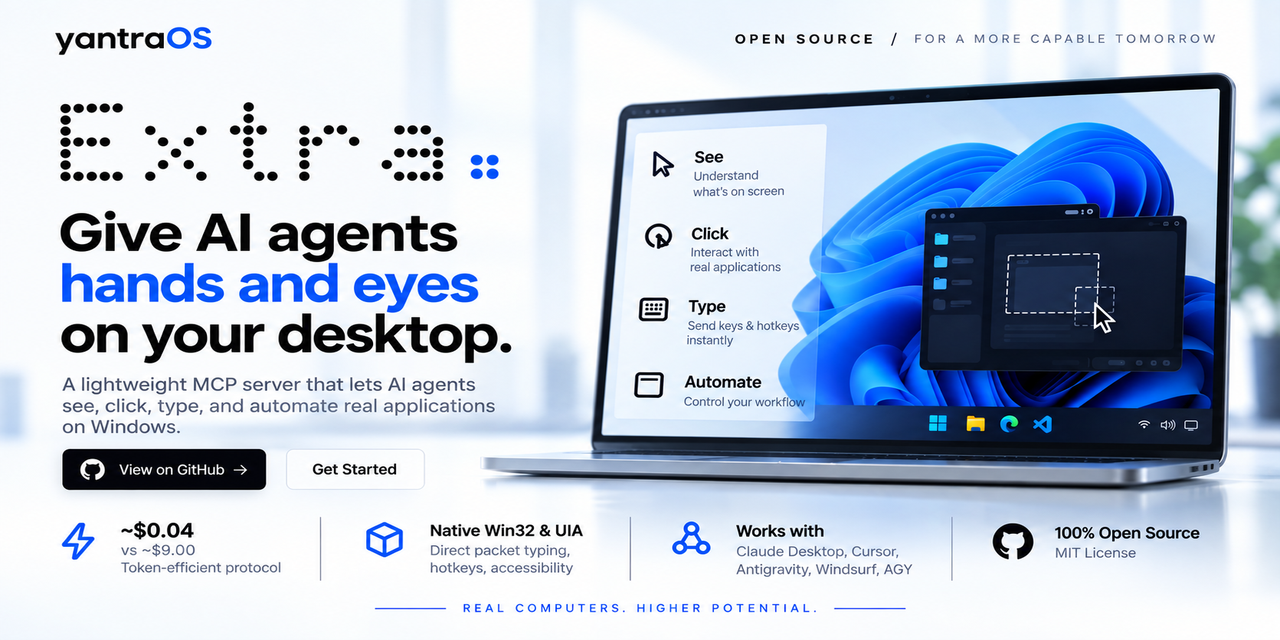


Extra in action — Live Windows desktop automation

✨ Why Extra?

Today's AI assistants can write brilliant essays and code, but they are trapped inside a chat window. When you need them to click a button, open an app, organize your files, or input data into a spreadsheet, they can only give you text instructions.

Extra gives your AI hands and eyes on Windows.

It connects Claude, Google Antigravity, Cursor, AGY, or any autonomous agent directly to your Windows desktop with high-speed screen vision, pixel-perfect clicking, and instant typing.

  • No clunky browser extensions.
  • No expensive cloud servers watching your screen.
  • 100% open source, local, and private.

💡 What You Can Ask Your AI To Do

Once Extra is running, you can talk to your AI like a real human assistant sitting at your desk:

  • 📊 Spreadsheets & Data: "Open Excel, calculate total revenue from the invoice CSVs in my Downloads folder, and create a summary chart."
  • 🗂️ Desktop & File Cleanup: "Clean up my messy desktop by moving screenshots into Pictures, PDFs into Documents, and deleting empty folders."
  • 🌐 Web Research & Data Entry: "Open Chrome, find the top 5 flights to Tokyo under $800, and copy their flight numbers and dates into Notepad."
  • ⚙️ Windows System Tasks: "Open Settings, check if any Windows updates are pending, and let me know if a restart is needed."
  • 🎵 App Control: "Launch Spotify, search for low-fi focus beats, and start playing."

⚡ Quickstart (1 Minute)

You can set up Extra in seconds on macOS or Windows:

Option A: Ask Your AI To Set It Up (Primary Funnel — Easiest)

Copy and paste the single directive for your OS into Claude Desktop, Google Antigravity, Cursor, Windsurf, or any MCP agent:

  • 🍏 For macOS (Apple Silicon M1-M4 & Intel):

    text
    Setup Extra on my Mac: In Terminal run 'curl -sSL https://extra.yantraos.com/install.sh | bash', then read and configure ~/.extra/app/STARTER_PROMPT_MACOS.md so we are ready to use Extra.
    
  • 🪟 For Windows (11 / 10):

    text
    Setup Extra on my PC: In PowerShell run 'iwr -useb https://extra.yantraos.com/install.ps1 -OutFile "$env:TEMP\install_extra.ps1"; & "$env:TEMP\install_extra.ps1"', then read and configure ~/.extra/app/STARTER_PROMPT.md so we are ready to use Extra.
    

Your AI will run the installer, configure MCP and local rules, and reply:

"We are ready! Please restart <your AI application, e.g. Claude Desktop, Antigravity, Cursor, Windsurf> to make it work."


Option B: Run the One-Liner Yourself

  • 🍏 macOS Terminal:

    Terminal
    curl -sSL https://extra.yantraos.com/install.sh | bash
    
  • 🪟 Windows PowerShell (Staged, Defender-Clean):

    powershell
    iwr -useb https://extra.yantraos.com/install.ps1 -OutFile "$env:TEMP\install_extra.ps1"; & "$env:TEMP\install_extra.ps1"
    

The automated installer will:

  • Verify OS architecture (macOS 12.3+ or Windows 10/11 64-bit).
  • Provision isolated Python 3.10+ runtime (~/.extra/venv).
  • Auto-configure Claude Desktop, Cursor, Windsurf, and Antigravity (agy).
  • Run the health diagnostic doctor and present the 1-step starter prompt.

Option C: Developer Git Clone

bash
# macOS:
git clone https://github.com/AIYantra/extra.git ~/.extra/app
cd ~/.extra/app && ./install.sh

# Windows:
git clone https://github.com/AIYantra/extra.git "$HOME\.extra\app"
cd "$HOME\.extra\app" ; .\install.ps1

Connecting to Any MCP-Compatible AI

Extra works out of the box with any agent supporting the Model Context Protocol (MCP). If you use Cursor, Windsurf, or custom agents, add this snippet to your MCP config:

config.json
{
  "mcpServers": {
    "extra": {
      "command": "npx",
      "args": ["-y", "@yantraos/extra-desktop"]
    }
  }
}

Or using native Python:

config.json
{
  "mcpServers": {
    "extra": {
      "command": "python",
      "args": ["-m", "extra.mcp.server"]
    }
  }
}

🎯 How It Works Under The Hood

Extra is engineered from the ground up for speed, reliability, and token efficiency:

  1. 👁️ Ultra-Fast Screen Capture (< 3ms): Uses native DirectX Desktop Duplication (DXGI) to take crystal-clear desktop frames in under 3 milliseconds—without lagging your PC or blurring text.
  2. 🎯 Pixel-Perfect Clicking: Rather than guessing coordinates from fuzzy screenshots, Extra queries the native Windows accessibility tree (UI Automation) to click the exact button, menu, or text field with 100% mathematical accuracy.
  3. ⚡ Instant Typing: Types 500 characters in under 5 milliseconds via native Win32 Unicode injection—with zero dropped letters and full support for emojis and international languages.
  4. 🛑 Infinite Loop Stall Protection: If an app freezes or a click produces no visual result, Extra immediately catches it and stops safely instead of burning your tokens in an endless loop.
  5. 🔒 100% Local & Private: Extra runs completely on your machine. Zero screenshots, keystrokes, or telemetry are ever sent to any cloud server.

📊 Performance Comparison

Metric / CapabilityLegacy Scripts (PyAutoGUI)Cloud Vision ModelsExtra Engine
Screen Grab Speed150 – 300 ms80 – 150 ms1.8 – 3.2 ms (DirectX DXGI)
Typing Speed (100 chars)2.5 – 5.0 seconds1.0 – 2.0 seconds< 0.005 seconds (Instant Win32)
Click Accuracy~60% (fails on display scaling)~82% (vision guess)99.4% (Native Windows UIA)
Multi-Monitor DPI SupportBroken on 125%/150% scalesRequires manual adjustmentAutomatic (PerMonitorV2)
AI Token CostHigh (full screenshot every step)High (full vision payload)70% Lower (Smart element tree)
Stall PreventionNone (gets stuck forever)Basic timeoutSmart visual delta detection

🛠️ Included Tools (MCP Suite — 20 Native Tools)

When connected to Extra, your AI assistant receives full sovereign desktop control across 20 native tools:

Tool NameWhat It Does
extra_launchOpens any app, utility, or URL directly (calc, notepad, settings, edge, chrome)
extra_focus_windowBrings any window to the front via native thread input attachment
extra_clickClicks with sub-pixel DPI accuracy, human-like Bezier curves, and semantic visual grounding (target="...")
extra_strokeDraws fluid, continuous brush splines across waypoints with pressure and Catmull-Rom smoothing
extra_typeInjects text instantly with zero lag, full emoji support, and Win32 Unicode packets
extra_hotkeySends keyboard shortcuts (Ctrl+C, Win+E, Alt+Tab, Enter)
extra_batch_actionsExecutes atomic lists of hardware & SOUL reflex actions (eval, assert, wait_for_state) in sub-milliseconds
extra_snap_layoutProgrammatically docks and arranges windows in side-by-side or split layouts in < 15ms
extra_fs_batchHigh-speed batch filesystem operations compliant with Windows Defender Controlled Folder Access
extra_inspect_uiScans accessible UI trees and interactive element nodes in real time
extra_click_elementClicks UI elements deterministically by accessible ID or semantic target
extra_scrollSmoothly scrolls wheels up, down, left, or right
extra_dragDrags and drops files, windows, or sliders between coordinates
extra_screenshotCaptures high-res desktop frames in < 25ms with optional Set-of-Mark visual badges
extra_browserDirectly extracts DOM content in Edge/Chrome or triggers synthesized API fast-paths
extra_task_startActivates ambient screen edge pulse and cursor tracking halo
extra_task_completeSignals task completion: flashes emerald border, plays acoustic chime, and analyzes trajectory
extra_indicate_statusDirect programmatic control over active, complete, and idle desktop indicators
extra_recall_memoryRecalls past task workflows, artifacts, and known quirks via KùzuDB + FastEmbed in < 2ms
extra_scout_appDiscovers UI frameworks (Electron/Win32/Viewport), universal hotkeys, and generates SKILL playbooks
extra_evolve_skillCrystallizes newly verified zero-stall fast paths into permanent skill playbooks

🏛️ Repository Structure

Read the full README →View source on GitHub →

Related MCP Servers

View all in Developer Tools View all alternatives
  • O
    Openapi MCP Server

    Connect any HTTP/REST API server using an Open API spec (v3)

    💻 Developer Tools3 views
    Compare vs Openapi MCP Server →
  • C
    Claude Task Master

    AI-powered task management system for AI-driven development. Features PRD parsing, task expansion, multi-provider support (Claude, OpenAI, Gemini, Perplexity, xAI), and selective tool loading for optimized context usage.

    💻 Developer Tools8 views
    Compare vs Claude Task Master →
  • M
    MCP Server Docker

    Integrate with Docker to manage containers, images, volumes, and networks.

    💻 Developer Tools3 views
    Compare vs MCP Server Docker →
  • N
    Next Devtools MCP
    Verified

    Official Next.js MCP server for coding agents. Provides runtime diagnostics, route inspection, dev server logs, docs search, and upgrade guides. Requires Next.js 16+ dev server for full runtime features.

    💻 Developer Tools6 views
    Compare vs Next Devtools MCP →

Reviews

No reviews yet — be the first to share how this listing worked for you.

Frequently Asked Questions about EXTRA Native Computer Use

We don't have a confirmed install command for EXTRA - Native Computer Use yet, so we don't publish a generated one — a guessed package name would point at the wrong package or none at all. Follow the project's own README or setup instructions (https://github.com/AIYantra/extra) for the current steps.

AllMCPs Directory Badge

Full Badge Customizer

Showcase your server listing on GitHub or your project documentation. Embed this dynamic SVG badge to highlight official listing status and live engagement.

Badge Style:
Live Dynamic SVG PreviewEXTRA   Native Computer Use AllMCPs Directory Badge

Markdown (GitHub README)
[![AllMCPs](https://allmcps.com/api/badge/extra-native-computer-use?style=directory)](https://allmcps.com/mcp/extra-native-computer-use)
HTML Embed
<a href="https://allmcps.com/mcp/extra-native-computer-use"><img src="https://allmcps.com/api/badge/extra-native-computer-use?style=directory" alt="EXTRA Native Computer Use on AllMCPs" /></a>

Technical Specs & Signals

Category💻Developer Tools
More technical detailsExpand ▾
Last updatedSep 28, 2026
Views0
Unique ViewsTotal visits recorded for this listing page on AllMCPs.
Installs0
Installs & Copy ActionsTotal times users copied install commands or configuration snippets for this server.
27Quality signal: Emerging · 27/100How this signal is calculated ▾
Server availabilityNot measured

Not scored for repo-hosted servers — we can't reach the running server, only its GitHub page. Hosted MCP endpoints are health-checked live.

Verified ownership8/20
Documentation & tools11/30
Adoption & activity1/15
Community engagement0/10

A guidance signal from public completeness & health data — not a user rating. New listings start lower and rise as they add docs, get verified, and grow adoption. Signals we can't observe for a listing are skipped, not counted against it.

★ Spotlight Slot

Feature Your MCP Server

Get maximum visibility for your server across our directory, search results, and detail pages.

Spotlight Your Server

Own this project?

This directory is pre-filled from public sources. Claim via GitHub README, site badge, or DNS TXT to unlock edit access and the Official badge — proof is checked automatically, then reviewed by our team.

Free dofollow backlink: add your website and place the AllMCPs badge on it — no claim needed. We detect it automatically and keep it verified as long as the badge stays live.

Claim & get free dofollow

Share & Embed

Add our SVG badge (dark/light directory styles) or embeddable widget to your site.

Explore more

More in 💻 Developer Tools →Best MCP servers for Developers →Alternatives to EXTRA Native Computer Use →Install in Claude DesktopInstall in CursorInstall in VS CodeSetup guides for all 13 MCP clients