AllMCPs
BrowseBestCategoriesStackCompareToolsGuidesBlog
Log in Submit MCP

Stay in the loop

Get new MCP servers and top picks in your inbox.

AllMCPs

The open directory for discovering and installing Model Context Protocol servers.

AllMCPs on GitHub (opens in a new tab)
Launched onTiny Startupstinystartups.com
Explore
  • Browse servers
  • Best MCP servers
  • Categories
  • MCP clients
  • Agent prompts
  • Stack Builder
  • Compare servers
  • Random discovery New
  • Submit a server
  • Pricing & Boost Boost
Learn
  • Guides hub
  • What is MCP?
  • Install guide
  • Build an MCP server
  • Deploy an MCP server
  • Security guide
  • Troubleshooting
  • MCP for SEO & AEO
  • Protocol versioning
  • Blog & updates
Tools
  • All developer tools
  • Config generator
  • Config validator
  • Config auditor
  • MCP playground
  • Token calculator
  • OpenAPI → MCP
  • Badge generator
For agents
  • REST API docs
  • Trust & traffic Live
  • Remote MCP server SSE ↗ (opens in a new tab)
  • llms.txt ↗ (opens in a new tab)
  • Catalog JSON ↗ (opens in a new tab)
Company
  • About
  • Advertise Sponsor
  • Contact
  • GitHub ↗ (opens in a new tab)
  • Terms
  • Privacy
AllMCPs VerifiedAllMCPs VerifiedFeatured on Nick LaunchesFeatured on Nick LaunchesLaunch Llama NewsletterLaunch Llama NewsletterVerified DR - allmcps.comVerified DR - allmcps.comFeatured on SaaSGrowFeatured on SaaSGrowFeatured on Twelve ToolsFeatured on Twelve ToolsFeatured on Saaspa.geFeatured on Saaspa.geFeatured on Findly.toolsFeatured on Findly.toolsFeatured on Startup FameFeatured on Startup FameFeatured on LaunchKiwiFeatured on LaunchKiwiFeatured on ScrollLaunchFeatured on ScrollLaunchFeatured on DailyPingsFeatured on DailyPingsFazier badgeFazier badgeFeatured on NewTool.siteFeatured on NewTool.siteFeatured on saasfame.comFeatured on saasfame.comDR Checker - Domain RatingDR Checker - Domain RatingListed on Turbo0Listed on Turbo0Launched on LaunchBoard - Product Launch PlatformLaunched on LaunchBoard - Product Launch PlatformList on SimilarlabsList on Similarlabshttps://codetrendy.comhttps://codetrendy.comListed on DevTool.ioFeatured on BuildlistFeatured on BuildlistLaunched on Tiny StartupsFeatured on ShowMeBestAIFeatured on ShowMeBestAIFind us on LaunchZoneFind us on LaunchZoneAllMCPs VerifiedAllMCPs VerifiedFeatured on Nick LaunchesFeatured on Nick LaunchesLaunch Llama NewsletterLaunch Llama NewsletterVerified DR - allmcps.comVerified DR - allmcps.comFeatured on SaaSGrowFeatured on SaaSGrowFeatured on Twelve ToolsFeatured on Twelve ToolsFeatured on Saaspa.geFeatured on Saaspa.geFeatured on Findly.toolsFeatured on Findly.toolsFeatured on Startup FameFeatured on Startup FameFeatured on LaunchKiwiFeatured on LaunchKiwiFeatured on ScrollLaunchFeatured on ScrollLaunchFeatured on DailyPingsFeatured on DailyPingsFazier badgeFazier badgeFeatured on NewTool.siteFeatured on NewTool.siteFeatured on saasfame.comFeatured on saasfame.comDR Checker - Domain RatingDR Checker - Domain RatingListed on Turbo0Listed on Turbo0Launched on LaunchBoard - Product Launch PlatformLaunched on LaunchBoard - Product Launch PlatformList on SimilarlabsList on Similarlabshttps://codetrendy.comhttps://codetrendy.comListed on DevTool.ioFeatured on BuildlistFeatured on BuildlistLaunched on Tiny StartupsFeatured on ShowMeBestAIFeatured on ShowMeBestAIFind us on LaunchZoneFind us on LaunchZone
© 2026 Jackalope Digital LLC. All rights reserved.
  1. Home
  2. Workplace & Productivity
  3. TexMCP
  4. README

TexMCP README

The full upstream README, mirrored here for reference. Install config, tool schemas, adoption signals, and an original overview live on the TexMCP listing page.

Back to TexMCP View source on GitHub

MseeP.ai Security Assessment Badge

FastMCP LaTeX Server (tex-mcp)

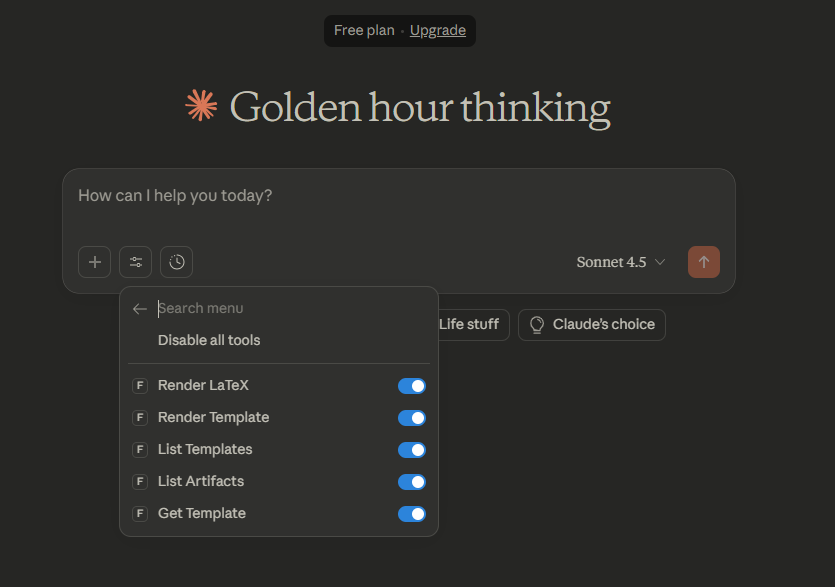
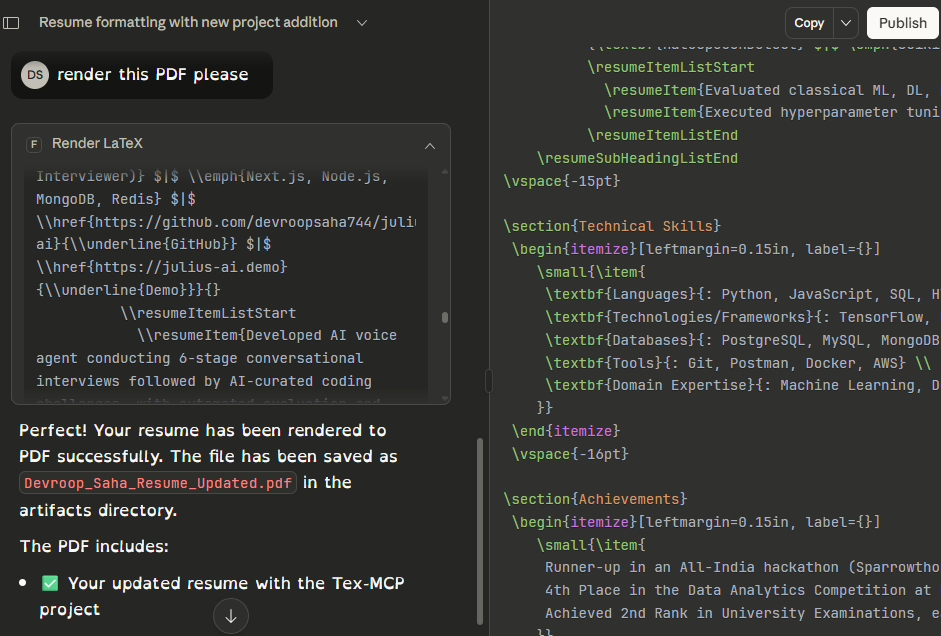
A small FastMCP-based Microservice that renders LaTeX to PDF. The server exposes MCP tools to render raw LaTeX or templates and produces artifacts (a .tex file and .pdf) under src/artifacts/.

This repository is prepared to run locally and to be loaded by Claude Desktop (via the Model Context Protocol). The default entrypoint is run_server.py.

Demo
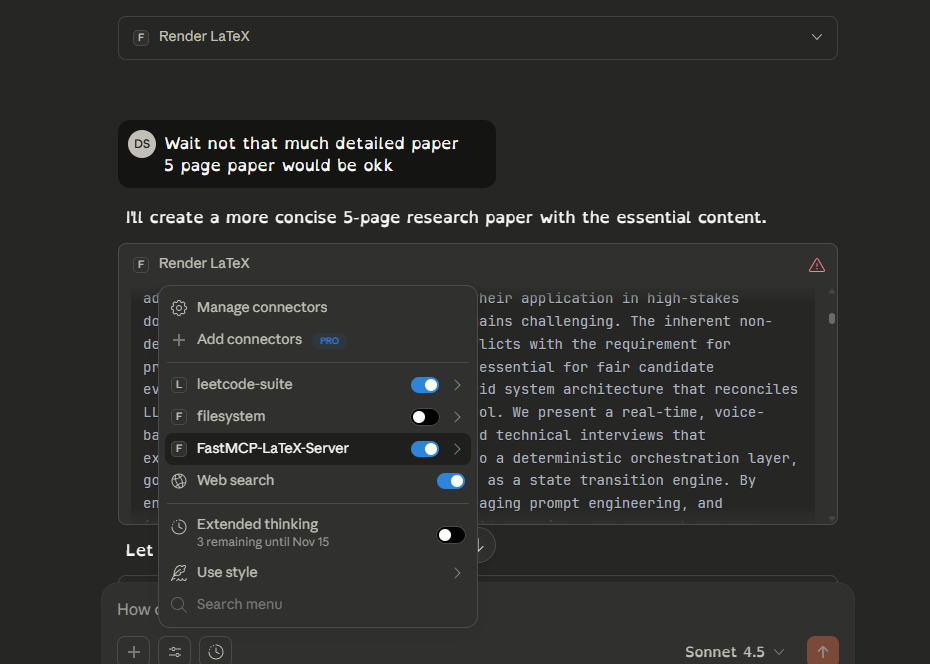
Demo screenshot Demo screenshot Demo screenshot

Quick features

  • Render raw LaTeX to .tex and (optionally) .pdf using pdflatex
  • Render Jinja2 templates and compile to PDF
  • Designed to run as an MCP server for Claude Desktop and other MCP-capable clients

Tools exposed by this MCP server

  • Total tools: 5
    • render_latex_document — write LaTeX and optionally compile to PDF
    • render_template_document — render a Jinja2 template and optionally compile
    • list_templates — list available templates
    • list_artifacts — list files produced in src/artifacts/
    • get_template — return the raw contents of a template file so clients can inspect it before rendering

Getting started (local development)

Prerequisites

  • Python 3.10+ (the project uses modern pydantic/fastapi stack)
  • LaTeX toolchain (pdflatex) for PDF compilation (optional; if missing, server returns .tex only)
  1. Create a project virtualenv and install deps

Clone from GitHub

If you want to work from the canonical repository on GitHub, clone it first:

powershell
git clone https://github.com/devroopsaha744/TexMCP.git
cd TexMCP

After cloning you can follow the venv creation and install steps below.

powershell
python -m venv .venv
. .\\.venv\\Scripts\\Activate.ps1
python -m pip install --upgrade pip
pip install -r requirements.txt
  1. Run the server directly (stdio mode - used by Claude Desktop)
powershell
. .\\.venv\\Scripts\\Activate.ps1
python .\\run_server.py
# or run the venv python explicitly if you don't activate
.# .venv\\Scripts\\python.exe run_server.py

If run in stdio mode the server will speak MCP over stdin/stdout (this is what Claude Desktop expects when it spawns the process). If you prefer HTTP, edit run_server.py and switch the transport to http (see commented code) and run via uv run or uvicorn.

  1. Artifacts

Rendered outputs are placed in src/artifacts/. For each job you should see a .tex file and — if pdflatex is available — a matching .pdf.

Templates

  • Several example templates live in src/mcp_server/templates/. There are 15 templates included (for example sample_invoice.tex.j2, sample_letter.tex.j2, sample_resume.tex.j2). Use list_templates to get the full list programmatically. The templates are deliberately simple and ready to customize — add your own .tex.j2 files to that folder to expand the catalog.

Included templates (in src/mcp_server/templates/)

  • default.tex.j2 (base example template)
  • sample_invoice.tex.j2
  • sample_invoice2.tex.j2
  • sample_letter.tex.j2
  • sample_report.tex.j2
  • sample_resume.tex.j2
  • sample_presentation.tex.j2
  • sample_certificate.tex.j2
  • sample_coverletter.tex.j2
  • sample_poster.tex.j2
  • sample_thesis.tex.j2
  • sample_receipt.tex.j2
  • sample_recipe.tex.j2
  • sample_poem.tex.j2
  • sample_cv.tex.j2

Integration with Claude Desktop (quick)

Recommended: use the fastmcp CLI installer which will set things up to run from the project directory and use the project venv.

From your project root (with the venv already created and deps installed):

powershell
fastmcp install claude-desktop run_server.py --project C:\\Users\\DEVROOP\\Desktop\\tex-mcp

This ensures uv runs inside the project directory and uses the project's environment. After the installer runs, fully quit and restart Claude Desktop.

Manual Claude Desktop config If you edit Claude's config yourself (Windows: %APPDATA%\\Claude\\claude_desktop_config.json), add a single server entry that points to the project Python executable. Example (replace paths if needed):

config.json
{
  "mcpServers": {
    "FastMCP-LaTeX-Server": {
      "command": "C:\\\\Users\\\\DEVROOP\\\\Desktop\\\\tex-mcp\\\\venv\\\\Scripts\\\\python.exe",
      "args": [
        "C:\\\\Users\\\\DEVROOP\\\\Desktop\\\\tex-mcp\\\\run_server.py"
      ],
      "cwd": "C:\\\\Users\\\\DEVROOP\\\\Desktop\\\\tex-mcp",
      "transport": "stdio"
    }
  }
}

Notes

  • Do NOT point Claude at the virtualenv activate script — it is a shell helper and not an executable. Point Claude to the python.exe inside the venv (or to uv.exe inside the venv if you installed uv).
  • After any config changes, fully restart Claude Desktop.

Docker

This project includes a Dockerfile so you can run the MCP server in a container.

Build (no LaTeX):

Terminal
docker build -t fastmcp-latex:latest .

Build with LaTeX (larger image):

Terminal
docker build --build-arg INSTALL_TEX=1 -t fastmcp-latex:with-tex .

Run (HTTP mode exposed on port 8000):

Terminal
docker run -p 8000:8000 --rm --name fastmcp-latex fastmcp-latex:latest

Notes

  • The container sets MCP_TRANSPORT=http by default. Inside the container the server binds to 0.0.0.0:8000.
  • If you want to run the server in stdio mode in a container you can override the env var:
Terminal
docker run -e MCP_TRANSPORT=stdio ...

Artifact persistence

  • To persist rendered artifacts on the host, bind mount the src/artifacts directory:
Terminal
docker run -p 8000:8000 -v $(pwd)/src/artifacts:/app/src/artifacts fastmcp-latex:latest

You can Use a Model Context Protocol / FastMCP client library (Like OpenAI Responses API) in your agent code to call tools programmatically. For example, in Python you can use the mcp or fastmcp client (see library docs) to connect to http://localhost:8000/mcp and call render_latex_document with arguments.

Security notes

  • If you expose the HTTP endpoint beyond localhost, secure it (TLS, firewall, or authentication) — rendering arbitrary LaTeX can pose risks (shell commands in templates, large resource use).

Contributing

Thanks for wanting to contribute! See CONTRIBUTING.md for the development workflow, commit style, and how to open issues and pull requests.


License

This project is released under the MIT License — see LICENSE.