Dembrandt vs Pagespeed Insights MCP
A side-by-side look at the Dembrandt and Pagespeed Insights MCP MCP servers: transport, auth, tools, quality signals, and the config to install either one in Claude, Cursor, Windsurf or VS Code.
Verdict: choose Dembrandt for developer tools work as a local process; choose Pagespeed Insights MCP for developer tools as a local process. You can also run both side by side in one mcpServers block.
Which MCP server should you choose?
 Choose Dembrandt when
- You need dedicated capabilities in the Developer Tools domain.
- You prefer a local stdio subprocess transport.
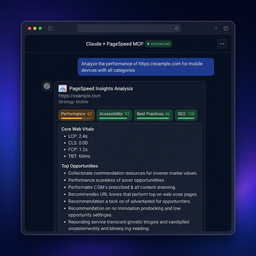 Choose Pagespeed Insights MCP when
- You need dedicated capabilities in the Developer Tools domain.
- You prefer a local stdio subprocess transport.
- Its auth model fits you: API key required.
- You have the keys it needs:
GOOGLE_API_KEY. - You want tools like
pagespeed_analyze_page, pagespeed_diagnose_page, pagespeed_get_field_data.
Feature & specification comparison
Rows where the two servers differ are marked.
| Spec | ||
|---|---|---|
| Category | Developer Tools | Developer Tools |
| Quality signal | 53/100 · Good | 68/100 · Great |
| Install command | Confirmed | Confirmed |
| Transport | Local subprocess (stdio) | Local subprocess (stdio) |
| Auth | Not declared | API key required |
| Pricing | Not declared | BYOK (pay the provider) |
| Required env vars | None listed | GOOGLE_API_KEY |
| Verified owner | Community listing | Community listing |
| GitHub stars | 3,806 | 75 |
| Directory activity | 1 views 0 installs 0 upvotes | 0 views 0 installs 0 upvotes |
| Tools | Not listed | 6 |
| Full listing | View Dembrandt | View Pagespeed Insights MCP |
Tools & capabilities
Dembrandt tools
No tool names declared yet. Check the project README from the listing page.
Pagespeed Insights MCP tools 6
pagespeed_analyze_pageRun a PageSpeed Insights Lighthouse analysis for one public page. Start with report=summary for a health check; choose full for audits, recommendations for a prioritized fix list, audit for non-performance categories, or performance-map for Mermaid. Example: analyze a mobile product page and return the three most useful remediation steps. Returns a report plus structured result. The Google API is contacted and results may be served from the local cache.pagespeed_diagnose_pageInspect one page through exactly one diagnostic lens: visual, elements, network, javascript, images, render-blocking, or third-parties. Use after pagespeed_analyze_page identifies a problem; do not use it for a general score. Example: focus=render-blocking to identify CSS/JS delaying first render. Returns focused evidence rather than a full Lighthouse dump.pagespeed_get_field_dataGet real-user Core Web Vitals from Chrome UX Report, not Lighthouse lab measurements. Use scope=page for one URL; use scope=origin with a bare origin when the page has insufficient traffic. Example: check mobile LCP and INP for https://example.com/checkout. Returns p75 field metrics or a clear no-data result.pagespeed_compare_pagesCompare two pages now (mode=pages) or measure one page against its locally stored baseline (mode=baseline). Baseline mode records the first call; use runs=3 or more and rely on guaranteed deltas, not medians alone. Example: compare staging against production, or verify whether a deployed fix improved mobile LCP. replaceBaseline overwrites local baseline state.pagespeed_analyze_batchAnalyze 1–10 public URLs and return per-page results plus success/failure counts. Use pagespeed_analyze_page for one URL or pagespeed_compare_pages for a direct comparison. Example: triage the ten highest-traffic landing pages. Progress notifications are emitted when supported by the client.pagespeed_clear_cacheClear only this server process's in-memory PageSpeed response cache, forcing later analysis calls to contact Google again. Use after a deploy when a cached result is stale. It does not change the target website, files, or remote data; repeating the call is safe.
Ready-to-paste client configs
Paste either block (or both) into your client config, e.g. claude_desktop_config.json or ~/.cursor/mcp.json. We only show a config when the install command is confirmed.
Dembrandt
{
  "mcpServers": {
    "dembrandt": {
      "command": "npx",
      "args": [
        "-y",
        "dembrandt"
      ]
    }
  }
}
Pagespeed Insights MCP
{
  "mcpServers": {
    "pagespeed-insights-mcp-2": {
      "command": "npx",
      "args": [
        "-y",
        "pagespeed-insights-mcp"
      ],
      "env": {
        "GOOGLE_API_KEY": "YOUR_GOOGLE_API_KEY_HERE"
      }
    }
  }
}
Frequently asked questions
Dembrandt is categorized under Developer Tools and uses a local stdio subprocess. Pagespeed Insights MCP belongs to Developer Tools and uses a local stdio subprocess. Pick Dembrandt for developer tools work and Pagespeed Insights MCP for developer tools.
Copy the mcpServers block from the config section on this page into your client's config (for example claude_desktop_config.json or ~/.cursor/mcp.json), then fully restart the client.
Dembrandt has no declared pricing — check the project's own site. Pagespeed Insights MCP is bring-your-own-key: usage is billed by the API provider you supply a key for. Auth: api key required. If a server needs environment variables such as API keys, define them under the env key in your client's MCP config.
Yes. MCP clients support multiple servers: add dembrandt and pagespeed-insights-mcp-2 as separate keys in the same mcpServers object, and your assistant will call tools from either one.
On AllMCPs, Dembrandt has a quality signal of 53/100 (Good) with 1 views, 0 installs and 3,806 GitHub stars. Pagespeed Insights MCP has 68/100 (Great) with 0 views, 0 installs and 75 GitHub stars.