AllMCPs
BrowseBestCategoriesStackCompareToolsGuidesBlog
Log in Submit MCP

Stay in the loop

Get new MCP servers and top picks in your inbox.

AllMCPs

The open directory for discovering and installing Model Context Protocol servers.

AllMCPs on GitHub (opens in a new tab)
Launched onTiny Startupstinystartups.com
Explore
  • Browse servers
  • Best MCP servers
  • Categories
  • MCP clients
  • Agent prompts
  • Stack Builder
  • Compare servers
  • Random discovery New
  • Submit a server
  • Pricing & Boost Boost
Learn
  • Guides hub
  • What is MCP?
  • Install guide
  • Build an MCP server
  • Deploy an MCP server
  • Security guide
  • Troubleshooting
  • MCP for SEO & AEO
  • Protocol versioning
  • Blog & updates
Tools
  • All developer tools
  • Config generator
  • Config validator
  • Config auditor
  • MCP playground
  • Token calculator
  • OpenAPI → MCP
  • Badge generator
For agents
  • REST API docs
  • Trust & traffic Live
  • Remote MCP server SSE ↗ (opens in a new tab)
  • llms.txt ↗ (opens in a new tab)
  • Catalog JSON ↗ (opens in a new tab)
Company
  • About
  • Advertise Sponsor
  • Contact
  • GitHub ↗ (opens in a new tab)
  • Terms
  • Privacy
AllMCPs VerifiedAllMCPs VerifiedFeatured on Nick LaunchesFeatured on Nick LaunchesLaunch Llama NewsletterLaunch Llama NewsletterVerified DR - allmcps.comVerified DR - allmcps.comFeatured on SaaSGrowFeatured on SaaSGrowFeatured on Twelve ToolsFeatured on Twelve ToolsFeatured on Saaspa.geFeatured on Saaspa.geFeatured on Findly.toolsFeatured on Findly.toolsFeatured on Startup FameFeatured on Startup FameFeatured on LaunchKiwiFeatured on LaunchKiwiFeatured on ScrollLaunchFeatured on ScrollLaunchFeatured on DailyPingsFeatured on DailyPingsFazier badgeFazier badgeFeatured on NewTool.siteFeatured on NewTool.siteFeatured on saasfame.comFeatured on saasfame.comDR Checker - Domain RatingDR Checker - Domain RatingListed on Turbo0Listed on Turbo0Launched on LaunchBoard - Product Launch PlatformLaunched on LaunchBoard - Product Launch PlatformList on SimilarlabsList on Similarlabshttps://codetrendy.comhttps://codetrendy.comListed on DevTool.ioFeatured on BuildlistFeatured on BuildlistLaunched on Tiny StartupsFeatured on ShowMeBestAIFeatured on ShowMeBestAIFind us on LaunchZoneFind us on LaunchZoneAllMCPs VerifiedAllMCPs VerifiedFeatured on Nick LaunchesFeatured on Nick LaunchesLaunch Llama NewsletterLaunch Llama NewsletterVerified DR - allmcps.comVerified DR - allmcps.comFeatured on SaaSGrowFeatured on SaaSGrowFeatured on Twelve ToolsFeatured on Twelve ToolsFeatured on Saaspa.geFeatured on Saaspa.geFeatured on Findly.toolsFeatured on Findly.toolsFeatured on Startup FameFeatured on Startup FameFeatured on LaunchKiwiFeatured on LaunchKiwiFeatured on ScrollLaunchFeatured on ScrollLaunchFeatured on DailyPingsFeatured on DailyPingsFazier badgeFazier badgeFeatured on NewTool.siteFeatured on NewTool.siteFeatured on saasfame.comFeatured on saasfame.comDR Checker - Domain RatingDR Checker - Domain RatingListed on Turbo0Listed on Turbo0Launched on LaunchBoard - Product Launch PlatformLaunched on LaunchBoard - Product Launch PlatformList on SimilarlabsList on Similarlabshttps://codetrendy.comhttps://codetrendy.comListed on DevTool.ioFeatured on BuildlistFeatured on BuildlistLaunched on Tiny StartupsFeatured on ShowMeBestAIFeatured on ShowMeBestAIFind us on LaunchZoneFind us on LaunchZone
© 2026 Jackalope Digital LLC. All rights reserved.
  1. Home
  2. Multimedia Process
  3. Short Video Agent Kit
  4. README

Short Video Agent Kit README

The full upstream README, mirrored here for reference. Install config, tool schemas, adoption signals, and an original overview live on the Short Video Agent Kit listing page.

Back to Short Video Agent Kit View source on GitHub

Short Video Agent Kit

Short Video Agent Kit

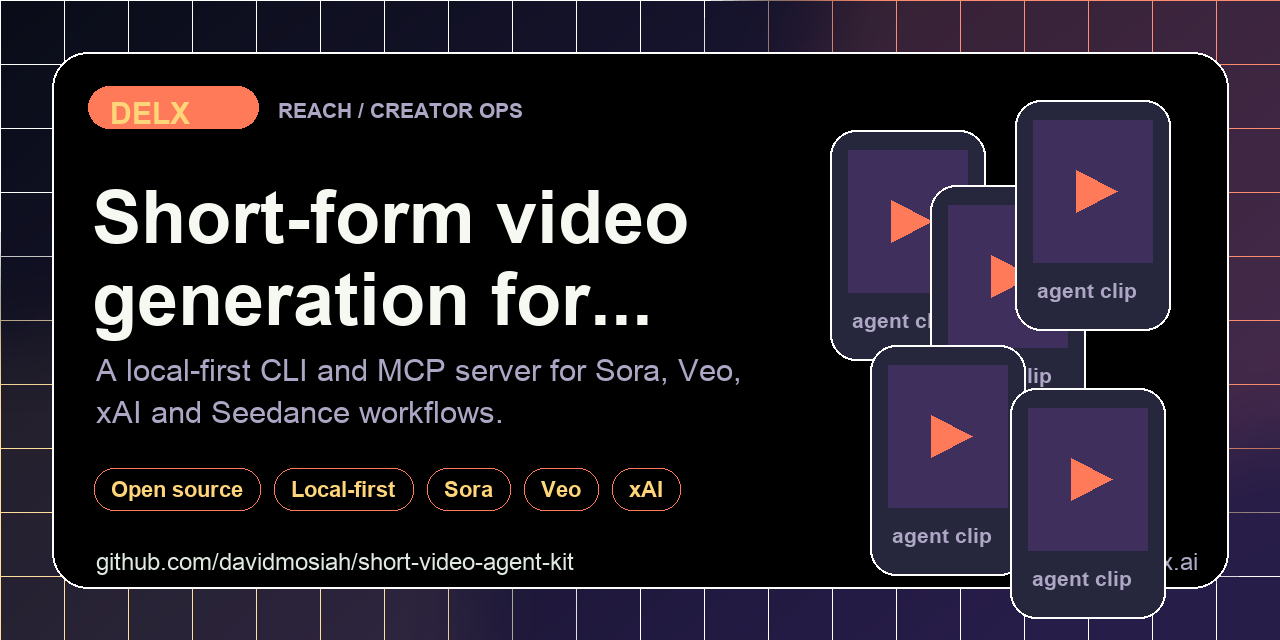
One agent-first CLI + MCP for short-form AI video.
Sora · Veo · xAI · Seedance — dry-run by default, paid generation when explicitly enabled.

npm version npm downloads License MIT Built for MCP

GitHub stars CI status Part of the Delx agent stack Category

⭐ If this agent-first tool helps your workflow, please star the repo. Stars make this tooling easier for other builders to discover and help Delx keep shipping open infrastructure.
🧱 Part of the Delx agent stack — 15 open-source MCP servers across body, reach and coordination.


HTTP (v2 stateless)

Default is stdio. Optional Streamable HTTP — no session id, JSON responses, loopback only:

Terminal
npx -y -p short-video-agent-kit short-video-mcp --http
# GET  http://127.0.0.1:3033/health
# POST http://127.0.0.1:3033/mcp   (sessionless)

Env: SHORT_VIDEO_MCP_HOST, SHORT_VIDEO_MCP_PORT, SHORT_VIDEO_MCP_TRANSPORT=http.

Provider-neutral short-form AI video toolkit for agents. It gives Codex, Claude, Cursor, Hermes, OpenClaw and other MCP clients one interface for building dry-run payloads and, when explicitly enabled, generating vertical video through Sora/OpenAI, Gemini Veo, xAI/Grok and Seedance/PiAPI-style providers.

Use it when an agent needs one safe interface for prompt-to-video payload validation and optional paid generation across multiple providers.

Why It Is Agent-First

Video generation can be expensive and prompt-sensitive. This package makes agents start with safe steps:

  • inspect provider readiness
  • return privacy boundaries
  • build payloads without spending credits
  • require --live or SHORT_VIDEO_DRY_RUN=false before provider calls
  • keep prompts and outputs in local user-controlled paths

Install

Terminal
npm install -g short-video-agent-kit

Or run directly:

Terminal
npm exec --yes --package=short-video-agent-kit -- short-video-agent-kit doctor

Quickstart

No API key needed to try it — generation is dry-run by default, so the kit returns the exact provider-neutral plan it would send without spending a credit.

Build a Sora plan for an 8-second vertical teaser:

bash
short-video-agent-kit generate \
  --provider openai_sora \
  --prompt "Vertical 8-second product teaser for a minimalist water bottle, soft studio light, slow dolly-in" \
  --output ./output/teaser.mp4

Real output (no provider call, no credits spent):

config.json
{
  "ok": true,
  "dry_run": true,
  "next_step": "Pass --live or set SHORT_VIDEO_DRY_RUN=false to call the provider API.",
  "provider": "openai_sora",
  "endpoint": "POST /v1/videos",
  "payload": {
    "model": "sora-2",
    "prompt": "Vertical 8-second product teaser for a minimalist water bottle, soft studio light, slow dolly-in",
    "seconds": "8",
    "size": "720x1280"
  }
}

Same prompt, different provider — the plan re-targets the endpoint and parameter shape for you. payload returns just the plan (no dry_run wrapper):

bash
short-video-agent-kit payload --provider gemini_veo --prompt "Same teaser, 9:16, cinematic"
config.json
{
  "provider": "gemini_veo",
  "endpoint": "POST /models/{model}:predictLongRunning",
  "payload": {
    "instances": [
      {
        "prompt": "Same teaser, 9:16, cinematic"
      }
    ],
    "parameters": {
      "aspectRatio": "9:16",
      "durationSeconds": 8
    }
  }
}

Check which providers are wired up (keys are detected, never printed):

bash
short-video-agent-kit doctor
config.json
{
  "ok": false,
  "dry_run": true,
  "providers": {
    "openai_sora": { "configured": false, "env_keys": ["OPENAI_API_KEY"], "models": ["sora-2"] },
    "gemini_veo": { "configured": false, "env_keys": ["GEMINI_API_KEY", "GOOGLE_API_KEY"], "models": ["veo-3.1-fast-generate-preview"] },
    "xai_grok": { "configured": false, "env_keys": ["XAI_API_KEY"], "models": ["grok-imagine-video", "grok-imagine-image"] },
    "seedance_piapi": { "configured": false, "env_keys": ["PIAPI_KEY", "SEEDANCE_API_KEY"], "models": ["seedance-2-fast-preview"] }
  },
  "output_dir": "./output",
  "next_steps": [
    "Set one provider key: OPENAI_API_KEY, GEMINI_API_KEY, XAI_API_KEY or PIAPI_KEY."
  ]
}

When you are ready to actually render, set a provider key and re-run generate with --live (or SHORT_VIDEO_DRY_RUN=false).

CLI

bash
short-video-agent-kit manifest --client codex
short-video-agent-kit doctor
short-video-agent-kit privacy-audit
short-video-agent-kit payload --provider gemini_veo --prompt-file prompt.txt
short-video-agent-kit generate --provider openai_sora --prompt "Vertical product teaser" --output ./output/teaser.mp4
short-video-agent-kit generate --provider openai_sora --prompt-file prompt.txt --output ./output/teaser.mp4 --live

Supported providers:

  • openai_sora
  • gemini_veo
  • xai_grok
  • seedance_piapi

MCP

bash
short-video-mcp

HTTP transport:

bash
SHORT_VIDEO_MCP_TRANSPORT=http short-video-mcp

Hermes-style config:

yaml
mcp_servers:
  short_video:
    command: npx
    args: ["-y", "short-video-agent-kit"]
    sampling:
      enabled: false

Recommended first calls:

  1. short_video_connection_status
  2. short_video_privacy_audit
  3. short_video_build_payload
  4. short_video_generate

Agent Surfaces

ToolPurpose
short_video_agent_manifestInstall/runtime guidance for Codex, Claude, Cursor, Hermes and OpenClaw
short_video_connection_statusProvider readiness without API keys
short_video_privacy_auditPrompt, output and reference-asset boundaries
short_video_build_payloadProvider-specific payload without paid generation
short_video_generateDry-run by default, live only when explicitly requested

Copy-Paste Agent Prompt

text
Use short-video-agent-kit. First call short_video_connection_status and short_video_privacy_audit.
Build the payload before generation. Only set live=true if I explicitly confirm a paid provider call.

Configuration

Copy .env.example to .env and fill only the provider keys you plan to use. .env, output/ and .agent-data/ are ignored by Git.

Safety Model

  • Dry-run is the default.
  • API keys are never returned by tools.
  • Paid generation requires --live, MCP live=true, or SHORT_VIDEO_DRY_RUN=false.
  • Reference images must be user-owned or licensed.
  • Outputs are written to local paths controlled by the user.

Development

Terminal
npm install
npm test
npm run check

📧 Contact & Support

  • 📨 support@delx.ai — general questions, integration help, partnerships
  • 🐛 Bug reports / feature requests — GitHub Issues
  • 🐦 Updates — @delx369 on X
  • 🌐 Site — wellness.delx.ai