DataSinking vs Signal8 MCP
A side-by-side look at the DataSinking and Signal8 MCP MCP servers: transport, auth, tools, quality signals, and the config to install either one in Claude, Cursor, Windsurf or VS Code.
Verdict: choose DataSinking for finance & fintech work as a local process; choose Signal8 MCP for finance & fintech as a local process. You can also run both side by side in one mcpServers block.
Which MCP server should you choose?
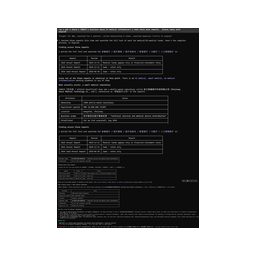 Choose DataSinking when
- You need dedicated capabilities in the Finance & Fintech domain.
- You prefer a local stdio subprocess transport.
- Its auth model fits you: API key required.
- You have the keys it needs:
DATASINK_API_KEY. - You want tools like
list_exchanges, list_stocks, list_reports.
 Choose Signal8 MCP when
- You need dedicated capabilities in the Finance & Fintech domain.
- You prefer a local stdio subprocess transport.
- Its auth model fits you: API key required.
- You have the keys it needs:
SIGNAL8_API_KEY. - You want tools like
search_companies, get_company_profile, get_quote.
Feature & specification comparison
Rows where the two servers differ are marked.
| Spec | ||
|---|---|---|
| Category | Finance & Fintech | Finance & Fintech |
| Quality signal | 67/100 · Great | 64/100 · Good |
| Install command | Confirmed | Confirmed |
| Transport | Local subprocess (stdio) | Local subprocess (stdio) |
| Auth | API key required | API key required |
| Pricing | Not declared | BYOK (pay the provider) |
| Required env vars | DATASINK_API_KEY | SIGNAL8_API_KEY |
| Verified owner | Community listing | Community listing |
| GitHub stars | 21 | 1 |
| Directory activity | 1 views 0 installs 0 upvotes | 6 views 0 installs 0 upvotes |
| Tools | 6 | 101 |
| Full listing | View DataSinking | View Signal8 MCP |
Tools & capabilities
DataSinking tools 6
list_exchangesList the exchanges DataSinking covers. Returns exchange codes (nyse / nasdaq / cboe / sse / szse / bj / jpx / ksc / koe / knx / twse / tpex / lse) with the number of reports available per exchange. Call this first to discover coverage. Sources: US = SEC EDGAR, A-shares = cninfo.com.cn, Japan = EDINET, Korea = DART, Taiwan = MOPS, UK = FCA NSM.list_stocksList the stocks on one exchange, including the report count per company.list_reportsList a company's reports — metadata only (id, title, period), no body text. Each item carries a `source` field naming the official disclosure platform; keep that attribution when you cite it.get_reportFetch one report's full text (metadata + Markdown body). The `source` field names the official disclosure platform; keep that attribution when you cite it. Expensive in tokens — prefer get_section when you only need one chapter. Content is annotated with block markers (`<!-- ds:block:N -->`) so you can cite a specific paragraph or table.list_sectionsList every section of a report with its size, before you decide what to pull. Returns `sections` (titles, in order) plus `section_details` — same order, one entry per section with `title`, `has_tables`, `chars` and `estimated_tokens`. Use `estimated_tokens` to avoid pulling a chapter that would blow your context, and `has_tables` to know whether the chapter needs special handling (tables are the part RAG pipelines usually get wrong). Then call get_section with a heading keyword — the headings are in the report's own language.get_sectionFetch only one section of a report by keyword — much cheaper than get_report, best for RAG. Content is annotated with block markers (`<!-- ds:block:N -->`) so you can cite a specific paragraph or table.
Signal8 MCP tools 101
search_companiesSearch for companies by name or ticker symbol in the Signal8 database. Returns matching companies with their ticker, name, CIK, and exchange. Use this as the first step to find a company before calling other tools.get_company_profileGet an enriched company profile by ticker symbol. Returns CIK, exchange, sector, industry, market cap, employee count, description, and other fundamental data. This is a lightweight lookup (1 credit) -- use this when you only need basic company info rather than the full bundle. Always includes halted/haltCode/haltedAt trading-halt status (false/null when trading normally); a halted-but-listed ticker reports delisted:false.get_quoteGet the current stock quote for a company including price, volume, change, market cap, and other real-time market data. Use this when a user asks about a stock's current price or trading activity. Always includes halted/haltCode/haltReason/haltedAt/resumptionAt trading-halt fields (false/null when trading normally); a halted ticker returns the last-known quote instead of an error, or currentPrice:null + halted:true when nothing is recoverable.get_market_metricsGet computed market metrics for a company including volume averages, volatility, SMAs, and trend direction. Use when analyzing trading patterns or technical indicators beyond the basic quote.get_short_interestGet short interest data for a company including short volume, short ratio, days to cover, and short percent of float. Use when analyzing bearish sentiment or potential short squeeze setups.get_floatGet float data for a company: floatShares, source, floatDefinition, and as-of date. Use when analyzing share supply. IMPORTANT: check "floatDefinition" to know which float you are reading — "tradeable" (shares outstanding minus affiliates minus restricted/unregistered blocks: what can actually reach the tape; used on filing-derived dilution-snapshot tickers), "non_affiliate" (the SEC I.B.6 figure, which INCLUDES restricted shares held by non-affiliates — not what a trader means by float), "non_affiliate_estimate" (approximated from ownership filings), or "free_float" (vendor methodology). On snapshot tickers "nonAffiliateFloatShares" carries the SEC I.B.6 figure separately — it is the ONLY correct input to baby-shelf / I.B.6 shelf-capacity math; never use the tradeable float there, and never present the non-affiliate figure as tradeable supply. floatShares:null with "floatWithheldReason" set ("restricted_blocks_unnetted" | "stated_figure_impossible" | "affiliate_basis_stale" | "affiliate_figure_declined") means the figure was deliberately WITHHELD, not unavailable — do not substitute a vendor float. On "affiliate_basis_stale", "affiliateBasis.floatLowerBound" / "floatUpperBound" are a RANGE the float lies in (both ends or neither; null = not measurable) — a range to state, never a number to compute with. "restrictedShares":null means NOT MEASURED (a block exists whose size the filings do not state), NEVER zero; "restrictedBlockCount":0 is an answer, not an absence. "affiliateBasisStale" (with basisSpanDays/affiliateAnchorDate) labels a float whose affiliate table is materially older than its share count — the number itself is unchanged.get_float_historyGet the POINT-IN-TIME float history for a company — one sample per trade date (float shares, shares outstanding, and the source the float came from). Use to answer "what was the float on date X" or to see float expand across a dilution event, which the latest-only get_float cannot show. IMPORTANT: this series is FORWARD-ONLY — it began accumulating in mid-2026 and is NOT backfilled, so early/absent history is expected and an empty rows array is a normal result, not an error or a delisted company. Each row carries "source" ("polygon" | "computed" | "sec_10k" | "fmp") because float quality varies by provider — weigh rows accordingly rather than treating all sources as equal. Charged per your API tier.get_historical_pricesGet historical OHLCV price candles for a stock. Supports daily, weekly, and monthly resolutions. Use period shorthand (1M, 3M, 6M, 1Y, 5Y, ALL) or explicit from/to UNIX timestamps. Default is 1 year of daily candles. Use this to compute price returns, chart price history, or analyze volume trends over time.get_stock_price_changeGet percentage price changes for a stock across multiple timeframes: 1D, 5D, 1M, 3M, 6M, YTD, 1Y, 3Y, 5Y, 10Y, and MAX. Use this for quick "how much is it up/down" answers without fetching full candle data.get_financialsGet income statement, balance sheet, and cash flow data for a company. Supports annual, quarterly, and trailing-twelve-month views. Use when analyzing revenue, profitability, debt, or cash position.get_earningsGet historical earnings data for a company including EPS actual vs estimate, revenue actual vs estimate, and surprise percentages. Use when analyzing earnings beats/misses or upcoming earnings expectations.get_executivesGet key executives and officers of a company including name, title, compensation, and tenure. Use when researching company leadership or management quality.- +89 more on the listing page
Ready-to-paste client configs
Paste either block (or both) into your client config, e.g. claude_desktop_config.json or ~/.cursor/mcp.json. We only show a config when the install command is confirmed.
DataSinking
{
  "mcpServers": {
    "datasinking": {
      "command": "npx",
      "args": [
        "-y",
        "datasinking-mcp"
      ],
      "env": {
        "DATASINK_API_KEY": "YOUR_DATASINK_API_KEY_HERE"
      }
    }
  }
}
Signal8 MCP
{
  "mcpServers": {
    "signal8ai-signal8-mcp": {
      "command": "npx",
      "args": [
        "-y",
        "@signal8ai/mcp"
      ],
      "env": {
        "SIGNAL8_API_KEY": "YOUR_SIGNAL8_API_KEY_HERE"
      }
    }
  }
}
Frequently asked questions
DataSinking is categorized under Finance & Fintech and uses a local stdio subprocess. Signal8 MCP belongs to Finance & Fintech and uses a local stdio subprocess. Pick DataSinking for finance & fintech work and Signal8 MCP for finance & fintech.
Copy the mcpServers block from the config section on this page into your client's config (for example claude_desktop_config.json or ~/.cursor/mcp.json), then fully restart the client.
DataSinking has no declared pricing — check the project's own site. Auth: api key required. Signal8 MCP is bring-your-own-key: usage is billed by the API provider you supply a key for. Auth: api key required. If a server needs environment variables such as API keys, define them under the env key in your client's MCP config.
Yes. MCP clients support multiple servers: add datasinking and signal8ai-signal8-mcp as separate keys in the same mcpServers object, and your assistant will call tools from either one.
On AllMCPs, DataSinking has a quality signal of 67/100 (Great) with 1 views, 0 installs and 21 GitHub stars. Signal8 MCP has 64/100 (Good) with 6 views, 0 installs and 1 GitHub stars.