DataSinking vs Flox MCP
A side-by-side look at the DataSinking and Flox MCP MCP servers: transport, auth, tools, quality signals, and the config to install either one in Claude, Cursor, Windsurf or VS Code.
Verdict: choose DataSinking for finance & fintech work as a local process; choose Flox MCP for finance & fintech as a local process. You can also run both side by side in one mcpServers block.
Which MCP server should you choose?
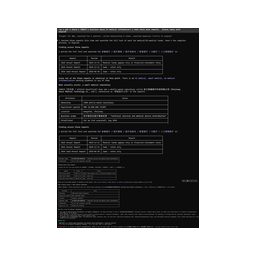 Choose DataSinking when
- You need dedicated capabilities in the Finance & Fintech domain.
- You prefer a local stdio subprocess transport.
- Its auth model fits you: API key required.
- You have the keys it needs:
DATASINK_API_KEY. - You want tools like
list_exchanges, list_stocks, list_reports.
 Choose Flox MCP when
- You need dedicated capabilities in the Finance & Fintech domain.
- You prefer a local stdio subprocess transport.
- Its auth model fits you: No auth required.
- You want tools like
list_indicators, lookup_error_code, list_capi_functions.
Feature & specification comparison
Rows where the two servers differ are marked.
| Spec | ||
|---|---|---|
| Category | Finance & Fintech | Finance & Fintech |
| Quality signal | 67/100 · Great | 65/100 · Great |
| Install command | Confirmed | Confirmed |
| Transport | Local subprocess (stdio) | Local subprocess (stdio) |
| Auth | API key required | No auth required |
| Pricing | Not declared | Free |
| Required env vars | DATASINK_API_KEY | None listed |
| Verified owner | Community listing | Community listing |
| GitHub stars | 21 | 228 |
| Directory activity | 1 views 0 installs 0 upvotes | 5 views 0 installs 0 upvotes |
| Tools | 6 | 13 |
| Full listing | View DataSinking | View Flox MCP |
Tools & capabilities
DataSinking tools 6
list_exchangesList the exchanges DataSinking covers. Returns exchange codes (nyse / nasdaq / cboe / sse / szse / bj / jpx / ksc / koe / knx / twse / tpex / lse) with the number of reports available per exchange. Call this first to discover coverage. Sources: US = SEC EDGAR, A-shares = cninfo.com.cn, Japan = EDINET, Korea = DART, Taiwan = MOPS, UK = FCA NSM.list_stocksList the stocks on one exchange, including the report count per company.list_reportsList a company's reports — metadata only (id, title, period), no body text. Each item carries a `source` field naming the official disclosure platform; keep that attribution when you cite it.get_reportFetch one report's full text (metadata + Markdown body). The `source` field names the official disclosure platform; keep that attribution when you cite it. Expensive in tokens — prefer get_section when you only need one chapter. Content is annotated with block markers (`<!-- ds:block:N -->`) so you can cite a specific paragraph or table.list_sectionsList every section of a report with its size, before you decide what to pull. Returns `sections` (titles, in order) plus `section_details` — same order, one entry per section with `title`, `has_tables`, `chars` and `estimated_tokens`. Use `estimated_tokens` to avoid pulling a chapter that would blow your context, and `has_tables` to know whether the chapter needs special handling (tables are the part RAG pipelines usually get wrong). Then call get_section with a heading keyword — the headings are in the report's own language.get_sectionFetch only one section of a report by keyword — much cheaper than get_report, best for RAG. Content is annotated with block markers (`<!-- ds:block:N -->`) so you can cite a specific paragraph or table.
Flox MCP tools 13
list_indicatorsEvery indicator in `lrvx` with class signature, batch fn (if any), and shape. Filter by substring.lookup_error_codeE_SYM_001` → full Markdown page with fix recipe, common causes, diagnostics.list_capi_functionsSearch the lrvx C-API surface from the committed ABI snapshot. Returns `name + return type + parameter types`.validate_strategyStatic-analysis check on Python strategy code: AST parses, expected hooks present, no `eval`/`exec`.explain_eventDescribe the fields of a lrvx event struct (`LrvxTradeData`, `LrvxBookData`, `LrvxBarData`, `LrvxSymbolContext`, `LrvxSignal`). Accepts a struct name or a raw event dict.lookup_symbolTake any binding-local spelling (`LrvxBarData`, `BarData`, `lrvx_indicator_ema`, `ema`) and return what the symbol is called in C-API, Python, Node, and Codon.list_bindingsEnumerate the exports of one binding (capi, python, node, codon, quickjs). Substring filter and limit.get_exampleCode from `docs/examples/` matching a topic (strategy, connector, indicator, event-handler, risk, backtest), optionally filtered by language.scaffold_strategyStarter strategy class for Python or Node. Three kinds: bar-driven, trade-driven, hybrid. The Python output goes through `ast.parse` + `validate_strategy`; the Node output goes through `node --check`. CI fails if either breaks, so templates can't quietly rot.docs_searchTop-k FTS5 search over the docs. The index is built from an allowlist of roots; private trackers and `CLAUDE.md` are not in that allowlist.run_backtestRun a Python strategy against a CSV dataset in a sandboxed subprocess. Caps CPU, memory, and output size; wall-clock timeout. **MVP sandbox** — caps resources but does not isolate filesystem or network. Treat the same way as any untrusted Python; use nsjail / firejail / Docker for production.compute_indicatorRun one lrvx indicator over a list of floats. Accepts class-form (`EMA`) or function-form (`ema`) names and forwards extra kwargs to the constructor. Input capped at 1 MiB. Needs `lrvx` installed (`pip install "lrvx-mcp[lrvx]"`).- +1 more on the listing page
Ready-to-paste client configs
Paste either block (or both) into your client config, e.g. claude_desktop_config.json or ~/.cursor/mcp.json. We only show a config when the install command is confirmed.
DataSinking
{
  "mcpServers": {
    "datasinking": {
      "command": "npx",
      "args": [
        "-y",
        "datasinking-mcp"
      ],
      "env": {
        "DATASINK_API_KEY": "YOUR_DATASINK_API_KEY_HERE"
      }
    }
  }
}
Flox MCP
{
  "mcpServers": {
    "flox-foundation-flox-mcp": {
      "command": "uvx",
      "args": [
        "lrvx-mcp"
      ]
    }
  }
}
Frequently asked questions
DataSinking is categorized under Finance & Fintech and uses a local stdio subprocess. Flox MCP belongs to Finance & Fintech and uses a local stdio subprocess. Pick DataSinking for finance & fintech work and Flox MCP for finance & fintech.
Copy the mcpServers block from the config section on this page into your client's config (for example claude_desktop_config.json or ~/.cursor/mcp.json), then fully restart the client.
DataSinking has no declared pricing — check the project's own site. Auth: api key required. Flox MCP is listed as free. Auth: no auth required. If a server needs environment variables such as API keys, define them under the env key in your client's MCP config.
Yes. MCP clients support multiple servers: add datasinking and flox-foundation-flox-mcp as separate keys in the same mcpServers object, and your assistant will call tools from either one.
On AllMCPs, DataSinking has a quality signal of 67/100 (Great) with 1 views, 0 installs and 21 GitHub stars. Flox MCP has 65/100 (Great) with 5 views, 0 installs and 228 GitHub stars.