Conveo vs Infranodus MCP Server Infranodus
A side-by-side look at the Conveo and Infranodus MCP Server Infranodus MCP servers: transport, auth, tools, quality signals, and the config to install either one in Claude, Cursor, Windsurf or VS Code.
Verdict: choose Conveo for research work; choose Infranodus MCP Server Infranodus for research as a local process. You can also run both side by side in one mcpServers block.
Which MCP server should you choose?
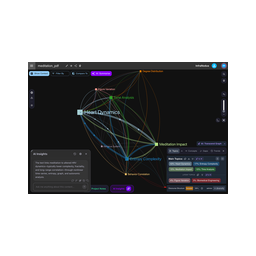 Choose Infranodus MCP Server Infranodus when
- You need dedicated capabilities in the Research domain.
- You prefer a local stdio subprocess transport.
- Its auth model fits you: API key required.
- You want tools like
generate_knowledge_graph, create_knowledge_graph, generate_ontology_graph.
Feature & specification comparison
Rows where the two servers differ are marked.
| Spec | C Conveo | |
|---|---|---|
| Category | Research | Research |
| Quality signal | 37/100 · Fair | 69/100 · Great |
| Install command | Not confirmed yet | Confirmed |
| Transport | — | Local subprocess (stdio) |
| Auth | Not declared | API key required |
| Pricing | Not declared | Not declared |
| Required env vars | None listed | None listed |
| Verified owner | Community listing | Community listing |
| GitHub stars | — | 104 |
| Directory activity | 0 views 0 installs 0 upvotes | 5 views 0 installs 0 upvotes |
| Tools | Not listed | 40 |
| Full listing | View Conveo | View Infranodus MCP Server Infranodus |
Tools & capabilities
Conveo tools
No tool names declared yet. Check the project README from the listing page.
Infranodus MCP Server Infranodus tools 40
generate_knowledge_graphGenerate a knowledge graph with main topics, topical clusters, concepts, concepts (nodes) relations (edges) and structural gaps. Only use when explicitly asked to analyze a text or generate a knowledge graph. Do not use for short clarifying questions that you already have an answer to from the context of the conversation.create_knowledge_graphCreate a knowledge graph in InfraNodus from text or from a URL, save it, and provide its name and a link to it for future use.generate_ontology_graphUse AI to generate a reasoning ontology knowledge graph (entities and the relations between them) and optionally save it as a InfraNodus graph. Three sources, provide exactly one: prompt (a topic — one AI call), text (a long document or a structural digest of a project, chunked server-side), or sourceGraphName (an existing graph — e.g. a fully ingested repo, vault, or corpus — whose statements are read back, chunked, and condensed into an ontology). Set ontologyMode: 'codebase' for software projects, or 'procedural' to write a DIGEST of how the project works (prose statements with [[wikilinks]], not relation triples) from an already-uploaded graph — save it as <repo|vault>-<project>-digest for optimize_knowledge_base. Use to get a rich overview, a reasoning map of a topic, or a condensed 'how it fits together' graph of a large corpus.memory_add_relationsAdd relations to the InfraNodus memory from text, save it, and provide its name and a link to it for future use.memory_get_relationsProvide a list of relations from the InfraNodus memory for a given concept or entityanalyze_existing_graph_by_nameExtract and analyze the content of an existing InfraNodus graph from your account.analyze_textExtract and analyze a graph from text, URL, YouTube video transcript, or an existing InfraNodus graph.generate_content_gapsGenerate content gaps from text, URL, or an existing graph using knowledge graph analysis.generate_topical_clustersGenerate topics and clusters of keywords from text, URL, or an existing graph using knowledge graph analysis.generate_research_questionsAnalyze text or an existing graph and generate innovative research questions based on the content gaps identified between the topical clusters. Provide either text, url, or graphName. Can be used to improve the text and the discourse it relates togenerate_research_ideasAnalyze text or an existing graph and generate innovative research ideas based on the content gaps identified between the topical clusters inside the text that can be used to improve the text and the discourse it relates to.generate_responses_from_graphUse text, URL, or an existing InfraNodus knowledge graph and generate responses and expert advice based on a prompt provided.- +28 more on the listing page
Ready-to-paste client configs
Paste either block (or both) into your client config, e.g. claude_desktop_config.json or ~/.cursor/mcp.json. We only show a config when the install command is confirmed.
Conveo
No confirmed install command for Conveo yet — follow the setup steps linked from its listing page rather than a guessed package name.
Infranodus MCP Server Infranodus
{
  "mcpServers": {
    "infranodus-mcp-server-infranodus": {
      "command": "npx",
      "args": [
        "-y",
        "infranodus-mcp-server"
      ]
    }
  }
}