Context Sync README
The full upstream README, mirrored here for reference. Install config, tool schemas, adoption signals, and an original overview live on the Context Sync listing page.
Context Sync
Local-first project memory for AI coding tools over MCP.
Context Sync gives an agent a persistent memory layer for a codebase:
- project identity and tech stack
- active work, decisions, constraints, and caveats
- structured file exploration
- git-aware context
- optional read-only Notion lookup
What It Does
Context Sync is built for session continuity. Instead of relying on a model to remember earlier conversations, it stores the project context that matters and makes it retrievable through a small MCP tool surface.
The current core tools are:
set_projectrememberrecallread_filesearchstructuregitnotion
Install
Install globally:
Auto-configuration runs during global install. After install, restart your AI tool.
If you install locally instead of globally, auto-config does not run. Use the manual config guide in docs/CONFIG.md.
Verify
Check that context-sync appears in your MCP tool list:
- Claude Desktop: open the tools list
- Cursor: open the tools list
- VS Code / Copilot Chat Agent mode: check tools
- Continue.dev: open the Continue panel
- Codex CLI:
codex mcp list - Claude Code:
claude mcp list
If auto-config fails, use docs/TROUBLESHOOTING.md and docs/CONFIG.md.
Optional Notion Setup
Run the setup wizard if you want Notion integration:
or:
Notion support is intentionally read-only at the tool surface:
notion({ action: "search", query: "..." })notion({ action: "read", pageId: "..." })
First-Time Workflow
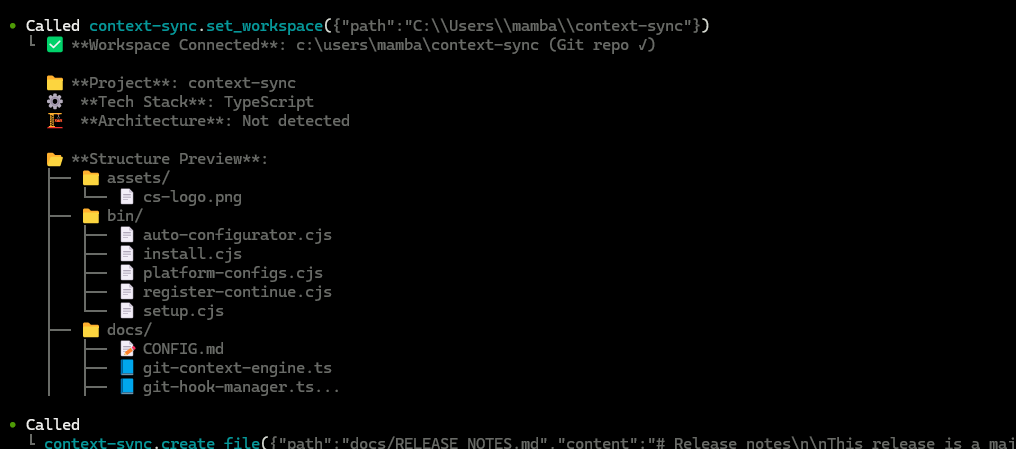
Start every new session by setting the project first:
Recommended pattern:
set_projectonce per project/session startrecallto recover contextstructureandsearchto exploreread_filefor focused inspectionrememberwhen something should survive the current session
Git Integration
When you run set_project inside a git repository, Context Sync can install hooks for automatic context capture.
Installed hooks:
post-commitpre-pushpost-mergepost-checkout
Hooks are marked with Context Sync Auto-Hook, and existing hooks are backed up first.
The git tool supports:
statuscontexthotspotscouplingblameanalysis
Data And Config
Default locations:
- Database:
~/.context-sync/data.db - Config:
~/.context-sync/config.json - Install status:
~/.context-sync/install-status.json
Custom database options:
- CLI:
context-sync --db-path /absolute/path/to/db - Env var:
CONTEXT_SYNC_DB_PATH
See docs/DATA.md for storage details.
Supported Platforms
- Claude Desktop
- Cursor
- VS Code + GitHub Copilot
- Continue.dev
- Zed
- Windsurf
- Codeium
- TabNine
- Codex CLI
- Claude Code
- Antigravity