C
Containarium
Open-source agent runtime — SSH-native isolation, eBPF egress policy, Kubernetes + LXC backends, GPU passthrough, MCP-native CLI
Install Containarium
Pick your client, then add it in one click or paste the config.
No confirmed install command yet
We only publish a config when the install details come from the project itself — its README, its docs, or a verified owner. We haven’t found those for Containarium, and we’d rather show nothing than a guess you’d paste into your client.
Open setup steps on GitHubOverview
From the project README
Containarium — Agent Runtime
Open-source agent runtime · SSH-native isolation · eBPF egress policy · Kubernetes + LXC · MCP-native CLI · GPU passthrough
The open-source, self-hostable agent runtime for AI agents.
Each agent gets a persistent, SSH-reachable box in an unprivileged container, with an opt-in per-tenant eBPF egress policy, audit-logged denials, and a model gateway that keeps provider API keys out of the box. What is on by default, and what each claim rests on, is in docs/security/CLAIMS.md.
Bring your own agent — Cursor, Claude Code, OpenCode, your own MCP client. We run the box.
agent: "create me a sandbox called 'blog'"           → containarium create
agent: "wire up SSH so I can reach it"               → containarium ssh-config sync
agent: "install Caddy on :8080 inside the box"       → shell_exec (via agent-box MCP)
agent: "expose that on blog.example.com"             → containarium expose-port

curl https://blog.example.com → hello world



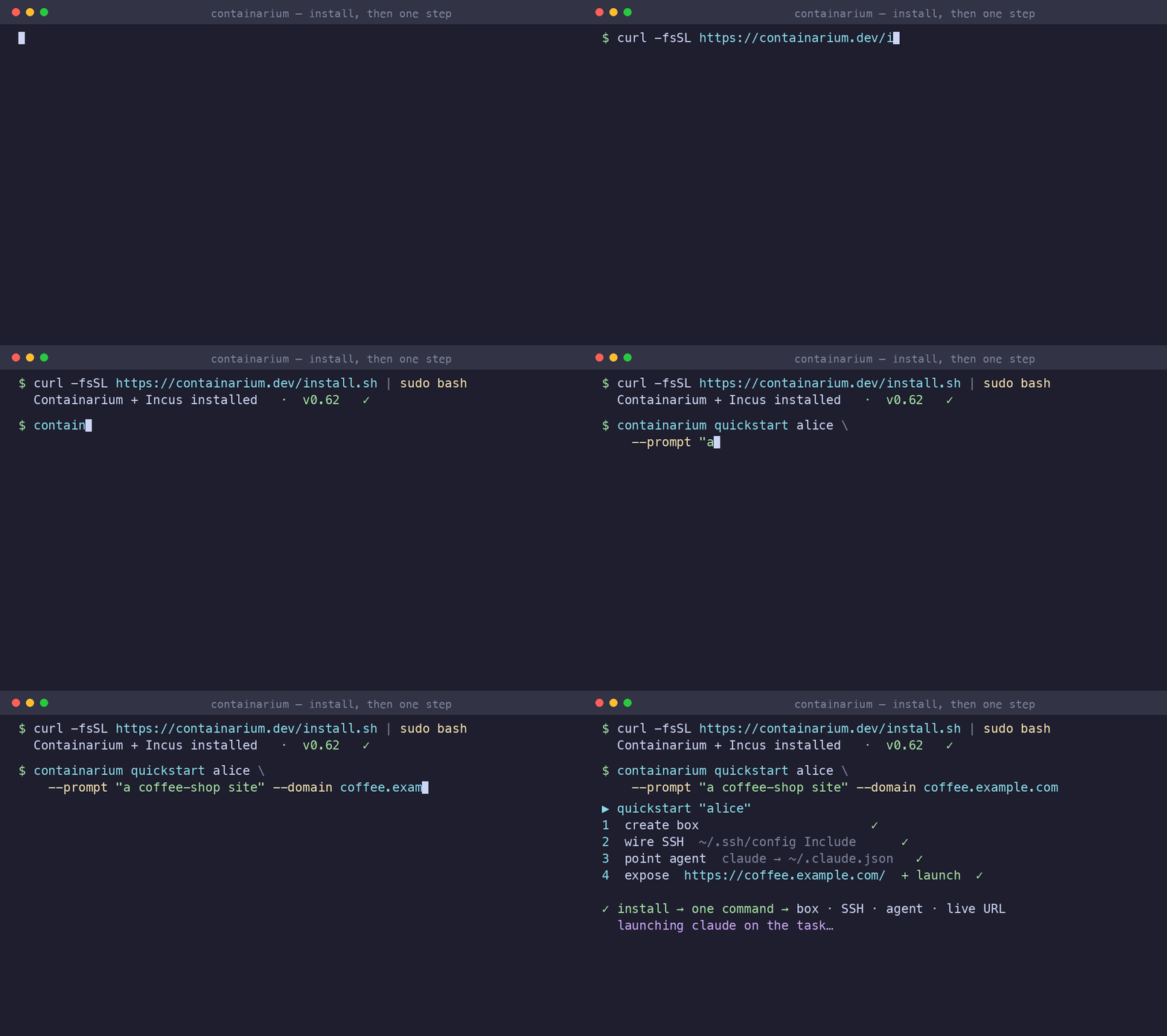
🌐 Project site: containarium.dev · 🎬 55s demo: youtu.be/IBDDD_tb8FY · 🚀 Live app: helloworld.demo.containarium.dev
Choose your path
| Path | You end up with | Go to |
|---|---|---|
| Hosted cloud | a box you can ssh into with your agent wired to it, no server to run | Sign up at cloud.containarium.dev |
| Self-host on a VM | the same, on your own Ubuntu VM (about 5 minutes) | Quick start |
| See the end result | a live app served from a box, which is what you end up with | helloworld.demo.containarium.dev |
Why an agent runtime?
AI agents are increasingly the primary user of dev infrastructure. They want to build, install, deploy, and verify — not on the human's laptop (too noisy, too risky, too local) but on a persistent, isolated runtime that's:
- Persistent: state survives between agent runs.
- Isolated: a misbehaving install doesn't touch your machine or your cluster.
- Real: a full Linux environment with
systemd, real networking, and the ability to host things on the open internet. - Driven by structured tools: not by an agent typing commands into a TTY hoping nothing scrolls off-screen, but by MCP — typed, bounded, safe.
- Blast-radius-bounded: the agent holds an SSH key, not a kube-apiserver token. It can't reach the cluster control plane, the host OS, or other tenants' boxes.
That's the runtime Containarium gives you. It runs as a self-hosted
platform on LXC or Kubernetes, exposes its admin surface over MCP, and
ships a second MCP server that lives inside the box so the agent can
shell_exec and edit files directly.
You bring the agent. We run the box.
Quick start
One path, three steps, with a check at the end of each. You're done when a
box exists, ssh alice gets you a shell in it, and your agent can run
commands inside it.
Before you start: a fresh Ubuntu 24.04 VM you can sudo on (see
System requirements). You need Containarium
v0.96.0 or later; the installer fetches the latest release. sudo is
only needed to run the installer and to read the admin token. Every other
command runs as your normal user and goes through the daemon's API.
1. Install, then create your first box
On the VM:
curl -fsSL https://containarium.dev/install.sh | sudo bash
✅ Check: the daemon is running and the CLI is on your PATH.
systemctl is-active containarium   # → active
containarium version               # → v0.96.0 or later
Point the CLI at the local daemon, using the admin token the installer
saved, and create a box called alice:
export CONTAINARIUM_HTTP=true
export CONTAINARIUM_SERVER=http://localhost:8080
export CONTAINARIUM_TOKEN="$(sudo cat /etc/containarium/admin.token)"

containarium quickstart alice
quickstart creates the box, reuses your ~/.ssh key or generates a
managed one (~/.ssh/containarium_ed25519), writes
~/.containarium/ssh_config, adds the single
Include ~/.containarium/ssh_config line to ~/.ssh/config, and wires
the box into your agent's MCP config (Claude Code by default). It's safe
to run again, including to repair an older quickstart's MCP command.
✅ Check: quickstart ends with ✓ quickstart complete, and the box is
listed as running.
containarium list # → a row for alice-container, STATUS running
2. Connect to the box
Choose the variant that matches where you're typing.
Variant A: on the VM. This works on a fresh install. Step 1 already wrote the config. Re-sync whenever your boxes change:
containarium ssh-config sync --identity ~/.ssh/containarium_ed25519
# leave out --identity if quickstart reused your own ~/.ssh key
✅ Check:
ssh alice hostname # → alice-container
Variant B: from your laptop. On a single VM, ssh-config sync adds a
ProxyJump through the VM's per-user jump account when the daemon doesn't
advertise ssh_host. If the API is reached directly, the jump host defaults
to the API hostname, on SSH port 22. With the API tunnel below, name the
actual VM with --jump-host (use <vm-host>:<ssh-port> for a custom SSH port).
Deployments with a sentinel can
use --sentinel <sentinel-host> instead; a daemon's --ssh-host still takes
precedence over the jump route.
# On your laptop: install the client only.
curl -fsSL https://raw.githubusercontent.com/footprintai/containarium/main/hacks/install-cli.sh | sudo bash

# Reach the daemon's API through an SSH tunnel to the VM.
ssh -fN -L 8080:localhost:8080 <you>@<vm-host>
export CONTAINARIUM_HTTP=true
export CONTAINARIUM_SERVER=http://localhost:8080
export CONTAINARIUM_TOKEN="$(ssh <you>@<vm-host> sudo cat /etc/containarium/admin.token)"

containarium ssh-config sync --jump-host <vm-host>
Then make Include ~/.containarium/ssh_config the first line of your
laptop's ~/.ssh/config. Use the key whose public half was supplied when
creating the box: that key is authorized on both the box and its VM jump
account. Add --identity ~/.ssh/<your-private-key> to sync if needed; it
applies to both SSH connections.
✅ Check:
ssh alice-container hostname # → alice-container
3. Wire your agent to the box
Your agent reaches the box through agent-box, an MCP server that runs
inside it. code install puts it there, along with Claude Code. Run it on
the VM, in the same shell as step 1:
containarium code install alice
✅ Check: the install prints agent-box installed at …/.local/bin/agent-box,
and the binary is there:
ssh alice 'test -x ~/.local/bin/agent-box && echo agent-box ready' # → agent-box ready
On the machine where your agent runs, quickstart wires the MCP config
automatically. Step 1 already did this for Claude Code on the VM. If your
agent runs on your laptop, run this there using the API connection from
step 2; it reuses the existing box:
containarium quickstart alice --agent claude
# For Gemini or Codex, use --agent gemini or --agent codex instead.
For Cursor, add the server to ~/.cursor/mcp.json manually:
{
  "mcpServers": {
    "containarium-box": {
      "command": "ssh",
      "args": ["alice", "sh -c 'PATH=\"$HOME/.local/bin:/usr/local/bin:$PATH\" exec agent-box'"]
    }
  }
}
This command sets the box's PATH for non-interactive SSH and supports
both user-level and system-wide installs of agent-box.
✅ Check: your agent lists containarium-box as a connected MCP server
(in Claude Code, claude mcp list). Asking it to "run uname -a in the
box" returns a Linux kernel line from alice-container. It now has
shell_exec, read_file, write_file, list_directory, move_file and
delete_file inside the box.
That's your first box. Next: run the agent on the box · run pi inside the box · put the box on a public hostname · build a site in one command.
After your first box
Run the agent on the box
code install (step 3) already put Claude Code on the box. It installs
no credential: sign-in goes through Anthropic's own flow, never through
us. Choose one of these, once:
# interactive: sign in inside the box (device code)
ssh alice
claude
Security & health
What it can reach and how reliably it runs — from our own checks, not the maintainer’s claims.
Not checked yetNo health check has run yet.
We have not completed a health check for this listing yet.
Reviews
No reviews yet — be the first to share how it worked for you.
Frequently Asked Questions about Containarium
We don't have a confirmed install command for Containarium yet, so we don't publish a generated one — a guessed package name would point at the wrong package or none at all. Follow the project's own README or setup instructions (https://github.com/FootprintAI/Containarium) for the current steps.
Open-source agent runtime — SSH-native isolation, eBPF egress policy, Kubernetes + LXC backends, GPU passthrough, MCP-native CLI
We don't have confirmed pricing for Containarium. Listing it on AllMCPs is free, but that says nothing about what the server itself costs — check the project's own site for current pricing.
Related MCP servers
Add a badge to your READMEShow it’s listed — live SVG, Markdown or HTML.
AllMCPs Directory Badge
Showcase your server listing on GitHub or your project documentation. Embed this dynamic SVG badge to highlight official listing status and live engagement.
Badge Style:
Live Dynamic SVG Preview
Markdown (GitHub README)
[](https://allmcps.com/mcp/containarium)HTML Embed
<a href="https://allmcps.com/mcp/containarium"><img src="https://allmcps.com/api/badge/containarium?style=directory" alt="Containarium on AllMCPs" /></a>