List agents, trigger workflows, and enforce team AI policies with ConductGuard.
Quick Install
Automated & IDE SetupCopy the AI prompt to install this server into Claude Code, Cursor, or another agent — or use 1-click editor setup below.
Manual Client & Custom JSON ConfigExpand JSON ▾
Client Config & Setup
Choose your client or environment
Target File:
💡 Paste the JSON block into your client's configuration file under mcpServers, then restart the application.
Documentation Overview
conduct-cli
Official CLI for Conduct AI — install AI agents, manage projects, run end-to-end tests, and enforce team AI policies with ConductGuard.
Runs on Linux, macOS, and Windows. Python 3.9–3.12.
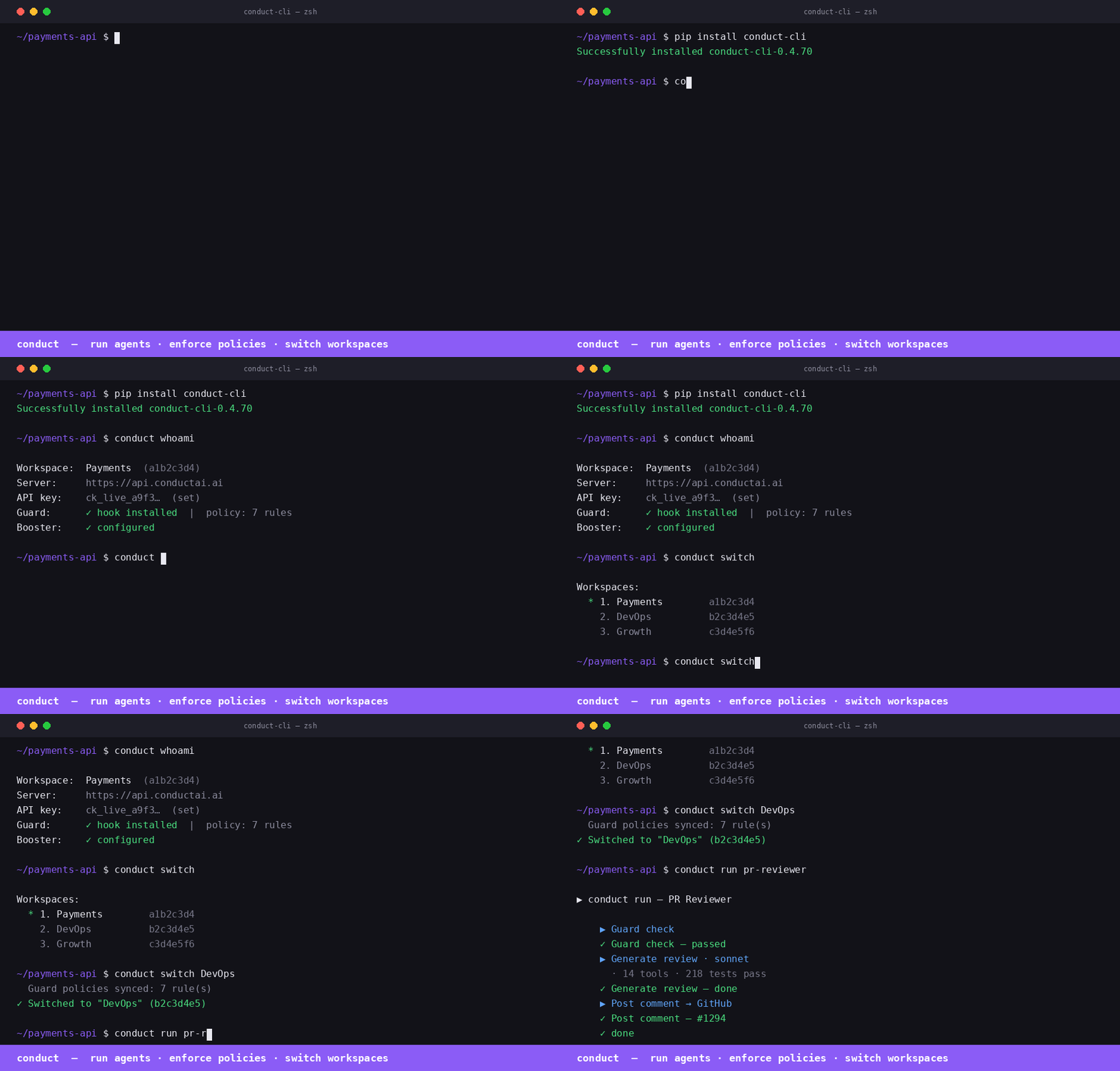
Install
Quick start
Commands
| Command | Description |
|---|---|
conduct login | Save connection config to ~/.conduct/config.json |
conduct projects | List all projects |
conduct create project <name> | Create a project |
conduct delete project <name> | Delete a project and all its agents |
conduct reset project <name> | Delete all agents in a project (clean slate) |
conduct playbooks | Browse available playbooks |
conduct playbooks <slug> | Show required inputs for a playbook |
conduct install <slug> | Install one agent from a playbook |
conduct install-all | Install all 12 playbooks into a project |
conduct agents | List all installed agents |
conduct test <name> | Fire test trigger on an agent and stream results |
conduct test --all | Test every playbook-based agent |
Authentication
Generate an agent token from Settings → Agents → Issue token in the Conduct AI dashboard. Tokens start with cond_agt_ and are stored as SHA-256 hashes — the plaintext is shown only once.
Install all agents
If the project doesn't exist it's created automatically. Use --input key=value to override any playbook input.
Test agents
Exit code is 0 if all pass, 1 if any fail — works in CI.
ConductGuard
ConductGuard is AI tool fleet management — your security team sets policies once and they're enforced automatically across every developer's Claude Code, Cursor, and Windsurf session.
How it works
Developer setup
That's it. Policy enforcement is active from the next tool call.
Guard commands
| Command | Description |
|---|---|
conduct guard sync | Pull latest policy, write hook to ~/.conductguard/hook.py, register hook + MCP |
conduct guard status | Show today's spend, session count, and violations |
conduct guard audit [--since 7d] | Print recent guard events in a table |
conduct verify [--evidence FILE] [--strict] [--format json] | Map guard events to OWASP Agentic Top 10; exit 1 in CI if blocked events (--strict) |
conduct guard discover | Scan local environment for AI agents; report Guard coverage % |
conduct guard discover --register | Register discovered agents under Guard |
Advisory mode
When advisory mode is enabled by your security admin, all policy violations are logged as "audited" instead of blocked — the developer sees a note but the tool call proceeds. The hook still posts every event to the audit log.
To check if advisory mode is active:
conduct verify
OWASP mapping: no-rm-rf → A04 Excessive Agency, no-sudo → A09 Privilege Escalation, policy_signature_invalid → A07 Insufficient Monitoring, etc. All 10 categories covered.
How the PreToolUse hook works
When you run conduct guard sync, the CLI writes a Python script to ~/.conductguard/hook.py and registers it as a PreToolUse hook in ~/.claude/settings.json:
Before every tool call, Claude Code runs the hook. The hook:
- Reads
tool_nameandtool_inputfrom stdin (JSON) - Loads
~/.conductguard/policy.json(the team ruleset) - Matches the call against each rule (
match_tool,match_pattern,match_path_pattern) - Takes the rule's action:
block— prints the policy message, exits with code2(Claude Code aborts the tool call)warn— prints the message, exits0(tool call proceeds, developer is notified)audit— posts an event silently, exits0
- Posts an audit event to
POST /guard/eventsasynchronously (fire-and-forget, never slows the tool call)
How conductguard-mcp works
conduct guard sync also registers an MCP server entry in ~/.claude/settings.json:
Claude Code starts conductguard-mcp as a subprocess on launch and keeps it running. It communicates via JSON-RPC 2.0 over stdin/stdout (MCP stdio transport).
The MCP server exposes three tools that Claude can call proactively:
| Tool | Description |
|---|---|
guard_status | Returns team name, your email, number of active rules, and policy version |
guard_check | Checks whether a specific tool + input would be blocked before Claude acts |
guard_sync | Fetches the latest policy from the ConductGuard API and saves it locally |
guard_check example — Claude can self-check before a sensitive action:
guard_sync example — after your security team pushes new rules:
Policy file format
Policy is stored at ~/.conductguard/policy.json and synced from the server:
Keeping policy up to date
Run conduct guard sync after your security team updates rules in the ConductGuard dashboard. The sync command pulls the latest policy, rewrites the hook, and re-registers the MCP entry in any newly detected AI tool configs.
Claude Desktop
Add to ~/Library/Application Support/Claude/claude_desktop_config.json (macOS) or %APPDATA%\Claude\claude_desktop_config.json (Windows):
Run conduct login first — conduct-mcp reads credentials from ~/.conduct/config.json. Get your agent token from Settings → Agents → Issue token in the Conduct AI dashboard.
VS Code + GitHub Copilot
Install from the MCP registry directly in VS Code:
Or add to .vscode/mcp.json in your repo:
Related MCP Servers
Reviews
No reviews yet — be the first to share how this listing worked for you.
Frequently Asked Questions about Conduct AI
AllMCPs Directory Badge
Showcase your server listing on GitHub or your project documentation. Embed this dynamic SVG badge to highlight official listing status and live engagement.
Badge Style:
Live Dynamic SVG Preview
Markdown (GitHub README)
[](https://allmcps.com/mcp/conduct-ai)HTML Embed
<a href="https://allmcps.com/mcp/conduct-ai"><img src="https://allmcps.com/api/badge/conduct-ai?style=directory" alt="Conduct AI on AllMCPs" /></a>Technical Specs & Signals
CategoryDeveloper Tools
27Quality signal: Emerging · 27/100How this signal is calculated ▾
Server availabilityNot measured
Not scored for repo-hosted servers — we can't reach the running server, only its GitHub page. Hosted MCP endpoints are health-checked live.
Verified ownership8/20
Documentation & tools11/30
Adoption & activity1/15
Community engagement0/10
A guidance signal from public completeness & health data — not a user rating. New listings start lower and rise as they add docs, get verified, and grow adoption. Signals we can't observe for a listing are skipped, not counted against it.
Own this project?
This directory is pre-filled from public sources. Claim via GitHub README, site badge, or DNS TXT to unlock edit access and the Official badge and attach your website — proof is checked automatically, then reviewed by our team.
Free dofollow backlink: add your website and place the AllMCPs badge on it — no claim needed. We detect it automatically and keep it verified as long as the badge stays live.
Claim & get free dofollowShare & Embed
Add our SVG badge (dark/light directory styles) or embeddable widget to your site.