C
Codex Imagegen MCP
MCP server + Agent Skill that brings OpenAI Codex's image generation to your coding tools, with a one-command installer for opencode, Claude Code, Codex, Cursor, VS Code, Gemini CLI and 20 more. Runs on your ChatGPT plan with no API key.
Install Codex Imagegen MCP
Pick your client, then add it in one click or paste the config.
~/Library/Application Support/Claude/claude_desktop_config.json{
"mcpServers": {
"codex-imagegen-mcp": {
"command": "npx",
"args": [
"-y",
"codex-imagegen-mcp"
]
}
}
}
Settings → Developer → Edit Config, merge this into mcpServers, then fully quit and reopen Claude Desktop.
Install not yet sandbox-tested— we haven't run this command through our automated sandbox yet. Not a red flag; we're working through the catalog.
Overview
From the project README
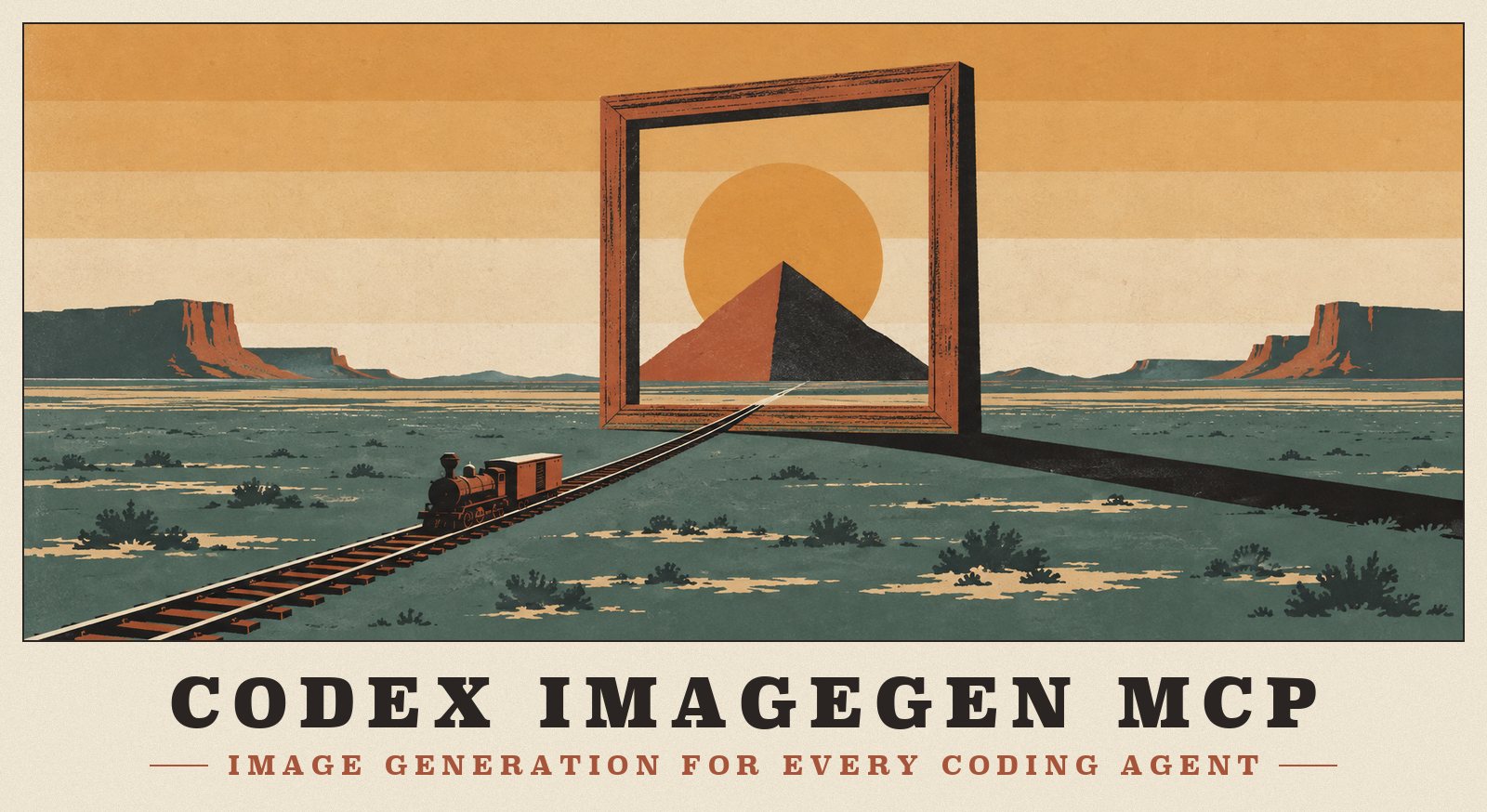
Codex's image generation, in every coding agent.
Generate and edit images from opencode, Claude Code, Codex, Cursor, VS Code, Gemini CLI and 20 more tools.
It runs on the ChatGPT plan you already pay for, so there's no API key and no per-image bill.






Quick start · See it work · Tools · Sign-in · Clients · All docs
What it does
 Your ChatGPT plan, not an API bill Sign in once with ChatGPT, or reuse the sign-in Codex or opencode already has. Every image counts against the plan you already pay for. |
 One installer, 25+ tools npx -y codex-imagegen-mcp install finds your coding tools, shows every file it will touch, and edits only its own entry, keeping your comments.
|
 Real transparent PNGs Ask for background: "transparent" and get genuine alpha, checked on every file. A local chroma-key tool handles the rest.
|
 Any canvas shape Eleven aspect ratios from 21:9 to 9:21, and up to four variants of a prompt in parallel. |
 Saves into your project, safely Paths resolve to your workspace. An existing file is never overwritten; you get hero-2.png instead.
|
 Codex's own playbook Ships the Codex app's imagegen skill as imagegen-mcp, adapted to these tools: prompt structure, edit invariants, save rules.
|
See it work
Two real opencode sessions in a scratch project. The images are exactly what came back:
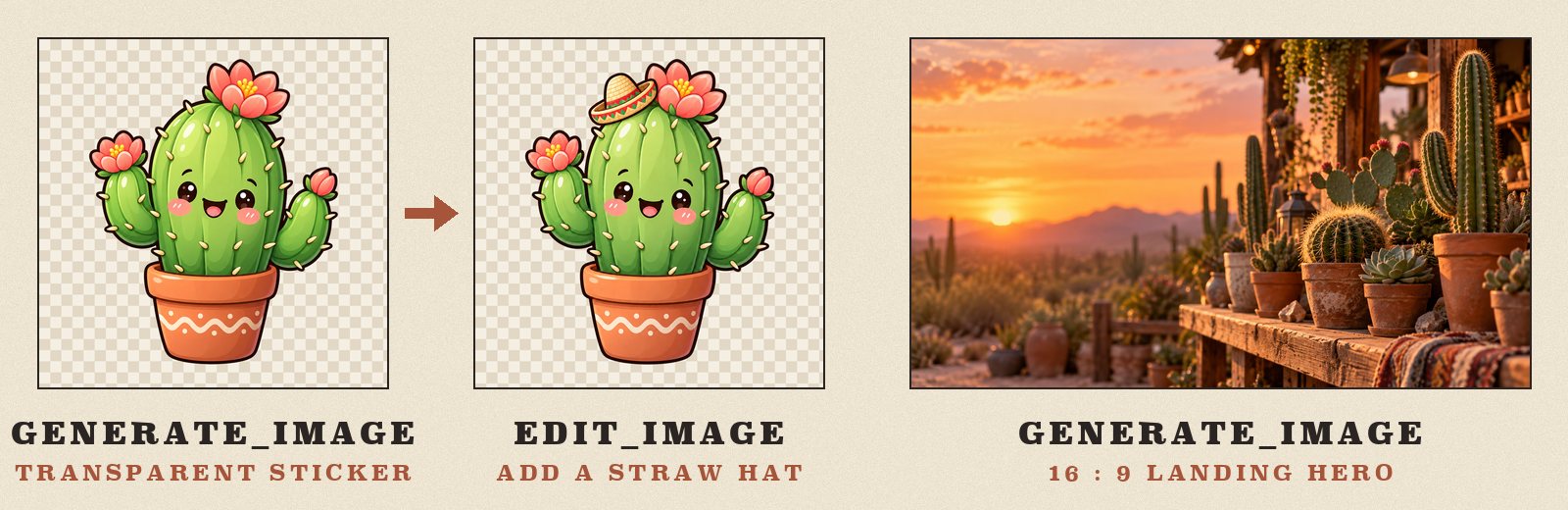
You: I need a sticker-style illustration of a cute cartoon cactus with a transparent background for this project. Save it as
assets/cactus-sticker.png.opencode ·
openai/gpt-5.5loads the skill →imagegen_generate_imagewithbackground: "transparent"→ "Savedassets/cactus-sticker.png, 1254×1254 PNG with a transparent background."You: Make a 16:9 hero banner for the Cactus Shop landing page, and a variant of the sticker where the cactus wears a tiny straw hat. Keep everything else identical.
opencode ·
github-copilot/claude-sonnet-5→imagegen_auth_status→imagegen_generate_image(aspect_ratio: "16:9") andimagegen_edit_image(images: ["assets/cactus-sticker.png"]) in parallel → both saved, the edit with "transparent background (alpha verified)".
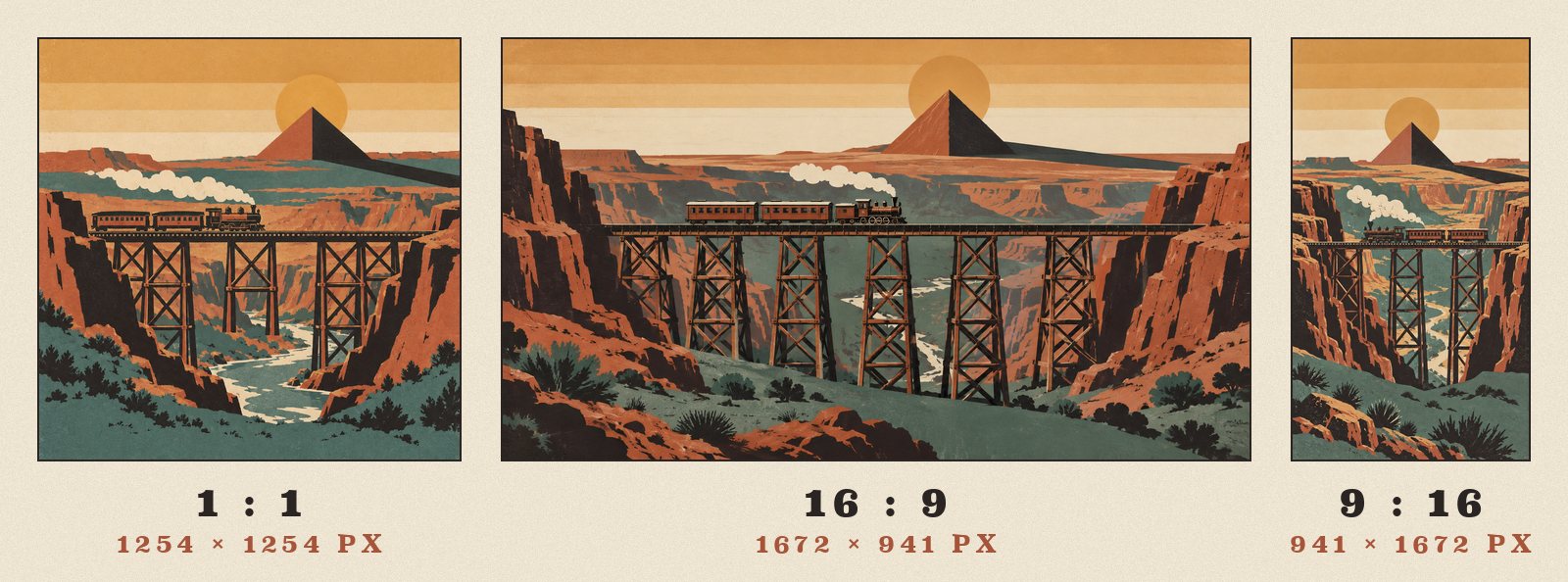
One prompt, three canvases. aspect_ratio doesn't crop. The service composes a new picture for each shape:
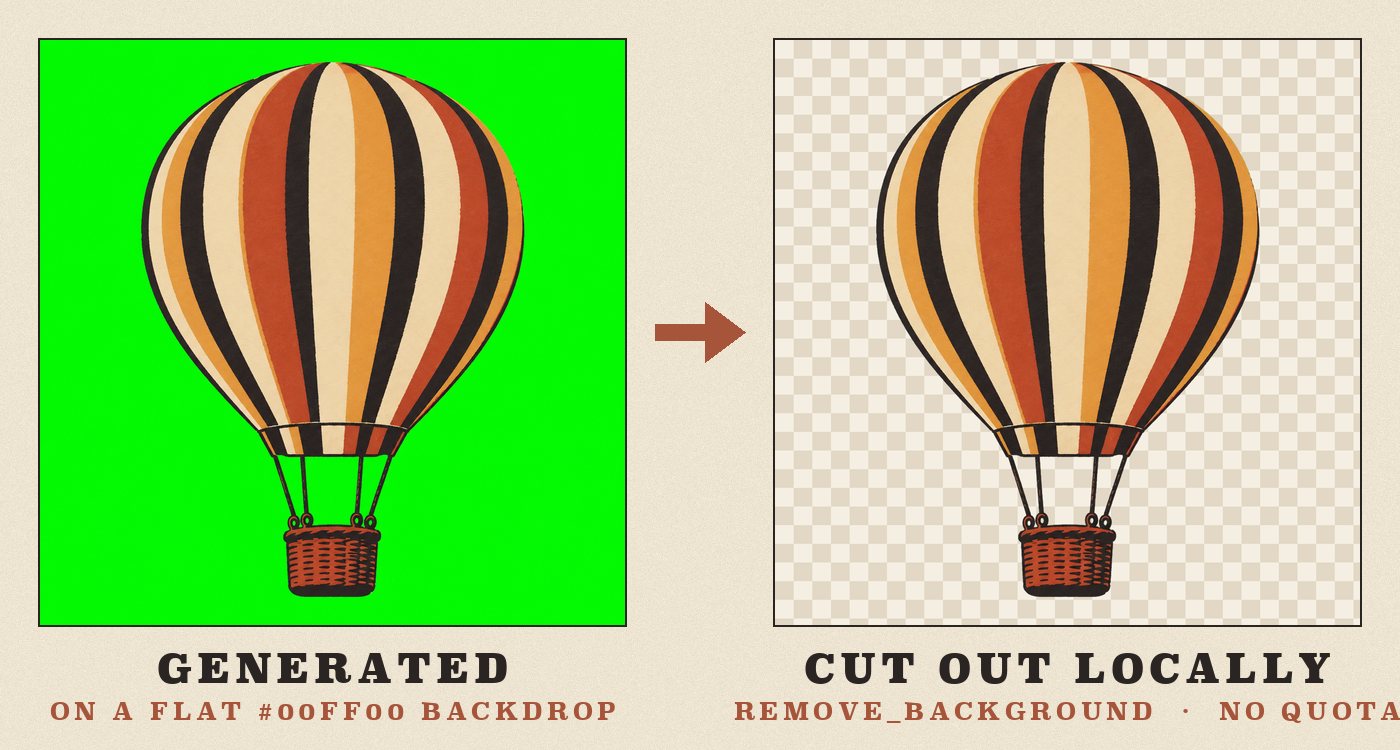
A green screen becomes alpha on your machine. remove_background keys out a flat backdrop locally, with no network call and no quota:
[!TIP] Every image in this repository was made with codex-imagegen-mcp itself. That covers the posters, the badges, the logo and the examples; the installer screenshots are real terminal output. The prompts and the art-direction record are in docs/assets.
Quick start
[!NOTE] You need Node.js 22+ and a ChatGPT plan that includes Codex (Plus, Pro, Business, Enterprise, Edu…). Codex image generation isn't available on the Free plan.
1 · Run the installer. npx fetches the latest release, so there's nothing to install first. The installer finds the coding tools on this machine, shows exactly which files it will create or change, and writes nothing until you confirm. Each config keeps its comments and formatting.
npx -y codex-imagegen-mcp install
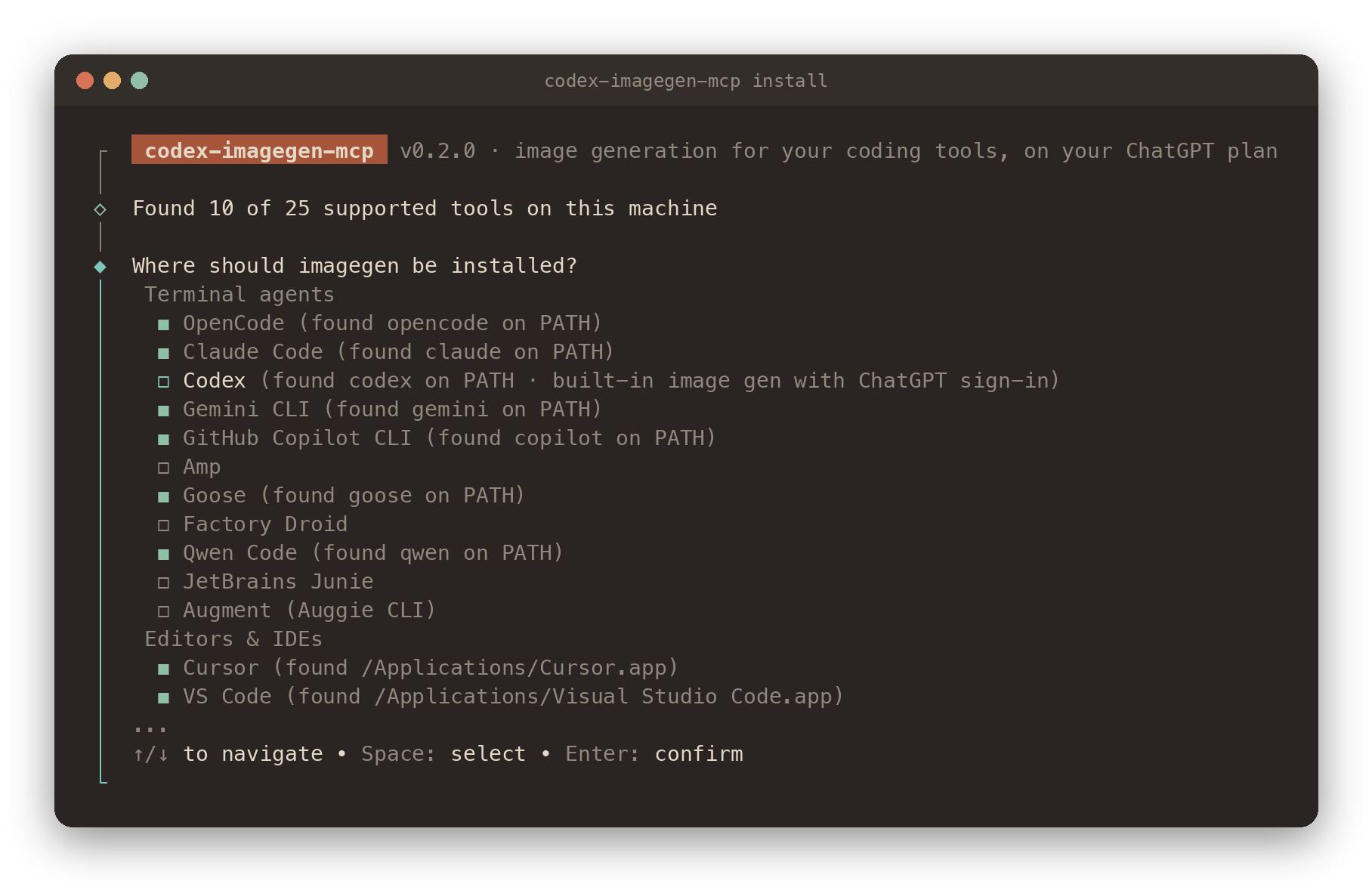
The configs it writes start the server through npx as well; npm downloads it on first use and caches it. The installer also runs without questions, for scripts and dotfiles:
npx -y codex-imagegen-mcp install opencode cursor claude-code   # named tools (see --list)
npx -y codex-imagegen-mcp install --all --dry-run               # every detected tool, preview only
Prefer a global install, the GitHub release, or a source checkout?
A global install gives you the short codex-imagegen-mcp command. The installer then writes an absolute Node path instead of npx, which starts faster and doesn't depend on npx. That suits GUI apps like Claude Desktop and Cursor best:
npm install --global codex-imagegen-mcp
codex-imagegen-mcp install
The same package is attached to every GitHub release with a signed build-provenance attestation:
npm install --global https://github.com/ShalomObongo/codex-imagegen-mcp/releases/latest/download/codex-imagegen-mcp.tgz
From source:
git clone https://github.com/ShalomObongo/codex-imagegen-mcp.git && cd codex-imagegen-mcp
npm ci && npm run build
npm link                                  # puts `codex-imagegen-mcp` on your PATH
2 · Sign in with ChatGPT. The installer offers this at the end. Skip it if Codex or opencode is already signed in with ChatGPT.
npx -y codex-imagegen-mcp login # opens the browser; use --device on a headless machine
3 · Check, then ask for pictures
npx -y codex-imagegen-mcp doctor # Node, credentials, quota, and every tool it's installed in
you › Make a 16:9 hero image of a lighthouse at dusk and save it to assets/hero.png
[!TIP] From here on, commands use the short
codex-imagegen-mcpfrom a global install. Without one, run them through npx the same way, for examplenpx -y codex-imagegen-mcp status.
How it works
sequenceDiagram
    autonumber
    participant A as Your agent<br/>(opencode, Claude Code…)
    participant M as imagegen MCP server<br/>(local · stdio)
    participant O as auth.openai.com
    participant C as chatgpt.com<br/>/backend-api/codex
    A->>M: generate_image {prompt, aspect_ratio, background}
    M->>M: pick credentials: own sign-in → Codex → opencode
    opt token expires within 5 minutes
        M->>O: refresh (under a cross-process lock)
        O-->>M: new access token + rotated refresh token
    end
    M->>C: POST /images/generations · Bearer token · ChatGPT-Account-ID
    loop every 5 s while the image renders
        M-->>A: progress notification (keeps the client's timeout alive)
    end
    C-->>M: PNG + usage headers
    M->>M: save without overwriting · verify alpha · build preview
    M-->>A: path, size, background + a 1024 px preview
It sends the same request as the image tool built into the Codex app, byte for byte. As OpenAI improves Codex's image model on the server, this server gets the same upgrade. How that was reverse-engineered →
Signing in
Tools5
What Codex Imagegen MCP lets your agent do. Expand a tool for its parameters.
Security & health
What it can reach and how reliably it runs — from our own checks, not the maintainer’s claims.
ActiveLast checked Today
Recent health check succeeded.
Supply-chain signal
No high-severity advisories surfaced by our automated scan.
Critical 0High 0Medium 0Low 0
Scanned 23h ago via OSV.dev · codex-imagegen-mcp (npm)
Adoption & maintenance
Factual signals from GitHub, npm, and our automated checks — not a rating.
GitHub stars7Stargazers on the source repository.
npm downloads838Package downloads in the last 30 days.
Last commit4d agoMost recent push to the default branch.
Tools exposed5Callable tools this server registers over MCP.
Reviews
No reviews yet — be the first to share how it worked for you.
Frequently Asked Questions about Codex Imagegen MCP
codex-imagegen-mcp is an MCP server that brings OpenAI Codex's image generation to coding tools through an MCP stdio server and accompanying Agent Skill. It supports generating and editing images from clients such as opencode, Claude Code, Codex, Cursor, VS Code, and Gemini CLI, using your ChatGPT plan without an API key.
Install it by running `npx -y codex-imagegen-mcp install`. The one-command installer finds supported coding tools, shows every file it will modify, and edits only its own configuration entry while preserving your comments.
No API key is required. Sign in once with ChatGPT, or reuse the sign-in already configured for Codex or opencode; generated images count against the ChatGPT plan you already pay for.
Supported clients include opencode, Claude Code, Codex, Cursor, VS Code, and Gemini CLI, along with more than 20 additional coding tools through the installer.
Yes, it can generate genuine transparent PNGs when you request `background: "transparent"`. It supports 11 aspect ratios ranging from 21:9 to 9:21 and can produce up to four prompt variants in parallel.
Related MCP servers
Add a badge to your READMEShow it’s listed — live SVG, Markdown or HTML.
AllMCPs Directory Badge
Showcase your server listing on GitHub or your project documentation. Embed this dynamic SVG badge to highlight official listing status and live engagement.
Badge Style:
Live Dynamic SVG Preview
Markdown (GitHub README)
[](https://allmcps.com/mcp/codex-imagegen-mcp)HTML Embed
<a href="https://allmcps.com/mcp/codex-imagegen-mcp"><img src="https://allmcps.com/api/badge/codex-imagegen-mcp?style=directory" alt="Codex Imagegen MCP on AllMCPs" /></a>