Session handoff for Claude Code: list sessions and build handoff docs another agent continues from.
Quick Install
Automated & IDE SetupCopy the AI prompt to install this server into Claude Code, Cursor, or another agent — or use 1-click editor setup below.
Manual Client & Custom JSON ConfigExpand JSON ▾
Client Config & Setup
Choose your client or environment
Target File:
💡 Paste the JSON block into your client's configuration file under mcpServers, then restart the application.
Documentation Overview
claude-handoff
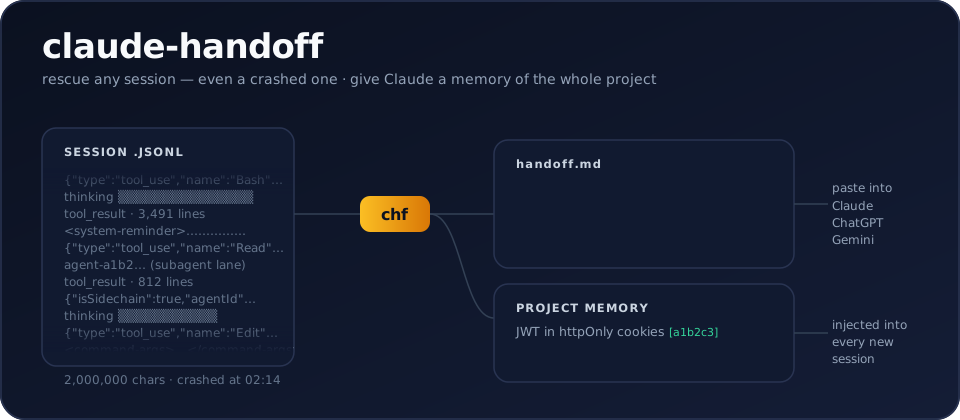




Turn any Claude Code session — even a crashed one — into a clean handoff.md another AI can continue from. And give Claude Code permanent project memory, distilled from your own history.
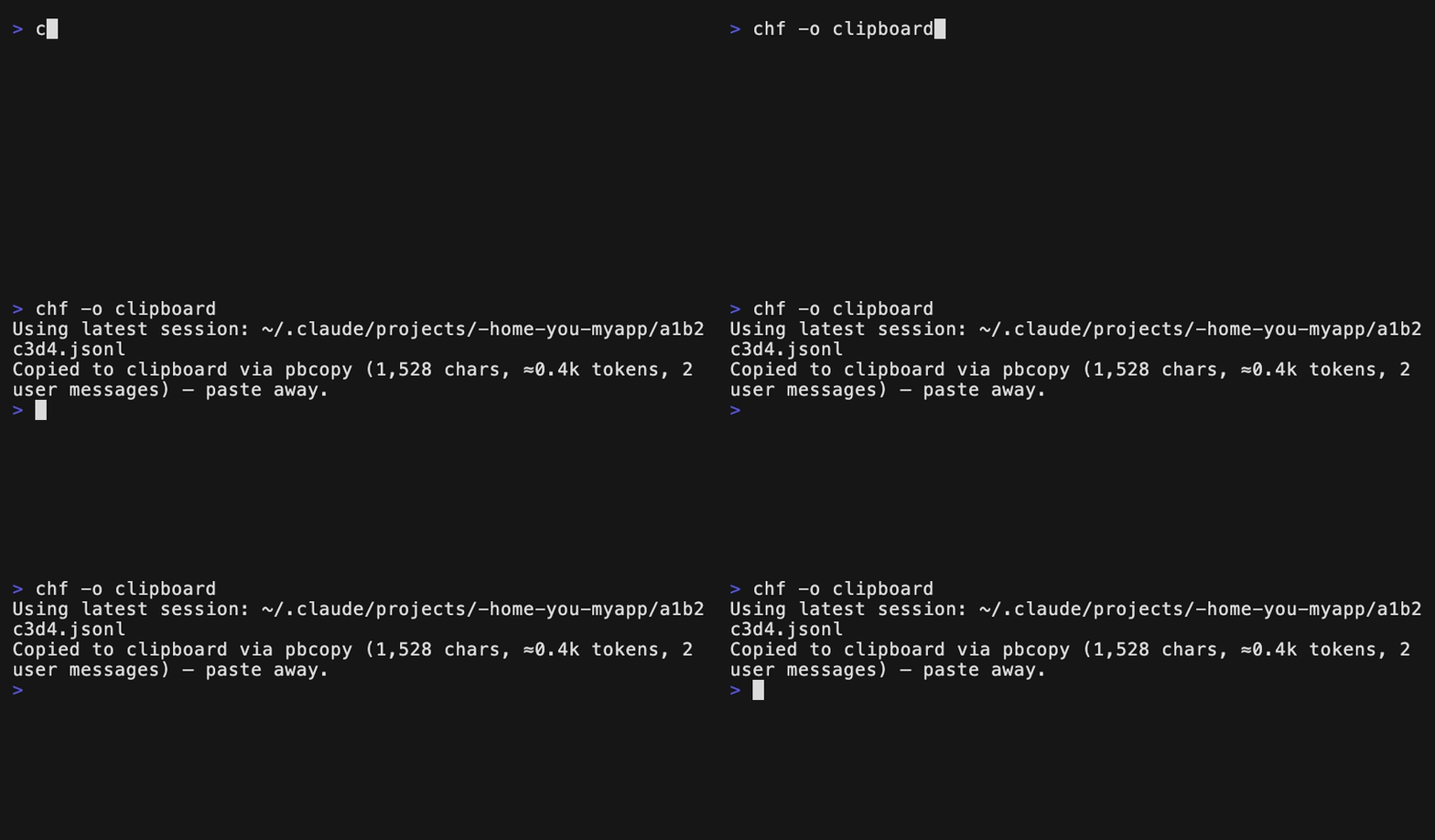
That's it. Your latest session becomes handoff.md: the conversation without
the noise, the files that changed, the commands that ran — opening with
instructions to the receiving assistant, so you can paste it straight into
Gemini, GPT, claude.ai, or a fresh Claude Code session with zero extra
prompting.
Claude Code stores every session locally as JSONL
(~/.claude/projects/…/*.jsonl), full of tool calls, tool results, thinking
blocks and system reminders. Existing exporters dump all of that into
markdown. claude-handoff instead produces a handoff document — and,
since it can read your entire history, a project memory brief too.
- Zero dependencies. Stdlib only, Python 3.9+. A nine-module package —
also shipped as a generated single-file script you can
curland audit. - Deterministic by default. No API call, no cost, works offline.
--llmwhen you want a real summary. Claude, OpenAI or Gemini via your own API key — or--llm claude-cli, which runs your locally-installed Claude Code CLI on your existing Pro/Max plan: no API key at all.- Noise-free. Drops tool results, thinking blocks, system reminders,
subagent chatter, slash-command envelopes. Keeps user intent, assistant
answers, files modified, commands run — including the files and commands
of subagents (
agent-*.jsonl), whose full transcripts stay behind--include-sidechains. - Project memory.
chf --briefdistills a project's ENTIRE session history into one living brief — what this is, where things stand, decisions, fixes, conventions, and an ordered resume plan of open threads, every claim citing its session;--install-brief-hookinjects it into every new Claude Code session, so Claude starts already knowing the project. - Safe to paste. Secret-looking strings (API keys, tokens,
password=…) are redacted from every output — the handoff you paste into a web chat is egress too.--anonymizegoes further for public sharing.
Prerequisites
| Requirement | Minimum | Check | Notes |
|---|---|---|---|
| Python | 3.9+ | python3 --version | The only hard requirement |
| Claude Code | any | claude --version | Only for --llm claude-cli (uses your Pro/Max login) |
| pipx (recommended) | any | pipx --version | pip install pipx — or use brew / plain pip |
No third-party Python packages, ever — everything runs on the standard library.
Install
Installing the package gives you two identical commands: claude-handoff
and the short alias chf. Tab completion:
60 seconds: pick your situation
A session crashed, hit the usage limit, or you closed the terminal:
…then paste into claude.ai, ChatGPT, Gemini — or a fresh claude session.
Works on any old session; nothing needed to be installed before the crash.
Moving work from Claude Code to another model:
"Which session was it where we talked about CORS?"
Give Claude Code permanent memory of this project:
A real summary instead of the transcript (goal / decisions / state / next):
A claude.ai or ChatGPT web chat instead of a terminal session:
Project memory (--brief)
Claude Code forgets everything between sessions — but the whole history is
on your disk. chf --brief reads every session of the current project
and writes one memory document to ~/.claude/briefs/<project>.md:
- a factual session timeline + most-touched files (deterministic, free);
- with
--llm, a distilled memory that opens with what this is (product, stack, current state) and where things stand (done / in flight / not started), then decisions with their why, fixed bugs, conventions — and open threads as an ordered resume plan, each with its concrete next action and a[in flight]/[blocked]/[not started]tag. Every bullet cites the session id it came from (chf --name <id>opens the source).

Per-session notes are cached, so refreshing after new sessions only pays for the new ones — and a monster session (beyond ~120k chars) is map-reduced inside the note, so the memory path never truncates: nothing is silently dropped, at any size.
You can also curate what feeds the memory: --exclude <id> leaves a
session out (a duplicate, an experiment — bare --exclude opens a
numbered picker that remembers: the stored exclusions arrive
pre-selected with ✗ and typed numbers toggle, so you edit the set
instead of re-picking it), and --keep first:2,last:20 windows a huge history to
the founding sessions plus a sliding recent window. Both are sticky —
stored in the brief's stamp, so hooks and later refreshes keep honoring
them until you change them (--exclude none, --keep all). And
chf --brief -o clipboard ships the current brief — distillation
included — straight to the clipboard, one paste away from handing your
project memory to another model.
The brief also goes beyond the project store: chf --brief --grep X -o - distills a thematic memory (only the sessions that talked
about X), and chf conversations.json --brief -o brief.md builds
standing memory from a claude.ai or ChatGPT export — every
conversation, cited by its id. Both are exports by design (explicit
-o only) so they never overwrite the standing brief.
Running graphify? The two tools compose in both directions, zero
config: chf --brief -o graphify files the current memory into raw/
— one evolving project-memory.md that the next /graphify --update
links into the code's knowledge graph — and once
graphify-out/graph.json exists, every brief gains a free ## Code map (communities, hub concepts, cross-community bridges:, labeled
flows:) so new sessions know the code's structure, not just its
history. The in-project copies (raw/project-memory.md, optional root
BRIEF.md) refresh on every brief write — strictly refresh-only,
hooks never create files. The full loop lives in
docs/GUIDE.md.
installs two hooks: SessionStart injects the brief as context (Claude
starts already knowing your project — re-injected after /compact too),
SessionEnd auto-refreshes the factual part for free. No LLM ever runs
from a hook; the distilled part refreshes only when you say so. The brief
carries a freshness stamp, and when newer sessions or commits exist the
file and the injection don't just warn — they list them (session titles,
commit subjects), so a fresh session sees what changed, not merely that
something did. Fully local; redaction applies as everywhere.
→ Step-by-step mechanics, the honest cost table, and a full day-with-it walkthrough: docs/GUIDE.md.
Make it automatic
PreCompact matters: right before Claude Code compacts a long session's context, both hooks snapshot state — the handoff preserves detail that compaction is about to squeeze away, and the brief skeleton stays fresh mid-session.
Both edit ~/.claude/settings.json non-destructively, are idempotent, and
have matching --uninstall-* flags. Hook failures never break the host
session, and hooks never trigger LLM calls or create files on their own.
Related MCP Servers
Reviews
No reviews yet — be the first to share how this listing worked for you.
Frequently Asked Questions about Claude Handoff
AllMCPs Directory Badge
Showcase your server listing on GitHub or your project documentation. Embed this dynamic SVG badge to highlight official listing status and live engagement.
Badge Style:
Live Dynamic SVG Preview
Markdown (GitHub README)
[](https://allmcps.com/mcp/claude-handoff)HTML Embed
<a href="https://allmcps.com/mcp/claude-handoff"><img src="https://allmcps.com/api/badge/claude-handoff?style=directory" alt="Claude Handoff on AllMCPs" /></a>Technical Specs & Signals
CategoryDeveloper Tools
28Quality signal: Emerging · 28/100How this signal is calculated ▾
Server availabilityNot measured
Not scored for repo-hosted servers — we can't reach the running server, only its GitHub page. Hosted MCP endpoints are health-checked live.
Verified ownership8/20
Documentation & tools12/30
Adoption & activity1/15
Community engagement0/10
A guidance signal from public completeness & health data — not a user rating. New listings start lower and rise as they add docs, get verified, and grow adoption. Signals we can't observe for a listing are skipped, not counted against it.
Own this project?
This directory is pre-filled from public sources. Claim via GitHub README, site badge, or DNS TXT to unlock edit access and the Official badge and attach your website — proof is checked automatically, then reviewed by our team.
Free dofollow backlink: add your website and place the AllMCPs badge on it — no claim needed. We detect it automatically and keep it verified as long as the badge stays live.
Claim & get free dofollowShare & Embed
Add our SVG badge (dark/light directory styles) or embeddable widget to your site.