mcp-server-chatsum
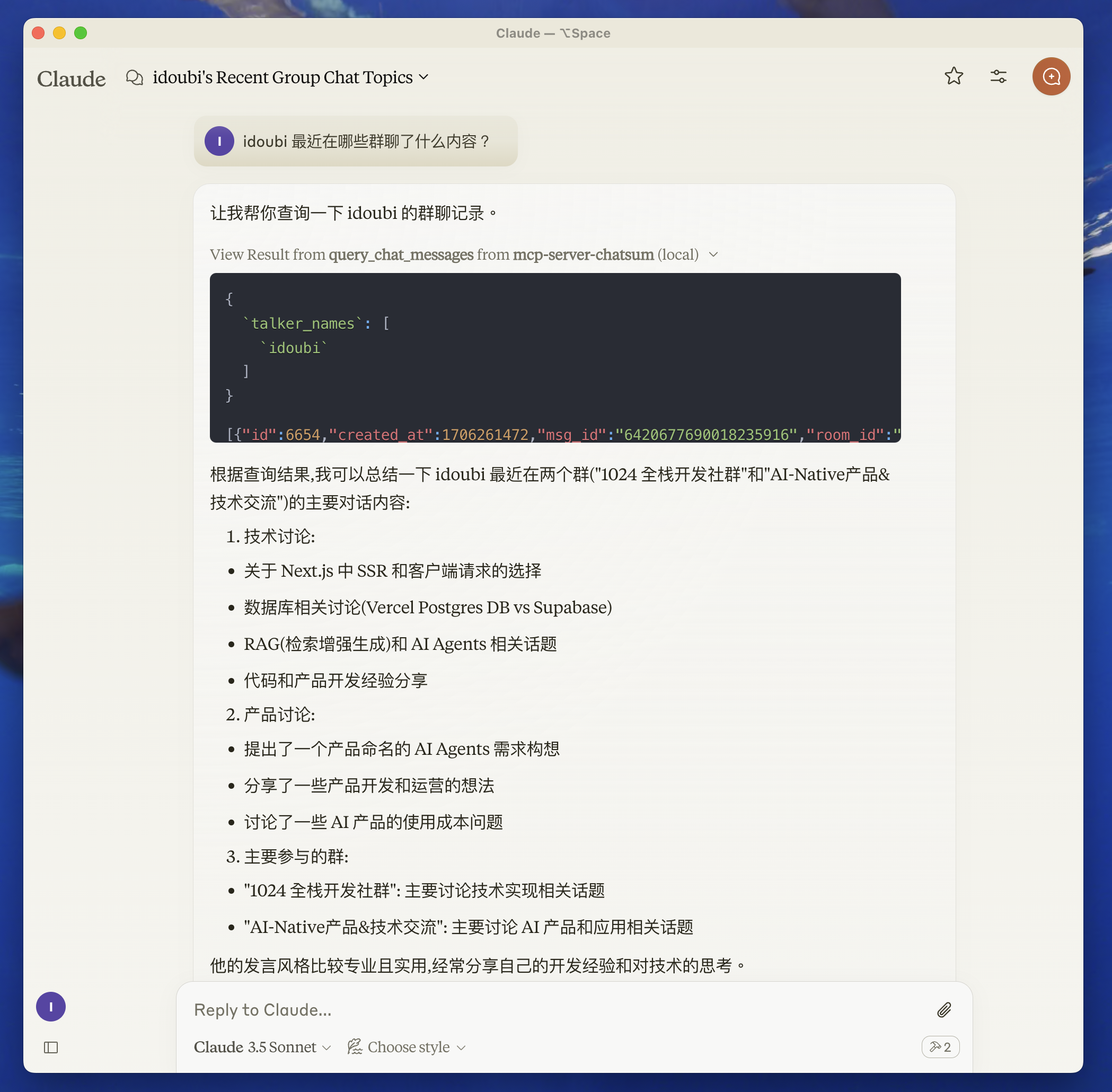
This MCP Server is used to summarize your chat messages.
Before you start
move to chatbot directory, follow the README to setup the chat database.
start chatbot to save your chat messages.
Features
Resources
Tools
query_chat_messages- Query chat messages- Query chat messages with given parameters
- Summarize chat messages based on the query prompt
Prompts
Development
- Set up environment variables:
create .env file in the root directory, and set your chat database path.
CHAT_DB_PATH=path-to/chatbot/data/chat.db
- Install dependencies:
pnpm install
Build the server:
pnpm build
For development with auto-rebuild:
pnpm watch
Installation
To use with Claude Desktop, add the server config:
On MacOS: ~/Library/Application Support/Claude/claude_desktop_config.json
On Windows: %APPDATA%/Claude/claude_desktop_config.json
{
  "mcpServers": {
    "mcp-server-chatsum": {
      "command": "path-to/bin/node",
      "args": ["path-to/mcp-server-chatsum/build/index.js"],
      "env": {
        "CHAT_DB_PATH": "path-to/mcp-server-chatsum/chatbot/data/chat.db"
      }
    }
  }
}
Debugging
Since MCP servers communicate over stdio, debugging can be challenging. We recommend using the MCP Inspector, which is available as a package script:
pnpm inspector
The Inspector will provide a URL to access debugging tools in your browser.