persistent-memoryai-codingneurosciencesqlitepostgresql
Cross-platform persistent memory engine for AI coding agents with neuroscience-inspired consolidation and retrieval.
Quick Install
Automated & IDE SetupCopy the AI prompt to install this server into Claude Code, Cursor, or another agent — or use 1-click editor setup below.
Automated check passed— started and listed 52 tools correctly (1mo ago).
Manual Client & Custom JSON ConfigExpand JSON ▾
Client Config & Setup
Choose your client or environment
Target File:
💡 Paste the JSON block into your client's configuration file under mcpServers, then restart the application.
Overview
Use cases
Persist AI coding agent memory across sessions
Consolidate and update project knowledge dynamically
Retrieve relevant context based on neuroscience-inspired models
Integrate persistent memory with Claude Code via plugin
Use local or scalable PostgreSQL backend for memory storage
Key features
36 neuroscience-based memory consolidation mechanisms
Support for SQLite (default) and PostgreSQL + pgvector backends
33 MCP tools and 7 lifecycle hooks for memory management
Self-curating, continuously-groomed per-project wiki
Runs entirely locally with no data leaving the machine
Compatible with multiple AI coding agents and MCP hosts
Capabilities & Tool Schemas (52)
Inspect callable tools, capabilities, and parameters exposed to AI agents by Cortex.
query_methodologyRead the user's cognitive profile for the current domain from the cached profiles.json and enrich it with hot memories + any fired prospective triggers matching the current cwd / first_message. Profile fields: thinking style (Felder-Silverman), entry patterns, recurring patterns, blind spots, cross-domain bridges, behavioral feature activations. MANDATORY at session start so subsequent reasoning is calibrated to the user's tendencies. Distinct from `rebuild_profiles` (full rescan from JSONL transcripts, much slower), `detect_domain` (just classifies, no profile body), and `list_domains` (overview across all domains). Read-only on profiles.json; mutates triggered_count for any prospective triggers that fire. Latency <50ms (cached). Returns the full profile dict + hotMemories + firedTriggers, or coldStart=true if no profile exists yet (then call `rebuild_profiles`).
detect_domainClassify the current working directory + first message into one of the known cognitive domains via a 3-signal weighted score: (1) path tokens (last 3 segments + git root), (2) project ID match against known profiles, (3) keyword overlap with stored domain vocabularies. Returns the best-matching domain plus confidence and the runner-up alternatives. Use this when switching codebases or contexts to recalibrate, or as a cheap preflight before `query_methodology` / `recall`. Distinct from `query_methodology` (returns the FULL profile body, not just the domain id), `list_domains` (enumerates ALL domains), and `rebuild_profiles` (rescans, doesn't classify). Read-only. Latency <20ms. Returns {domain, confidence, alternativeDomains, signals}.
rebuild_profilesFull rescan of Claude Code session data to rebuild methodology profiles from scratch. Walks ~/.claude/projects/, parses JSONL transcripts, groups by project, and re-derives per-domain cognitive style (Felder-Silverman), entry patterns, blind spots, and cross-domain bridges via the profile_assembler pipeline. Use this on first install, after a major workflow change, or when `query_methodology` returns coldStart=true. Skipped automatically if profiles are <1h old unless force=true. Distinct from `query_methodology` (read the cached profile, no rescan), `record_session_end` (incremental EMA update for one session, no full rebuild), and `detect_domain` (just classifies, doesn't rebuild). Mutates ~/.claude/methodology/profiles.json. Latency <10s on typical histories. Returns {rebuilt_domains, total_sessions, duration_ms}.
list_domainsRead profiles.json and emit an overview row for every cognitive domain Cortex has profiled, sorted by session count. Per domain: id, human label, sessionCount, confidence, lastActive, top-3 work categories with ratios, and dominantMode from the session shape. Use this to discover what domains exist before scoping `recall`, `narrate`, or `rebuild_profiles`. Distinct from `query_methodology` (deep profile for ONE domain), `detect_domain` (classifies the current context, no enumeration), and `memory_stats` (memory-system counts, not domain profiles). Read-only. Takes no arguments. Latency <10ms. Returns {domains: [{id, label, sessionCount, confidence, lastActive, topCategories, dominantMode}], totalDomains, globalStyle}.
record_session_endRecord session-end signals (tools used, duration, turns, keywords) and apply an incremental EMA update to the matching domain's cognitive profile. Also stores an episodic session-summary memory, runs a session self-critique (overall score + top improvement suggestions — each non-empty suggestion is ALSO persisted as its own 'lesson-candidate'-tagged memory, M-D6, so it is never lost the moment this call returns), and creates prospective triggers from any TODO/decision keywords detected in the message stream. Normally invoked automatically by the SessionEnd hook — call manually only when reconstructing offline sessions. Distinct from `rebuild_profiles` (full rescan from scratch, throws away the cache) and `query_methodology` (read-only profile retrieval). Mutates profiles.json + session-log.json + memories table. Latency <200ms. Returns {domain, profile_updated, session_score, critique, lessonCandidatesStored, memory_id?}.
explore_featuresInspect the user's cognitive profile through one of four interpretability lenses (mechanistic-interpretability inspired, Bricken et al. 2023): `features` returns the active sparse-dictionary behavioral features for a domain; `attribution` perturbation-traces which input signals drove the domain's profile, sampling up to 20 of that domain's own recent sessions from disk (empty graph if the domain has no indexed sessions -- run rebuild_profiles first); `persona` returns the 12D persona vector with drift-from-baseline; `crosscoder` compares two domains to detect persistent behavioral features. Use this when facing an unfamiliar pattern and you want a behavioral explanation. Distinct from `query_methodology` (full profile, not the interpretability internals) and `list_domains` (overview, no analysis). Read-only on profiles.json. Latency <100ms. Returns mode-specific JSON: {dictionary | graph | persona | comparison}.
Documentation Overview
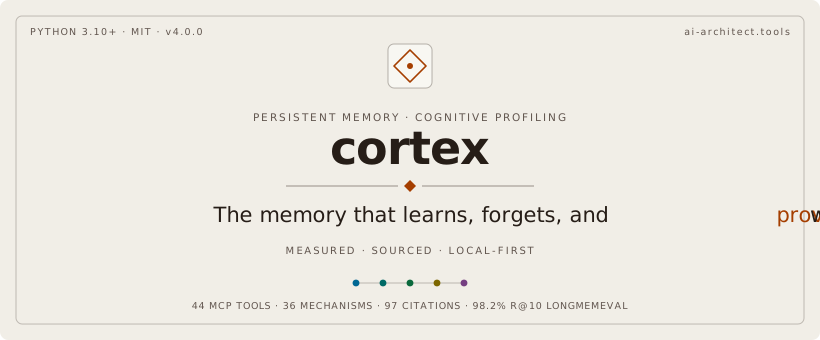






Memory for AI coding agents that you can hold accountable.
Keep decisions, fixes and project context between sessions, and inspect what was retrieved.
Runs locally by default. No account, no API key, no server to manage.
Sovereign is what it is today. Everything runs on your machine: a local SQLite file by default, or PostgreSQL + pgvector if you prefer. No LLM in the retrieval loop, and nothing leaves localhost unless you configure an integration that does. Your project's memory is a file you own and can delete.
Cross-platform is how it is built. One stdio MCP server and the same 52 tools on Claude Code, in the Claude Desktop bundle, under Claude Cowork, and on every local stdio MCP host listed in the table below. What differs per host is stated there, not discovered after install.
Eco-responsible is what we are aiming at. Work that never reaches a datacenter is work nobody has to power, and an agent that finds the right context first time re-reads fewer files. We hold that intent to the Green Software Foundation's SCI method, and we publish no CO₂ or energy figure, because we have not measured one. What we do and do not claim ↓
36 neuroscience mechanisms · 52 memory tools · 9 lifecycle hooks · a self-curating per-project wiki — all local, all open-source, MIT.
Install
Claude Code — add the marketplace and install the plugin:
Claude Desktop — download hypermnesia-mcp.mcpb from
Releases and open it, or use
Settings → Extensions. The bundle carries the tools but no hooks; the MCPB format has none.
Claude Cowork is detected automatically (CLAUDE_ENVIRONMENT=cowork) and uses the local
SQLite store. No PostgreSQL required.
Any other stdio MCP host (Codex, Gemini CLI, Cursor, Windsurf, VS Code) launches the same server and gets the same tools. The per-host matrix and launch commands are in Every other MCP host below. Codex has a native package: docs/codex-plugin.md. WSL, TLS client certificates and corporate proxies are covered in docs/deployment-scenarios.md.
The first use creates a local SQLite store under ~/.claude/methodology/. Models are downloaded
once when needed and then run offline. The embedding and reranking model files are both fetched
on first use. Optional integrations, remote PostgreSQL, and OTLP telemetry use the network only
when explicitly configured. PRIVACY.md lists the exact scope.
An existing PostgreSQL install is never silently downgraded: the installer detects a
configured DATABASE_URL, a prior backend marker, or a reachable local cortex database and
keeps it across updates.
Upgrading from an older plugin identity
The plugin was renamed hypermnesia-mcp in v4.15.0, after a community-directory collision
with an unrelated cortex plugin. Memories, configuration and storage paths are untouched.
The visualization companion, hypermnesia-mcp-viz, was renamed the same way:
The retained cortex-viz@cortex-plugins entry is a frozen shim that only prints this notice
and exposes no server or tools.
Allowlists, hooks, skills and agents must migrate both composed tool names:
mcp__plugin_cortex-viz_cortex-viz__open_visualization becomes
mcp__plugin_hypermnesia-mcp-viz_hypermnesia-mcp-viz__open_visualization, and
mcp__plugin_cortex-viz_cortex-viz__get_methodology_graph becomes
mcp__plugin_hypermnesia-mcp-viz_hypermnesia-mcp-viz__get_methodology_graph.
Keep context useful
Across sessions, agents need to remember decisions, bring prior fixes back when a similar problem returns, and show you which sources support a memory so you can correct it. Cortex keeps that context available while making its status visible.
Cortex does this with local quality checks: what is written, whether its references resolve, what happens when a decision changes, and what can fade over time.
What gets in
A write passes a local novelty check (the implementation calls it a predictive-coding gate) against what is already stored. Novel content is written; a near-duplicate is merged into the memory it restates rather than filed beside it.
Deliberate writes are never rejected for being unsurprising. Unattended capture is, which is what keeps automatic capture from burying the memories you meant to keep.
Whether it can be checked
Every memory is graded at write time, locally, with no network call. The grade is not a confidence score: it is whether the claims carry references that resolve on this machine.
That memory named a file that no longer existed, so it was stored and labelled unverifiable
instead of being silently presented as verified. Rewritten against paths that resolve, the same
memory grades verified. A recalled memory tells you which kind it is; a verified grade still
means that the references resolve locally, not that the claim has been independently proven true.
When it turns out wrong
Corrections supersede rather than overwrite. The new memory records what it replaces, the old one is demoted in recall, and the chain stays readable.
What fades
Memories carry heat that decays unless replay reinforces them, and episodic traces can consolidate into semantic ones. A specific debugging session may compress to the principle it taught; the commands can fade while the lesson survives. This lifecycle is designed to keep the store useful as it grows, though it is not a promise of a fixed size or guaranteed semantic compression.
What it feels like in use
Here is an illustrative workflow: decisions, prior fixes, and source checks becoming useful again.
Monday. An hour debugging a webhook handler ends in a race condition: TTL expiry firing between the auth check and the permission lookup. You agree on a fix, implement it, close the session.
Thursday. In another session, a user reports intermittent logouts. Cortex surfaces relevant prior analysis, the Redis decision, and the TTL lesson when their content matches the new work.
Three weeks later. The sessions can consolidate into a pattern about authentication and TTL-based caches; some details may fade while the principle remains useful.
In Claude Code that is automatic: nine lifecycle hooks inject context at session start, recall
per prompt, capture as you work, checkpoint before compaction, and run a per-project wiki that
curates itself. In any other stdio MCP host you call the same 52 tools yourself, or 55 when
the optional ai-architect-mcp-codebase and ai-architect-mcp-spec integrations are present.
Does the retrieval work
Measured against a published benchmark, retrieval only. No LLM reader in the loop: the question is whether the right memory surfaces, not whether a model can write a good answer from it.
LongMemEval: 500 human-curated questions buried in about 40 sessions of history.
| v4.14.1 (historical) | v4.20.0 (current release) | |
|---|---|---|
| Recall@10 | 98.2% | 97.8% |
| MRR | 0.9167 | 0.905 |
Both are single runs: n=500, clean database, consolidation disabled, retrieval only.
v4.14.1, 2026-07-14: artifact JSON; code SHA. This is the run the ablation campaign in Verification was built around.
Related MCP Servers
Adoption & maintenance
Factual signals from GitHub, npm, and our automated checks — not a rating.
GitHub stars
71
Stargazers on the source repository.
Last commit
3d ago
Most recent push to the default branch.
Availability
100%
Our rolling endpoint + install checks that succeeded.
Install check
Passed
Our sandbox started it and listed its tools.
Tools exposed
52
Callable tools this server registers over MCP.
Directory activity
2 views
Config copies, upvotes, and views on AllMCPs.
Reviews
No reviews yet — be the first to share how this listing worked for you.
Frequently Asked Questions about Cortex
AllMCPs Directory Badge
Showcase your server listing on GitHub or your project documentation. Embed this dynamic SVG badge to highlight official listing status and live engagement.
Badge Style:
Live Dynamic SVG Preview
Markdown (GitHub README)
[](https://allmcps.com/mcp/cdeust-cortex)HTML Embed
<a href="https://allmcps.com/mcp/cdeust-cortex"><img src="https://allmcps.com/api/badge/cdeust-cortex?style=directory" alt="Cortex on AllMCPs" /></a>