Searchts README
The full upstream README, mirrored here for reference. Install config, tool schemas, adoption signals, and an original overview live on the Searchts listing page.
searchts
The missing layer between AI and the web. A Python CLI and library that lets an AI agent read and search the internet, fronted by a fully open-source "unlocker" that gets through common bot-walls with no paid proxy and no API key.





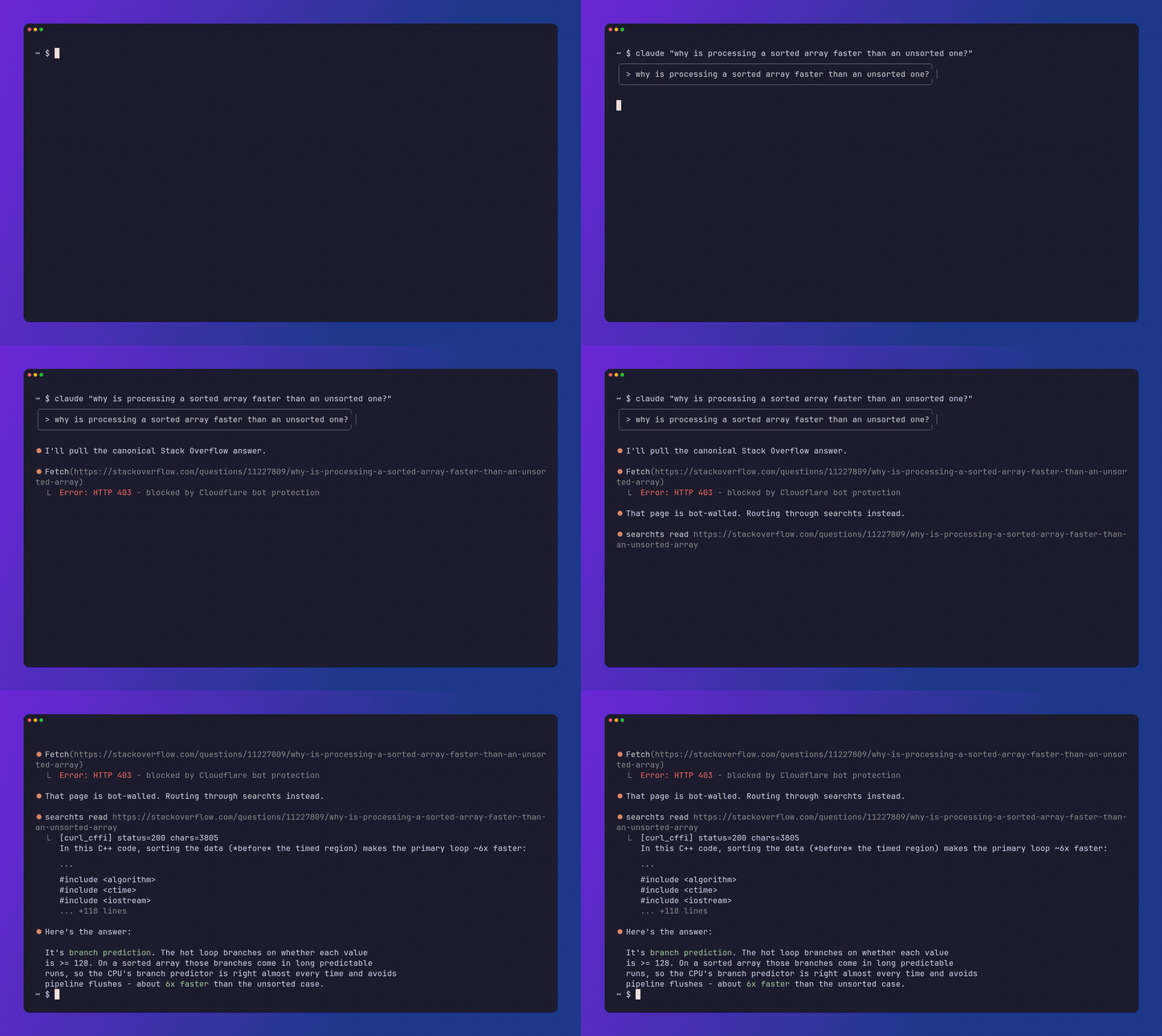
▶ Watch the full 1-minute demo
Why searchts?
- Reads pages behind common bot walls
- Reads complete ChatGPT / Claude / Gemini / Grok / Poe / DeepSeek / Perplexity / Copilot shared conversations
- Works with Claude, Codex, and MCP agents
- Extracts clean Markdown, ready to feed a model
- Searches the web without API keys
- Downloads a page's assets (images, fonts, palette)
- Transcribes videos, subtitles-first
Why it's free
AI agents constantly need to read web pages, but the naive way they fetch is trivially blocked by modern anti-bot systems (Cloudflare, PerimeterX, DataDome). Paid unlocker services solve this, but the thing they really charge for is a large pool of clean residential IP addresses. searchts runs on your own machine, from your own connection, at personal volume, so it sidesteps that cost and gets through most of those walls for free.
The unlocker
searchts reads any URL through an escalating ladder and stops at the first tier that returns real content:
- curl_cffi: a fetch that impersonates a real Chrome's TLS/JA3 and HTTP2 fingerprint. Beats user-agent and fingerprint filters. Fast, local, private.
- Jina Reader: a JavaScript-rendering relay (
r.jina.ai), for pages that only fill in content after running JS. Default on — the target URL is sent to Jina's servers on this rung. Opt out withSEARCHTS_NO_JINA=1or configjina: false(local curl + stealth only). - stealth browser: an undetected headless Chromium (patchright), launched lazily only when the cheaper tiers fail, for live JS / Cloudflare managed challenges.
If no tier comes back with real content, an optional human-in-the-loop step opens a real browser so you can clear the page once and continue. That covers interactive CAPTCHAs and soft walls alike: a login page served as HTTP 200 is not a challenge, but it is still a page only a human gets past. Block detection is phrase-based (not vendor-name based), so legitimate pages that merely embed a bot-sensor script are not falsely rejected. Content is extracted to clean Markdown with trafilatura.
Walls (F12 playbook, not a bypass): fail loud on login/challenge/thin. Do not cut a release that claims Reddit/LinkedIn now read (N7). Order: stealth already retries page.content after a navigation race (P3.11) → next is a persistent Chromium profile so clearance can survive across reads (F1, not shipped) → then --human / device session for extras only (F7, never silent, never inside read_url). Never paid residential as default (N1). Never a keyed commercial unlocker as default (N3).
AI-chat share links
Share links from AI chat apps are a special kind of hard: the conversation never appears in the page HTML as extractable text, so generic readers (and most AI agents' built-in fetch) return an empty shell or a fragment cut off mid-chat. searchts read recognizes these URLs and decodes each provider's own data channel instead, returning the complete conversation as role-labeled Markdown — keyless, no login:
| Provider | Share URL | How it's read |
|---|---|---|
| ChatGPT | chatgpt.com/share/…, chatgpt.com/s/… | turbo-stream payload embedded in the page |
| Claude | claude.ai/share/… | keyless snapshot API (behind Cloudflare) |
| Gemini | gemini.google.com/share/… | keyless batchexecute RPC |
| Grok | grok.com/share/…, x.com/i/grok/share/… | keyless share-links API |
| Poe | poe.com/s/… | __NEXT_DATA__ payload embedded in the page |
| DeepSeek | chat.deepseek.com/share/… | stealth render, scrolled to the end |
| Perplexity | perplexity.ai/search/…, perplexity.ai/page/… | stealth render, scrolled to the end |
| Copilot | copilot.microsoft.com/shares/…, …/shares/pages/… | stealth render, scrolled to the end |
The first five need no browser. The last three are JavaScript shells with nothing in the initial HTML, so those reuse the stealth tier: wait for the conversation to render, auto-scroll until the page height stops changing (list virtualization will otherwise truncate a long chat), then expand the collapsed sections before reading. The benchmark currently covers the five that read without a browser and passes all five; the three that need one are not in it yet.
ChatGPT issues two shapes: /share/<uuid> for a whole conversation, and the
newer /s/<prefix>_<id> short links for a single shared turn (t_ thread,
m_ message, dr_ deep research, cd_ Codex). Both are read.
Each provider is a drop-in plugin module (searchts/share_extractors/); if a provider changes its format, extraction falls back to the normal unlocker ladder instead of failing.
Install
Keep it (global isolated CLI, MCP extra included):
Try it without installing (one-shot, copy-paste):
venv / packaging only (not the recommended path for the CLI):
Quickstart
read flags: --json, --backend <tier>, --human (hand off a CAPTCHA or login wall to a real browser), --scrub (redact injection).
search flags: -n <count>, --json, --provider <name>. Content goes to stdout (pipeable); status to stderr.
grab flags: --out <dir>, --kinds <images,icons,css,fonts,svg>, --read (also save page.md), --max <n>, --json.
Use it from your AI agent
Add searchts to your agent in one line - as an MCP server, or as a Claude Code slash command:
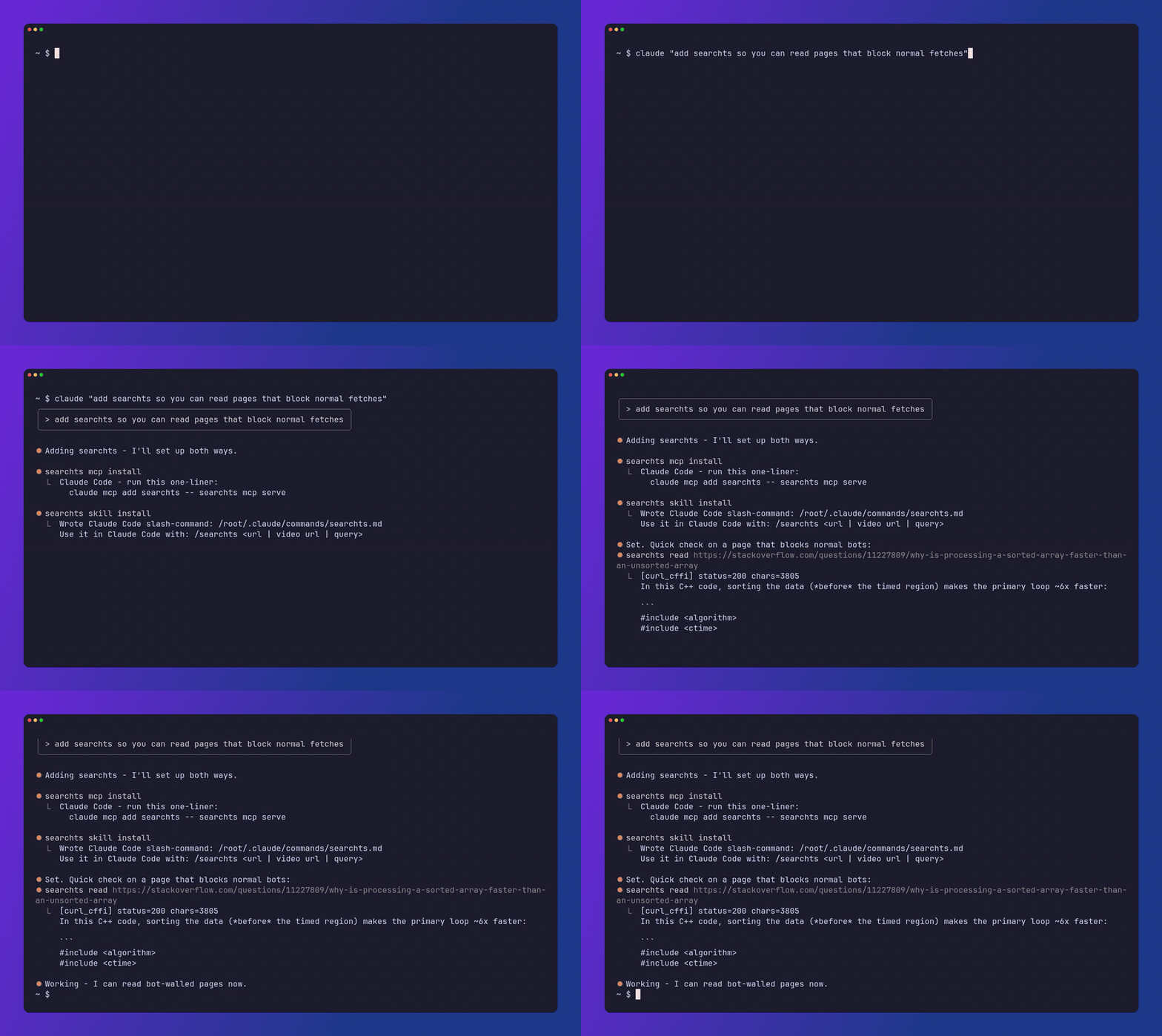
Two ways, both one command:
See the MCP server reference for all five tools (read_url, web_search, fetch_asset, grab_site, get_status), their inputs and outputs, and when to use each.
Features
- Escalating open-source unlocker: curl_cffi, then Jina Reader, then a stealth browser.
- Multi-provider search with rank fusion: DuckDuckGo (keyless default), plus SearXNG, Exa, Brave, and Tavily when configured; results merged with reciprocal rank fusion and de-duplicated.
- Video transcription: yt-dlp audio plus Whisper for YouTube, TikTok, Instagram, and Reddit videos.
- Asset + design grabber:
searchts grab <url>downloads a page's images/icons/css/fonts and extracts a color palette plus the fonts in use;searchts get <url>pulls a single asset. Both go through the same escalating unlock ladder, so they work on fingerprint-gated CDNs, not just open ones. - Prompt-injection scrubbing: strips invisible/bidi characters, flags injection indicators, optional redaction, so untrusted page content is safer to feed a model.
- Per-domain backend memory: remembers which tier worked per domain and tries it first (
SEARCHTS_NO_MEMORY=1to disable). - Jina opt-out: the JS-render relay is on by default;
SEARCHTS_NO_JINA=1(orjina: falsein~/.searchtsconfig) skips it so URLs never hitr.jina.ai. - Surfaces: a CLI, an MCP server (
read_url,web_search,fetch_asset,grab_site,get_status), and a Python library.
Use as a library
Does it actually work?
Rather than take our word for it, searchts ships a reproducible two-suite benchmark: it runs the unlocker over two page sets and reports how many it read — keyless — and which tier carried each.
- Smoke — a small public page set (control, open docs, AI-chat share links). A regression canary, not evidence about hard bot-walls.
- Walled — real vendors that restrict bots (Reddit, LinkedIn login wall, a Cloudflare/DataDome-class site, X, Booking). A short body under the unlocker's minimum-content threshold is a fail, not a pass; expected walled failures are reported honestly, not papered over with 100%.
These two are reported separately on purpose — the smoke number is not "does it work on walls." See benchmarks/README.md.
Latest run: docs/scorecard.md. Add your own targets — see benchmarks/README.md.
The numbers only mean something from a residential connection: a datacenter IP (or a VPN that reshapes your TLS fingerprint) blocks the fast curl_cffi tier more than a real user sees.
How it works, and its limits
- It runs from your own residential IP at personal volume, which is why it needs no paid proxy pool. It is a personal-grade research tool, not a mass-scraping system.
- Interactive CAPTCHAs (DataDome / Turnstile press-and-hold) and login walls are the honest ceiling. Use
--humanfor those. - Some platforms (notably Instagram, and YouTube in 2026) may need your browser cookies or fail intermittently; that is platform-side.
- Anti-bot systems evolve; this is an arms race and the techniques may need occasional updates. Respect each site's terms of service and use responsibly.
Configuration
Search works with no keys (DuckDuckGo). Everything else is optional, via searchts configure or a .env (see .env.example):
- Search providers: Exa, Brave, Tavily API keys, or a self-hosted
SEARXNG_URL, for more and better results. - Transcription: a Groq or OpenAI (Whisper) key, plus
ffmpegandyt-dlp. - GitHub token for higher rate limits.
Run searchts doctor to check what is configured and working.
Optional integrations
The core is read / search / transcribe. Every searchts read goes through
unlocker.fetch — there is no per-platform router. searchts doctor only probes
whether optional CLIs (gh, twitter-cli, opencli, mcporter) are on PATH
and authenticated. Presence is not a claim that searchts reads those sites
through those CLIs.
Roadmap
See ROADMAP.md for where searchts is headed — and what's deliberately out of scope.
Credits
searchts builds on and extends Agent-Reach (MIT), reusing its channel, installer, and diagnostics architecture. The escalating open-source unlocker, multi-provider search with rank fusion, prompt-injection scrubbing, per-domain backend memory, the human-in-the-loop CAPTCHA flow, the video transcript channels, the read_url / web_search MCP tools, and the read / search CLI commands are additions in searchts. Thanks to the original authors.
License
MIT. See LICENSE. Original portions Copyright (c) 2025 Agent Eyes; modifications and additions Copyright (c) 2026 capad-xyz.
Built by capad. Questions or feedback: open an issue or email oss@capad.fyi.
Fun fact: "searchts" doesn't officially abbreviate anything. Off the record, it stands for "search this shit".