One shared memory for every AI you use, in plain Markdown files you own.
Quick Install
Automated & IDE SetupCopy the AI prompt to install this server into Claude Code, Cursor, or another agent — or use 1-click editor setup below.
Manual Client & Custom JSON ConfigExpand JSON ▾
Client Config & Setup
Choose your client or environment
Target File:
💡 Paste the JSON block into your client's configuration file under mcpServers, then restart the application.
Documentation Overview
Callosium
Every AI you use forgets you. Callosium gives them one shared memory, in plain files you own.
You explain your project to Claude. Then you explain it again to ChatGPT. Then again to Cursor. Every chat starts from zero, and everything you have ever told an AI is scattered across apps that do not talk to each other.
Callosium fixes that. It turns a folder of plain Markdown on your computer into a brain any AI can use: they recall what you know before answering, save what they learn in the right place, and cite exactly where every answer came from. Your files never leave your machine.
- One brain, every AI. Claude, Cursor, ChatGPT-compatible apps, 27 clients supported, all reading and writing the same memory.
- Plain files you own. Markdown on your disk. No database, no cloud, no account required. Uninstall tomorrow and your notes are still just notes.
- It does not make things up. Across 15,000 test questions it invented nothing. When the answer is not in your notes, it says so. (the numbers)
- Works offline, in English and Arabic. Everyday recall needs no internet, no API key, and no large language model.
Table of contents
- A guided tour
- Install and first run
- Connect your AI
- What your AI can do once connected
- Why it is different
- The proof
- White paper
- Your files, your storage
- Docs and policies
A guided tour
A walk through the local dashboard, shown on a dummy "Northwind Studio" brain (never real data).
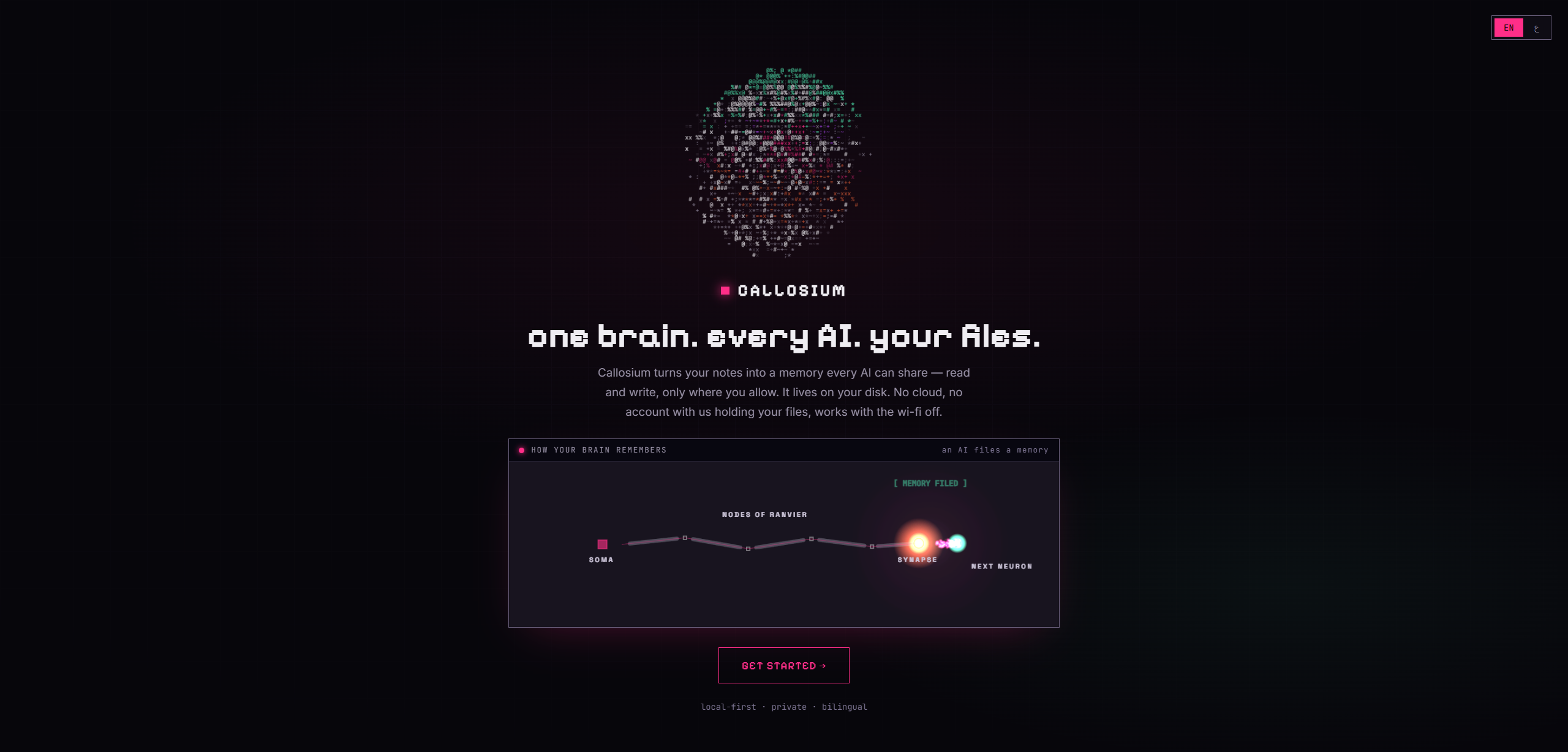
1. Open it, and it works offline-first
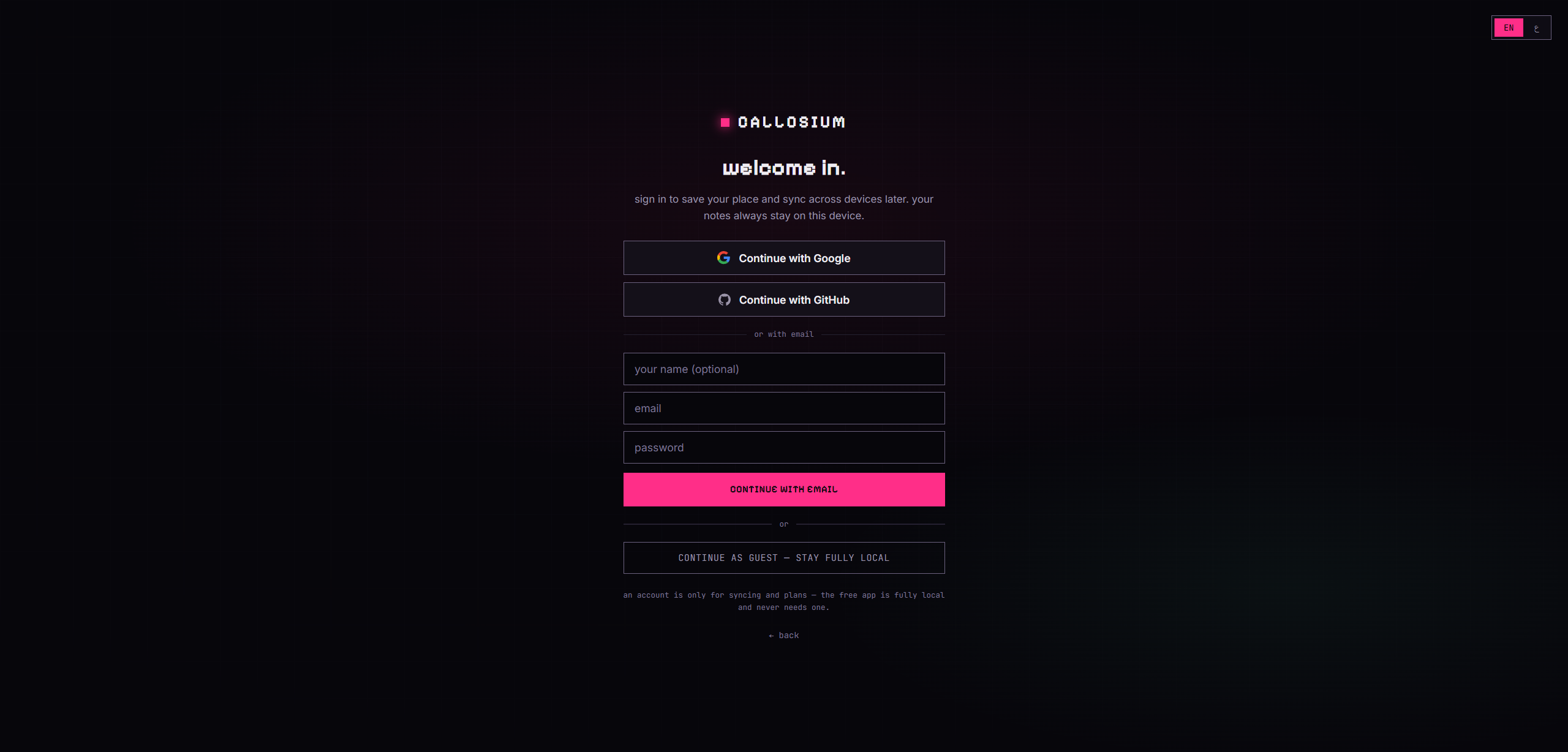
2. Sign in, or stay fully local
Google, GitHub, email, or continue as guest. An account is only for syncing and paid plans; the free app never needs one, and your notes never leave the device either way.
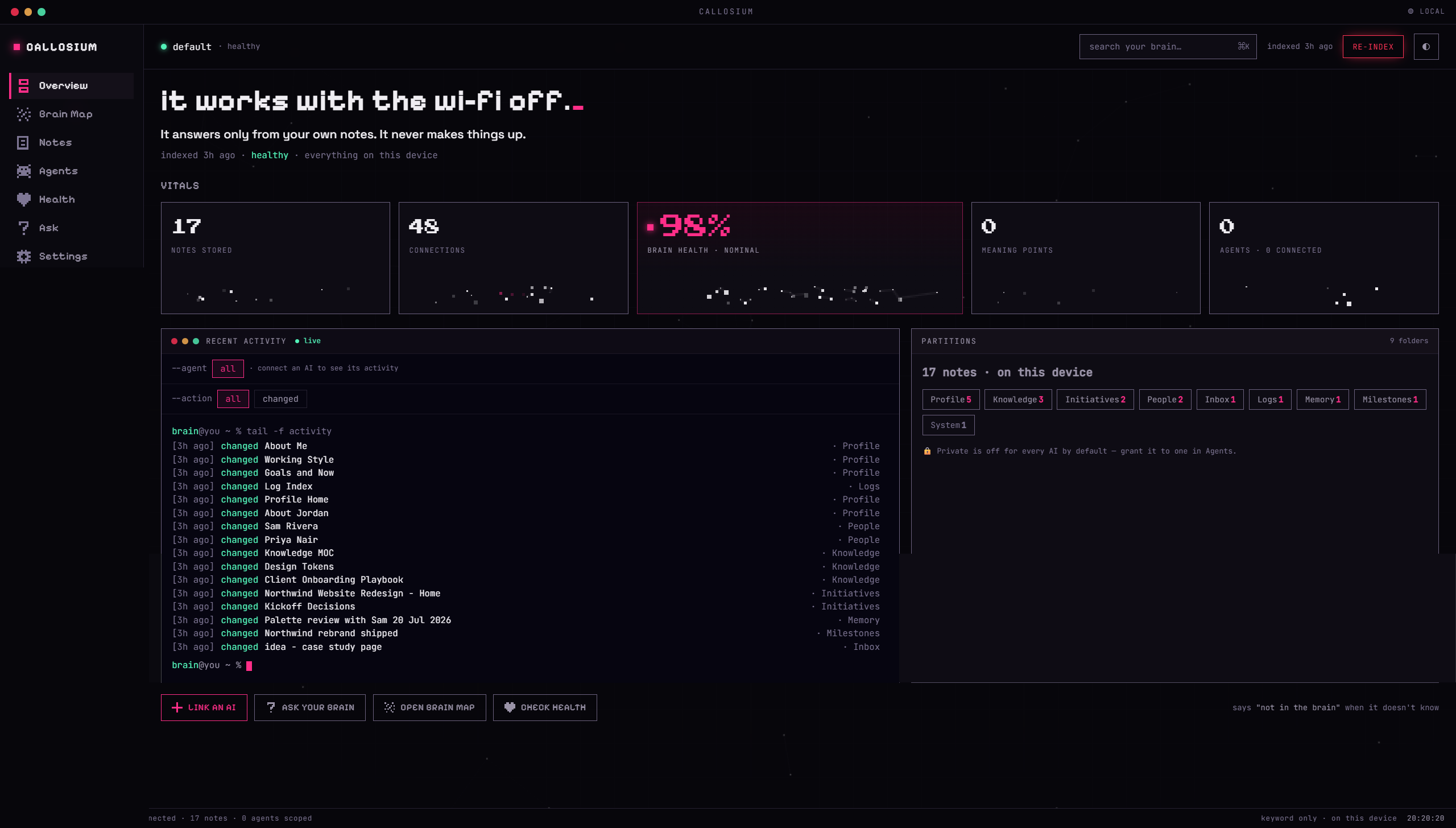
3. The cockpit
Your brain at a glance: notes stored, connections, health, and a live feed of every change, human or AI.
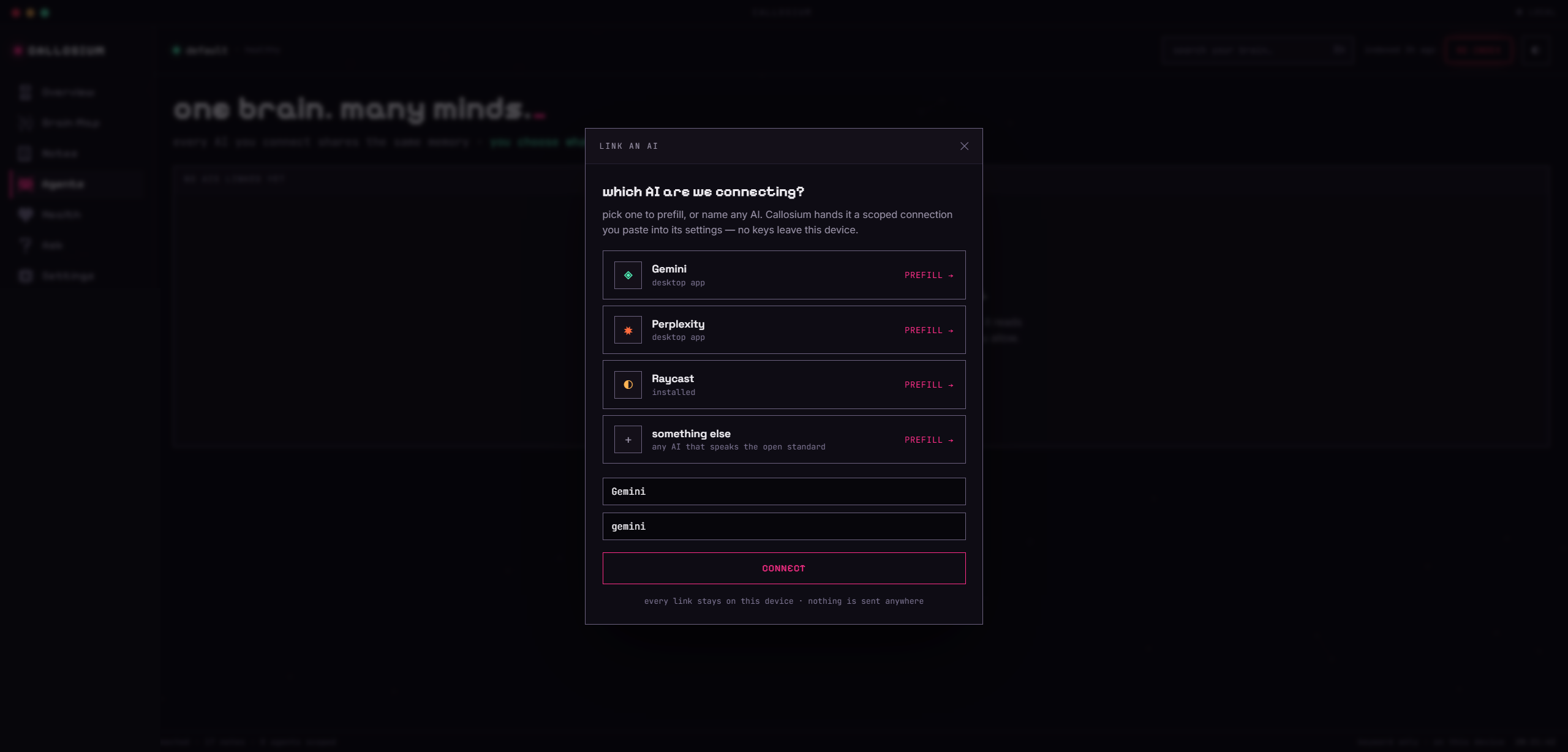
4. Connect any AI, scoped to what you allow
Every AI you connect shares the same memory, and you decide what each one can reach.
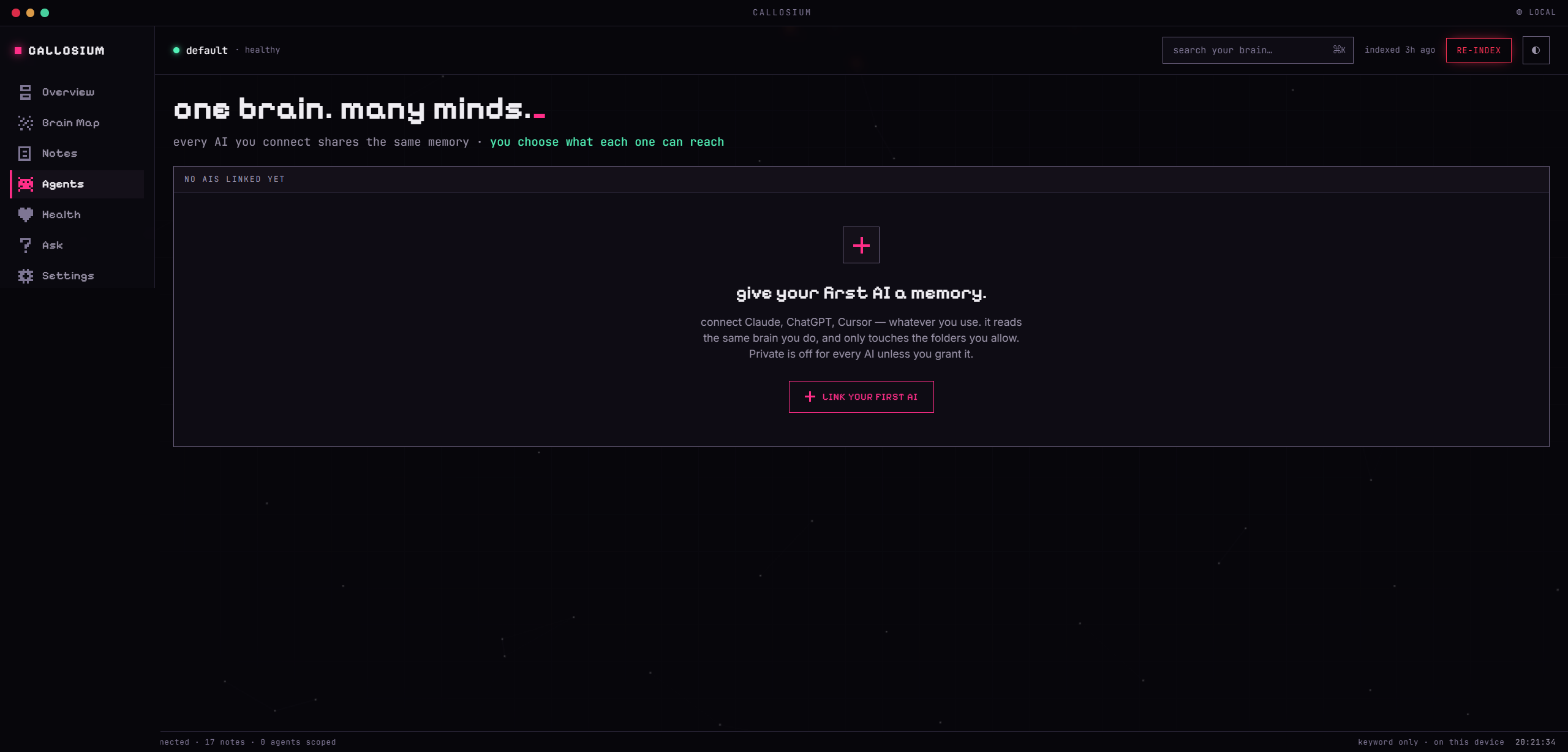
Pick a client and Callosium hands it a scoped connection to paste into its settings. Nothing is sent anywhere.
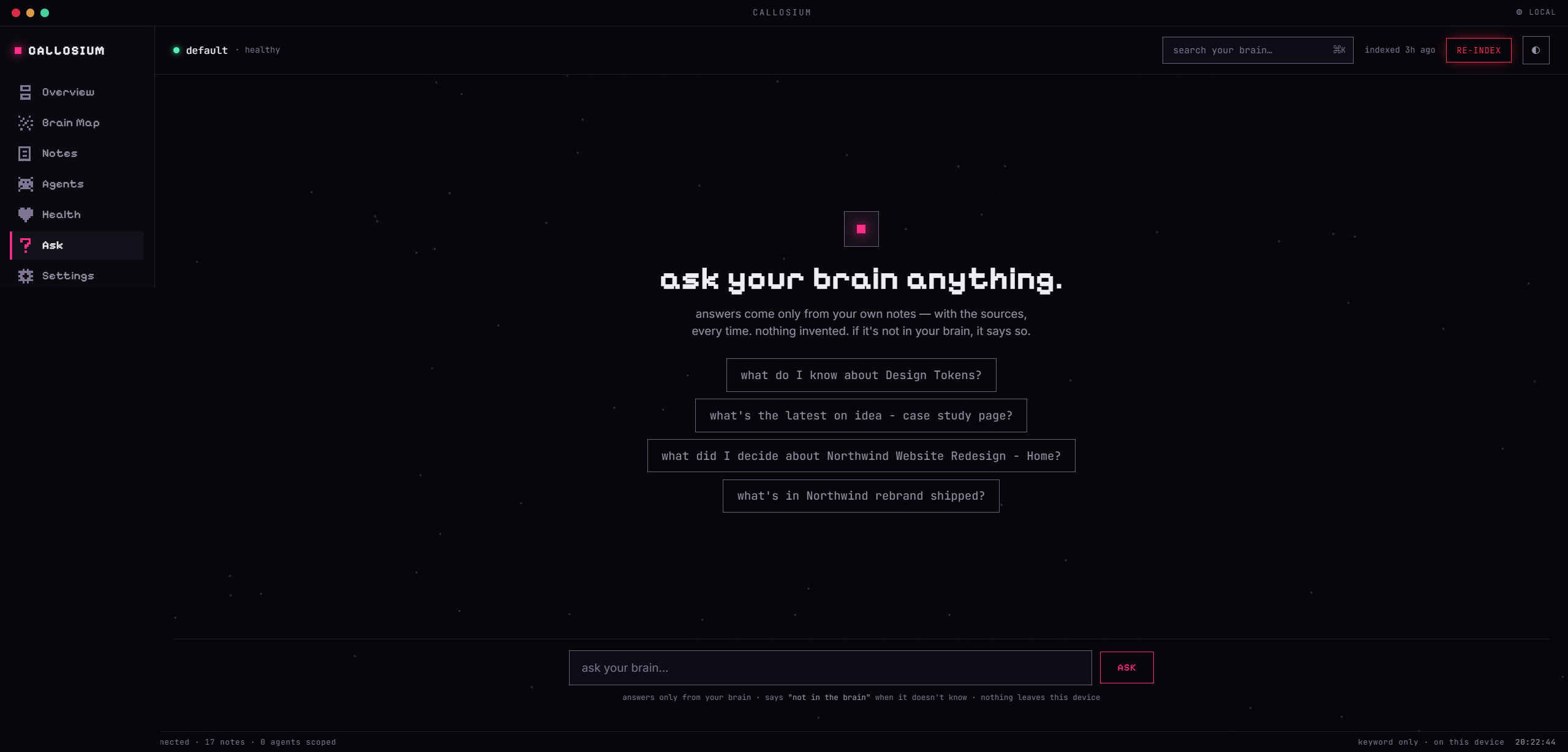
5. Ask your brain, and it answers only from your notes
Every answer cites the exact notes it came from. If it is not in your brain, it says so instead of guessing.
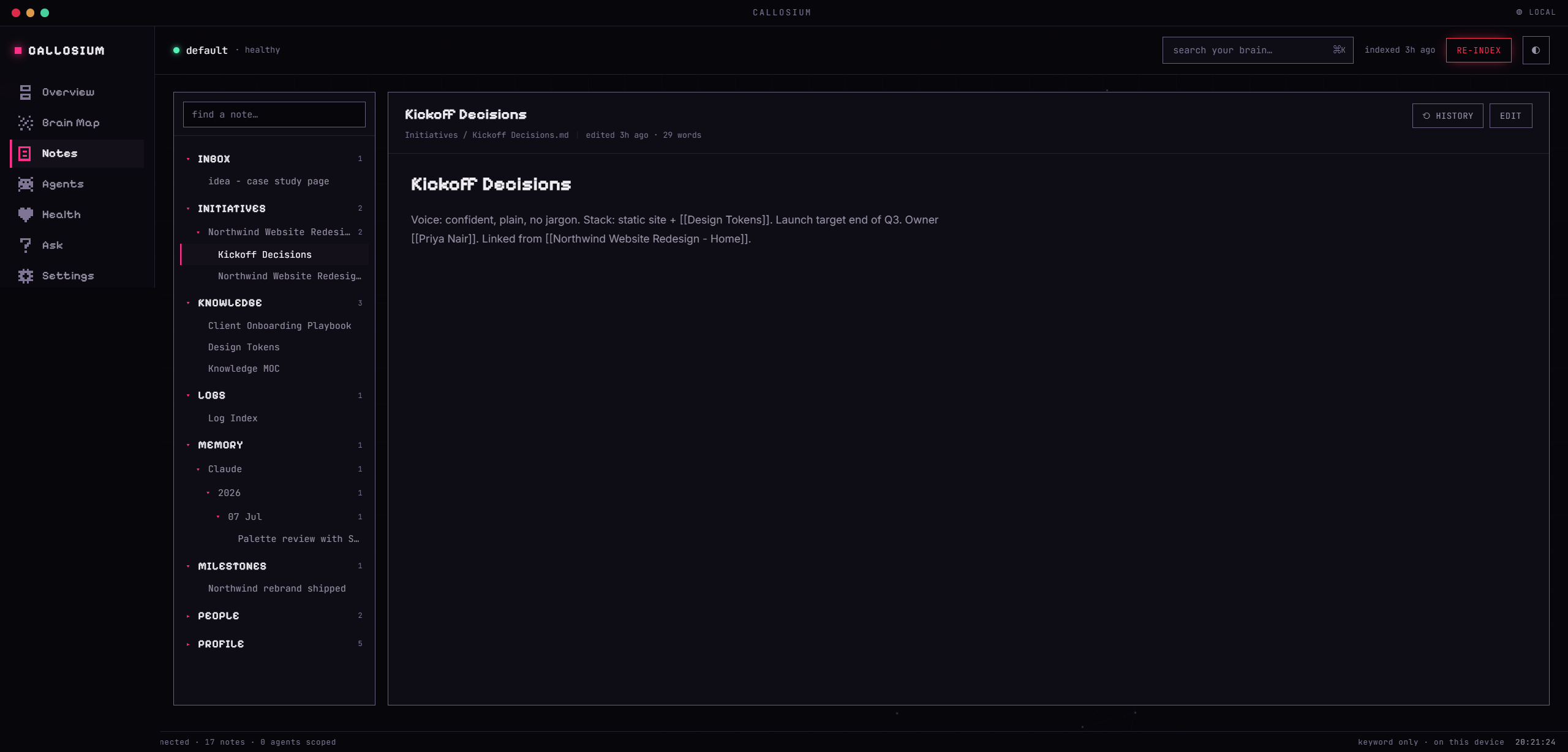
6. Your notes, linked and versioned
Browse everything, follow the [[wikilinks]], and every note keeps a full version history one click from undo.
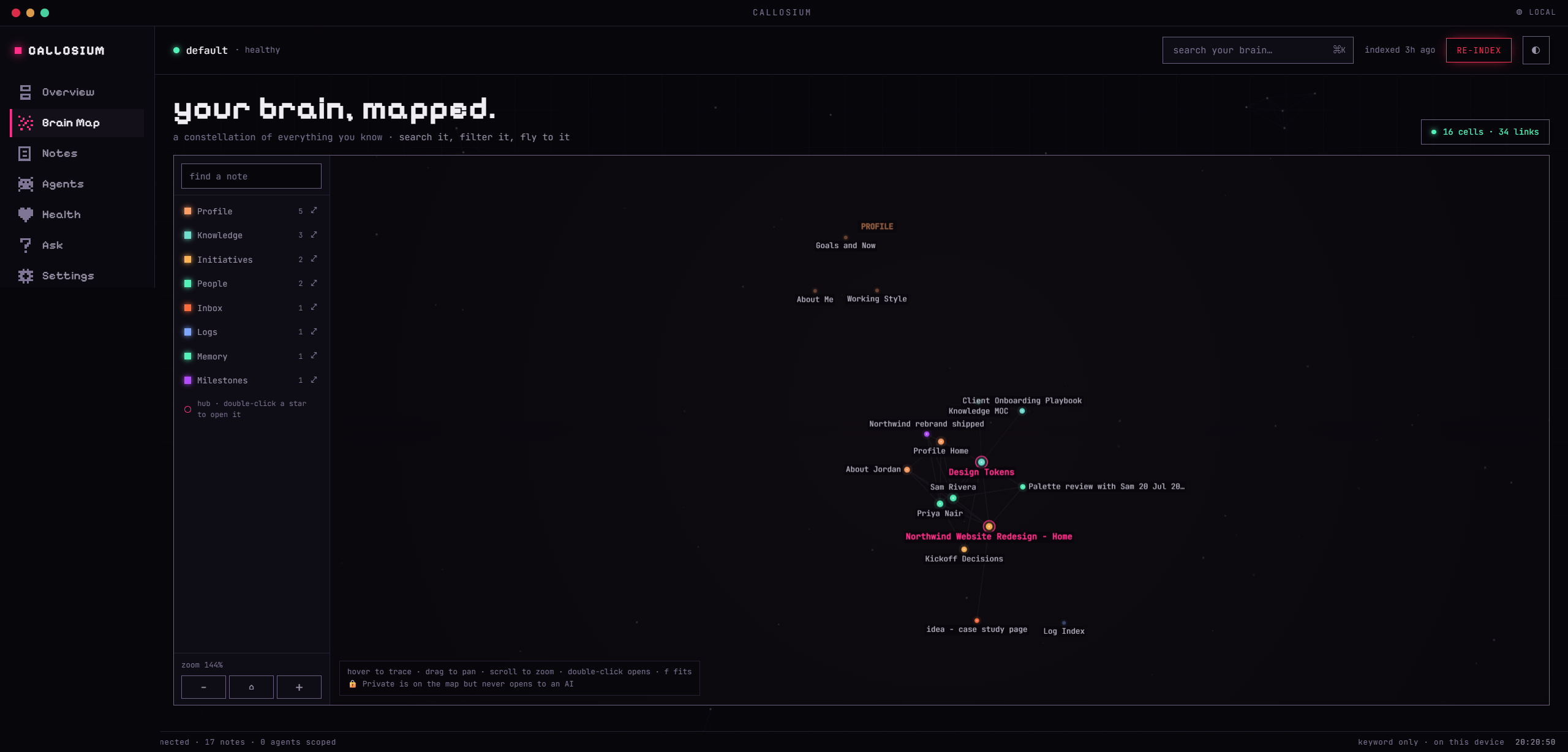
7. See the whole brain as a map
A constellation of everything you know, with the hubs to start from and every link between notes.
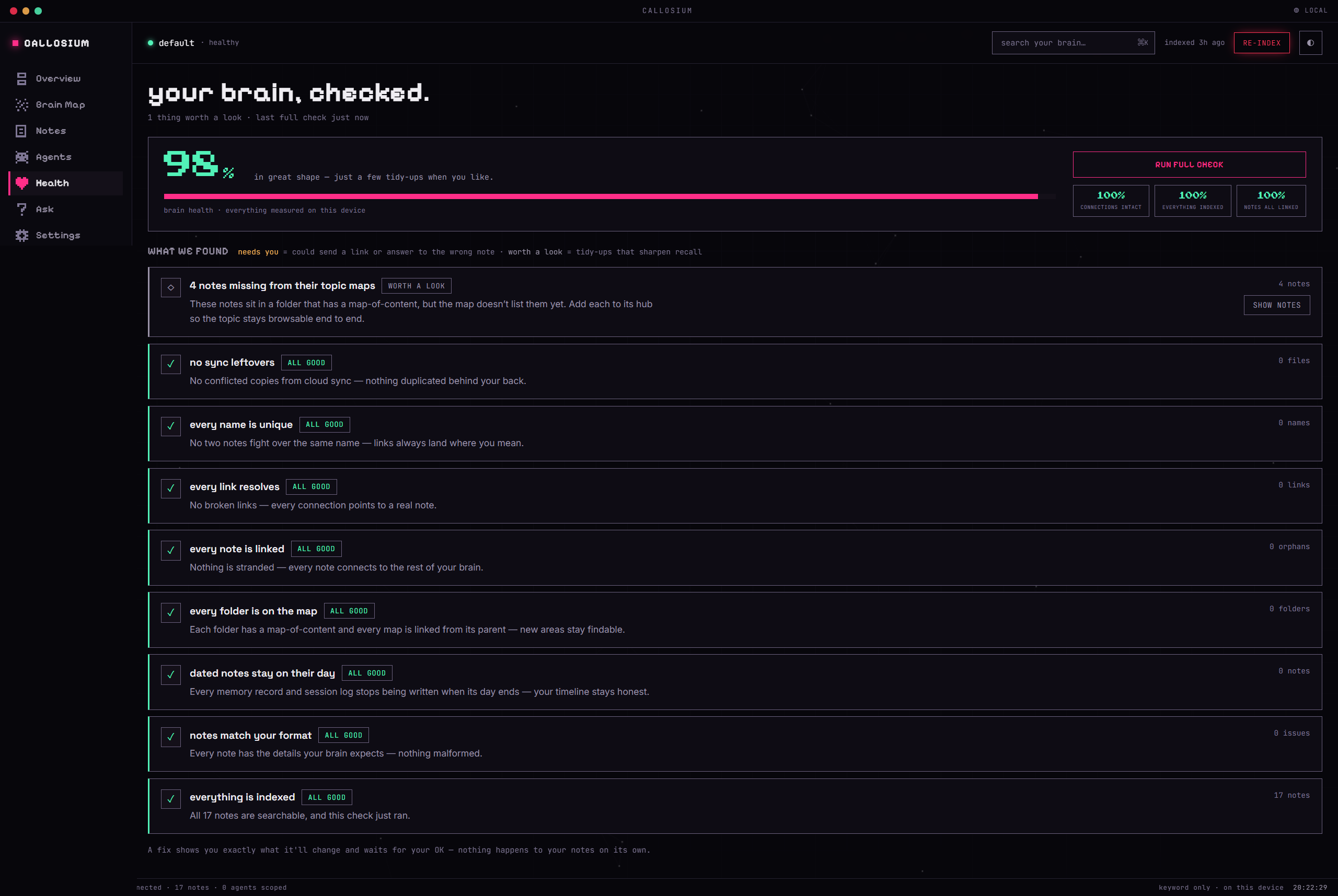
8. Keep it healthy
A one-click audit finds broken links, orphans, and gaps in your topic maps, and fixes only what you approve. Nothing changes on its own.
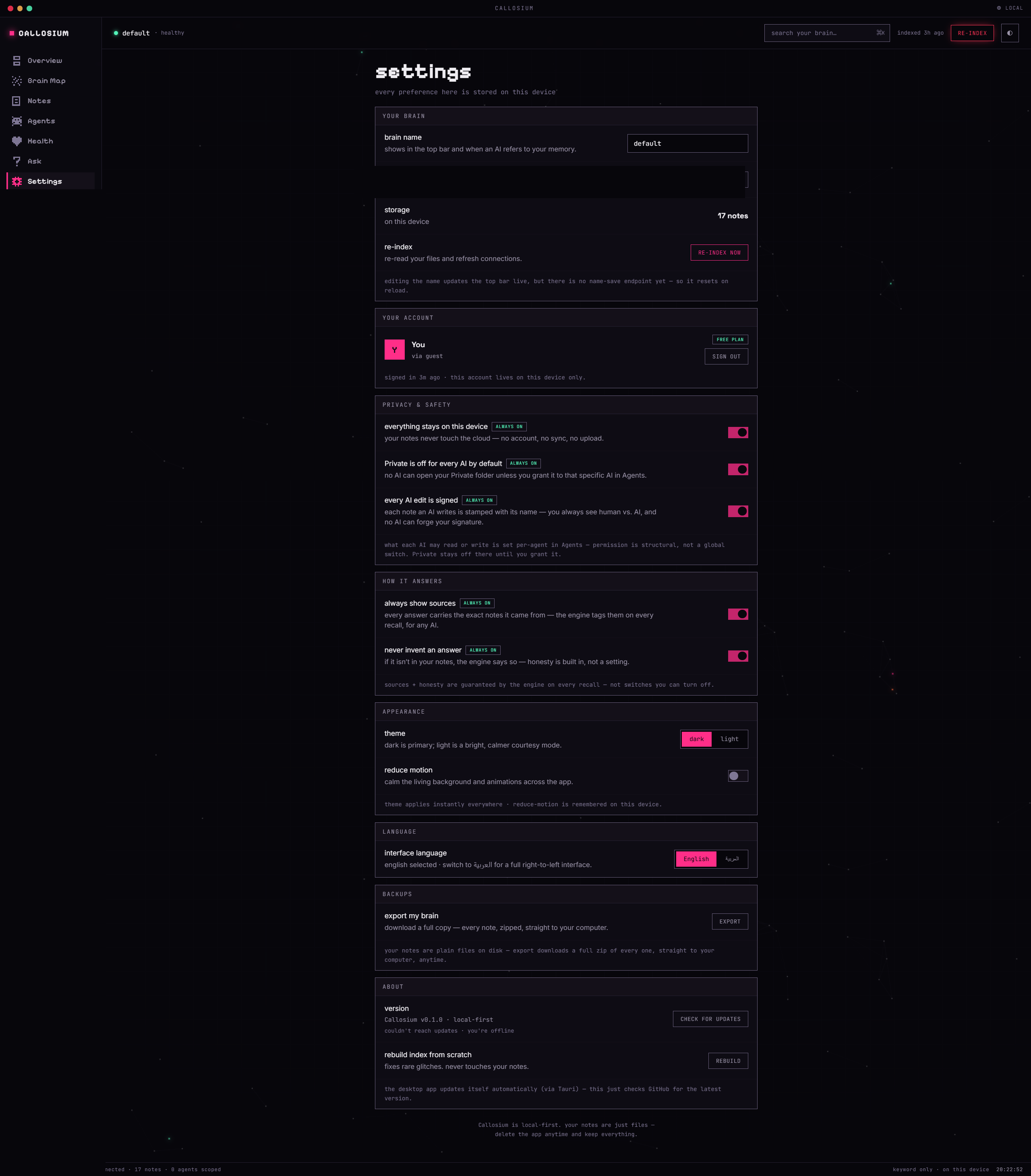
9. Privacy and honesty are on by default
Local-only, per-AI permissions, signed writes, always-cite, never-invent, bilingual, and a one-click export of every note. The guarantees are built into the engine, not switches you can forget to set.
Install and first run
Prerequisite: Node.js 20 or newer. Check with node --version.
1. Install it, then run one word
That is the whole setup. callosium on its own opens the dashboard at http://localhost:4319 and opens your browser for you. You do not create anything up front — the onboarding asks what you already have and takes it from there, whether that is an Obsidian vault, a folder of Markdown, a pile of raw exports, or nothing at all. Your files are never reformatted.
Just want to look without installing anything?
Same dashboard, and it installs nothing on your machine — that is what npx is for. Either way your notes stay in the folder you choose, and the language model and settings live in ~/.callosium, so nothing is re-downloaded or lost between runs.
Prefer to make the folder yourself first?
callosium init my-brainscaffolds one (or adopts an existing vault), andcallosium serve --brain my-brainopens that specific brain. Neither is required.
First run downloads the language model (about 120MB, one time) so meaning-based search works in English and Arabic. Fully offline after that. No internet on first run? Everything still works: keyword recall needs no model, and the smarter search switches itself on once the model is in place.
2. Follow the onboarding
The dashboard walks you through whichever situation you are in:
- I already have notes (an Obsidian vault or any folder of Markdown). Callosium reads it, connects it, and learns what it means. Obsidian stays your editor.
- I have raw stuff (messy text, exports, half-finished notes). Drop them in the Inbox and your AI files and links everything for you.
- Start empty. Your AI interviews you (who you are, what you are working on, who is around you) and writes your first memories.
At the end, the dashboard generates the exact config for your AI, plus the standing rules that make it use your brain automatically, every session.
On Linux: the install pulls in GPU add-ons for the search library that Callosium never uses. It runs on the CPU everywhere. Measured in CI: 725MB installed on Linux vs 414MB on Windows and macOS, so that is 311MB of downloaded code that never runs. Skip it:
Nothing is lost by skipping. Windows and macOS are not affected.
Connect your AI
The dashboard's Agents screen generates a ready-to-paste config for each client (Claude Desktop, Cursor, and 20-plus others) and the standing rules that make the AI reach for your brain on its own. Two things make this different from pointing an AI at a folder:
- Per-AI scoping. You decide, from the dashboard, which folders each connected AI may even see.
Private/is invisible unless you personally grant it. - Signed writes. Every note an AI writes is stamped, server-side, with which AI wrote it. Unforgeable.
Once connected, your AI reads before it answers and files what it learns, without you prompting it each time.
What your AI can do once connected
- Ask before answering.
recallreturns the right notes with the exact matching lines cited, in about 49ms. If the answer is not in your notes, it says so. It never invents. - Remember what it learns.
write_notefiles new knowledge in the right folder, links it to related notes, and stamps which AI wrote it. - Respect your privacy. You decide per AI what each one can see.
- Handle huge documents. A 150,000-word reference doc comes back as a map, and the AI reads just the section that answers.
- Navigate the whole brain.
get_maphands the AI a live routing map of how your brain is organized, so it knows where everything lives and where new things go.
Why it is different
Plenty of tools can point an AI at a folder of Markdown. What sets Callosium apart is everything that happens after that:
- It is measured, not asserted. The 15,000-question benchmark generator ships in this repo: it builds the test from your own vault, on your own machine, so you can check the numbers yourself. Your questions are never uploaded, and the author's own question set is deliberately kept out. Most "AI memory" is graded by the vendor that sells it. See the proof.
- Every AI, scoped and attributed. Connect Claude, Cursor, ChatGPT-compatible apps and more to the same brain. Each write is stamped with which AI made it, and you decide per-AI what each may even see.
- Nothing gets lost, whoever edits it. Every note is versioned automatically, whether an AI wrote it through Callosium or you edited the file yourself in Obsidian. Delete a note by accident and it is still there. Versions are kept outside your notes folder, so your vault never grows because of them, and they cost about 900 bytes each, so a hundred thousand edits is under 100MB.
- No terminal to live in. A local dashboard runs onboarding, the connection config for each AI, health checks, and search.
- Bilingual by design. Meaning-based recall works in English and Arabic, out of the box.
- Actually yours. Plain files on your own disk. No database, no cloud, no account. Uninstall tomorrow and your notes are still just notes.
The proof
Not marketing math. Measured on the builder's own brain of 1,162 real notes, in English and Arabic:
- 96.4% found on the 15,000-question benchmark
- 0 invented answers across 1,450 trick questions about things that do not exist
- about 49ms for a typical query, 116ms for the slowest request in a hundred
- English and Arabic at parity
You can reproduce this on your brain, which is the only number that should convince you. The question generator and the grader both ship here (test/), read your own vault, and build the test set from your own notes. The author's own question set is deliberately not included, because it embeds real private note paths, so a benchmark you run on your own notes is worth more than one you download.
Related MCP Servers
Reviews
No reviews yet — be the first to share how this listing worked for you.
Frequently Asked Questions about Callosium
AllMCPs Directory Badge
Showcase your server listing on GitHub or your project documentation. Embed this dynamic SVG badge to highlight official listing status and live engagement.
Badge Style:
Live Dynamic SVG Preview
Markdown (GitHub README)
[](https://allmcps.com/mcp/callosium)HTML Embed
<a href="https://allmcps.com/mcp/callosium"><img src="https://allmcps.com/api/badge/callosium?style=directory" alt="Callosium on AllMCPs" /></a>Technical Specs & Signals
CategoryKnowledge & Memory
27Quality signal: Emerging · 27/100How this signal is calculated ▾
Server availabilityNot measured
Not scored for repo-hosted servers — we can't reach the running server, only its GitHub page. Hosted MCP endpoints are health-checked live.
Verified ownership8/20
Documentation & tools11/30
Adoption & activity1/15
Community engagement0/10
A guidance signal from public completeness & health data — not a user rating. New listings start lower and rise as they add docs, get verified, and grow adoption. Signals we can't observe for a listing are skipped, not counted against it.
Own this project?
This directory is pre-filled from public sources. Claim via GitHub README, site badge, or DNS TXT to unlock edit access and the Official badge — proof is checked automatically, then reviewed by our team.
Free dofollow backlink: add your website and place the AllMCPs badge on it — no claim needed. We detect it automatically and keep it verified as long as the badge stays live.
Claim & get free dofollowShare & Embed
Add our SVG badge (dark/light directory styles) or embeddable widget to your site.