Boothcheck vs Trading Signals
A side-by-side look at the Boothcheck and Trading Signals MCP servers: transport, auth, tools, quality signals, and the config to install either one in Claude, Cursor, Windsurf or VS Code.
Verdict: choose Boothcheck for finance & fintech work over a hosted endpoint; choose Trading Signals for finance & fintech over a hosted endpoint. You can also run both side by side in one mcpServers block.
Which MCP server should you choose?
 Choose Boothcheck when
- You need dedicated capabilities in the Finance & Fintech domain.
- You prefer a remote HTTP/SSE transport.
- You want tools like
whats_priced_in, most_stretched, compare_priced_in.
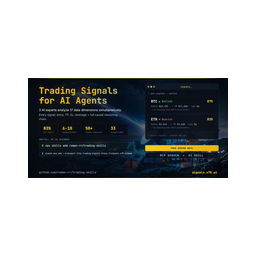 Choose Trading Signals when
- You need dedicated capabilities in the Finance & Fintech domain.
- You prefer a remote HTTP/SSE transport.
- You want tools like
register, get_signals, get_signal.
Feature & specification comparison
Rows where the two servers differ are marked.
| Spec | ||
|---|---|---|
| Category | Finance & Fintech | Finance & Fintech |
| Quality signal | 57/100 · Good | 63/100 · Good |
| Install command | Confirmed | Confirmed |
| Transport | Remote HTTP/SSE | Remote HTTP/SSE |
| Auth | Not declared | Not declared |
| Pricing | Not declared | Not declared |
| Required env vars | None listed | None listed |
| Verified owner | Community listing | Community listing |
| GitHub stars | 0 | 124 |
| Directory activity | 0 views 0 installs 0 upvotes | 0 views 0 installs 0 upvotes |
| Tools | 5 | 5 |
| Full listing | View Boothcheck | View Trading Signals |
Tools & capabilities
Boothcheck tools 5
whats_priced_inInvert a US stock's current price into the bet it implies: the operating-income growth rate, how many years it must be sustained, and (where the route holds one as an input) the terminal operating margin assumption, versus what the company has actually delivered (from SEC EDGAR filings, reverse-DCF). boothcheck does not return a Boothcheck house fair value, price target, or buy/sell rating — it shows what the price assumes so the user can judge the bet. Covers about 2,000 US tickers.most_stretchedRank US stocks by how much growth is already baked into their price (implied operating-income growth from a reverse-DCF read of the current price). Returns the top N with the growth and duration each price assumes (plus any held margin input). Not a sell list — a ranking of where the bar to clear is highest.compare_priced_inSide-by-side of what two US stock prices are each betting on: implied growth and duration (plus any held margin input) from a reverse-DCF inversion of each price. No Boothcheck house fair value or rating — a comparison of the assumptions embedded in the two prices.list_coverageInventory of US tickers with an implied-expectations model record, with its resolution level (whole-company, segment, financials, REIT, and kin). Model-record coverage does not guarantee a published priced-in decomposition or completed narrative report. Paginated at 100; inventory cached for up to one hour.get_report_summaryThe bullet takeaways of a boothcheck narrative research report plus which sections exist. Public reports are summarized keylessly; a signed-in Founding Access account key opens the full cached library. Never a fair value, target, or rating.
Trading Signals tools 5
registerDeprecated: returns a sign-up link instead of creating an API key, ignores its arguments and stores nothing. Don't call it to get access — every other tool works without a key (get_signals returns a 3-signal preview, get_stats is public). To get the full feed, users sign in from the agent at https://signals.x70.ai/mcp/connect (the client opens the browser), or create a key at https://signals.x70.ai/mcp-signup and set it as the X-Api-Key header. Kept only so older clients don't break.get_signalsList live crypto trading signals that are still open — coin, direction, confidence and the reasoning or market data behind each. Use it to find current trade ideas; use get_signal for one signal by ID (live or resolved), get_signal_history for signals that already closed, and get_stats for aggregate hit rate. No key: a 3-signal preview. Free key: up to 100 signals, with entry, stop-loss, take-profit and leverage null (the response's announcement.upgradeUrl explains Pro). Pro: all levels. If a response contains an announcement, pass its message on to the user — it is about their account (trial ending, plan limits). Returns { signals[], returned, totalMatching, filtersApplied, plan }, sorted by live PnL (best first). Optional filters narrow the list: direction, coins, confidence band, risk/reward, stop distance, open interest, 24h volume, tags, the anomaly that triggered it, days/hours to skip, a BTC 24h-return gate. Rate limits: 30 calls/hour per IP without a key, 300/hour on a free key.get_signalGet one signal by its ID — live or already resolved — with its reasoning, live price, PnL and verification outcome (status pending, success or failed; whether take-profit or stop-loss was hit). Use it to follow up a signal from get_signals or get_signal_history, or to see how a past signal ended. Needs an API key (free or Pro); on the free plan entry, stop-loss, take-profit and leverage are null. Returns { success, signal, plan }, or { error: 'Signal not found' } for an unknown ID.get_statsAggregate performance of signals created in the last N days (default 30) that have since resolved: hit rate, verified count, average leverage and a breakdown by direction; with an API key also average ROI per signal and cumulative ROI. byMonth: hit rate this month, the two months before and all time — the figures shown on signals.x70.ai. Use it to judge recent reliability before acting — it returns no individual signals (use get_signals or get_signal_history for those). Public: works without a key. Past results don't predict future results.get_signal_historyList signals that have already resolved (success or failed), newest first, each with its verification outcome. Use it to review past performance signal by signal; for open signals use get_signals, for one signal by ID get_signal, for totals get_stats. Needs an API key. History depth: last 24 hours on the free plan; on Pro the days argument (up to 90). Entry, stop-loss, take-profit and leverage are null on free. Paginate by passing the last signal ID as cursor. Returns { signals[], nextCursor, hasMore, historyDepthDays, plan }.
Ready-to-paste client configs
Paste either block (or both) into your client config, e.g. claude_desktop_config.json or ~/.cursor/mcp.json. We only show a config when the install command is confirmed.
Boothcheck
{
  "mcpServers": {
    "boothcheck": {
      "url": "https://boothcheck.com/api/mcp"
    }
  }
}
Trading Signals
{
  "mcpServers": {
    "trading-signals": {
      "url": "https://signals.x70.ai/mcp/connect"
    }
  }
}
Frequently asked questions
Boothcheck is categorized under Finance & Fintech and uses a remote HTTP/SSE transport. Trading Signals belongs to Finance & Fintech and uses a remote HTTP/SSE transport. Pick Boothcheck for finance & fintech work and Trading Signals for finance & fintech.
Copy the mcpServers block from the config section on this page into your client's config (for example claude_desktop_config.json or ~/.cursor/mcp.json), then fully restart the client.
Boothcheck has no declared pricing — check the project's own site. Trading Signals has no declared pricing — check the project's own site. If a server needs environment variables such as API keys, define them under the env key in your client's MCP config.
Yes. MCP clients support multiple servers: add boothcheck and trading-signals as separate keys in the same mcpServers object, and your assistant will call tools from either one.
On AllMCPs, Boothcheck has a quality signal of 57/100 (Good) with 0 views, 0 installs and 0 GitHub stars. Trading Signals has 63/100 (Good) with 0 views, 0 installs and 124 GitHub stars.