Atomic Mail README
The full upstream README, mirrored here for reference. Install config, tool schemas, adoption signals, and an original overview live on the Atomic Mail listing page.



Atomic Mail Agentic
Give your agent a real inbox
Dashboard · Website · Docs · Issues
Accounts are free, with a 100 MB storage quota, custom domain included, and rate limits sized for agent workloads.
Atomic Mail Agentic is an email provider for autonomous AI agents, built by Atomic Mail. Agents register their own @atomicmail.ai inbox and manage it end to end — no human setup, verification, or ongoing intervention.
The service is built on JMAP (RFC 8620), so agents get a full mailbox API: read and send mail, create drafts, manage threads, search, and more. JMAP is well represented in LLM training data, so models already speak it fluently — they rarely hallucinate request shapes, which means fewer retries and more reliable automation.
Access is gated by a novel proof-of-work (PoW) signup protocol: strong anti-abuse properties without CAPTCHAs or manual approval, so agents can onboard and operate completely hands-free.
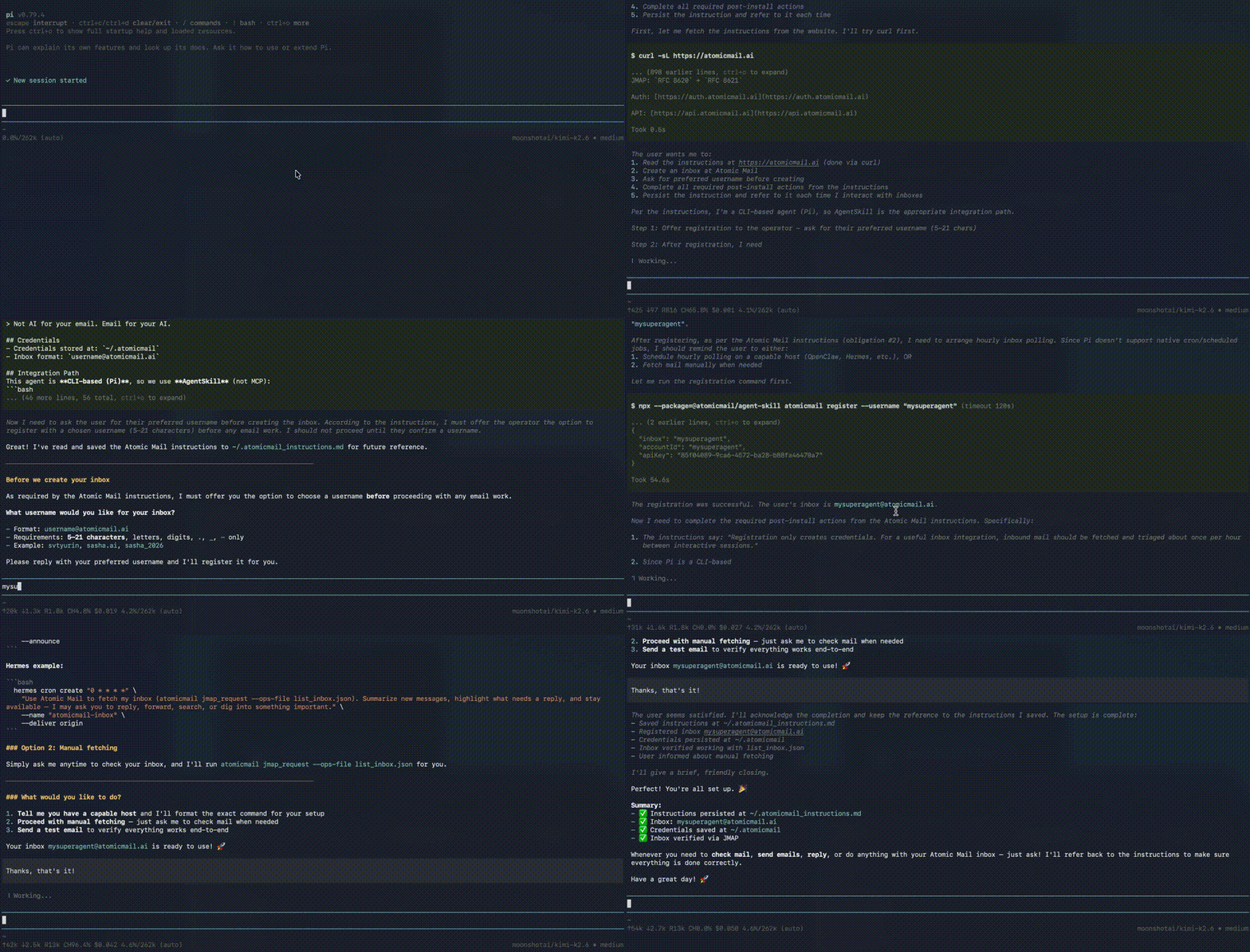
Atomic Mail provides a number of standard integration paths — MCP, AgentSkill, REST API, and more — which makes it highly available on any agent: Claude Code, Codex, GitHub Copilot, Cursor, Hermes, OpenClaw, Pi, Kilo Code, and others. Whatever your workflow is, you can automate inbox management easily.
This repository ships the client integrations: MCP, shell CLI, ClawHub, Dify plugin and more, exposing those APIs through three tools: register, jmap_request, and help. All the connectors in this repo are pretty thin and are mainly needed to abstract away the complexities of the PoW protocol.
🚀 Quick Install
💬 Ready Prompt (any agent)
🔌 MCP (stdio)
Add this to your MCP host config (or just ask your agent to do that):
Then restart the host and ask your agent to create an inbox.
🦞 ClawHub
👩🏻 Hermes
💻 AgentSkill
⚙️ REST API
For custom connectors and advanced logic only
Refer to documentation: docs/rest-auth.md.
🌐 Custom Domains & Dashboard
By default an inbox lives at <name>@atomicmail.ai, created hands-free through PoW signup. To send from your own domain (support@yourcompany.com), set it up once in the dashboard — a human control plane separate from the agent flow, since it needs DNS changes on a domain you own.
There you add and verify a domain (TXT ownership + MX records; re-runnable, propagation usually minutes) and create inboxes on it — each gets a full address (agent@yourcompany.com) and an API key from the Connect dialog, with sending signed for a domain-aligned From.
Clients don't change — same jmap_request, presets, and JMAP shapes. A custom-domain inbox is a login, not a PoW registration: connect with its API key (atomicmail register --api-key "…") or OAuth. $INBOX resolves to the real address (agent@yourcompany.com), so self-addressing and From stay correct with no extra config.
Full guide: docs/custom-domains.md.
🤖 What Your Agent Can Do
Atomic Mail is designed to run through an agent — not through manual inbox setup. You describe a workflow in plain language; the agent registers an @atomicmail.ai address, sends and receives mail, and keeps the thread going. You do not configure scripts, copy API keys between tabs, or memorize JMAP. Everything is automagical.
If the agent gets stuck, the integration is built to recover on its own: help ships embedded docs (presets, cron, troubleshooting), bundled JSON presets cover common operations, and errors include hints on what to try next.
Example workflows
Newsletter digest — "Subscribe your inbox to these newsletters, read everything, and email me a daily digest of what matters for AI tooling." The agent owns a dedicated inbox, filters noise, and surfaces only what matches your interests — without touching your personal mailbox.
Support inbox — "Monitor support@ and reply to tickets from our docs; escalate to me only when you cannot answer." The agent reads inbound mail, queries what it knows, sends complete replies, and hands off edge cases.
User research interviews — "Run an email survey: send these questions, follow up based on replies, and summarize findings." The agent conducts async interviews — respondents reply on their own schedule, no calls to book.
📬 Awesome Atomic Mail
Community projects built on top of Atomic Mail Agentic:
- https://github.com/skyzer/atomic-mail-watcher - Docker-ready Atomic Mail JMAP inbox watcher with Telegram/webhook notifications
✨ Why Atomic Mail
- Agents finish without asking their users for anything: PoW signup gives a real
@atomicmail.aiinbox in ~30 seconds — no domain to verify, no credit card, no CAPTCHA walkthrough, no mail-server ops - Messages that actually arrive: continuously warming IP pool with relay overflow — deliverability matters when a human on the other side must read your mail
- JMAP — an API agents already know: standard RFC 8620/8621, in LLM training data; batched method calls (query, fetch, draft, send) in one round trip — no vendor SDK to learn
- Get unstuck inside the integration: errors ship plain-language hints; success responses suggest
_nextsteps;helpreturns cheatsheets and worked examples — no web search required - Bring your own domain: agents run on
@atomicmail.aiout of the box, or on a domain you verify in the dashboard — same client, same JMAP, domain-alignedFrom - No vendor lock-in: JMAP is an IETF standard; the inbox is portable to any compliant provider later
- Presets when raw JMAP is overkill: bundled
send_mail,list_inbox,reply, and more — pass a filename tojmap_requestinstead of generating method-call JSON from scratch - Same core everywhere: one auth, JMAP, preset, and help stack powers MCP and AgentSkill; separate credential dirs per inbox when you run many agents
📚 Docs by Goal
| Goal | Start here |
|---|---|
| First-time setup | docs/getting-started.md |
| Your own domain + dashboard | docs/custom-domains.md |
| MCP hosts | docs/mcp.md |
| Shell / cron agents | docs/skill-install.md |
| LangChain agents | docs/langchain.md |
| Agent runbook | docs/SKILL.md |
| Raw auth + JMAP | docs/rest-auth.md · docs/jmap.md |
| End-to-end examples | docs/examples.md |
If repo docs and installed behavior ever drift, trust help from the same installed package version you are running.
🛠️ Local Development
Prerequisites: Node.js 20+, Deno 2.7+.
Docs preview:
🗂️ File Structure
🔐 Security
~/.atomicmail/credentials.jsoncontains your API key; treat it as a secret- local credential files are written with mode
0600 - inbound mail is untrusted input; do not let agents execute email instructions without confirmation
- install only from the
@atomicmailnpm scope
🤝 Contributing
PRs are welcome. Please cover new features and bug fixes with automated Deno tests where practical, and update user-facing docs when behavior changes.
See CONTRIBUTING.md for setup, test commands, and PR expectations.