An MCP server for the ASD-STE100 (Simplified Technical English) Issue 9 standard.
Quick Install
Automated & IDE SetupCopy the AI prompt to install this server into Claude Code, Cursor, or another agent — or use 1-click editor setup below.
Not yet automatically verified
We haven't yet run this listing's install command through our automated sandbox check. This isn't a red flag — we're steadily working through the catalog.
Manual Client & Custom JSON ConfigExpand JSON ▾
Client Config & Setup
Choose your client or environment
Target File:
💡 Paste the JSON block into your client's configuration file under mcpServers, then restart the application.
Documentation Overview
biz.dfch.AsdSte100Mcp








An MCP server for the ASD-STE100 (Simplified Technical English) Issue 9 standard.
ASD-STE100: Copyright by (c) ASD.
I am in no way affiliated with ASD. ASD does not endorse my work.
Table of Contents
- Tools
- Resources
- Installation
- Usage
- Authentication
- Add to OpenCode
- Development
- Related Projects
- Make a Release
- License
Authentication
This server exposes only read-only lookup tools and resources over
vocabulary and rules data that is bundled with the package; there is
nothing to authenticate against. No API keys, tokens, or credentials are
required or supported in either stdio or sse transport mode. If you
expose the sse transport beyond localhost, secure it at the network
layer (e.g. a reverse proxy) rather than expecting the server to
authenticate requests itself.
Tools
Vocabulary
| Tool | Description |
|---|---|
word_find | Search for a term by exact name (case-insensitive) in the ASD-STE100 Issue 9 vocabulary. Return approved/rejected status, part of speech, STE examples, and approved alternatives. Use this first when you know the exact word. Use word_match with a wildcard if this tool returns no items. |
word_find_many | Search for multiple terms by exact name (case-insensitive) in a single call. Returns one WordFindEntry per input term (term + results), in the same order as the input, each holding 0, 1, or more matching vocabulary entries. |
word_match | Search the vocabulary using a regular expression pattern. Return all entries whose term matches. Use it to find all words with a common prefix or pattern (e.g. ^de or .*tion$). Paginated (max_results/offset); returns a WordResult. |
word_fuzzy | Search for a term with sequence-matching (Python difflib.get_close_matches). Results may not be obvious — use when word_find returns nothing and you want fuzzy suggestions. |
word_list | Return all vocabulary entries. Only use when you need to process the full vocabulary. Use word_count instead if you only need the total. Paginated (max_results/offset); returns a WordResult. |
word_count | Return the total number of entries in the vocabulary. Use instead of word_list when you only need the count. |
word_synonym | Search for vocabulary entries that are WordNet synonyms of a word, via the biz-dfch-asdste100nlp library's Nlp class. Use this to find approved alternatives for a non-STE word. |
Rules
| Tool | Description |
|---|---|
rules_find | Search for rules in the ruleset by exact id (case-insensitive), e.g. R1.1 or GR-8. Use this first when you know the exact id. |
rules_match | Search rules using a regular expression matched against the rule name and summary. |
rules_search | Full-text search across every text a rule carries (section, category, name, summary, and all content blocks: text, notes, examples, technical noun/verb lists). Optionally restrict to specific content types. Paginated (max_results/offset); returns a SearchResult. |
rules_by_section | Search for rules by exact section name (case-insensitive), e.g. Words. |
rules_by_category | Search for rules by exact category name (case-insensitive), e.g. Technical nouns. |
rules_examples | Return content items across rules, optionally scoped by id/section/category and filtered by content type. Paginated (max_results/offset); returns a RulesExamplesResult. |
rules_overview | Return a lightweight, per-rule overview (id, type, section, category, name, optional summary, and content counts/flags) without shipping every content item. |
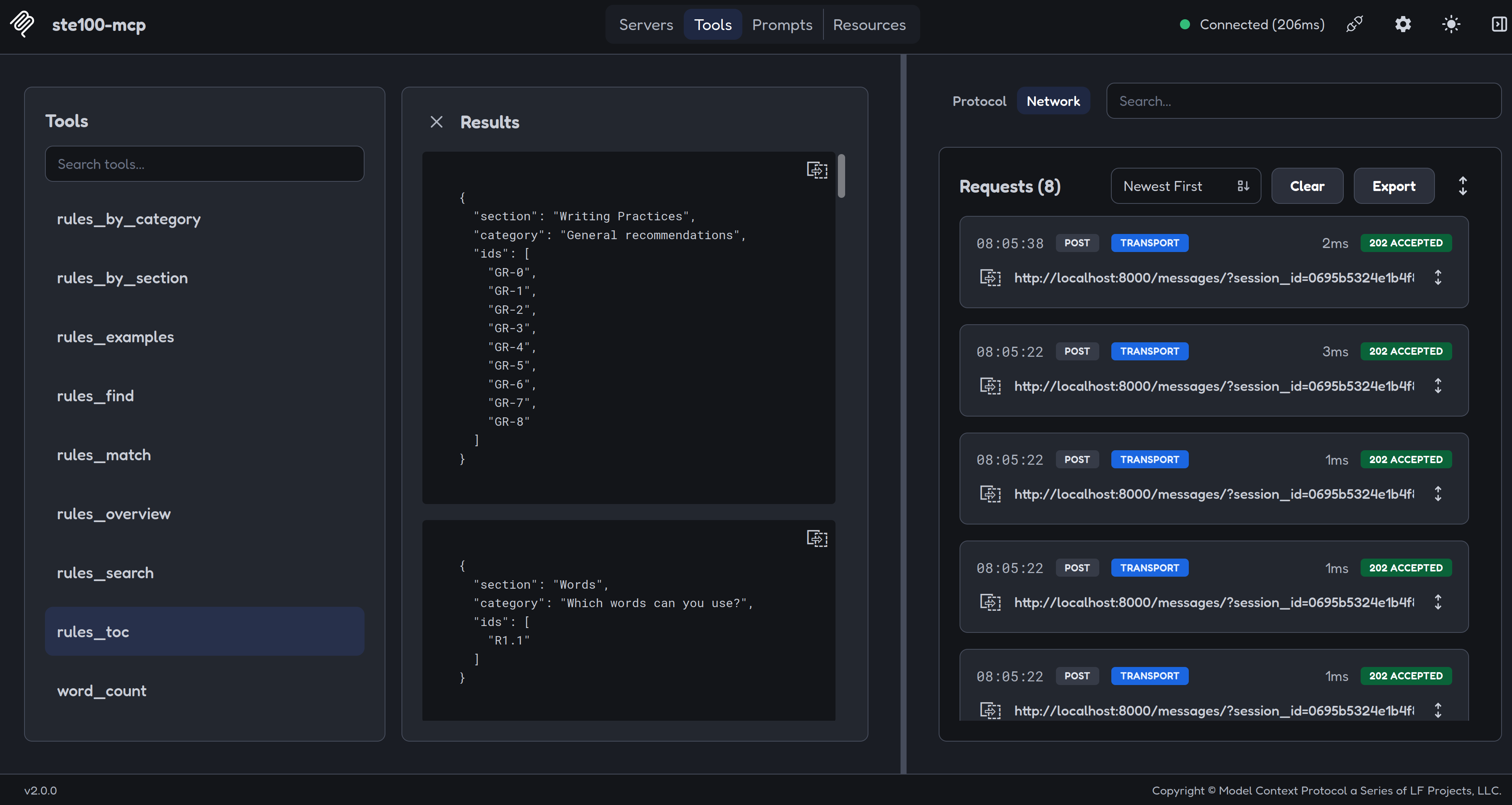
rules_toc | Return the distinct (section, category) pairs as a table-of-contents outline, optionally scoped to one section. |
Resources
Read-only resources let a client browse or attach ruleset data directly (e.g. via an "@mention" or resource picker), without going through a tool call.
| Resource URI | Description |
|---|---|
asdste100://rules/toc | Table-of-contents outline of the ruleset: the distinct (section, category) pairs, each with the ids they contain. Mirrors the rules_toc tool with no section filter. |
asdste100://rules/rule/{id_} | A single rule/recommendation/information item by exact id (case-insensitive), e.g. asdste100://rules/rule/R1.1. Mirrors the rules_find tool; an unknown id resolves to an empty list rather than an error. |
asdste100://version | Installed version numbers of the MCP server itself and its three data-backing libraries: biz-dfch-asdste100vocab, biz-dfch-asdste100rules, and biz-dfch-asdste100nlp. |
Installation
Or with uv:
Usage
MCP Inspector
If you want to test the MCP server without a tool like OpenCode, you can do this with MCP Inspector.
MCP Inspector is part of the mcp[cli] package. When you install this project with --extra dev you can use MCP Inspector.
NOTE: The examples below use bunx instead of npx to launch MCP Inspector; npx has not been tested.
stdio (Claude Desktop, OpenCode, and other MCP hosts)
Run MCP Inspector against the server over stdio:
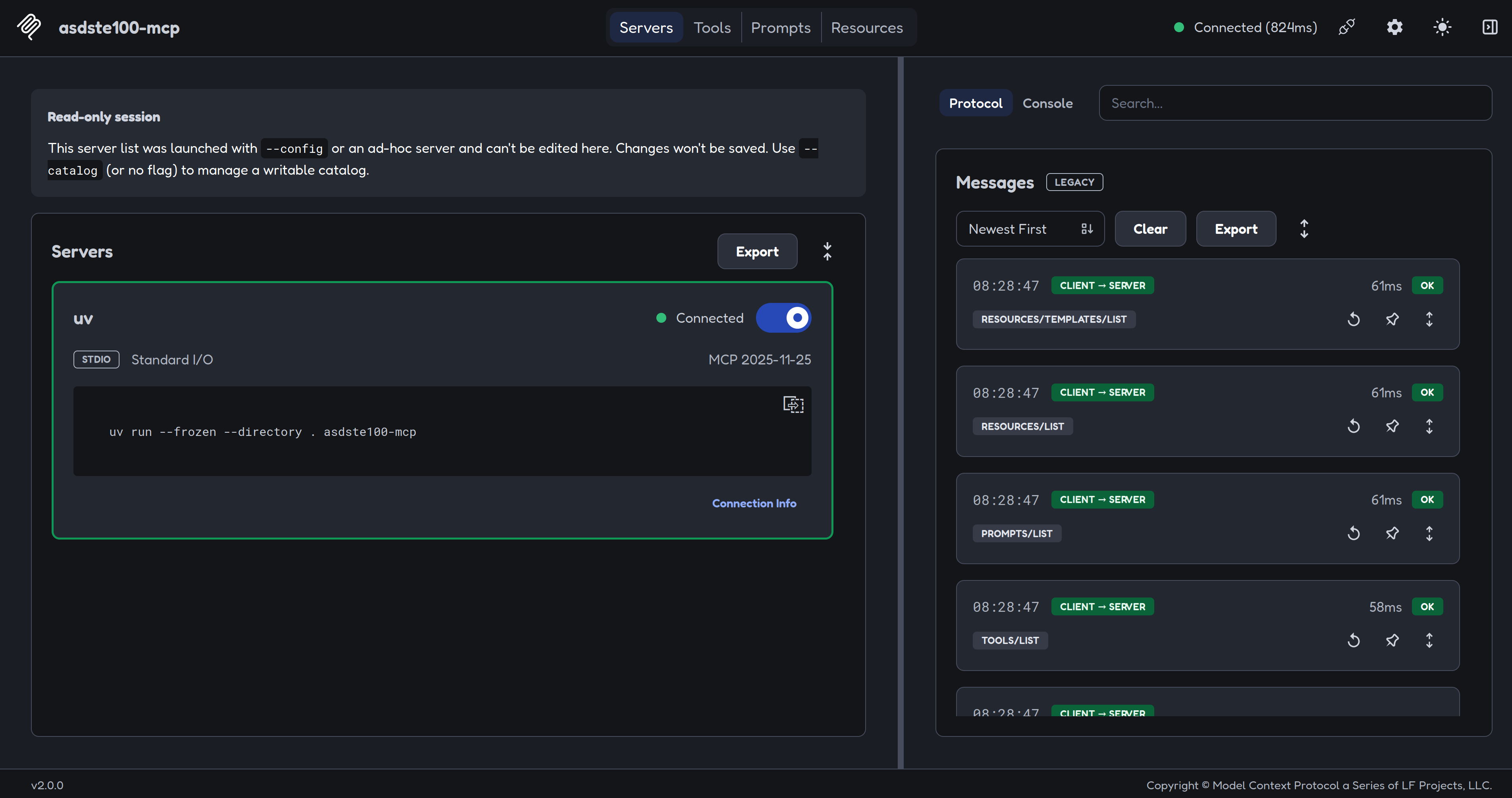
NOTE: Sometimes, the MCP Inspector cannot connect to the MCP server via stdio. Use the sse option (see below) instead.
SSE / network
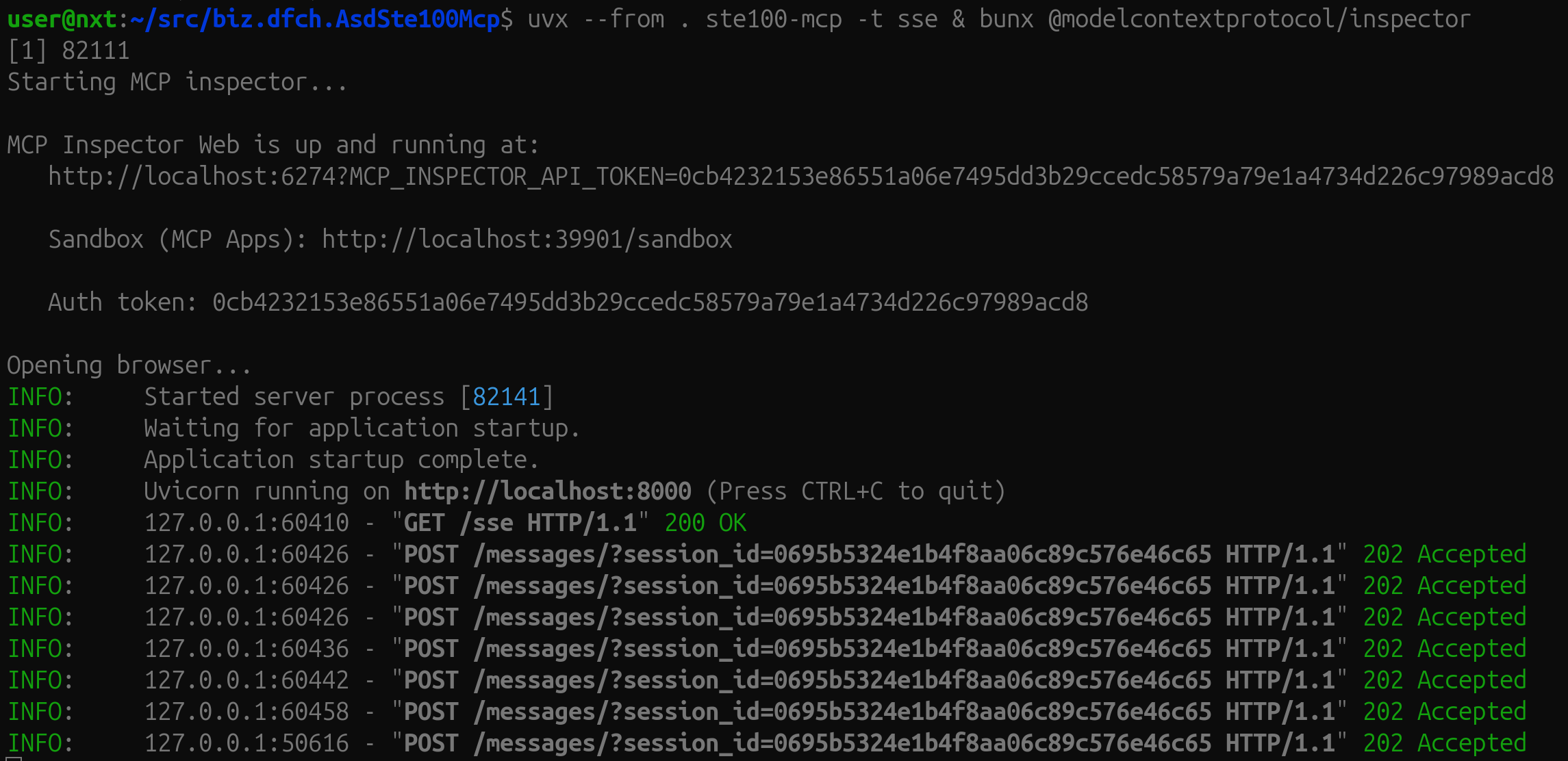
NOTE: You do not have to supply the option --port to the MCP server. The default value of port is 8000.
Start the server, then connect MCP Inspector to it — these are two separate commands, run in two separate terminals:
Options
| Option | Env var | Default | Description |
|---|---|---|---|
--transport | ASDSTE100_MCP_TRANSPORT | stdio | Transport mode: stdio or sse |
--host | ASDSTE100_MCP_HOST | localhost | Bind address (SSE only) |
--port | ASDSTE100_MCP_PORT | 8000 | TCP port (SSE only) |
--env | — | auto-discovered | Path to a .env file |
--file / -f | ASDSTE100_MCP_FILES | (empty) | Path to a vocabulary file (*.jsonl); repeatable |
--rules-file / -r | ASDSTE100_MCP_RULES_FILES | (empty) | Path to a rules file (a single JSON array); repeatable |
Vocabulary configuration
| Env var | Default | Description |
|---|---|---|
ASDSTE100_MCP_FILES | (empty) | Colon-separated paths to additional vocabulary files |
ASDSTE100_MCP_USE_STE100 | true | Load the built-in ASD-STE100 Issue 9 vocabulary |
ASDSTE100_MCP_USE_STE100_TECHNICAL_WORDS | false | Also load the technical words vocabulary |
Rules configuration
| Env var | Default | Description |
|---|---|---|
ASDSTE100_MCP_RULES_FILES | (empty) | Colon-separated paths to additional rules files (each a single JSON array) |
ASDSTE100_MCP_USE_STE100_RULES | true | Load the built-in ASD-STE100 Issue 9 ruleset |
Add to OpenCode
To add the ASD-STE100 (Simplified Technical English) MCP server to your OpenCode configuration:
-
Open your OpenCode config file (typically
~/.config/opencode/opencode.jsonor~/.config/opencode/opencode.jsonc) -
Add the following configuration to the
mcpsection (and use it viastdio):
- Save the file and restart OpenCode
This enables OpenCode to access ASD-STE100 vocabulary and rules lookups for technical writing and documentation compliance.
Development
Install dev dependencies
Run linters
Related MCP Servers
Reviews
No reviews yet — be the first to share how this listing worked for you.
Frequently Asked Questions about ASD STE100 Simplified Technical English
AllMCPs Directory Badge
Showcase your server listing on GitHub or your project documentation. Embed this dynamic SVG badge to highlight official listing status and live engagement.
Badge Style:
Live Dynamic SVG Preview
Markdown (GitHub README)
[](https://allmcps.com/mcp/asd-ste100-simplified-technical-english)HTML Embed
<a href="https://allmcps.com/mcp/asd-ste100-simplified-technical-english"><img src="https://allmcps.com/api/badge/asd-ste100-simplified-technical-english?style=directory" alt="ASD STE100 Simplified Technical English on AllMCPs" /></a>Technical Specs & Signals
CategoryDeveloper Tools
32Quality signal: Emerging · 32/100How this signal is calculated ▾
Server availabilityNot measured
Not scored for repo-hosted servers — we can't reach the running server, only its GitHub page. Hosted MCP endpoints are health-checked live.
Verified ownership6/20
Documentation & tools16/30
Adoption & activity2/15
Community engagement0/10
A guidance signal from public completeness & health data — not a user rating. New listings start lower and rise as they add docs, get verified, and grow adoption. Signals we can't observe for a listing are skipped, not counted against it.
Supply-chain signal
2 high-severity advisories on record for this package. Most advisories affect transitive dependencies and may not be exploitable in this server's actual usage — this is a directional signal, not a security audit.
Critical 1High 1Medium 0Low 0
Scanned 1d ago via OSV.dev · @modelcontextprotocol/inspector (npm)
Own this project?
This directory is pre-filled from public sources. Claim via GitHub README, site badge, or DNS TXT to unlock edit access and the Official badge — proof is checked automatically, then reviewed by our team.
Free dofollow backlink: add your website and place the AllMCPs badge on it — no claim needed. We detect it automatically and keep it verified as long as the badge stays live.
Claim & get free dofollowShare & Embed
Add our SVG badge (dark/light directory styles) or embeddable widget to your site.