Archlang MCP README
The full upstream README, mirrored here for reference. Install config, tool schemas, adoption signals, and an original overview live on the Archlang MCP listing page.
[!IMPORTANT]
🤖 Read this with your AI agent — don't read it by hand.
This repo is written agent-first. Point Claude Code, GitHub Copilot, Cursor, or any agent at it: "Read the README and AGENTS.md, then help me run / extend this." Structure +
AGENTS.mdare optimized for agent comprehension.

Floor plans as code — compiled to SVG, DXF and PDF.
An open-source (MIT) DSL for floor plans that compiles .arch source to SVG/DXF/PDF with linting
and geometric validation — diffable, reproducible, and LLM-writable. Text in, a precise
architectural drawing out: deterministic, zero-dependency, and built so an
AI agent can verify its own plan without ever looking at an image.






▶ Live Playground · 📖 Docs · ⌨ CLI reference · 📦 npm · 🧩 VS Code
👀 See it
Here is a whole program, and below it the actual drawing it compiles to — not a mock-up.
Not one coordinate in it places a door, a window or a piece of furniture: every opening is pinned to
a distance along a named wall, every fixture resolves against a room or a wall, and the bath and
bedroom are laid out by a strip. site { street north } names the two facades the plan turns
on — the front door faces the lane, the glazing faces the garden.
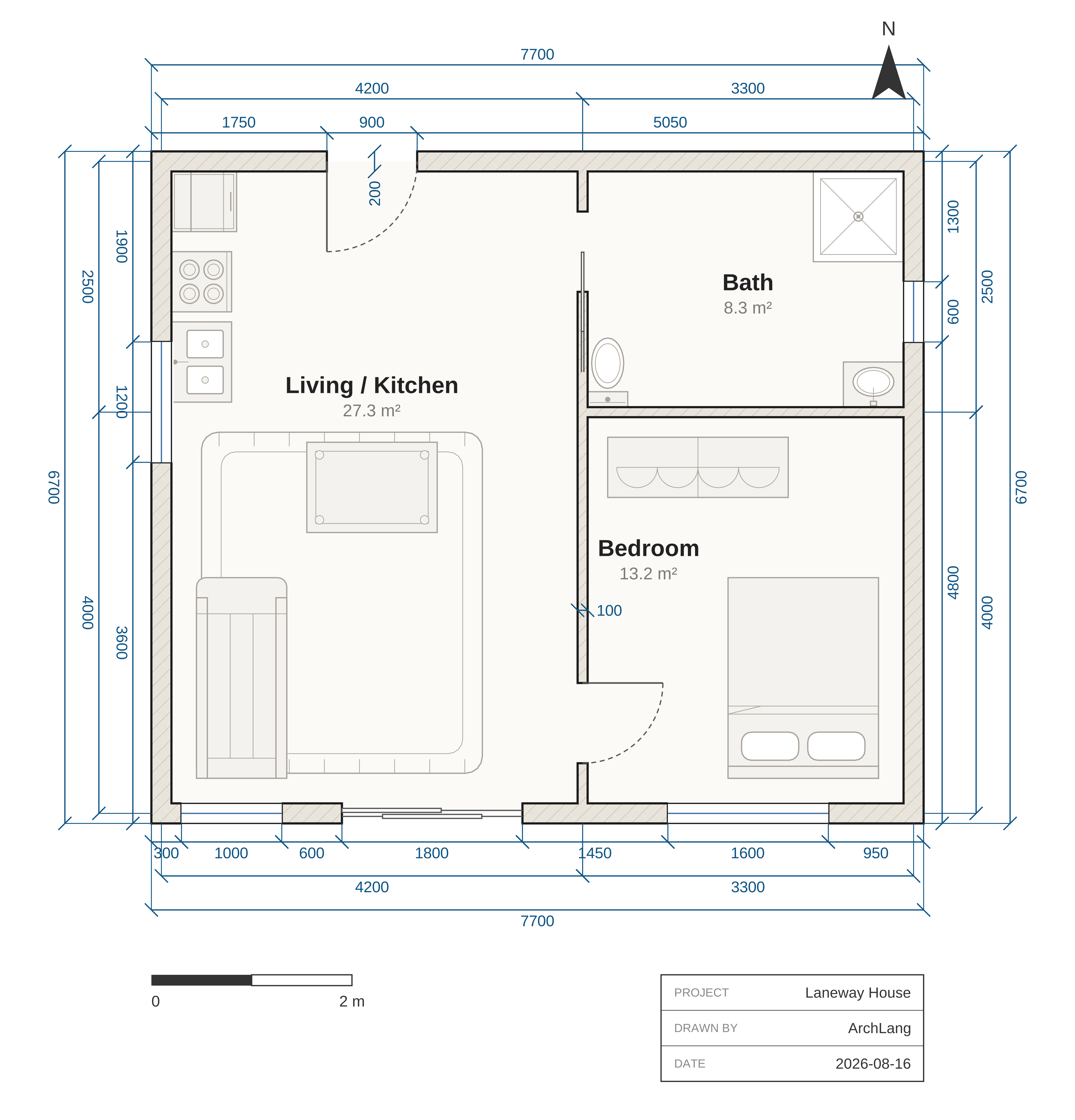
↑ arch compile laneway-house.arch — that program, rendered. The walls join and hatch
themselves, the hinged doors draw their own swing arcs, the sliding and pocket leaves draw panels
instead (a pocket door has no arc, because it has no swing), and dims auto all measures the
building it was given.
▶ Click the drawing — it opens the live playground with this exact plan already loaded. Change a number and watch it redraw; the compiler runs in your browser, nothing is sent to a server.
Why a link and not a live embed? ArchLang does ship an embeddable viewer — but GitHub's markdown sanitizer strips
<iframe>(it comes back as escaped text, exactly like<script>), so no README on GitHub can host one. The embed works everywhere GitHub isn't: see Embed a plan anywhere. Source:examples/laneway-house.arch.
🌟 Introduction
ArchLang is a small declarative language for floor plans. You declare a plan — walls, rooms, doors, windows, furniture — and the compiler renders a clean, professional SVG (also DXF, PDF, PNG, and a zero-dependency ASCII plan). It works the way Typst and LaTeX work for documents: the source is the thing you keep, and the drawing is what the compiler makes of it.
Coordinates are integer millimetres, so output is deterministic: the same source always produces byte-identical bytes, and changing one number changes exactly one thing. "Make the bedroom 1 m wider" is a one-number diff — not a re-roll of a raster image that silently redraws the kitchen too.
The compiler is pure TypeScript with zero runtime dependencies and is isomorphic — the same code runs in Node and in the browser, which is why the playground is fully client-side.
ArchLang is the floor-plan engine behind ArchCanvas, an AI design agent — but it stands alone and is useful in any app or script.
💡 Why it is different
Most "AI floor plan" tools generate a picture. A picture cannot be checked, diffed, or reasoned about — and neither the model nor you can tell whether the bathroom is actually reachable.
ArchLang generates a program, and then lets you interrogate it as facts:
| Raster image generation | ArchLang | |
|---|---|---|
| Output | pixels | a .arch program → SVG / DXF / PDF / PNG / TXT |
| Edit "widen the bedroom" | re-roll the whole image | change one number |
| Same input twice | different image | byte-identical output |
| "Is the bath reachable?" | look at it and guess | arch describe --json → access graph |
| "Does it match the brief?" | eyeball it | arch validate --intent → exit code |
| Wrong syntax | — | errors returned as data, each carrying its own fix |
That last row is the whole design: compile() never throws. It returns diagnostics with byte
spans and a machine-applicable fix, which is what makes a tight self-correction loop possible.
🤖 The agent loop
An agent can author a plan, correct itself, and confirm the plan matches the brief without rendering an image at all — which is what makes ArchLang cheap to drive from a text-only model.
Cold start in one command. arch context prints the entire agent context — language spec,
workflow skill, CLI reference and every diagnostic code — as one system-prompt-ready document (the
same llms-full.txt the docs site serves).
Every command takes --json (result on stdout, messages on stderr) with deterministic exit codes
(0 ok · 2 user-source error · 1 IO · 3 usage) — and a typo earns that 3: arch lint --jsn exits 3 with did you mean --json? rather than quietly reading --jsn as a filename, and
arch comple suggests compile.
One manifest, no drift. The per-command help (arch <cmd> --help), the flag parser, and the
generated CLI reference are all rendered from the same
manifest — which is why they cannot advertise a flag a command doesn't take. arch manifest --json
is that manifest as data, and arch <cmd> --help is the cheap way to read one row of it.
Reads are bounded, so a big plan can't flood a context window: describe --select/--room,
lint|validate --code/--severity, context --section. Filtering what you read never changes
what gates — the exit code always weighs every diagnostic. And because arch fix rewrites your
source, it prints the unified diff first and takes --backup.
See SKILL.md.
Machine-native artifacts — Plan JSON, a GBNF grammar, an intent schema, and an optional MCP server
| Artifact | Use |
|---|---|
/plan.schema.json | Emit structured JSON, compile it with arch compile --from-json |
/archlang.gbnf | Constrain a local model to parseable output |
/intent.schema.json | Write the brief down as a contract; gate on it with validate --intent |
/llms-full.txt | The whole context bundle (arch context) |
MCP server (optional). @chanmeng666/archlang-mcp is a stdio Model Context
Protocol shim over the library, listed on the official registry as io.github.ChanMeng666/archlang-mcp:
Prefer the CLI when your agent has a shell — a CLI costs nothing in the context window until it is called, whereas an MCP tool schema sits there permanently. The server exists so MCP-native hosts can discover ArchLang. The core stays zero-dependency; the SDK lives only in that package (ADR 0012).
In CI: .github/actions/arch-render renders every ```arch
fence in your Markdown to images in one step.
✨ Features
It draws like an architect, not like a plotter
Poché-hatched walls (by material), door swing arcs, window glazing, computed room areas,
dimension lines, layers, line weights, a north arrow, a scale bar and a title block. Real drawn
symbols for every catalogued furniture kind — 129 words across 83 families, the bathroom and
kitchen fixtures, the room furniture and the garden beside them, each with the detail that makes it
readable at plan scale (see Furniture & Fixtures, or the
furnished-flat and
garden-house examples) — plus the two drawing-only
annotations a plan needs above and below the cut: roof overhang 600 puts a dashed eaves line
around the building (an exact mitred offset of the wall ring, at any angle), and void puts a stair
well or an atrium on the floor plate. And dims auto synthesizes the dimension strings for you.
It checks architectural soundness, not just syntax
arch lint encodes tacit professional knowledge: a bathroom reachable only through a bedroom, a
wet room that isn't fully walled in, a door whose swing hits furniture or another door, a windowless
bedroom, an unenterable room, a too-narrow door, a bath/kitchen with no fixtures, and a room whose use
was merely inferred from an indirect label (W_ALIAS_MATCH — with a fix that pins the explicit
uses). All tunable via the ruleset.
It models how a person actually walks the plan
arch describe runs a clearance-eroded nav grid: per-room walk distance, the narrowest pinch on
the way in, and how circuitous the route is — with advisory lint for a too-tight
(W_PATH_TOO_NARROW) or roundabout (W_CIRCUITOUS_PATH) walk, and an opt-in
arch compile --overlay circulation that draws the routes on top of the plan.
Facts and advice — never an invisible auto-arranger (ADR 0005).
arch repair is the one explicit corrector: it pushes furniture out of walls, doorways and swing
arcs, and emits a change log you review.
Errors are data, and many carry a machine-applicable fix
compile() never throws on bad source — it returns diagnostics with byte spans, a catalogued
E_*/W_* code, and a fix. Where the edit is mechanical, the diagnostic also carries applicable
fixes that arch fix applies for you. --error-svg even turns a plan that won't compile into a
self-describing error card an agent can look at.
Parametric, scriptable, and still deterministic
Values, arithmetic, arrays, for/if/while and pure functions — plus relational placement
(right-of / below / …) and room strips, resolved by deterministic topological arithmetic, not
an optimizer. All of it expands at compile time: no runtime, no clock, no I/O. Optional metric unit
suffixes (4m / 40cm / 20mm) fold exactly to millimetres at lex time.
Five output formats · accessible SVG · IDE-grade tooling
SVG, DXF and a TXT ASCII plan with zero dependencies; PDF (vector, selectable text)
and PNG (deterministic raster) via optional, lazily-loaded add-ons the default install never
pulls. arch compile --accessible stamps the SVG with <title>/<desc> + role="img"
(--acc-id-prefix renames those ids, so several plans can share one page). Add the
library's annotate beside it — compile(src, { annotate: true, accessible: true }), an
option the CLI does not expose — and every room, opening and fixture becomes a named,
focusable control (data-arch-primary, role="button", aria-label). What the embedder
still owns — the roving tab stop, selection state, and taking the controls back off for a
read-only render — is in
the language reference,
with the known screen-reader limitations beside it.
A full LSP (hover, completion, go-to-definition, rename, signature help), an arch fmt
formatter, an arch explain <CODE> catalog, a self-documenting CLI (arch <cmd> --help, rendered
from the manifest, worked examples included), and a
VS Code extension.
🚀 Quick start
Or install it:
As a library (zero dependencies, runs in Node and the browser):
Also exported, all pure: describe() (facts), lint() (soundness), validateIntent() +
projectSubscores() (does it match the brief?), repair(), applyFixes(), suggestTopology(),
renderAscii(), toDxf(), and the LSP core (completion, hover, …).
Develop this repo
🖼️ Gallery
Every one of these is a real, compiled example from examples/ — and every drawing on
this page is generated from its source by npm run gen:example-svgs, so a picture here can
never drift from the compiler that made it. Click a drawing to open it in the playground, or the
name for the source.
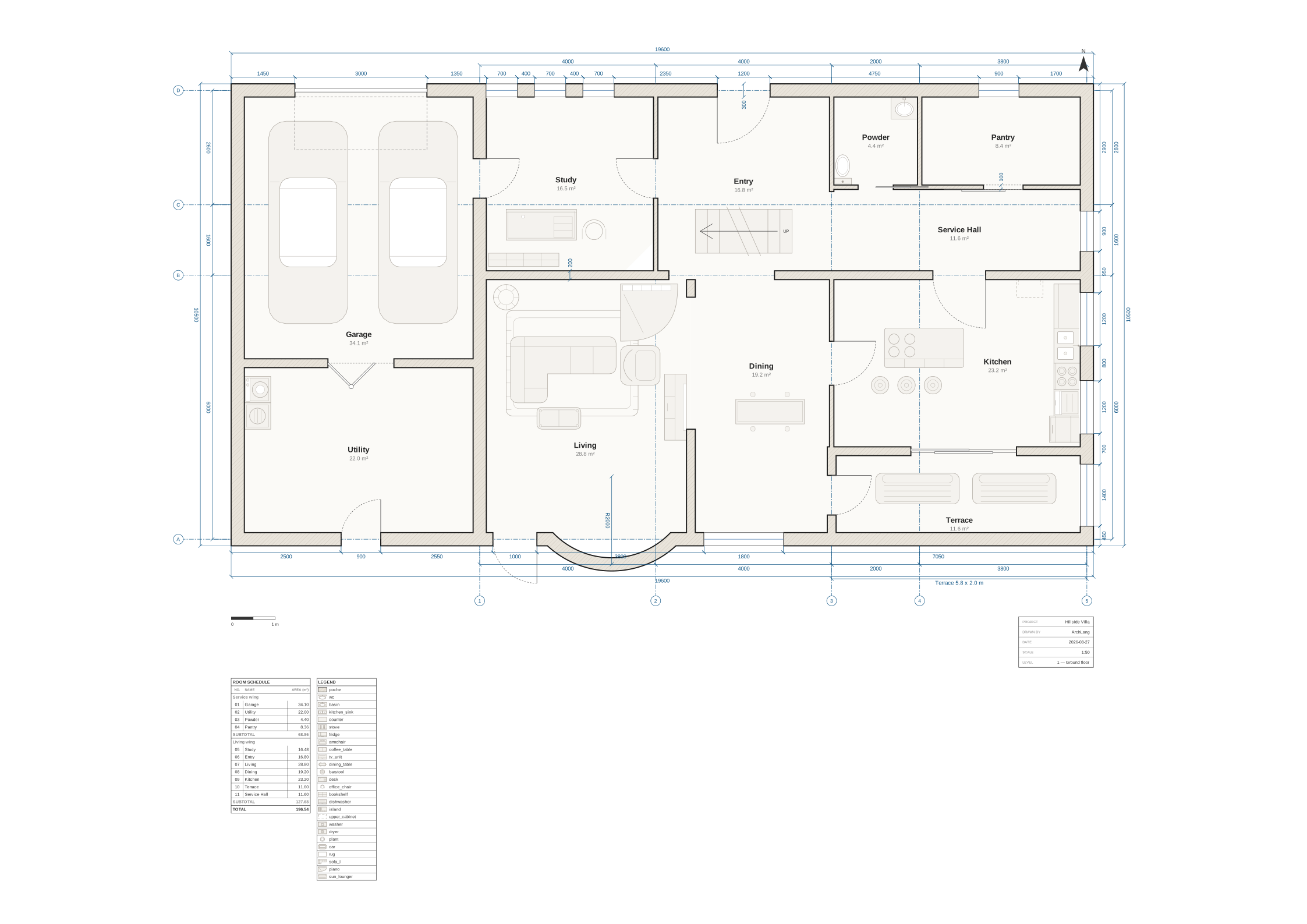
The showpiece — the whole language on one sheet: site orientation, a polygon reading
nook and an L-shaped master suite, a bowed arc bay, all five door kinds, a shared stair shaft, a
void over the double-height living room, a roof overhang, and a mirrored pair of ensuite bathrooms
composed from one component. Every room is reachable, every doorway clears, and the three
warnings arch lint still raises are left in on purpose and explained in the source.
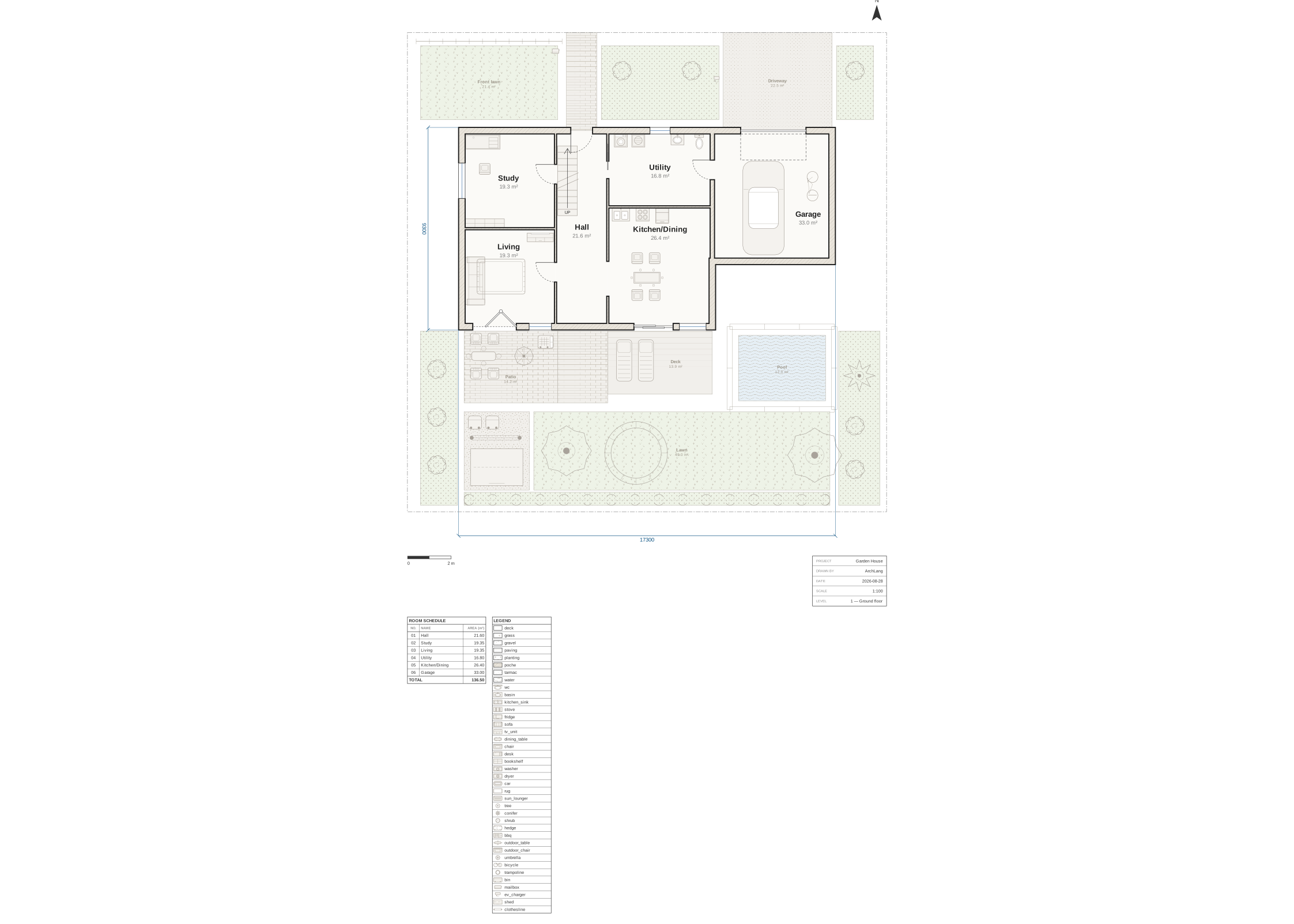
The site plan — the same language pointed at everything OUTSIDE the wall line: a surveyed lot
boundary, nine outdoor ground materials from lawn to swimming pool, a posted fence round the
water, a garage with the sixth door kind, and fifteen outdoor fixture families from the bins to
the trampoline. The ground is drawn and measured but is emphatically not floor area.
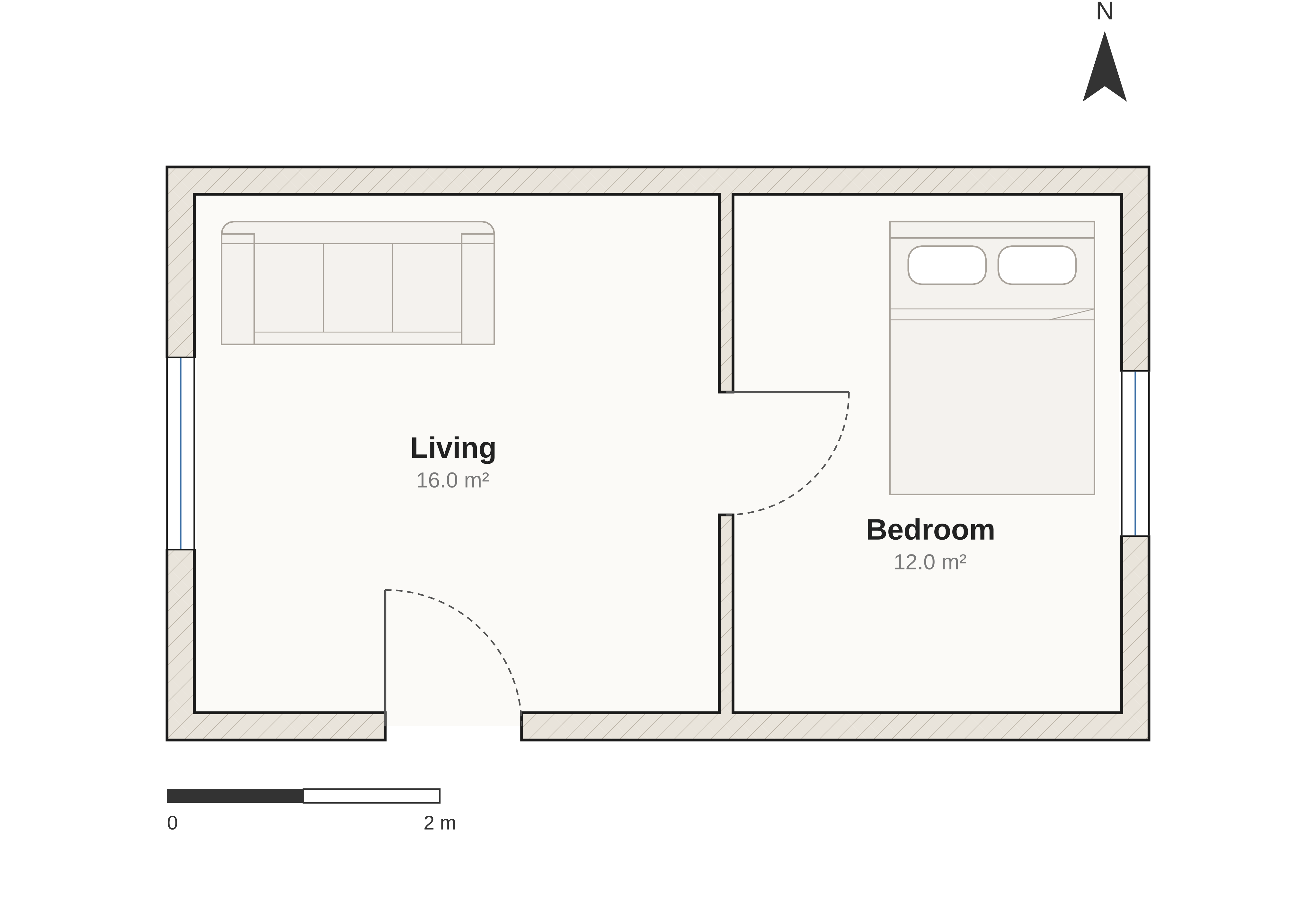
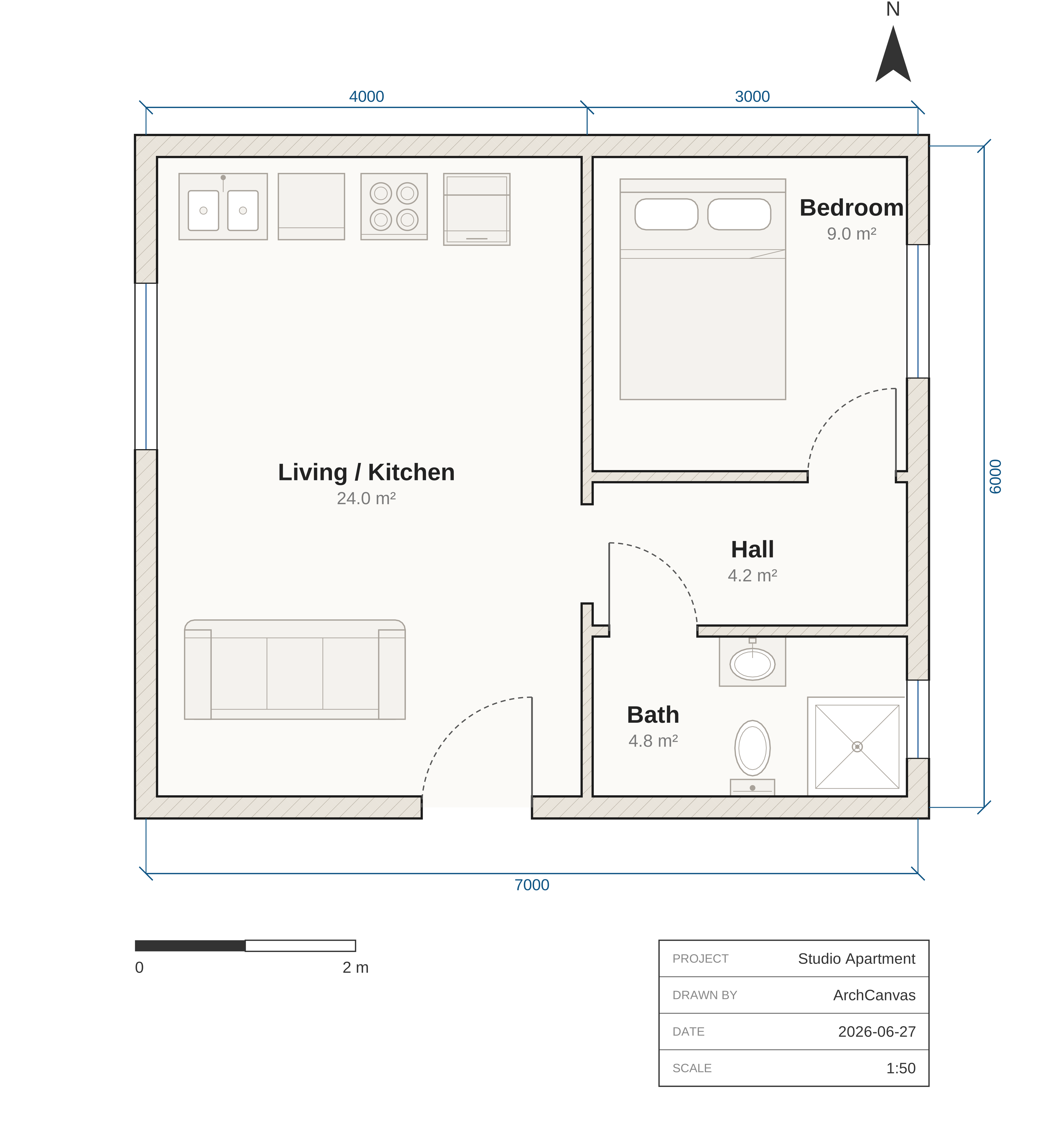 studio The flagship: fitted kitchen and bath, an enclosed bath off a central hall. Lint-clean, and import-free. |
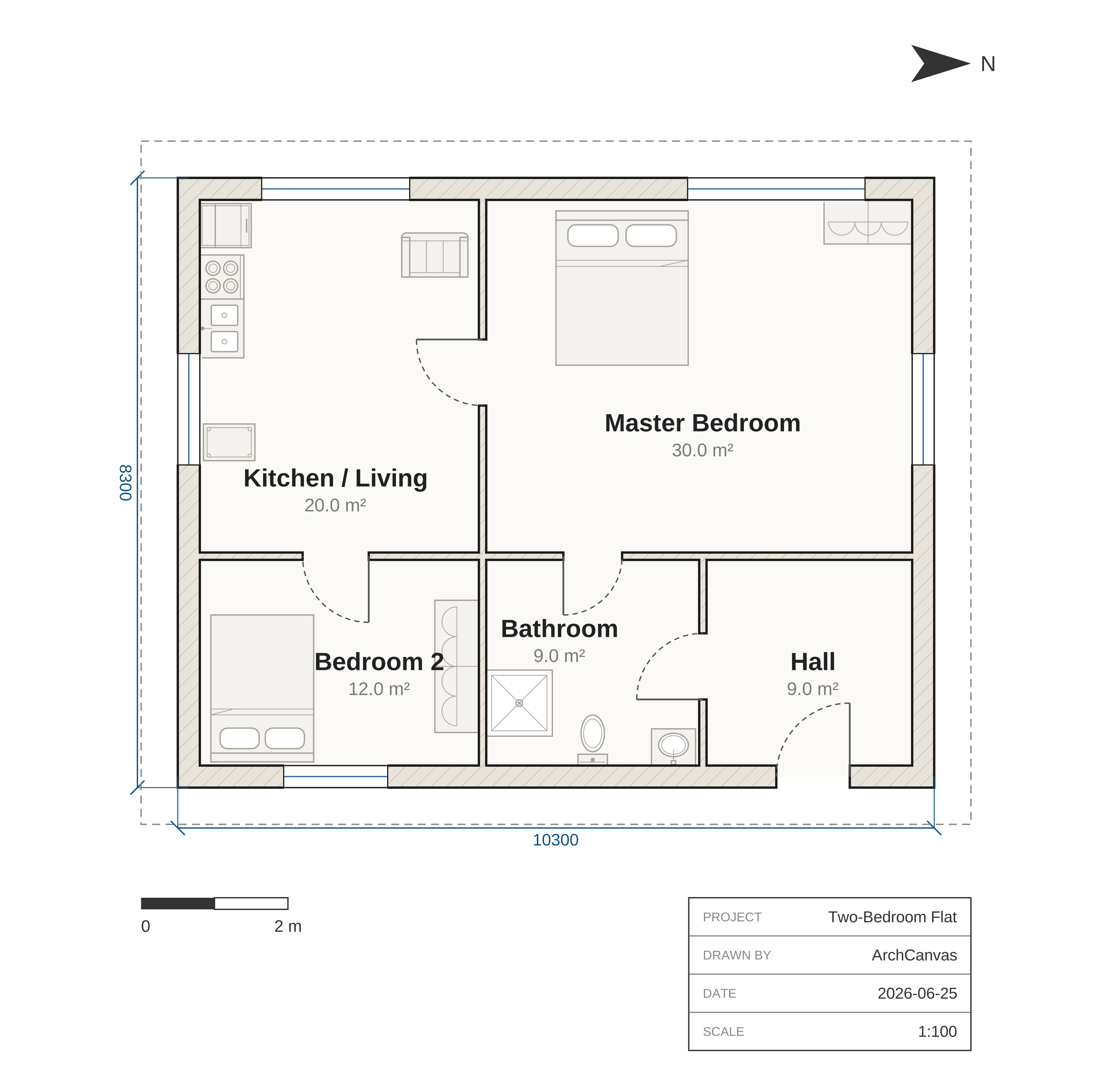 two-bed A larger dwelling: central corridor, five rooms, windows on three exterior walls. |
 attached No hand-computed coordinates at all: strips, on-wall openings, anchors. |
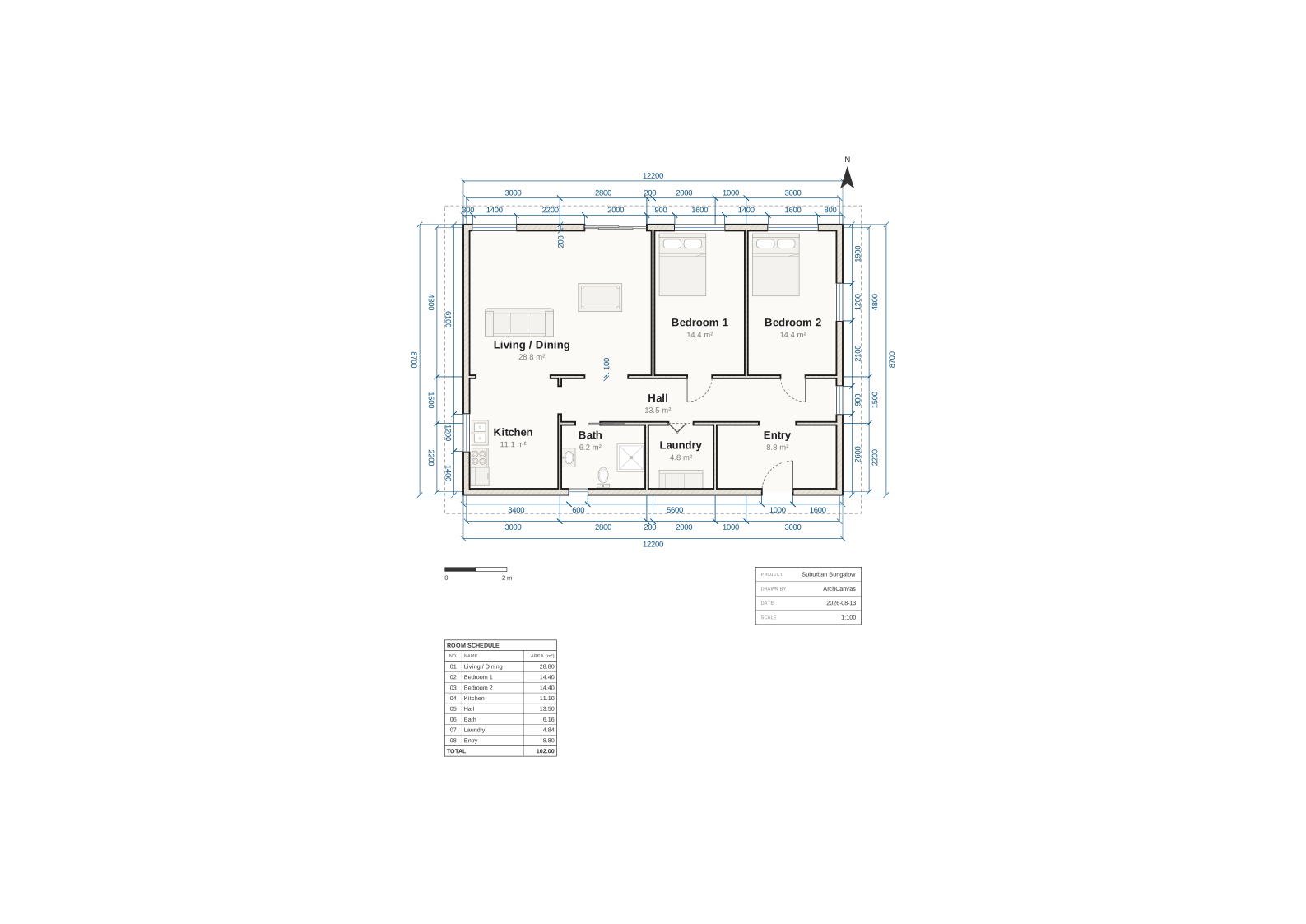 bungalow The door vocabulary: sliding, pocket and bifold leaves — panels, not arcs. |
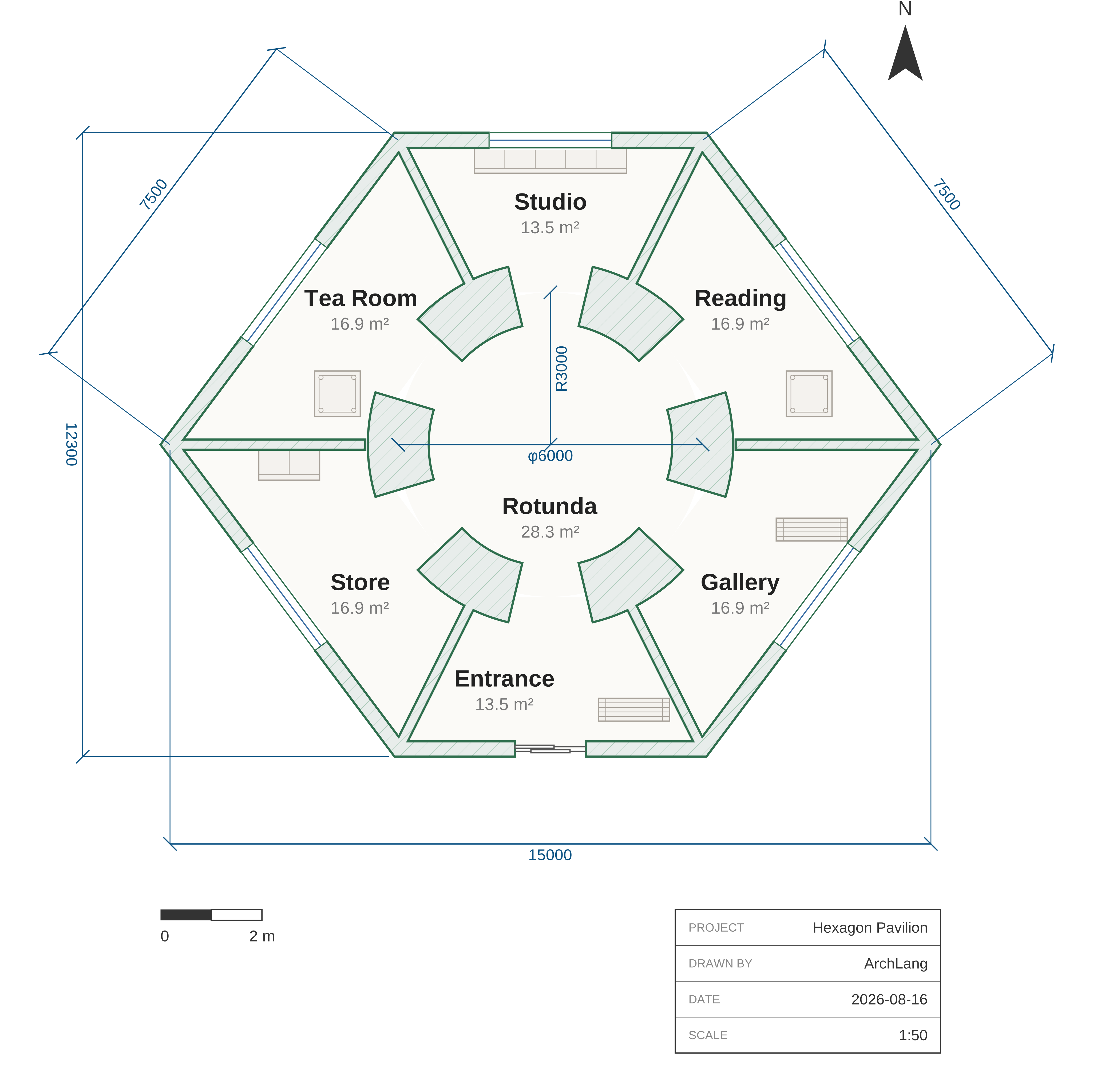 hexagon-pavilion Six polygon rooms round a circular rotunda: room … polygon meets room circle.
|
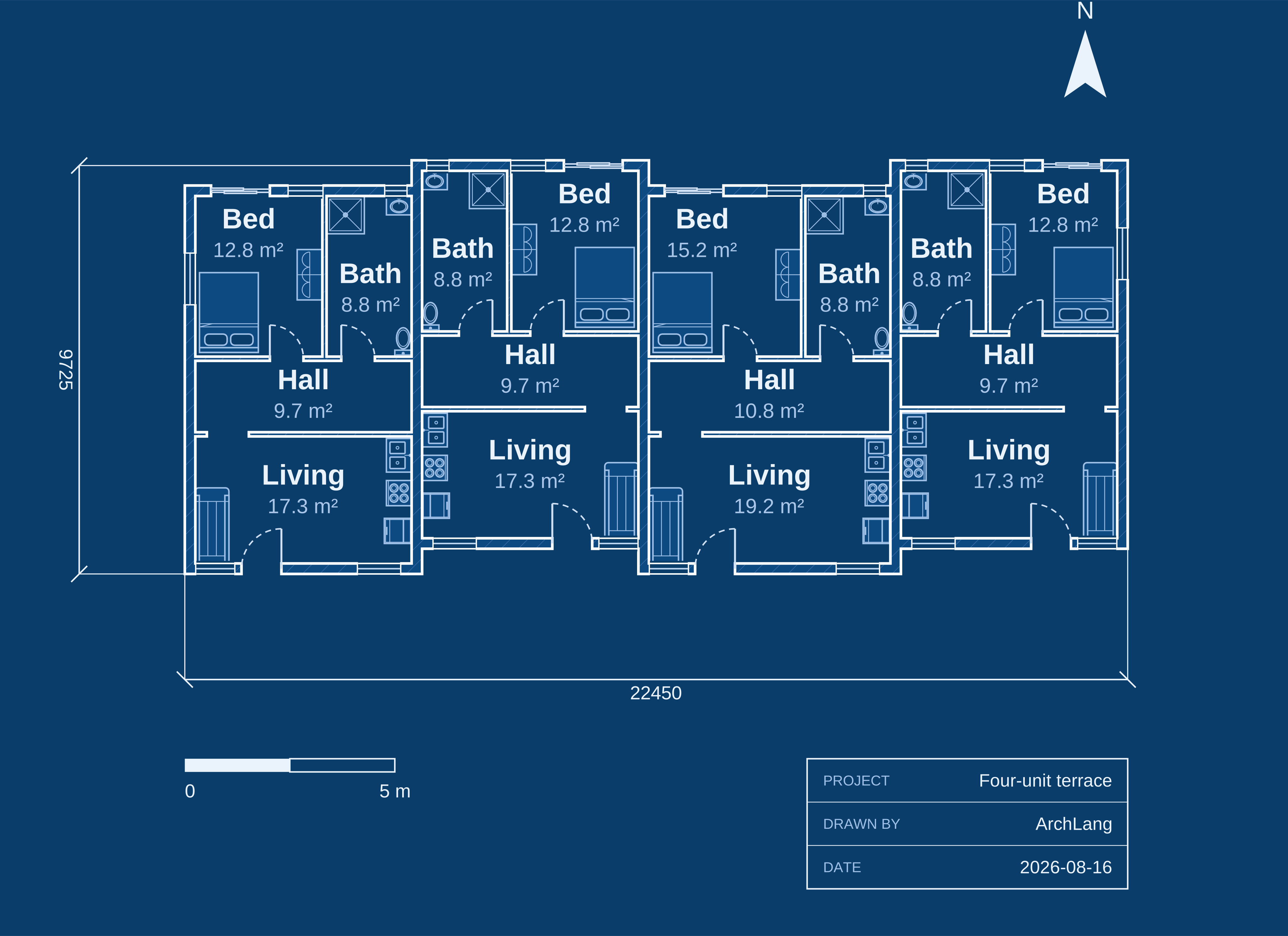 terrace-row One component, placed four times —mirrored in pairs, widths from a let array.
|
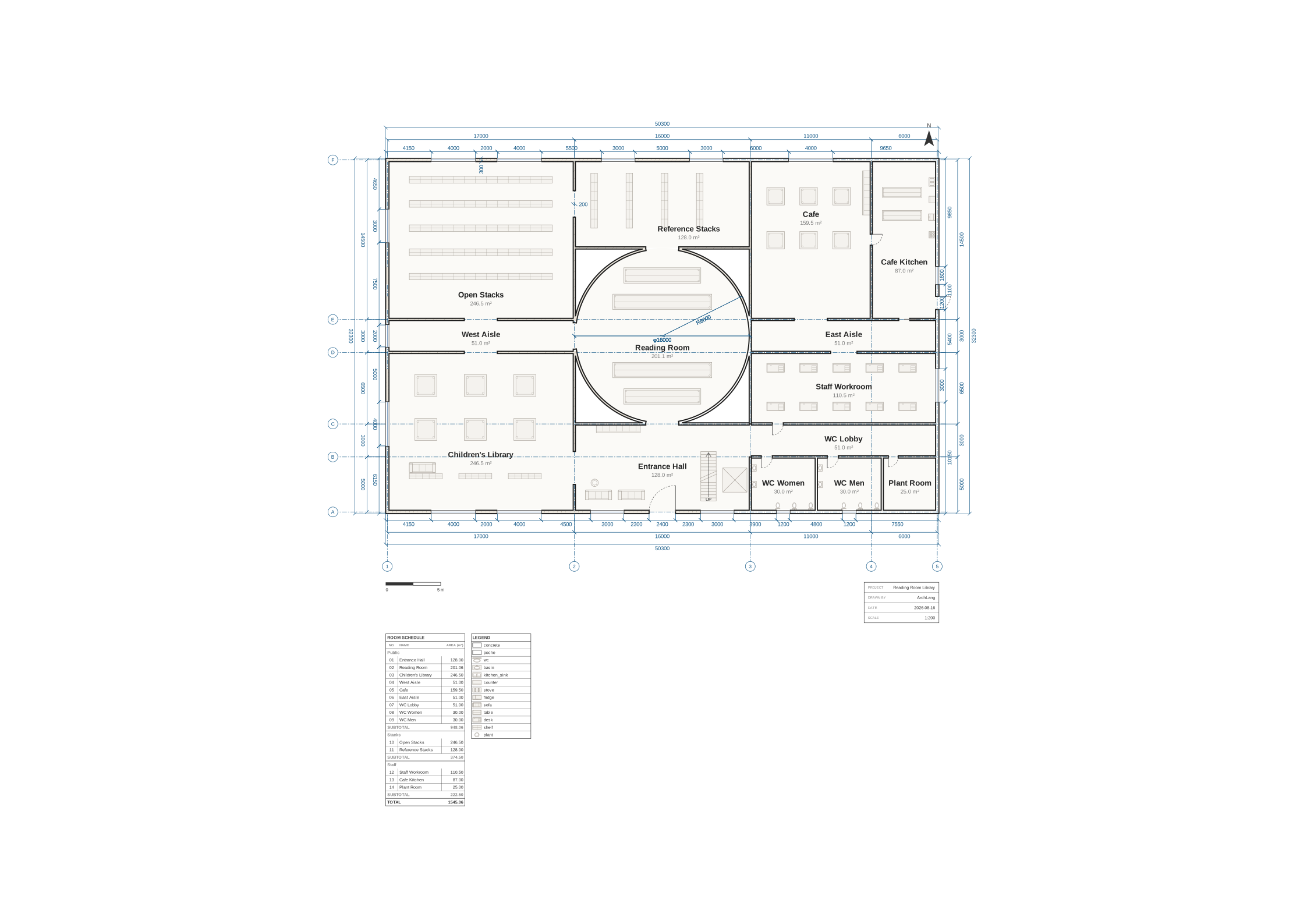 library A public building on a real sheet: A2 at 1:200, axes, schedule and legend. |
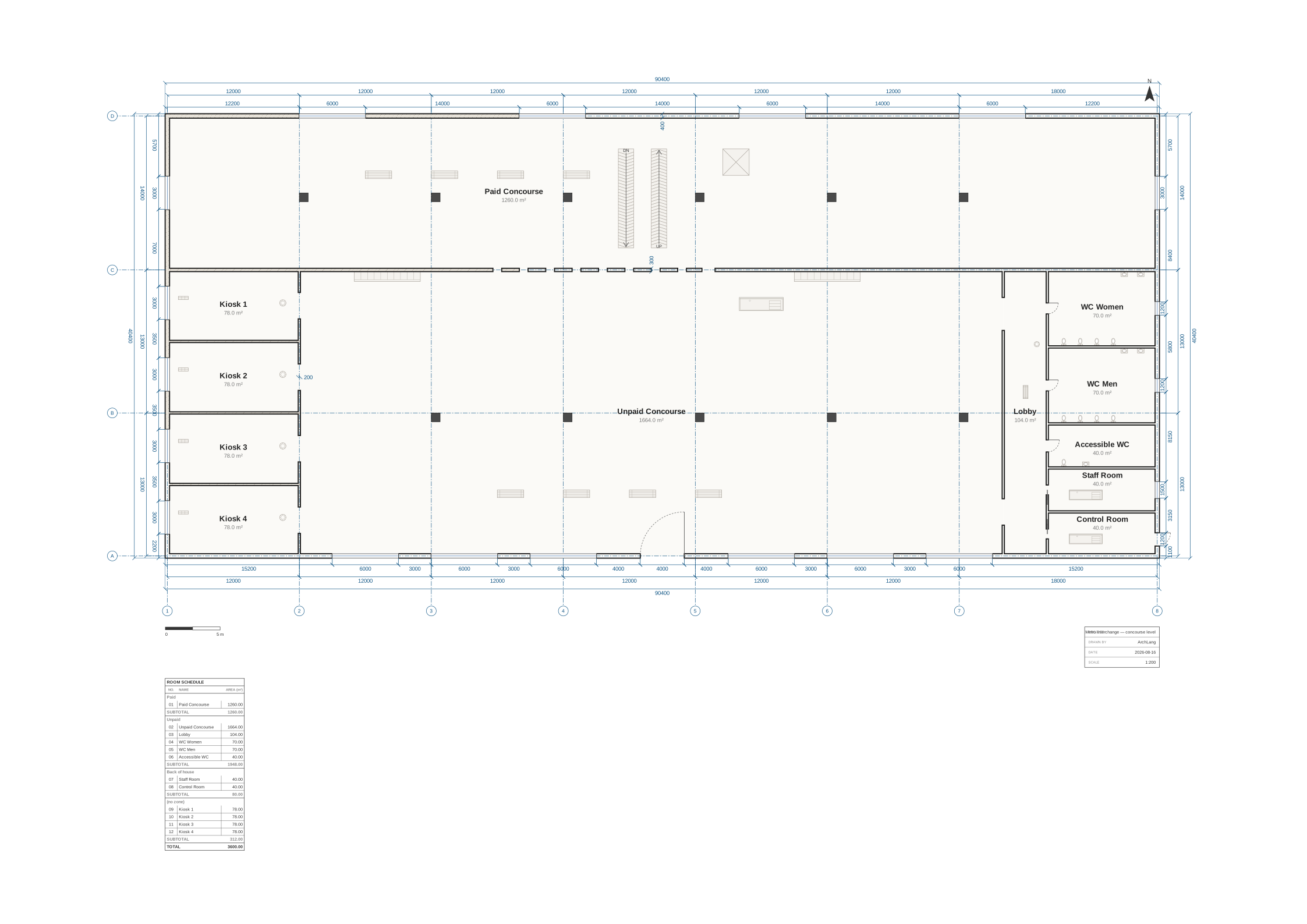 transit-hall A concourse: paid and unpaid sides, a generated run of gates and kiosks. |
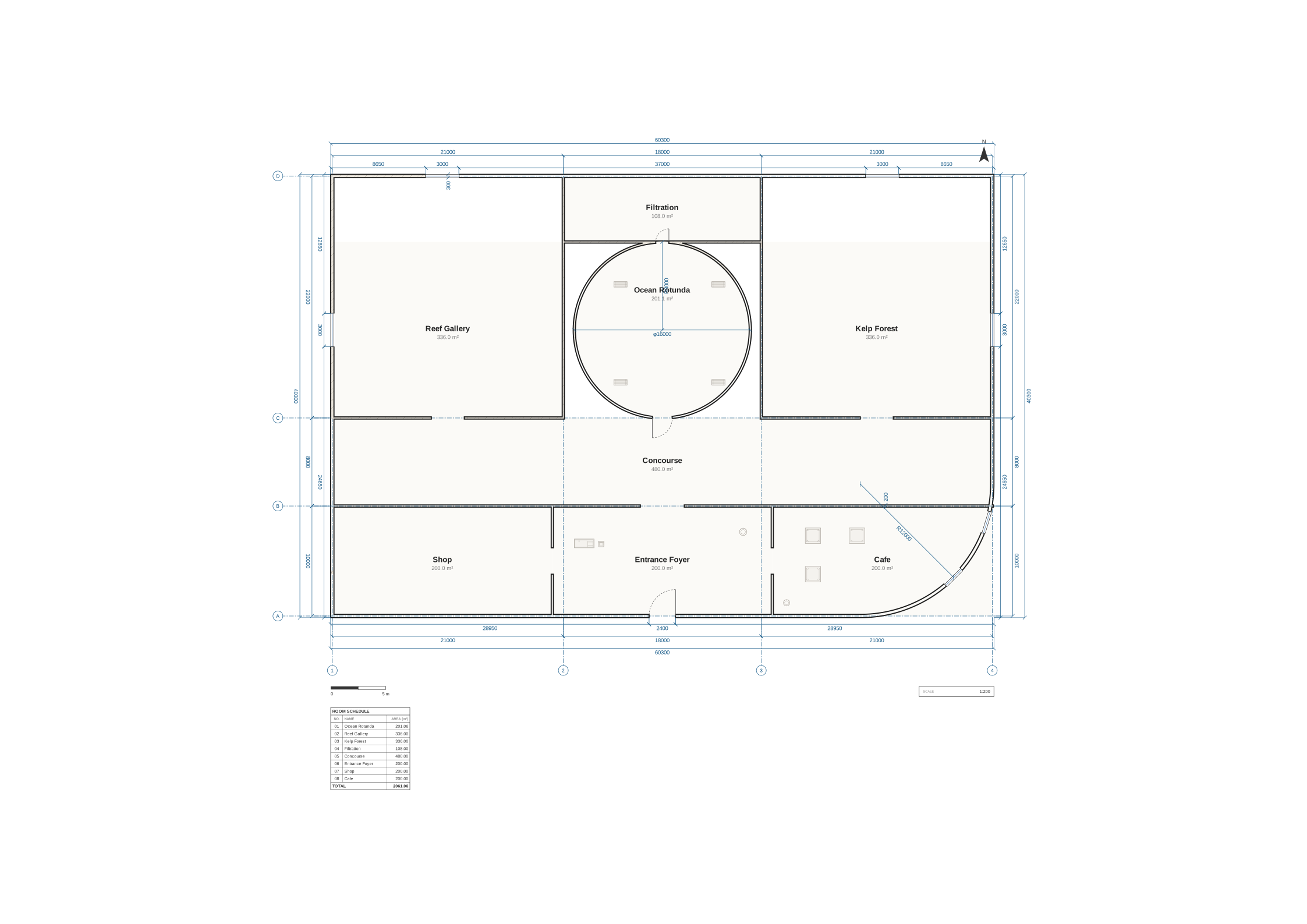 aquarium True arcs, a circular room, and exact πR² areas — never faceted at any zoom. |
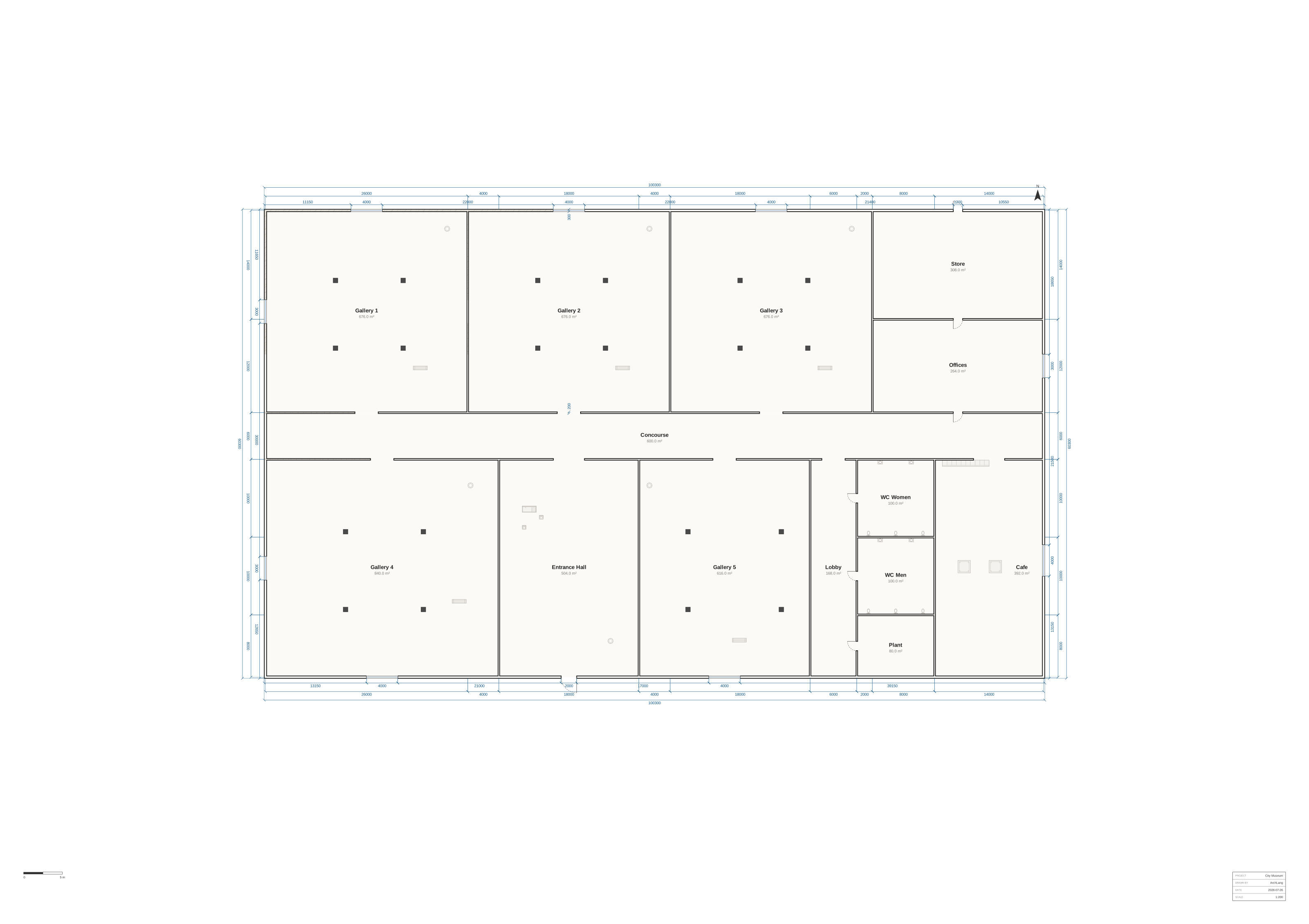 museum The largest sheet in the corpus: A1 at 1:200, galleries, reception and cafe. |
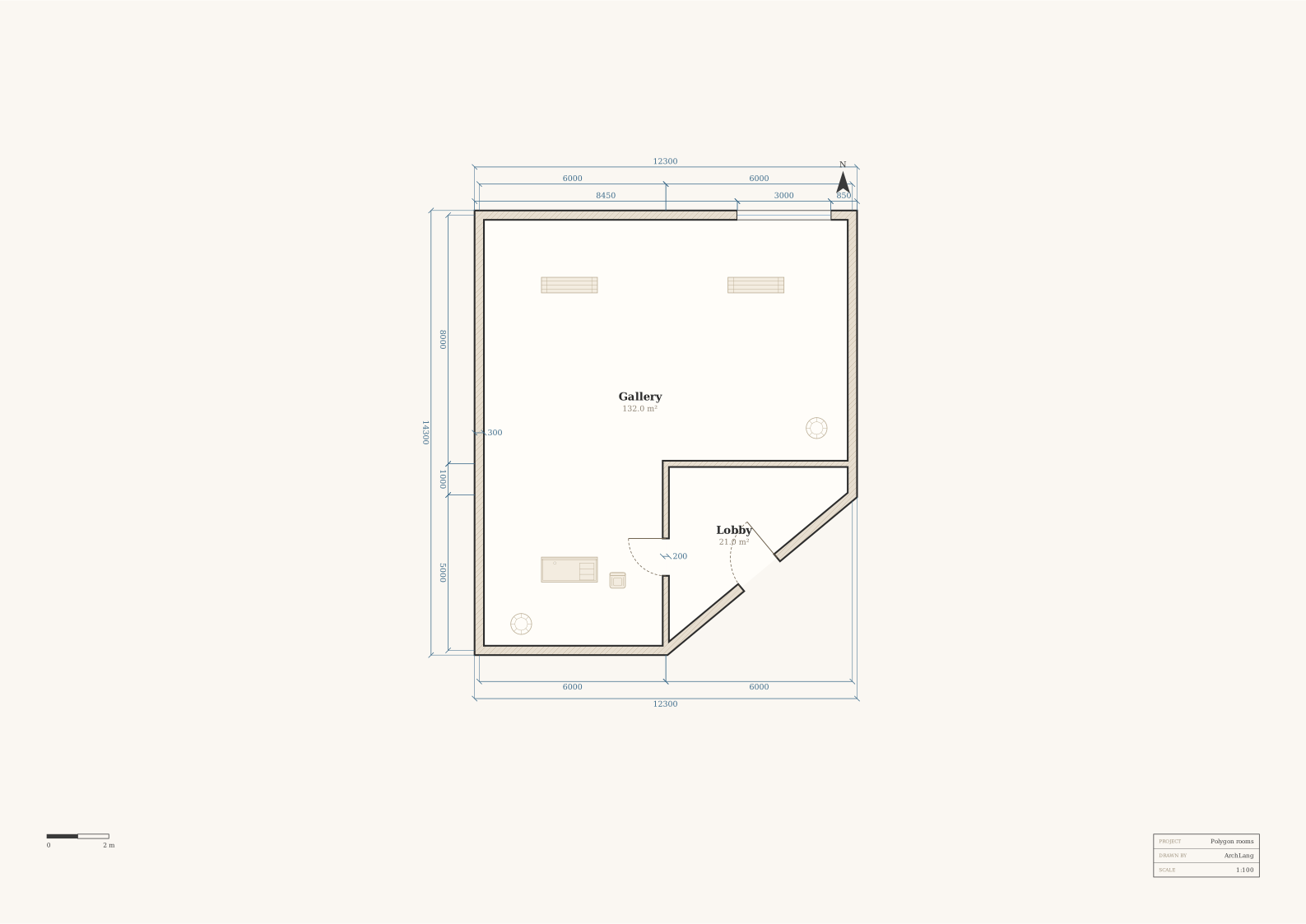 gallery-l The polygon-room flagship, furnished and tried against `theme presentation`. |
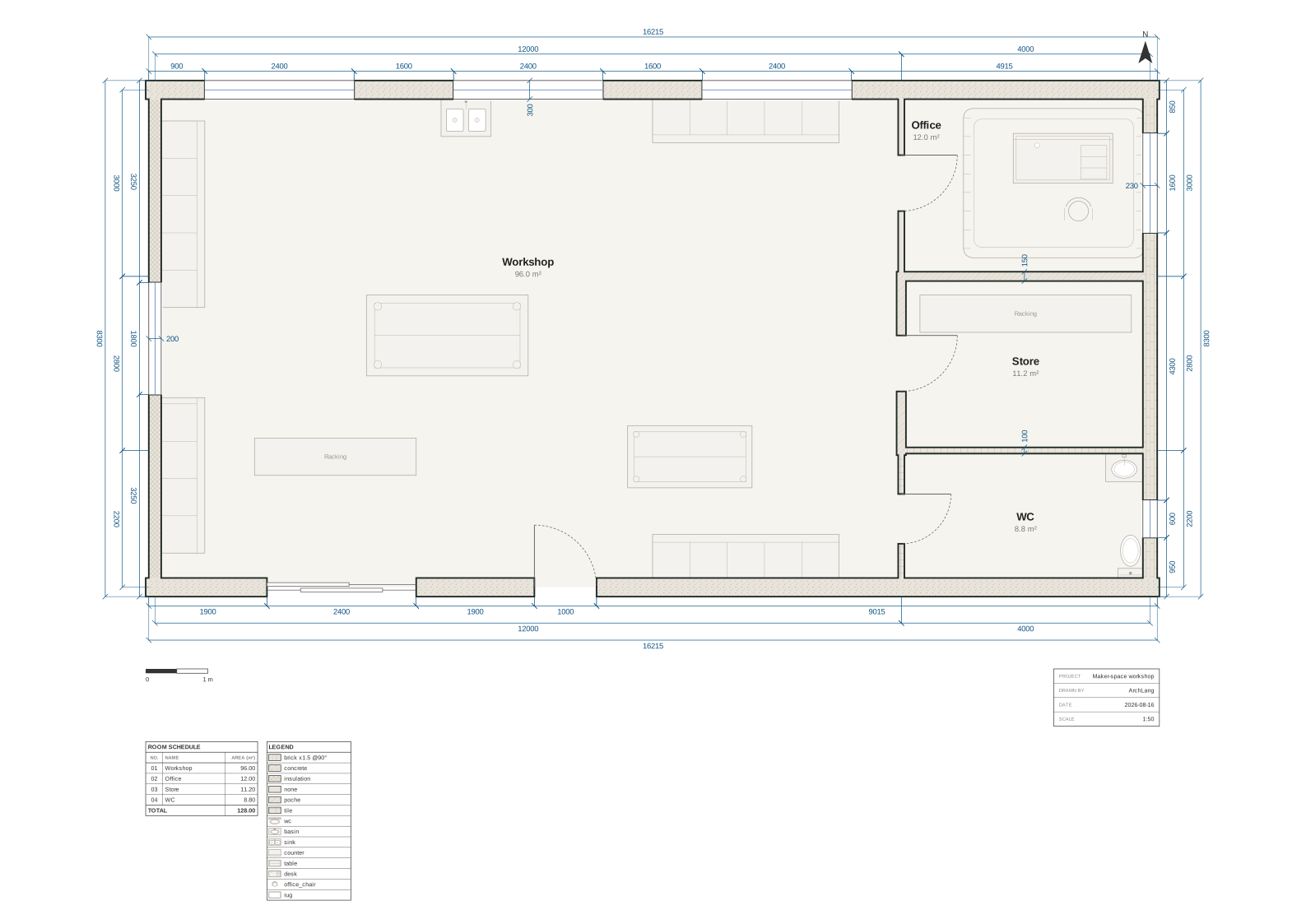 materials Per-element `style` overrides — wall materials and hatch fills, furnished. |
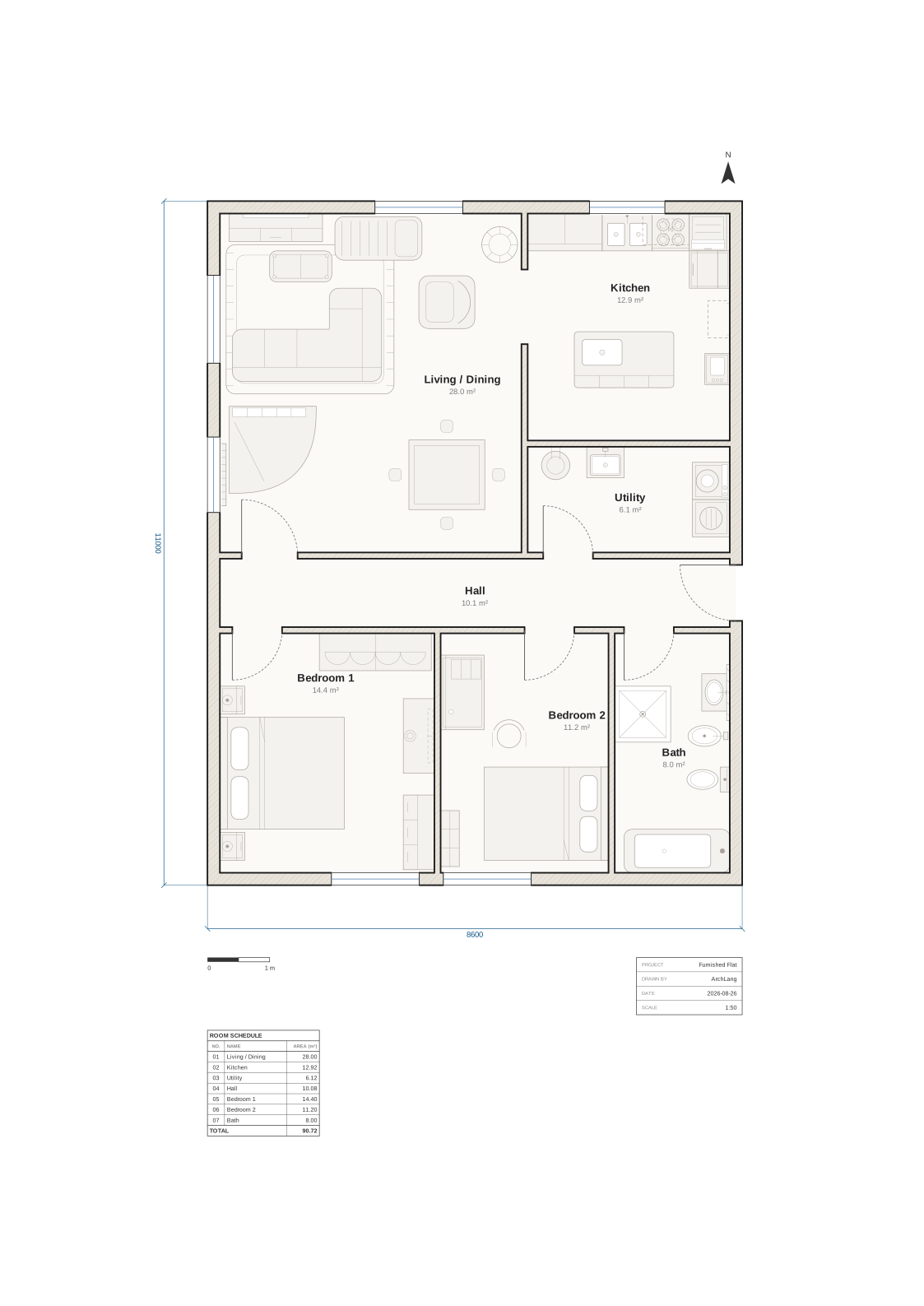
And one that is here for its furniture — the drawn symbol catalogue in a single plan,
from the WC's seat ring to the wardrobe's hanger scallops. Twenty-six kinds; not one of them
carries a label, and most carry no size either:
Two more, drawn on a smaller sheet — the same language, laid out to a fixed scale inside a titled A3 border rather than sized to its own drawing:
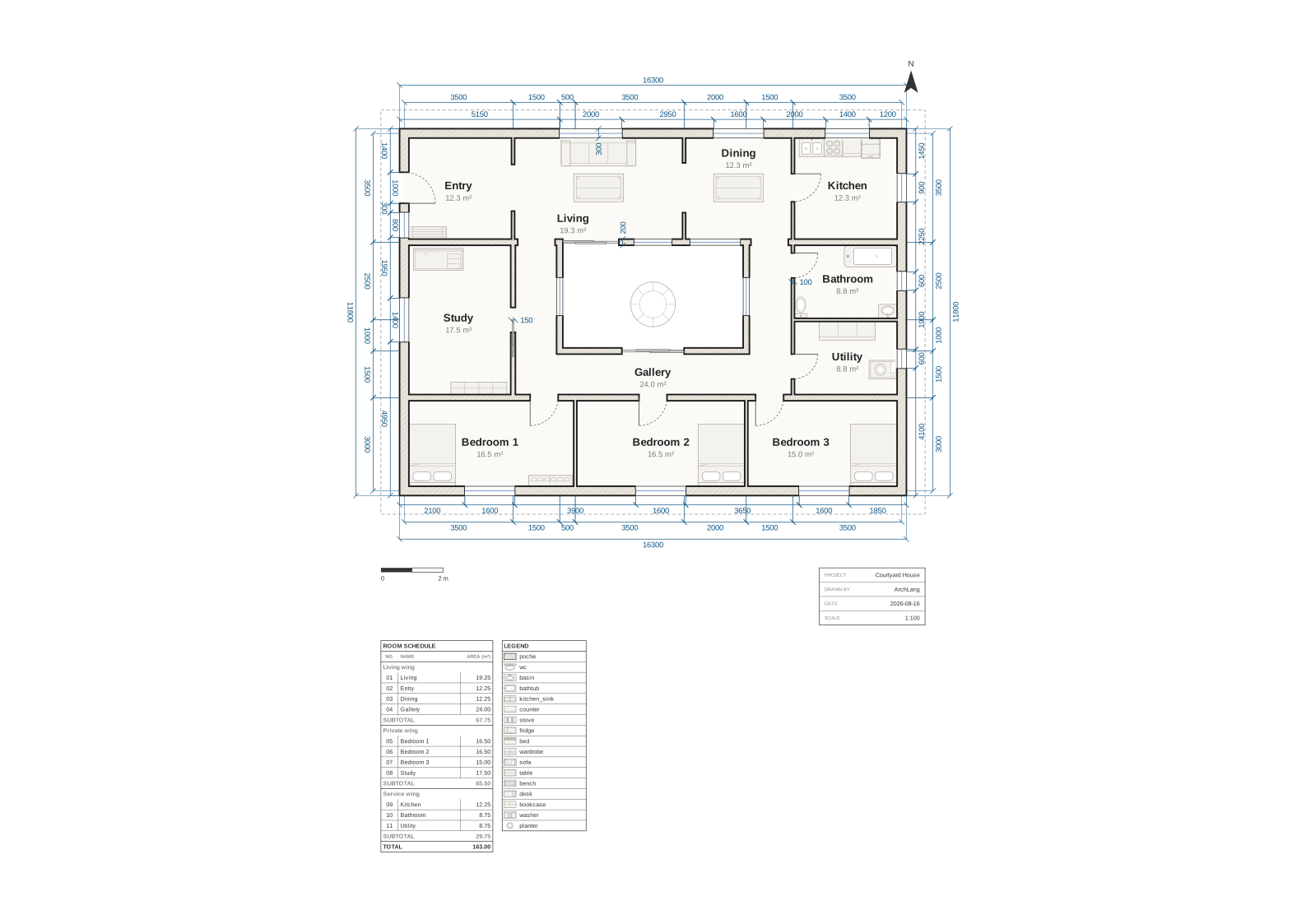 courtyard-house A ring of rooms round an open court — the case where a window's outward face is not the side its bounding box suggests. |
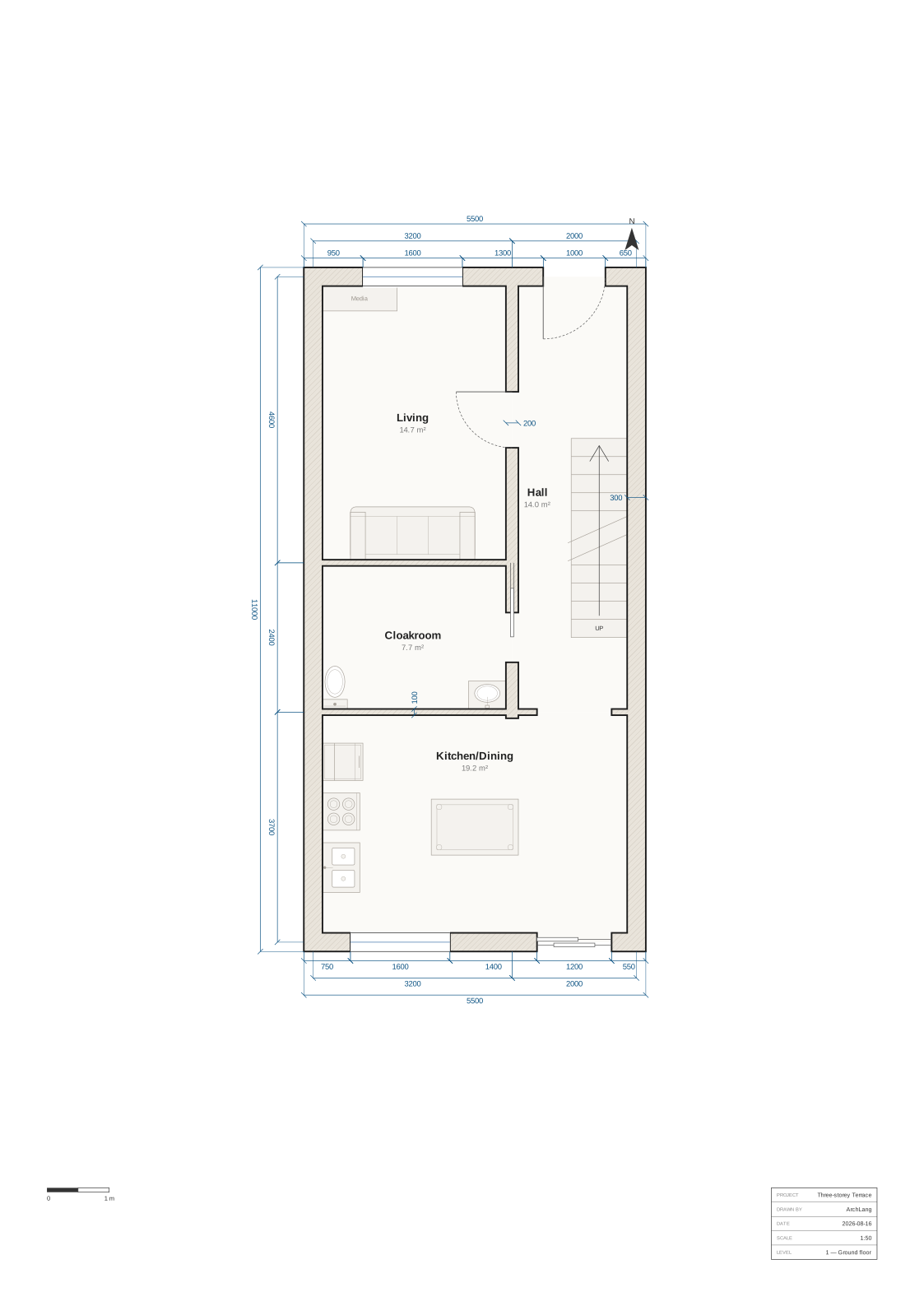 townhouse Three storeys in one file (ground floor shown) — level blocks, one stairshaft, one drawing per page. |
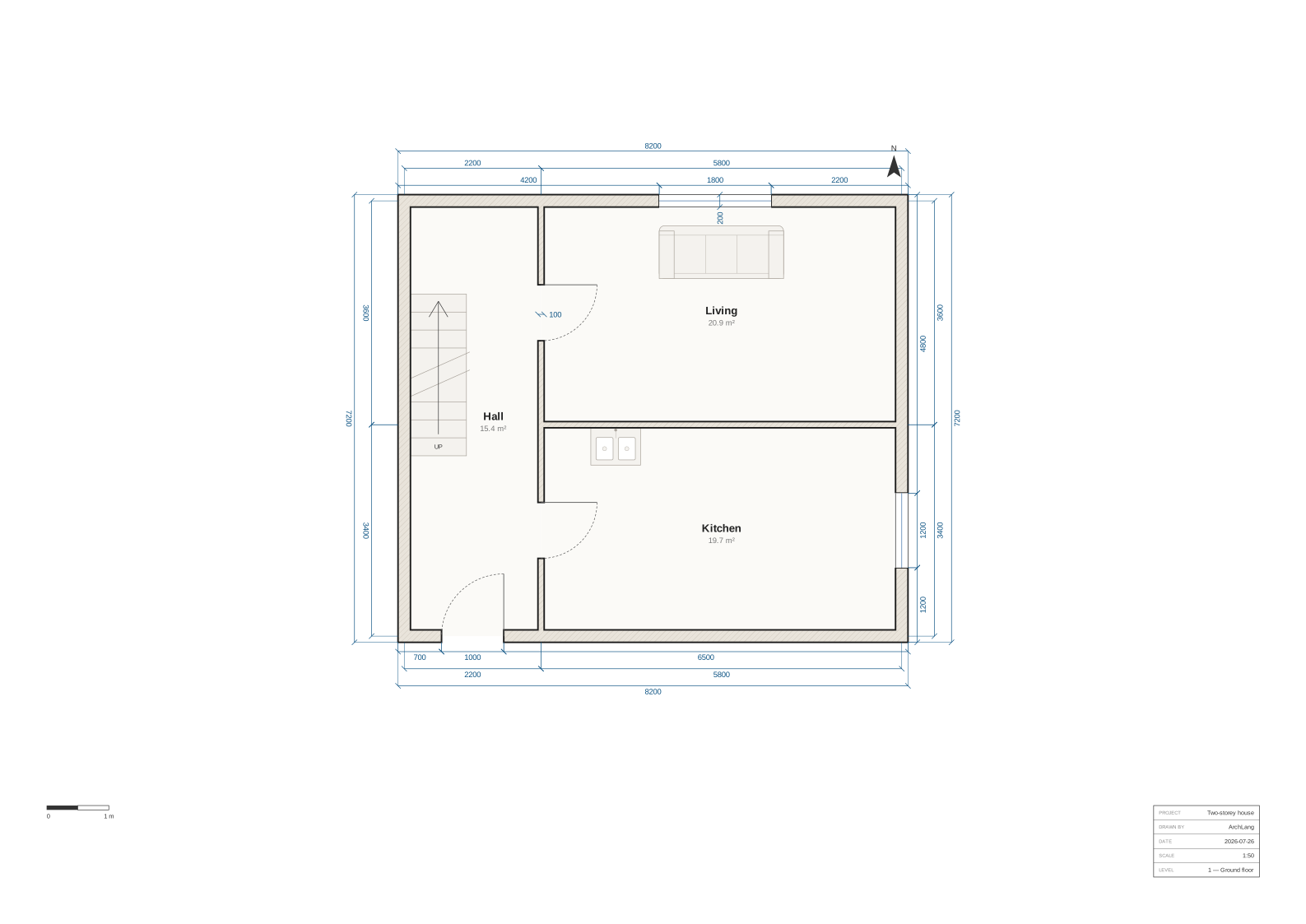 two-storey A void over the ground-floor gallery, and eaves on the storey above. |
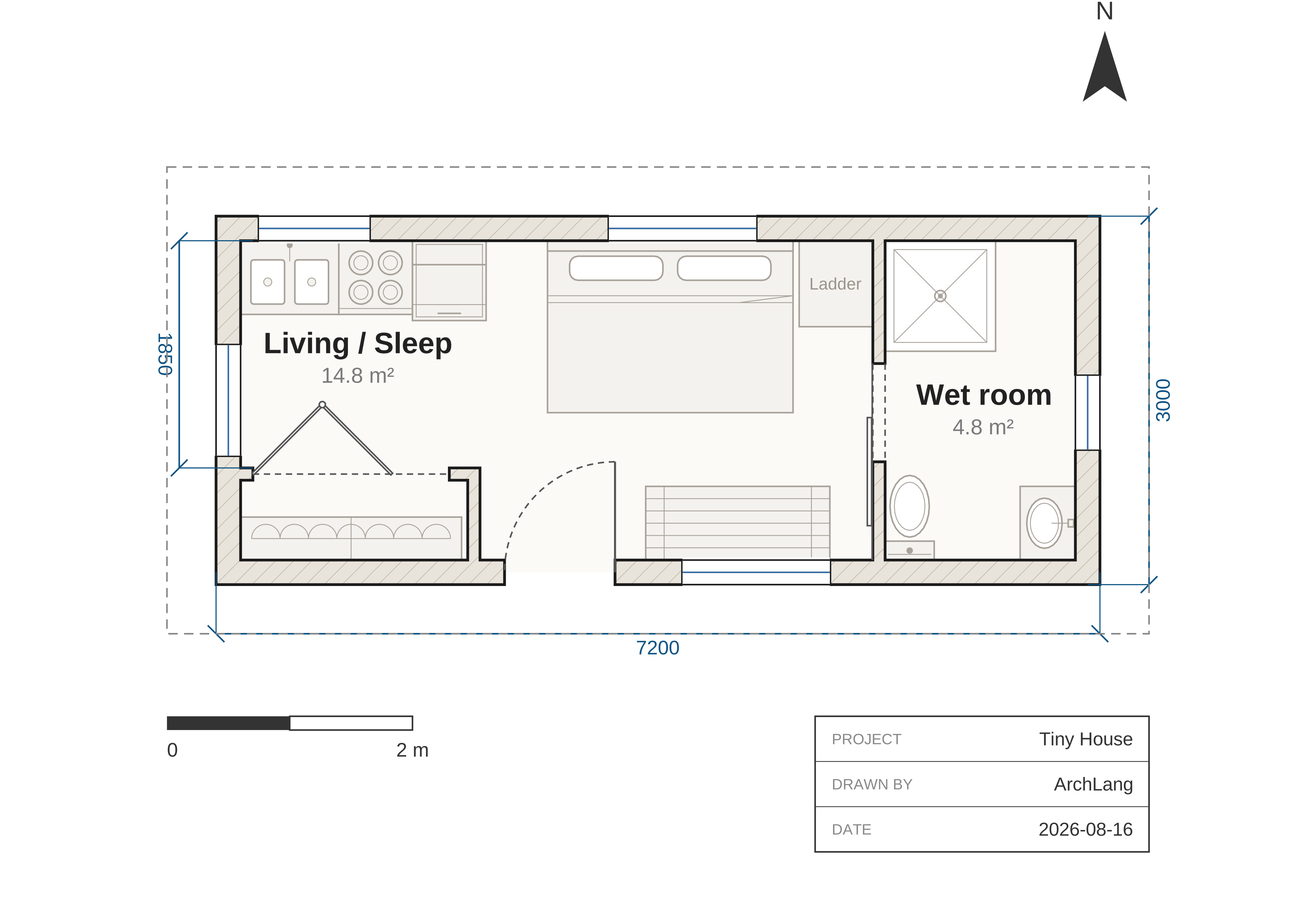 tiny-house Barn and bifold doors on a 7.2 x 3 m shell, now with eaves — roof overhang.
|
Also in examples/ — the whole corpus, by what it is there to show:
- Showpiece —
hillside-villa(the whole language on one sheet). - Start here —
one-room(the smallest plan that draws anything),studio(the lint-clean flagship),attached(nothing positioned by hand). - Homes —
laneway-house,tiny-house,garden-loft,two-bed,bungalow,furnished-flat(the furniture flagship),courtyard-house,townhouse(three storeys),terrace-row(one component, placed four times),two-storey,accessible(accTitle/accDescr). - Public buildings —
library,transit-hall,clinic,museum(A1 at 1:200),hexagon-pavilion. - Geometry & experiments —
gallery-l(polygon rooms),aquarium(arcs and circles). - Scripting & composition —
parametric(aforloop that generates units),relational(right-of/below),imports,museum-wing+museum-wings(one wing, imported and placed twice). - Style —
themed(a custom theme + brick hatch),materials(per-elementstyleoverrides and wall materials).
The docs gallery renders all of them live and editable in the browser.
🎬 Showcase
The examples above teach the language. The Showcase is what
happens when you point it at real buildings and famous fictional ones — the West Wing (whose Oval
Office is a true arc, not a faceted polygon), Palladio's Villa La Rotonda (one quarter, placed
four times), Bag End, de_dust2, The Skeld, 742 Evergreen Terrace, the Dunder Mifflin annex. Every one
is a few dozen lines of source you can open in the playground and recompile.
They are worth a look for what the compiler says about them as much as for the drawings:
arch lint reports a real W_NO_ENTRANCE on de_dust2 — a quarter century of continuous occupancy,
achieved entirely by spawning — and it reviews a $2,950-a-month railroad apartment in twelve
warnings across nine codes.
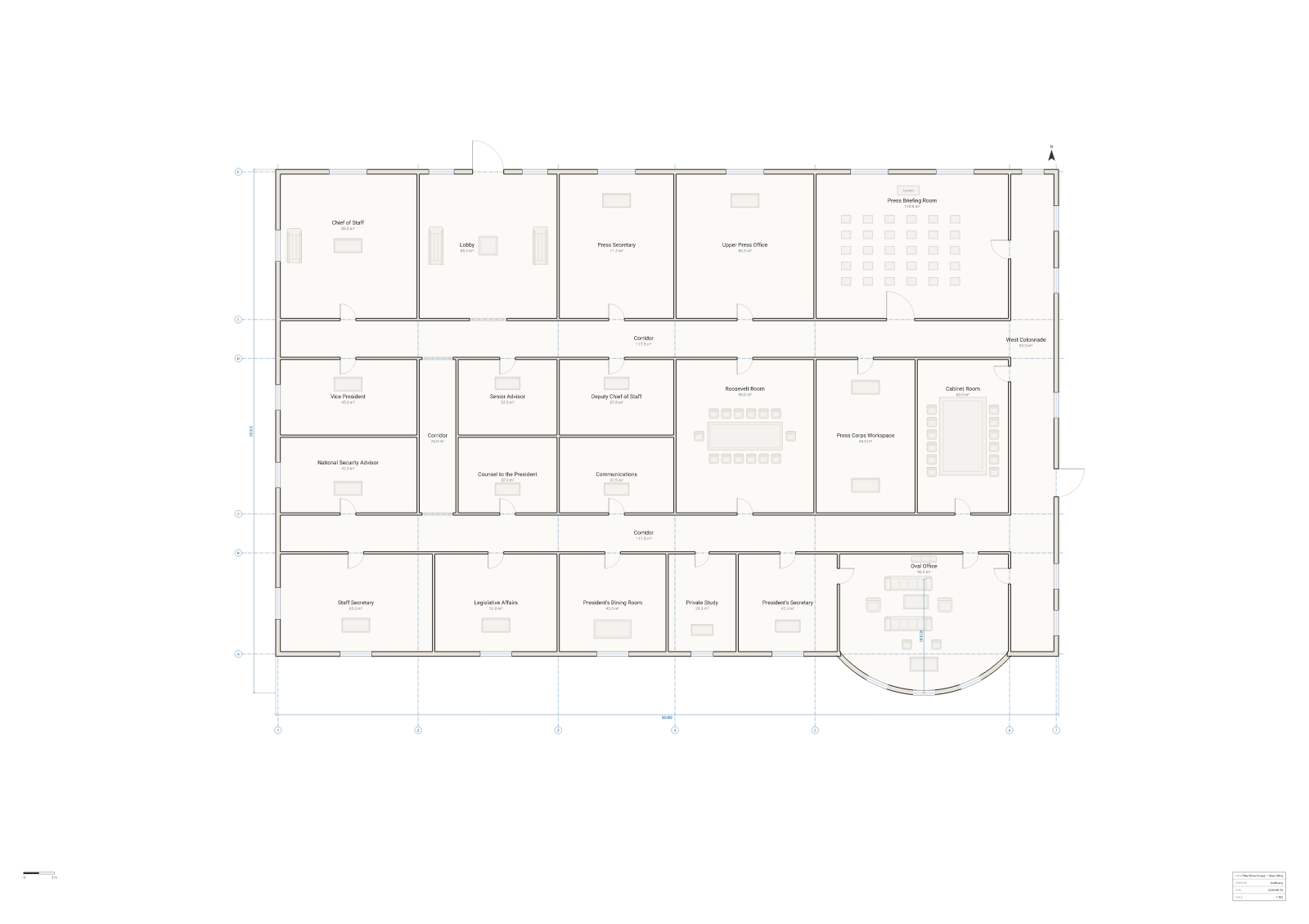
|
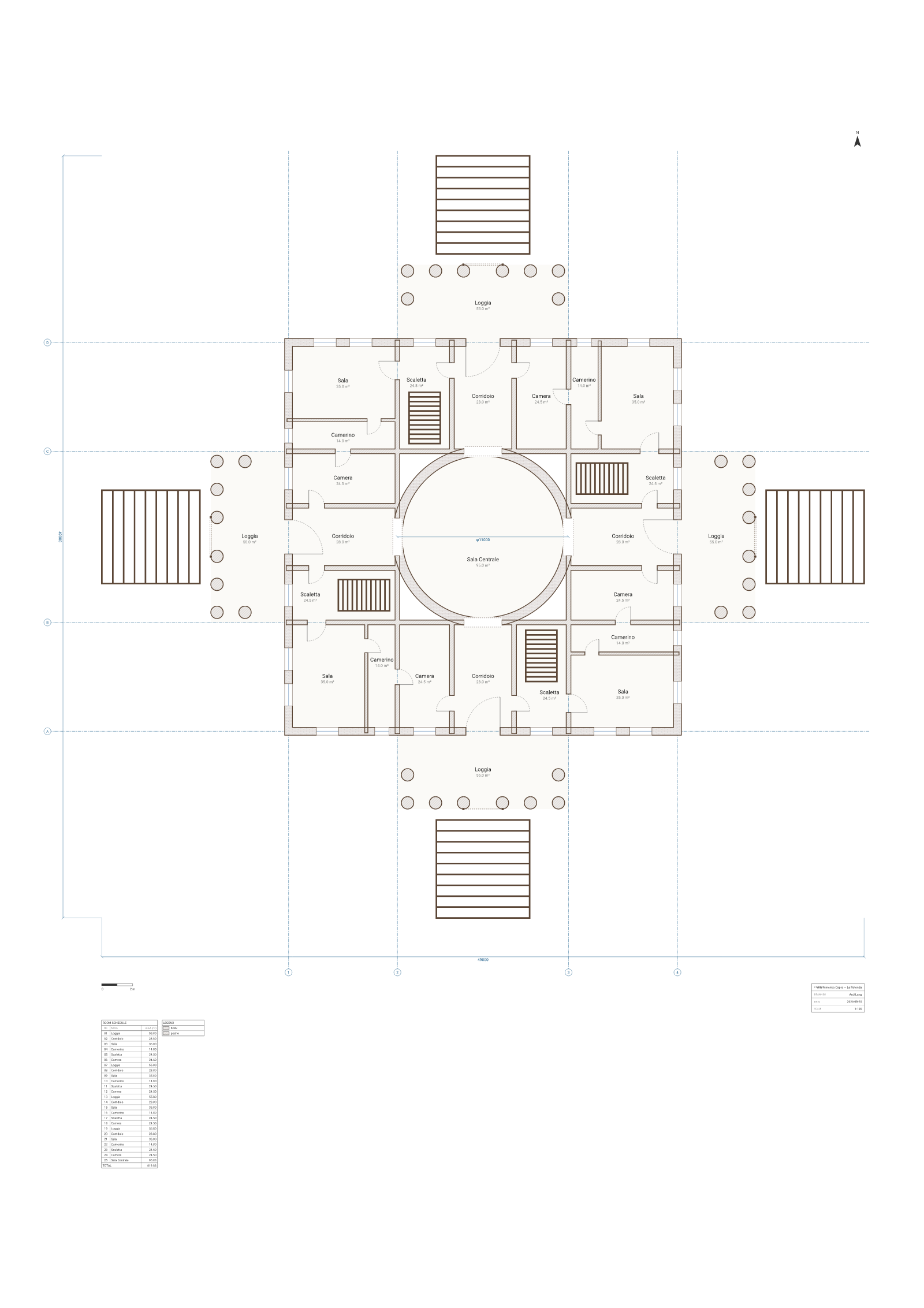
|
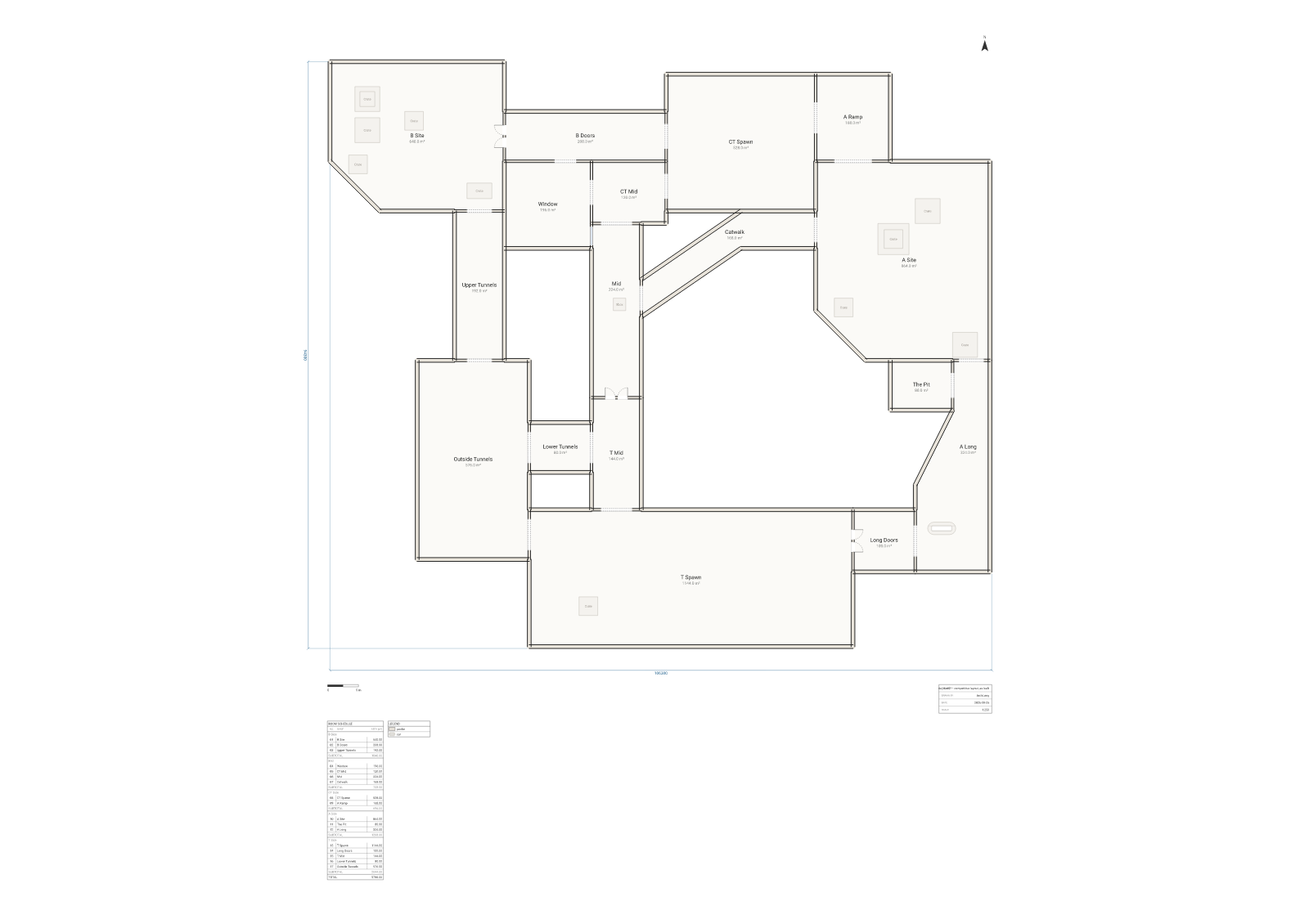
|
archlang.uk/showcase for the curated set · ChanMeng666/archlang-showcase for every plan's source and the story behind it.
🏗️ How it works
ArchLang is a compiler pipeline. Source text becomes a backend-neutral Scene IR, and every backend is a pure serializer of that scene — which is why adding a format never touches the language.
The dotted branch is the point: describe, lint and the intent check read the same resolved
plan the renderer does — so what an agent verifies is exactly what gets drawn, and it costs no
pixels to check.
compile() is pure, synchronous and deterministic — no I/O, no Date.now(), no Math.random().
The only place Node APIs are allowed is the CLI; everything else gets its environment through a
World seam. See AGENTS.md and the ADRs.
📦 Ecosystem
| Package / surface | What it is |
|---|---|
@chanmeng666/archlang | The core: compiler, CLI, analysis. Zero runtime deps, isomorphic. |
@chanmeng666/archlang-mcp | Optional stdio MCP server (the SDK is quarantined here). |
| VS Code extension | Syntax + live diagnostics, hover, completion, rename. |
| Playground | Client-side editor: preview, describe, lint, intent scoring, apply-fix, embed. |
| Docs site | Guide, reference, CLI reference, ADRs, live examples. |
| 🤗 Dataset | Synthetic, self-verifying repair trajectories + authoring pairs. CC0. |
| GitHub Action | Render ```arch fences in any repo's Markdown. |
Embed a plan anywhere
A live, editable plan in any blog, wiki or docs page — one <iframe>, no build step, nothing
sent to a server (the source rides in the compressed #z= hash, so the page is self-contained):
The playground's Embed button generates the snippet. Optional params: editable=1 (show a
compact editor that re-renders as you type) and theme=blueprint|dark|mono|presentation.
Not on GitHub, though. GitHub's markdown sanitizer strips
<iframe>— it renders as escaped text, the same way<script>does — so a README (here or anywhere on github.com) cannot host a live embed, no matter how it's written. The honest substitutes GitHub does allow are what this README uses: a static SVG the compiler really produced, linked to a playground permalink that opens the same plan live. On the docs site, where the sanitizer doesn't apply, every plan is live and editable in place.
📚 Documentation
- 📖 Docs site — guide, reference, error catalog, ADRs, and a live, editable examples gallery. Every
```archfence on a docs page is itself an editable plan. - ⌨ CLI reference — every command, flag and exit code (generated from the manifest, so it can't fall behind).
- spec.llm.md — the whole language in one page (~2k tokens) for AI agents; also
arch spec. - SKILL.md — the agent Skill: the
spec → compile → fix → describe → validateloop. - Language Reference · Error catalog · The intent contract · ADRs
- AGENTS.md — orientation for AI agents working in this repo.
🤝 Contributing
Contributions are welcome! Please read the Contributing Guide and our Code of Conduct. Use the issue and pull-request templates when you open one.
❤️ Support & Sponsor
- Questions? Open a Discussion or see SUPPORT.md.
- Found a security issue? Follow SECURITY.md.
- If this project helps you, consider sponsoring ☕.
📄 License
Released under the MIT license.

Chan Meng
Need a custom app like this one? I build them — let's talk.

