Appmetrica MCP vs Citable MCP
A side-by-side look at the Appmetrica MCP and Citable MCP MCP servers: transport, auth, tools, quality signals, and the config to install either one in Claude, Cursor, Windsurf or VS Code.
Verdict: choose Appmetrica MCP for marketing work as a local process; choose Citable MCP for marketing as a local process. You can also run both side by side in one mcpServers block.
Which MCP server should you choose?
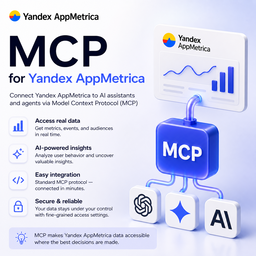 Choose Appmetrica MCP when
- You need dedicated capabilities in the Marketing domain.
- You prefer a local stdio subprocess transport.
- Its auth model fits you: OAuth 2.0.
- You want tools like
list_applications, get_application, list_events.
 Choose Citable MCP when
- You need dedicated capabilities in the Marketing domain.
- You prefer a local stdio subprocess transport.
- You have the keys it needs:
CITABLE_WALLET, CITABLE_MAX_PRICE, CITABLE_API. - You want tools like
citable_prices, citable_connect, citable_keyword_suggest.
Feature & specification comparison
Rows where the two servers differ are marked.
| Spec | ||
|---|---|---|
| Category | Marketing | Marketing |
| Quality signal | 64/100 · Good | 60/100 · Good |
| Install command | Confirmed | Confirmed |
| Transport | Local subprocess (stdio) | Local subprocess (stdio) |
| Auth | OAuth 2.0 | Not declared |
| Pricing | Not declared | Not declared |
| Required env vars | None listed | CITABLE_WALLETCITABLE_MAX_PRICECITABLE_API |
| Verified owner | Community listing | Community listing |
| GitHub stars | 3 | 0 |
| Directory activity | 1 views 0 installs 0 upvotes | 2 views 0 installs 0 upvotes |
| Tools | 45 | 19 |
| Full listing | View Appmetrica MCP | View Citable MCP |
Tools & capabilities
Appmetrica MCP tools 45
list_applicationsList all AppMetrica applications available to the authenticated user. Returns application IDs, names, platforms, and creation dates.get_applicationGet detailed information about a specific AppMetrica application by its ID.list_eventsList the client event names reported by an AppMetrica application (Management API "events list"). Use these names as steps in get_funnel_report or as eventLabel filters.list_conversionsList conversions (attributed-event definitions) configured for an AppMetrica application: id, name, event_type, attribution_rule, status, mandatory, etc. Conversion metrics are in the ym:ae2:* namespace.get_logs_api_statusCheck whether the Logs API is enabled for the account ("enabled" / "disabled"). When it is disabled, export_events / export_logs keep returning 202 (queued) or 429 — this is how to find out why.get_reportRetrieve aggregated statistics from AppMetrica (/stat/v1/data). Call list_metrics first (overview) or list_metrics with search/namespace to find exact keys. Quick reference: ym:u:* users · ym:s:* sessions · ym:ce:* client events · ym:cr2:* crashes · ym:i:* installs · ym:r2:* revenue · ym:pc:* push. Revenue metrics carry a literal <currency> placeholder (e.g. ym:r2:revenue<currency>) — pass currency (RUB|USD|EUR|YND) alongside. Funnel step metrics (ym:uf:*) need a funnel pattern — use get_funnel_report instead. Keep one namespace prefix per call. Known non-existent keys (4002): ym:u:sessions, ym:u:crashes, ym:u:revenue, ym:r2:revenue without <currency>. Filters use the segmentation syntax, e.g. "ym:u:operatingSystemInfo=='iOS'"; segment_id (from list_segments) ANDs a saved segment expression into filters. A sporadic 400 "Запрос слишком сложный" means: retry, narrow the date range, or pass accuracy (e.g. 0.1, sampled result).get_report_bytimeRetrieve AppMetrica statistics as a time series (/stat/v1/data/bytime): the same metrics/dimensions as get_report, split by day/week/month/hour or a single interval (group=all). Response: data[i].metrics[m][t] arrays aligned with time_intervals, plus totals. IMPORTANT: use ONE namespace prefix per call (all metrics and dimensions ym:u:*, or all ym:s:*, ...). Mixing prefixes fails with error 4011 — issue one call per namespace. Revenue metrics with a <currency> placeholder need the currency param. segment_id (from list_segments) is ANDed with filters. A sporadic 400 "Запрос слишком сложный" means: retry, narrow the date range, or pass accuracy (e.g. 0.1).get_drilldownRetrieve drilldown statistics for a specific parent dimension value in AppMetrica. Useful for hierarchical data exploration.list_metricsCatalogue of AppMetrica Reporting API metric and dimension keys, built from the official docs (scripts/update-catalog.mjs): 197 metrics, 188 dimensions. Without search/namespace returns a compact overview: namespaces table, keys verified live, known non-existent keys (traps) and recipes for analytics that need a special tool. With search (case-insensitive substring over key/name/description) and/or namespace (e.g. 'ym:u:' or 'u') returns matching entries, truncated to limit with a total count. Metrics are listed with full keys (some contain placeholders like <currency>); dimensions are listed by suffix plus the namespaces where they exist (key = namespace + suffix, e.g. ym:u: + appVersion).export_eventsExport raw event logs from AppMetrica Logs API. Revenue and in-app purchase data is stored in the event_json field as structured JSON. Default fields: event_name, event_datetime, event_json, appmetrica_device_id, app_version_name, os_version, device_model, country_iso_code, city. To get subscription/purchase data: filter by event_name (e.g. "subscription_purchase") and parse event_json field. Logs API is asynchronous — the first request usually returns "data not ready" (HTTP 202) and the wrapper re-polls the same query (default budget ~150s, tunable via APPMETRICA_MAX_WAIT_MS). A busy or wide query may still need a manual retry after a few minutes; re-running the identical query resumes the same server-side export. Start with 1-day windows; multi-day exports take noticeably longer to materialise. Run export_events strictly sequentially and avoid rapid retries — the Logs API has a low export-request quota; on HTTP 429 the wrapper honours Retry-After and backs off, but exhausting the quota also blocks the AppMetrica web UI for a few minutes.export_crashesExport raw crash logs from AppMetrica for a given application and time range. Use this for per-crash-name breakdowns — get_report only exposes the total ym:cr:crashes count. Same async/rate-limit behaviour as export_events: the wrapper re-polls 202 (default ~150s budget), honours Retry-After on 429, and backs off. Run sequentially and avoid rapid retries — wide ranges may need a manual retry after a few minutes.export_installationsExport raw installation logs from AppMetrica for a given application and time range. Same async/rate-limit behaviour as export_events: the wrapper re-polls 202 (default ~150s budget), honours Retry-After on 429, and backs off. Run sequentially and avoid rapid retries — wide ranges may need a manual retry after a few minutes.- +33 more on the listing page
Citable MCP tools 19
citable_pricesFree. Lists Citable's SEO endpoints with current per-call USDC prices, plus the wallet that pays: address (the one to fund), walletMode (keypair or sign-in), balanceUsdc and funded. When it is empty, `setup` gives the two ways to fund it — put them to the user. Call this first.citable_connectFree. For people who do not use crypto. Returns a link to open in a browser: sign in at Citable with Google or email, add a few dollars of USDC, click Connect — the agent then pays from that wallet. The link works for 15 minutes; when the user says it is done, call citable_prices to confirm (walletMode becomes sign-in). {status:true} only reports; {reset:true} disconnects and returns to the keypair. The first connect installs Para's SDK under ~/.config/citable/para (about 200 MB, once).citable_keyword_suggestPaid ($0.005 USDC per call). Expands a seed keyword into autocomplete suggestions, related queries and questions, deduped and ranked across Google, YouTube and Bing. Returns `suggestions[]` and `questions[]` with a 0–1 prominence score, the sources each came from, and whether the keyword still contains the seed.citable_onpage_auditPaid ($0.01 USDC per call). Fetches one URL and returns a scored on-page audit: title, meta description, canonical, robots, viewport, lang, heading counts and text, word count, internal/external links, image alt coverage, Open Graph, JSON-LD types, HTTP details, and 15 weighted checks with a 0–100 score. Not charged if the page cannot be fetched.citable_ai_visibilityPaid ($0.05 USDC per engine asked; $0.20 for all four). Asks the AI answer engines (Perplexity, Gemini, OpenAI, Claude — whichever the deployment has configured) a prompt through their official APIs and reports which ones cite the domain: `mentioned`, 1-based `position` in each engine's citation list, and the full cited-domain list per engine. One run per engine — answers vary between runs, so call 2–3 times for signal. Not charged if no engine answers.citable_rank_checkPaid ($0.012 USDC per call). Google organic position of a domain for a keyword via a licensed SERP feed: 1-based `position` (null if outside the checked window), the ranking URL and title, plus the top-10 result list. Not charged if the feed is unavailable.citable_keyword_researchPaid ($0.06 USDC per call). One seed returns keywords AND questions, merged from public autocomplete and the paid keyword index, with search volume, CPC, difficulty and intent attached. Each row says which sources found it — both is the strongest signal. Cheaper than citable_keyword_ideas plus citable_keyword_metrics separately; reach for those only when you want to control exactly what you pay for. Not charged on failure.citable_keyword_ideasPaid ($0.05 USDC per call). Keyword research: one seed returns up to 100 keywords that contain it, each with search volume, CPC, competition, difficulty and intent, ordered by volume. Full-text matched, so results stay on topic. Use citable_keyword_suggest for the exact phrasings people type (no volume), and citable_keyword_metrics when you already have a shortlist. Not charged on failure.citable_keyword_metricsPaid ($0.03 USDC per call, covers the whole batch). Search volume, CPC, competition, keyword difficulty and search intent for 1–20 keywords — licensed clickstream-derived estimates. Answers in request order; unknown keywords return null metrics. Pair with citable_keyword_suggest: expand a seed there, price the shortlist here. Not charged if the metrics feed is unavailable.citable_top_cited_pagesPaid ($0.22 USDC per call). Which pages of a domain AI engines cite most, from an aggregated index of AI answers — per-page mentions, AI search volume, per-engine and per-language splits, plus domain totals. Answers 'what already works on this site — write more of that'. Not charged if the index is unavailable.citable_citability_reportPaid ($0.30 USDC per call; $0.43 bought separately). One call bundles the on-page citability audit, AI visibility across all configured engines, and the domain's top AI-cited pages. Answers: can AI read this site, who cites it today, and which pages already work. Not charged on failure.citable_cited_promptsPaid ($0.25 USDC per call). The real questions AI answer engines cite a domain for, from an aggregated index of AI answers — question, answer snippet, AI search volume, and the exact URL cited. These are observed prompts, never generated ones, so use this to discover what to track instead of inventing them. Repeated observations of one question are collapsed, with `observations` counting them. Point it at a competitor's domain to get the prompts they win and you do not. Not charged on failure.- +7 more on the listing page
Ready-to-paste client configs
Paste either block (or both) into your client config, e.g. claude_desktop_config.json or ~/.cursor/mcp.json. We only show a config when the install command is confirmed.
Appmetrica MCP
{
  "mcpServers": {
    "appmetrica-mcp": {
      "command": "npx",
      "args": [
        "-y",
        "appmetrica-mcp"
      ]
    }
  }
}
Citable MCP
{
  "mcpServers": {
    "zaialamm-citable-mcp": {
      "command": "npx",
      "args": [
        "-y",
        "citable-mcp"
      ],
      "env": {
        "CITABLE_WALLET": "YOUR_CITABLE_WALLET_HERE",
        "CITABLE_MAX_PRICE": "YOUR_CITABLE_MAX_PRICE_HERE",
        "CITABLE_API": "YOUR_CITABLE_API_HERE"
      }
    }
  }
}
Frequently asked questions
Appmetrica MCP is categorized under Marketing and uses a local stdio subprocess. Citable MCP belongs to Marketing and uses a local stdio subprocess. Pick Appmetrica MCP for marketing work and Citable MCP for marketing.
Copy the mcpServers block from the config section on this page into your client's config (for example claude_desktop_config.json or ~/.cursor/mcp.json), then fully restart the client.
Appmetrica MCP has no declared pricing — check the project's own site. Auth: oauth 2.0. Citable MCP has no declared pricing — check the project's own site. If a server needs environment variables such as API keys, define them under the env key in your client's MCP config.
Yes. MCP clients support multiple servers: add appmetrica-mcp and zaialamm-citable-mcp as separate keys in the same mcpServers object, and your assistant will call tools from either one.
On AllMCPs, Appmetrica MCP has a quality signal of 64/100 (Good) with 1 views, 0 installs and 3 GitHub stars. Citable MCP has 60/100 (Good) with 2 views, 0 installs and 0 GitHub stars.