Agent-native parametric 3D CAD: model machines, validate them and emit shop drawings
Quick Install
Automated & IDE SetupCopy the AI prompt to install this server into Claude Code, Cursor, or another agent — or use 1-click editor setup below.
Not yet automatically verified
We haven't yet run this listing's install command through our automated sandbox check. This isn't a red flag — we're steadily working through the catalog.
Manual Client & Custom JSON ConfigExpand JSON ▾
Client Config & Setup
Choose your client or environment
Target File:
💡 Paste the JSON block into your client's configuration file under mcpServers, then restart the application.
Documentation Overview
English · Español
Genix Apolo CAD
An agent-native 3D parametric CAD for industrial machinery.
Built to be driven by an AI agent (Claude Opus or others) over MCP — or by hand in your browser.





What it is
Apolo is a headless parametric CAD for designing real machines. Its edge isn't the kernel (it uses OpenCascade, like FreeCAD) but its agent-native architecture:
Every operation is a command against an API. The whole document is an editable command log. And the same JSON Schemas that generate the UI also generate the agent's tools. One single source of truth.
The upshot: an AI agent can design complete machines end to end —not just autocomplete— and verify them: detect interferences, simulate gravity, look at a render (vision) and emit fabricable shop drawings. It's STEP-interoperable, drivable by a human or an AI, and usable as a headless backend that other tools/agents call.
MVP vertical: conveyors / material handling.
What makes it different
- 🤖 Genuinely agent-native. Not a chatbot bolted onto a CAD: the agent is a first-class client of the same API as the UI. It designs, measures, validates and fixes on its own.
- 🧾 Document = command log (event-sourced). Geometry is never stored → KB-sized files, free undo/redo, parametric editing of any past command.
- 🧬 Schema-driven. Adding a command to the registry makes it appear in the toolbar, the dialogs, the properties panel and the agent's tools — without touching anything else.
- 🔢 Variables and expressions. Any numeric field accepts
"=expression"(=width-2*profile). Changing a variable regenerates the whole model. - 🎯 Declarative edge/face selectors (by direction, face, length, proximity) — goodbye to the fragile topological naming problem.
- 🧱 Machine templates = super-commands (e.g.
create_belt_conveyor,create_take_up): they inherit parametric editing, undo, BOM and agent exposure for free.
How to use it
▶ Via an AI agent (MCP) — the primary way
You mostly operate Apolo by talking to an agent. It exposes 79 MCP tools, so any
MCP-compatible client (Claude Code, Claude Desktop, etc.) running a capable model —Claude Opus
or others— can design entire machines. The repo ships a .mcp.json:
With the server up, you ask your agent in plain language:
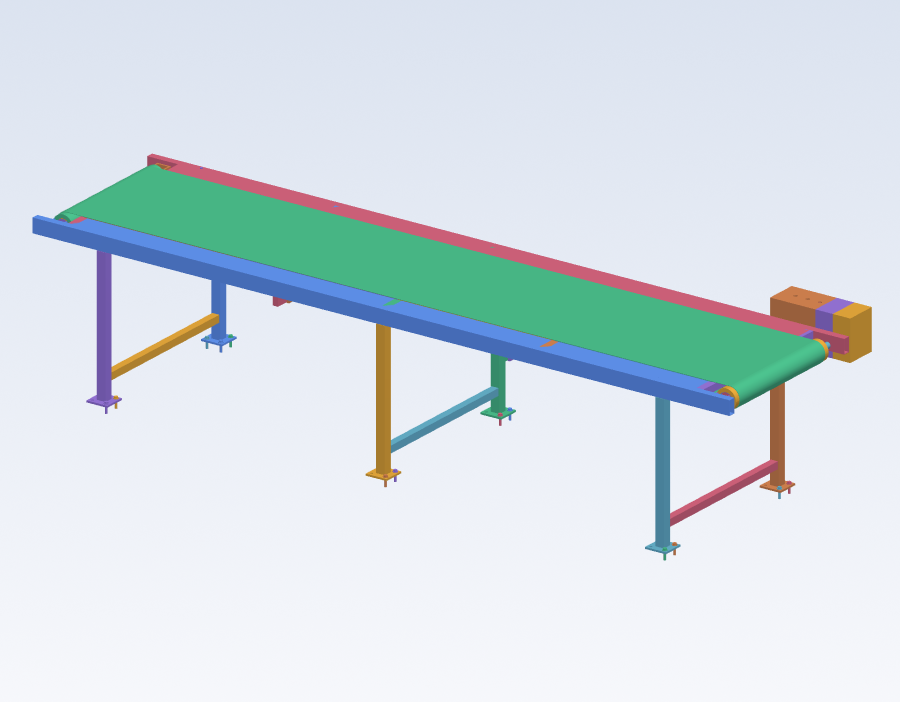
"Design a 4 m × 600 mm belt conveyor for 1–15 kg parcels, with a hollow-shaft gearmotor and gravity-type take-up tensioning. Check there are no interferences and show me a render."
And the agent:
- Models with
run_batch(atomic batches: one regenerate, one undo step), referencing parts from the same batch with$kand dimensions with=expression. - Perceives with
render_view(returns an image → vision),get_topology,measure. - Validates with
check_interference,engineering_check,gravity_test(simulates what falls). - Documents with
drawing/drawing_set/assembly_manual→ shop drawings, cut lists, BOMs and step-by-step assembly manuals.
The write core is minimal (run_command / run_batch / edit_command + undo/redo +
set_variable) and covers the entire command registry — there is no tool per command. The
rest of the 79 tools are for reading, perception, drawings and validation. Everything the agent
does lives in the log: editable, undoable and reproducible. Changes show up live in the
browser.
🖱 By hand (web UI)
A three.js viewport with PBR materials, shadows and a ViewCube; a schema-driven ribbon (Create / Sketch / Modify / Assemble / Library / Robotics); a parametric properties panel; "pro CAD" shortcuts (move/rotate with snap, isolate, fit, measure, section). The agent and the UI are two equal clients of the same API: what one does, the other sees.
Gallery
| Belt conveyor — maintenance lift, a declared motion study | Folding door — wood + translucent glass |
|---|---|
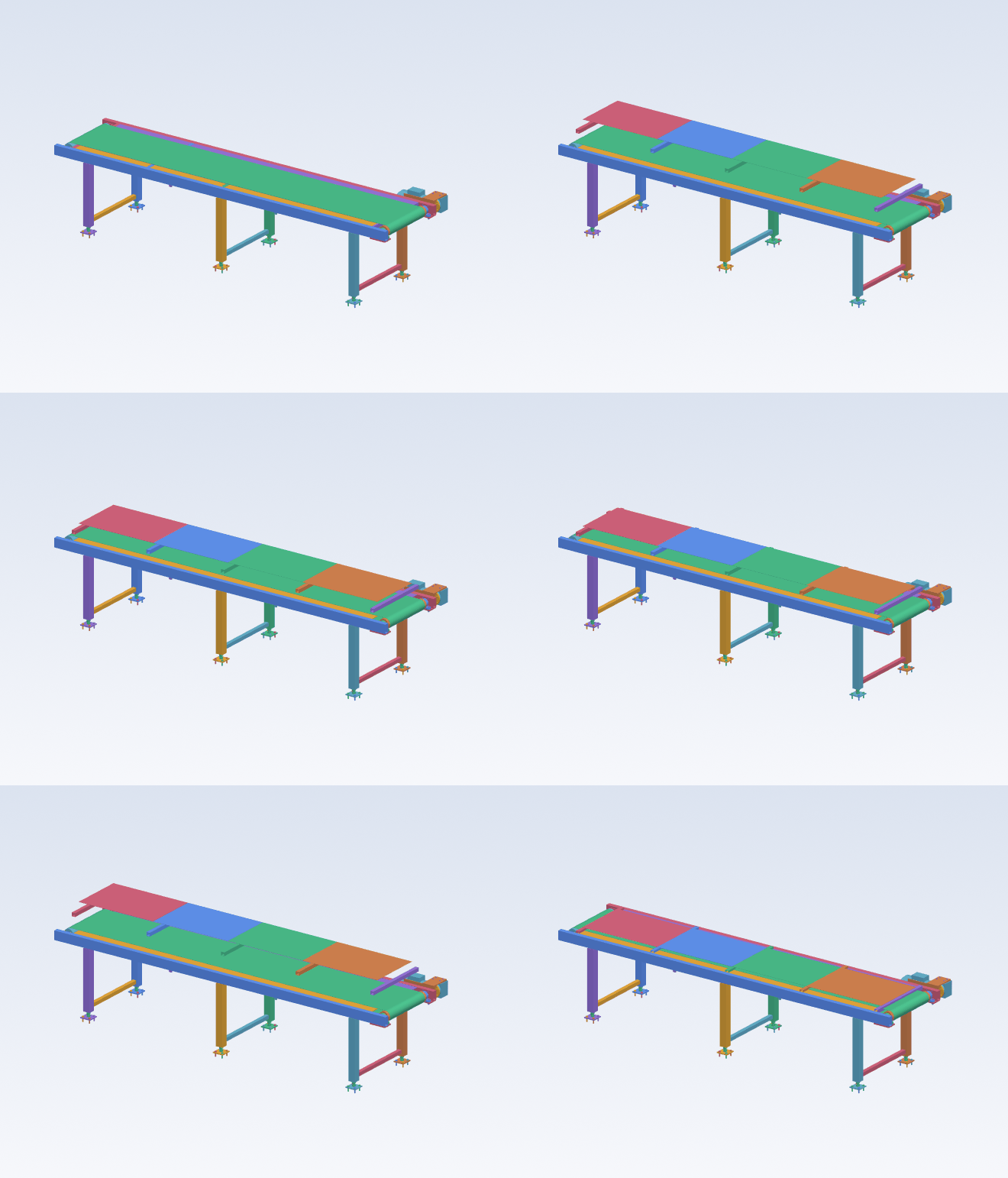 | 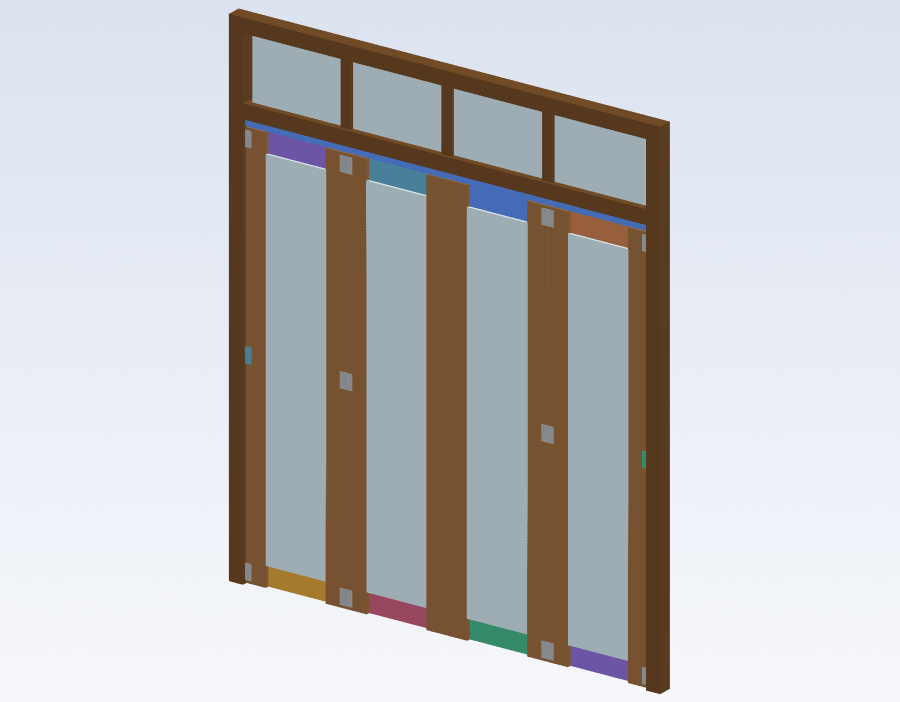 |
Everything above is produced by the engine itself: shaded renders and animations come from
render_view / motion.gif (VTK) — the very images the agent looks at to review its own work.
The animation is a named motion study: the agent declares the joint keyframes, then scans the
whole travel for collisions.
Architecture
Clean, non-negotiable boundaries: kernel (pure geometry) ⟂ commands/registry (operations +
schemas) ⟂ doc (log/state) ⟂ api (transport) ⟂ agent/mcp (AI clients) ⟂ ui. Designed to
scale (many commands, modules and clients).
Capabilities
- Modeling — primitives, fillet/chamfer/shell/drill, patterns, mirror, revolve, extrude, sweep/loft (incl. closed loops and helix), sheet metal with flat-pattern DXF/SVG export, constrained 2D sketching (in-house scipy solver), STEP import.
- Assembly & kinematics — persistent face mates (re-solved on edit), joints (fixed/revolute/continuous/prismatic), rail and N-DOF constraints, motion study (animate the joints and scan collisions along the path).
- Library & BOM — a 231-reference catalog populated from real standard dimensions
(ISO/ASTM/DIN/EN: bearings, profiles, fasteners, joinery, hardware…) + super-commands
(
create_belt_conveyor,create_weldment,create_frame,create_sheet_metal,create_take_up,create_drive_roller, robot arm). BOM with cut list and CSV export. - Engineering validation —
engineering_check(vertical rules: belt speed, motor torque, support…),check_interference(OCCT booleans), and gravity-based assembly validation (declare joints/grounds and simulate what falls with convex hulls in MuJoCo). - PRO manufacturing drawings — HLR projections → SVG/DXF/PDF, dimensions with arrows and
tolerances, A-A/B-B sections with per-material hatching, detail views, title block +
revisions, full drawing sets, automatic hole dimensioning, exploded views, light
GD&T, step-by-step assembly manuals, and an Inventor-style color shaded iso. All from a
declarative spec (
drawing(spec)) the agent composes. - FEA (linear static) — per part (tet mesh + safety factor from σ_vm) and bonded multi-material assembly: the whole welded frame under design load, with FS reported per piece and deflection contrasted against the analytical check.
- Engineering deliverables — this is where Apolo beats what a CAD ships by default: a calculation report (A4 PDF with design basis, formula, substitution and safety factor per check, each citing its standard — CEMA/ISO/DIN/EN/AISC), a costed BOM and quotation, tolerance stack-up (worst-case + RSS over ISO 2768 / ISO 286), an installation sheet (anchor load per support) and a delivery check — a green/amber/red gate that refuses to call a design done while it still floats, collides or lacks declared fastening.
- AI — MCP server (79 tools), vision rendering, agent session memory, chat auto mode (execute → verify → fix).
Requirements
- Python 3.11–3.13 (with OCP/build123d binary wheels)
- Node.js 18+
- (Optional) An Anthropic API key (
ANTHROPIC_API_KEY) for the AI assistant embedded in the UI
Installation
Running it
Open http://localhost:8000. To connect an agent over MCP, keep the server running and point
your MCP client at the repo's .mcp.json. Optional env vars: APOLO_MODEL (default
claude-opus-4-8), APOLO_DB (SQLite path).
Tests
Related MCP Servers
Reviews
No reviews yet — be the first to share how this listing worked for you.
Frequently Asked Questions about Apolo Cad
AllMCPs Directory Badge
Showcase your server listing on GitHub or your project documentation. Embed this dynamic SVG badge to highlight official listing status and live engagement.
Badge Style:
Live Dynamic SVG Preview
Markdown (GitHub README)
[](https://allmcps.com/mcp/apolo-cad)HTML Embed
<a href="https://allmcps.com/mcp/apolo-cad"><img src="https://allmcps.com/api/badge/apolo-cad?style=directory" alt="Apolo Cad on AllMCPs" /></a>Technical Specs & Signals
CategoryDeveloper Tools
37Quality signal: Fair · 37/100How this signal is calculated ▾
Server availabilityNot measured
Not scored for repo-hosted servers — we can't reach the running server, only its GitHub page. Hosted MCP endpoints are health-checked live.
Verified ownership10/20
Documentation & tools16/30
Adoption & activity2/15
Community engagement0/10
A guidance signal from public completeness & health data — not a user rating. New listings start lower and rise as they add docs, get verified, and grow adoption. Signals we can't observe for a listing are skipped, not counted against it.
Own this project?
This directory is pre-filled from public sources. Claim via GitHub README, site badge, or DNS TXT to unlock edit access and the Official badge — proof is checked automatically, then reviewed by our team.
Free dofollow backlink: add your website and place the AllMCPs badge on it — no claim needed. We detect it automatically and keep it verified as long as the badge stays live.
Claim & get free dofollowShare & Embed
Add our SVG badge (dark/light directory styles) or embeddable widget to your site.