Health: ActiveRecent health check succeeded.Last checked 9/21/2026, 8:46:18 PM
Apify MCP Server
User RatingsBe the first to rate and review this MCP server! Enrichment pendingWe haven’t run our AI enrichment pass on this listing yet, so the overview, use cases, and FAQ below may be sparse or missing. We work through the catalog over time — check back soon.
We haven't yet run this listing's install command through our automated sandbox check. This isn't a red flag — we're steadily working through the catalog.
💡 Paste the JSON block into your client's configuration file under mcpServers, then restart the application.
Capabilities & Tool Schemas (9) ~26 tokensApproximate context cost of this server’s tool schemas (~4 chars/token), before any tool is called. Actual usage depends on your client and model.Self-reported Self-reportedParsed from the repository README, not verified against a live server — may be incomplete or out of date.
Inspect callable tools, capabilities, and parameters exposed to AI agents by Apify MCP Server.
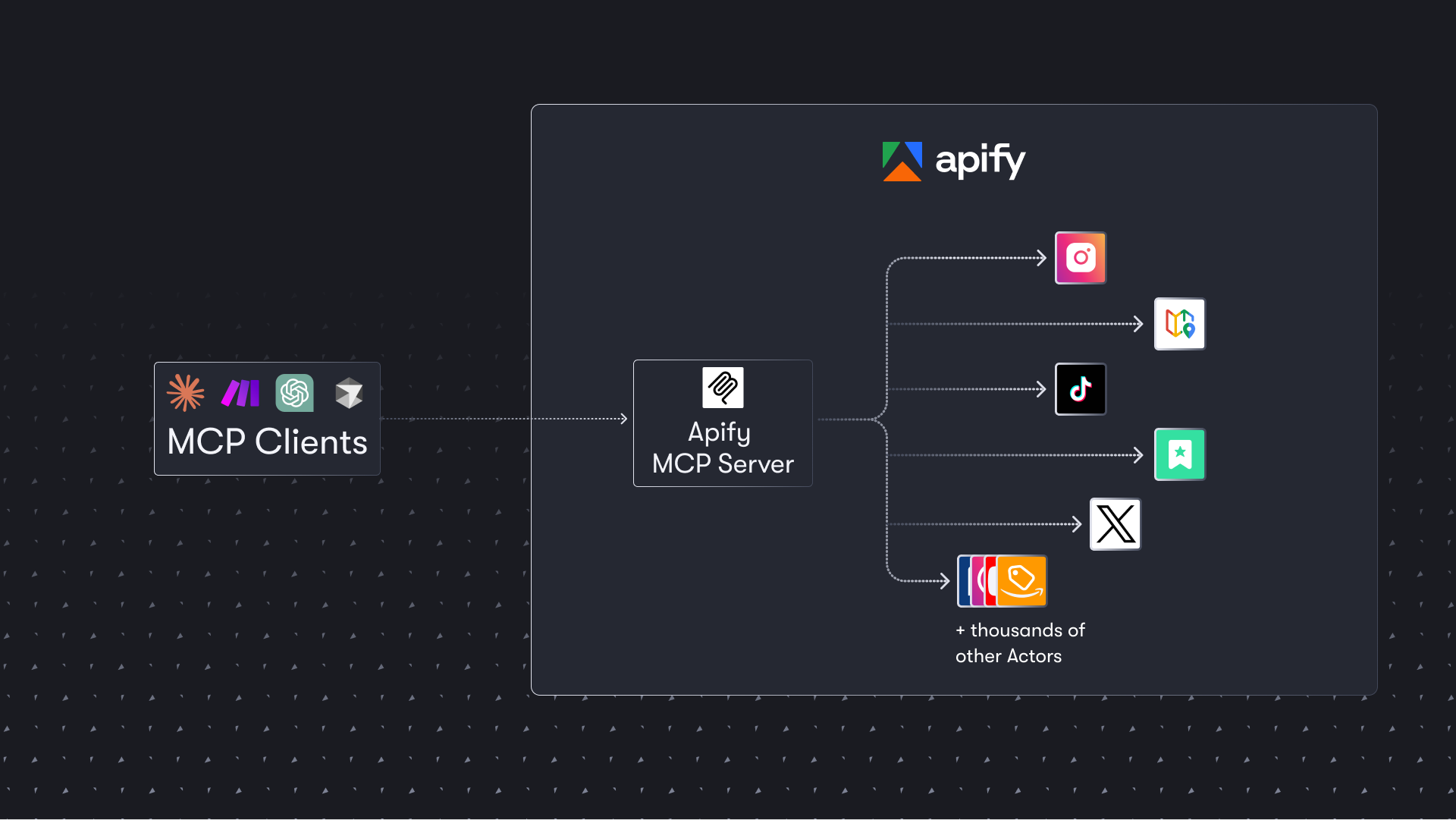
The Apify Model Context Protocol (MCP) server at mcp.apify.com enables your AI agents to extract data from social media, search engines, maps, e-commerce sites, and any other website using thousands of ready-made scrapers, crawlers, and automation tools from Apify Store. It supports OAuth, allowing you to connect from clients like Claude.ai or Visual Studio Code using just the URL.
🚀 Use the hosted Apify MCP Server!
For the best experience, connect your AI assistant to our hosted server at https://mcp.apify.com. The hosted server supports the latest features - including output schema inference for structured Actor results - that are not available when running locally via stdio.
⚠️ Legacy SSE transport removed. The https://mcp.apify.com/sse endpoint has been removed in favor of Streamable HTTP. Migrate your client to https://mcp.apify.com — drop the /sse suffix from your configuration.
💰 The server also supports agentic payments: buy a token from AGI to run any Actor, or pay per-request via direct x402 (Pay Per Event Actors only) or Skyfire.
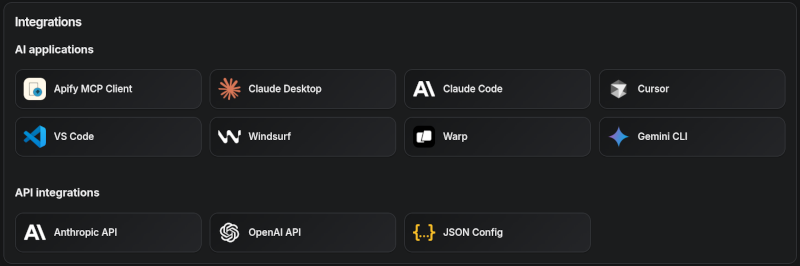
Apify MCP Server is compatible with Claude Code, Claude.ai, Cursor, VS Code and any client that adheres to the Model Context Protocol.
Check out the MCP clients section for more details or visit the MCP configuration page.
Use Instagram Scraper to scrape Instagram posts, profiles, places, photos, and comments.
Use RAG Web Browser to search the web, scrape the top N URLs, and return their content.
Use Web Fetch to fetch any URL and return its content as Markdown, plain text, HTML, or links — with JavaScript rendering and anti-bot protection.
Video tutorial: Integrate 8,000+ Apify Actors and Agents with Claude
🚀 Quickstart
You can use the Apify MCP Server in two ways:
HTTPS Endpoint (mcp.apify.com): Connect from your MCP client via OAuth or by including the Authorization: Bearer <APIFY_TOKEN> header in your requests. This is the recommended method for most use cases. Because it supports OAuth, you can connect from clients like Claude.ai or Visual Studio Code using just the URL: https://mcp.apify.com.
https://mcp.apify.com streamable transport
Standard Input/Output (stdio): Ideal for local integrations and command-line tools like the Claude for Desktop client.
Set the MCP client server command to npx @apify/actors-mcp-server and the APIFY_TOKEN environment variable to your Apify API token.
See npx @apify/actors-mcp-server --help for more options.
You can find detailed instructions for setting up the MCP server in the Apify documentation.
🤖 MCP clients
Apify MCP Server is compatible with any MCP client that adheres to the Model Context Protocol, but the level of support for dynamic tool discovery and other features may vary between clients.
This interactive, chat-like interface provides an easy way to explore the capabilities of Apify MCP without any local setup.
Sign in with your Apify account and start experimenting with web scraping, data extraction, and automation tools!
Or use the MCP bundle file (formerly known as Anthropic Desktop extension file, or DXT) for one-click installation: Apify MCP Server MCPB file
💰 Agentic payments
You can pay for Actor runs without an Apify API token using AGI, direct x402, or Skyfire.
AGI (agi.apify.com) mints a prepaid Apify API token in exchange for an x402 or MPP payment. Use the token like a normal API token against mcp.apify.com and api.apify.com — works for any Actor, not just Pay Per Event ones. Recommended for new integrations; see AGI (recommended) below.
Direct x402 pays with USDC on Base per request and does not require a separate platform account. It is fully supported by mcpc (brew install apify/tap/mcpc or npm install -g @apify/mcpc). We use mcpc because it is one of the few MCP clients that supports the latest features and the x402 protocol natively.
Skyfire pays with PAY tokens and requires a Skyfire account with a funded wallet. It does not require a special MCP client; the entire payment flow is handled directly through the MCP tool call parameters.
ℹ️ Scope: Both direct x402 and Skyfire are limited to Pay Per Event Actors, don't support Standby Actors, and settle per run instead of minting a token.
How agentic payments work
Actor run costs vary, so both payment methods use a prepaid balance model. The payment flow happens in four steps:
Factual signals from GitHub, npm, and our automated checks — not a rating.
GitHub stars
7k
Stargazers on the source repository.
npm downloads
107k
Package downloads in the last 30 days.
Last commit
2d ago
Most recent push to the default branch.
Tools exposed
9
Callable tools this server registers over MCP.
Reviews
No reviews yet — be the first to share how this listing worked for you.
Frequently Asked Questions about Apify MCP Server
Add the following block to your claude_desktop_config.json under mcpServers: "mcpServers": { "apify-mcp-server": { "command": "npx", "args": ["-y","@apify/actors-mcp-server"] } }
Showcase your server listing on GitHub or your project documentation. Embed this dynamic SVG badge to highlight official listing status and live engagement.
<a href="https://allmcps.com/mcp/apify-mcp-server"><img src="https://allmcps.com/api/badge/apify-mcp-server?style=directory" alt="Apify MCP Server on AllMCPs" /></a>
Unique ViewsTotal visits recorded for this listing page on AllMCPs.
Installs0
Installs & Copy ActionsTotal times users copied install commands or configuration snippets for this server.
GitHub stars7,962
GitHub Star CountTotal stargazers on GitHub representing community popularity (7,962 stars).
Last commit2d ago
Last Repository CommitThe most recent commit or push recorded for this server's GitHub repository.Last commit on Sep 21, 2026
npm downloads107,929/mo
Monthly npm DownloadsAverage monthly package installs recorded from npm registry statistics.
64Quality signal: Good · 64/100How this signal is calculated ▾
Server availabilityNot measured
Not scored for repo-hosted servers — we can't reach the running server, only its GitHub page. Hosted MCP endpoints are health-checked live.
Verified ownership9/20
Documentation & tools25/30
Adoption & activity14/15
Community engagement0/10
A guidance signal from public completeness & health data — not a user rating. New listings start lower and rise as they add docs, get verified, and grow adoption. Signals we can't observe for a listing are skipped, not counted against it.
Supply-chain signal
1 high-severity advisory on record for this package. Most advisories affect transitive dependencies and may not be exploitable in this server's actual usage — this is a directional signal, not a security audit.
Critical 0High 1Medium 1Low 0
Scanned 2d ago via OSV.dev · @apify/actors-mcp-server (npm)
★ Spotlight Slot
Feature Your MCP Server
Get maximum visibility for your server across our directory, search results, and detail pages.
This directory is pre-filled from public sources. Claim via GitHub README, site badge, or DNS TXT to unlock edit access and the Official badge — proof is checked automatically, then reviewed by our team.
Free dofollow backlink: add your website and place the AllMCPs badge on it — no claim needed. We detect it automatically and keep it verified as long as the badge stays live.