Anymd vs WeJob
A side-by-side look at the Anymd and WeJob MCP servers: transport, auth, tools, quality signals, and the config to install either one in Claude, Cursor, Windsurf or VS Code.
Verdict: choose Anymd for file systems work as a local process; choose WeJob for developer tools over a hosted endpoint. You can also run both side by side in one mcpServers block.
Which MCP server should you choose?
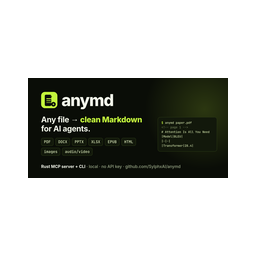 Choose Anymd when
- You need dedicated capabilities in the File Systems domain.
- You prefer a local stdio subprocess transport.
- Its auth model fits you: No auth required.
- You want tools like
inspect, outline, read.
 Choose WeJob when
- You need dedicated capabilities in the Developer Tools domain.
- You prefer a remote HTTP/SSE transport.
- Its auth model fits you: No auth required.
- You want tools like
search, fetch, wejob_search_jobs.
Feature & specification comparison
Rows where the two servers differ are marked.
| Spec | ||
|---|---|---|
| Category | File Systems | Developer Tools |
| Quality signal | 73/100 · Great | 69/100 · Great |
| Install command | Confirmed | Confirmed |
| Transport | Local subprocess (stdio) | Remote HTTP/SSE |
| Auth | No auth required | No auth required |
| Pricing | Free | Free |
| Required env vars | None listed | None listed |
| Verified owner | Community listing | Community listing |
| GitHub stars | 1,051 | 1 |
| Directory activity | 5 views 0 installs 0 upvotes | 1 views 0 installs 0 upvotes |
| Tools | 4 | 8 |
| Full listing | View Anymd | View WeJob |
Tools & capabilities
Anymd tools 4
inspectDocument and media evidence when Markdown is not enough. video_timeline (bounded scene/cue timeline) and render_frame (actual decoded frames), and cite_check (quote/location support, not semantic truth), are anymd Pro; PDF operations: inspect (page facts, metadata), render_page (PNG images), extract_regions (crop bounding boxes), ocr_pages / analyze_regions (configured OCR or vision provider), structure (JSON with document map, elements, geometry; profile quality|research adds trust and accessibility reports), compare (page-level diff of sources[0] vs sources[1]).outlineReturn a document heading tree with stable node ids, title paths, page/slide/chapter ranges and Markdown byte ranges. PDF bookmarks or detected headings, Word headings, PowerPoint slides, EPUB chapters and headings, HTML and Markdown. format json (default) or tree. Pass a node id to read to fetch that section.readRead any document as clean Markdown: PDF, Word (DOCX), PowerPoint (PPTX), Excel (XLSX/XLS/ODS), CSV, EPUB, HTML or a web URL, Markdown/text, images (metadata + OCR), audio/video (metadata, chapters, subtitles). Pages/slides/sheets carry <!-- page N --> style markers for citation. Long documents stop at max_tokens (default 20000) and end with a cursor to continue; choose pages with pages: "1-5,8". A directory returns its readable files.searchSearch documents for text: one file, many files, whole directories (recursive, .gitignore aware), or URLs, across every format read supports. Returns each hit as file + page/slide/sheet + a snippet with the match in bold. mode auto (default) finds the exact phrase and falls back to BM25-ranked passages when there is none; literal or ranked force one. Narrow directories with glob, e.g. "*.pdf".
WeJob tools 8
searchSearch public WeJob jobs, formations, and companies. Returns ids usable with fetch.fetchFetch a public WeJob item by id. Supported id prefixes: job:, formation:, company:.wejob_search_jobsSearch public active WeJob job offers.wejob_get_jobFetch one public active WeJob job offer by public id (raw id or the job:<id> returned by search/fetch).wejob_search_formationsSearch public active WeJob formations.wejob_get_formationFetch one public active WeJob formation by public id (raw id or the formation:<id> returned by search/fetch).wejob_search_companiesSearch public WeJob company profiles.wejob_get_companyFetch one public WeJob company profile by public id (raw id or the company:<id> returned by search/fetch).
Ready-to-paste client configs
Paste either block (or both) into your client config, e.g. claude_desktop_config.json or ~/.cursor/mcp.json. We only show a config when the install command is confirmed.
Anymd
{
  "mcpServers": {
    "anymd": {
      "command": "npx",
      "args": [
        "-y",
        "@sylphx/anymd"
      ]
    }
  }
}
WeJob
{
  "mcpServers": {
    "wejob": {
      "url": "https://mcp.wejob.ch/mcp"
    }
  }
}
Frequently asked questions
Anymd is categorized under File Systems and uses a local stdio subprocess. WeJob belongs to Developer Tools and uses a remote HTTP/SSE transport. Pick Anymd for file systems work and WeJob for developer tools.
Copy the mcpServers block from the config section on this page into your client's config (for example claude_desktop_config.json or ~/.cursor/mcp.json), then fully restart the client.
Anymd is listed as free. Auth: no auth required. WeJob is listed as free. Auth: no auth required. If a server needs environment variables such as API keys, define them under the env key in your client's MCP config.
Yes. MCP clients support multiple servers: add anymd and wejob as separate keys in the same mcpServers object, and your assistant will call tools from either one.
On AllMCPs, Anymd has a quality signal of 73/100 (Great) with 5 views, 0 installs and 1,051 GitHub stars. WeJob has 69/100 (Great) with 1 views, 0 installs and 1 GitHub stars.